# Beginner's Guide to Concurrent Programming: Coding a Multithreaded Chat Server using Tokio _04 May 2024 · #rust · #async · #concurrency · #tokio_ ![chat server demo](../assets/chat-server-demo.gif)
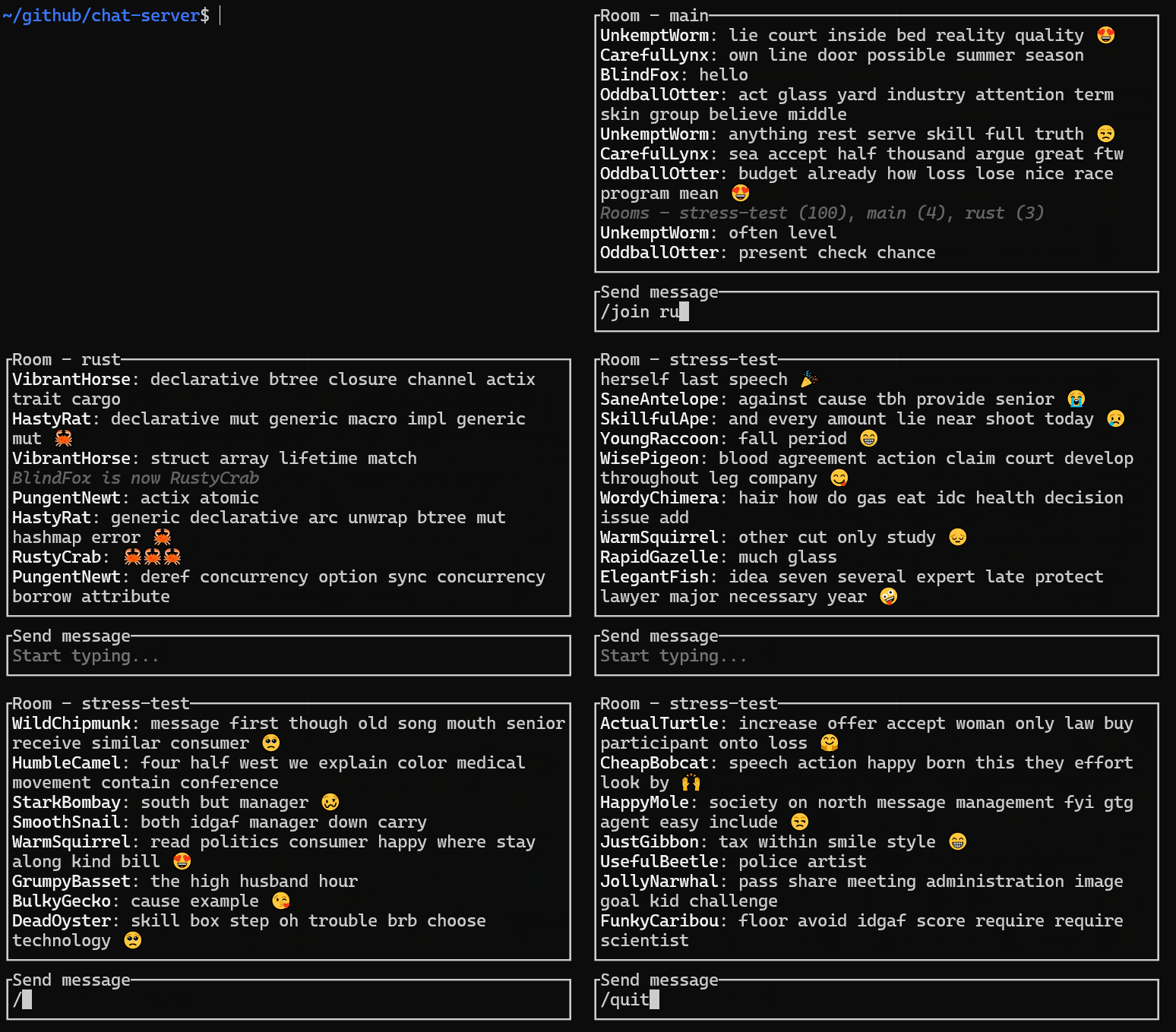
Table of contents [Introduction](#introduction)
[01\) Simplest possible echo server](#01-simplest-possible-echo-server)
[02\) Handling multiple connections serially](#02-handling-multiple-connections-serially)
[03\) Modifying messages](#03-modifying-messages)
[04\) Parsing a stream of bytes as lines](#04-parsing-a-stream-of-bytes-as-lines)
[05\) Adding `/help` & `/quit` server commands](#05-adding-help--quit-server-commands)
[06\) Handling multiple connections concurrently](#06-handling-multiple-connections-concurrently)
[07\) Letting users kinda chat](#07-letting-users-kinda-chat)
[08\) Letting users actually chat](#08-letting-users-actually-chat)
[09\) Assigning names to users](#09-assigning-names-to-users)
[10\) Letting users edit their names with `/name`](#10-letting-users-edit-their-names-with-name)
[11\) Freeing user's name if they disconnect](#11-freeing-users-name-if-they-disconnect)
[12\) Adding a main room](#12-adding-a-main-room)
[13\) Letting users join or create rooms with `/join`](#13-letting-users-join-or-create-rooms-with-join)
[14\) Listing all rooms with `/rooms`](#14-listing-all-rooms-with-rooms)
[15\) Removing empty rooms](#15-removing-empty-rooms)
[16\) Listing users in the room with `/users`](#16-listing-users-in-the-room-with-users)
[17\) Optimizing performance](#17-optimizing-performance)
[18\) Finishing touches](#18-finishing-touches)
[Conclusion](#conclusion)
[Discuss](#discuss)
[Further reading](#further-reading)
[Notifications](#notifications)
## Introduction I recently finished coding a multithreaded chat server using Tokio and I'm pretty happy with it. I'd like to share what I learned in this easy-to-follow step-by-step tutorial-style article. Let's get into it. > [!NOTE] > The full source code for every step can be found in [the examples directory](https://github.com/pretzelhammer/chat-server/tree/main/examples) of [this repository](https://github.com/pretzelhammer/chat-server). ## 01\) Simplest possible echo server Let's start by writing the simplest possible echo server. ```rust use tokio::{io::{AsyncReadExt, AsyncWriteExt}, net::TcpListener}; #[tokio::main] async fn main() -> anyhow::Result<()> { let server = TcpListener::bind("127.0.0.1:42069").await?; let (mut tcp, _) = server.accept().await?; let mut buffer = [0u8; 16]; loop { let n = tcp.read(&mut buffer).await?; if n == 0 { break; } let _ = tcp.write(&buffer[..n]).await?; } Ok(()) } ``` `#[tokio::main]` is a procedural macro that removes some of the boilerplate of building a tokio runtime, and turns this: ```rust #[tokio::main] async fn my_async_fn() { todo!() } ``` Roughly into this: ```rust fn main() { tokio::runtime::Builder::new_multi_thread() .enable_all() .build() .unwrap() .block_on(my_async_fn) } async fn my_async_fn() { todo!() } ``` And as a quick refresher if we have an async function like this: ```rust async fn my_async_fn(t: T) -> T { todo!() } ``` It roughly desugars into: ```rust fn my_async_fn(t: T) -> impl Future { todo!() } ``` And a `Future` represents some form of asynchronous computation that we can `await` to get the result. Let's also use the `anyhow` crate for carefree error propagation. Any place where we might want to return `Result>` we can substitute it with `anyhow::Result` and get the same behavior. In this line we're binding a TCP listener: ```rust let server = TcpListener::bind("127.0.0.1:42069").await?; ``` > [!IMPORTANT] > This is `tokio::net::TcpListener` and not `std::net::TcpListener`. The former is async and the latter is sync. Also calling `bind` returns a `Future` which we **must** `await` for anything to happen because futures are lazy in Rust! As a general rule of thumb, if there's a type that handles IO by the same name in both `tokio` and `std` we want to use the one in `tokio`. The rest of the code should hopefully be straight-forward: ```rust let (mut tcp, _) = server.accept().await?; let mut buffer = [0u8; 16]; loop { let n = tcp.read(&mut buffer).await?; if n == 0 { break; } let _ = tcp.write(&buffer[..n]).await?; } ``` We accept a connection, create a buffer, and then we read bytes from the connection into the buffer and write those bytes back to the connection in a loop until the connection closes. We can connect to this server using a tool like `telnet` to see that it does in fact echo everything back to us: ```console $ telnet 127.0.0.1 42069 > my first e c h o server! my first e c h o server! > hooray! hooray! ``` > [!TIP] > To quit `telnet` type `^]` (control + right square bracket) to enter command mode and type "quit" + ENTER. If you'd like to mess around with the code yourself just `git clone` [this repository](https://github.com/pretzelhammer/chat-server) and you'll be able to quickly run any example with `just example {number}`. Then you can tinker with the source code at `examples/server-{number}.rs` to your heart's content. Once an example is running you can interact with it by running `just telnet`. ## 02\) Handling multiple connections serially There's an annoying bug in our server: it quits after handling just one connection! If we try to `just telnet` more than once we get `telnet: Unable to connect to remote host: Connection refused` at which point we have to manually restart the server with `just example 01` again. 🤦 Here's how we would fix it: ```rust use tokio::{io::{AsyncReadExt, AsyncWriteExt}, net::TcpListener}; #[tokio::main] async fn main() -> anyhow::Result<()> { let server = TcpListener::bind("127.0.0.1:42069").await?; loop { let (mut tcp, _) = server.accept().await?; let mut buffer = [0u8; 16]; loop { let n = tcp.read(&mut buffer).await?; if n == 0 { break; } let _ = tcp.write(&buffer[..n]).await?; } } } ``` We just had to add another `loop` around our `server.accept()` line! Pretty easy, now we can run the updated example with `just example 02` and the server stays up regardless of how many times we run `just telnet` in a row. ## 03\) Modifying messages As exciting as an echo server is, it would be even more exciting if it modified messages somehow. So how about we try adding a ❤️ emoji at the end of every echoed line? Here's what that would look like: ```rust use tokio::{io::{AsyncReadExt, AsyncWriteExt}, net::TcpListener}; #[tokio::main] async fn main() -> anyhow::Result<()> { let server = TcpListener::bind("127.0.0.1:42069").await?; loop { let (mut tcp, _) = server.accept().await?; let mut buffer = [0u8; 16]; loop { let n = tcp.read(&mut buffer).await?; if n == 0 { break; } // convert byte slice to a String let mut line = String::from_utf8(buffer[..n].to_vec())?; // remove line terminating chars added by telnet line.pop(); // remove \n char line.pop(); // remove \r char // add our own line terminator :) line.push_str(" ❤️\n"); let _ = tcp.write(line.as_bytes()).await?; } } } ``` Demo of our hearty echo server: ```console $ just telnet > hello hello ❤️ > it works! it works! ❤️ ``` However if we write a message that's a little too long we'll see this bug: ```console > this is the best day ever! this is the be ❤️ day ever ❤️ ``` Welp! Nobody said this was gonna be easy. We can increase the fixed size of our buffer but by how much? We can use a growable buffer like a `Vec` but what if the client sends a _really, really long line_? We could solve these problems ourselves, but they're pretty common, so we can also offload them to someone else too. ## 04\) Parsing a stream of bytes as lines Tokio offers a convenient and robust solution to our line problem in the `tokio-util` crate. Here's how we can use it: ```rust use futures::{SinkExt, StreamExt}; use tokio::net::TcpListener; use tokio_util::codec::{FramedRead, FramedWrite, LinesCodec}; #[tokio::main] async fn main() -> anyhow::Result<()> { let server = TcpListener::bind("127.0.0.1:42069").await?; loop { let (mut tcp, _) = server.accept().await?; let (reader, writer) = tcp.split(); let mut stream = FramedRead::new(reader, LinesCodec::new()); let mut sink = FramedWrite::new(writer, LinesCodec::new()); while let Some(Ok(mut msg)) = stream.next().await { msg.push_str(" ❤️"); sink.send(msg).await?; } } } ``` There's a lot of new stuff in this example so let's go over it. The `split` method splits a `TcpStream` into a `ReadHalf` and `WriteHalf`. This is useful if we want to add these halves to different structs, or send them to different threads, or read and write to the same `TcpStream` concurrently (which we'll be doing later). `ReadHalf` implements `AsyncRead` and `WriteHalf` implements `AsyncWrite`, however as mentioned previously, these can be tedious and error-prone to work with directly, which why we bring in `LinesCodec`, `FramedRead`, and `FramedWrite`. `LinesCodec` handles the low-level details of converting a stream of bytes into a stream of UTF-8 strings delimited by newlines, and using it together with `FramedRead` we can wrap a `ReadHalf` to get an implementation of `Stream>`, which is much easier to work with than an `AsyncRead`. A `Stream` is like the async version of an `Iterator`. For example, if we had a sync function like this: ```rust fn iterate(items: impl Iterator) { for item in items { todo!() } } ``` The refactored async version would be: ```rust use futures::{Stream, StreamExt}; async fn iterate(mut items: impl Stream + Unpin) { while let Some(item) = items.next().await { todo!() } } ``` We also use `LinesCodec` together with `FramedWrite` to wrap a `WriteHalf` to get an implementation of `Sink`, which is much easier to work with than an `AsyncWrite`. As you've probably guessed, a `Sink` is the opposite of a `Stream`, it consumes values instead of producing values. The rest of the code is straight-forward: ```rust while let Some(Ok(mut msg)) = stream.next().await { msg.push_str(" ❤️"); sink.send(msg).await?; } ``` We get message from the stream, add a heart to it, and then send it to the sink. If we wanted to be fancy we could have also mapped the stream and forward it to the sink like this: ```rust stream.map(|msg| { let mut msg = msg?; msg.push_str(" ❤️"); Ok(msg) }).forward(sink).await? ``` `forward` returns a `Future` that completes when the `Stream` has been fully processed into the `Sink` and the `Sink` has been closed and flushed. Now our server correctly appends the heart regardless of message length: ```console $ just telnet > this is a really really really long message kinda this is a really really really long message kinda ❤️ ``` ## 05\) Adding `/help` & `/quit` server commands Telnet is annoying to quit. The usual tricks of `esc`, `^C`, and `^D` don't work. We have to type `^]` to enter command mode and then type `quit` + ENTER. 🤦 We can make our server more user-friendly by implementing our own commands, so let's start with `/help` and `/quit`. `/help` will print out a list and description of all the commands our server supports and `/quit` will cause the server to close the connection (which will also cause telnet to quit). So that these commands are discoverable lets send them immediately to every client that connects. Here's what everything put together looks like: ```rust use futures::{SinkExt, StreamExt}; use tokio::net::TcpListener; use tokio_util::codec::{FramedRead, FramedWrite, LinesCodec}; const HELP_MSG: &str = include_str!("help.txt"); #[tokio::main] async fn main() -> anyhow::Result<()> { let server = TcpListener::bind("127.0.0.1:42069").await?; loop { let (mut tcp, _) = server.accept().await?; let (reader, writer) = tcp.split(); let mut stream = FramedRead::new(reader, LinesCodec::new()); let mut sink = FramedWrite::new(writer, LinesCodec::new()); // send list of server commands to // the user as soon as they connect sink.send(HELP_MSG).await?; while let Some(Ok(mut msg)) = stream.next().await { // handle new /help command if msg.starts_with("/help") { sink.send(HELP_MSG).await?; // handle new /quit command } else if msg.starts_with("/quit") { break; // handle regular message } else { msg.push_str(" ❤️"); sink.send(msg).await?; } } } } ``` Let's give it a spin: ```console $ just telnet Server commands /help - prints this message /quit - quits server > /help # new command Server commands /help - prints this message /quit - quits server > woohoo it works woohoo it works ❤️ > /quit # new command Connection closed by foreign host. ``` ## 06\) Handling multiple connections concurrently The biggest downside of our server is that it only handles one connection at a time! If we run `just telnet` in two separate terminals we'll notice our server will only respond to the first connection, and won't start responding to the second connection until the first quits. Although we've been using a lot of async APIs our current implementation behaves no differently than a sync single-threaded server. Let's change that: ```rust use futures::{SinkExt, StreamExt}; use tokio::net::{TcpListener, TcpStream}; use tokio_util::codec::{FramedRead, FramedWrite, LinesCodec}; const HELP_MSG: &str = include_str!("help.txt"); #[tokio::main] async fn main() -> anyhow::Result<()> { let server = TcpListener::bind("127.0.0.1:42069").await?; loop { let (tcp, _) = server.accept().await?; // spawn a separate task for // to handle every connection tokio::spawn(handle_user(tcp)); } } async fn handle_user(mut tcp: TcpStream) -> anyhow::Result<()> { let (reader, writer) = tcp.split(); let mut stream = FramedRead::new(reader, LinesCodec::new()); let mut sink = FramedWrite::new(writer, LinesCodec::new()); sink.send(HELP_MSG).await?; while let Some(Ok(mut msg)) = stream.next().await { if msg.starts_with("/help") { sink.send(HELP_MSG).await?; } else if msg.starts_with("/quit") { break; } else { msg.push_str(" ❤️"); sink.send(msg).await?; } } Ok(()) } ``` `tokio::spawn` takes a `Future` and spawns an asynchronous "task" to complete it. The execution begins immediately so we don't have to `await` the returned join handle like we would a future. A "task" is like a native thread except instead of being managed by the OS it's managed by Tokio. You're probably already familiar with this concept by some of these other names: lightweight threads, green threads, user-space threads. ## 07\) Letting users kinda chat To really get the party started we need to upgrade our echo server to a chat server that lets separate concurrent connections communicate with each other: > [!NOTE] > The code is starting to get long and difficult to read. All following examples will be presented as a heavily abbreviated diff highlighting the key changes, but you can still find the full source code for any example in [the examples directory](https://github.com/pretzelhammer/chat-server/tree/main/examples) of [this repository](https://github.com/pretzelhammer/chat-server). You can see a diff between any two examples by running `just diff {number} {number}`. For instance, to see the diff between this example and the previous example you would run `just diff 06 07`. ```rust // ... async fn main() -> anyhow::Result<()> { // ... // create broadcast channel let (tx, _) = broadcast::channel::(32); // ... // clone it for every connected client tokio::spawn(handle_user(tcp, tx.clone())); } async fn handle_user( mut tcp: TcpStream, tx: Sender ) -> anyhow::Result<()> { // ... // get a receiver from the sender let mut rx = tx.subscribe(); // ... while let Some(Ok(mut user_msg)) = stream.next().await { // ... // send all messages to the channel tx.send(user_msg)?; // ... // receive all of our and others' // messages from the channel let peer_msg = rx.recv().await?; sink.send(peer_msg).await?; } // ... } ``` We communicate between different clients using a broadcast channel. After creating the channel we get a `Sender` and a `Receiver` which we can `clone` any number of times and send to different threads. Each value sent via a `Sender` gets received by every `Receiver`, so the value type must implement `Clone`. Before we would get a message from the client's stream and immediately echo it out to the client's sink. Now when we get a message from the client's stream we pass it through the broadcast channel before we get it back and then send it to the client's sink. Every client will receive their own and others' messages from the shared channel. Let's try out our new code by connecting with two clients at once: ```console $ just telnet # concurrent client 1 > 1: hello # msg 1 1: hello ❤️ > 1: anybody there? # msg 2 1: anybody there? ❤️ $ just telnet # concurrent client 2 > 2: hey there # msg 3 1: hello ❤️ > 2: how are you # msg 4 1: anybody there? ❤️ > 2: i am right here # msg 5 2: hey there ❤️ > 2: wtf # msg 6 2: how are you ❤️ ``` Each client is seeing each other's messages but they seem kinda delayed and staggered for some reason. Something just isn't quite right here. The bug in our code is here: ```rust // the client must first send a message while let Some(Ok(mut user_msg)) = stream.next().await { // in order to receive a message let peer_msg = rx.recv().await?; // and these two things always alternate } ``` In order to receive a message from a peer, we must first send a message. What if we want to be a lurker? Or what if our conversation partner is much more chatty than us? On the other hand, if we're the chatty one then we'll barely see any messages from our partner since we'll mostly see our own echoed output. To solve this problem we need to be able to `await` two futures at once. In this case those futures are the ones created by `stream.next()`, which gets the next message from the client, and `rx.recv()`, which gets the next message from the channel. ## 08\) Letting users actually chat `tokio::select!` allows us to poll multiple futures at once: ```rust async fn handle_user( mut tcp: TcpStream, tx: Sender ) -> anyhow::Result<()> { // ... loop { tokio::select! { user_msg = stream.next() => { // ... }, peer_msg = rx.recv() => { // ... }, } } // ... } ``` We execute the match arm of whatever future completes first. The other future is dropped. Now if we try our server: ```console $ just telnet # concurrent client 1 > 1: hello # msg 1 1: hello ❤️ > 1: anybody there? # msg 2 1: anybody there? ❤️ 2: i am right here ❤️ 2: how are you ❤️ > 1: i am doing great # msg 5 $ just telnet # concurrent client 2 1: hello ❤️ 1: anybody there? ❤️ > 2: i am right here # msg 3 2: i am right here ❤️ > 2: how are you? # msg 4 2: how are you ❤️ 1: i am doing great ❤️ ``` It works! Anyway, celebrations aside, we need to talk about cancel safety. As mentioned before, Rust futures are lazy, and they only make progress while being polled. Polling is a little bit different than awaiting. To await a future means to poll it to completion. To poll a future means to ask it to make some progress, but it may not necessarily complete. On one hand, this is great, because if we start polling a future and later decide we don't need its result anymore, we can stop polling it and we won't waste anymore CPU on doing useless work. On the other hand, this may not be so great if the future we're cancelling is in the middle of an important operation that if not completed may drop important data or may leave data in a corrupt state. Let's look at an example of "cancelling" a future. Cancelling is in quotes because it's not an explicit operation, it just means we started to poll a future but then stopped polling it before it completed. ```rust use tokio::time::sleep; use std::time::Duration; async fn count_to(num: u8) { for i in 1..=num { sleep(Duration::from_millis(100)).await; println!("{i}"); } } #[tokio::main] async fn main() { println!("start counting"); // the select! macro polls each // future until one of them completes, // and then we execute the match arm // of the completed future and drop // all of the other futures tokio::select! { _ = count_to(3) => { println!("counted to 3"); }, _ = count_to(10) => { println!("counted to 10"); }, }; println!("stop counting"); // this sleep is here to demonstrate // that the count_to(10) doesn't make // any progress after we stop polling // it, even if we go to sleep and do // nothing else for a while sleep(Duration::from_millis(1000)).await; } ``` This program outputs: ``` start counting 1 1 2 2 3 3 counted to 3 stop counting ``` We "cancelled" the `count_to(10)` future. In this simple toy example we don't care if the count completes or not so this future is cancel-safe in that sense, but if finishing the count was critical to our application then cancelling this future would be a problem. To make sure the future completes we can `await` it after the `tokio::select!`: ```rust // ... async fn main() { println!("start counting"); let count_to_10 = count_to(10); tokio::select! { _ = count_to(3) => { println!("counted to 3"); }, _ = count_to_10 => { // ❌ println!("counted to 10"); }, }; println!("stop counting"); println!("jk, keep counting"); count_to_10.await; // ❌ println!("finished counting to 10"); } ``` Throws: ``` error[E0382]: use of moved value: count_to_10 ``` Oh duh, we made the simplest mistake in the book, trying to use a value after we moved it. Let's pass a mutable reference instead: ```rust // ... async fn main() { println!("start counting"); let count_to_10 = count_to(10); tokio::select! { _ = count_to(3) => { println!("counted to 3"); }, _ = &mut count_to_10 => { // ❌ println!("counted to 10"); }, }; println!("stop counting"); println!("jk, keep counting"); count_to_10.await; println!("counted to 10"); } ``` Now throws: ``` error[E0277]: {async fn body@src/main.rs:23:28: 28:2} cannot be unpinned -> src/main.rs:34:5 | 23 | async fn count_to(num: u8) { | ----------------- within this impl futures::Future ... 34 | / tokio::select! { 35 | | _ = count_to(3) => { 36 | | println!("counted to 3"); 37 | | }, ... 41 | | }; | | ^ | | | | |_____within impl futures::Future, | the trait Unpin is not implemented for | {async fn body@src/main.rs:23:28: 28:2}, | which is required by &mut impl | futures::Future: futures::Future | required by a bound introduced by this call | = note: consider using the pin! macro consider using Box::pin if you need to access the pinned value outside of the current scope ``` We need to "pin" our future. Okay, let's do what the compiler suggested: ```rust #[tokio::main] async fn main() { println!("start counting"); let count_to_10 = count_to(10); tokio::pin!(count_to_10); // ✔️ tokio::select! { _ = count_to(3) => { println!("counted to 3"); }, _ = &mut count_to_10 => { println!("counted to 10"); }, }; println!("stop counting"); println!("jk, keep counting"); count_to_10.await; println!("finished counting to 10"); } ``` Compiles and outputs: ``` start counting 1 1 2 2 3 3 counted to 3 stop counting jk, keep counting 4 5 6 7 8 9 10 finished counting to 10 ``` To pin something in Rust means to pin its location in memory. Once it is pinned it cannot be moved. The reason some futures need to be pinned before being polled is because under-the-hood they can contain self-referential pointers that would be invalidated if the future was ever moved. If that last part flew over your head don't worry, I don't fully get it either. But fear not, here's a general algorithm we can follow to solve these kinds of problems when they arise: **1\)** If we're writing generic code that takes a future or something that produces futures we can add `+ Unpin` to the trait bounds. So for example this doesn't compile: ```rust use futures::{Stream, StreamExt}; async fn iterate( mut items: impl Stream ) { while let Some(item) = items.next().await { // ❌ todo!() } } ``` Throws: ``` error[E0277]: impl Stream cannot be unpinned ``` But if we sprinkle `Unpin` into the function signature it works: ```rust async fn iterate( mut items: impl Stream + Unpin // ✔️ ) { while let Some(item) = items.next().await { todo!() } } ``` **2\)** However, let's say that causes compile errors elsewhere in our code, because we are passing a stream to this function isn't `Unpin`. We can remove the `Unpin` from the function signature and use the `pin!` macro to pin the stream within the function: ```rust async fn iterate( mut items: impl Stream ) { tokio::pin!(items); // ✔️ while let Some(item) = items.next().await { todo!() } } ``` This pins it to the stack, so it cannot escape the current scope. **3\)** If the pinned object needs to escape the current scope there's `Box::pin` to pin it in the heap: ```rust async fn iterate( mut items: impl Stream ) { let mut items = Box::pin(items); // ✔️ while let Some(item) = items.next().await { todo!() } } ``` **4\)** Or we can ask the caller to figure out this detail for us: ```rust async fn iterate + ?Sized>( mut items: Pin<&mut S> ) { while let Some(item) = items.next().await { todo!() } } ``` However in this case the caller is also us, so this doesn't help that much over solutions 2 & 3. > [!IMPORTANT] > In summary: we need to be mindful which futures are and aren't cancel-safe when we pass them to code that may not poll them to completion, e.g. `tokio::select!`. If you're writing a Rust library that polls futures you need to document if your library will poll the futures to completion or not. If you're writing a Rust library that produces futures you need to document which of the futures are and aren't cancel-safe. If you're using a Rust library that either polls or returns futures you need to carefully read its docs. ## 09\) Assigning names to users In the current iteration of our chat server it's hard to follow who said what. We could prepend each connection's socket address to their message to disambiguate them, and if we did it would look something like this: ```console $ just telnet > hello 127.0.0.1:51270: hello ``` However that is both ugly and boring. Let's generate random names by combining an adjective with an animal and assign them to users when they join: ```rust pub static ADJECTIVES: [&str; 628] = [ "Mushy", "Starry", "Peaceful", "Phony", "Amazing", "Queasy", // ... ]; pub static ANIMALS: [&str; 243] = [ "Owl", "Mantis", "Gopher", "Robin", "Vulture", "Prawn", // ... ]; pub fn random_name() -> String { let adjective = fastrand::choice(ADJECTIVES).unwrap(); let animal = fastrand::choice(ANIMALS).unwrap(); format!("{adjective}{animal}") } ``` Here's a sampling of some of the names this creates: ``` HushedLlama DimpledDinosaur UrbanMongoose YawningMinotaur RomanticRhino DapperPeacock PlasticCentaur BubblyChicken AnxiousGriffin SpicyAlpaca MindlessOctopus WealthyPelican CruelCapybara RegalFrog PinkPoodle QuirkyGazelle PoshGopher CarelessBobcat SomberWeasel ZenMammoth DazzlingSquid ``` To keep our main file clean and concise, let's put this functionality into our lib file and import it: ```rust use chat_server::random_name; // ... async fn handle_user( mut tcp: TcpStream, tx: Sender ) -> anyhow::Result<()> { // ... // generate random name let name = random_name(); // ... // tell user their name sink.send(format!("You are {name}")).await?; // ... user_msg = stream.next() => { // ... // prepend user's name to their messages tx.send(format!("{name}: {user_msg}"))?; }, // ... } ``` Let's give it a try: ```console $ just chat You are MeatyPuma > hello MeatyPuma: hello PeacefulGibbon: howdy ``` Excellent. > [!NOTE] > I switched from using `just telnet` to `just chat` because I got tired of using telnet and built a TUI chat client that's easier to use and looks nicer, which is what `just chat` runs. ## 10\) Letting users edit their names with `/name` We'd like names to be unique across the server. We can enforce this by maintaining the names in a `HashSet`. However, since we'd also like to let users edit their names using the `/name` command we need to share this set between users running in different threads. > [!TIP] > To share mutable data across many threads we can wrap it with `Arc>`, which is like the thread-safe version of `Rc>` if you've ever used that before. Let's wrap our `Arc>>` in a new type to make using it more ergonomic: ```rust // ... #[derive(Clone)] struct Names(Arc>>); impl Names { fn new() -> Self { Self(Arc::new(Mutex::new(HashSet::new()))) } // returns true if name was inserted, // i.e. the name is unique fn insert(&self, name: String) -> bool { self.0.lock().unwrap().insert(name) } // returns unique name fn get_unique(&self) -> String { let mut name = random_name(); let mut guard = self.0.lock().unwrap(); while !guard.insert(name.clone()) { name = random_name(); } name } } #[tokio::main] async fn main() -> anyhow::Result<()> { // ... let names = Names::new(); // ... tokio::spawn(handle_user(tcp, tx.clone(), names.clone())); } async fn handle_user( mut tcp: TcpStream, tx: Sender, names: Names, ) -> anyhow::Result<()> { // ... // get a unique name for new user let mut name = names.get_unique(); // ... // tell them their name sink.send(format!("You are {name}")).await?; // ... user_msg = stream.next() => { // ... // handle new /name command if user_msg.starts_with("/name") { let new_name = user_msg .split_ascii_whitespace() .nth(1) .unwrap() .to_owned(); // check if name is unique let changed_name = names.insert(new_name.clone()); if changed_name { // notify everyone that user // changed their name tx.send(format!("{name} is now {new_name}"))?; // remove previous name names.remove(&name); // set new name name = new_name; } else { // tell user that name is // already taken sink.send( format!("{new_name} is already taken") ).await?; } } // ... }, // ... } ``` Let's try it out: ```console $ just chat Server commands /help - prints this message /name {name} - change name /quit - quits server You are FancyYak > hello FancyYak: hello > /name pretzelhammer # new command FancyYak is now pretzelhammer > 🦀🦀🦀 pretzelhammer: 🦀🦀🦀 ``` > [!CAUTION] > Rust promises that compiling safe programs are free of memory vulnerabilities, but it makes no promises that they will be free of deadlocks. When we add locks to our program we need to be careful to avoid creating deadlock scenarios. Here's some tips for avoiding deadlocks: **1\)** Don't hold locks across await points An `await` point is anywhere in an async function where `await` is called. When we call `await` we yield control back to the Tokio scheduler. If our yielded future holds a lock that means any executing futures won't be able to acquire it, in which case they will block forever while waiting on it, and the yielded lock-holding future won't get an opportunity to run again, and so we have a deadlock. That was a bit abstract so let's run through a concrete example. Imagine we have a single-threaded Tokio runtime, with three futures ready to be polled: ``` Tokio scheduler, future queue: +---------+---------+---------+ | fut A | fut B | fut C | +---------+---------+---------+ ``` Since this is a single-threaded runtime we can only execute one future at a time. Tokio polls the first future, future A, which runs code that looks like this: ```rust async do_stuff(mutex: Mutex) { // acquires lock let guard = mutex.lock().unwrap(); // hits await point, i.e. yields to scheduler other_async_fn().await?; // releases lock dbg!(guard); } ``` When it hits the `await` point, the future goes back to the end of the queue: ``` Tokio scheduler, future queue: +---------+---------+---------+ | fut B | fut C | fut A* | +---------+---------+---------+ * holding lock ``` Then Tokio tries to poll the next future, future B, and that future runs through the same code path, trying to acquire a lock to the same mutex that future A is currently holding! It will block forever! Future B cannot make progress until future A releases the lock, but future A cannot release the lock until future B yields back to the scheduler. We have a deadlock. _"But what if we use an async mutex instead of a sync mutex?"_ It is true that tip 1 applies to sync mutexes, like `std::sync::Mutex`, but not to async mutexes, like `tokio::sync::Mutex`. For mutexes designed to be used in an async context, we can hold their locks across `await` points, however they are slower. To quote the Tokio docs: > Contrary to popular belief, it is ok and often preferred to use the ordinary Mutex from the standard library in asynchronous code. > > The feature that the async mutex offers over the blocking mutex is the ability to keep it locked across an await point. This makes the async mutex more expensive than the blocking mutex, so the blocking mutex should be preferred in the cases where it can be used. The primary use case for the async mutex is to provide shared mutable access to IO resources such as a database connection. If the value behind the mutex is just data, it's usually appropriate to use a blocking mutex such as the one in the standard library. Generally speaking, if we can structure our code to never to hold a lock across an `await` point it's better to use a sync mutex, and if we absolutely have to hold a lock across an `await` point then we would switch to an async mutex. **2\)** Don't reaquire the same lock multiple times Trivial example: ```rust fn main() { let mut mutex = Mutex::new(5); // acquire lock let g = mutex.lock().unwrap(); // try to acquire lock again mutex.lock().unwrap(); // deadlocks } ``` Although the mistake is super obvious in the example above when it happens in Real CodeTM it's much harder to spot and debug. _"I won't have to worry about this if I'm using a read-write lock, right? Since those are suppose to be able to give out many read locks to concurrent threads."_ Surprisingly no, even reacquiring a read lock on a read-write lock twice in the same thread can produce a deadlock. To borrow a diagram from the standard library `RwLock` docs: ``` // Thread 1 | // Thread 2 let _rg = lock.read(); | | // will block | let _wg = lock.write(); // may deadlock | let _rg = lock.read(); | ``` And to quote the `RwLock` docs from the `parking_lot` crate: > This lock uses a task-fair locking policy which avoids both reader and writer starvation. This means that readers trying to acquire the lock will block even if the lock is unlocked when there are writers waiting to acquire the lock. Because of this, attempts to recursively acquire a read lock within a single thread may result in a deadlock. I guess we just have to be really careful 🤷 **3\)** Acquire locks in the same order everywhere If we need to acquire multiple locks to safely perform some operation, we need to always acquire those locks in the same order, otherwise deadlocks can trivially occur, like here: ``` // Thread 1 | // Thread 2 let _a = a.lock(); | let _b = b.lock(); // ... | // ... let _b = b.lock(); | let _a = a.lock(); ``` _"My head is spinning from all of these gotchas. Surely there has to be an easier or better way to do all of this locking stuff?"_ **4\)** Use lockfree data structures Doing this allows you to disregard tips 1-3, since lockfree data structures cannot deadlock. However, in general, lockfree data structures are slower than most of their lock-based counterparts. **5\)** Use channels for everything Doing this also allows you to disregard tips 1-3, since channels cannot deadlock. I'm not well-read enough on this subject to comment on whether using channels for everything can degrade or improve the performance of a concurrent program vs using locks. I imagine the answer, like the answer to most computer science questions, is _"it depends."_ This approach is also sometimes called the "actor pattern" and if you search for "actor" on cargo you'll find a lot of actor framework crates that supposedly help with structuring your program to follow this pattern. Anyway, that was long detour. Let's get back to our chat server. ## 11\) Freeing user's name if they disconnect We have a bug in our code. Names are not removed from the set when a user disconnects, so after a name is taken it can never be used again, not until we restart the server. Unfortunately there's a tricky obstacle we have to overcome before we can fix this. The obstacle is the user may disconnect due to an error, and we're using `?` everywhere in our `handle_user` function, which propagates the error up to `main`, but it shouldn't be `main`'s responsibility to clean up names, that's a detail that should remain within `handle_user`. We can get rid of `?` and pattern match on `Result`s everywhere but that's verbose and ugly. So what do we do when we have to get rid of a bunch of repetitive, ugly, verbose code? We use macros. As a quick recap, remember that all blocks in Rust are expressions, and we can `break` out of a block with a value. A couple examples: ```rust fn main() { // breaking from loop with value let value = loop { break "value"; }; assert_eq!(value, "value"); // to break from a non-loop block // it needs to be labelled let value = 'label: { break 'label "value"; }; assert_eq!(value, "value"); } ``` Also, the `?` operator is not magic and can be implemented as a macro: ```rust macro_rules! question_mark { ($result:expr) => { match $result { Ok(ok) => ok, Err(err) => return Err(err.into()), } } } ``` Which is everything we want, except the `return` should be a `break`, since we'd like to handle the errors within our function and not propagate them to the caller. So let's write a new macro and call it `b!` which is short for `break`: ```rust macro_rules! b { ($result:expr) => { match $result { Ok(ok) => ok, Err(err) => break Err(err.into()), } } } ``` And then we can refactor a function that propagates errors to its caller like this: ```rust fn some_function() -> anyhow::Result<()> { // initialize state here loop { fallible_statement_1?; fallible_statement_2?; // etc } // clean up state here, but // this may never be reached // because the ? returns from // the function instead of // breaking from the loop Ok(()) } ``` Into a function which catches and handles its own errors: ```rust fn some_function() { // initialize state here let result = loop { b!(fallible_statement_1); b!(fallible_statement_2); // etc }; // clean up state here, always reached if let Err(err) = result { // handle errors if necessary } // nothing to return anymore since // we take care of everything within // the function :) } ``` So with all of that context out of the way, here's the updated code: ```rust // ... async fn handle_user( mut tcp: TcpStream, tx: Sender, names: Names, ) -> anyhow::Result<()> { // ... // we now catch errors here let result: anyhow::Result<()> = loop { // all fallible statements // from before are now wrapped // with our b!() macro }; // the line below is always reached // and the user's name is always freed, // regardless if they quit normally or // abruptly disconnected due to an error names.remove(&name); // return result to caller if they want // to do anything extra result } ``` Now if a user disconnects for any reason we will always reclaim their name. ## 12\) Adding a main room Right now all users are dumped into the same room and have nowhere else to go. It will be difficult to keep the conversation on one topic and hard to follow the discussion if multiple side-conversations start happening concurrently. We should add the ability to create and join different rooms within our server. As a first step let's refactor our current code to add everyone who joins the server into a default room, called `main`. The updated code: ```rust // ... struct Room { tx: Sender, } impl Room { fn new() -> Self { let (tx, _) = broadcast::channel(32); Self { tx, } } } const MAIN: &str = "main"; #[derive(Clone)] struct Rooms(Arc>>); impl Rooms { fn new() -> Self { Self(Arc::new(RwLock::new(HashMap::new()))) } fn join(&self, room_name: &str) -> Sender { // get read access let read_guard = self.0.read().unwrap(); // check if room already exists if let Some(room) = read_guard.get(room_name) { return room.tx.clone(); } // must drop read before acquiring write drop(read_guard); // create room if it doesn't yet exist // get write access let mut write_guard = self.0.write().unwrap(); let room = write_guard .entry(room_name.to_owned()) .or_insert(Room::new()); room.tx.clone() } } #[tokio::main] async fn main() -> anyhow::Result<()> { // ... let rooms = Rooms::new(); // ... tokio::spawn(handle_user(tcp, names.clone(), rooms.clone())); } async fn handle_user( mut tcp: TcpStream, names: Names, rooms: Rooms, ) -> anyhow::Result<()> { // ... // when user connects to server // automatically put them in // the main room let room_name = MAIN.to_owned(); let room_tx = rooms.join(&room_name); let mut room_rx = room_tx.subscribe(); // notify everyone in room that // a new user has joined let _ = room_tx.send(format!("{name} joined {room_name}")); // ... tokio::select! { user_msg = stream.next() => { // ... // send messages to the room // we're currently in b!(room_tx.send(format!("{name}: {user_msg}"))); }, // receive messages from the // room we're currently in peer_msg = room_rx.recv() => { // ... }, } // ... // notify everyone in room that // we have left let _ = room_tx.send(format!("{name} left {room_name}")); // ... } ``` A `Room` is a wrapper around a `broadcast::Sender`, and `Rooms` is a wrapper around an `Arc>>` because we need to maintain a map of room names to broadcast channels and we'd like to share and modify this map across many threads. We also added notification messages for when a user joins and leaves a room. Let's see what it looks like altogether: ```console $ just chat You are AwesomeVulture AwesomeVulture joined main JealousHornet joined main JealousHornet: we are at the main room! > can we create other rooms? AwesomeVulture: can we create other rooms? JealousHornet: not yet, back to work we go JealousHornet left main ``` ## 13\) Letting users join or create rooms with `/join` Since we implemented the `join` method earlier this will be pretty easy: ```rust // ... async fn handle_user( mut tcp: TcpStream, names: Names, rooms: Rooms, ) -> anyhow::Result<()> { // ... // automatically join main room // on connect, as before let mut room_name = MAIN.to_owned(); let mut room_tx = rooms.join(&room_name); let mut room_rx = room_tx.subscribe(); // ... if user_msg.starts_with("/join") { let new_room = user_msg .split_ascii_whitespace() .nth(1) .unwrap() .to_owned(); // check if user is already in the room // they're trying to join if new_room == room_name { b!(sink.send(format!("You are in {room_name}")).await); continue; } // notify current room that we've left b!(room_tx.send(format!("{name} left {room_name}"))); // join new room, this creates // the room if it doesn't // already exist room_tx = rooms.join(&new_room); room_rx = room_tx.subscribe(); room_name = new_room; // notify new room that we have joined b!(room_tx.send(format!("{name} joined {room_name}"))); } // ... // notify our current room that we've left // on disconnect, as before let _ = room_tx.send(format!("{name} left {room_name}")); // ... } ``` Now we can start pizza parties: ```console $ just chat Server commands /help - prints this message /name {name} - change name /join {room} - joins room /quit - quits server You are ElasticBonobo ElasticBonobo joined main BlondCyclops joined main > /join pizza # new command ElasticBonobo joined pizza BlondCyclops joined pizza > let's have a pizza party ElasticBonobo: let's have a pizza party BlondCyclops: 🍕🥳 ``` ## 14\) Listing all rooms with `/rooms` Right now pizza parties on the server are not very discoverable. If a user lands in the `main` room there's no way for them to know all the other users on the server are in `pizza`. Let's add a `/rooms` command that will list all of the rooms on server: ```rust // ... #[derive(Clone)] struct Rooms(Arc>>); impl Rooms { fn list(&self) -> Vec<(String, usize)> { // iterate over rooms map let mut list: Vec<_> = self .0 .read() .unwrap() .iter() // receiver_count tells us // the # of users in the room .map(|(name, room)| ( name.to_owned(), room.tx.receiver_count(), )) .collect(); list.sort_by(|a, b| { use std::cmp::Ordering::*; // sort rooms by # of users first match b.1.cmp(&a.1) { // and by alphabetical order second Equal => a.0.cmp(&b.0), ordering => ordering, } }); list } } // ... async fn handle_user( mut tcp: TcpStream, names: Names, rooms: Rooms, ) -> anyhow::Result<()> { // ... // handle new /rooms command if user_msg.starts_with("/rooms") { let rooms_list = rooms.list(); let rooms_list = rooms_list .into_iter() .map(|(name, count)| format!("{name} ({count})")) .collect::>() .join(", "); b!(sink.send(format!("Rooms - {rooms_list}")).await); } // ... } ``` Now everyone is invited to our pizza parties: ```console $ just chat Server commands /help - prints this message /name {name} - change name /rooms - list rooms /join {room} - joins room /quit - quits server You are SilentYeti SilentYeti joined main > /rooms # new command Rooms - pizza (2), main (1) > /join pizza SilentYeti joined pizza > can i be part of this pizza party? 🥺 SilentYeti: can i be part of this pizza party? 🥺 BulkyApe: of course ❤️ AmazingDragon: 🔥🔥🔥 ``` ## 15\) Removing empty rooms We have a bug, after a room is created it's never deleted, even after it becomes empty. After a while our server rooms list will look like this: ```console > /rooms Rooms - a (0), bunch (0), of (0), abandoned (0), rooms (0) ``` Let's fix that: ```rust // ... #[derive(Clone)] struct Rooms(Arc>>); impl Rooms { // ... fn leave(&self, room_name: &str) { let read_guard = self.0.read().unwrap(); let mut delete_room = false; if let Some(room) = read_guard.get(room_name) { // if the receiver count is 1 then // we're the last person in the room // and can remove it delete_room = room.tx.receiver_count() <= 1; } drop(read_guard); if delete_room { let mut write_guard = self.0.write().unwrap(); write_guard.remove(room_name); } } fn change( &self, prev_room: &str, next_room: &str ) -> Sender { self.leave(prev_room); self.join(next_room) } // ... } async fn handle_user( mut tcp: TcpStream, names: Names, rooms: Rooms, ) -> anyhow::Result<()> { // ... if user_msg.starts_with("/join") { // ... // now correctly deletes the room // we're leaving if it becomes empty room_tx = rooms.change(&room_name, &new_room); // ... } // ... // when we disconnect we also // need to leave and delete the // room if it's empty rooms.leave(&room_name); // ... } ``` ## 16\) Listing users in the room with `/users` Users within a room are not discoverable. Let's add a `/users` command that will list the users in the current room. To do that we'll have to add a `HashSet` to the `Room` struct and update many of the `Rooms` methods to also take a user name when joining, changing, or leaving a room: ```rust // ... struct Room { // ... // keep track of the names // of the users in the room users: HashSet, } impl Room { fn new() -> Self { // ... let users = HashSet::new(); Self { // ... users, } } } #[derive(Clone)] struct Rooms(Arc>>); impl Rooms { // ... fn join(&self, room_name: &str, user_name: &str) -> Sender { // ... room.users.insert(user_name.to_owned()); // ... } fn leave(&self, room_name: &str, user_name: &str) { // ... room.users.remove(user_name); // ... } // update user's name in room if they // changed it using the /name command fn change_name( &self, room_name: &str, prev_name: &str, new_name: &str ) { let mut write_guard = self.0.write().unwrap(); if let Some(room) = write_guard.get_mut(room_name) { room.users.remove(prev_name); room.users.insert(new_name.to_owned()); } } // returns list of users' names in the room fn list_users(&self, room_name: &str) -> Option> { self .0 .read() .unwrap() .get(room_name) .map(|room| { // get users in room let mut users = room .users .iter() .cloned() .collect::>(); // alphabetically sort // users by names users.sort(); users }) } } // ... async fn handle_user( mut tcp: TcpStream, names: Names, rooms: Rooms, ) -> anyhow::Result<()> { // ... // send our name when joining a room room_tx = rooms.join(&room_name, &name); // ... if user_msg.starts_with("/name") { // ... if changed_name { // let room know we changed our name rooms.change_name(&room_name, &name, &new_name); // ... } // ... } else if user_msg.starts_with("/join") { // ... // send our name when changing rooms room_tx = rooms.change(&room_name, &new_room, &name); // ... // handle new /users command } else if user_msg.starts_with("/users") { let users_list = rooms .list_users(&room_name) .unwrap() .join(", "); b!(sink.send(format!("Users - {users_list}")).await); } // ... rooms.leave(&room_name, &name); // ... } ``` Now we can find our friends within rooms: ```console $ just chat Server commands /help - prints this message /name {name} - change name /rooms - list rooms /join {room} - joins room /users - lists users in current room /quit - quits server You are StarryDolphin StarryDolphin joined main > /users # new command Users - ColorfulSheep, PaleHedgehog, StarryDolphin > hey colorful sheep! 👋 StarryDolphin: hey colorful sheep! 👋 ColorfulSheep: good to see you again starry dolphin! 🙌 ``` ## 17\) Optimizing performance We're gonna bucket our performance optimizations into three categories: reducing heap allocations, reducing lock contention, and compiling for speed. There's other categories, but I think these are the most relevant for our particular program. ### Reducing heap allocations The fastest code is the code that never runs. If we don't have to allocate something on the heap then we don't have to call the allocator. #### `String` -> `CompactString` We have a lot of short strings. We can have thousands of users and hundreds of rooms on the server and user names and room names are both almost always shorter than 24 characters. Instead of storing them as `String`s we can store them as `CompactString`s. `String`s always store their data on the heap, but `CompactString`s will store strings shorter than 24 bytes on the stack, and will only heap allocate the string if it's longer than 24 bytes. If we enforce a maximum length of 24 ASCII characters for user and room names then we can guarantee we'll never have to perform any heap allocations for them. #### `Sender` -> `Sender>` As you may remember, when we `send` something to a broadcast channel every call to `recv` clones that data. That means if a user sends a `String` message that is five paragraphs long in a room with 1000 other users we're going to have to clone that message 1000 times which means doing 1000 heap allocations. We know that after a message is sent it's immutable, so we don't need to send a `String`, we can convert the `String` to an `Arc` instead and send that, because cloning an `Arc` is very cheap since all it does is increment an atomic counter. #### Miscellaneous micro optimizations After combing through the code I found a couple places where we were carelessly allocating unnecessary `Vec`s and `String`s, mostly for the `/rooms` and `/users` commands, and made them both only allocate a single `String` when generating a response. ### Reducing lock contention High lock contention increases how long threads need to wait for a lock to be free. Reducing lock contention reduces thread waiting time and increases program throughput. #### `Mutex>` -> `DashSet` We store names in a `Mutex>`. That's one lock for potentially thousands of keys. Instead of putting a lock around the entire set, what if we could put a lock around every individual key in the set? A `DashSet` doesn't necessarily go that far, but it does split the data into several shards internally and each shard gets its own lock. Some ASCII diagrams to help explain: ``` +-------------------------------+ | Mutex | | +---------------------------+ | | | HashSet | | | | +-----+-----+-----+-----+ | | | | | key | key | key | key | | | | | +-----+-----+-----+-----+ | | | +---------------------------+ | +-------------------------------+ +-----------------------------------+ | DashSet | | +---------------+---------------+ | | | RwLock | RwLock | | | | +-----+-----+ | +-----+-----+ | | | | | key | key | | | key | key | | | | | +-----+-----+ | +-----+-----+ | | | +-------------------+-----------+ | +-----------------------------------+ ``` In this case guarding the same amount of data but with more locks means each lock will get less contention between threads. #### `RwLock>` -> `DashMap` We store rooms in a `RwLock>` but for the same reasons mentioned above we can use a `DashMap` to reduce lock contention. #### Better random name generation There's a big issue in our random name generation. It's a [Birthday Problem](https://en.wikipedia.org/wiki/Birthday_problem) just in different clothes. Even if we have 600 unique adjectives and 250 unique animals and we can generate 150k unique names using those, we'd expect the probability of a collision in the first 1k generated names to be very low, right? Unfortunately no, after generating just 460 names there's already a >50% chance that there will be a collision, and after generating just 1k names the probability of a collision is >96%. More collisions means more time threads will spend fighting to find a unique name for every user that joins the server as the number of active users on the server climbs. I refactored the name generation to iterate through all possible name combinations in a pseudo-random fashion, so the generated names still appear random but now we can guarantee that for 600 unique adjectives and 250 unique animals that we will generate 150k unique names in a row without any collisions. #### System allocator -> jemalloc jemalloc is suppose to be faster for multithreaded programs because it uses per-thread arenas which reduces contention for memory allocation. That sounds good to me, so let's change our allocator to jemalloc. ### Compiling for speed The default cargo `build` command is configured to quickly compile slow programs. Instead, we would like to slowly compile a fast program. In order to do that we need to add this to our Cargo.toml: ```toml [profile.release] codegen-units = 1 lto = "fat" ``` And then execute the `build` command with these flags: ```console $ RUSTFLAGS="-C target-cpu=native" cargo build --release ``` Anyway, this section was a lot. You can see the full source code [here](https://github.com/pretzelhammer/chat-server/blob/main/examples/server-17.rs), and you can see a diff between the non-optimized and optimized versions by running `just diff 16 17`. ## 18\) Finishing touches We've neglected logging, parsing command line arguments, and error handling thus far because they're boring and most people don't like reading about them. Let's speed through them. Here's how we can setup `tracing` to log to `stdout`: ```rust use std::io; use tracing_subscriber::{fmt, EnvFilter, layer::SubscriberExt}; fn setup_logging() { let subscriber = tracing_subscriber::registry() .with(EnvFilter::from_default_env()) .with(fmt::Layer::new() .without_time() .compact() .with_ansi(true) .with_writer(io::stdout) ); tracing::subscriber::set_global_default(subscriber) .expect("Unable to set a global subscriber"); } ``` And then after running `setup_logging` somewhere early in our main function we can call the `trace!`, `debug!`, `info!`, `warn!`, and `error!` macros from `tracing`, which all function similarly to `println!`. We also can customize the logging level via the environment, using the `RUST_LOG` environment variable. Right now our server always runs at `127.0.0.1` on port `42069`. We should let server admins be able to customize this without having to recompile our code. We can accept these parameters as command line arguments and parse them using the `clap` crate: ```rust use std::net::{IpAddr, SocketAddr, Ipv4Addr}; use clap::Parser; const DEFAULT_IP: IpAddr = IpAddr::V4(Ipv4Addr::new(127, 0, 0, 1)); const DEFAULT_PORT: u16 = 42069; #[derive(Parser)] #[command(long_about = None)] struct Cli { #[arg(short, long, default_value_t = DEFAULT_IP)] ip: IpAddr, #[arg(short, long, default_value_t = DEFAULT_PORT)] port: u16, } fn parse_socket_addr() -> SocketAddr { let cli = Cli::parse(); SocketAddr::new(cli.ip, cli.port) } ``` For error handling there's a bunch of little mundane things that we neglected, none of which are particularly interesting to write about. You can see the full source code with all logging and error handling [here](https://github.com/pretzelhammer/chat-server/blob/main/examples/server-18.rs). To see a diff against the previous version of the code run `just diff 17 18`. ## Conclusion We learned a lot! The final full code for the server is [here](https://github.com/pretzelhammer/chat-server/blob/main/src/bin/chat-server.rs). You can run it with `just server`. To chat run `just chat`. And if it gets lonely run `just bots`. ## Discuss Discuss this article on - [Github](https://github.com/pretzelhammer/rust-blog/discussions/75) - [official Rust users forum](https://users.rust-lang.org/t/beginners-guide-to-concurrent-programming-coding-a-multithreaded-chat-server-using-tokio/110976) - [learnrust subreddit](https://www.reddit.com/r/learnrust/comments/1cmebbo/beginners_guide_to_concurrent_programming_coding/) - [rust subreddit](https://www.reddit.com/r/rust/comments/1cnz9p9/beginners_guide_to_concurrent_programming_coding/) ## Further reading - [Common Rust Lifetime Misconceptions](./common-rust-lifetime-misconceptions.md) - [Tour of Rust's Standard Library Traits](./tour-of-rusts-standard-library-traits.md) - [Learning Rust in 2024](./learning-rust-in-2024.md) - [Using Rust in Non-Rust Servers to Improve Performance](./rust-in-non-rust-servers.md) - [Sizedness in Rust](./sizedness-in-rust.md) - [RESTful API in Sync & Async Rust](./restful-api-in-sync-and-async-rust.md) - [Learn Assembly with Entirely Too Many Brainfuck Compilers](./too-many-brainfuck-compilers.md) ## Notifications Get notified when a new blog post gets published by - Subscribing to this repo's [releases RSS feed](https://github.com/pretzelhammer/rust-blog/releases.atom) or - Watching this repo's releases (click `Watch` → click `Custom` → select `Releases` → click `Apply`)