Proliferate

The open-source AI IDE

GitHub stars Latest release License Docs Website Discord


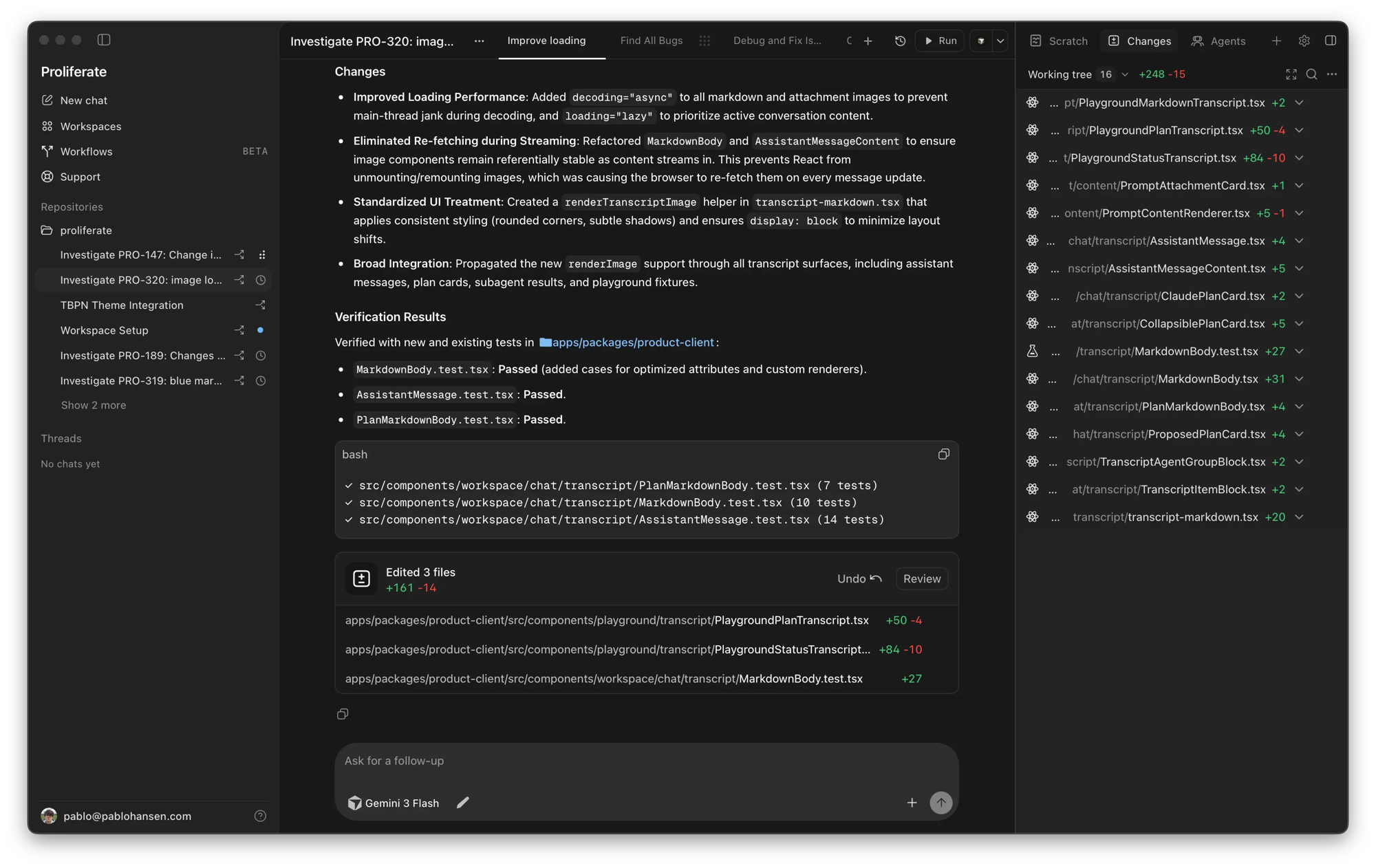
Run Claude Code, Codex, OpenCode, Grok, and any other coding agent in parallel, in one workspace.
Each task gets an isolated git worktree for its branch, terminal, conversation, and review state.

Download for macOS  •  Documentation  •  Changelog  •  Discord

Proliferate
## Features - 🤖 **[Native harnesses](https://proliferate.com/docs/product/agents)** - Claude Code, Codex, OpenCode, Cursor, Grok, and more - 🌳 **[Worktree workspaces](https://proliferate.com/docs/product/workspaces)** - an isolated branch and working directory for every task - 🔀 **[Parallel agents](https://proliferate.com/docs/concepts/parallel-agents)** - run agents side by side in the same workspace, each on its own task - 🪆 **[Subagents](https://proliferate.com/docs/features/subagents)** - agents delegate scoped work to child agents and pick the results back up when they finish - 🧩 **[Integrations](https://proliferate.com/docs/product/integrations)** - MCPs, skills, Computer Use, Browser Use, and custom tools, configured once and shared by every agent - ⏰ **[Workflows](https://proliferate.com/docs/product/workflows)** - recurring and event-driven agent runs: nightly review passes, triage on alerts, dependency bumps ## Supported agents Proliferate runs each agent through its native harness.
Claude
Claude
Codex
Codex
OpenCode
OpenCode
Cursor
Cursor
Grok
Grok
## Self-hosting The full Proliferate control plane is self-hostable. Start with the [deployment docs](https://proliferate.com/docs/deployment), which cover Docker, AWS, GCP, Azure, Kubernetes, and air-gapped operation. - **Docker Compose:** [self-hosted-deploy.md](./guides/deploying/self-hosted-deploy.md) runs Caddy, Postgres, and the API, with bootstrap and update scripts - **AWS (one-click):** [self-hosted-aws.md](./guides/deploying/self-hosted-aws.md) is a CloudFormation wrapper that provisions the stack on EC2 - **Configuration:** [`server/deploy/.env.production.example`](./server/deploy/.env.production.example) documents every required and optional setting Point the desktop app at your control plane by following [configure desktop](https://proliferate.com/docs/deployment/configure-desktop). [Open an issue](https://github.com/proliferate-ai/proliferate/issues/new/choose) or ask in [Discord](https://discord.gg/2RVNNzEZnj) if you hit problems, and see [SECURITY.md](./SECURITY.md) for reporting vulnerabilities.
Run from source
Requirements: - Rust stable - Node.js 22+ - pnpm Run the desktop app with the bundled local AnyHarness runtime: ```bash make install make dev-local ``` **Local full-stack development** additionally requires Python 3.12+, `uv`, and Docker for the local control plane database. Use named dev profiles when multiple worktrees run at the same time. ```bash make server-install make setup PROFILE=main make build # first clean worktree, or after generated/Rust/frontend artifacts change make dev-list make run PROFILE=main ``` See [dev profiles](./guides/local/dev-profiles.md) for profile state, ports, generated Tauri config, and app labels.
## Community Join our community on [Discord](https://discord.gg/2RVNNzEZnj)! ## Contributing Contributing? See the [Contribution Guide](./CONTRIBUTING.md). ## License [AGPL-3.0](./LICENSE)