
[Website](https://cindermail.xyz) | [Demo](https://cindermail.xyz/demo) | [Docs](https://cindermail.xyz/docs)
[](https://github.com/psalm2517/cindermail/releases)
[](./LICENSE)
[](https://github.com/psalm2517/cindermail/actions/workflows/ci.yml)
[](https://www.typescriptlang.org)
[](https://workers.cloudflare.com)
[](https://github.com/psalm2517/cindermail/stargazers)
---
Give out `x7k2p9qzrm@yourdomain.com` instead of your real address. Mail sent to it gets parsed and delivered straight to you, on Discord, Telegram, or Slack. Torch it when you're done.
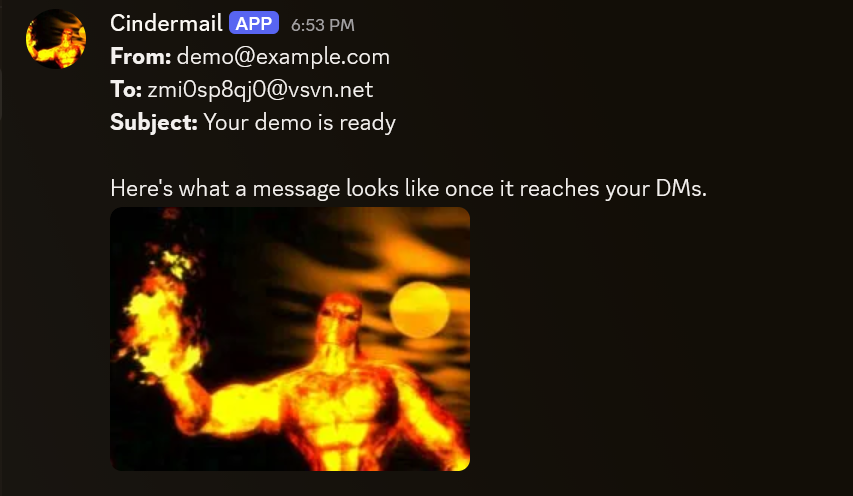
Addresses sit on a domain you own, so nothing flags them as disposable the way public temp-mail domains get flagged. Runs on Cloudflare's free tier: Email Routing receives, D1 stores, one Worker does the rest. Nothing to keep alive.
No domain? Leave one setting blank and it uses mail.tm's instead.
## Deploy
[](https://deploy.workers.cloudflare.com/?url=https://github.com/psalm2517/cindermail)
Forks the repo, creates the database, deploys the Worker, prompts for your domain and credentials for whichever platforms you fill in (Discord, Telegram, Slack, any combination, blank fields are skipped). Blank domain means mail.tm mode.
It can't load the database schema, and each platform has one manual step of its own after that: registering commands for Discord, pointing a webhook at the Worker for Telegram, creating the app itself for Slack. The database step is in [docs/deploy-cloudflare.md](docs/deploy-cloudflare.md); the rest is whichever of [docs/discord-adapter.md](docs/discord-adapter.md), [docs/telegram-adapter.md](docs/telegram-adapter.md), or [docs/slack-adapter.md](docs/slack-adapter.md) matches what you filled in above.
Prefer a local clone
```bash
git clone https://github.com/psalm2517/cindermail.git
cd Cindermail
npm install && npm run setup
```
The wizard asks the same questions and writes the same config, plus it offers to set Discord's, Telegram's, and Slack's credentials interactively, one at a time. Use this if you'll be changing the code.
## Commands
| | |
|---|---|
| `/new [expiry] [note]` | A fresh address. Permanent unless given an expiry in days. |
| `/list` | Your addresses, with notes, expiry, and how many of your quota you're using. |
| `/extend [expiry]` | Change when one expires. `expiry: 0` makes it permanent. |
| `/note [note]` | Label one. Blank clears it. |
| `/remind [on/off]` | Opt in to a message a day before an address expires. |
| `/torch ` | Kill it. |
`/list` shows a short 5-digit id next to each address (`#48213`). `/extend`, `/note`, and `/torch` all accept that id instead: just the digits, no `#`.
Same six commands across Discord, Telegram, and Slack; exact syntax differs slightly per platform (Discord takes structured options, Telegram and Slack read plain text after the command, and Slack's are prefixed `/cm-` since Slack rejects bare generic command names). Discord and Slack replies are ephemeral, visible only to whoever ran the command; Telegram only works in a private chat with the bot for the same reason, since it has no ephemeral-reply equivalent. Details in [docs/discord-adapter.md](docs/discord-adapter.md), [docs/telegram-adapter.md](docs/telegram-adapter.md), and [docs/slack-adapter.md](docs/slack-adapter.md).
## How it works
1. `/new` mints a random address owned by whoever ran it.
2. Give it out. Mail sent there comes back to you, not to wherever you used it.
3. Mail arrives, the Worker looks up the owner. Unknown, expired or torched addresses are dropped: no bounce, nothing logged.
4. Otherwise it's parsed (HTML to text, links intact, attachments forwarded) and delivered to you.
A daily cron deletes expired and torched addresses, clears stale rate-limit rows, and sends expiry reminders.
The Worker root serves a status page with running totals, also available as JSON at `/counters`. Counts only, no addresses or owners.
## Limits
- 5 active addresses per owner, configurable.
- Message bodies cap at 1500 characters inline on Discord, 3500 on Telegram and Slack; longer is attached as `message.txt`.
- Inbound HTML caps at 256KB before parsing. Parsing cost scales quadratically, and anyone who learns an address can send to it.
- Attachments forward up to 25MB combined per email on Discord, or 50MB per file on Telegram and Slack. Anything over budget is dropped with a note, not the whole batch.
Code layout and tests: [docs/architecture.md](docs/architecture.md). Every setting: [docs/configuration.md](docs/configuration.md).
## Planned
- Private hosting as a service
- Webview for reading full HTML emails on the web
- Freemium public instance
- Freemium API
## AI disclosure
This project was built with AI assistance, directed by me.
## License
MIT. See [LICENSE](./LICENSE).
[](https://cloudflare.com)