
La Review
The Code Review Workbench.




[](assets/screenshots/review.webp)
---
LaReview is a **dev-first code review workbench** for complex changes. It turns a PR or diff into a structured review plan, grouped by flows and ordered by risk, so you can review with depth and understanding.
Unlike auto-review bots that post comment spam, LaReview is a local-first tool that works with your existing AI coding agent to help you ship high-signal feedback.
## Demo
https://github.com/user-attachments/assets/28abaf1e-9100-4484-b6a5-18d8dfec427e
## Key Features
LaReview is designed for a local-first, secure, and focused review experience.
| Screenshot | Feature |
| :-------------------------------------------------------------------------------------------- | :------------------------------------------------------------------------------------------------------------------------------------------------------------------------------------------------------------------------ |
| 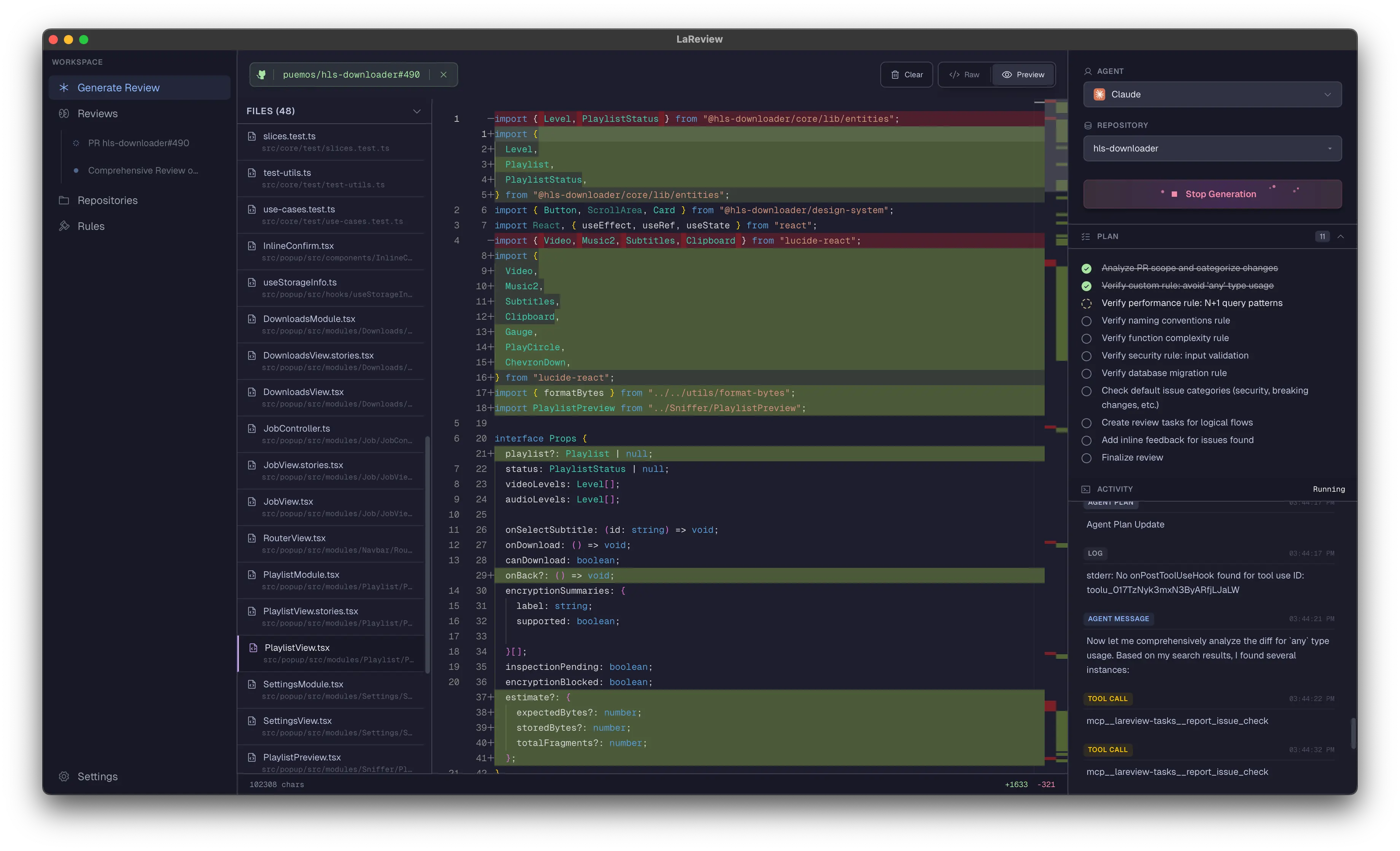 | **AI-Powered Planning**
Input a PR (GitHub/GitLab) or diff. LaReview acts as a staff engineer, looking for flows (e.g. auth, api) and risks to build a structured review plan. |
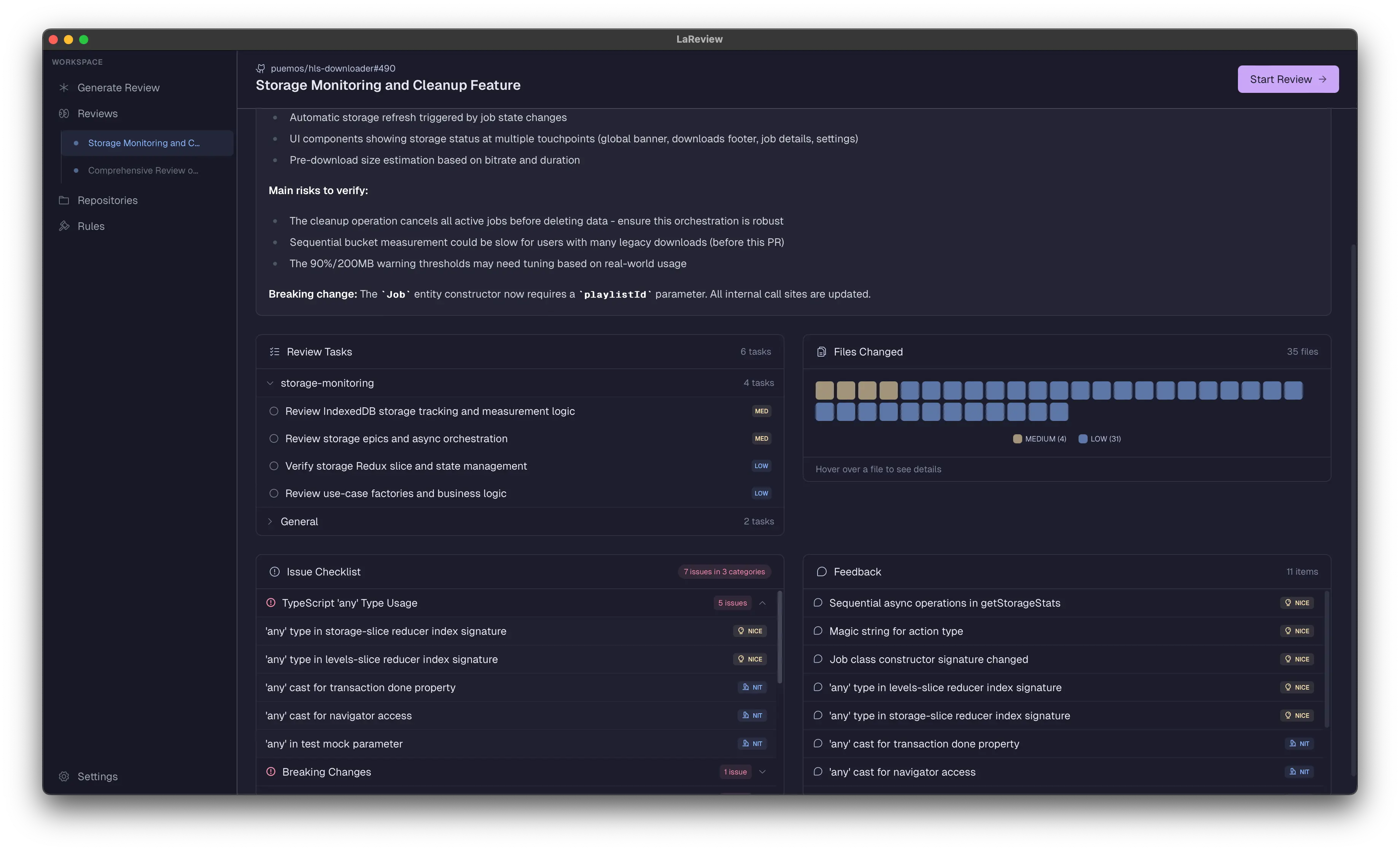
|  | **Review Summary**
Get a bird's-eye view of your review with Issue Checklist, Feedback items, Review Tasks grouped by flow, and a Files Heatmap showing risk distribution. |
| 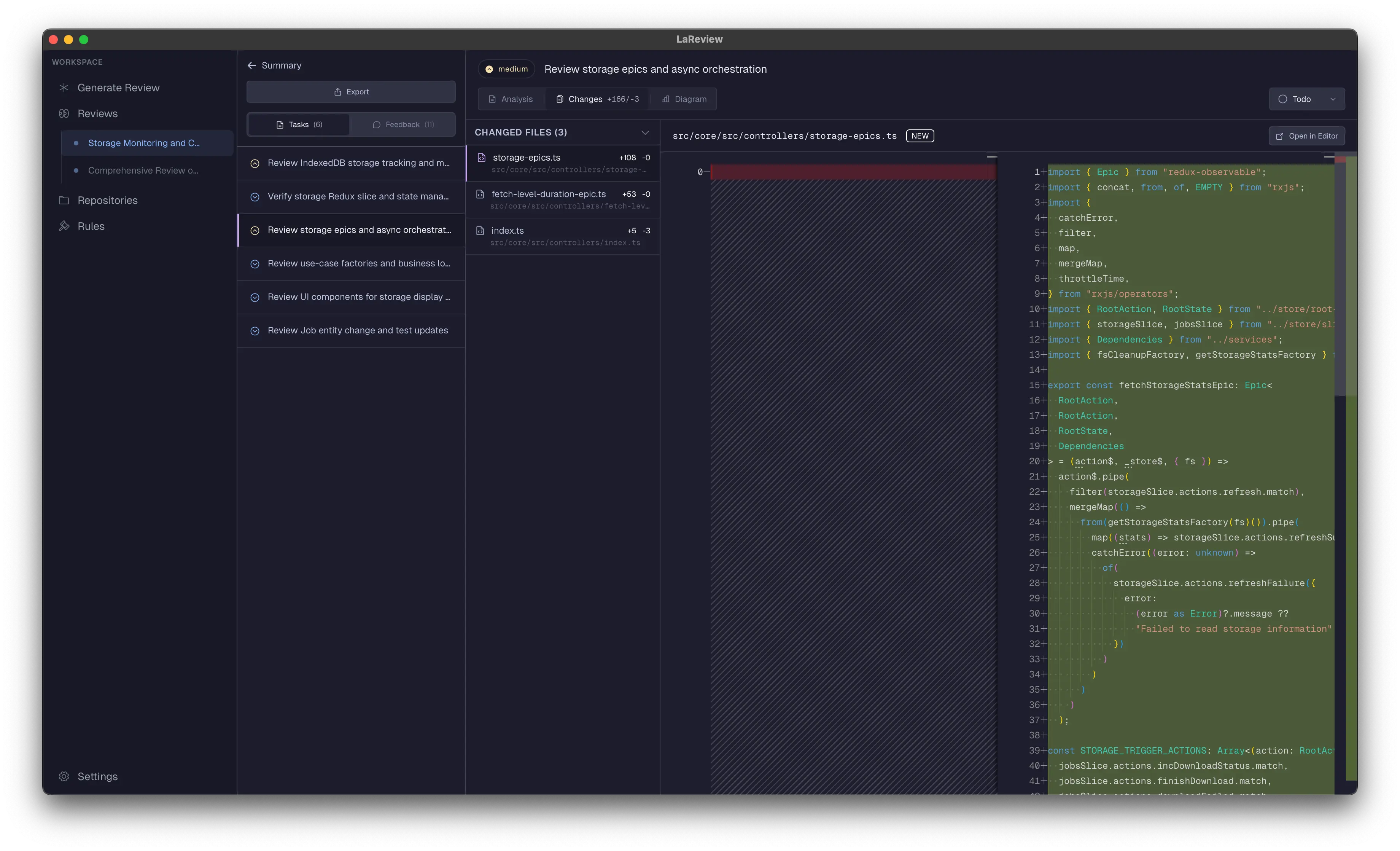 | **Structured Task Tree**
Navigate the review as a hierarchical tree. Mark tasks as **To Do**, **In Progress**, or **Done**. Attach contextual notes to specific tasks or lines of code to keep track of your thoughts. |
| | **Task-Focused Diffs**
Review one logical concern at a time. The workbench isolates relevant code hunks for each task, eliminating noise. |
| 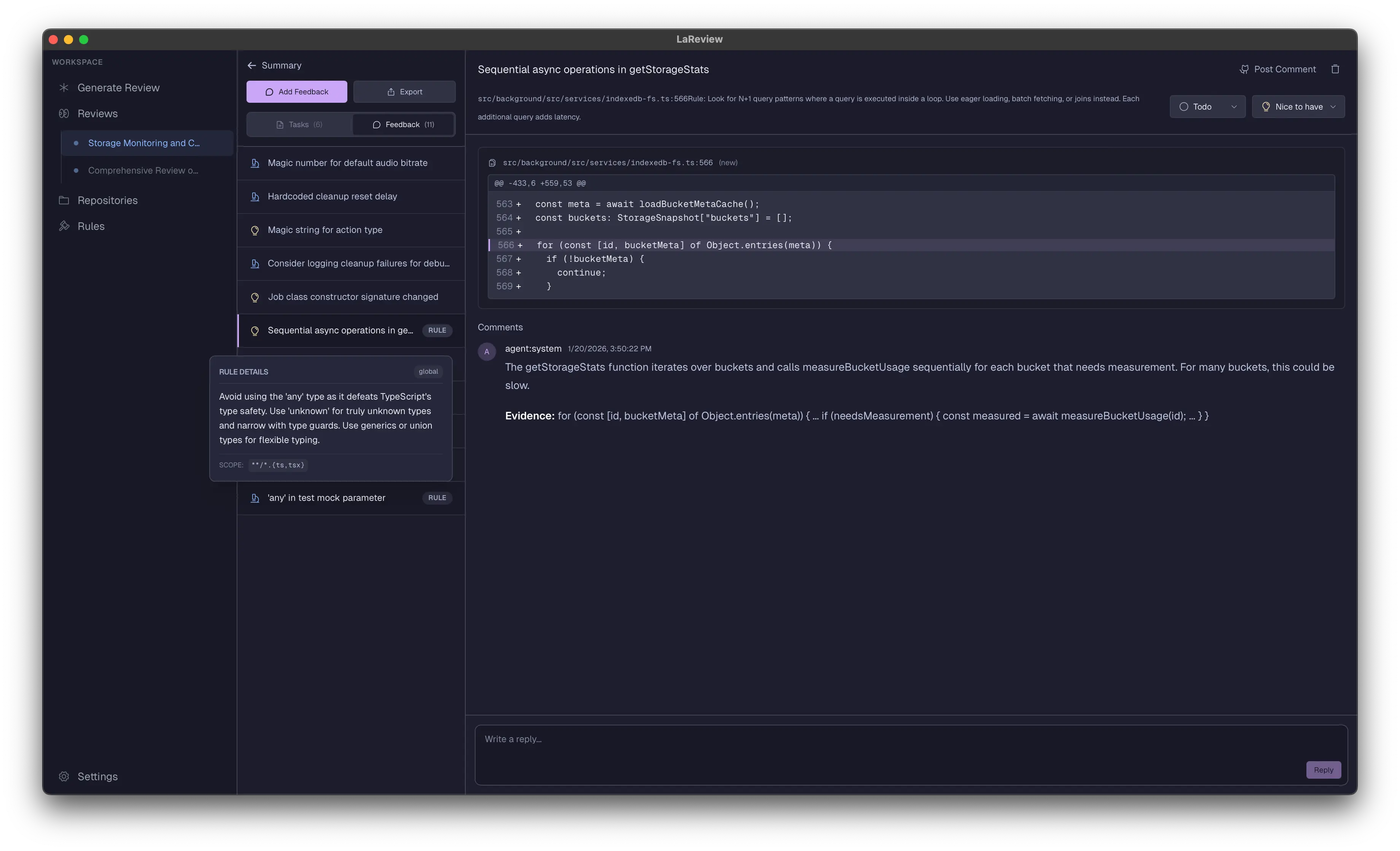 | **High-Signal Framework**
The AI proactively identifies bugs and authenticates them against your rules. No comment spam—just focused feedback threads anchored to specific lines. |
| 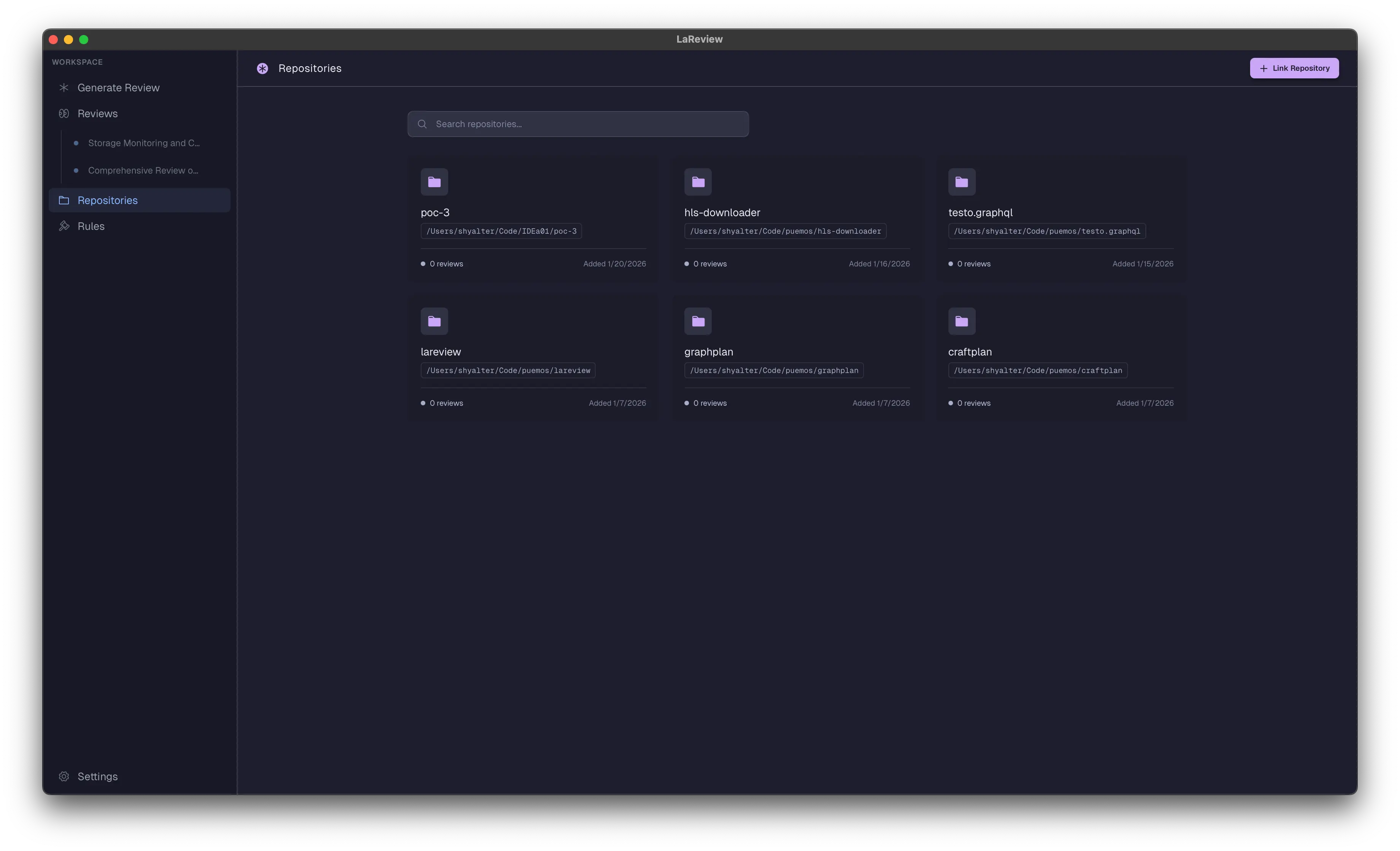 | **Local Context (Zero Data Leaks)**
Link local Git repos to give the agent full access to search your codebase. Works with your existing AI coding agent (Claude, etc) and keeps data on your machine. |
| 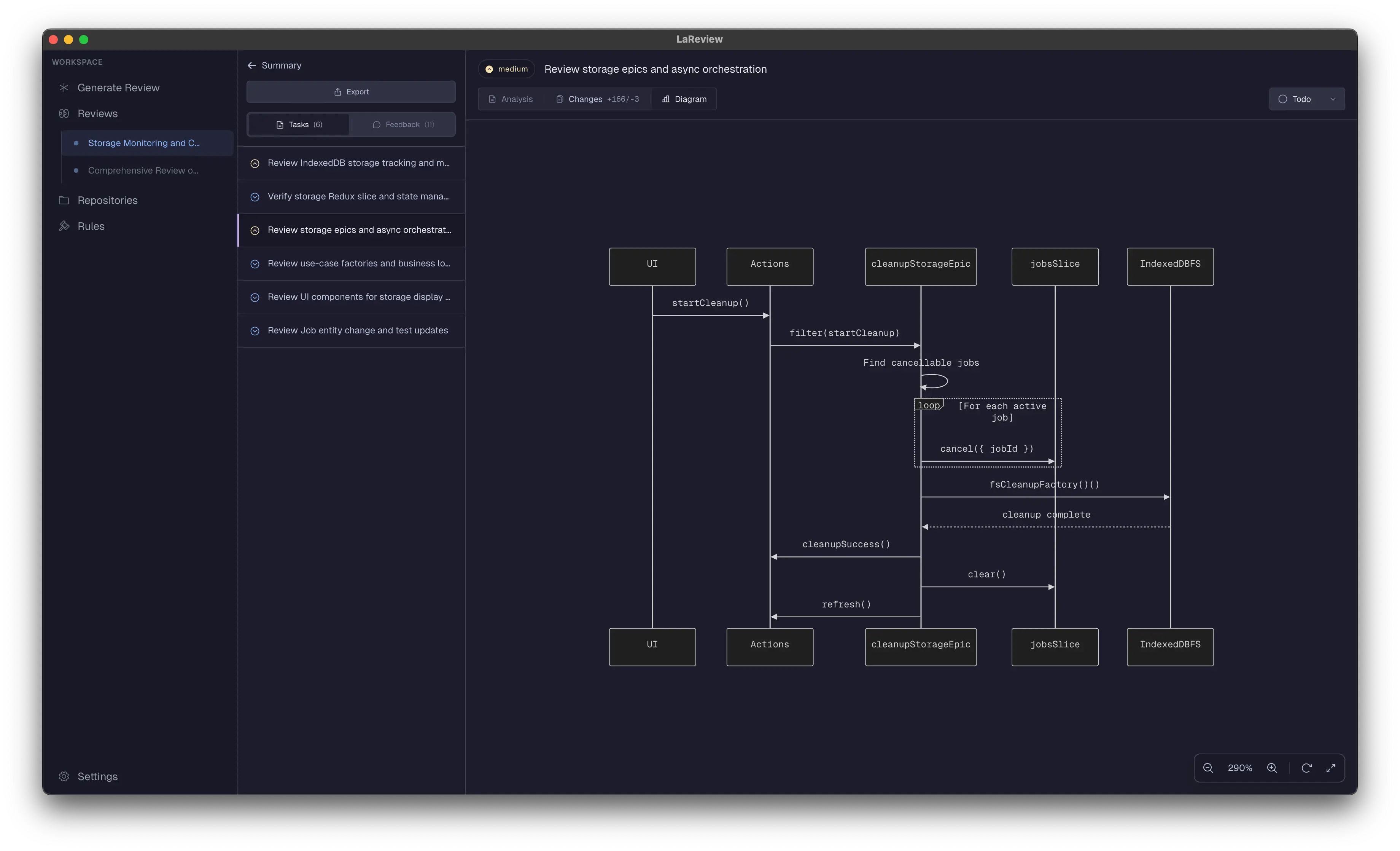 | **Visual Diagrams**
Visualize the flow. Automatically generate diagrams to see architectural changes before you read a single line of code. (Requires D2). |
| 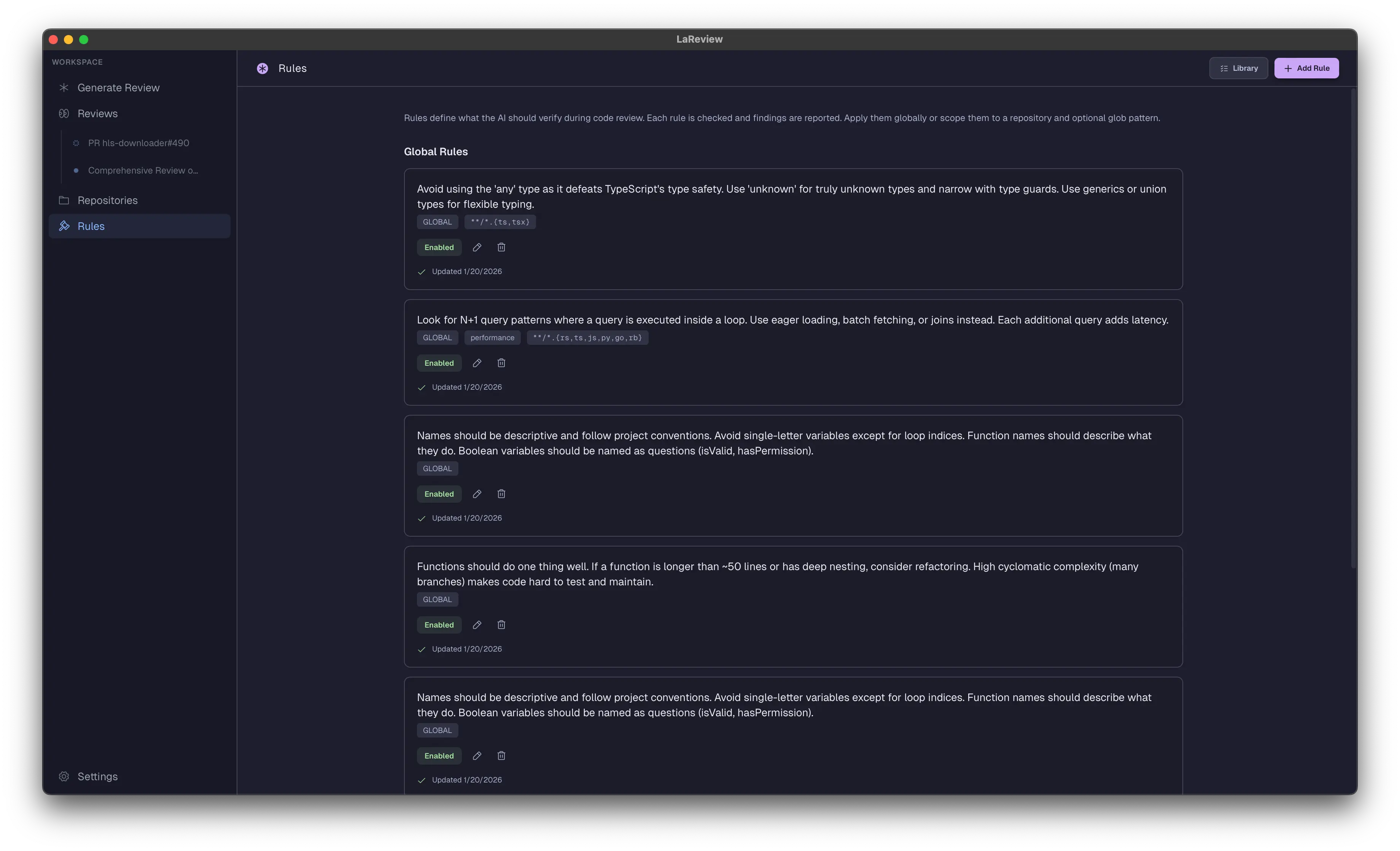 | **Team Rules**
Define rules like "DB queries must have timeouts" or "API changes need a migration note" to enforce standards automatically. |
| 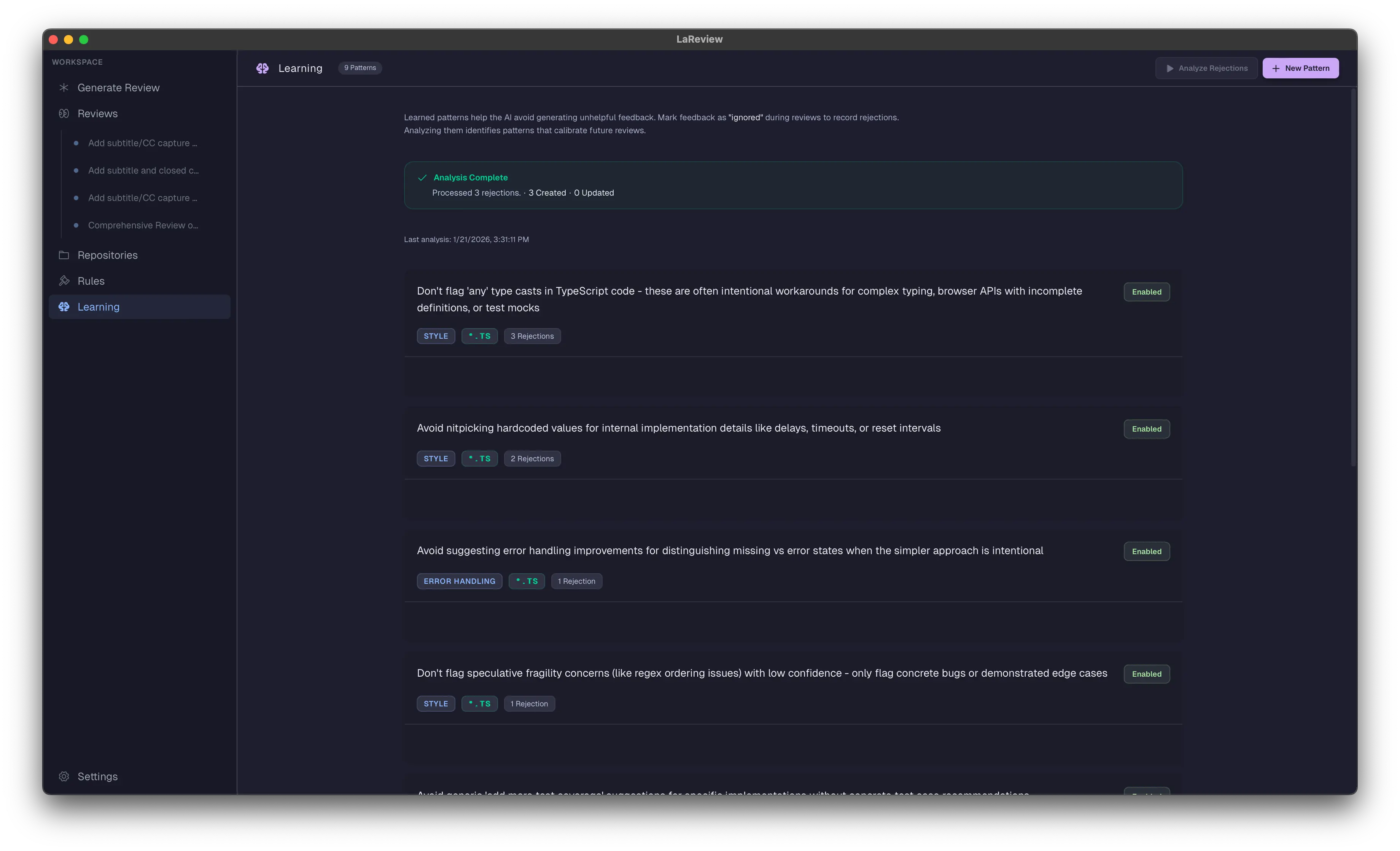 | **Learning Patterns**
The AI learns from rejected feedback. Mark suggestions as "ignored" during reviews, then analyze rejections to discover patterns that calibrate future reviews—fewer nitpicks, more signal. |
| 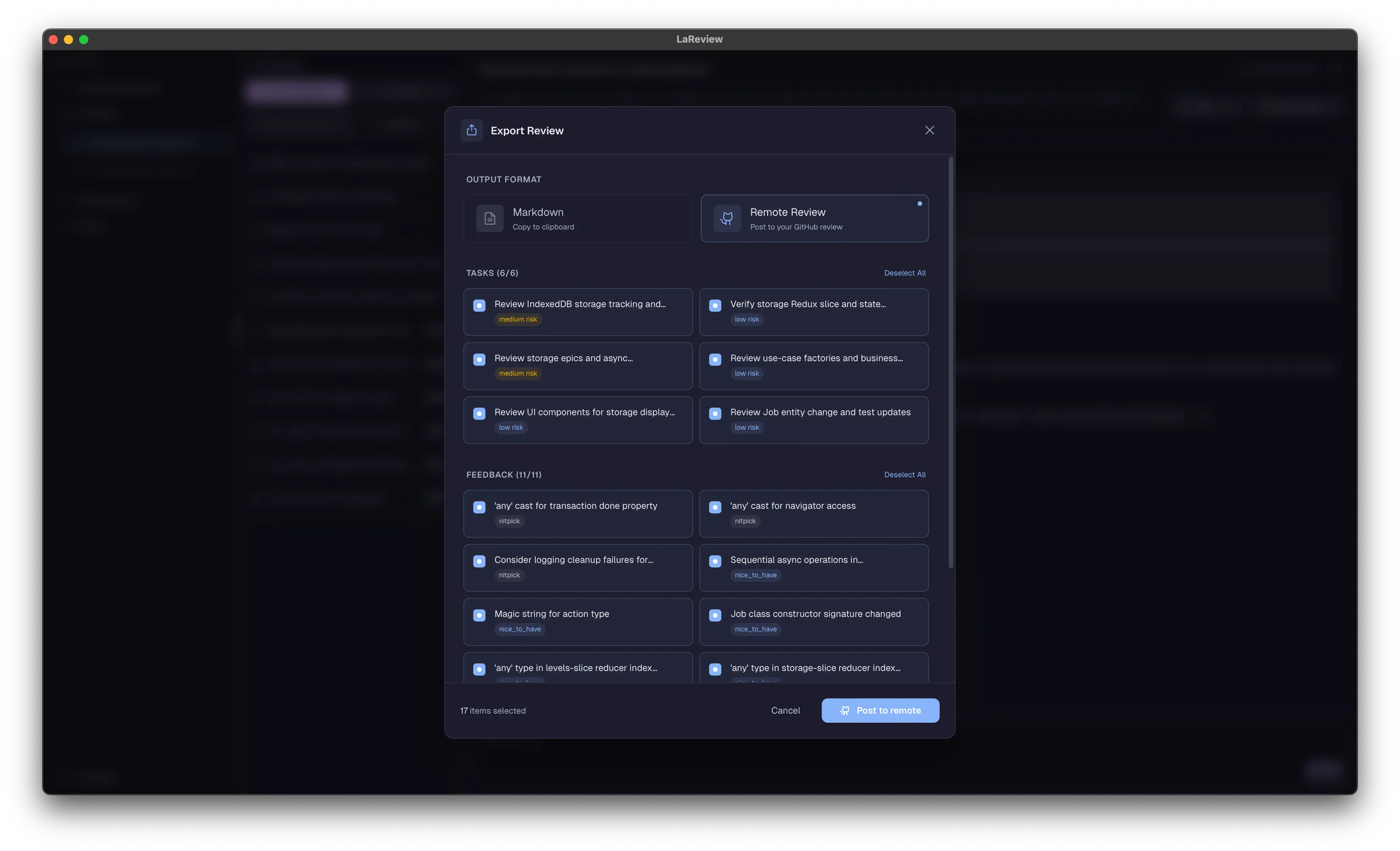 | **Git Host Sync**
Submit your review feedback directly to GitHub or GitLab PRs with automatic summary generation. |
| | **Export & Share**
Export your review summary to Markdown with diagrams and code insights. Copy to clipboard or save to file. |
| | **CLI Support**
Launch reviews from the terminal: `lareview`, `lareview pr owner/repo#123`, `git diff | lareview`, or `lareview --agent claude`. |
## How it works
1. **Input**
- Run `lareview` from terminal (opens GUI with current repo linked), or
- Paste a unified diff, or
- Paste a code review link from GitHub or GitLab, or a PR URL
2. **Fetch (for PRs)**
- LaReview fetches the change locally and prepares the review workspace. No intermediate servers.
3. **Generate a review plan**
- AI generates a review plan grouped by flows and ordered by risk. You can customize the agent (Claude, OpenAI, etc).
4. **Review**
- Review task by task with your AI coding agent.
- Ship focused feedback that authors can act on, without comment spam.
## Terminal Workflow
LaReview includes a CLI that integrates naturally into your developer workflow:
```bash
# Open GUI with current repository linked
lareview
# Review changes between branches
lareview main feature
# Pipe a diff directly to the GUI
git diff HEAD | lareview
# Review a GitHub/GitLab PR
lareview pr owner/repo#123
# Specify an agent
lareview --agent claude
```
The CLI launches the GUI in the background and passes your diff/repo info seamlessly.
## Supported Agents
| 
Claude | 
Codex | 
Gemini | 
Grok | 
Kimi | 
Mistral | 
OpenCode | 
Qwen |
| :------------------------------------------------------: | :----------------------------------------------------: | :------------------------------------------------------: | :--------------------------------------------------: | :--------------------------------------------------: | :--------------------------------------------------------: | :----------------------------------------------------------: | :--------------------------------------------------: |
## Requirements
- **Rust nightly** (see `rust-toolchain.toml`)
- **GitHub CLI** (optional):
- Install: `brew install gh` (or your OS package manager)
- Auth: `gh auth login`
- **GitLab CLI** (optional):
- Install: `brew install glab` (or your OS package manager)
- Auth: `glab auth login`
- **D2** (optional): For visual diagram rendering. Install: `brew install d2` (or see [d2lang.com](https://d2lang.com/install))
- **AI agent** configured on your machine
- Learn more: https://agentclientprotocol.com/overview/introduction
> [!NOTE]
> LaReview does not require a custom LaReview server. Your PR data is fetched locally via `gh` or `glab`, and plan generation runs via your chosen AI agent.
## Installation
### Option A: Homebrew (Recommended)
Install LaReview via Homebrew with a single command:
#### macOS
```bash
# First, tap the repository
brew tap puemos/tap
# Then install
brew install --cask lareview
```
#### Linux
```bash
brew install puemos/tap/lareview
```
### Option B: Download a release
1. Go to the [Releases page](https://github.com/puemos/lareview/releases) and download the latest binary for your operating system.
2. Follow the instructions for your OS below.
#### macOS
1. Download the `lareview-macos-*.zip` asset and unzip it. You should see `LaReview.app`.
2. Drag `LaReview.app` into `/Applications`.
3. If macOS blocks it on first run, open **System Settings → Privacy & Security** and allow it.
4. To use from terminal, add to PATH (or use the **CLI Installation** button in Settings):
```bash
echo 'export PATH="$PATH:/Applications/LaReview.app/Contents/MacOS"' >> ~/.zshrc
```
#### Linux
1. Install required dependencies:
```sh
# Debian/Ubuntu
sudo apt-get update
sudo apt-get install -y \
libwebkit2gtk-4.1-0 \
libappindicator3-1 \
librsvg2-2 \
libxdo3
# For other distros, install equivalent WebKit2GTK 4.1 packages
```
2. Download the `lareview-linux.tar.gz` file and extract it.
```sh
tar -xzvf lareview-linux.tar.gz
```
3. Make the binary executable and move it to your path.
```sh
chmod +x ./lareview
sudo mv ./lareview /usr/local/bin/lareview
```
#### WSL (Windows Subsystem for Linux)
LaReview runs natively inside WSL2 as a Linux app. Follow the Linux installation steps above (including dependency installation).
**Optional:** For better Windows integration (opening URLs in your Windows browser), install the [wslu](https://github.com/wslutilities/wslu) package:
```bash
# Ubuntu/Debian
sudo apt install wslu
# Other distros: see https://wslutiliti.es/wslu/install.html
```
If `wslu` is not installed, LaReview will fall back to using `cmd.exe` for opening URLs.
### Option C: One-click CLI installation
Launch LaReview and go to **Settings → CLI Installation** for a one-click setup to add `lareview` to your PATH.
### Option D: Run from source
```bash
cargo run
```
### Option E: Build a local macOS .app (dev)
```bash
scripts/build_macos_app.sh
```
#### Linux dependencies
```bash
# Debian/Ubuntu
sudo apt-get update
sudo apt-get install -y libxkbcommon-dev libxkbcommon-x11-dev
```
## Quickstart
1. Start the app:
```bash
lareview # From terminal with repo linked
# OR
cargo run # From source
```
2. Open **GENERATE**
- Paste a unified diff, or a GitHub/GitLab PR like `owner/repo#123` (or a PR URL)
- Or use the terminal: `lareview pr owner/repo#123`
3. Pick an agent and click generate
4. Switch to **REVIEW**
- Work through tasks, add notes, and track status
> [!TIP]
> If PR loading fails, run `gh auth status` or `glab auth status` and then login.
## Usage examples
### Review a GitHub/GitLab PR
Input:
- `owner/repo#123`
- `https://github.com/owner/repo/pull/123`
- `https://gitlab.com/owner/repo/-/merge_requests/123`
### Review a unified diff
Paste a unified diff directly:
```diff
diff --git a/src/lib.rs b/src/lib.rs
index 123..456 100644
--- a/src/lib.rs
+++ b/src/lib.rs
@@ -1,3 +1,8 @@
+pub fn example() {
+ // ...
+}
```
## Data, paths, and privacy
LaReview stores review state locally.
- macOS DB: `~/Library/Application Support/LaReview/db.sqlite`
- Linux DB: `$XDG_DATA_HOME/lareview/db.sqlite` or `~/.local/share/lareview/db.sqlite`
- Override DB path:
```bash
LAREVIEW_DB_PATH=/path/to/db.sqlite
```
Executable discovery (GUI apps can start with a minimal PATH):
- LaReview hydrates PATH from your login shell when launched outside a terminal (macOS/Linux). Restart after shell PATH changes.
- You can override individual agent executables in **Settings → Agent Settings**.
Wipe local state:
- Delete the DB file listed above.
## Development
- Toolchain: nightly Rust with `rustfmt` and `clippy` components (edition 2024; see `rust-toolchain.toml`)
- Run the app: `cargo run`
- Reset/seed sample data:
If you need more advanced control, use the CLI.
### CLI Reference
- Checks:
- `cargo fmt -- --check`
- `cargo clippy --all-targets --all-features -- -D warnings`
- `cargo test`
- Logging:
- LaReview uses the `log` crate with `env_logger`.
- Set `RUST_LOG` to control log levels:
- `RUST_LOG=debug cargo run` - Full debug output
- `RUST_LOG=acp=debug cargo run` - ACP agent debug output only
- `RUST_LOG=error cargo run` - Errors only
- Logs appear in the terminal when running from source.
- Tests:
- Unit tests: Located alongside modules in `src/` (usually as `tests.rs`)
- Integration tests: Located in the root `tests/` directory
- Run all tests: `cargo test`
- Supply chain:
- `cargo deny check` (used in scheduled CI)
## Docs
- Docs index: [docs/README.md](docs/README.md)
- Architecture overview: [docs/ARCHITECTURE.md](docs/ARCHITECTURE.md)
- Development guide: [docs/DEVELOPMENT.md](docs/DEVELOPMENT.md)
## Contributing
Please read [CONTRIBUTING.md](CONTRIBUTING.md) before submitting a PR.
## Security
See [SECURITY.md](SECURITY.md) for reporting vulnerabilities.
## License
Licensed under either of:
- Apache License, Version 2.0 ([LICENSE-APACHE](LICENSE-APACHE))
- MIT license ([LICENSE-MIT](LICENSE-MIT))
At your option.