**[English](README.md) | [中文](README.zh-CN.md)**
# phi
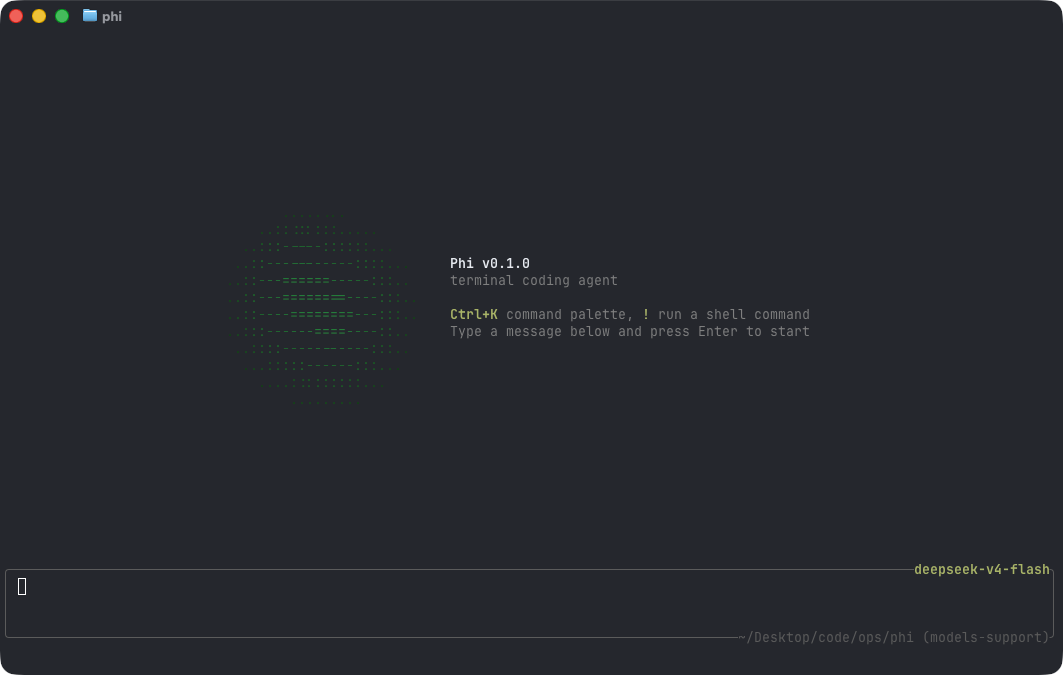
A minimal terminal coding agent harness in Go — a sibling to Pi.
- **Sub-agents** — spawn isolated jobs and watch the full run unfold in the TUI / job logs, without stuffing every turn into the parent context
- **Hashline edits** — edit by whole-file `@file path#TAG` plus line `LINE#HASH` anchors (same idea as [oh-my-pi](https://github.com/can1357/oh-my-pi)): the model points at anchors instead of rewriting whole files; stale tags/hashes are rejected so over-edits and silent corruption stop here
- **Permission gate** — Gate / Ask before destructive tools fire; safety is not optional when an agent can touch your tree
- **MCP without context death** — configure as many MCP servers as you want; their tool schemas **never** enter the model prompt. The system prompt lists **server names** only (like the Skills catalog); the agent uses three meta-tools (`mcp_list` / `mcp_inspect` / `mcp_call`) to discover and call on demand. Same Gate / Ask / Hooks path as built-in tools. See [MCP](#mcp)
- **Any model** — OpenAI-compatible or Anthropic, no vendor lock-in


- [Quick start](#quick-start)
- [Footprint](#footprint)
- [Configuration](#configuration)
- [Interactive mode](#interactive-mode)
- [Commands](#commands)
- [Sessions](#sessions)
- [Headless mode](#headless-mode)
- [Skills](#skills)
- [Permissions](#permissions)
- [Hooks](#hooks)
- [MCP](#mcp)
- [Tools](#tools)
- [Project layout](doc/project-layout.md)
## Quick start
Install the latest release (macOS / Linux):
```sh
curl -fsSL https://raw.githubusercontent.com/pulseaiclub/phi/main/scripts/install.sh | bash
```
Windows (PowerShell 5.1+):
```powershell
irm https://raw.githubusercontent.com/pulseaiclub/phi/main/scripts/install.ps1 | iex
```
First launch needs a model. Open the config editor (creates `~/.phi` layout
and writes `~/.phi/config.yaml`):
```sh
phi config
```
Or set env vars for a one-off run:
```sh
export PHI_MODEL=gpt-4o
export PHI_API_KEY=sk-...
```
Then start the TUI:
```sh
phi
```
Or build from source (Go 1.26.3+, see `go.mod`):
```sh
make build # produces ./phi
make install # build and install into $GOBIN
```
On first start, phi automatically creates `~/.phi/{bin,skills,hooks,session}`. Search
tools (`fd`, `rg`) download into `~/.phi/bin` in the background when missing.
The TUI gives the model four core tools — `read`, `write`, `edit`, and
`bash` — plus `grep`, `glob`, `list`, and `fetch`. The model uses these to
fulfill your requests.
## Footprint
phi aims to stay cheap to run and cheap to hack on. Numbers below are for a
stripped release build (`CGO_ENABLED=0`, `-ldflags="-s -w"`), measured on
macOS arm64 unless noted.
| Metric | phi |
| --- | ---: |
| Release binary | **~12 MB** |
| Idle RSS (1 session) | **~21 MB** |
| 10 idle sessions (total RSS) | **~196 MB** (~20 MB each) |
| Time to first frame | **~40 ms** (27–65 ms) |
| Cold `go build` (empty `GOCACHE`) | **~5.5 s** |
| Warm rebuild | **~0.7 s** |
| Go source (excl. tests) | **~22k LOC** / 107 files |
| Go packages | **32** |
| Direct module deps | **6** (15 modules total) |
| Linked runtimes | system libs only (no Node / Electron / Python) |
## Configuration
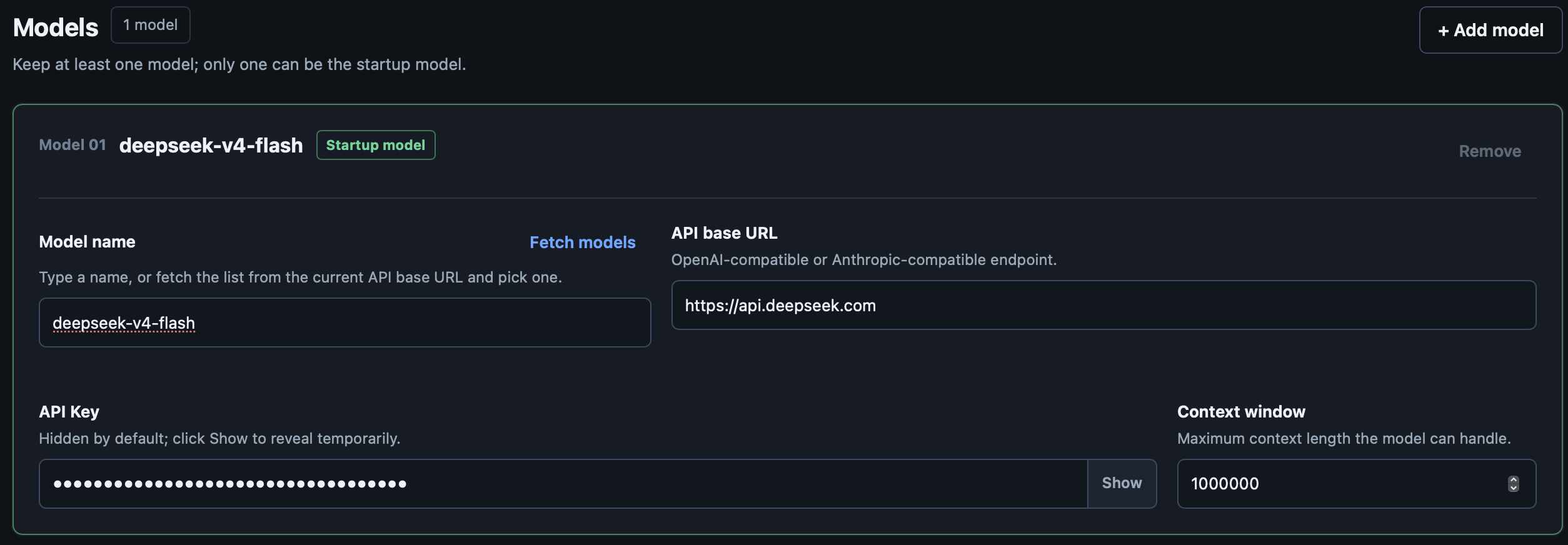
phi reads `~/.phi/config.yaml` (standard YAML). Environment variables
override it for one-off runs. `phi config` opens an HTML editor for the same
file in your browser.
```yaml
# ~/.phi/config.yaml
models:
- name: gpt-4o # model name; "claude-*" routes to the Anthropic API
api_key: sk-... # or set PHI_API_KEY
base_url: https://api.openai.com/v1 # default; PHI_BASE_URL overrides
context_window: 128000 # optional
default: true # the model used at startup; first entry wins if absent
- name: claude-sonnet-4-20250514 # extra models; switchable at runtime
api_key: sk-ant-...
base_url: https://api.anthropic.com
context_window: 200000
skill_path: ~/.phi/skills # where SKILL.md files are loaded from
agents:
enabled: true # default; set false to disable agent_* sub-agent tools
permissions:
mode: interactive # interactive | readonly | autopilot | headless-strict
bash:
default: ask # ask | allow | deny
allow:
- "go test ./..."
deny:
- "rm -rf *"
fetch:
default: allow
allowed_hosts:
- "github.com"
```
Environment overrides:
| Variable | Overrides |
| ---------------- | ------------------ |
| `PHI_API_KEY` | `models[].api_key` (default model) |
| `PHI_MODEL` | `models[].name` (default model) |
| `PHI_BASE_URL` | `models[].base_url` (default model) |
| `PHI_SKILL_PATH` | `skill_path` |
Provider routing: a base URL containing `anthropic` or a model name starting
with `claude` uses the Anthropic Messages API; everything else uses the
OpenAI-compatible `/chat/completions` path.
### Workspace layout
```
~/.phi/
├── config.yaml # global configuration
├── bin/ # downloaded search tools (fd, ripgrep)
├── skills/ # SKILL.md skill directories
├── hooks/ # tool-loop hook scripts (hook.json + run)
├── jobs/ # sub-agent job artifacts (meta, logs, result.md)
└── session/ # persisted sessions, one dir per working directory
└── /
```
## Interactive mode
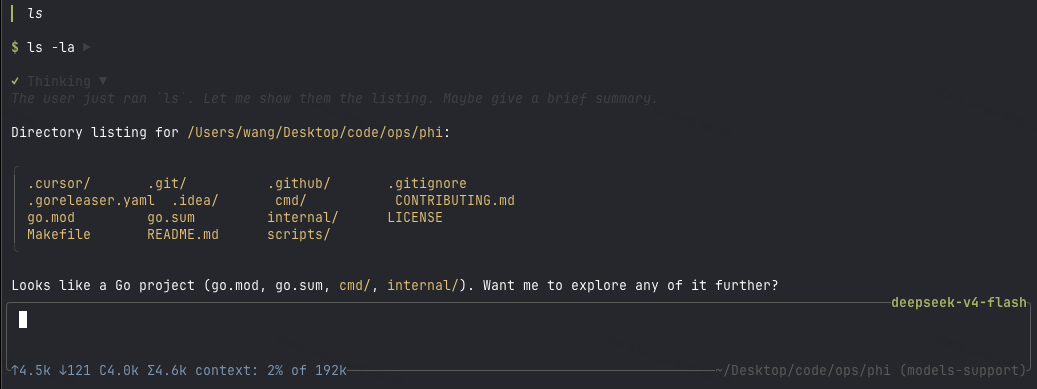
`phi` (or `phi tui`) starts the TUI: a chat transcript on top, an editor at
the bottom, and a footer with the current activity. When a newer release is
available, the footer shows a hint like `0.2.0 available · phi update`.
Assistant output is rendered as Markdown (CommonMark/GFM): headings, emphasis,
strikethrough, links, blockquotes, lists, task checkboxes, and tables are
styled with the active theme; fenced code blocks get a frame and per-language
syntax highlighting. Structural markers (`#`, `` ` ``, `*`) are stripped.
The editor supports:
- `@` — fuzzy file mention picker (type `@` and start typing a path)
- `/` — slash command picker (`/sessions`, `/resume`, `/clear`)
- `!command` — run a shell command locally and stream its output into the
transcript (see [Commands](#commands))
- `Ctrl+K` — command palette: settings → model / theme / permissions / agents, skills, hooks
### Keyboard shortcuts
| Key | Action |
| -------------- | ------------------------------- |
| `Ctrl+C` | Quit phi |
| `Esc` | Cancel the running agent / close pickers |
| `Ctrl+K` | Toggle the command palette |
| `Ctrl+Shift+C` | Copy the selected transcript text |
Themes: `Dark`, `Darcula`, `Pink`, and `Terminal` (default), switchable from
the palette under settings → theme.
## Commands
| Command | Description |
| ------------------ | --------------------------------------------- |
| `phi` / `phi tui` | Start the interactive TUI |
| `phi run -p "…"` | Run one agent loop headlessly (see below) |
| `phi update` | Download and install the latest GitHub release |
| `phi update --check` | Query the latest release without installing |
| `phi sessions list`| List persisted sessions for this directory |
| `/sessions` | List sessions for this directory (TUI) |
| `/resume ` | Resume a session by id or unique prefix (TUI) |
| `/clear` | Start a fresh empty session (TUI) |
| `!command` | Run a shell command locally, stream output into the transcript; `Esc` cancels it |
In the TUI, `!command` runs locally via `bash -c` — outside the agent loop. It
doesn't count toward agent busy state, and the running command can be cancelled
with `Esc` without touching an in-flight agent turn.
## Sessions
Sessions persist automatically per working directory under
`~/.phi/session//` as JSONL trajectories.
- `phi sessions list` — list session id, mtime, and preview for the current
directory
- `/sessions` in the TUI — same, in-app
- `/resume ` — continue a session (id or unique prefix)
- `/clear` — start a fresh session (new id, empty transcript)
- `phi run --session ` / `phi run --continue-last` — resume headlessly
## Headless mode
```sh
phi run -p "fix the failing test in internal/tools"
```
Runs one agent loop without a TUI. Human logs go to stderr; with `--jsonl`,
machine-readable events go to stdout, one JSON object per line.
Flags:
| Flag | Description |
| -------------------- | ---------------------------------------------- |
| `-p, --prompt STRING`| Prompt to run (required) |
| `--jsonl` | Emit JSONL events to stdout |
| `--max-rounds N` | Cap tool rounds (default 64) |
| `--timeout DURATION` | Limit the agent run wall-clock time (e.g. `10m`; disabled by default) |
| `--session ID` | Resume a persisted session by id or unique prefix |
| `--continue-last` | Resume the newest persisted session for this directory |
| `--session-dir DIR` | Override the session storage directory |
Exit codes: `0` success · `1` runtime/LLM error · `2` max rounds reached ·
`3` config/usage error.
In the interactive TUI, exhausting the tool-round budget prompts Continue /
Stop. Headless `phi run` has no confirmation UI, so it exits with code 2.
In headless mode, permission `ask` decisions are denied (there is no approval
UI), so `readonly`-style safety applies without extra flags.
## Skills
Skills are directories containing a `SKILL.md` file with YAML frontmatter and
a Markdown body. They are loaded from `~/.phi/skills/` (or `skill_path` /
`PHI_SKILL_PATH`) and injected into the agent's context, letting you give the
model reusable procedures:
```markdown
---
name: My Skill
description: What this skill does
license: MIT
compatibility: claude, openai
---
Instructions the agent should follow when this skill is relevant.
```
In the TUI, add skills from the palette (skills → list), then submit the
message with the selected skills applied.
## Permissions
Tool execution is gated by a permission policy, so the agent can run read-only
by default and ask before anything destructive. Configure it under
`permissions:` in `~/.phi/config.yaml`.
Modes:
| Mode | Behavior |
| ------------------ | --------------------------------------------------- |
| `interactive` | Default. `ask` decisions prompt in the TUI. |
| `readonly` | Deny writes / bash; read tools still work. |
| `autopilot` | Fold `ask` → allow, run unattended. |
| `headless-strict` | Fold `ask` → deny (used by `phi run`). |
Per-tool rules: `bash.default` / `bash.allow` / `bash.deny` (exact command
prefix matching) and `fetch.default` / `fetch.allowed_hosts`. Global keys:
`workspace_only_writes` (default true), `ask_timeout_sec`, and
`dangerously_allow_all` (default false).
In the TUI, an approval dialog replaces the editor with options to approve,
deny with feedback, or allow all for the session / for every session. The
palette's settings → permissions entry toggles session-wide bypass.
## Hooks
Hooks run custom logic around each tool call — before the permission gate and
after execution. Use them for organization policy, audit trails, or rewriting
tool input, without changing phi's binary or `config.yaml`.
Each hook is a directory containing a `hook.json` manifest and an executable:
```json
{
"name": "guard-bash",
"event": "pre_tool",
"match": "bash",
"run": "./run.sh",
"fail_closed": true
}
```
Hooks load from `~/.phi/hooks/` and `/.phi/hooks/`; a project hook with
the same name replaces the user hook. In the TUI, list or reload them via
`Ctrl+K` → hooks. In `readonly` permission mode, only `fail_closed` hooks run
so slow audit hooks don't stall exploration. Full guide:
[doc/hooks.md](doc/hooks.md).
## MCP
**Configure 100 MCP servers. Pay ~0 schema tokens until you call one.**
Most MCP hosts dump every `tools/list` schema into the model context before
you ask a question — browser stacks alone can burn 50k+ tokens. phi does not.
Instead the agent gets three meta-tools, and the system prompt lists configured **server names** (no schemas):
| Tool | Role |
| --- | --- |
| `mcp_list` | List tool **names** on one server (compact text) |
| `mcp_inspect` | Fetch a slim parameter summary for one tool |
| `mcp_call` | Run `server` + `tool` + `args` |
Flow: pick a server from the prompt → `mcp_list(server=…)` → `mcp_inspect` → `mcp_call`. Subprocesses start **lazily** on first use.
Calls still go through PreHooks → Gate / Ask → Run → PostHooks.
```sh
phi mcp add browsermcp -- npx @browsermcp/mcp@latest
phi mcp doctor
# In the TUI, the model can use configured servers without guessing MCP exists
```
Config: `~/.phi/mcp.json` (project `/.phi/mcp.json` overrides by name).
Disable with `PHI_MCP=off`. Stdio and HTTP in v1.
Full guide: [doc/mcp.md](doc/mcp.md).
## Sub-agents
Sub-agent tools (`agent_spawn`, `agent_wait`, …) are **on by default**. To
keep a session lean, disable them in `~/.phi/config.yaml`:
```yaml
agents:
enabled: false
```
Or toggle for the current session via the palette: settings → agents.
When disabled, those tools are not registered and the model cannot spawn jobs.
Sub-agents themselves use a **role** (`explore` default | `review` | `worker`):
| Role | Tools | Use for |
|------|--------|---------|
| `explore` | read-only (+ allowlisted bash) | Search / map structure |
| `review` | read-only (+ allowlisted bash) | Diffs / checks; no edits |
| `worker` | full tools except nesting | Planned, independent edits |
Default stays explore (read-only). Prefer worker only after the parent has a concrete plan.
## Tools
Built-in tools the model can call (see `internal/tools/`):
| Tool | Purpose |
| -------------- | -------------------------------------------- |
| `bash` | Run a shell command in the working directory |
| `read` | Read a file |
| `write` | Write a file (gated by permissions) |
| `edit` | Targeted edit of a file |
| `grep` | Regex search across files |
| `glob` | File patterns |
| `list` | Directory listing |
| `fetch` | HTTP fetch (host-gated by permissions) |
| `agent_spawn` | Start an isolated sub-agent job (async) |
| `agent_wait` | Wait for a job; returns short summary only |
| `agent_list` | List jobs |
| `agent_log` | Tail a job's event log |
| `agent_cancel` | Cancel a running job |
Sub-agent transcripts live under `~/.phi/jobs//` and are **not** injected
into the parent context — only the wait/task summary is.
Fast search tools (`fd`, `ripgrep`) are downloaded on first startup into
`~/.phi/bin` when missing.
See [Project layout](doc/project-layout.md) for the source tree map.
See [CONTRIBUTING.md](CONTRIBUTING.md) for development setup, code style, and
commit conventions.