
A home for your agent.
A free, open-source Mac app for Claude Code, OpenAI Codex and Google Antigravity: a desktop GUI where your AI coding agent works next to a real browser it drives, an iOS Simulator in the window, and your iPhone in the loop. Run several agents in parallel, each on its own git branch. No API key: it runs on the subscription you already have.





Works with Claude Code, Codex and Antigravity · switch per chat
⬇ Download for Mac · Website · Apple Silicon · free & open source
Your agent already writes the code. Superagent gives it a place to work — and gives you a place to watch. Every project is a chat sitting next to the thing being built: a real browser on the sites you're already logged into, the files it's editing, an iOS Simulator streamed straight into the window. Every chat works in its own copy of the project, so nothing collides. And when you leave the desk, the iPhone app follows the conversation and lets you answer the agent's questions from anywhere. Everything runs locally on your Mac, on the agent subscription you already have — Claude Code, Codex or Antigravity, switchable per chat. No middleman server, no API key, no AI of its own — and the whole app is open source, so you can read exactly how it touches your browser. For Antigravity, install the `agy` CLI and run `agy` in Terminal to sign in with Google, then select Antigravity in the chat’s agent picker. Its model picker reads the models available to your account. 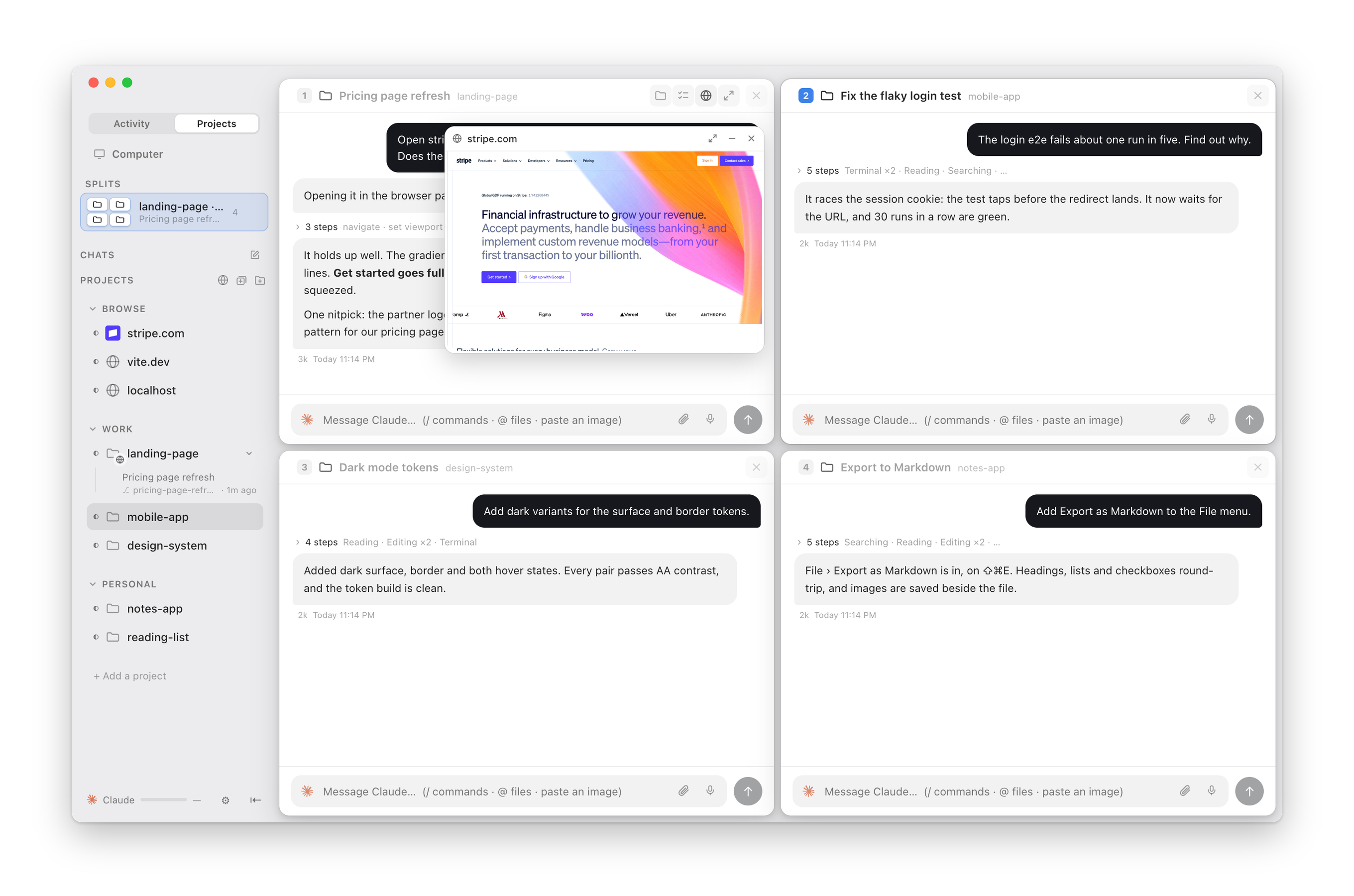 --- ## What it does| **Build it and watch it, side by side.** The chat sits next to a real browser. Ask for a change and watch the page update in the same window — no alt-tabbing to find out whether it worked. Point it at a local dev server or any live site; the agent can start the server itself and iterate while you watch. | 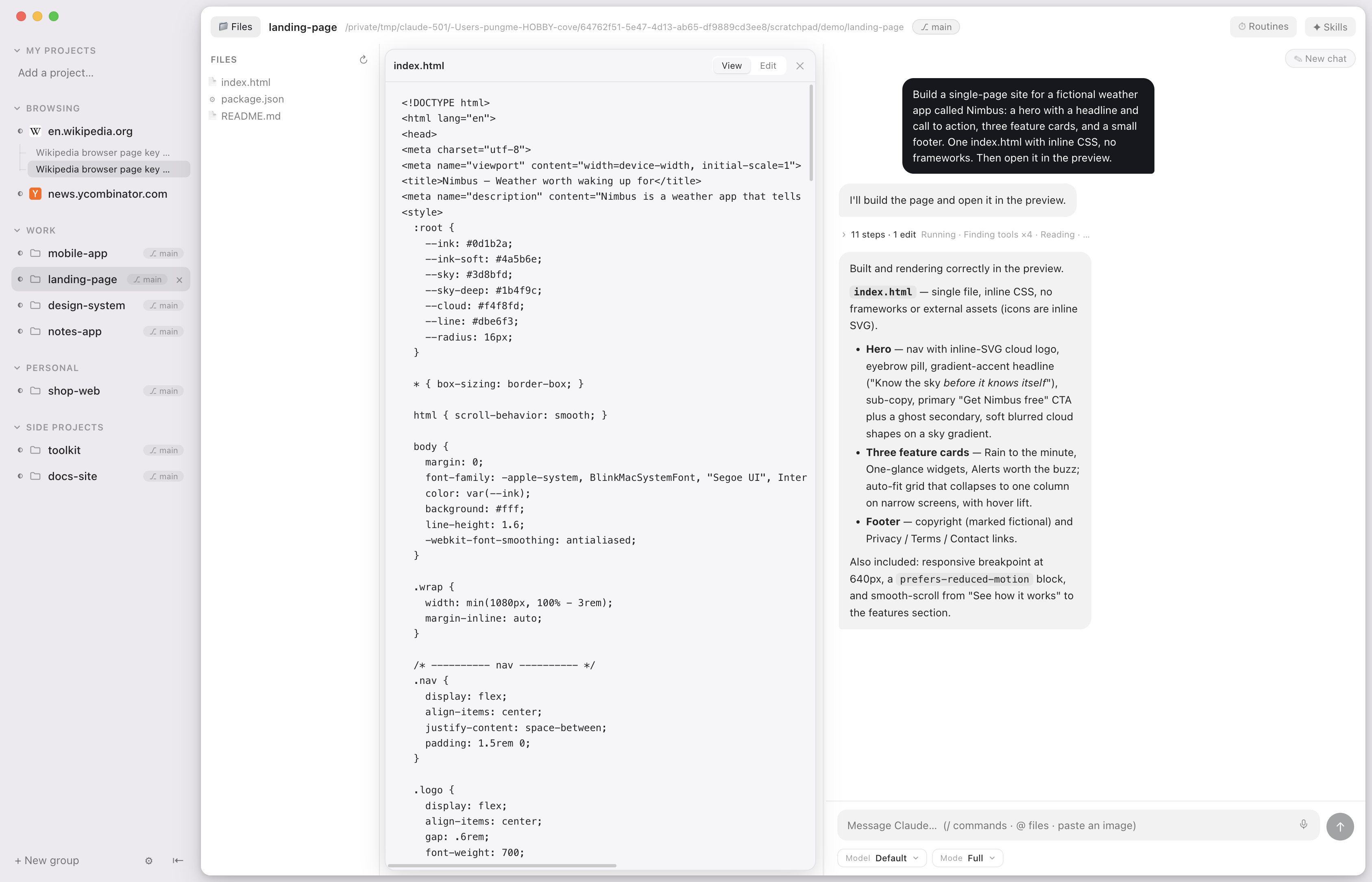 |
| **Eight chats, one window.** *New in the 2.1 beta.* Drag a chat from the sidebar onto the window and it opens beside the one you are in — up to eight, from any projects, and chats that belong to no project too. Drag a result out of ⌘K the same way, or press ⌘↩ on it to open it beside. Move a window by its handle and pull its edge to resize it. Each split is kept as a row under Splits in the sidebar: a small picture of its windows with each project's logo, its chats, and a dot while one of them works. Click it to go back; × takes it apart. ⌘1–8 picks a window, ⌘⇧[ and ⌘⇧] go round them. A narrow window keeps its browser or simulator as a small view inside it. The iPad app splits the same way, with up to four windows. | 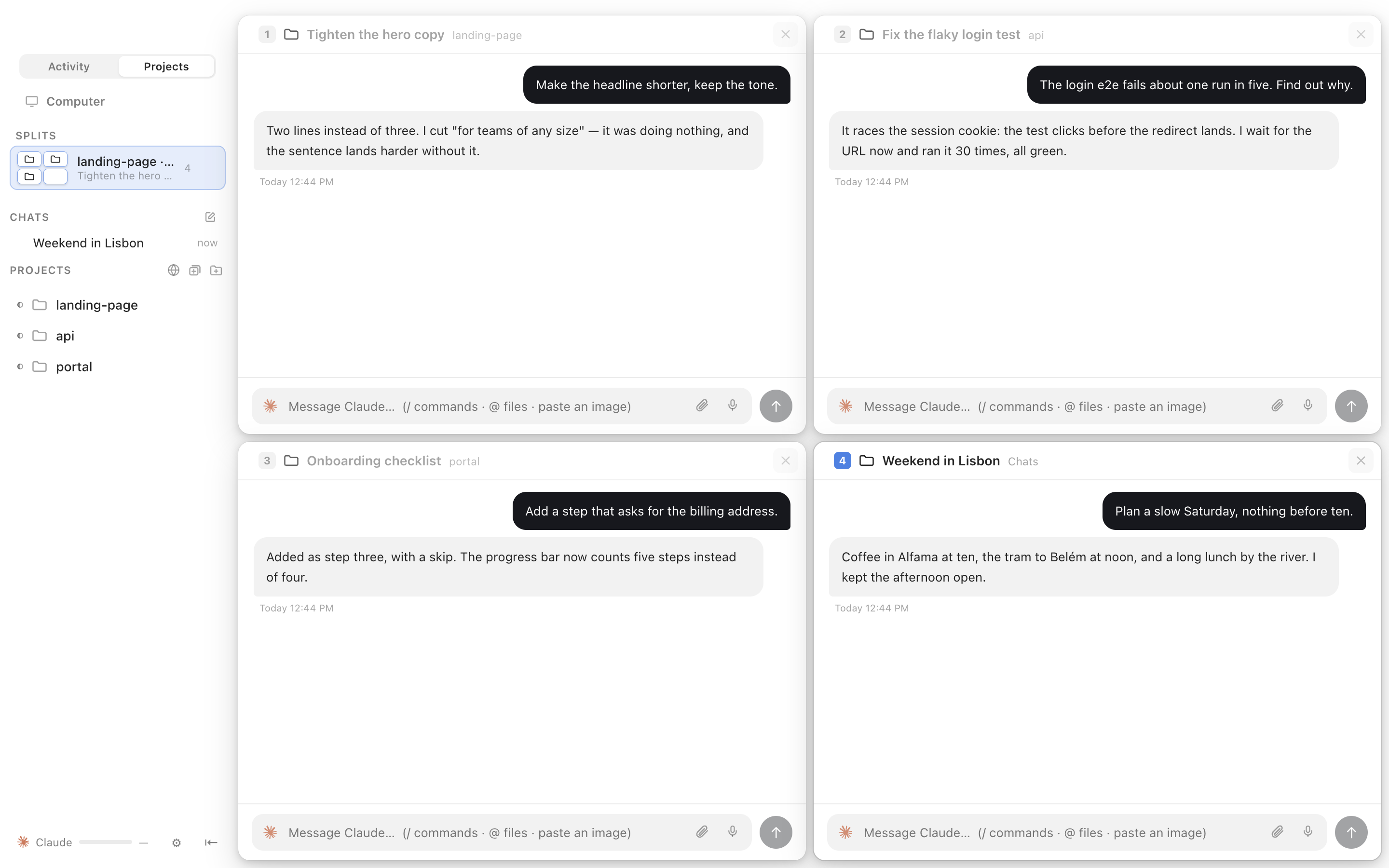 |
| **An agent that can use the browser.** Your agent drives that same browser: open a page, click, type, read it back. Not a hidden browser it describes to you second-hand — the one on your screen, with your logged-in session. You watch it work and can take over any time. Automation only ever happens in Superagent's own pane, never in your personal browser. | 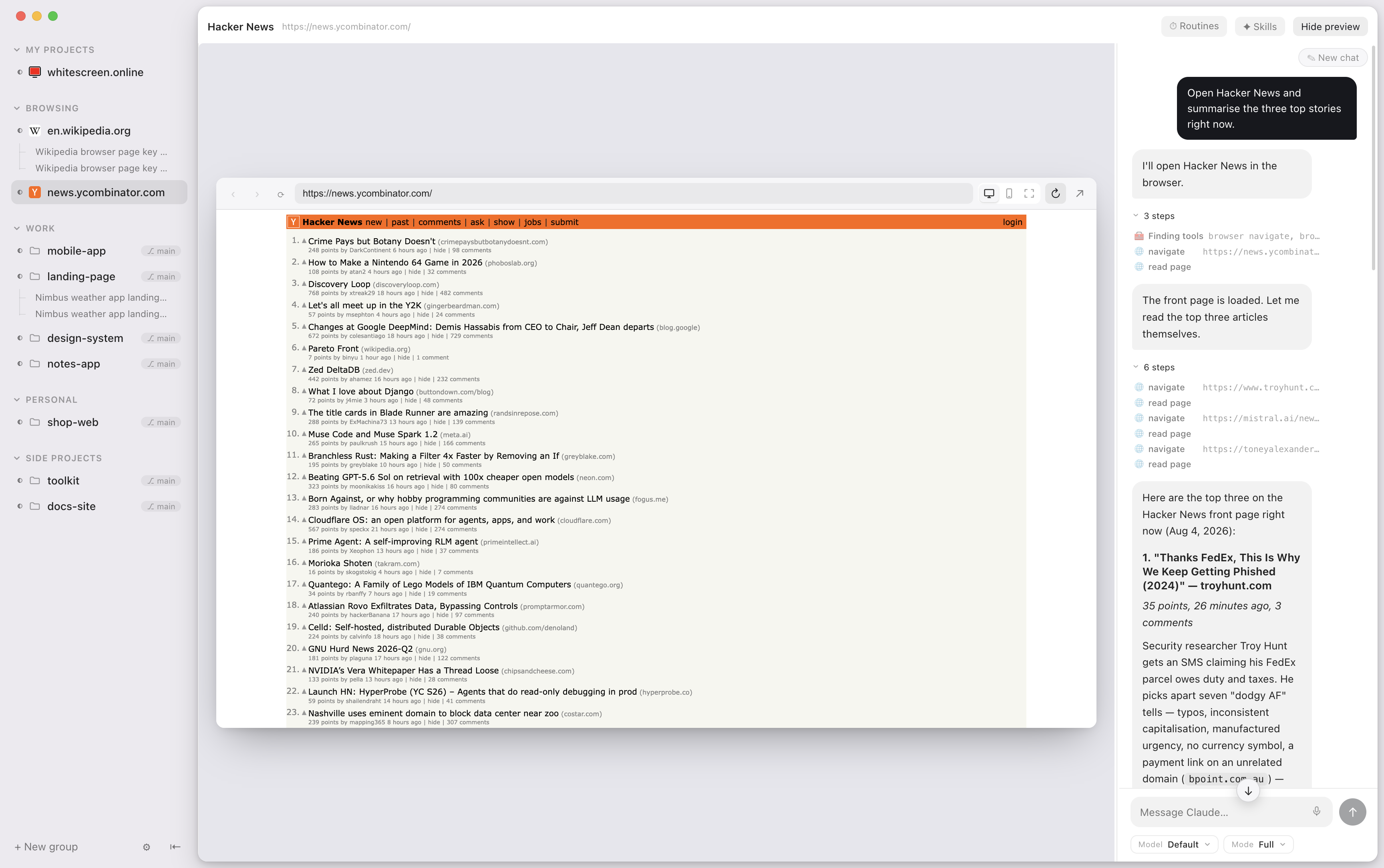 |
| **An iPhone in the window.** A real iOS Simulator, streamed into the app at about a frame a second, that the agent can tap, swipe and type into. Ask it to build and run, and it does — then looks at the screen and fixes what it sees. | 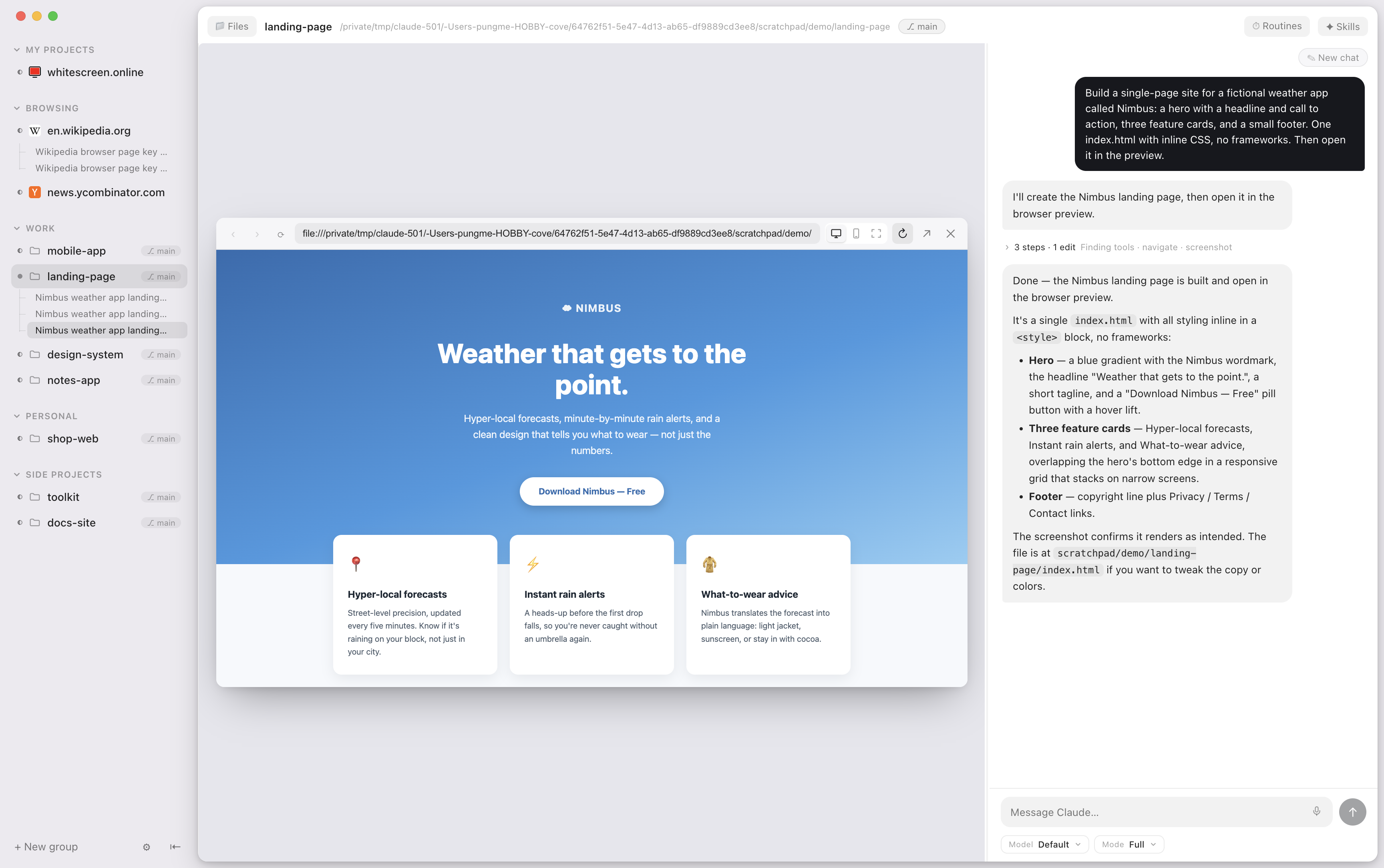 |
| **Your Mac's agent, in your pocket.** Pair once from Settings → Phone and the iPhone app follows your Mac from anywhere: the conversation as it happens, a prompt from the sofa, a yes or no when the agent asks. End-to-end encrypted, through a relay that stores nothing and can read nothing. On iPad it takes the Mac's shape — sidebar left, conversation right, the page beside it. | 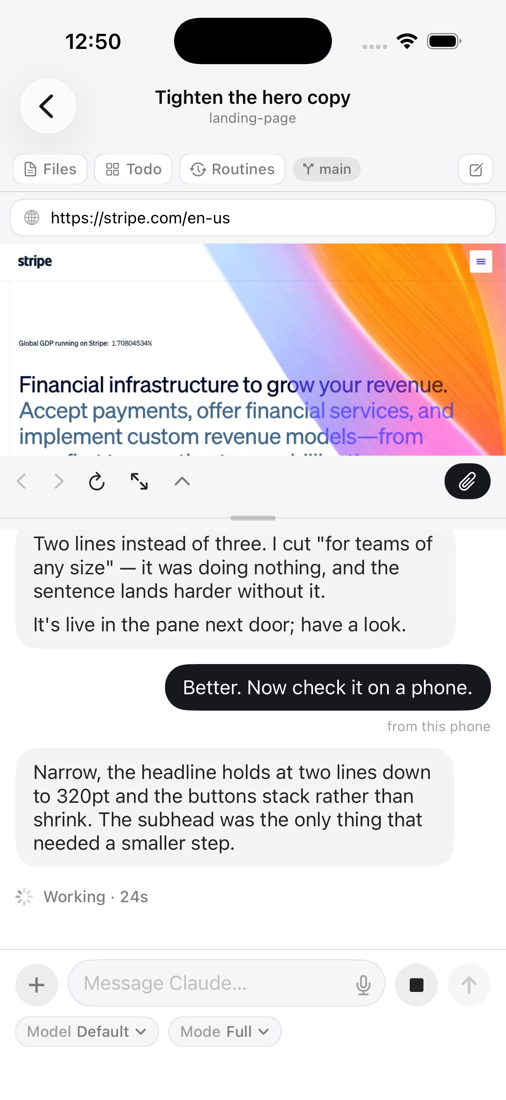 |
| **Ask from anywhere.** Superagent also sits as a small tile in the corner of your screen, over every app. Click it or press its shortcut, say where (the Computer, or any project) and what, and the answer comes back beside it without opening the window. It spins while it works, turns amber when it needs your yes, and every request is an ordinary chat you can open afterwards. **Run the app by asking.** From the tile or any chat, typed or spoken: "go to the wepush chat about e2e testing", "what's running?", "start a chat in the portal to fix the header", "show me its board", "go back". It finds the conversation from how you describe it and takes you there. **It can use your Mac, when you let it.** Turned on in Settings, an agent can see the screen, read an app's controls by name, and press, fill and click in any app. It asks first, for the Mac and again for each app, and before anything named Quit, Delete or Send. Password managers, password prompts and the lock screen are out of bounds, you can add any app to that list, and ⌥Esc stops it from wherever you are. **Everything in its place.** The Computer sits at the top of the sidebar with its own conversations under it. Then one Projects section: your open browser tabs first, then your projects, each with its own icon and its conversations nested underneath — a spinner while the agent works, a dot when it needs you, and the git branch where you would expect it. The globe on its header opens a new tab; the folder adds a project. Pinned chats go in whatever order you drag them into. | 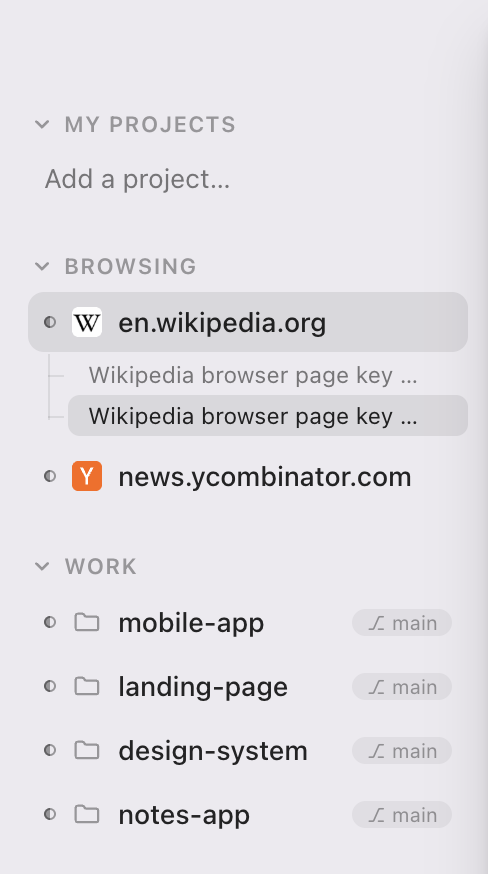 |