


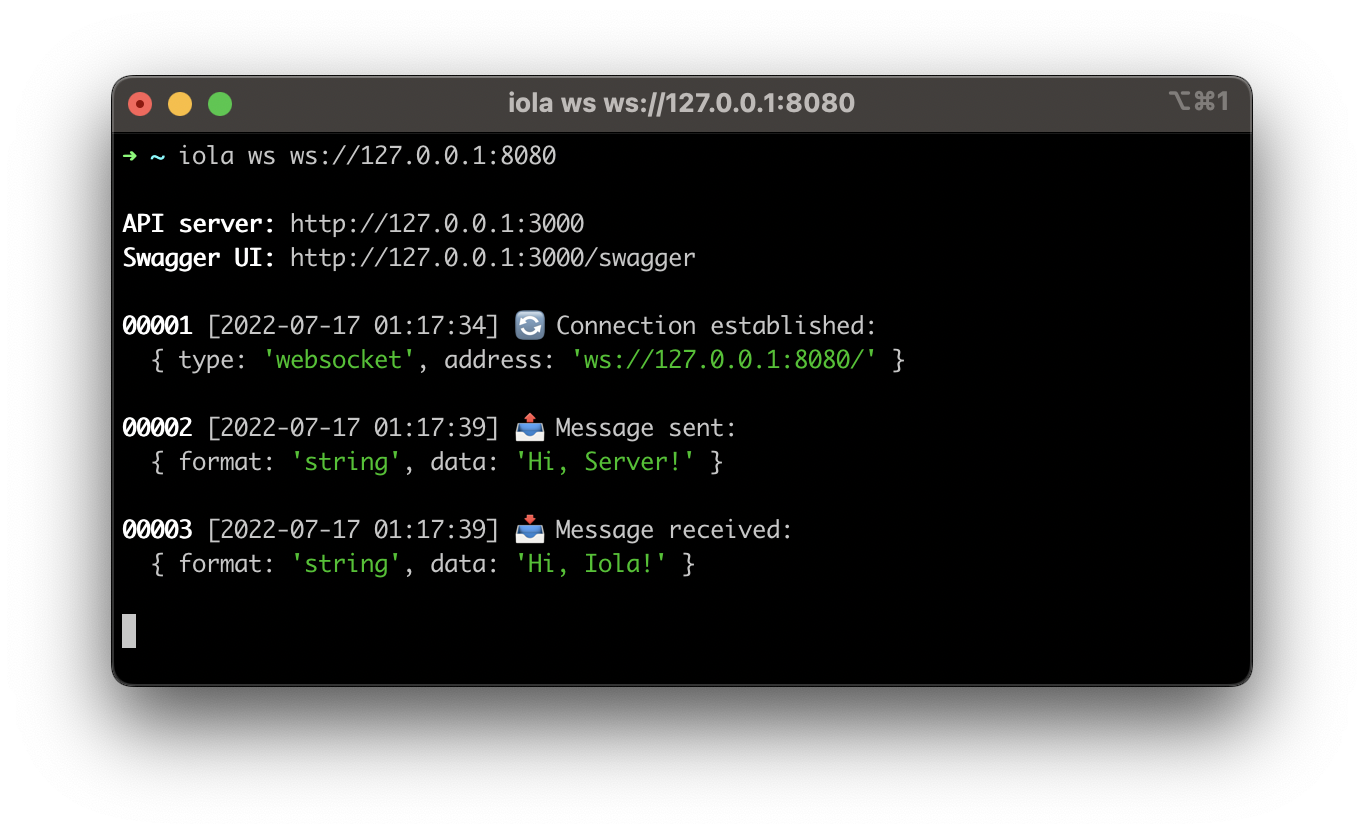
$ iola --help

iola - a socket client with REST API

Usage: iola [options] [command]

Options:
  --version                 Display version
  --help                    Display help

Commands:
  ws [options] <address>    Run websocket client
  io [options] <address>    Run socket.io client
  tcp [options] <address>   Run tcp client
  unix [options] <address>  Run unix client
  help [command]            Display help for command

API:
  GET  /messages            Get message list
  GET  /messages/{id}       Get message by id
  POST /messages            Send message
  GET  /swagger             Get swagger
### REST API
> **Note**: These examples use [HTTPie](https://httpie.io) as the REST API client.
#### Send any data
```shell
# Send string message
$ http POST http://127.0.0.1:3000/messages data='Hi, Server!'
{
"messageId": 1
}
# Get string message by id
$ http GET http://127.0.0.1:3000/messages/1
{
"id": 1,
"date": "2022-07-15T21:48:19.939Z",
"message": {
"data": "Hi, Server!",
"format": "string"
},
"type": "SentMessage"
}
# Send json string message
$ http POST http://127.0.0.1:3000/messages data:='{"message":"Hi, Server!"}'
{
"messageId": 2
}
# Get json string message by id
$ http GET http://127.0.0.1:3000/messages/2
{
"id": 2,
"date": "2022-07-15T22:16:31.887Z",
"message": {
"data": {
"message": "Hi, Server!"
},
"format": "json"
},
"type": "SentMessage"
}
```
#### Send binary data
```shell
# Send byte-array message
$ http POST http://127.0.0.1:3000/messages bytes:='[72,101,108,108,111,33]'
{
"messageId": 1
}
# Get byte-array message by id
$ http GET http://127.0.0.1:3000/messages/1
{
"id": 1,
"date": "2022-07-15T22:23:32.591Z",
"message": {
"data": [72,101,108,108,111,33],
"format": "byte-array",
"size": 6
},
"type": "SentMessage"
}
```
All clients support `--binary-encoding $ iola help ws Usage: iola ws [options] <address> Run websocket client Options: --api-port <port> Set api port (default: "3000") --api-host <host> Set api host (default: "127.0.0.1") --header <key:value...> Set http headers --reply-timeout <timeout> Set reply timeout in ms (default: "1000") --binary-encoding <encoding> Set binary encoding (choices: "ascii","utf8","base64","hex") --no-emoji Disable emoji --help Display help Examples: $ iola ws ws://127.0.0.1:8080 $ iola ws ws://127.0.0.1:8080/?token=secret $ iola ws ws://127.0.0.1:8080 --header authorization:"Bearer token" $ iola ws ws://127.0.0.1:8080 --binary-encoding utf8 $ iola ws ws://127.0.0.1:8080 --reply-timeout 3000 --no-emoji### Message formats * string * json * byte-array ### Server replies You can pass the RequestId to the request with json data to await the server reply with such RequestId in the reply data. RequestId field can be one of the following: * requestId * request_id * reqId * req_id * traceId * trace_id ```shell $ http POST http://127.0.0.1:3000/messages data:='{"requestId":"1","message":"Hi, Server!"}' { "messageId": 1, "reply": { "data": { "requestId": "1", "message": "Hi, Iola!" }, "format": "json" } } ``` ## Socket.IO **iola** relies on Socket.IO v4. Please check a [version compatibility](https://socket.io/docs/v4/client-installation/#Version-compatibility).
$ iola help io

Usage: iola io [options] <address>

Run socket.io client

Options:
  --api-port <port>             Set api port (default: "3000")
  --api-host <host>             Set api host (default: "127.0.0.1")
  --header <key:value...>       Set http headers
  --auth <key:value...>         Set authentication payload
  --transport <transport>       Set transport (choices: "websocket","polling")
  --reply-timeout <timeout>     Set reply timeout in ms (default: "1000")
  --binary-encoding <encoding>  Set binary encoding (choices: "ascii","utf8","base64","hex")
  --no-emoji                    Disable emoji
  --help                        Display help

Examples:
  $ iola io http://127.0.0.1:8080
  $ iola io http://127.0.0.1:8080/?token=secret --transport websocket
  $ iola io http://127.0.0.1:8080 --header authorization:"Bearer token"
  $ iola io http://127.0.0.1:8080 --auth user:iola --auth pass:qwerty1
  $ iola io http://127.0.0.1:8080 --binary-encoding utf8
  $ iola io http://127.0.0.1:8080 --reply-timeout 3000 --no-emoji
### Message formats * string * number * boolean * null * json * byte-array ### Transports Client supports "websocket" and "polling" transports. It tries to use "websocket" first, if available. You can explicitly set the type of transport using `--transport
$ iola help tcp|unix

Usage: iola tcp|unix [options] <address>

Run tcp|unix client

Options:
  --api-port <port>             Set api port (default: "3000")
  --api-host <host>             Set api host (default: "127.0.0.1")
  --sync                        Enable sync mode
  --reply-timeout <timeout>     Set reply timeout in ms (sync mode only) (default: "1000")
  --binary-encoding <encoding>  Set binary encoding (choices: "ascii","utf8","base64","hex")
  --no-emoji                    Disable emoji
  --help                        Display help

Examples:
  $ iola tcp 127.0.0.1:8080
  $ iola tcp 127.0.0.1:8080 --sync
  $ iola tcp 127.0.0.1:8080 --binary-encoding utf8
  $ iola tcp 127.0.0.1:8080 --no-emoji

  $ iola unix ./unix.sock
  $ iola unix ./unix.sock --sync
  $ iola unix ./unix.sock --binary-encoding utf8
  $ iola unix ./unix.sock --no-emoji
### Message formats * byte-array ### Modes Clients support async and sync modes and use async mode by default. In async mode, the client and the server exchange messages independently within one connection. Sync mode uses a request/response protocol. The client opens a new connection for each request. The connection will be closed either on the server side after a successful response or by a timeout on the client side. To enable sync mode you need to set `--sync` option. ### Server replies Server replies are supported only in sync mode. If the server does not close the connection after receiving the request, the client will close it itself by reply timeout. ## License This project is licensed under the [MIT License](https://github.com/pvarentsov/iola/blob/main/LICENSE).