Special thanks to:

### [Warp, built for coding with multiple AI agents](https://go.warp.dev/mprocs)
[Available for MacOS, Linux, & Windows](https://go.warp.dev/mprocs)
# mprocs
_mprocs_ runs multiple commands in parallel and shows output of each command
separately.
When you work on a project you very often need the same list of commands to be
running. For example: `webpack serve`, `jest --watch`, `node src/server.js`.
With mprocs you can list these command in `mprocs.yaml` and run all of them by
running `mprocs`. Then you can switch between outputs of running commands and
interact with them.
It is similar to
[concurrently](https://github.com/open-cli-tools/concurrently) but _mprocs_
shows output of each command separately and allows to interact with processes
(you can even work in _vim_ inside _mprocs_).
- [Screenshots](#screenshots)
- [Installation](#installation)
- [Download binary (Linux, Macos, Windows)](#download-binary-linux-macos-windows)
- [npm (Linux, Macos, Windows)](#npm-linux-macos-windows)
- [homebrew (Macos)](#homebrew-macos)
- [cargo (All platforms)](#cargo-all-platforms)
- [scoop (Windows)](#scoop-windows)
- [AUR (Arch Linux)](#aur-arch-linux)
- [MPR (Debian/Ubuntu)](#mpr-debianubuntu)
- [Usage](#usage)
- [Config](#config)
- [Keymap](#keymap)
- [$select operator](#select-operator)
- [Running scripts from package.json](#running-scripts-from-packagejson)
- [Default keymap](#default-keymap)
- [Remote control](#remote-control)
- [FAQ](#faq)
- [mprocs vs tmux/screen](#mprocs-vs-tmuxscreen)
## Screenshots
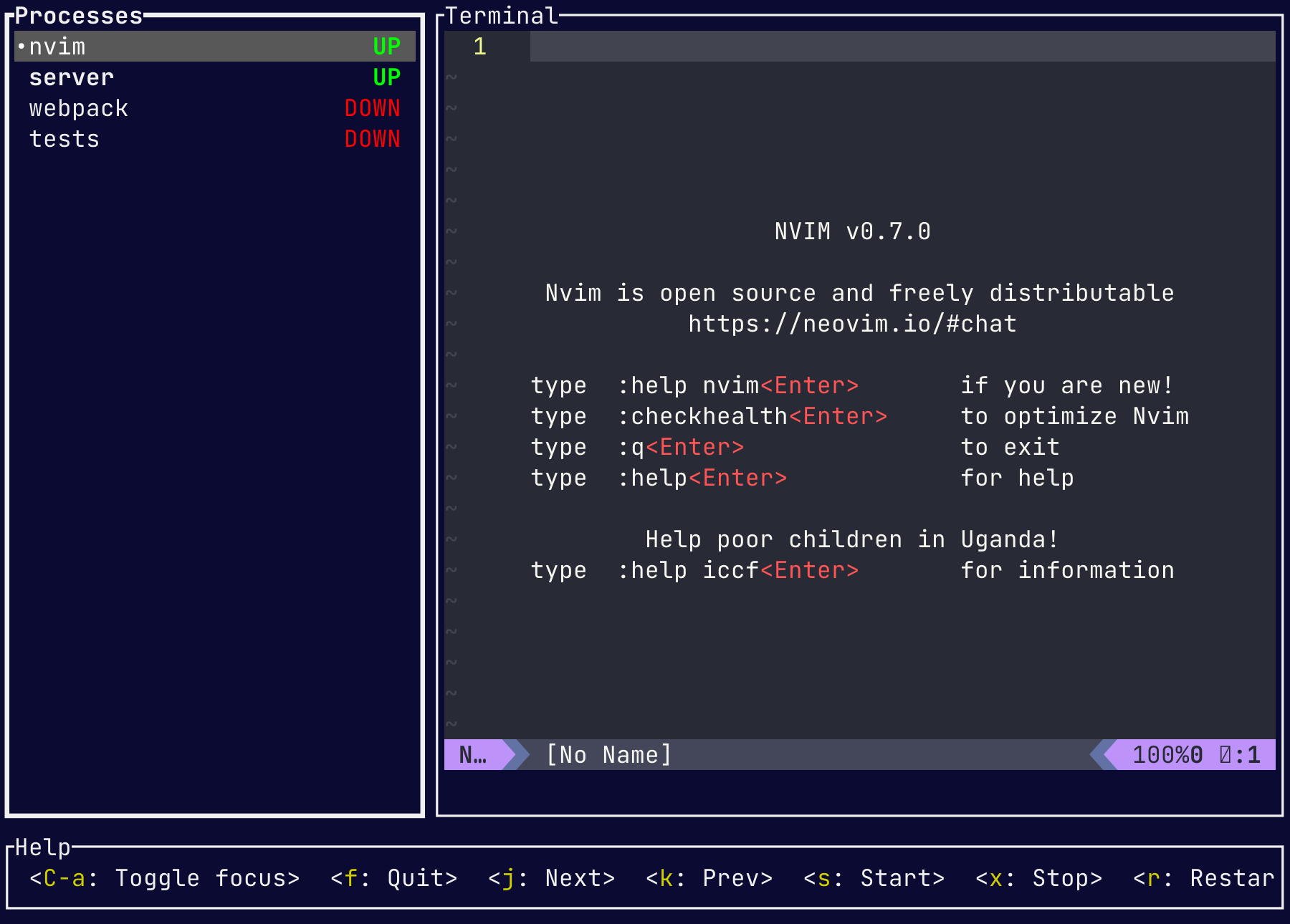
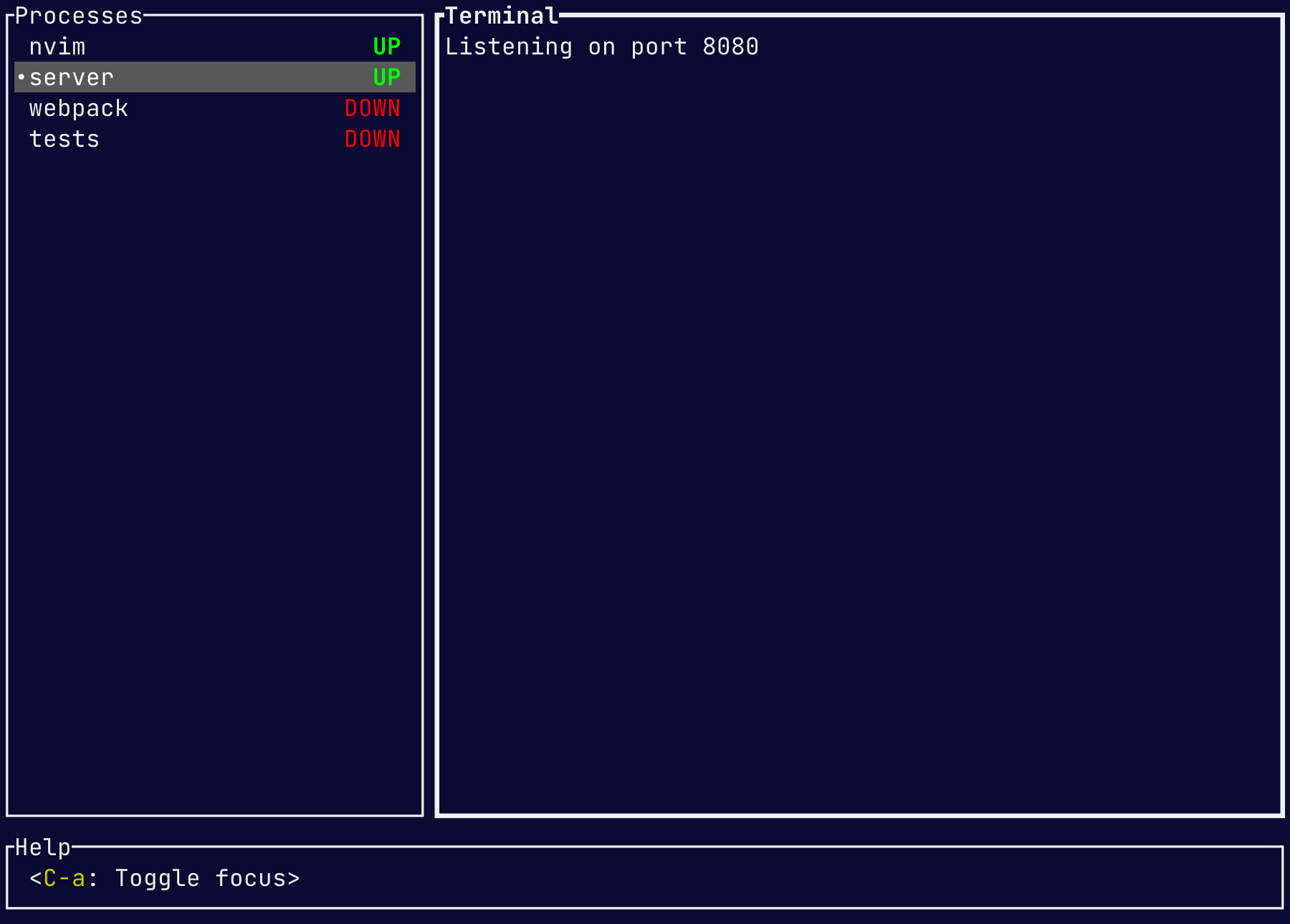 ## Installation
[](https://repology.org/project/mprocs/versions)
### Download binary (Linux, Macos, Windows)
[Download](https://github.com/pvolok/mprocs/releases) executable for your
platform and put it into a directory included in PATH.
### npm (Linux, Macos, Windows)
```sh
npm install -g mprocs
```
```sh
yarn global add mprocs
```
### homebrew (Macos, Linux)
```sh
brew install mprocs
```
### cargo (All platforms)
```sh
cargo install mprocs
```
### scoop (Windows)
```sh
scoop install mprocs
```
### AUR (Arch Linux)
```sh
yay mprocs
```
```sh
yay mprocs-bin
```
### MPR (Debian/Ubuntu)
```sh
git clone 'https://mpr.makedeb.org/mprocs'
cd mprocs/
makedeb -si
```
## Usage
1. Run `mprocs cmd1 cmd2 …` (example: `mprocs "yarn test -w" "webpack serve"`)
OR
1. Create `mprocs.yaml` file
2. Run `mprocs` command
Example `mprocs.yaml`:
```yaml
procs:
nvim:
cmd: ["nvim"]
server:
shell: "nodemon server.js"
webpack: "webpack serve"
tests:
shell: "jest -w"
env:
NODE_ENV: test
```
### Config
[JSON/YAML Configuration Schema](https://json.schemastore.org/mprocs-0.6.4.json)
There are two kinds of configs: global and local. _Global_ config is loaded
from `~/.config/mprocs/mprocs.yaml` (or
`~\AppData\Roaming\mprocs\mprocs.yaml` on Windows). _Local_ config
is loaded from `mprocs.yaml` from current directory (or set via cli argument:
`mprocs --config ./cfg/mprocs.yaml`). Settings in the _local_ config override
settings in the _global_ config.
- **procs**: _object_ - Processes to run. Only allowed in local config.
- **shell**: _string_ - Shell command to run (exactly one of **shell** or
**cmd** must be provided).
- **cmd**: _array
## Installation
[](https://repology.org/project/mprocs/versions)
### Download binary (Linux, Macos, Windows)
[Download](https://github.com/pvolok/mprocs/releases) executable for your
platform and put it into a directory included in PATH.
### npm (Linux, Macos, Windows)
```sh
npm install -g mprocs
```
```sh
yarn global add mprocs
```
### homebrew (Macos, Linux)
```sh
brew install mprocs
```
### cargo (All platforms)
```sh
cargo install mprocs
```
### scoop (Windows)
```sh
scoop install mprocs
```
### AUR (Arch Linux)
```sh
yay mprocs
```
```sh
yay mprocs-bin
```
### MPR (Debian/Ubuntu)
```sh
git clone 'https://mpr.makedeb.org/mprocs'
cd mprocs/
makedeb -si
```
## Usage
1. Run `mprocs cmd1 cmd2 …` (example: `mprocs "yarn test -w" "webpack serve"`)
OR
1. Create `mprocs.yaml` file
2. Run `mprocs` command
Example `mprocs.yaml`:
```yaml
procs:
nvim:
cmd: ["nvim"]
server:
shell: "nodemon server.js"
webpack: "webpack serve"
tests:
shell: "jest -w"
env:
NODE_ENV: test
```
### Config
[JSON/YAML Configuration Schema](https://json.schemastore.org/mprocs-0.6.4.json)
There are two kinds of configs: global and local. _Global_ config is loaded
from `~/.config/mprocs/mprocs.yaml` (or
`~\AppData\Roaming\mprocs\mprocs.yaml` on Windows). _Local_ config
is loaded from `mprocs.yaml` from current directory (or set via cli argument:
`mprocs --config ./cfg/mprocs.yaml`). Settings in the _local_ config override
settings in the _global_ config.
- **procs**: _object_ - Processes to run. Only allowed in local config.
- **shell**: _string_ - Shell command to run (exactly one of **shell** or
**cmd** must be provided).
- **cmd**: _array