Lightweight Windows File Explorer
Main Documentation
·
Backup Documentation
·
AI Interpretation







中文 | Deutsch | Español | Français | 日本語 | 한국어 | Português | Русский
## ⚡ Introduction *ttk file explorer* is an open-source, lightweight *Windows* file manager dedicated to *GUI* development and application implementation.
Experience a clean interface built with *tkinter* syntax and *ttkbootstrap* styling library, ensuring smooth and efficient file operations.
## 🔥 Features
- **Sleek & Modern** - Modern interface design focused on user interaction experience.
- **Lightweight & Efficient** - Fast response, no complex configurations, low resource usage.
- **Easy Operations** - Efficient and intuitive file browsing and management.
- **Customizable** - Freely extendable and personalized for better management efficiency.
- **Open Source & Free** - Allows users to modify and optimize source code as needed.
- **Continuous Updates** - Regular releases of new features and improvements.
> [!IMPORTANT]
> Creating stunning *GUI* applications with *tkinter*.
## 👀 Preview
| Light Theme | Dark Theme |
| ---- | ---- |
| 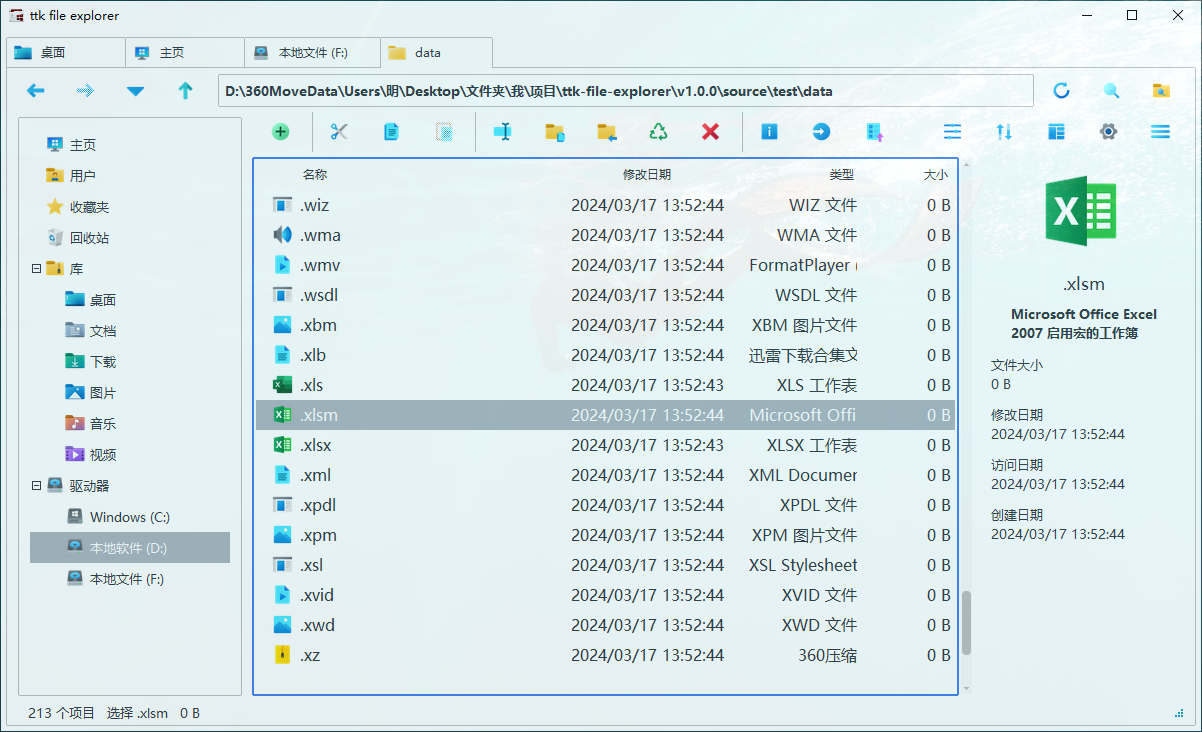 | 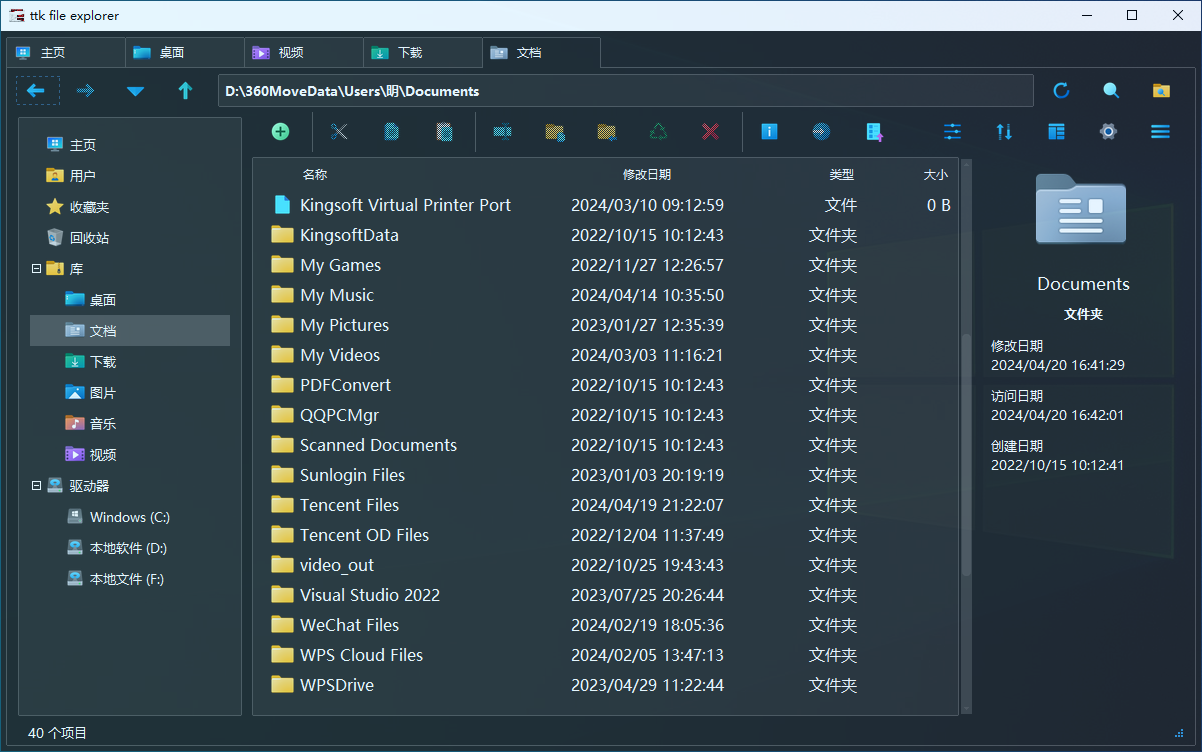 |
## 🚀 Getting Started
### 🎉 Installation
- [Download from GitHub](https://github.com/pyheight/ttk-file-explorer/releases/)
- [Baidu Netdisk](https://pan.baidu.com/s/1vSv-7kPXn5cRM0jjd0-qtg?pwd=2023#/home/%2F/%2F)
- [Aliyun Drive](https://www.aliyundrive.com/s/kooYQY65teA/)
> [!WARNING]
> Software redistribution poses significant security risks. Always download from official channels.
*ttk file explorer* is an open-source, lightweight *Windows* file manager dedicated to *GUI* development and application implementation.
Experience a clean interface built with *tkinter* syntax and *ttkbootstrap* styling library, ensuring smooth and efficient file operations.
## 🔥 Features
- **Sleek & Modern** - Modern interface design focused on user interaction experience.
- **Lightweight & Efficient** - Fast response, no complex configurations, low resource usage.
- **Easy Operations** - Efficient and intuitive file browsing and management.
- **Customizable** - Freely extendable and personalized for better management efficiency.
- **Open Source & Free** - Allows users to modify and optimize source code as needed.
- **Continuous Updates** - Regular releases of new features and improvements.
> [!IMPORTANT]
> Creating stunning *GUI* applications with *tkinter*.
## 👀 Preview
| Light Theme | Dark Theme |
| ---- | ---- |
|  |  |
## 🚀 Getting Started
### 🎉 Installation
- [Download from GitHub](https://github.com/pyheight/ttk-file-explorer/releases/)
- [Baidu Netdisk](https://pan.baidu.com/s/1vSv-7kPXn5cRM0jjd0-qtg?pwd=2023#/home/%2F/%2F)
- [Aliyun Drive](https://www.aliyundrive.com/s/kooYQY65teA/)
> [!WARNING]
> Software redistribution poses significant security risks. Always download from official channels.