# dsh-session-flags

Colored, user-named flags for DeepSeek Harness session lists.
Mark the sessions that matter, give each color a name of your own, and find them again from a searchable sidebar panel.
English | 中文






A flag is not a pin: pins reorder the list, flags label it. Use one color for “waiting on me”, another for “refactor in progress”, a third for “read tomorrow” — and rename the colors to match your own workflow.
## Highlights
- **A flag on every flagged session row.** A small flag glyph sits in the session-row leading seat, right before the title, while the row is idle; the row's own status dot takes precedence when a session needs attention.
- **One click on hover.** The row's hover strip carries a flag button; its hollow state tells unflagged rows apart at a glance.
- **A “Set flag” row in the session “…” menu.** It sits between “Fork” and “Archive” and previews the current color.
- **Named colors.** Each of the eight palette colors can be renamed. Names show up in the hover card, the picker, and the menu, so the color system can carry your own vocabulary.
- **A searchable “Flagged sessions” panel.** A sidebar panel row opens a page that groups every flagged session by color, shows each color's name, and jumps straight back to the conversation. Search matches session titles, workspaces, and color names.
- **Bilingual UI** (English / Simplified Chinese) following the GUI language.
- **Durable, local, private.** Flags live in one JSON document under the DSH home, owned by the plugin's Host half. No network calls, no telemetry, no changes to the sessions themselves.
## Screenshots
| Flagged row + named chip | Pick a color | Rename the colors |
| --- | --- | --- |
| 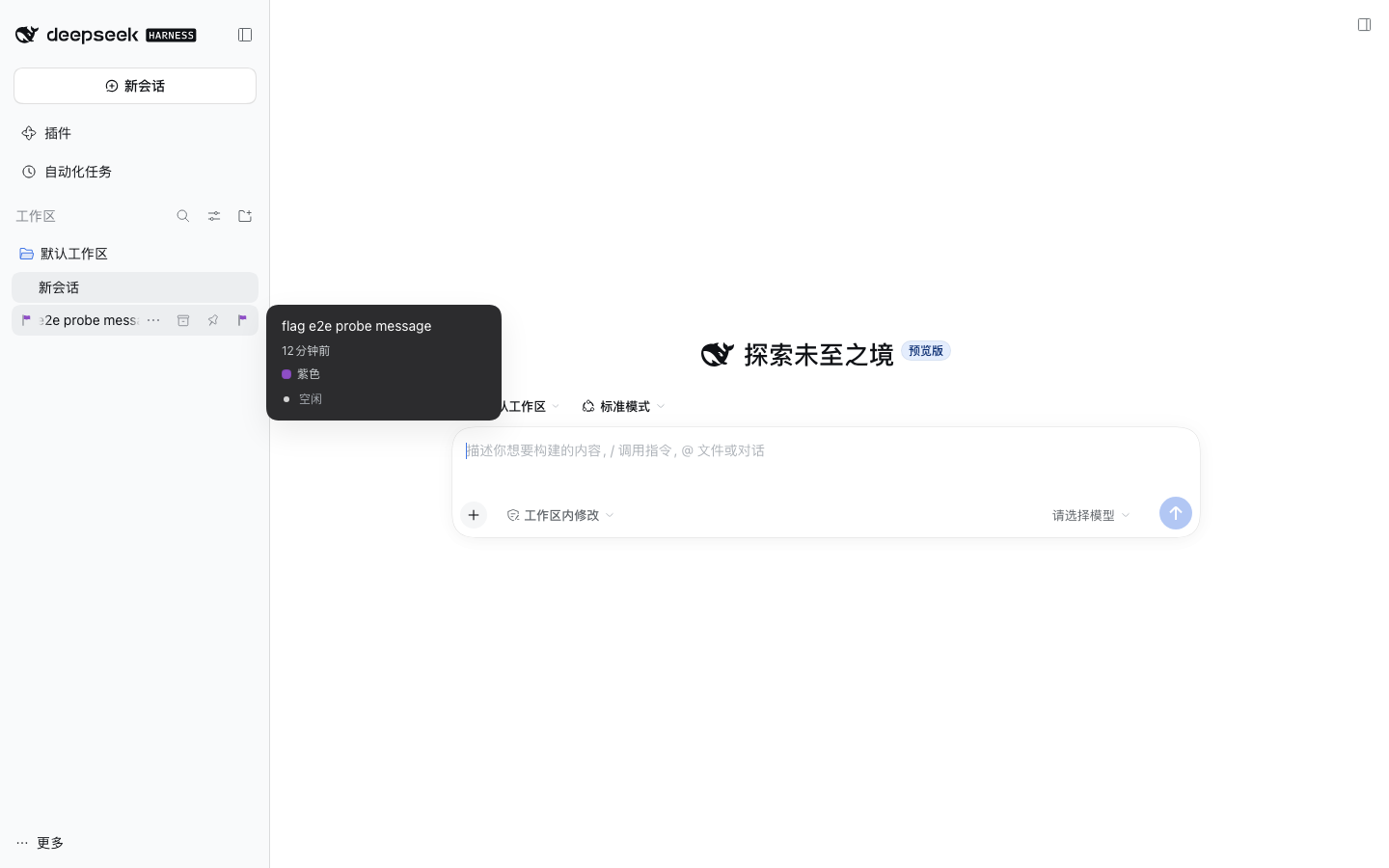 | 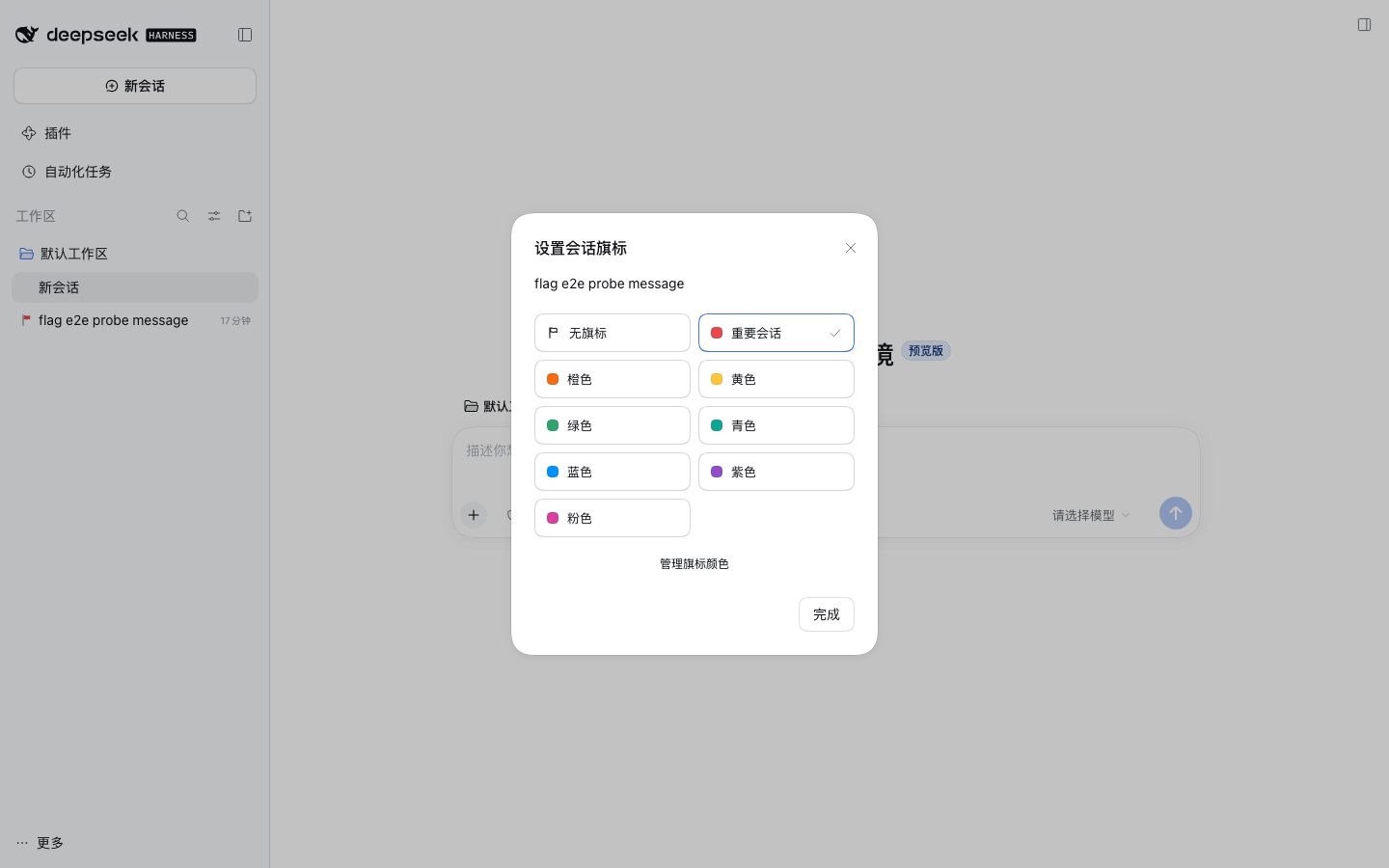 | 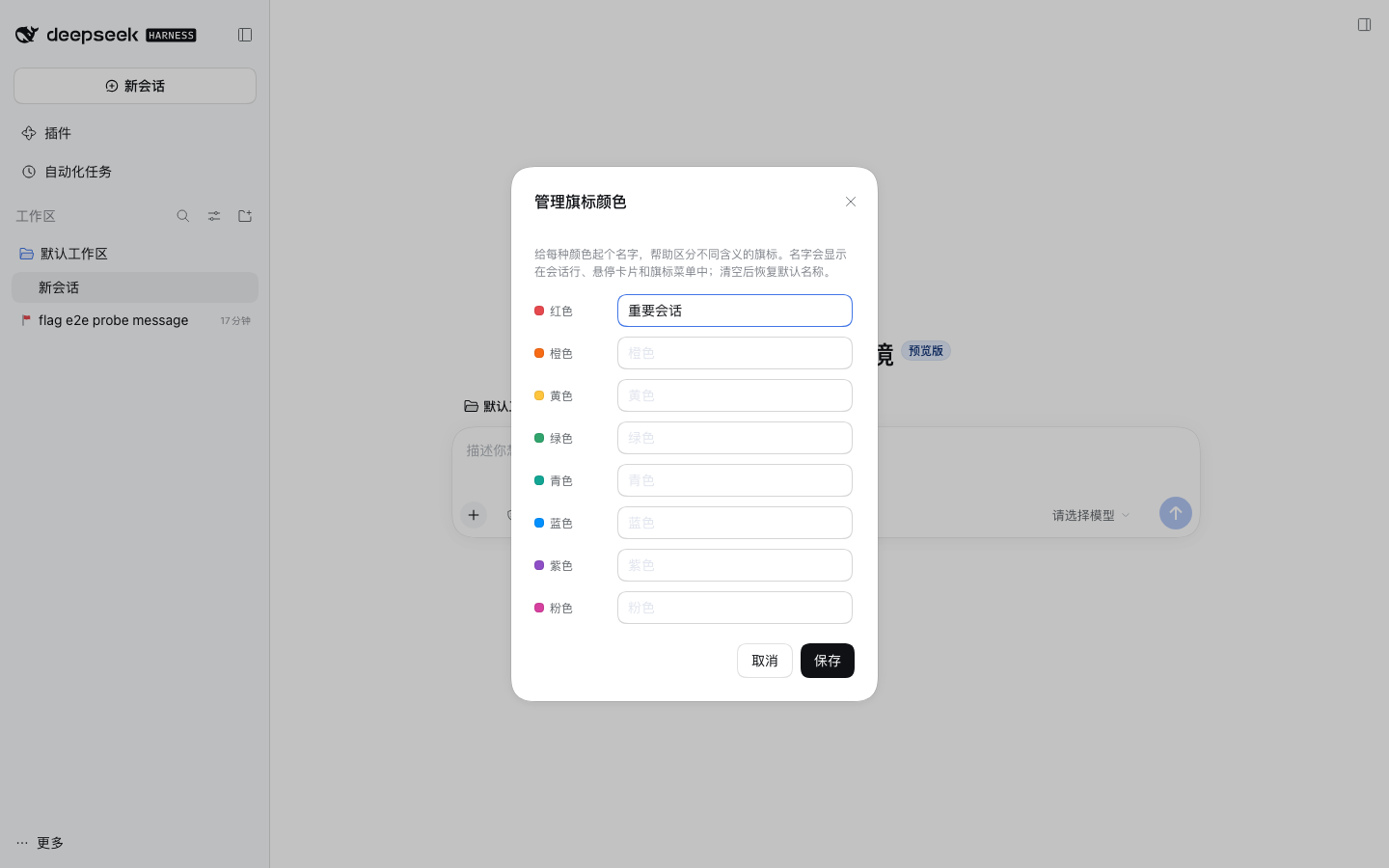 |
| “Flagged sessions” panel |
| --- |
| 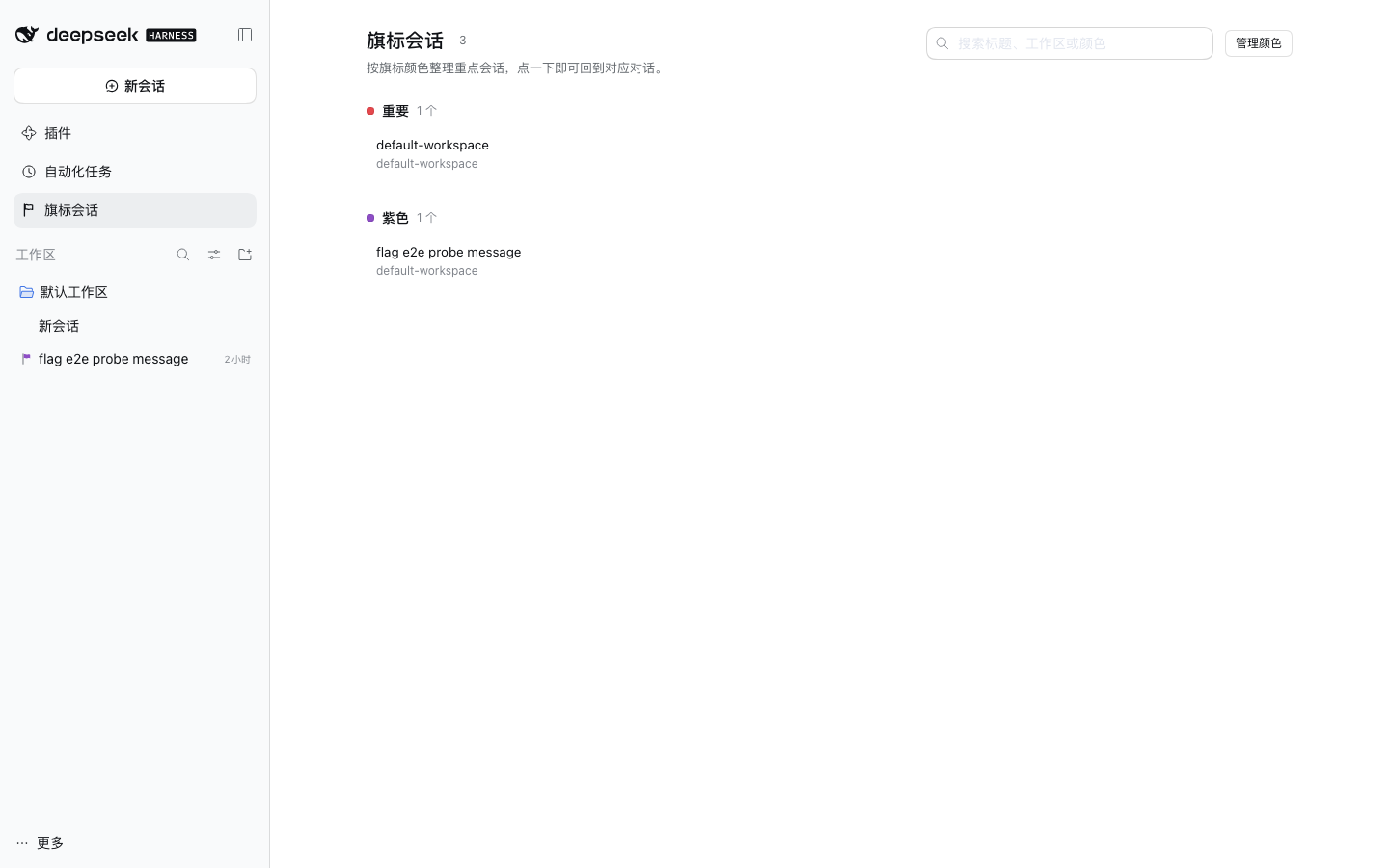 |
## Requirements
- DeepSeek Harness Desktop (or the Web GUI) **0.2.1-rc.2**. The package declares `engines.dsh: ">=0.2.0-rc.2"`, and named installs are checked against that range before the package manager runs.
- The plugin is a normal independent DSH plugin package (Host half + Client browser bundle); it installs into a profile, not into the application.
## Install
### From npm
Published as the unscoped npm package [`dsh-session-flags`](https://www.npmjs.com/package/dsh-session-flags):
```bash
# The compatibility preflight runs first (`engines.dsh`), then the package
# manager adds it; reconciling the profile appends the new bundle, so the
# plugin is enabled without a second step.
dsh plugin --profile desktop add dsh-session-flags
```
In the GUI this is **Plugins → Add plugin**, typing `dsh-session-flags`. Either way, reload the profile afterwards — restart the Harness so the new Client bundle is registered. On the official DSH Desktop app prefer the app's own **Settings → Plugins** page: that profile belongs to the app's plugin manager, and the CLI cannot change it while the app is running.
### From a local checkout
```bash
pnpm install
pnpm build # lib/index.js (Host) + lib/client.js (Client bundle, CJS ModuleLoader)
dsh plugin --profile desktop add file:/absolute/path/to/dsh-session-flags
# or, for a clean isolated profile:
dsh plugin --profile flags-dev add file:/absolute/path/to/dsh-session-flags
```
Restart the Harness and open the **Plugins** page — the bundle and its `dsh-session-flags` row should be enabled. The profile patch layer (`cordis.patch.yml`) is applied automatically through the package's `dsh.bundle.patch` field.
### From a tarball
```bash
pnpm build
pnpm pack # dsh-session-flags-0.1.0.tgz (lib/ is included via "files")
dsh plugin --profile desktop add /absolute/path/dsh-session-flags-0.1.0.tgz
```
## Marketplaces
Third-party listings are independent of npm. The community **dsh-market** reads the curated [awesome-dsh-plugin](https://github.com/awesome-dsh-plugin/awesome-dsh-plugin) registry; a listing is one pull request that adds `data/plugins/__.yml`, and the market app picks the entry up from that registry (usually within a day of the PR merging). The exact submission file and release checklist are in [docs/releasing.md](docs/releasing.md).
The official Harness ships **no plugin market**. Its optional *custom plugin markets* bundle (`@deepseek-ai/dsh-experimental-plugin-market-bundle`) adds a **Discover** tab where the user adds market index sources; the community catalog is published as a format-1 index at `https://cdn.jsdelivr.net/npm/dsh-plugin-catalog/index.json`. Turn it on from **Plugins → More → Experimental plugins → Custom plugin markets**, add that source, and search for `dsh-session-flags`. With the bundle on, the agent can browse the same indexes through the read-only `plugin_market` tool.
## Usage
| Where | What it does |
| --- | --- |
| Session row, leading seat | Shows the flag color while the row is idle (status dots win while a session needs attention). |
| Session row, hover strip | Flag button → opens the **Set session flag** dialog. |
| Session “…” menu → **Set flag** | Same dialog, reachable without hovering. |
| Session hover card | Colored dot plus the color's current name. |
| Dialog → **Manage flag colors** | Rename each of the 8 colors; blank a name to fall back to the localized default. |
| Sidebar → **Flagged sessions** | Searchable page with every flagged session, grouped by color name. Search matches the session title, its workspace, or the color name. |
| Panel row hover → **×** | Clear that session's flag without opening the conversation. |
| Panel header → **Manage colors** | Same color-name manager, right where the list is. |
Choosing “No flag” clears the flag. Names and flags are saved as soon as you confirm; the dialog reports a failure instead of closing when the Host rejects a write.
## How it works
```
src/
shared/ palette + wire protocol shared by both halves
host/ Cordis plugin: owns flags.json, registers exact Fetch routes
client/ Cordis plugin: locale copy, styles, slot contributions, dialogs
index.ts re-exports the Host entry
client/index.ts Client bundle entry (ModuleLoader factory)
```
**Host half** (`name` / `inject` / `apply`). It needs only `ctx.connection` and registers three exact Fetch routes below `/api/dsh-session-flags` (`state`, `set-flag`, `color-names`) with `ctx.connection.fetch.register`. Each response uses the Connection convention `{ ok: true, value }` or `{ ok: false, error: { code, message } }`. The document is persisted atomically (write temp file + rename) with serialized mutations, so concurrent UI actions cannot lose a write.
**Client half.** It registers a locale namespace, one `