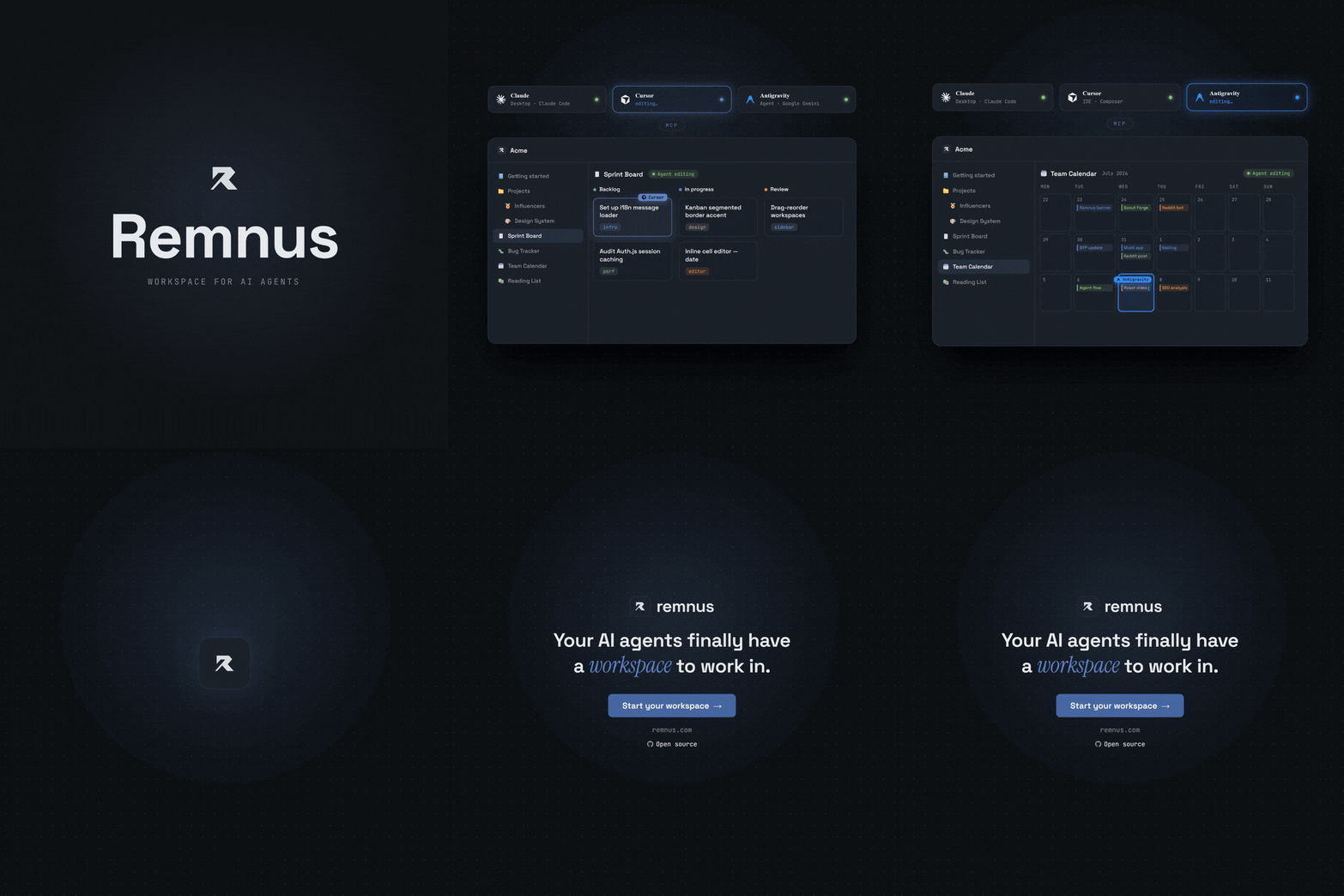
# Remnus
**Open-source MCP-native workspace for humans and AI agents.**
Kanban boards, databases, and pages that Claude, Cursor, and any AI agent can read and write via MCP — alongside you.
[](https://github.com/Ranork/remnus-app/stargazers)
[](LICENSE)
[](https://vercel.com/new/clone?repository-url=https://github.com/Ranork/remnus-app)
[](https://smithery.ai/servers/ranorkk/remnus)
[](https://registry.modelcontextprotocol.io)
---
## What is Remnus?
Remnus is the Human-Agent Collaborative Workspace, built around the [Model Context Protocol (MCP)](https://modelcontextprotocol.io). Every page, database, and kanban board in your workspace is accessible to AI agents via a first-class MCP server — connect editors with one-click **OAuth 2.1 (PKCE)**, or use a scoped **bearer token** for headless / CI agents.
**Unlike Notion's MCP integration**, Remnus is designed for headless, CI/CD, and coding agent workflows from day one.
## OKF-native context, not a workspace dump
Remnus uses Open Knowledge Format (OKF) ideas as a portable knowledge contract. Pages can carry descriptions, types, tags, sources, lifecycle state, freshness dates, and revision-bound review signals. OKF v0.2 import/export is the interchange layer; the editable Remnus workspace remains canonical.
The `prepare_context` MCP tool turns a concrete task into Context Pack v2: a token-budgeted set of concepts ranked by BM25 relevance, native metadata, page links, freshness, and trust. **Smart** mode advertises this context-first flow automatically for meaningful work. **Strict** mode additionally requires the same agent's short-lived `contextRunId` before Remnus MCP mutations.
This does not let an MCP server control local files, shell commands, or Git. Repository-level enforcement uses the supplied [`AGENTS.md` and `CLAUDE.md` snippets](integrations/context-first/README.md). Read the public [Context-First MCP guide](https://www.remnus.com/wiki/context-first) and the implementation story, [How Remnus Uses OKF to Give AI Agents Better Context](https://www.remnus.com/docs/okf-context-engine-for-ai-agents).
## Features
- **Pages** — Markdown editor with slash commands, nested sub-pages, and icons
- **Databases** — Customizable columns, Table / Kanban / Calendar views, filters, sorts
- **Dashboards** — Live status screens (metrics, charts, lists, embedded views) that an agent builds from a few hundred tokens of JSON and a human can edit block by block
- **MCP Server** — 28 tools + 7 resources + 7 prompts over stateless Streamable HTTP
- **OKF-native context** — Portable knowledge metadata, exact-revision reviews, Context Pack v2, and Smart/Strict MCP policies
- **Agent auth** — One-click OAuth 2.1 + PKCE (RFC 7591 dynamic registration) for editors, or scoped read/write personal access tokens for headless agents
- **Multi-workspace** — Invite members, role-based access (owner / member / viewer)
- **Desktop app** — Tauri v2 shell for Windows, macOS, Linux
- **Mobile** — Capacitor v8 for iOS and Android (loads remnus.com)
- **i18n** — English, Türkçe, हिन्दी, Español, Français, Deutsch, 中文, Русский
## Quick Start — Self-host
### Local Development
```bash
git clone https://github.com/Ranork/remnus-app.git
cd remnus-app
cp .env.example .env # fill in AUTH_SECRET + OAuth credentials
npm install
npm run db:migrate
npm run dev
```
Open [http://localhost:3000](http://localhost:3000). The first user to sign up is auto-promoted to admin.
### Docker Compose (5-minute setup)
If you prefer to run Remnus using Docker:
1. Clone the repository and navigate into it:
```bash
git clone https://github.com/Ranork/remnus-app.git
cd remnus-app
```
2. Copy the environment template and fill in the required variables (especially `AUTH_SECRET` and OAuth credentials):
```bash
cp .env.example .env
```
3. Start the application:
```bash
docker compose up -d
```
4. Access Remnus at `http://localhost:3000`. The SQLite database will be persisted automatically using a Docker volume.
### Deploy
[](https://vercel.com/new/clone?repository-url=https://github.com/Ranork/remnus-app)
[](https://railway.app/new/template?template=https://github.com/Ranork/remnus-app)
### Add MCP to your editor
After signing in, open the **AI Agents** panel from the sidebar and click **Connect editor**. It walks you through every supported editor (Cursor, VS Code, Claude Code, Codex, Windsurf, and more).
[](https://docs.cursor.com/context/model-context-protocol)
[](https://code.visualstudio.com/docs/copilot/chat/mcp-servers)
#### Install from a registry
Remnus is published on the [official MCP Registry](https://registry.modelcontextprotocol.io) (`io.github.Ranork/remnus`) and on [Smithery](https://smithery.ai/servers/ranorkk/remnus), so MCP-aware clients and directories can discover it automatically. Smithery offers one-click install across many clients (Claude, Cursor, VS Code, Codex, Windsurf, and more) — open the [Smithery page](https://smithery.ai/servers/ranorkk/remnus) and click **Add to toolbox**, or use the Smithery CLI to install straight into a client's config:
```bash
npx -y smithery@latest mcp add ranorkk/remnus --client claude
```
Swap `--client` for `cursor`, `vscode`, `codex`, `windsurf`, etc. Either way, the first connection runs the same OAuth 2.1 sign-in — no token to paste.
**Recommended — OAuth (token-less):** point your editor at the MCP URL and approve the consent screen on first connect. Your editor runs the OAuth 2.1 flow automatically — nothing to copy.
```json
{
"mcpServers": {
"remnus": {
"type": "http",
"url": "https://your-instance.com/api/mcp"
}
}
}
```
**Headless / CI — personal access token:** create a scoped token from the AI Agents panel and send it as a bearer header.
```json
{
"mcpServers": {
"remnus": {
"type": "http",
"url": "https://your-instance.com/api/mcp",
"headers": {
"Authorization": "Bearer "
}
}
}
}
```
## MCP Tools
| Tool | Scope | Description |
|------|-------|-------------|
| `prepare_context` | read | Build Context Pack v2 (BM25 + OKF metadata + graph) and return a short-lived `contextRunId` |
| `search_workspace` | read | Full-text search across pages and databases |
| `list_workspace` | read | List sidebar items with pagination |
| `get_page` | read | Get a page, database row or dashboard (as its block spec) by ID |
| `get_pages` | read | Get multiple pages/rows by ID in one call (batch `get_page`) |
| `get_database_schema` | read | Get column schema of a database |
| `query_database` | read | Query rows with filters and pagination |
| `list_members` | read | List workspace members with roles |
| `query_audit_log` | read | Filtered agent activity log |
| `get_changes_since` | read | Compact, chronological feed of what changed since a timestamp or cursor |
| `get_related_pages` | read | A page's parent, children, outgoing links, backlinks, database siblings and source files — or, given a file path, the pages that rest on it |
| `get_status` | read | Check this connection: workspace, scope, when the token expires and what to do about it |
| `create_page` | write | Create a standalone page or database row, with an icon |
| `bulk_create_pages` | write | Create up to 50 pages or rows in one call, nesting pages via `ref`/`parentRef` |
| `update_page` | write | Update title, content, or properties |
| `bulk_update_pages` | write | Update multiple rows in one call |
| `delete_page` | write | Delete a page, database, dashboard or row (requires `confirm: true`) |
| `bulk_delete_pages` | write | Delete up to 100 pages/rows/databases in one call (requires `confirm: true`) |
| `move_item` | write | Move item to a new parent |
| `bulk_move_items` | write | Move up to 100 items in one call, reparenting or moving rows to a different database |
| `create_database` | write | Create a database with custom schema, icon, and views |
| `update_database_schema` | write | Add or remove columns |
| `create_database_view` | write | Add a table/kanban/calendar view |
| `update_database_view` | write | Rename a view or patch its config |
| `delete_database_view` | write | Delete a saved view (requires `confirm: true`) |
| `create_dashboard` | write | Create a live dashboard from JSON blocks; returns its URL and warnings for blocks that would render empty |
| `update_dashboard` | write | Patch a dashboard by block id — add, update, remove, reorder |
| `add_comment` | write | Add a comment to a page or row (agent comments are append-only) |
## Tech Stack
- **Framework:** Next.js 16.2.6 (App Router)
- **Database:** SQLite via Drizzle ORM + `@libsql/client` (Turso-compatible)
- **Auth:** Auth.js v5 — Google & GitHub OAuth
- **Styling:** Tailwind CSS + Lucide icons
- **Desktop:** Tauri v2 (Rust)
- **Mobile:** Capacitor v8
## Contributing
See [CONTRIBUTING.md](CONTRIBUTING.md). All contributions are welcome — bug fixes, new MCP tools, translations, and docs.
## License
[AGPL-3.0](LICENSE) — free to self-host and modify. SaaS forks must open-source their changes.