# RapidForge
A lightweight, self hosted platform for building and deploying webhooks, APIs and scheduled tasks using simple scripts.




⭐ If you find RapidForge useful, consider giving it a star — it helps others discover the project and keeps us motivated!
---
## Overview
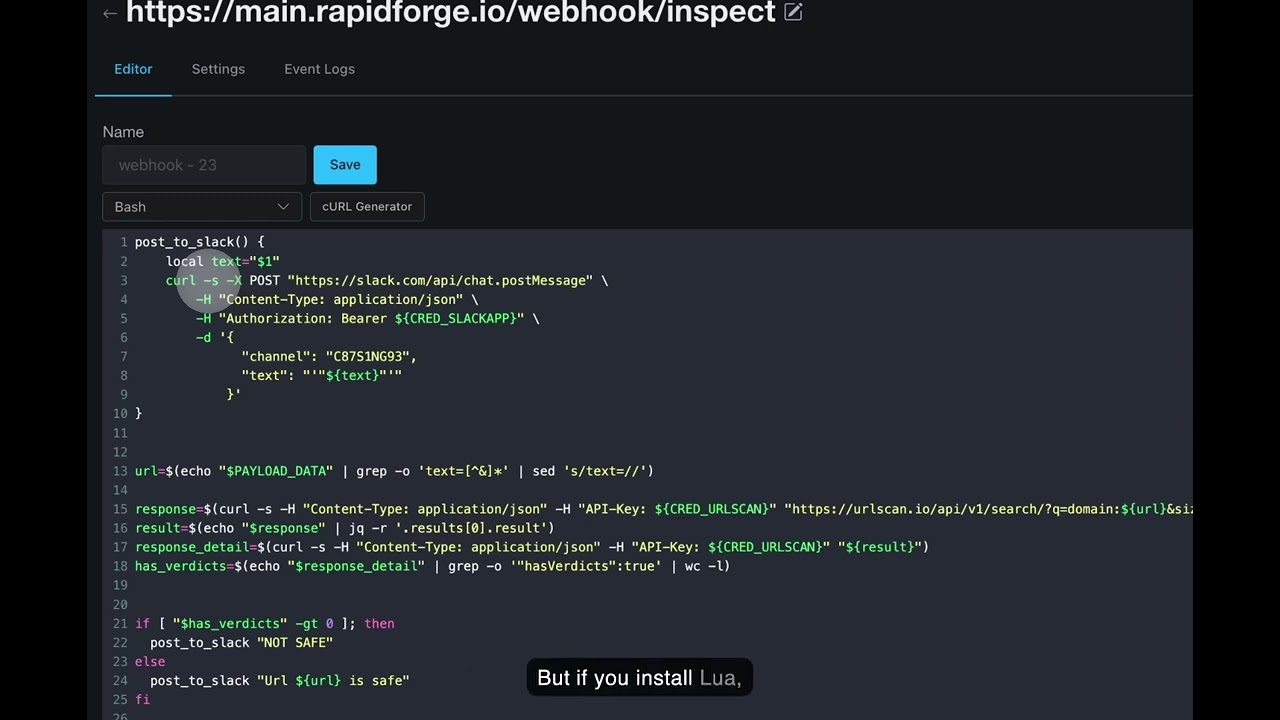
RapidForge is a modern, self-hosted platform that lets you quickly create webhooks, APIs, periodic tasks, and dynamic pages using Bash or Lua scripts. Built with simplicity and performance in mind, RapidForge provides a clean web interface for managing your automation workflows without the complexity of traditional API frameworks.
## ✨ Key Features
- **🚀 Simple Webhook Creation** - Create HTTP endpoints instantly with custom paths and methods
- **⏰ Scheduled Tasks** - Run scripts periodically with cron like scheduling
- **📄 Dynamic Pages** - Build interactive web pages with drag and drop editor and embedded scripts
- **🔐 Built-in Authentication** - OAuth2 integration and bearer token support
- **💾 SQLite Powered** - Lightweight, serverless database with zero configuration
- **Single Binary** - Self-contained executable with no dependencies for easy deployment
- **🔧 Script Languages** - Write in Bash or Lua with built in HTTP and JSON libraries
- **📊 Event Logging** - Track all webhook executions and responses
- **🔄 Self Updater** - Built-in update mechanism for easy maintenance
## 🚀 Quick Start
### Prerequisites
- (Recommended) [mise](https://mise.jdx.dev/) for managing Go and Node.js versions
### Installation
**Download Pre-built Binary:**
Visit the [releases page](https://github.com/rapidforge-io/rapidforge/releases) to download the latest binary for your platform.
**Docker:**
```bash
docker pull celdem/rapidforge
docker run -p 8080:8080 -v $(pwd)/data:/data celdem/rapidforge
```
Docker images are available at [hub.docker.com/r/celdem/rapidforge](https://hub.docker.com/r/celdem/rapidforge).
**Or Build from Source:**
```bash
git clone https://github.com/rapidforge-io/rapidforge.git
cd rapidforge
mise install
make build
```
> **Note:** For development and building, check the [makefile](makefile) for available commands including `make build`, `make build-fe`, `make dev`, and more.
## 🔧 Development
### Managing Tool Versions
This project uses [mise](https://mise.jdx.dev/) to manage Go and Node.js versions. All version specifications are centralized in [.mise.toml](.mise.toml).
**To update versions:**
1. Edit [.mise.toml](.mise.toml) with the desired Go and Node versions
2. Run `make sync-versions` to propagate changes to all files (Dockerfile, CI workflows, README, etc.)
3. Run `mise install` to install the new versions locally
This ensures version consistency across your development environment, CI/CD pipelines, and Docker builds.
### Running RapidForge
```bash
./rapidforge
```
When RapidForge starts for the first time, it will create admin user and password which will be printed to stdout for the first time only. Please login with those credentials and change your password later on.
## 📖 Documentation
For detailed configuration, deployment guides, and API documentation, visit:
**[https://rapidforge.io/docs](https://rapidforge.io/docs)**
## 🌙 About the Lua Binary
RapidForge ships with a bundled Lua binary sourced from the [superconfigure](https://github.com/ahgamut/superconfigure) project, which builds portable executables using the [Cosmopolitan](https://github.com/jart/cosmopolitan/) libc. This means the binary runs on Linux, macOS, and Windows without any native dependencies — no installation required.
If you prefer not to use the bundled binary (e.g. for security, licensing, or platform-specific reasons), simply install Lua on your host machine. RapidForge will automatically detect and prioritise a system-installed `lua` executable over the bundled one.
## 🛠️ Technology Stack
- **Backend:** Go with Gin framework
- **Database:** SQLite with migrations support
- **Frontend:** HTMX for interactivity, Shoelace web components.
- **Editor:** CodeMirror for code editing
- **Visual Editor:** React-based drag-and-drop page builder
## 🔧 Configuration
RapidForge can be configured through environment variables:
See [rapidforge.io/docs](https://rapidforge.io/docs) for configuration options.
## 🤝 Contributing
We welcome contributions! Please see [CONTRIBUTING.md](CONTRIBUTING.md) for guidelines on how to submit pull requests, report issues, and contribute to the project.
## Release Process
Our release process ensures stability by testing RapidForge **with** RapidForge.
1. **Code Merger**: Pull Requests are reviewed and merged into the `main` branch.
2. **Staging Deployment**: The main branch is deployed to our internal test server by maintainer.
3. **Dogfooding & Testing**: We use this internal rapidforge instance to run integration tests and perform manual testing. We verify changes by using RapidForge to test RapidForge.
4. **Release**: Once changes are verified and stable, we create a new release.
## 📜 License
RapidForge is licensed under the [Apache License 2.0](LICENSE.md).
```
Copyright 2023-2026 RapidForge
Licensed under the Apache License, Version 2.0 (the "License");
you may not use this file except in compliance with the License.
You may obtain a copy of the License at
http://www.apache.org/licenses/LICENSE-2.0
```
## 🔒 Security
Please report security vulnerabilities to the maintainer directly. See [SECURITY.md](SECURITY.md) for details.
## 💬 Community & Support
- **Documentation:** [https://rapidforge.io/docs](https://rapidforge.io/docs)
- **Issues:** [GitHub Issues](https://github.com/rapidforge-io/rapidforge/issues)
- **Discussions:** [GitHub Discussions](https://github.com/rapidforge-io/rapidforge/discussions)
---
Made with ❤️