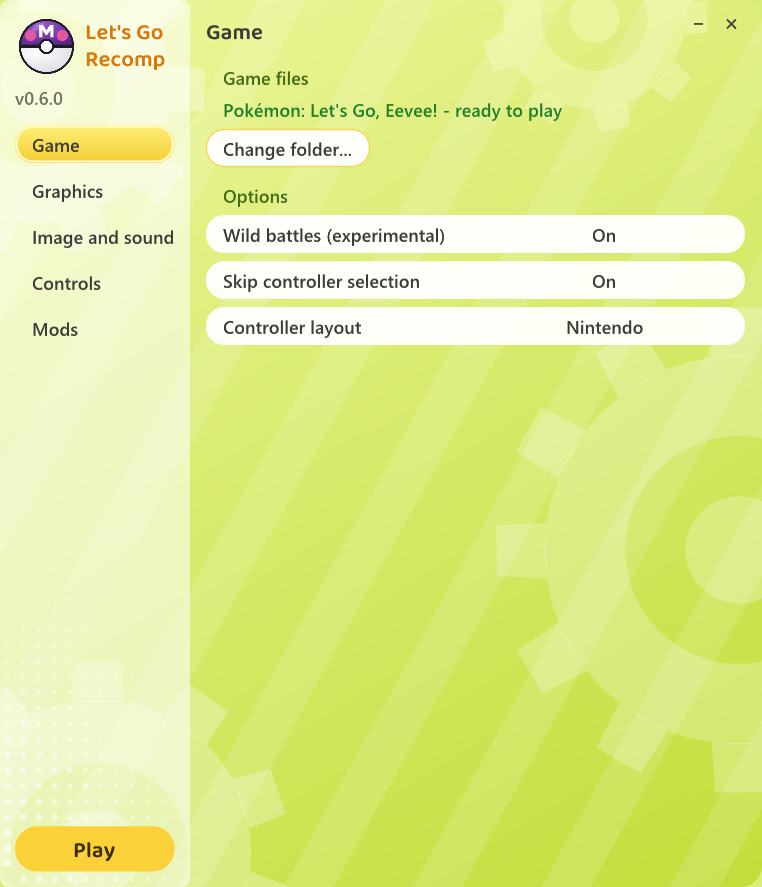
# Let's Go Recomp
A native Windows port of **Pokémon: Let's Go, Eevee!** and **Let's Go, Pikachu!** (Nintendo Switch), made by
**static recompilation**: the game's ARM64 code is translated into C and compiled for your PC, and a runtime stands in
for the Switch (system services, NVN graphics on Vulkan, audio, controllers). **It is not an emulator.** Built on
**[LAS Recomp](https://github.com/peiikai/LASRecomp)** by Peiikai.
> [!IMPORTANT]
> **No game files are included.** You need your own legally obtained copy of *Let's Go, Eevee!* or *Pikachu!*,
> extracted (the `exefs` and `romfs` folders). A fan project, not affiliated with Nintendo, The Pokémon Company, Game
> Freak or Creatures.
> [!NOTE]
> **Work in progress.** The game hasn't been played from start to finish on this port yet. Bug reports, fixes and
> improvements are very welcome: open an issue or a pull request ([CONTRIBUTING.md](CONTRIBUTING.md)).


*The same frame rendered by this port with the game's original settings (left) and 0.5.0's (right); below, the marked
area at 2x. Not Switch captures.* ▶ [Showcase video](https://youtu.be/mGk-wBu1wCk)
## Features
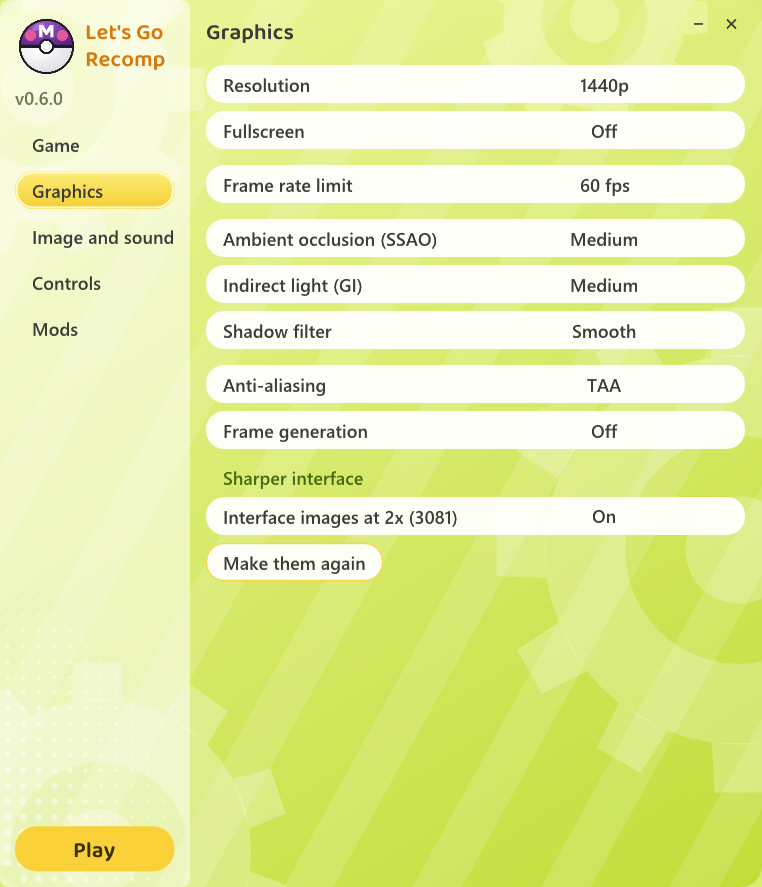
- Native code, up to **4K** internal resolution, any window size, fullscreen
- Anti-aliasing **SMAA**, **TAA** or **AMD FSR 3.1** (also upscales); **FSR 1** for a lower resolution
- **Ambient occlusion (SSAO**, with contact shadows at Ultra**)** and **indirect light (GI)**, smooth shadows, 16x anisotropic filtering
- The game's **30 fps**, or **60 / 120 fps** in the overworld (experimental), plus **frame generation** (2x / 3x / 4x, any GPU)
- **2x interface** images and sharper text
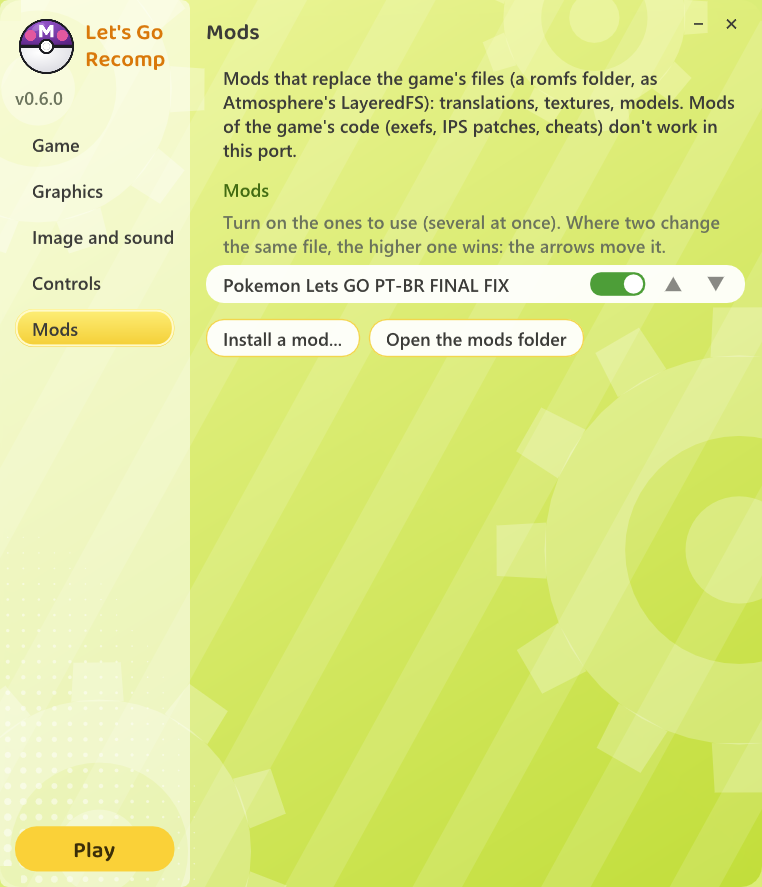
- **Mods**: fan translations and other LayeredFS mods, several at once
- Keyboard and mouse (aim Poké Balls, touch screen) and any controller, with the Nintendo or Xbox button layout; every key rebindable
- Experimental **wild battles** (a classic battle, then the capture) and **skip controller selection**
- Shaders cached on disk
## Launcher
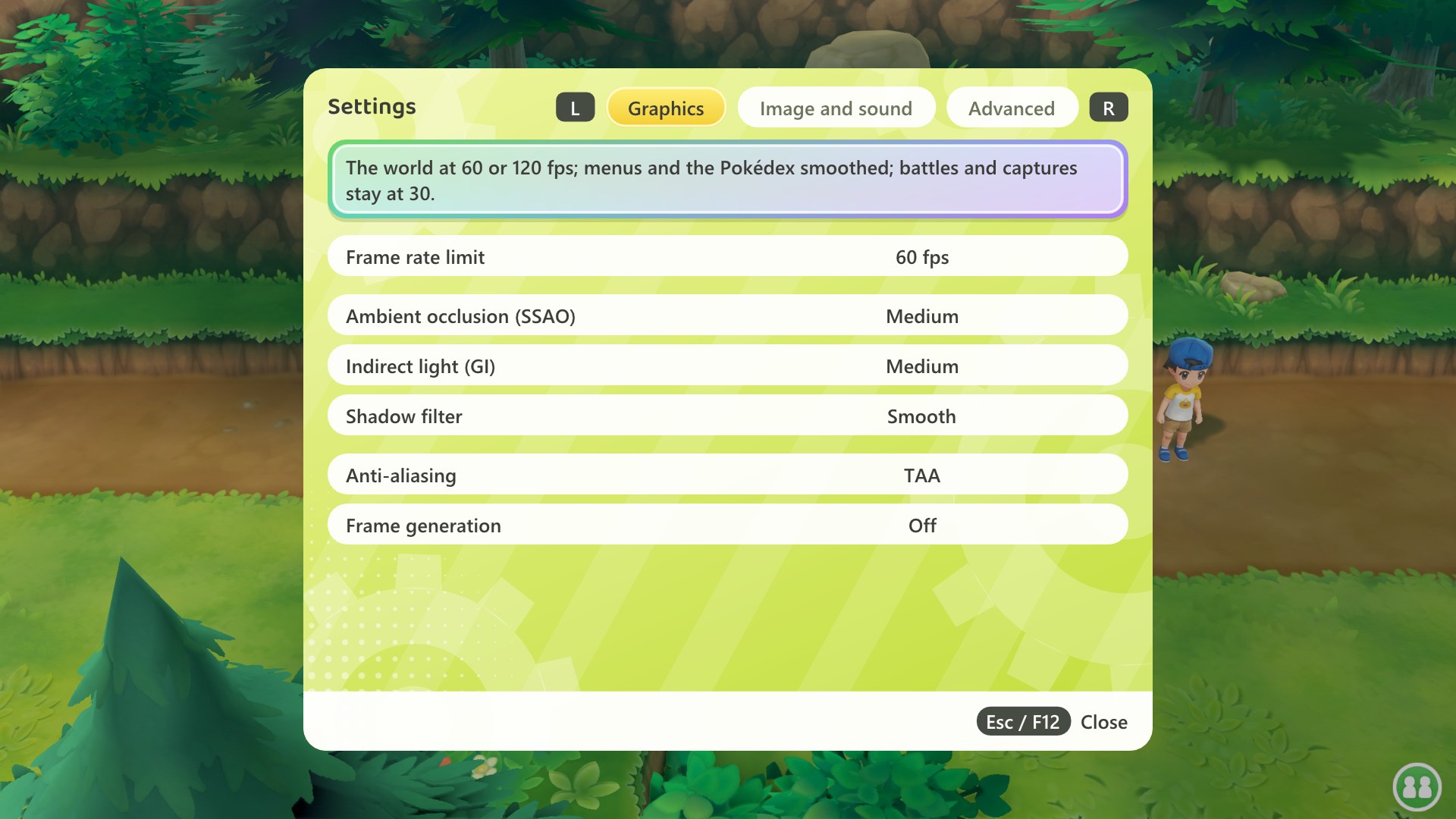
In the game, **F12** opens the same settings, applied at once:
## Requirements
| | |
|---|---|
| OS | Windows 10 or 11, 64-bit |
| CPU | x86-64 with SSE4.2 (Intel Nehalem / AMD Bulldozer or newer); AVX2 (Intel Haswell / AMD Zen or newer) recommended: without it the game code is built for older CPUs and runs slower |
| GPU | Vulkan 1.3 |
| RAM | about 4 GB while playing (5.2 GB during the one-time setup) |
| Disk | about 6 GB free |
## Supported games
- *Let's Go, Eevee!* and *Let's Go, Pikachu!*, any region, from your own dump (cartridge or eShop)
- **1.0.0** (the base game) of either, and *Eevee* **1.0.2** (the update), for every option; the other updates are
accepted, less tested, without the frame rate, wild battles and controller options
- `.xci` / `.nsp` files must be extracted first
Most tested with *Eevee* 1.0.0; *Pikachu* 1.0.0 less.
## How to play
1. Download `LetsGoRecomp--windows.zip` from [Releases](../../releases) and unzip it into a folder you can
write to.
2. Open **`LetsGoRecomp.exe`** (if Windows warns, **More info** → **Run anyway**).
3. On the **Game** page, click **Select game folder...** and pick the folder with `exefs` and `romfs`.
4. Wait while it copies the files and recompiles the game for your PC (only once: 22 minutes measured on a 20-thread CPU, longer with fewer threads).
5. Click **Play**.
Everything stays in that folder (settings, saves, mods). To update, unzip a new release over it. For both games, use
one folder each.
## Mods
On the **Mods** page, **Install a mod...** takes the `.zip` / `.rar` / `.7z` as downloaded (Atmosphere LayeredFS
packs: translations, textures, models). Tick the ones to use; where two change the same file, the higher one wins.
Mods of the game's code (exefs, IPS, cheats) don't work. Tested with the Brazilian Portuguese fan translation by
**Pokémon Switch Brasil** (not included; distributed by its authors).
## Known issues
- 60 / 120 fps and frame generation are experimental; battles and captures stay at 30 fps
- Wild battles don't split experience yet
- Switching to TAA while playing shows one or two black frames
- The 2x interface shows a few frames of thin stripes during an area change
- Online features, the Poké Ball Plus and the second player aren't supported
Crashes: please open an issue with `lasrecomp.log` ([CONTRIBUTING.md](CONTRIBUTING.md)). What changed in each
release: [CHANGELOG.md](CHANGELOG.md).
## Credits
- **[LAS Recomp](https://github.com/peiikai/LASRecomp)** by **Peiikai**: the recompiler and runtime this port is built on
- **Iván Serrano ([@Vancete](https://github.com/Vancete))**: the F12 menu, TAA and FSR 3.1, the 2x interface and sharper
text, frame generation (FSR 3.1's, then the in-house 2x / 3x / 4x), 120 fps and the walking fix, skipping the
controller screen, the menus' look, the Xbox controller layout, SSAO Ultra
- **Pokémon Switch Brasil**: the Brazilian Portuguese fan translation used in testing
- Libraries: SDL 3, FFmpeg (LGPL), Dear ImGui, Vulkan Memory Allocator, shaderc, SMAA, AMD FidelityFX (FSR 1, FSR 3.1),
bcdec, stb, waifu2x-ncnn-vulkan, the Baloo 2 font (OFL), Capstone, Unicorn, PyInstaller, Zig
## License
The code in this repository is under the [MIT license](LICENSE), like LAS Recomp; third-party components keep their
own licenses. It grants no rights to the game. *Pokémon* and *Let's Go* are trademarks of their respective owners.