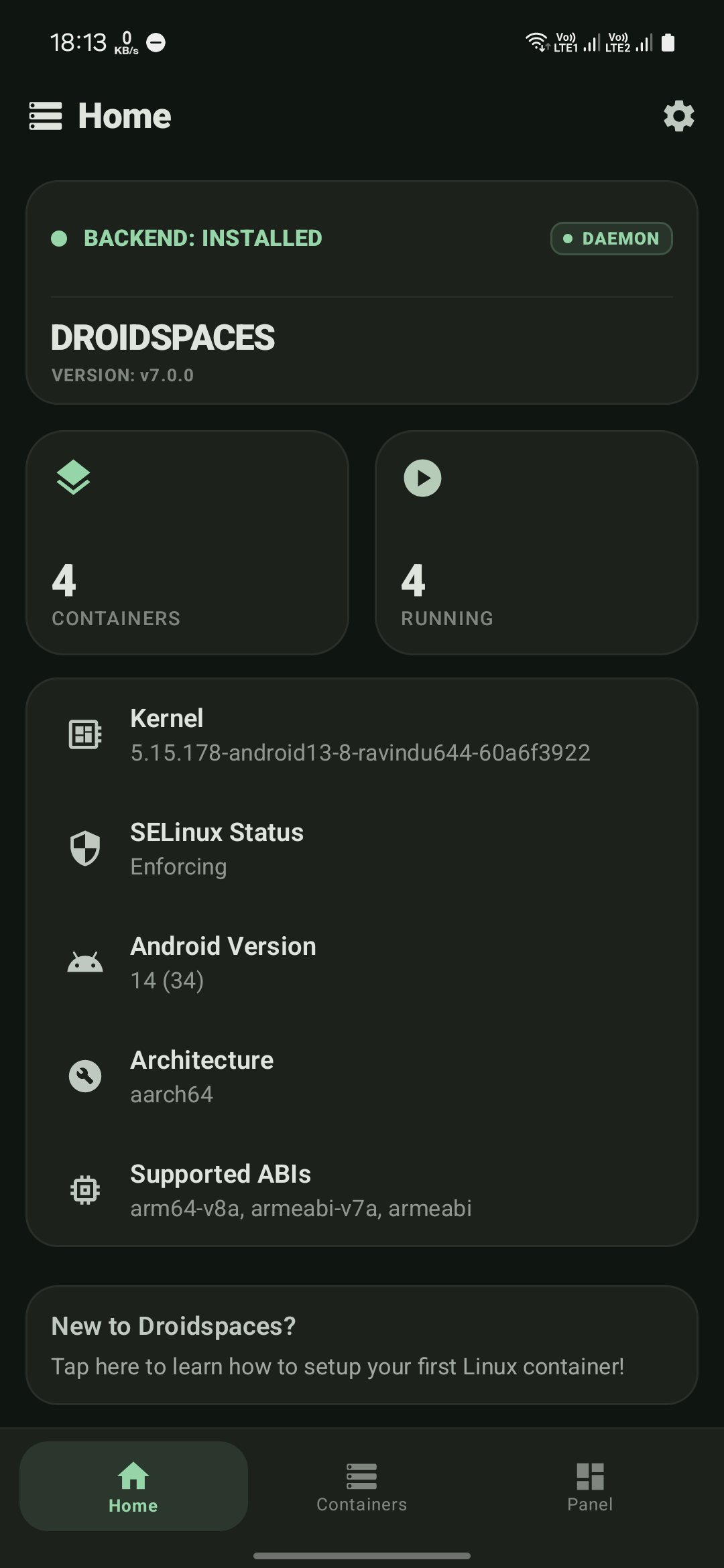
Home
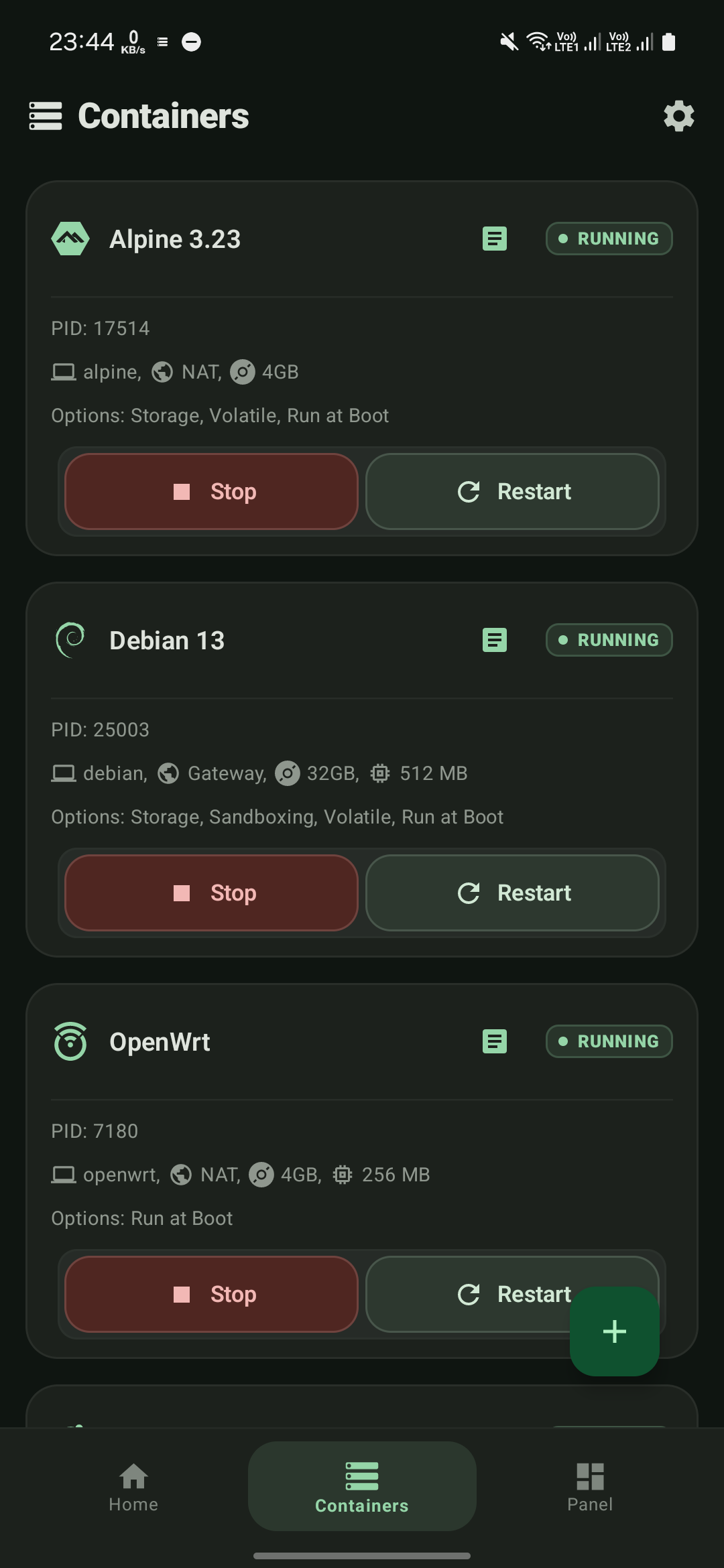
Containers
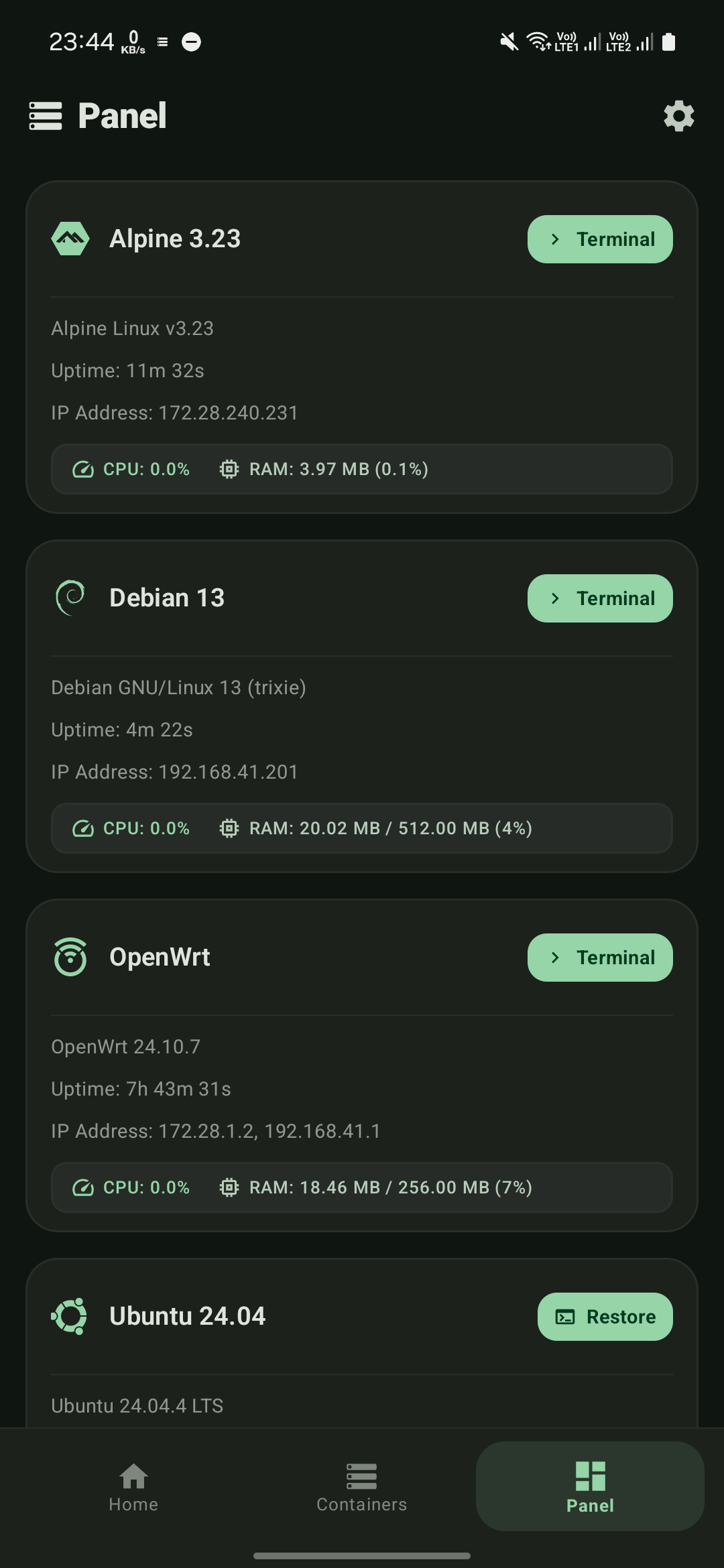
Panel
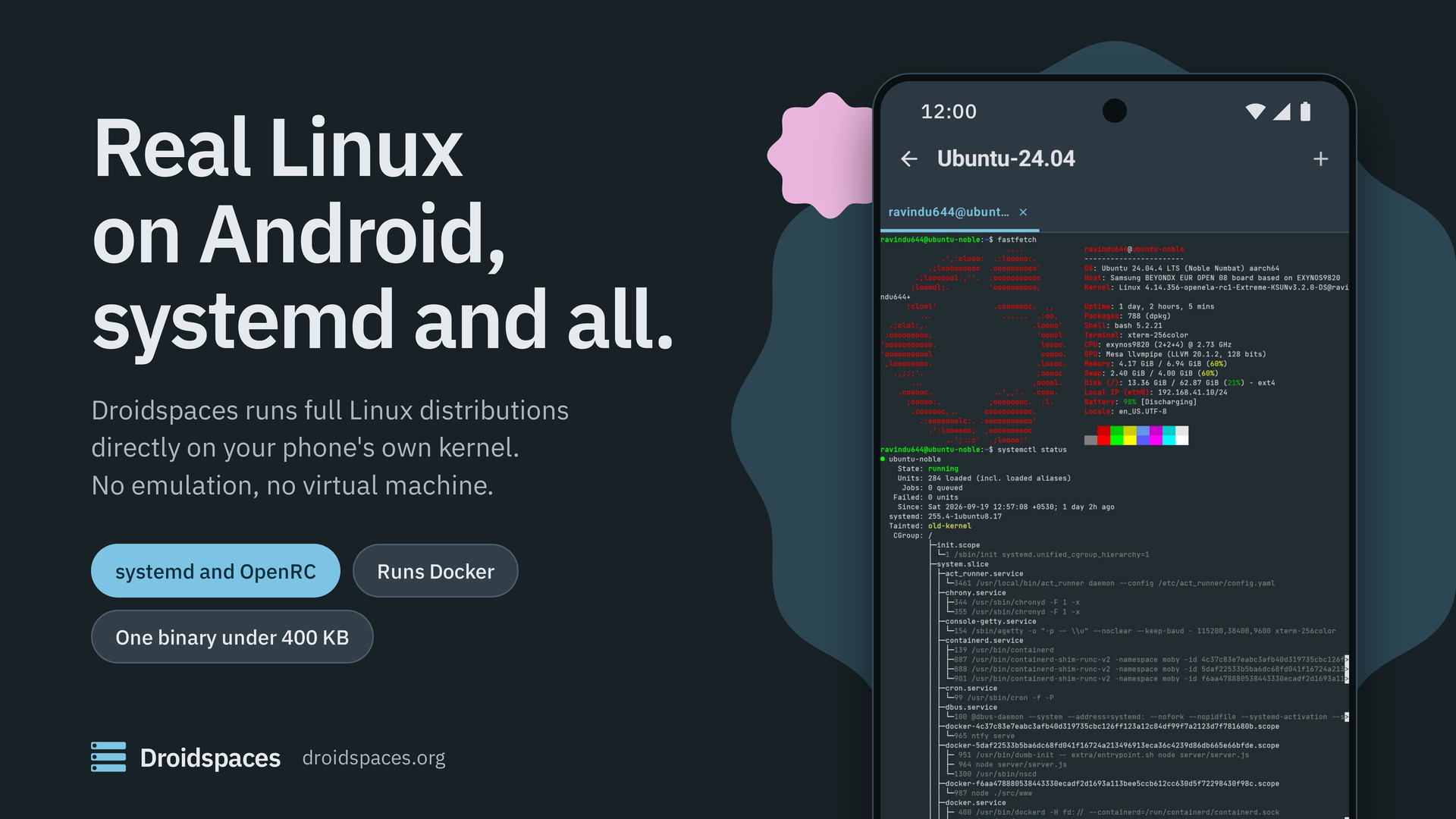 [](https://github.com/ravindu644/Droidspaces-OSS/releases/latest)
[](./LICENSE)
[](https://www.droidspaces.org)
[](https://t.me/Droidspaces)
# Droidspaces
Droidspaces runs full Linux distributions as containers on a rooted Android phone or a Linux PC. Each container boots its own init system, whether systemd, OpenRC or any other, on the host's kernel.
**There is no emulation and no virtual machine**, so programs run at native speed. One static binary under 400 KB does all of it, and the Android app drives that binary so you never need a terminal to get started.
## What you get
- **A real Linux system, not a chroot, not a virtual machine.** Ubuntu, Debian, Fedora, Arch, Alpine, NixOS, OpenWrt and more boot with their own init as PID 1. Services, timers, `reboot` from inside the container, all of it works.
- **Networking that works out of the box.** NAT mode gives every container its own address and internet, with no setup. Gateway mode hands a container's LAN to an OpenWrt container that does DHCP, DNS and firewalling. Macvlan puts a container straight on a wired LAN with its own address from your router.
- **A desktop on your phone.** Anland or Termux:X11 for the display, VirGL or Qualcomm's Turnip for the GPU, and PulseAudio for sound, all started for you. Turn on the toggles, start the container, and the desktop environment appears with sound.
- **Hardware when you want it.** GPU, USB, sensors and block devices can be exposed to a container with one toggle. Docker and Podman run inside containers on every supported kernel.
- **Containers that stay up.** On Android a container can start at boot, before you unlock the phone, and keeps running **for months**, whether the app is open, closed or uninstalled. Everything lives in `/data/local/Droidspaces`.
- **The same binary on Linux.** Every feature of the CLI works the same on a Linux PC. Packages are built for aarch64, armhf, x86_64, x86 and riscv64.
## Requirements
**Android**
- A rooted device. **KernelSU is recommended**. Magisk and APatch work too.
- A kernel built with the options Droidspaces needs. Most stock kernels lack them. See the [kernel configuration guide](Documentation/Kernel-Configuration.md), or pick a phone from the [community-supported devices](Documentation/community-supported-devices.md) list, which links to ready-made kernels.
- Kernel 3.10 or newer. 4.9 and newer is where most distributions work well.
**Linux**
- Kernel 3.10 or newer and root. Any current desktop distribution has everything else. Run `sudo ./droidspaces check` to confirm.
## Get started
**Android**
1. Install the APK from the [latest release](https://github.com/ravindu644/Droidspaces-OSS/releases/latest), grant root, open it, and let it install the backend. Reboot when it asks.
2. Open the **Containers** tab, tap **+**, then **Repository**. Pick a distribution, tap **Download**, then **Install**, and walk through the setup.
3. Tap **Start**. Open the **Panel** tab and tap **Terminal** to get a shell.
The [Android installation guide](Documentation/Installation-Android.md) covers each step in detail.
**Linux**
The [Linux installation guide](Documentation/Installation-Linux.md) shows how to install Droidspaces, where to get a rootfs and how to put it in an image file.
## Screenshots
[](https://github.com/ravindu644/Droidspaces-OSS/releases/latest)
[](./LICENSE)
[](https://www.droidspaces.org)
[](https://t.me/Droidspaces)
# Droidspaces
Droidspaces runs full Linux distributions as containers on a rooted Android phone or a Linux PC. Each container boots its own init system, whether systemd, OpenRC or any other, on the host's kernel.
**There is no emulation and no virtual machine**, so programs run at native speed. One static binary under 400 KB does all of it, and the Android app drives that binary so you never need a terminal to get started.
## What you get
- **A real Linux system, not a chroot, not a virtual machine.** Ubuntu, Debian, Fedora, Arch, Alpine, NixOS, OpenWrt and more boot with their own init as PID 1. Services, timers, `reboot` from inside the container, all of it works.
- **Networking that works out of the box.** NAT mode gives every container its own address and internet, with no setup. Gateway mode hands a container's LAN to an OpenWrt container that does DHCP, DNS and firewalling. Macvlan puts a container straight on a wired LAN with its own address from your router.
- **A desktop on your phone.** Anland or Termux:X11 for the display, VirGL or Qualcomm's Turnip for the GPU, and PulseAudio for sound, all started for you. Turn on the toggles, start the container, and the desktop environment appears with sound.
- **Hardware when you want it.** GPU, USB, sensors and block devices can be exposed to a container with one toggle. Docker and Podman run inside containers on every supported kernel.
- **Containers that stay up.** On Android a container can start at boot, before you unlock the phone, and keeps running **for months**, whether the app is open, closed or uninstalled. Everything lives in `/data/local/Droidspaces`.
- **The same binary on Linux.** Every feature of the CLI works the same on a Linux PC. Packages are built for aarch64, armhf, x86_64, x86 and riscv64.
## Requirements
**Android**
- A rooted device. **KernelSU is recommended**. Magisk and APatch work too.
- A kernel built with the options Droidspaces needs. Most stock kernels lack them. See the [kernel configuration guide](Documentation/Kernel-Configuration.md), or pick a phone from the [community-supported devices](Documentation/community-supported-devices.md) list, which links to ready-made kernels.
- Kernel 3.10 or newer. 4.9 and newer is where most distributions work well.
**Linux**
- Kernel 3.10 or newer and root. Any current desktop distribution has everything else. Run `sudo ./droidspaces check` to confirm.
## Get started
**Android**
1. Install the APK from the [latest release](https://github.com/ravindu644/Droidspaces-OSS/releases/latest), grant root, open it, and let it install the backend. Reboot when it asks.
2. Open the **Containers** tab, tap **+**, then **Repository**. Pick a distribution, tap **Download**, then **Install**, and walk through the setup.
3. Tap **Start**. Open the **Panel** tab and tap **Terminal** to get a shell.
The [Android installation guide](Documentation/Installation-Android.md) covers each step in detail.
**Linux**
The [Linux installation guide](Documentation/Installation-Linux.md) shows how to install Droidspaces, where to get a rootfs and how to put it in an image file.
## Screenshots
Home |
Containers |
Panel |
 ## Credits
- [LXC](https://github.com/lxc/lxc), the architectural inspiration.
- [BusyBox](https://busybox.net/), the static binary the app uses for extraction and setup ([our build](https://github.com/Droidspaces/busybox-droidspaces)).
- [ReTerminal](https://github.com/RohitKushvaha01/ReTerminal), [Termux](https://github.com/termux/termux-app) and [LXC-Manager](https://github.com/Container-On-Android/LXC-Manager), the terminal emulator backend.
- [JetBrains Mono](https://www.jetbrains.com/legalforms/fonts/), the monospace typeface in the app, under the [SIL Open Font License 1.1](https://scripts.sil.org/OFL).
## License
[GNU General Public License v3.0](./LICENSE). Copyright (C) 2026 [ravindu644](https://github.com/ravindu644) and contributors.
## Credits
- [LXC](https://github.com/lxc/lxc), the architectural inspiration.
- [BusyBox](https://busybox.net/), the static binary the app uses for extraction and setup ([our build](https://github.com/Droidspaces/busybox-droidspaces)).
- [ReTerminal](https://github.com/RohitKushvaha01/ReTerminal), [Termux](https://github.com/termux/termux-app) and [LXC-Manager](https://github.com/Container-On-Android/LXC-Manager), the terminal emulator backend.
- [JetBrains Mono](https://www.jetbrains.com/legalforms/fonts/), the monospace typeface in the app, under the [SIL Open Font License 1.1](https://scripts.sil.org/OFL).
## License
[GNU General Public License v3.0](./LICENSE). Copyright (C) 2026 [ravindu644](https://github.com/ravindu644) and contributors.