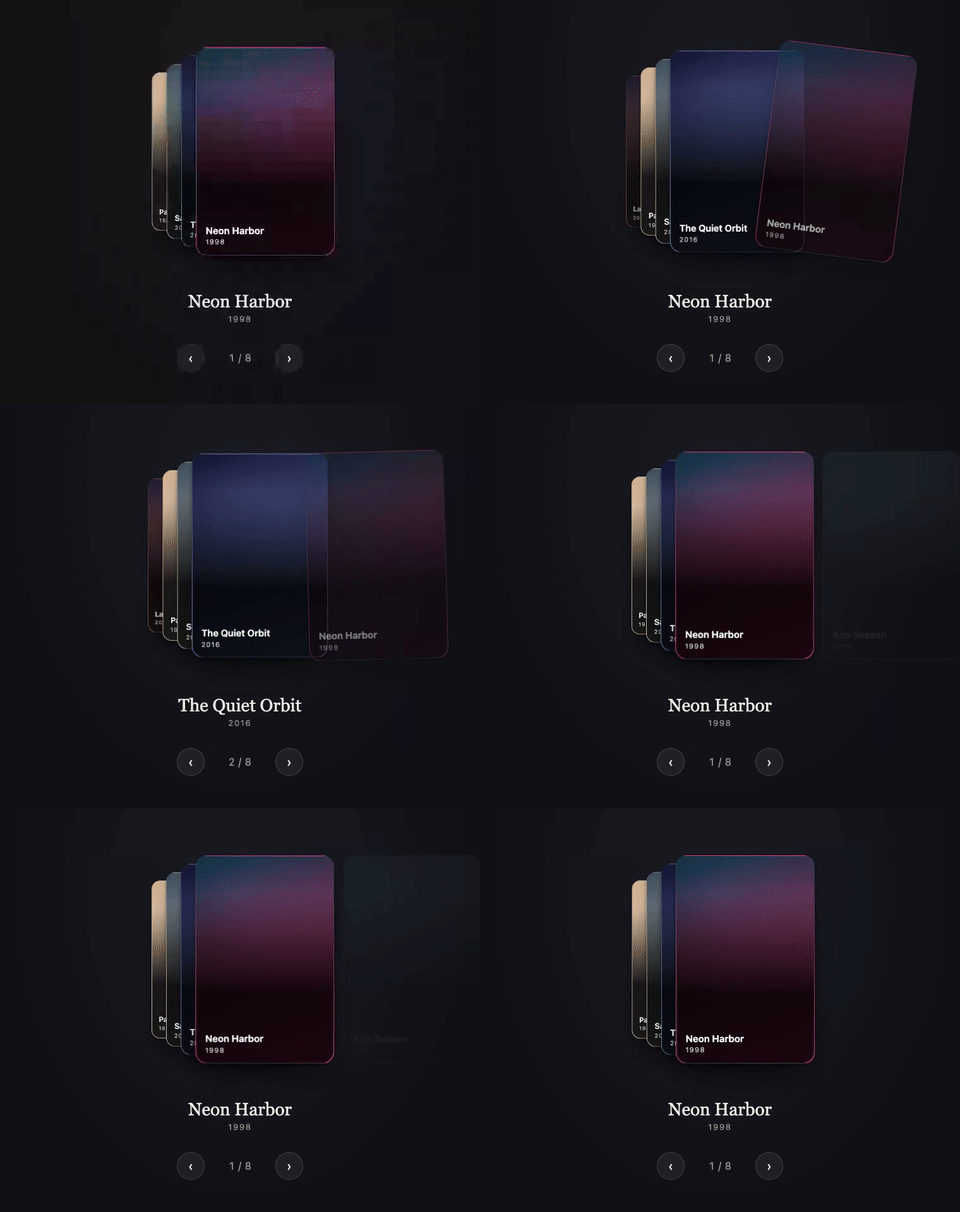
Watch the WebM (sharper, smaller file)
[](https://www.npmjs.com/package/@rpxl/riffle) [](https://bundlephobia.com/package/@rpxl/riffle) [](https://github.com/reactivepixels/riffle/actions/workflows/ci.yml) [](https://github.com/reactivepixels/riffle/blob/main/LICENSE)
# Riffle Cards, cascading. Riffle is a framework-agnostic carousel card stack: a fixed set of cards that cycle through stack positions under a horizontal or vertical drag gesture. The front card sits full size, the cards behind it fan out at decreasing scale, and dragging the front card away brings the next one forward. It is explicitly not a swipe-to-dismiss deck: cards are never discarded, there is no like/nope state, and nothing runs out. **[Live demo and docs](https://reactivepixels.github.io/riffle/)** ## Why Riffle - **Feels like real cards.** A spring drives every settle, drag velocity carries into a fling, and the grab point acts as a lever: pick a card up near a corner and it tilts as it leaves. - **Small, with nothing to install alongside it.** Under 7 kB minified and gzipped, zero runtime dependencies, tree-shakable. - **One engine, three frameworks.** Vanilla JS, `@rpxl/riffle/react` and `@rpxl/riffle/vue` all drive the same headless core. You own the markup and styles; Riffle only writes transforms. - **Accessible by construction.** ARIA carousel semantics, exactly one tabbable card with the rest `inert`, arrow keys plus Home and End, a polite live region, and `prefers-reduced-motion` respected out of the box. - **SSR safe.** Adapters render from an initial snapshot that matches the engine's first frame, so there is no flash on hydration. Next.js App Router and Nuxt examples included. - **Flexible.** Horizontal or vertical, loop or clamp at the ends, custom layouts, imperative `next()`, `prev()` and `goTo()` for your own controls. ## Install ``` npm install @rpxl/riffle ``` ## Usage `cardWidth` and `cardHeight` describe each card's geometry to the engine (how far a drag travels, how the fan is laid out) and do not size or style any element: give the cards their own size, background and radius in your markup or CSS. Every snippet below does. ### Vanilla ```html ``` ```ts import { createRiffle } from '@rpxl/riffle' const stack = document.getElementById('stack')! // One grid cell for every card: Riffle positions them from there with transforms. // justify-content keeps that cell the card's own width (centred), so the fan // scales about the card itself. stack.style.cssText = 'display: grid; justify-content: center; padding: 32px 0' // Name the carousel: screen readers announce this label with it. stack.setAttribute('aria-label', 'Films') const riffle = createRiffle(stack, { count: 5, cardWidth: 300, cardHeight: 400 }) for (let i = 0; i < 5; i++) { const card = stack.appendChild(document.createElement('div')) card.textContent = String(i + 1) card.style.cssText = `grid-area: 1 / 1; width: 300px; height: 400px; border-radius: 16px; background: hsl(${i * 72} 65% 45%); color: white; display: grid; place-items: center` riffle.registerNode(i, card) } // Drag the front card, or wire riffle.next(), riffle.prev() and riffle.goTo(index) // to controls of your own. ``` ### React ```tsx import { Riffle } from '@rpxl/riffle/react' export function Stack({ films }: { films: { title: string }[] }) { return ( // justifyContent keeps the stack's one grid column, and so every card, the // card's own width (centred), so the fan scales about the card itself.