
CodexPro
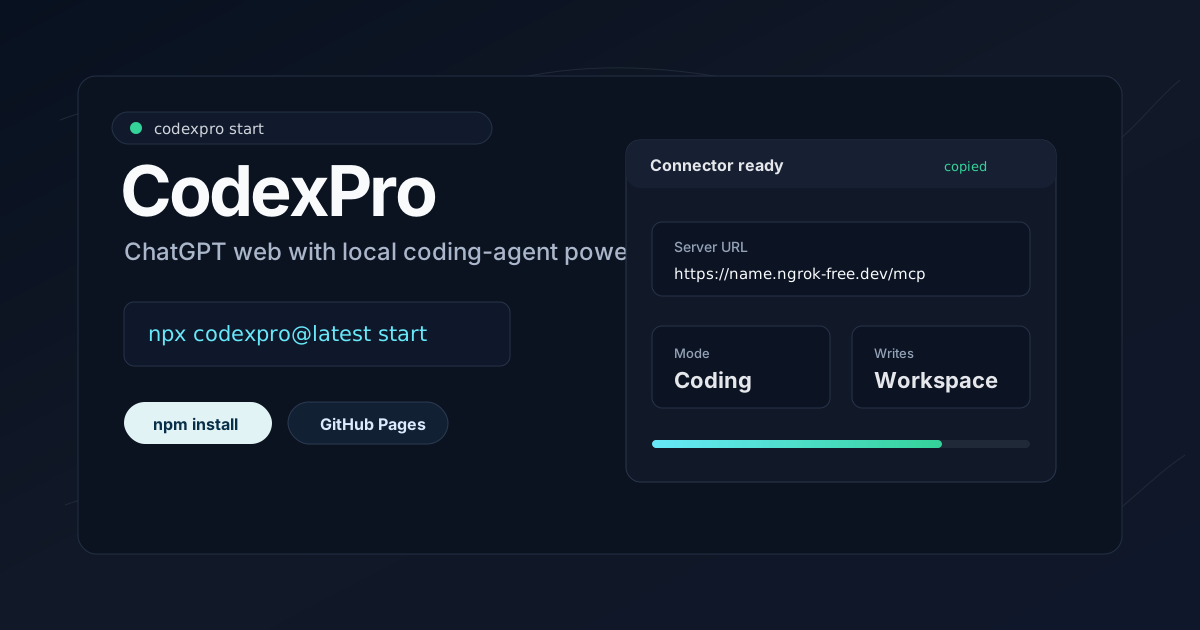
Use ChatGPT like your local coding agent for one token-protected workspace.




Website
·
中文 README
·
中文网站
·
Star on GitHub
·
npm
·
Stable URL guide
·
FAQ
·
Security
## Installation
CodexPro requires Node.js 20+ and a ChatGPT account with Apps / Developer Mode access. OpenAI currently lists Developer Mode for Pro, Plus, Business, Enterprise, and Education accounts on web.
Install the CLI:
```bash
npm install -g codexpro
```
Then run setup inside the repo you want ChatGPT to work on:
```bash
cd /path/to/your/repo
codexpro setup
```
CodexPro copies the ChatGPT Server URL for you. In ChatGPT, open `Settings -> Apps -> Advanced settings -> Create app`, paste that URL, and choose `Authentication: No Authentication / None`.
After setup, daily use from the same repo is just:
```bash
codexpro start
```
CodexPro turns ChatGPT Developer Mode into a local coding agent for that folder. It gives ChatGPT bounded MCP tools for file reads, code search, exact edits, git inspection, safe verification commands, and explicit repo-backed context from `AGENTS.md`, `.ai-bridge`, git state, and selected source files.
CodexPro is not a rate-limit bypass, model proxy, hosted SaaS, or OS sandbox. It uses ChatGPT's official Developer Mode and MCP app path to connect your own ChatGPT session to your own local repo. ChatGPT and Codex remain separate product surfaces, each subject to its own plan limits, safety rules, and availability.
## Quick Choices
| Need | Use |
| --- | --- |
| Fast first setup | `npm install -g codexpro`, then `codexpro setup` |
| Daily start | `codexpro start` from the same repo |
| Stable ChatGPT URL | ngrok free dev domain or Cloudflare named tunnel |
| Default tool surface | `CODEXPRO_TOOL_MODE=standard` |
| Full diagnostics | `codexpro start --tool-mode full` |
| No ChatGPT-triggered shell | `codexpro start --no-bash` |
| Compact chat transcript | default compact bash output; use `--bash-transcript full` only when needed |
| Local Codex history lookup | opt in with `--codex-sessions metadata` or `read` |
The GitHub `main` README can describe changes before they reach npm. Check the npm badge/version when installing with `npm install -g codexpro`; use the source-checkout path below for unreleased `main` behavior.
## Product Boundary
| CodexPro is | CodexPro is not |
| --- | --- |
| A local MCP bridge for the workspace you choose | A hosted coding service |
| A way for ChatGPT Developer Mode to inspect, edit, verify, and hand off work | A model unlock, proxy, resale layer, or quota workaround |
| A repo-backed context system using explicit files such as `AGENTS.md` and `.ai-bridge` | Permanent ChatGPT memory across every chat |
| A developer tool with conservative defaults | An OS sandbox or substitute for repo/terminal judgment |
## Why CodexPro?
| ChatGPT gets | CodexPro provides |
| --- | --- |
| Repo context | `AGENTS.md`, `.ai-bridge`, git status, git diff, selected source files |
| Coding actions | `read`, `write`, `edit`, `search`, `show_changes` |
| Verification | safe `bash` for focused test, lint, build, and git commands |
| Handoff | `.ai-bridge/current-plan.md` for Codex, OpenCode, Pi, or a custom local agent |
| Fallback planning | `.ai-bridge/pro-context.md` for model surfaces that cannot call MCP tools |
If one workflow is unavailable and another product surface you already have access to is still available, CodexPro lets you keep working against the same local repo without modifying or evading either product's limits.
If your ChatGPT account exposes a stronger model in the web app, and that model/surface can call Developer Mode apps, CodexPro lets it work against your local repo through MCP. Some GPT-5.5 Pro or other model surfaces may not expose app actions in a given chat. If CodexPro actions are unavailable there, CodexPro cannot make that request reach the local server. Use a tool-capable ChatGPT surface or the Pro context fallback instead. CodexPro does not provide, proxy, resell, or unlock models; it gives compatible ChatGPT sessions local coding tools and repo context.
## CodexPro vs generic workspace bridges
The high-level shape can look similar because both use a local MCP bridge, a tunnel, and a workspace root. CodexPro is narrower and more opinionated: it is built to make ChatGPT Developer Mode work like a practical local coding agent for one repo.
| CodexPro focuses on | Why it matters |
| --- | --- |
| ChatGPT-first coding loop | The first-run path is install, setup in a repo, paste one Server URL, then let ChatGPT inspect, edit, verify, and review that workspace. |
| Explicit safety modes | Bash, write/edit, tool catalog size, Codex session reads, and handoff execution are separate controls instead of one broad remote-control switch. |
| Repo-backed continuity | `AGENTS.md` and `.ai-bridge/*` keep durable project context in the repo, not hidden in a chat transcript or one machine-local UI state. |
| Reviewable outputs | Tool cards, diffs, `show_changes`, smoke tests, and handoff status files are designed so users can see what changed before trusting it. |
| TOS-safe product boundary | CodexPro does not proxy models, pool accounts, scrape third-party Pro sites, bypass quotas, or pretend to be an OS sandbox. |
So the short answer is: generic workspace bridges may share the transport idea, but CodexPro is positioned as the cleaner ChatGPT-to-local-repo coding product with stricter defaults, clearer admin controls, and a repo-first agent workflow.
## Preview
The website and ChatGPT cards are designed to keep repo inventory, git details, terminal output, and raw diffs folded until you ask for them. The normal path is a compact card plus a clear diff or verification result, not a chat full of raw tool data.
## Feature Map
| Area | Details |
| --- | --- |
| Workspace open | `open_current_workspace`, `open_workspace`, `tree`, `search`, `read` |
| Editing | workspace-scoped `write` and exact-replacement `edit`, both returning diffs |
| Review | `show_changes`, `git_status`, `git_diff`, compact visual cards |
| Safety | workspace-only writes, safe bash by default, blocked secret/build/cache paths, token-protected public URLs |
| Context | `codex_context`, `read_handoff`, selected-only `export_pro_context` |
| Local execution | `execute-handoff` and `watch-handoff` run from your terminal, not as remote MCP tools |
CodexPro is not an OS sandbox. It is a local developer bridge with safety defaults. Read [SECURITY.md](SECURITY.md) before exposing it through a tunnel.
## Requirements
```text
Node.js 20+
ChatGPT account with Apps / Developer Mode access
Developer mode enabled from Settings -> Apps -> Advanced settings
Enforce CSP in developer mode kept enabled
One public tunnel option: Cloudflare quick tunnel, ngrok free dev domain, or Cloudflare named tunnel
```
Current testing shows free / Go ChatGPT accounts do not expose the app flow needed for CodexPro. Use an account tier where ChatGPT shows Apps / Developer Mode.
Account tier and model tool support are separate things. Eligible accounts can expose Apps / Developer Mode, but a specific model surface may still be unable to call the connector. If CodexPro actions are unavailable in that chat, use another tool-capable ChatGPT surface or the Pro context fallback for that session.
## Status
CodexPro is a public open-source MCP bridge with conservative defaults: workspace-only writes, safe bash by default, blocked secret paths, token-protected public URLs, and optional compact visual cards.
CodexPro does not bypass, avoid, increase, pool, resell, or modify ChatGPT, Codex, OpenAI, or third-party model limits. It does not provide models or account access. It only exposes local repo tools to the ChatGPT session the user already controls through official MCP and Developer Mode.
ChatGPT can do MCP-backed agentic coding in your local repo, while Codex remains available for terminal execution, review, or handoff workflows. Model, tool, and quota behavior are controlled by the product and account you connect CodexPro to.
### Compliance boundary
CodexPro is designed for the official ChatGPT Developer Mode / MCP app path:
- It exposes local workspace files, git state, safe verification commands, and `.ai-bridge` handoff files selected by the user.
- It does not ask for raw ChatGPT transcripts or broad conversation history. Context exports use explicit workspace files and bounded previews.
- It does not scrape or act as pass-through middleware for third-party services unless the user connects an authorized local integration that follows that service's terms.
- It does not automate ChatGPT, Codex, or terminal approval flows to bypass product security, rate limits, quota limits, account access, or review prompts.
- Remote MCP tools do not execute Codex/OpenCode/Pi/local agents. Agent execution is a separate user-started CLI/watch process on the user's machine.
Relevant OpenAI references: [ChatGPT Developer Mode](https://developers.openai.com/api/docs/guides/developer-mode), [MCP servers for ChatGPT Apps](https://developers.openai.com/api/docs/mcp), and [Apps SDK submission guidelines](https://developers.openai.com/apps-sdk/app-submission-guidelines).
## Tools exposed to ChatGPT
CodexPro defaults to `CODEXPRO_TOOL_MODE=standard`, which keeps ChatGPT's tool picker focused on the normal coding loop plus handoff/export workflows. Use `--tool-mode minimal` for the tightest demo surface, or `--tool-mode full` when you want every compatibility and debugging tool exposed.
The smaller default tool list is deliberate. ChatGPT behaves better when routine work goes through a few high-signal tools instead of a large action catalog. Workspace open calls stay lean by default; use explicit skill discovery or `codexpro_inventory` when ChatGPT needs installed user/plugin skills, then load only the required skill with `load_skill`.
CodexPro also exposes one stable wrapper tool named `codexpro`. It accepts `action` plus `args` and can call only tools already registered by the current tool/write/bash mode. Use it for advanced connector-cache or custom workflow cases where a stable visible schema matters. The explicit tools below remain the preferred default because they give ChatGPT clearer descriptions and validation.
Standard mode exposes:
- `codexpro` — stable supertool wrapper for already-registered actions; call with `action=list_actions` to see what the current mode allows.
- `server_config` — show safety modes, limits, blocked globs, and allowed roots.
- `codexpro_self_test` — run one local-only diagnostic for modes, expected tools, safe bash policy, `.ai-bridge` write/edit, and selected-only Pro context.
- `open_current_workspace` — open the configured default workspace without accepting a path. Fastest/safest first call.
- `open_workspace` — open a local project directory using `root` or `path` and return workspace id, git status, AGENTS.md status, optional skill discovery, and optional file tree.
- `tree` — inspect files.
- `search` — search code; literal search falls back to Node when ripgrep is unavailable, while regex search requires ripgrep.
- `load_skill` — load bounded `SKILL.md` instructions for a discovered workspace, user, or plugin skill by name, with optional source/path disambiguation.
- `read` — read text files with line numbers.
- `write` — create/overwrite files and return a diff. Advertised only when `CODEXPRO_WRITE_MODE=workspace`.
- `edit` — exact text replacement and return a diff. Advertised only when `CODEXPRO_WRITE_MODE=workspace`.
- `bash` — run allowlisted shell commands in the workspace. Hidden when `CODEXPRO_BASH_MODE=off`.
- `show_changes` — one review-oriented summary with git status, diff stats, and optional diff.
- `read_handoff` — read `.ai-bridge` files.
- `wait_for_handoff` — read-only polling of `.ai-bridge/handoff-run-state.json` after a local executor run.
- `export_pro_context` — write `.ai-bridge/pro-context.md` for models that cannot call MCP tools directly.
- `handoff_to_agent` — write `.ai-bridge/current-plan.md` for Codex, OpenCode, Pi, or a custom local implementation agent without executing local commands.
Minimal mode exposes only:
```text
codexpro
server_config
codexpro_self_test
open_current_workspace / open_workspace
read / write / edit
bash
show_changes
```
Full mode adds:
- `codexpro_inventory` — list discovered skill names and configured MCP server names without exposing MCP command arguments or secrets.
- `list_workspaces` — show opened workspaces for the current CodexPro server/config.
- `workspace_snapshot` — project status plus `.ai-bridge` handoff context.
- `git_status` — inspect git status.
- `git_diff` — inspect current diff.
- `codex_context` — load Codex-style context in one call: AGENTS instructions for a target path, `.ai-bridge` files, and optional git status/diff.
- `handoff_to_codex` — compatibility wrapper for `handoff_to_agent` with `agent=codex`.
Local-only companion command:
- `codexpro execute-handoff` — run a previously written `.ai-bridge/current-plan.md` through a local agent, then collect status, logs, and git diff. This is intentionally a CLI command, not a remote MCP tool.
- `codexpro watch-handoff` — watch `.ai-bridge/current-plan.md` locally and run a new plan through a configured agent when its content hash changes. This is also CLI-only and is not exposed as a remote MCP tool.
- `codexpro loop-handoff` — run a bounded local execute/review loop where a user-provided reviewer command can pass or rewrite `.ai-bridge/current-plan.md` for another local executor iteration.
The watcher is the safer way to automate handoff execution from ChatGPT Web. ChatGPT writes the plan through `handoff_to_agent`; the user-started local watcher notices the new plan and runs Pi, OpenCode, Codex, or a restricted custom command from the terminal:
```bash
codexpro start --mode handoff
codexpro watch-handoff --agent opencode --model provider/model --yes
```
For custom local agents:
```bash
codexpro watch-handoff \
--agent custom \
--command "node ./agent.js --task-file {{plan_file}}" \
--yes
```
Useful watcher flags:
```text
--once check one new plan and exit
--dry-run show the command without executing it
--poll-interval-ms 2000 polling interval
--debounce-ms 500 wait for the plan file to become stable
--state-file duplicate-run state, default .ai-bridge/watch-handoff-state.json
```
The watcher writes the same review files as `execute-handoff`:
```text
.ai-bridge/agent-status.md
.ai-bridge/implementation-diff.patch
.ai-bridge/execution-log.jsonl
.ai-bridge/handoff-run-state.json
```
For autonomous local handoff loops, use `loop-handoff` with an explicit reviewer command:
```bash
codexpro loop-handoff \
--agent opencode \
--model provider/model \
--review-command "node ./reviewer.js --status {{status_file}} --diff {{diff_file}} --log {{log_file}} --plan-file {{plan_file}}" \
--max-iters 3 \
--stop-if-no-files-changed \
--stop-if-same-diff \
--yes
```
The reviewer command runs locally after each executor iteration. It must inspect the generated files, then either print `CODEXPRO_REVIEW=PASS` or print `CODEXPRO_REVIEW=FAIL` and update `.ai-bridge/current-plan.md` with the next fix plan. CodexPro stops on pass, max iterations, missing verdict, no usable follow-up plan, repeated diff, no new executor changes, reviewer error, executor/test failure, or human cancellation. Loop change detection compares each iteration against a pre-execution baseline and counts unstaged diffs, staged diffs, and bounded untracked file fingerprints outside `.ai-bridge`.
Useful loop placeholders:
```text
{{plan_file}} .ai-bridge/current-plan.md
{{status_file}} .ai-bridge/agent-status.md
{{diff_file}} .ai-bridge/implementation-diff.patch
{{log_file}} .ai-bridge/execution-log.jsonl
{{tests_file}} .ai-bridge/loop-tests.txt
{{review_file}} .ai-bridge/loop-review.md
{{root}} workspace root
{{iteration}} current loop iteration
```
Optional safety flags:
```text
--dry-run preview executor, test, and reviewer commands
--run-tests "npm test" run a local verification command before review
--require-clean-git-start require no non-.ai-bridge git changes before starting
--require-human-confirmation ask before running each reviewer-generated follow-up plan
--allow-implicit-review-verdict infer verdicts from reviewer exit code and plan changes
--allow-review-pass-on-failure let reviewer PASS override failed executor/tests
```
`loop-handoff` does not resume ChatGPT Web, drive a browser, approve terminal prompts, proxy models, or bypass product limits. It is a local terminal-owned loop over explicit repo files and local commands.
## Visual ChatGPT cards
CodexPro can register a reusable Apps SDK widget resource:
```text
ui://widget/codexpro-tool-card-v9.html
```
Tool-card descriptors are opt-in. By default, ChatGPT receives plain MCP tool descriptors with no widget/status metadata. To enable CodexPro cards, start with:
```bash
CODEXPRO_TOOL_CARDS=1 codexpro start
```
When enabled, CodexPro attaches `_meta.ui.resourceUri` and the ChatGPT compatibility key `_meta["openai/outputTemplate"]`. In ChatGPT Developer Mode this renders compact cards for:
```text
server_config and codexpro_self_test
open_current_workspace / open_workspace project summaries
codexpro_inventory, list_workspaces, workspace_snapshot
tree, search, load_skill, read
write/edit diffs
bash verification commands
git_status, git_diff, show_changes review summaries
read_handoff, codex_context
handoff/pro-context exports
```
Cards stay compact when enabled. Git details, discovered skills, file trees, terminal output, context bundles, and raw diffs are folded or bounded so the chat does not fill with project inventory unless you open it.
ChatGPT may still show some raw tool transcript around a card depending on the host UI and model behavior. CodexPro minimizes that by returning structured data and bounded previews, but the ChatGPT client controls final transcript rendering.
The visual cards are not unlocked by "normal coding mode" alone; the MCP server has to register an HTML resource with `text/html;profile=mcp-app` and point tool descriptors at it.
The widget sets both domain and CSP metadata surfaces:
```text
_meta.ui.domain
_meta["openai/widgetDomain"]
_meta.ui.csp
_meta["openai/widgetCSP"]
```
`CODEXPRO_WIDGET_DOMAIN` defaults to `https://rebel0789.github.io` for this package. For app submission, set it to a dedicated HTTPS origin you control, for example `https://widgets.yourdomain.com`. The CSP lists are intentionally strict because the widget has no external fetches, fonts, scripts, images, or iframes.
After enabling cards, upgrading, or changing widget metadata, open the CodexPro app settings in ChatGPT Developer Mode and click `Refresh` / `Refresh actions` so ChatGPT reloads the tool descriptors and resource URI.
If an old ChatGPT conversation still sees old tools or fails during discovery while `/healthz` and a fresh raw MCP `tools/list` are correct, treat that chat as stale. Start a brand-new ChatGPT chat, and for major visible schema/tool-count changes create a fresh connector/app name as well.
## Other Install Paths
No-install fallback:
```bash
npx codexpro@latest start --root /absolute/path/to/your/repo
```
From source:
```bash
cd codexpro
npm install
npm run build
```
## CodexPro Start
From the project folder you want ChatGPT to work on:
```bash
codexpro setup
```
That is the intended low-friction first-run path. It:
```text
- uses the current folder as the workspace root
- asks for the local port, mode, tunnel provider, and stable URL choice
- saves the workspace profile for future codexpro start runs
- starts the local HTTP MCP server
- generates a private CodexPro token
- supports Cloudflare quick tunnel, ngrok free dev domain, Cloudflare stable tunnel, or local-only mode
- installs cloudflared into ~/.codexpro/bin if Cloudflare is selected and it is missing
- waits for the public HTTPS tunnel URL
- copies the exact ChatGPT Server URL to your clipboard
- starts in normal coding mode with workspace edits enabled
- shows a compact terminal control panel
- lets you press Enter to open ChatGPT in your browser
- lets you press `o` to open the local admin dashboard
```
After setup, daily use from the same repo is:
```bash
codexpro start
```
## ChatGPT app setup
Before you paste the CodexPro URL, turn on Developer Mode in ChatGPT:
```text
ChatGPT Settings
-> Apps
-> Advanced settings
-> Developer mode: on
-> Enforce CSP in developer mode: on
-> Create app
```
This is a one-time ChatGPT setting. Keep CSP enabled; CodexPro widgets are built for that path.
In Create App, use:
```text
Name: CodexPro
Description: Local workspace bridge for ChatGPT coding
Connection: Server URL
Server URL: paste the copied URL
Authentication: No Authentication / None
```
The copied Server URL already includes the private CodexPro token. Do not paste the token separately unless your ChatGPT UI supports custom headers.
Keep the terminal running while ChatGPT uses the connector. When you stop it, the quick-tunnel URL stops working.
If `cloudflared` is missing, CodexPro downloads the official Cloudflare binary into `~/.codexpro/bin` on supported macOS, Windows, and Linux machines. No sudo, admin shell, Homebrew, apt, or winget step is required. To skip that behavior:
```bash
codexpro start --no-install-cloudflared
```
OS behavior:
```text
macOS auto-installs ~/.codexpro/bin/cloudflared, copies with pbcopy, opens ChatGPT with open
Windows auto-installs ~/.codexpro/bin/cloudflared.exe, copies with clip, opens ChatGPT with start
Linux auto-installs ~/.codexpro/bin/cloudflared, opens ChatGPT with xdg-open when available
```
Linux clipboard copy requires one of `wl-copy`, `xclip`, or `xsel`. If none is installed, CodexPro prints the URL clearly so it can be copied manually.
First-run tunnel choice:
```text
cloudflare Cloudflare quick tunnel. Easiest demo path, new URL each restart.
ngrok ngrok free dev domain. Recommended stable URL for most users.
stable Cloudflare named tunnel. Stable URL with your own Cloudflare domain.
local No public tunnel. Only for local MCP clients.
```
If you use quick mode, the Server URL changes every time the tunnel restarts. That means you must update the ChatGPT app Server URL each time. Use quick mode for demos, not daily work.
Recommended daily path: create a free ngrok account, use the dev domain assigned to your account, save it in `codexpro setup`, and keep the same ChatGPT app Server URL across restarts.
CodexPro saves the selected tunnel provider, hostname, port, mode, and auth token for that workspace. Future launches from the same folder reuse it:
```bash
codexpro start
```
If you start CodexPro in a new folder and already have saved setups, it shows a numbered list. Press Enter to reuse the first saved setup, type another number, or type `new` to choose a fresh tunnel.
If you are running this repository from source instead of npm:
```bash
npm run connect:chatgpt -- --root /absolute/path/to/your/repo
```
Guided onboarding:
```bash
codexpro setup
```
`setup` asks for the workspace folder, local port, mode, and public URL strategy, then prints the exact `codexpro start ...` command and can launch it immediately. It saves the selected tunnel provider, hostname, local port, mode, and generated CodexPro auth token for that workspace under `~/.codexpro/profiles/`, so future `codexpro start` runs from the same folder can reuse the stable URL setup automatically.
From a source checkout:
```bash
npm run connect:setup
```
Preflight diagnostics:
```bash
codexpro doctor
```
`doctor` does not start the MCP server or open a tunnel. It checks the local package build, Node version, workspace profile, port availability, tunnel prerequisites, clipboard support, and browser-open support. Run it before filing setup bugs or before recording a demo.
Use `--no-copy-url` if you do not want CodexPro to copy the connector URL. Add `--open-chatgpt` if you want the browser to open automatically instead of pressing Enter.
Local admin dashboard:
```text
press o in the CodexPro terminal control panel
```
The page is a token-protected admin surface for setup and settings. It shows the current workspace, local MCP endpoint, safety modes, install/start commands, ChatGPT connection steps, saved profile settings, and allowed roots.
It includes GitHub, npm, and docs links, plus copy buttons for global install, guided setup, daily start, source-checkout setup, and advanced restart commands. The saved profile editor controls next-run defaults:
- tunnel provider and public hostname
- local port and agent/handoff/pro mode
- bash mode, compact/full transcript, and optional required bash session
- Codex session metadata/read mode
- write mode, tool mode, widget origin, and tunnel config paths
Profile edits apply after the next `codexpro start`. The browser admin page exposes setup/settings/status plus the MCP endpoint; it does not accept raw Cloudflare tunnel tokens, switch ChatGPT accounts, or run CodexPro as a background service. For Cloudflare dashboard-managed tunnels, save the tunnel token in a local file and set `Cloudflare token file`.
Saved workspace profile behavior:
```text
codexpro setup
choose quick, stable, ngrok, or local
enter the Cloudflare/ngrok hostname when needed
accept the generated CodexPro auth token
save the profile
future codexpro start
loads the saved profile for the current folder
reuses the saved tunnel provider, hostname, port, mode, and token
```
If setup finds a saved ngrok or Cloudflare stable profile, CodexPro prints the saved hostname and the short daily command:
```bash
codexpro start
```
That is enough from the same workspace folder. Press `o` in the running CodexPro terminal to update most saved profile defaults from the local page, or use `codexpro setup` when you want the guided terminal flow or a fresh CodexPro auth token.
Useful profile flags:
```bash
codexpro start --no-profile # ignore saved profile for this run
codexpro setup --no-save-config # run setup without saving
codexpro setup --save-config # explicitly save setup choices
```
Workspace settings:
```bash
codexpro settings
codexpro settings show
codexpro settings list
codexpro settings set --tunnel ngrok --hostname your-domain.ngrok-free.dev
codexpro settings use --from-root /path/to/another/repo
codexpro settings set --tunnel cloudflare
codexpro settings delete --yes
```
Use `codexpro settings` when you want to make ngrok the default, switch back to Cloudflare quick tunnels, reuse a saved setup from another repo, or delete the saved workspace preference. The saved token is redacted when settings are shown. `settings set` does not persist raw Cloudflare tunnel tokens; save those to a local file and use `--cloudflare-token-file`.
Terminal controls:
```text
Enter open ChatGPT connector settings in your browser
c copy Server URL again
o open local admin dashboard
h show controls
q stop CodexPro
```
Advanced controls such as `u` for printing the full URL, `p` for Create App fields, and `m` for mode help are still available through `h`.
Startup modes:
```bash
codexpro start # normal coding mode: read/write/edit/search/bash
codexpro start --no-bash # normal coding mode without ChatGPT-triggered shell commands
codexpro start --bash-transcript full # print raw stdout/stderr in chat instead of compact cards
codexpro start --bash-session main --require-bash-session
codexpro start --codex-sessions metadata
codexpro setup # guided onboarding for new users
codexpro start --mode handoff # planning-only .ai-bridge handoff
codexpro start --mode handoff --no-bash
codexpro start --mode pro # export context for models without MCP tools
codexpro stable --hostname codexpro.example.com --tunnel-name codexpro
codexpro ngrok --hostname your-domain.ngrok-free.dev
```
## Easiest run mode
This is the lightweight launcher so you do not have to manually start the MCP server, generate a token, start Cloudflare, and copy/paste multiple fields by hand.
If you are running from source, use `npm run connect -- --root /absolute/path/to/your/repo`.
By default this:
```text
- starts the local HTTP MCP server
- generates a bearer token
- starts a Cloudflare quick tunnel
- installs `cloudflared` into `~/.codexpro/bin` on supported OSes when it is missing
- copies the exact /mcp endpoint with a codexpro_token query parameter
- copies the public HTTPS Server URL to your clipboard when clipboard support is available
- tells ChatGPT Developer Mode to use No Authentication / None
- uses CODEXPRO_WRITE_MODE=workspace so ChatGPT can edit files directly
```
In ChatGPT Developer Mode, use the printed fields:
```text
Name: CodexPro
Connection: Server URL
Server URL: https:///mcp?codexpro_token=
Authentication: No Authentication / None
```
Planning-only handoff mode:
```bash
codexpro start \
--root /absolute/path/to/your/repo \
--bash safe \
--mode handoff \
--tunnel cloudflare
```
In handoff mode, ChatGPT can create a plan for a local implementation agent without getting direct source-write access. Use `handoff_to_agent` from ChatGPT with `agent=opencode`, `agent=pi`, `agent=codex`, or a custom agent id. CodexPro writes:
```text
.ai-bridge/current-plan.md
.ai-bridge/agent-status.md
.ai-bridge/implementation-diff.patch
.ai-bridge/execution-log.jsonl
.ai-bridge/handoff-run-state.json
```
Then run the implementation locally with `codexpro execute-handoff`:
```bash
codexpro execute-handoff --agent opencode --model provider/cheap-model
```
Dry-run first if you want to inspect the exact command:
```bash
codexpro execute-handoff --agent opencode --model provider/cheap-model --dry-run
```
Pi adapter:
```bash
codexpro execute-handoff --agent pi --model provider/cheap-model
```
Custom adapter:
```bash
codexpro execute-handoff \
--agent custom \
--command "my-agent --model {{model}} --task-file {{plan_file}}" \
--model provider/cheap-model
```
Template placeholders:
```text
{{model}} model passed with --model
{{plan_file}} absolute path to .ai-bridge/current-plan.md
{{plan_text}} full plan text as one argument
{{root}} workspace root
```
By default, `execute-handoff` asks for local confirmation before running. Use `--yes` only in trusted scripts. After execution, CodexPro writes:
```text
.ai-bridge/agent-status.md
.ai-bridge/implementation-diff.patch
.ai-bridge/execution-log.jsonl
```
Then let ChatGPT review those files through `read_handoff` or `codex_context`.
To keep the review cycle local after the first handoff, provide a reviewer command to `loop-handoff`:
```bash
codexpro loop-handoff \
--agent opencode \
--model provider/cheap-model \
--review-command "node ./reviewer.js --status {{status_file}} --diff {{diff_file}} --plan-file {{plan_file}}" \
--max-iters 3 \
--yes
```
The reviewer command is responsible for deciding the next step. Print `CODEXPRO_REVIEW=PASS` to stop successfully, or print `CODEXPRO_REVIEW=FAIL` and update `.ai-bridge/current-plan.md` with the next local fix plan. Add `--run-tests "npm test"` to capture test output in `.ai-bridge/loop-tests.txt` before the reviewer runs. By default, CodexPro requires an explicit verdict and rejects a reviewer `PASS` if the executor or test command failed.
Manual fallback:
```bash
opencode run --model provider/cheap-model "$(cat .ai-bridge/current-plan.md)"
git diff --no-ext-diff -- > .ai-bridge/implementation-diff.patch
```
For debugging whether ChatGPT is actually reaching the local server, add:
```bash
--log-requests
```
To open ChatGPT settings automatically:
```bash
codexpro start --root /absolute/path/to/your/repo --open-chatgpt
```
To prevent automatic `cloudflared` installation:
```bash
codexpro start --root /absolute/path/to/your/repo --no-install-cloudflared
```
Request logs print method, path, status, and duration. CodexPro also logs tool name, success/error state, and duration as `[CodexProTool] ...` lines. Query strings, file contents, and prompts are not logged, so the `codexpro_token` and source content are not printed.
For faster ChatGPT runs, keep the first call narrow:
```text
Call open_current_workspace with include_tree=false unless you need the tree immediately.
Use tree with max_depth=2 and max_entries=100 when you need file structure.
Use open_current_workspace with include_skills=true only when skills are needed, then load_skill only for the specific discovered skill needed for the task.
Use --tool-mode full and call codexpro_inventory only when you want ChatGPT to see full global skill and MCP server inventory.
Use the codexpro supertool only when a stable action wrapper helps with ChatGPT connector cache or custom workflow issues; call action=list_actions first.
Do not call open_workspace after open_current_workspace unless you are switching to a different root.
Use tree/search/read for inspection, one targeted search plus show_changes for review, and bash only for focused build/test/lint verification.
```
`open_current_workspace` and `open_workspace` skip skill discovery by default for speed and ChatGPT web-client stability. Pass `include_skills=true` for repo-local skill discovery, and add `include_global_skills=true` only when user/plugin skill inventory is needed. `load_skill` only accepts a discovered skill name plus optional source and exact displayed path, then reads that skill's `SKILL.md` with a bounded byte limit; it does not accept arbitrary file paths. If multiple discovered skills still match, CodexPro returns an ambiguity error instead of guessing. `workspace_snapshot` stays narrower by default for speed. In `--tool-mode full`, use `codexpro_inventory` for global/user/plugin skills and MCP server names. `codexpro_inventory` reports names/descriptions and sanitized paths only; it does not expose MCP command arguments or environment values.
## Codex-style context
CodexPro is not reading Codex's private runtime memory. It gives ChatGPT explicit workspace context through tools:
```text
open_current_workspace root, safety mode, AGENTS.md status, git status
codex_context AGENTS chain, .ai-bridge handoff files, optional git status/diff
read_handoff .ai-bridge files only
workspace_snapshot larger project snapshot plus .ai-bridge context
```
`codex_context` is the closest match to "load what Codex should know." It reads AGENTS-style instruction files from the workspace root down to a target path:
```text
AGENTS.override.md
AGENTS.md
agents.md
.agents.md
```
Then it adds:
```text
.ai-bridge/current-plan.md
.ai-bridge/agent-status.md
.ai-bridge/implementation-diff.patch
.ai-bridge/codex-status.md
.ai-bridge/decisions.md
.ai-bridge/open-questions.md
.ai-bridge/execution-log.jsonl
git status
optional git diff
```
Use it before planning or review:
```text
Call open_current_workspace with include_tree=false.
Call codex_context with target_path="src/App.tsx" and include_diff=false.
Then inspect only the files needed for the task.
```
This keeps ChatGPT closer to Codex's instruction model without hidden state, browser memory, or repeated broad file scans.
Demo/Codex-like mode, where ChatGPT can use `write` and `edit` on source files:
```bash
codexpro start \
--root /absolute/path/to/your/repo \
--bash safe \
--write workspace \
--tunnel cloudflare
```
Local-only mode, for local MCP clients that can reach `127.0.0.1` directly:
```bash
codexpro start --root /absolute/path/to/your/repo --tunnel none
```
The local endpoint is usually:
```text
http://127.0.0.1:8787/mcp
```
## Pro context fallback
Some ChatGPT models or product surfaces may not be able to call Developer Mode apps, connectors, or MCP tools directly. This can include stronger planning-model surfaces even when the same ChatGPT account can create and use the CodexPro app from other chats. When that happens, use a durable context bundle instead of fighting the tool boundary.
Generate a bundle:
```bash
codexpro pro-bundle --root /absolute/path/to/your/repo --copy
```
This writes:
```text
.ai-bridge/pro-context.md
```
The bundle includes the file tree, git status, current diff, recent commits, selected important config files, changed files, and existing `.ai-bridge` handoff context. `--copy` also copies the bundle to the macOS clipboard when `pbcopy` is available.
For an exact selected-file bundle, disable the automatic config/docs and changed-file inclusions:
```bash
codexpro pro-bundle \
--root /absolute/path/to/your/repo \
--path README.md \
--path package.json \
--no-important-files \
--no-changed-files \
--no-diff \
--no-ai-bridge \
--copy
```
Useful options:
```bash
codexpro pro-bundle \
--root /absolute/path/to/your/repo \
--path src/App.tsx \
--glob "src/**/*.ts" \
--max-files 32 \
--max-total-bytes 300000 \
--copy
```
Paste the bundle into any model that cannot call MCP tools directly and ask it to produce a narrow implementation plan. Save the returned plan to a file, then apply it:
```bash
codexpro pro-apply --root /absolute/path/to/your/repo --file plan.md
```
Or pipe from stdin:
```bash
cat plan.md | codexpro pro-apply --root /absolute/path/to/your/repo --stdin
```
That writes:
```text
.ai-bridge/current-plan.md
```
Then run Codex, OpenCode, Pi, or another local implementation agent against `.ai-bridge/current-plan.md`.
## Cloudflare options
The launcher uses Cloudflare quick tunnels when you pass or default to:
```bash
--tunnel cloudflare
```
Quick tunnels are good for demos, but the `trycloudflare.com` URL changes whenever the tunnel restarts. Do not use quick tunnels if you want a URL users can keep in ChatGPT.
CodexPro needs `cloudflared` for public HTTPS tunnels. The launcher first uses `cloudflared` from PATH, then `~/.codexpro/bin`, then downloads the official Cloudflare release into `~/.codexpro/bin` when it is missing.
```bash
codexpro start
```
To force a fresh local install:
```bash
codexpro install-cloudflared
```
You can also force a refresh during normal startup with `codexpro start --install-cloudflared`.
To manage Cloudflare Tunnel yourself, opt out and pass a path:
```bash
codexpro start --no-install-cloudflared --cloudflared /path/to/cloudflared
```
Automatic install currently supports:
```text
macOS: arm64, x64
Windows: x64, 32-bit
Linux: x64, 32-bit, arm64, arm
```
Other platforms can still work by installing `cloudflared` manually and passing `--cloudflared `.
### Stable URL mode
For daily use, use ngrok's free dev domain, a Cloudflare named tunnel, or a Cloudflare dashboard-managed tunnel token. This gives you one stable ChatGPT connector URL, for example:
```text
https://codexpro.example.com/mcp?codexpro_token=
```
There is one unavoidable boundary: a permanent public URL needs a tunnel provider such as Cloudflare or ngrok and a hostname reserved with that provider. CodexPro can run the tunnel after that setup, but a quick tunnel cannot be made permanent.
If you use quick mode, you will need to edit the ChatGPT app every restart because the copied Server URL changes.
One-time Cloudflare CLI setup with your own domain:
```bash
cloudflared tunnel login
cloudflared tunnel create codexpro
cloudflared tunnel route dns codexpro codexpro.example.com
```
Then daily startup is one command:
```bash
codexpro stable \
--root /absolute/path/to/your/repo \
--hostname codexpro.example.com \
--tunnel-name codexpro \
--token keep-this-codexpro-token-stable \
--bash safe
```
Put this stable Server URL into ChatGPT Developer Mode once:
```text
https://codexpro.example.com/mcp?codexpro_token=keep-this-codexpro-token-stable
```
After that, users only restart the local command. They do not need to edit the ChatGPT connector unless they change the hostname or token.
If you create a remotely managed tunnel in the Cloudflare dashboard instead, save its tunnel token to a local file and run:
```bash
codexpro start \
--root /absolute/path/to/your/repo \
--tunnel cloudflare-named \
--hostname codexpro.example.com \
--cloudflare-token-file ~/.codexpro/cloudflare-tunnel-token \
--token keep-this-codexpro-token-stable \
--bash safe
```
Token naming matters:
```text
--cloudflare-token-file Cloudflare's tunnel connector token.
--token CodexPro's MCP auth token used in the ChatGPT URL.
```
### Stable URL with ngrok
If you already installed ngrok and authenticated it:
```bash
ngrok config add-authtoken
```
Create a free ngrok account, find your assigned dev domain in the ngrok dashboard under Universal Gateway -> Domains, then start CodexPro with:
```bash
codexpro ngrok \
--root /absolute/path/to/your/repo \
--hostname your-domain.ngrok-free.dev \
--token keep-this-codexpro-token-stable
```
Equivalent explicit form:
```bash
codexpro start \
--root /absolute/path/to/your/repo \
--tunnel ngrok \
--hostname your-domain.ngrok-free.dev \
--token keep-this-codexpro-token-stable
```
CodexPro runs ngrok in the background with:
```bash
ngrok http http://127.0.0.1:8787 --url https://your-domain.ngrok-free.dev
```
Put this Server URL into ChatGPT Developer Mode once:
```text
https://your-domain.ngrok-free.dev/mcp?codexpro_token=keep-this-codexpro-token-stable
```
After that, keep using the same hostname and token. You do not need to recreate the ChatGPT app unless you change either one.
After saving this in `codexpro setup`, daily startup from that repo is just:
```bash
codexpro start
```
CodexPro will reuse the saved ngrok hostname and saved CodexPro token.
### Running two repositories at the same time
You can run CodexPro for multiple repositories at once, but each running workspace needs its own local port:
```bash
# repo A
codexpro setup # choose port 8787
# repo B
codexpro setup # choose port 8788
```
If both repositories use quick tunnels, different local ports are enough because each run gets a different temporary public URL.
If both repositories use stable ngrok or Cloudflare URLs, each repository also needs its own public hostname:
```text
repo A port 8787 codexpro-a.ngrok-free.dev
repo B port 8788 codexpro-b.ngrok-free.dev
```
Do not point two running repositories at the same local port or the same ngrok/Cloudflare hostname. The second process will fail because the port or public hostname is already owned by the first process.
For Namecheap and custom-domain setup, read [DOMAIN_SETUP.md](DOMAIN_SETUP.md). The key point is that a stable domain can solve your own repeated ChatGPT connector setup now, but a single shared URL for every future user needs a hosted relay or per-user tunnel routing.
If ChatGPT does not let you edit an existing app's Server URL, do not use quick tunnels for daily work. Use `codexpro stable` with a Cloudflare named tunnel and put the stable URL into ChatGPT once:
```bash
codexpro stable-help
```
For a less manual daily workflow, create a shell alias:
```bash
alias codexpro-local='codexpro start --root /path/to/your/repo --bash safe'
```
Then run:
```bash
codexpro-local
```
## Manual HTTP MCP mode
```bash
CODEXPRO_ROOT=/absolute/path/to/your/repo \
CODEXPRO_ALLOWED_ROOTS=/absolute/path/to/your \
CODEXPRO_BASH_MODE=safe \
CODEXPRO_WRITE_MODE=workspace \
CODEXPRO_HTTP_TOKEN='replace-with-long-random-token' \
npm run start:http
```
Health check:
```bash
curl 'http://127.0.0.1:8787/healthz?codexpro_token=replace-with-long-random-token'
```
MCP endpoint:
```text
http://127.0.0.1:8787/mcp?codexpro_token=replace-with-long-random-token
```
## Stdio MCP mode
For clients that launch local MCP commands:
```bash
node /absolute/path/to/codexpro/dist/stdio.js \
--root /absolute/path/to/your/repo \
--allow-root /absolute/path/to/your \
--bash safe \
--write workspace
```
Example MCP config:
```json
{
"mcpServers": {
"CodexPro": {
"command": "node",
"args": [
"/absolute/path/to/codexpro/dist/stdio.js",
"--root",
"/absolute/path/to/your/repo",
"--allow-root",
"/absolute/path/to/your",
"--bash",
"safe",
"--write",
"handoff"
]
}
}
}
```
## Write modes
`CODEXPRO_WRITE_MODE=workspace` is the default normal coding mode. Use `handoff` when you want planning-only behavior and do not want ChatGPT to edit source files directly.
```text
off write/edit tools are disabled and not advertised; handoff_to_agent and handoff_to_codex still write .ai-bridge/current-plan.md
handoff generic write/edit tools are disabled and not advertised; handoff tools write only bounded .ai-bridge plan/context files
workspace write/edit can write workspace files, except blocked paths
```
The launcher defaults to `workspace` in normal coding mode and `handoff` in handoff/pro planning modes.
`CODEXPRO_CONTEXT_DIR` controls the bounded handoff/context directory. It must be a workspace-relative hidden directory such as `.ai-bridge`; source, build, dependency, credential, absolute, and escaping paths are rejected.
## Tool modes
`CODEXPRO_TOOL_MODE=standard` is the default. It exposes the normal coding loop plus `show_changes`, Pro context export, and generic agent handoff.
```text
minimal codexpro supertool plus config/self-test/open/read/write/edit/bash/show_changes, with write/bash removed when disabled
standard default surface for normal coding plus handoff/export, with write/edit only in workspace write mode
full all tools, including inventory, workspace snapshots, raw git tools, codex_context, and compatibility wrappers
```
Launcher examples:
```bash
codexpro start --tool-mode minimal
codexpro start --tool-mode full
```
## Bash modes
`CODEXPRO_BASH_MODE=safe` is the default. It allows common inspection and test commands, including:
```text
pwd, ls, find
git status, git diff, git log, git show, git branch, git rev-parse, git ls-files
npm/pnpm/yarn/bun test/build/lint/typecheck/check, including suffix scripts such as npm run build:clients
pytest, go test, cargo test, cargo check, cargo clippy, tsc, eslint, biome check
```
Use the MCP `read` and `search` tools for file contents. The safe shell blocks obvious destructive commands, redirects, pipes, `curl`, `wget`, `ssh`, `docker`, `git push/reset/clean/checkout/switch/restore`, `find -exec`, `find -delete`, and file-content shell readers such as `cat`, `grep`, `rg`, `head`, and `tail`.
Package-manager scripts such as `npm run build` execute code from the repo. Use `--no-bash` for untrusted repos.
`CODEXPRO_BASH_MODE=off` disables bash completely and removes the `bash` MCP tool from the advertised tool list. `codexpro start --no-bash` is the CLI shortcut for the same setting.
`CODEXPRO_BASH_MODE=full` allows arbitrary shell commands. Use this only for trusted local repos; MCP itself is not an OS sandbox.
By default the bash environment is sanitized. To inherit your full local environment:
```bash
CODEXPRO_INHERIT_ENV=1 CODEXPRO_BASH_MODE=full npm run start:http
```
### No-surprise shell mode
CodexPro does not attach to, read from, or execute inside a specific Codex app conversation or terminal session. The MCP `bash` tool belongs to the CodexPro server process you started for one workspace. ChatGPT can ask that server to run allowed commands only when bash is enabled.
If you are already working in Codex and do not want any ChatGPT-triggered shell command in that workspace, start CodexPro with bash disabled:
```bash
codexpro start --no-bash
```
If you want shell commands enabled but tied to the CodexPro terminal you intentionally started, require a matching local bash session label:
```bash
codexpro start --bash-session main --require-bash-session
```
With that guard enabled, the `bash` MCP tool rejects commands unless the call includes `session_id: "main"`. The session label is a local UX guard, not a secret and not a Codex app conversation id.
By default, bash results use a compact transcript so ChatGPT does not fill the conversation with a large stdout/stderr block. Full stdout/stderr is still returned in structured tool data and the CodexPro card keeps the output preview folded. If you want the old raw transcript behavior:
```bash
codexpro start --bash-transcript full
```
CodexPro can also expose an opt-in, read-only local Codex session browser in any tool mode:
```bash
codexpro start --codex-sessions metadata
codexpro start --codex-sessions read
```
`metadata` adds a `codex_sessions` tool that lists local session ids, titles, cwd paths, source files, and `codex resume ` commands from `~/.codex/sessions` and `~/.codex/archived_sessions`. `read` also adds `read_codex_session` for bounded transcript reads. This is similar to local session managers that scan Codex JSONL history; it still does not attach to a live Codex app chat, execute inside that session, or bypass any product limits.
Use `--codex-dir ` if your Codex history lives somewhere other than `~/.codex`.
If you want ChatGPT to plan while Codex or another local agent edits and runs commands, combine handoff mode with disabled bash:
```bash
codexpro start --mode handoff --no-bash
```
For parallel work, run a separate CodexPro server for the other repo, port, tunnel profile, or bash session label instead of trying to bind CodexPro to an existing Codex conversation id:
```bash
codexpro start --root /path/to/other/repo --port 8788 --no-bash
```
## Safety boundaries
Blocked by default:
```text
.env, .env.*
.git internals
node_modules
private key patterns such as *.pem, *.key, id_rsa, id_ed25519
build/cache outputs such as dist, build, .next, coverage, .cache
paths outside the opened workspace root
workspace roots outside CODEXPRO_ALLOWED_ROOTS
symlinks that resolve outside the workspace root
symlinks that resolve to blocked paths
```
Extra blocked globs can be added with a comma-separated env var:
```bash
CODEXPRO_BLOCKED_GLOBS='**/secrets/**,**/*.sqlite,**/*.db' codexpro start --root /repo
```
## First ChatGPT prompt
```text
Use CodexPro.
Call server_config first, then codexpro_self_test.
If self-test fails, stop and report the failed checks.
Then call open_current_workspace with include_tree=false.
Act as a coding agent. Inspect the relevant files, make the requested source edits with write/edit, then verify with search/read/bash and show_changes when useful. Use bash only for focused verification commands such as build, test, lint, or typecheck.
Keep changes scoped to the request. Do not use handoff_to_agent unless I explicitly ask for planning-only handoff.
```
After upgrading CodexPro or changing the Server URL, refresh/reconnect the app actions in ChatGPT, then trigger a fresh `open_current_workspace` call before judging the card UI. Existing chat cards do not retroactively re-render after a widget URI change. CodexPro still serves the old v8 widget URI as a compatibility alias, but current tool descriptors advertise v9.
## Prompt for a local agent
```text
Read .ai-bridge/current-plan.md and execute it in small, reviewable steps.
After each meaningful change, update .ai-bridge/agent-status.md with:
- what changed
- files touched
- tests, lint, or typecheck commands run
- results
- blockers or questions
- what ChatGPT or another reviewer should review next
Keep .ai-bridge/decisions.md aligned with implementation choices. Save the final review diff to .ai-bridge/implementation-diff.patch when practical. Do not overwrite .ai-bridge/current-plan.md unless asked.
```
## Demo prompt matching the screenshots
Default `codexpro start` is already workspace-write normal coding mode.
```text
Use CodexPro.
Open ~/tmp/codexpro-example as the active workspace. Demonstrate each tool call while you work:
1. server_config
2. open_workspace
3. tree
4. read the relevant HTML/table file
5. write README.md explaining the demo
6. edit the repeated table row so each tool appears once
7. run one final targeted search and show_changes to verify
Narrate which CodexPro tool you are using before each call.
```
## Recommended workflow
1. Start CodexPro MCP against your repo with `codexpro start --root /repo`.
2. Connect the printed endpoint in ChatGPT Developer Mode.
3. Ask ChatGPT to inspect the repo, edit files directly, and verify the work with search/read/bash/git tools.
4. If your chosen ChatGPT model cannot call tools, run `codexpro pro-bundle --root /repo --copy`, paste the bundle into that model, then apply its plan with `codexpro pro-apply --root /repo --file plan.md`.
5. Use `codexpro start --mode handoff` only when you want ChatGPT to write `.ai-bridge/current-plan.md` for Codex, OpenCode, Pi, or another local implementation agent instead of editing source files itself.
## Development
```bash
npm install
npm run build
npm run smoke
npm run doctor -- --tunnel none
```
Before publishing or opening a pull request, check:
```bash
npm pack --dry-run
```
The package should not include local runtime reports, `.ai-bridge`, `.env` files, tunnel tokens, or generated tarballs.
For public release gates, see [PUBLIC_LAUNCH_CHECKLIST.md](PUBLIC_LAUNCH_CHECKLIST.md). For contribution and security boundaries, see [CONTRIBUTING.md](CONTRIBUTING.md) and [SECURITY.md](SECURITY.md).
## License
MIT