

# React JSON Schema Form Generator
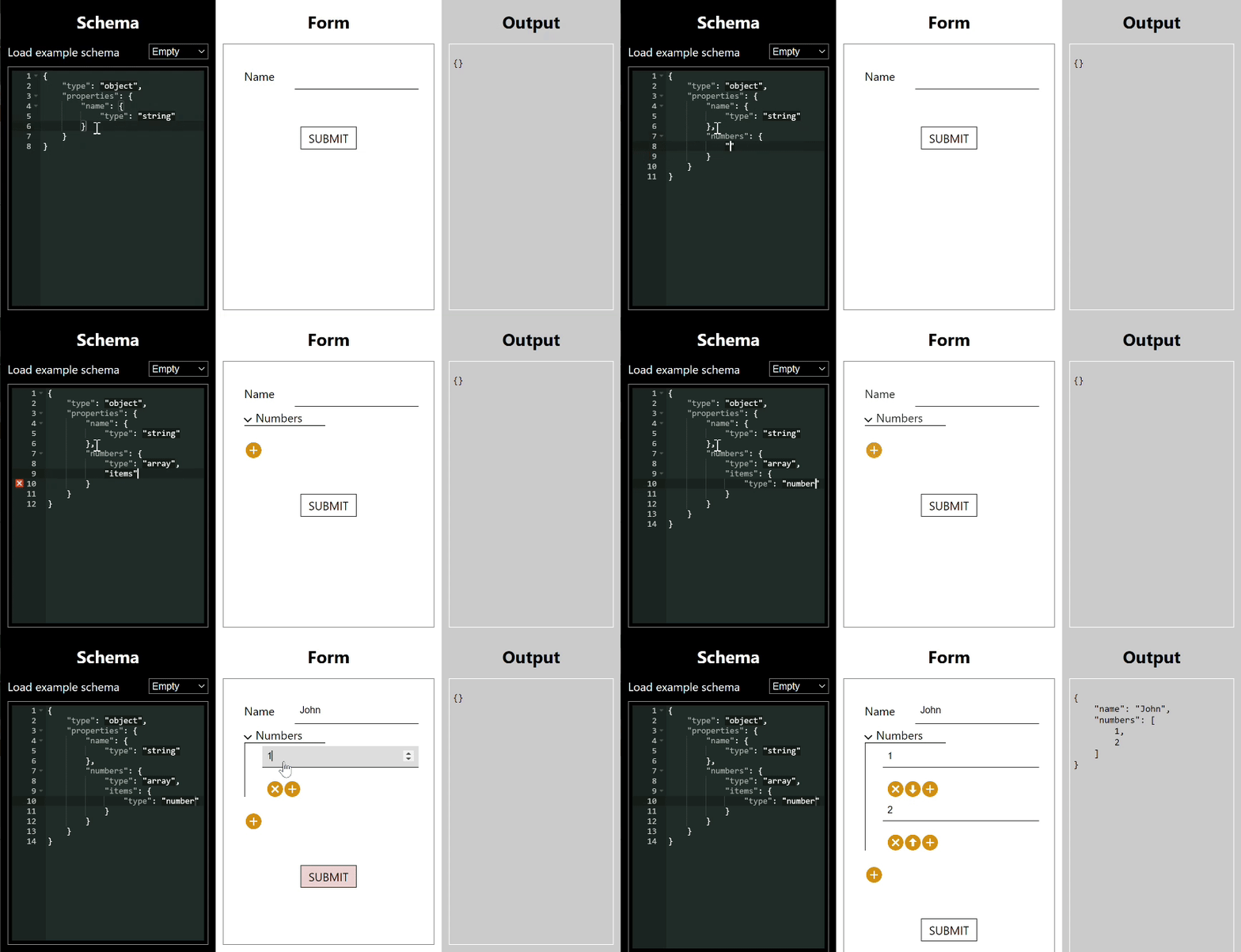
## Introduction
This tool is designed to drastically reduce the effort needed to create complex forms in React. It uses JSON schema as a description language for the form you want to create. It is highly flexible and can deal with pretty much any requirement
through the power of JSON schema or customisations. A summary of its features is as follows:
- without customisation, covers form fields of types text, single checkbox, number, currency, date, date-time,
email, password, hidden, textarea, select, multibutton, multicheckbox, radiobuttons, radio checkboxes, file upload
- full heirarchical subforms and arrays of fields or arrays of subforms. Arrays have add, reorder, duplicate, delete functions. Heirarchy can be recursive.
- conditional fields e.g. radio buttons and if you select 'other' a textbox appears
- heterogeneous arrays e.g. an array of individuals and companies, with two different forms and a selector
- JSON schema based validation of all fields
- form value returned as a JSON object
- custom field components, full event model
Schema form is a key part of the [Restspace](https://restspace.io) project. Restspace defines its data store structure using JSON Schema files which are available over the web, allowing for a single source of truth for structure for data input and data storage. It's available as an NPM package @restspace/schema-form. You can find a demo playground here: [https://restspace.io/react/schema-form/demo](https://restspace.io/react/schema-form/demo).
## Using the components
The simplest component is SchemaForm which is a controlled component which has a schema and a value that matches the schema passed
in as props. It has no submit logic, and simply updates the current value via a changed event.
import SchemaForm from "schema-form";
Then you can use SchemaSubmitForm. This has a submit button and an onSubmit event plus it can suppress error messages until the first submit.
import { SchemaSubmitForm } from "schema-form";
(
Submit
)} />
The final component is designed to support paged forms, this is SchemaPagedForm.
import { SchemaPagedForm } from "schema-form";
(
onClick(previousPage)}>Previous
)}
makeNextLink={(nextPage, onClick) => (
onClick(nextPage)}>Next
)}
makeSubmitLink={(onClick) => (
onClick()}>Submit
)} />
An explanation of each of the props follows:
| Prop | Type | Description |
|------|------|-------------|
|schema|object|This is the JSON Schema which defines the form's structure and validation. It can optionally be an array of schemas, in which case the first is the base schema actually used and the others provide schemas to which it can refer using $ref references.|
|value|object|This is the current value for the form fields to display. This can be used to make the form controlled|
|uiSchema|object|Optional. Presentation hints kept *separate* from the data schema (see the uiSchema section below), so a pure/shared JSON Schema can drive the form without being annotated with UI concerns. Mirrors the shape of the data; node-level keys are prefixed `ui:` (e.g. `ui:editor`, `ui:hidden`). Omitting it leaves rendering unchanged.|
|page|number|On the paged form, the current page number being shown (starts at 0)|
|onChange|function|This function is called when the form fields' value is displayed. It's called with parameters (*value*, *path*, *errors*, *action*). *value* is an object representing the value of all the fields in the form. *path* is a list of property name strings indicating the path to the property which just changed. *errors* is an ErrorObject describing any current errors. *action* is an enum number indicating what action was just taken in terms mainly of array manipulation.|
|changeOnBlur|boolean|This prop determines whether the onChange event is called whenever a form value changes (the default) or only when the focus moves away from a changed form field.|
|onFocus|function|This function is called when focus moves to a new form field. The parameter is (*path*). *path* is a list of property name strings indicating the path to the property of the field which just gained focus.|
|onBlur|function|This function is called when focus moves away from a form field. The parameter is (*path*). *path* is a list of property name strings indicating the path to the property of the field which just lost focus.|
|onEditor|function|This function is called when a custom editor needs to raise an event. The parameters are (*data*, *path*). *data* is a custom data object depending on the editor, *path* is a list of property name strings indicating the path to the property of the field which has the custom editor.|
|onSubmit|function|This function is called when a submit or paged form is successfully submitted. The parameter is (*value*). *value* is the object representing the value of the form fields when submitted.|
|onSubmitError|function|This function is called when a submit or paged form is submitted but has an error. The parameters are (*value*, *error*). *value* is an object representing the current value of the form fields. *error* is an ErrorObject describing the current errors.|
|onDirty|function|This function is called when the 'dirty' status of a form changes. A form is not dirty initially and when just submitted. It becomes dirty the first time a field value is changed. The parameter is (*dirty*). *dirty* is a boolean indicating whether the form is now dirty or not.|
|onPage|function|This function is called when a paged form changes page. The parameters are (*value*, *page*, *previousPage*). *value* is an object representing the value of all the form fields on all the pages. *page* is the new page number. *previousPage* is the previous page number.|
|showErrors|boolean|This property only has an effect on SchemaForm. The SchemaForm only renders validation errors on the form if it is true.|
|className|string|Appends the class or classes in this string to the classes on the SchemaForm wrapper div.|
|collapsible|boolean|Whether the form renders collapsers for form sections (i.e. sub arrays or objects). Default is true.|
|componentContext|object|Used to communicate data into custom editor components|
|components|object|Property key values - the key is the name of an editor type, the value is the editor component type used. This is used to override the default map of editor types to editor components. The editor type comes from the schema, in priority order the *editor* property, the *format* property or the *type* property. If the *type* property is 'array' or 'object', the editor is found in the *containers* prop below.|
|containers|object|Property key values - the key is the name of a container type, the value is the editor component type used. The container type comes from the schema. Containers have 'array' or 'object' types only. In priority order, the *editor* property then the *type* property is used.|
|makeSubmitLink|function|A render prop which returns an element which lets the user tell the form to submit. The parameter is (*onClick*). *onClick* is a function the rendered element must call when the user has requested to submit.|
|makePreviousLink|function|A render prop which returns an element which lets the user tell the paged form to return to the previous page. The parameters is (*previousPage*, *onClick*). *previousPage* is the page number (starting 0) of the previous page. *onClick* is a function the rendered element must call when the user has requested to go to the previous page. It has one argument which is the number of the page to which to go.|
|makeNextLink|function|A render prop which returns an element which lets the user tell the paged form to go to the next page. The parameters is (*nextPage*, *onClick*). *nextPage* is the page number (starting 0) of the next page. *onClick* is a function the rendered element must call when the user has requested to go to the next page. It has one argument which is the number of the page to which to go.|
## uiSchema: separating presentation from the data schema
The custom keywords above (`editor`, `propertyOrder`, `className`, `hidden`, …) can be placed
directly in the schema, which is convenient when you own the schema. But when the schema is a
canonical or shared artifact — an API contract, an OpenAPI definition, a schema served from a
registry, or one you simply don't want to pollute with UI concerns — you can instead supply an
optional `uiSchema` prop. The data schema then stays pure and portable, and the presentation
lives alongside it.
`uiSchema` mirrors the shape of the data. Node-level presentation keys use a `ui:` prefix;
nested keys are property names (and `ui:items` for array item hints). Supported keys map onto
the existing custom keywords:
| uiSchema key | Equivalent schema keyword |
|--------------|---------------------------|
| `ui:editor` | `editor` |
| `ui:hidden` | `hidden` |
| `ui:order` | `propertyOrder` |
| `ui:className` | `className` |
| `ui:readonly` | `readOnly` |
| `ui:title` | `title` |
| `ui:description` | `description` |
For example, given a pure data schema with `description` and `internalId` string properties:
Notes:
- **Backward compatible.** Omitting `uiSchema` produces identical output, and the in-schema
custom keywords continue to work. Where both are present, `uiSchema` takes precedence for the
keys it sets.
- **Works through `$ref`.** Hints are applied after a `$ref` is resolved, so a property whose
schema is a `$ref` can still be styled via `uiSchema` at the point it is used.
## Styling the components
The package comes with a base CSS file which sets up expected layout. This can then be overriden with style customisations.
import "@restspace/schema-form/build/index.css";
## Accessibility
Fields are rendered with accessibility in mind:
- each field's caption `