# models




TUI and CLI for browsing AI models, benchmarks, coding agents, and provider statuses.
## Highlights
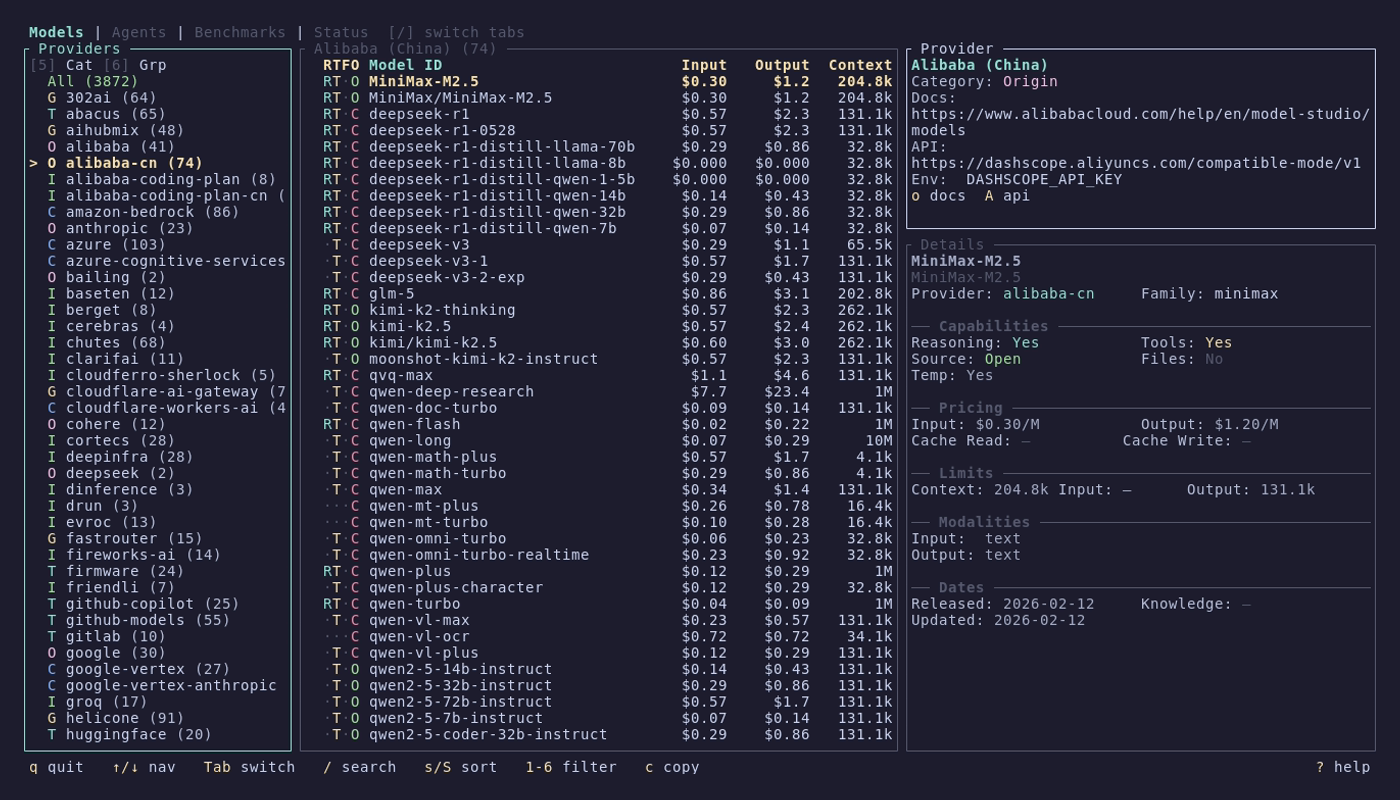
- **~4,000+ models** across 85+ providers from [models.dev](https://models.dev) — filter by capability, price, context, and provider category
- **~400 benchmark entries** from [Artificial Analysis](https://artificialanalysis.ai) — compare models head-to-head with scatter plots and radar charts
- **11+ coding agents** tracked with version detection, changelogs, and GitHub integration
- **22 provider statuses** monitored live across 7 status page platforms
## What's New in v0.11.3
- **Status CLI** — `models status list`, `show`, `sources`, and `status` commands with interactive picker and JSON output
- **Configurable aliases** — customize symlink names via `[aliases]` in config.toml; `models link` creates all three
- **Status tab** — live provider health monitoring with incidents, maintenance, and customizable tracking
- **Agent service health** — live operational status from provider status pages in the agents detail panel and CLI
## Install
### Homebrew (macOS/Linux)
```bash
brew install models
```
### Cargo (any platform)
```bash
cargo install modelsdev
```
### Scoop (Windows)
```powershell
scoop install extras/models
```
### AUR (Arch Linux)
```bash
paru -S models-bin
```
Pre-built binaries, `.deb`, and `.rpm` packages are available on [GitHub Releases](https://github.com/reyamira/models/releases). See the [Installation wiki page](https://github.com/reyamira/models/wiki/Installation) for all methods, shell completions, and command aliases.
## Quick Start
```bash
models
```
Navigate with arrow keys, switch tabs with `[`/`]`, search with `/`, and press `?` for context-aware help. See [Getting Started](https://github.com/reyamira/models/wiki/Getting-Started) for a full walkthrough.
## Features
### Models — browse and compare AI models
Three-column layout with providers, model list, and rich detail panel. RTFO capability indicators, 6 filter keys, sort by name/date/cost/context, cross-provider search, and copy-to-clipboard.
[Models wiki page](https://github.com/reyamira/models/wiki/Models) • CLI: `models list`, `models show`, `models search`, `models providers`
### Agents — track AI coding assistants
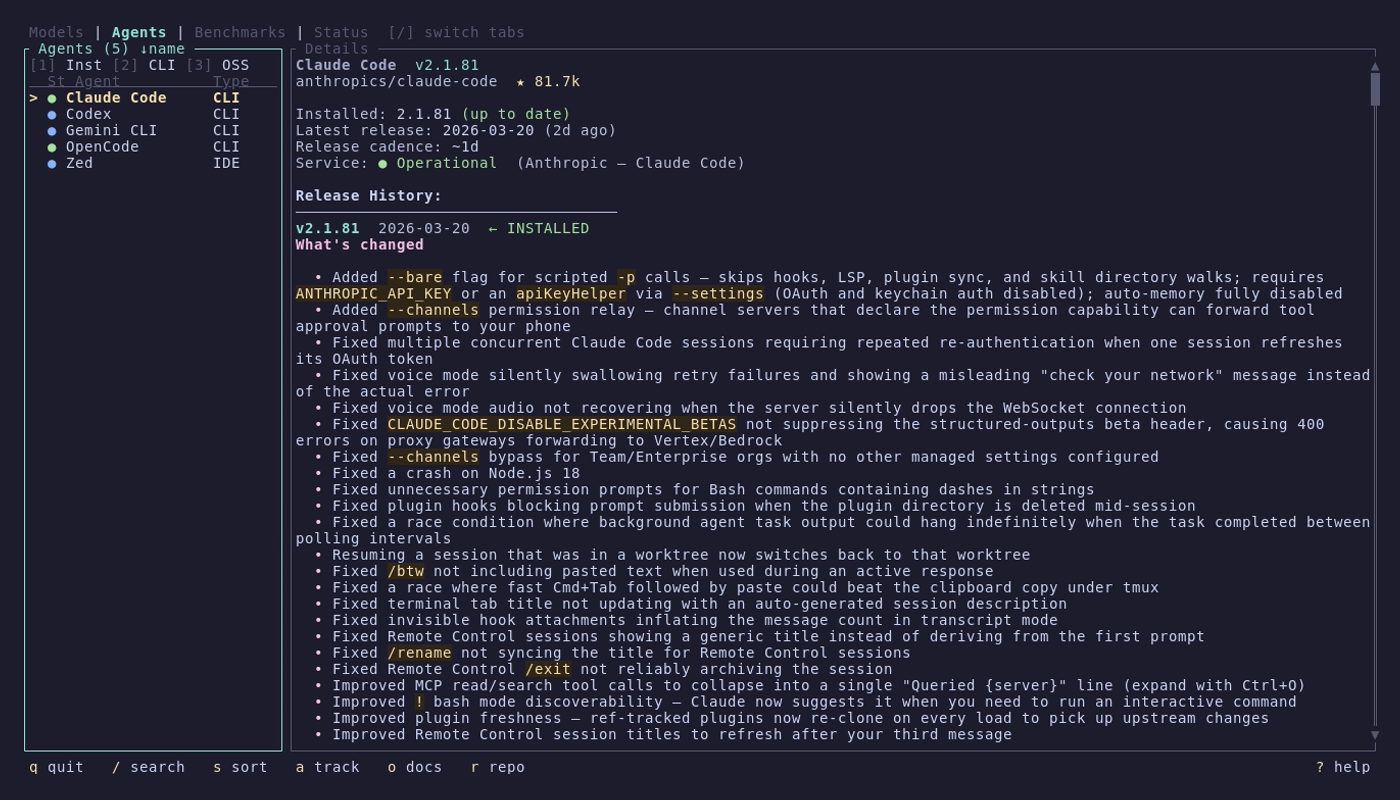
Curated catalog of 12+ agents with automatic version detection, GitHub release tracking, styled changelogs with search and match navigation, and live service health from provider status pages.
[Agents wiki page](https://github.com/reyamira/models/wiki/Agents) • CLI: `agents status`, `agents `, `agents latest`, `agents list-sources`
### Benchmarks — compare model performance
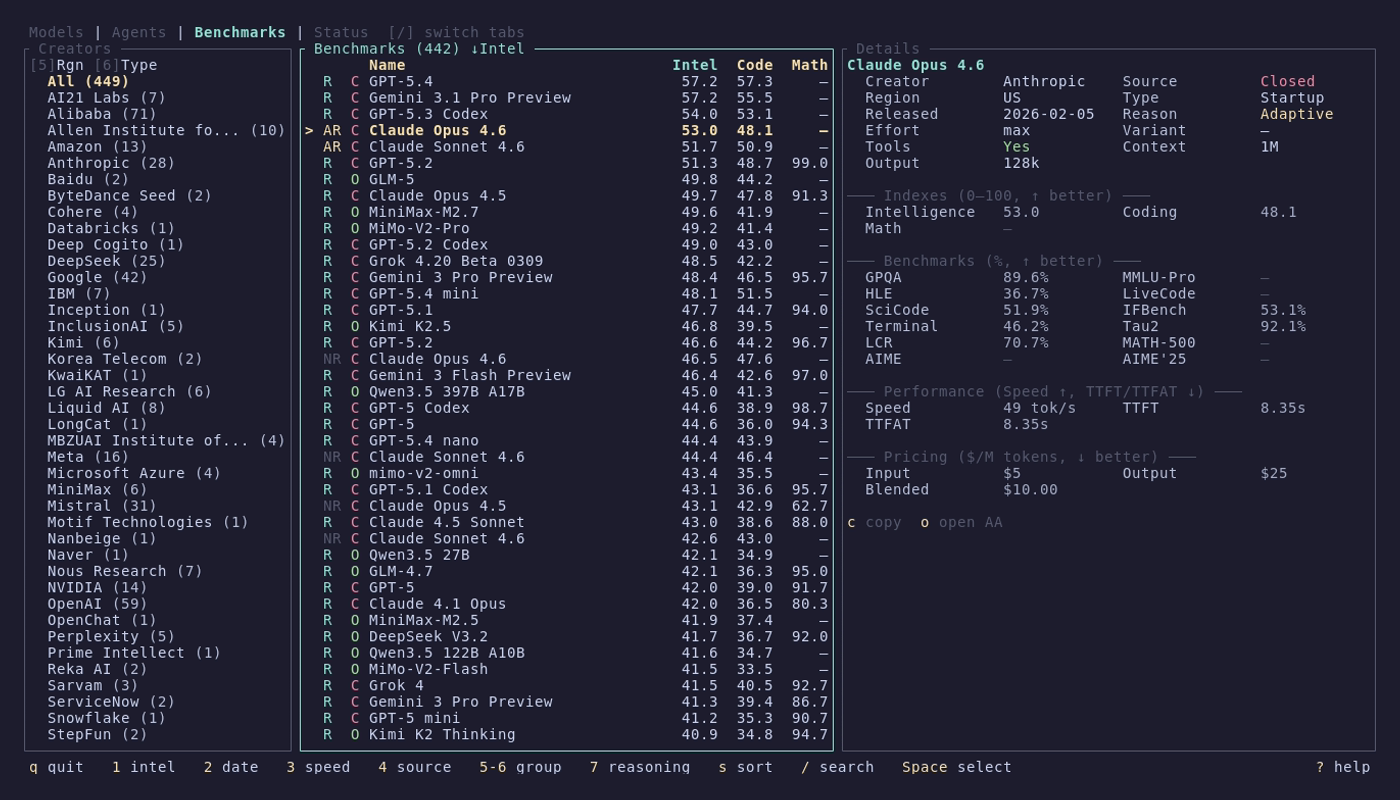
~400 entries with quality indexes, speed, and pricing. Compare mode with head-to-head tables, scatter plots, and radar charts. Filter by creator, region, type, reasoning, and open/closed source.
[Benchmarks wiki page](https://github.com/reyamira/models/wiki/Benchmarks) • CLI: `models benchmarks list`, `models benchmarks show`
### Status — monitor provider health
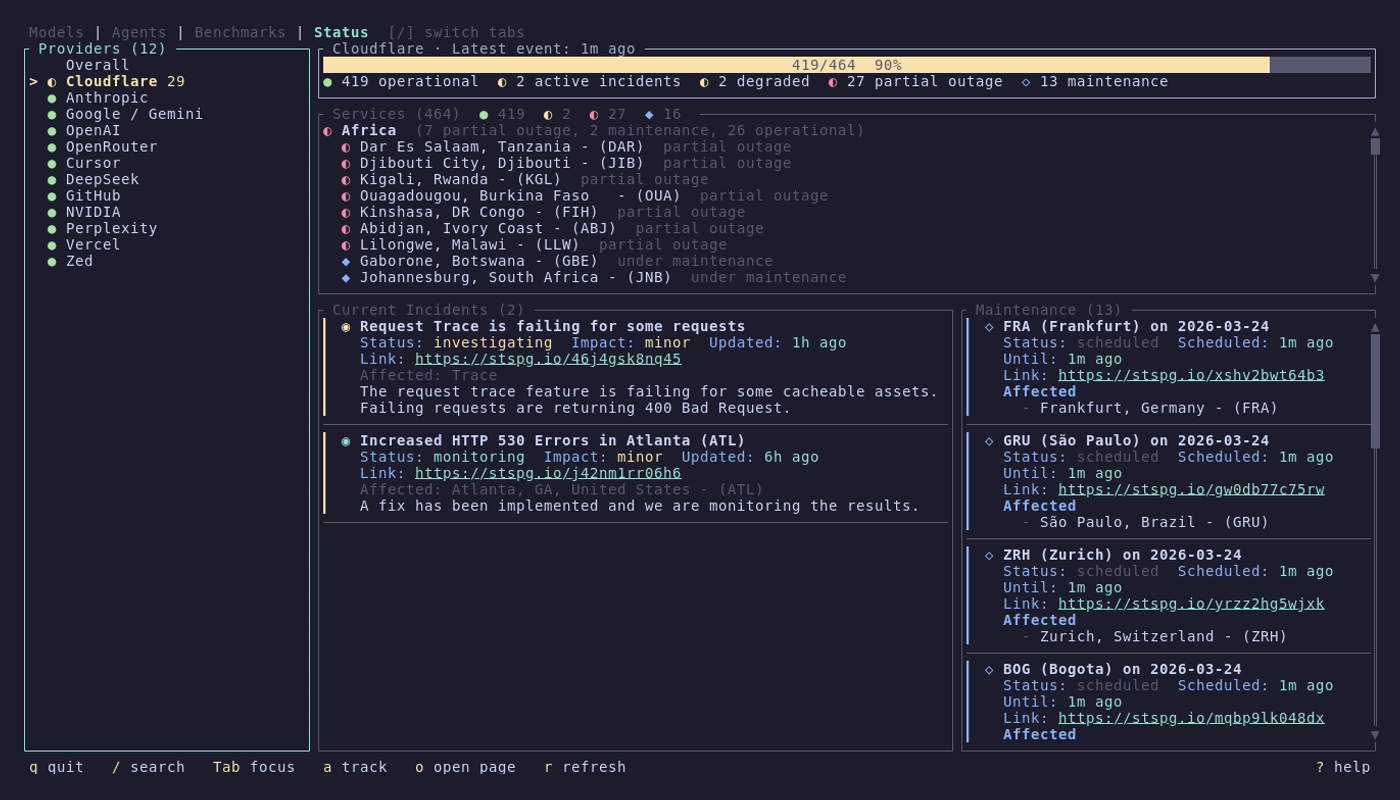
Live health monitoring for 22 AI providers across 7 status page platforms. Overall dashboard with health gauge, incident and maintenance cards. Provider detail with grouped services, incidents, and scheduled maintenance.
[Status wiki page](https://github.com/reyamira/models/wiki/Status) • CLI: `models status list`, `models status show`, `models status status`
## Documentation
Full documentation lives in the [wiki](https://github.com/reyamira/models/wiki):
| Page | Description |
|------|-------------|
| [Installation](https://github.com/reyamira/models/wiki/Installation) | All install methods, shell completions, command aliases |
| [Getting Started](https://github.com/reyamira/models/wiki/Getting-Started) | First launch, navigation, basic usage |
| [Models](https://github.com/reyamira/models/wiki/Models) | Models tab and CLI commands |
| [Agents](https://github.com/reyamira/models/wiki/Agents) | Agents tab and CLI commands |
| [Benchmarks](https://github.com/reyamira/models/wiki/Benchmarks) | Benchmarks tab and CLI commands |
| [Status](https://github.com/reyamira/models/wiki/Status) | Status tab and CLI commands |
| [Configuration](https://github.com/reyamira/models/wiki/Configuration) | Config file, custom agents, tracked providers |
| [Data Sources](https://github.com/reyamira/models/wiki/Data-Sources) | Where the data comes from |
| [Architecture](https://github.com/reyamira/models/wiki/Architecture) | Internal design for contributors |
| [Contributing](https://github.com/reyamira/models/wiki/Contributing) | How to contribute |
## Data Sources
- **Models**: [models.dev](https://models.dev) by [SST](https://github.com/sst/models.dev)
- **Benchmarks**: [Artificial Analysis](https://artificialanalysis.ai)
- **Agents**: Curated catalog in [`data/agents.json`](data/agents.json) — contributions welcome!
- **Status**: Official provider status pages ([Statuspage](https://www.atlassian.com/software/statuspage), [BetterStack](https://betterstack.com), [Instatus](https://instatus.com), [incident.io](https://incident.io), and more)
## Contributing
Contributions are welcome! Please read the [Contributing Guide](CONTRIBUTING.md) before submitting a PR.
This project follows the [Contributor Covenant Code of Conduct](CODE_OF_CONDUCT.md).
## License
MIT