Papaya
======
Papaya is a pure JavaScript medical research image viewer, supporting [DICOM and NIFTI formats](https://github.com/rii-mango/Papaya/wiki/Supported-Formats), compatible across a [range of web browsers](https://github.com/rii-mango/Papaya/wiki/Requirements). This orthogonal viewer supports [overlays](https://github.com/rii-mango/Papaya/wiki/Configuration#images), [atlases](https://github.com/rii-mango/Papaya/wiki/How-To-Use-Atlases), [GIFTI & VTK surface data](https://github.com/rii-mango/Papaya/wiki/Configuration#surfaces) and [DTI data](https://github.com/rii-mango/Papaya/wiki/Configuration#dti). The Papaya UI is [configurable](https://github.com/rii-mango/Papaya/wiki/Configuration) with many [display, menu and control options](https://github.com/rii-mango/Papaya/wiki/Configuration#display-parameters) and can be run on a [web server or as a local, shareable file](https://github.com/rii-mango/Papaya/wiki/How-To-Build-Papaya).
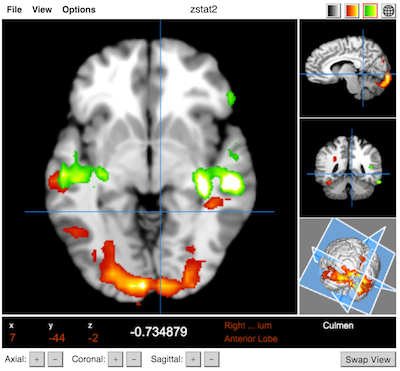 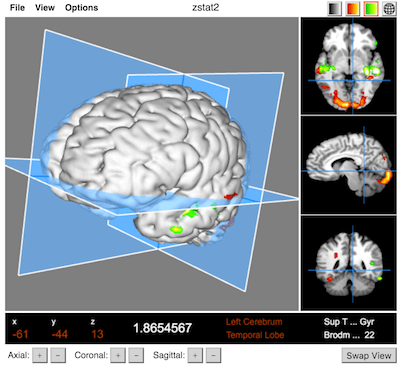
### [Documentation](https://github.com/rii-mango/Papaya/wiki) & [Demo](http://rii.uthscsa.edu/mango/papaya/)
* [Requirements](https://github.com/rii-mango/Papaya/wiki/Requirements): Firefox (7+), Chrome (7+), Safari (6+), iOS (6+), IE (10+), Edge (12+)
* [Supported Formats](https://github.com/rii-mango/Papaya/wiki/Supported-Formats): NIFTI (.nii, .nii.gz), DICOM (compressed/uncompressed), GIFTI (.surf.gii), VTK
Quickstart Guide
------
### Development
Load `tests/debug_local.html` or `tests/debug_server.html` in your [favorite](http://www.jetbrains.com/webstorm/) JavaScript debugger.
### [Building](https://github.com/rii-mango/Papaya/wiki/How-To-Build-Papaya)
See [here](https://github.com/rii-mango/Papaya/tree/master/release) for the latest release or run `papaya-builder.sh` to create your own build. See the [documentation](https://github.com/rii-mango/Papaya/wiki/How-To-Build-Papaya) for more information.
Build using npm: `npm run build`
### [Usage](https://github.com/rii-mango/Papaya/wiki/Usage) & [Configuration](https://github.com/rii-mango/Papaya/wiki/Configuration)
#### Basic usage (loads a blank viewer)
```html
Papaya Viewer
```
#### To automatically load images and configure other options
```html
...
...
```
#### To automatically load images and configure other options with Tools like Zoom,PAN,STACK and Magnify
```html
...
...
```
**Rectangle**

**Play Cine**

**Magnify**

**Ruler**

**Angle**

**Ellipse**

Acknowledgments
-----
Papaya uses:
- [Daikon](https://github.com/rii-mango/Daikon) for DICOM support
- [NIFTI-Reader-JS](https://github.com/rii-mango/NIFTI-Reader-JS) for NIFTI support
- [GIFTI-Reader-JS](https://github.com/rii-mango/GIFTI-Reader-JS) for GIFTI support
As well as the following third-party libraries:
- [bowser](https://github.com/ded/bowser) — for browser detection
- [Closure Compiler](https://developers.google.com/closure/compiler/) — JavaScript compression
- [jquery](http://jquery.com/) — DOM manipulation
- [numerics](http://numericjs.com/) — for matrix math
- [pako](https://github.com/nodeca/pako) — for GZIP inflating