English · 简体中文
# dsh-pets
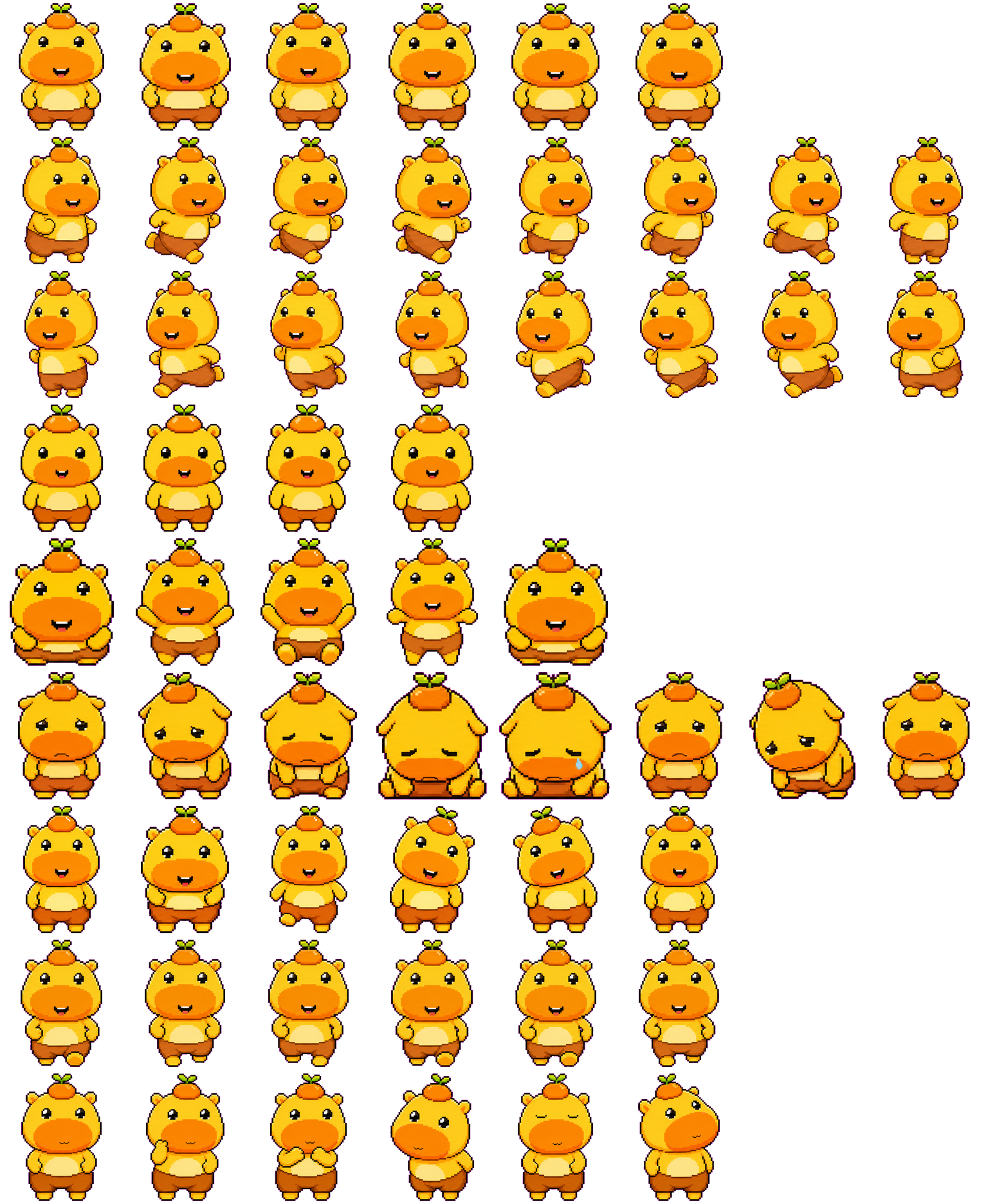
A Codex Pets–style plugin for the **DeepSeek Harness (DSH) Web UI**: a draggable original anime pixel-art desktop pet plus a live task panel that floats over any page.
- 🐾 **Desktop pet**: sprite-sheet animation linked to agent state (idle / thinking / working / waiting / done / failed).
- 📋 **Task panel** with three tabs — **Running** (background jobs + goals + subagents), **Completed** (history preserved across restarts), and **Waiting for you** (lit up when the model stops to ask a question or awaits approval).
- 🔔 **Real-time alerts**: a red badge on the pet + a `([N])` browser-tab title prefix when questions are waiting.
- 🖱 **Floats over any page**: rendered through the `shell.overlay` slot, so you can open it anywhere and watch live progress without switching back to the conversation.
- 🔗 **One-click jump**: expand a task card to read its output tail / detail, then click "Open session →" to deep-link to the owning session.
- ✨ **Modern glass UI** with gradients, rounded cards, and a remembered 35%–100% opacity control for both pet and panel.
- 🎨 **Custom pets**: upload PNG / WebP / GIF / JPG images up to 8MB, or switch back to either bundled sprite sheet.
- 🚀 **Web shortcuts**: jump from the panel footer to the DSH Web home, sessions, or plugin management screens.
> Inspired by OpenAI Codex Desktop's **Pets** feature. This is an independent DSH reimplementation — it does not depend on Codex and is not an official project.
## Install
Requires `dsh web` (DeepSeek Harness Web, Node ≥ 20).
```sh
# From GitHub
dsh plugin --profile web add "github:rikfish163-rgb/dsh-pets"
# Local development
dsh plugin --profile web link /path/to/dsh-pets
```
Restart `dsh web`. Manage via **Settings → Plugins**.
## Usage
| Action | Effect |
| --- | --- |
| Click pet | Open / collapse the task panel |
| Drag pet / panel header | Move (position remembered) |
| Double-click pet | Replay current animation |
| Size slider | Resize pet (64–280px) |
| Opacity slider | Adjust pet and panel opacity (35%–100%, remembered) |
| Upload pet | Use a custom PNG / WebP / GIF / JPG image |
| Footer shortcuts | Open Web home, sessions, or plugin management |
| Click a task card | Expand detail / output tail, then "Open session →" |
| Browser tab | Title shows `([N])` when questions are waiting |
## How it works
Two halves, matching the official `dsh-client-ui-*` shape:
1. **Host half `lib/index.js`** (Cordis plugin): read-only JSON routes
- `GET /plugins/dsh-pets/tasks` — merged jobs, goals, foreground tasks, subagents, and active/waiting sessions across optional DSH runtime service shapes.
- `GET /plugins/dsh-pets/asks` — pending questions from `ctx.sessions` `pendingInteraction` / `ctx.userQuestions`.
- `GET /dsh-pets-assets/pet-sheet.png` — the bundled original sprite sheet.
- Completed history persisted to `~/.dsh/storages/dsh-pets.json` (up to 200 entries).
2. **Client half `lib/client.js`** (`window.__ModuleLoader__` bundle): registers a global overlay via `ctx.slots.inject("shell.overlay")`, subscribes to the `sessions.list` store for agent-state linkage, and polls the routes every 1.5s.
Every service access is optional (`ctx.get` + try/catch), so missing services degrade gracefully instead of crashing the host.
## License
[MIT](./LICENSE).
> ⚠️ Asset notice: `assets/lulu-spritesheet.webp` is the OpenAI Codex official "Lulu" pet asset, bundled at the publisher's request. Copyright belongs to OpenAI — mind compliance if you redistribute. `assets/pet-sheet.png` is programmatically generated and free to use.
## Credits
Patterns drawn from [skr311/dsh-codex-pet](https://github.com/skr311/dsh-codex-pet) and [vlln/dsh-task-status](https://github.com/vlln/dsh-task-status). See also [awesome-dsh-plugin](https://github.com/beancookie/awesome-dsh-plugin).