(64-bit, prefetchable)
LnkCap: Port #16, Speed 8GT/s, Width x16, ASPM not supported
root@P910:~# lspci -vvv | grep -i -e nvidia -e PLX
01:00.0 PCI bridge: PLX Technology, Inc. PEX 8747 48-Lane, 5-Port PCI Express Gen 3 (8.0 GT/s)
\_Switch (rev ca) (prog-if 00 [Normal decode])
...
02:08.0 PCI bridge: PLX Technology, Inc. PEX 8747 48-Lane, 5-Port PCI Express Gen 3 (8.0 GT/s)
\_Switch (rev ca) (prog-if 00 [Normal decode])
...
02:10.0 PCI bridge: PLX Technology, Inc. PEX 8747 48-Lane, 5-Port PCI Express Gen 3 (8.0 GT/s)
\_Switch (rev ca) (prog-if 00 [Normal decode])
...
03:00.0 3D controller: NVIDIA Corporation GK210GL [Tesla K80] (rev a1)
...
04:00.0 3D controller: NVIDIA Corporation GK210GL [Tesla K80] (rev a1)
...
[/CODE]
The output is much more comforting because all the memory BARs are present but still not assigned. While the warnings in the kernel log remained alike the same.
[!CODE]
root@P910:~# apt list --installed 2>/dev/null | grep -i nvidia | cut -d/ -f1
libnvidia-compute-470
linux-modules-nvidia-470-5.15.0-131-generic
linux-modules-nvidia-470-5.15.0-67-generic
linux-modules-nvidia-470-generic-hwe-20.04
linux-objects-nvidia-470-5.15.0-131-generic
linux-objects-nvidia-470-5.15.0-67-generic
linux-signatures-nvidia-5.15.0-131-generic
linux-signatures-nvidia-5.15.0-67-generic
nvidia-kernel-common-470
nvidia-utils-470
nvidia-modprobe
[/CODE]
I purged some stuff from the Nvidia SW stack to avoid clogging the Xorg and because the Tesla K80 is not supposed to function as a graphic accelerator at this stage, at least. Anyway, completely removing the Nvidia SW stack is a good way to keep the system/boot light and avoid hassles when trying to workaround by kernel options/mods the 36-bit limitation. After all, before resolving or working around the 36-bit limitation, there is no hope to use the Nvidia SW stack, in any way. Checks collection, in short here below:
[!CODE]
cat /proc/cmdline /proc/driver/nvidia/gpus/*/information 2>/dev/null
lspci -vvv | grep -iA 20 nvidia | grep -i -e region -ie lnkcap:
nvidia-smi 2>/dev/null; lsmod | grep -e video -e nvidia
dmesg -l err,crit,warn; dmesg | grep -i iommu
lspci -vvv | grep -i -e nvidia -e PLX
for d in /sys/kernel/iommu_groups/*/devices/*; do
n=${d#*/iommu_groups/*}; n=${n%%/*}; printf 'IOMMU group %s: ' "$n"
lspci -nns "${d##*/}"; done; systemd-analyze
lspci -knn | grep -A1 -i nvidia; lspci -vt
[/CODE]
---
### GPU virtualisation
In the quest of making the Tesla K80 working within Esprimo P910, I tried to play the card of virtualisation leveraging the Intel VT-d technology:
[!CODE]
root@P910:~# cat /proc/cpuinfo | grep -i -e "model name" -e "address sizes" | tail -n2
model name : Intel(R) Core(TM) i5-3470 CPU @ 3.20GHz
address sizes : 36 bits physical, 48 bits virtual
[/CODE]
By chance I made the 2nd internal GPU virtualized but not the first one:
[!CODE]
04:00.0 3D controller [0302]: NVIDIA Corporation GK210GL [Tesla K80] [10de:102d] (rev a1)
Subsystem: NVIDIA Corporation GK210GL [Tesla K80] [10de:106c]
Control: I/O- Mem- BusMaster- SpecCycle- MemWINV- VGASnoop- ParErr- Stepping- SERR- FastB2B- DisINTx-
Status: Cap+ 66MHz- UDF- FastB2B- ParErr- DEVSEL=fast >TAbort- <TAbort- <MAbort- >SERR- <PERR- INTx-
Interrupt: pin A routed to IRQ 255
Region 0: Memory at f1000000 (32-bit, non-prefetchable) [virtual] [size=16M]
Region 1: Memory at <unassigned> (64-bit, prefetchable) [virtual]
Region 3: Memory at <unassigned> (64-bit, prefetchable) [virtual]
Capabilities: <access denied>
Kernel driver in use: vfio-pci
Kernel modules: nvidiafb, nouveau
[/CODE]
Lately, I made the 1st internal GPU virtualized but not the second one:
[!CODE]
03:00.0 3D controller [0302]: NVIDIA Corporation GK210GL [Tesla K80] [10de:102d] (rev a1)
Subsystem: NVIDIA Corporation GK210GL [Tesla K80] [10de:106c]
Control: I/O- Mem- BusMaster- SpecCycle- MemWINV- VGASnoop- ParErr- Stepping- SERR- FastB2B- DisINTx-
Status: Cap+ 66MHz- UDF- FastB2B- ParErr- DEVSEL=fast >TAbort- <TAbort- <MAbort- >SERR- <PERR- INTx-
Interrupt: pin A routed to IRQ 255
Region 0: Memory at f0000000 (32-bit, non-prefetchable) [virtual] [size=16M]
Region 1: Memory at <unassigned> (64-bit, prefetchable) [virtual]
Region 3: Memory at <unassigned> (64-bit, prefetchable) [virtual]
Capabilities: <access denied>
Kernel driver in use: vfio-pci
Kernel modules: nvidiafb, nouveau
[/CODE]
Using just half of the card would be nice as a starting point. Unfortunately, this configuration seems unstable in terms of reboot persistence. Which brings me to the conclusion that I probably have to replace some integrated hardware with external components. Hopefully, just the Ethernet card which by chance I have one that fits into the first PCIe slot.
---
### Client/Server approach
So, the next question is how much will suck this virtualisation? Considering the tries I made, not so much. Fundamentally because the VT-d + passthrough provides a near real-hardware performance. At least, when the load is far away from the nominal limits, like my 10+yo 2.5" harddisk with 110Mb/s R/W limit on a SATA3 bus. In particular when the VM disk is not even a file but a partition on that disk which for large transfer is better but not necessarily in every condition. What's about a more performant SSD? DMA.
Therefore the major loss is having two kernels running on the same physical machine and the RAM split between the physical and the virtual machine. In terms of RAM, a 2GB loss for the computational environment (virtual) in order to keep the host working as server (no-graphics) with a reasonably large buffer of RAM. While the CPU is completely shared among the two machines with 4 cores access for both. A perfect concurrent scenario letting the kernel scheduler (which can also be tuned) do its job.
A more extreme proposal can be assigning the CPU #0 to the kernel, or better force the kernel running on the CPU #0, or both to provide a computational buffer for escalating quickly when concurrent processes will claim it. The same for the VM kernel and in this way two cores are gone but both kernels are stuck to a local high precision hardware timer. Which is not so bad idea considering that otherwise the time skew among cores let the kernel refuse to use it (dmesg docet).
Can just be enough having two cores for AI inference? Well, not very much but at this point it is clear that we have to sacrifice the physic access and the graphical interface in favor of a gigabit Ethernet connection and rely on a laptop for having a more "challenging" system. But - wait - can a smaller AI running on a laptop do tokenization in place of another bigger running on a server?
> AI systems can definitely communicate using tokenized data, offering significant advantages in efficiency and flexibility. While raw token transfer is possible, standardized communication protocols are crucial for building robust, interoperable, and secure distributed AI systems. -- Gemini 2.
This would solve also the problem of running a GUI or installing user-land software on a highly customised server or into the virtual machine. Delegating to the laptop all the stuff that it can better deal with. Which is like having a laptop that query by API a remote AI server but both are located in your house/office. Despite Wi-Fi being intrinsically insecure as media for a network, a VPN which supports a strong cryptography (aka SSH tunnel) can be configured for AI-server WS-laptop communications.
+
## About the ACPI warnings
Despite being branded as warning is quite annoying having conflicts in the ACPI subsystem especially for a WS which will face limited-in-time but heavy workloads.
- [fujitsu-esprimo-p910-d3162-a1x-dsdt-opregion-conflicts](https://github.com/robang74/chatbots-for-fun/tree/main/data/dsdt#fujitsu-esprimo-p910-d3162-a1x-dsdt-opregion-conflicts)
In this folder of the related github project, I put some useful information, data and external sources to start copying with the issue, for a future reference.
+
++++
## Speed-up system boot
While Ubuntu 24.04 LTS serie are tailored for more recent hardware, Esprimo P910 is performing enough well in running it, in combination with a **very fast** SATA3 or USB SSD drive, only. For example Netac US9 512GB can provide 450Mb/s when attached with one of the two the rear USB 3.x ports while a fast SATA3 SSD can provide up to 6Gbits/s c.a. 600MB/s.
Instead, using a 10 years old 2.5" 7200RPM old HDD from an upgraded Thinkpad, the reading performance will be around 100MB/s, like a Sandisk Ultra USB 3.1 stick. In this scenario it is way better to start the system in `init=3` mode, which offers the network services like SSH but no any graphic interface.
[!CODE]
sudo systemctl set-default multi-user.target
[/CODE]
However, the SSH connectivity, in combination with the X-forwarding enabled, allows us to use graphical applications running on the host but displayed on the client. In this scenario, a snap-free system will be faster in reaching the multi.users target.
> [!WARN]
>
> This procedure will also delete all the user data created by the application which were installed with snap!
In order to get your system rid off snap completely, for all the packages in `snap list` do `snap remove $package` leaving at the ending `core` and `snapd` for the last.
[!CODE]
sudo init 3
sudo apt purge snap snapd gnome-software-plugin-snap
sudo rm -rf /snap /var/snap /var/lib/snapd
sudo rm -rf /root/snap /home/*/snap
sudo apt install gnome-session gdm3
sudo init 5
[/CODE]
After having removed snap completely, it is possible to choose the graphical environment based on .deb package installation. Which can be Gnome3 but whatever else, also.
[!CODE]
root@P910:~# hdparm -t /dev/sda | tail -n1
Timing buffered disk reads: 310 MB in 3.02 seconds = 102.78 MB/sec
**# Before boot optimisation**
root@P910:~# systemd-analyze
Startup finished in 5.198s (firmware) + 4.839s (loader) + 4.473s (kernel)
\_ + 37.858s (userspace) = 52.369s
graphical.target reached after 37.744s in userspace
**# After boot optimisation**
root@P910:~# sed -ne \
'/ed OpenBSD\|0\] Linux/I s,\(.\{60\,76\}\).*,\1,p' /var/log/syslog|tail -n2
Feb 22 15:16:20 P910 kernel: [ 0.000000] Linux version 5.15.0-131-generic
Feb 22 15:16:24 P910 systemd[1]: Started OpenBSD Secure Shell server.
root@P910:~# systemd-analyze
Startup finished in 5.147s (firmware) + 4.865s (loader) + 3.209s (kernel)
\_ + 21.452s (userspace) = 34.674s
multi-user.target reached after 21.441s in userspace
[/CODE]
This means that the whole booting process has been cut by 33% while a SSH connection can speed-up reaching a root prompt by 4x times, allowing us to be operative in about 14s.
In fact, since firmware and loader taking 10s to hand control to the kernel, and SSH service is ready 4s after the kernel's initial log entry, a waiting client can connect immediately leveraging key-based root login. In contrast, Gnome autologin can automatically open a graphic terminal console but users must move the mouse, activate the window, and digit `sudo -s` and their password.
All of this using hardware and software from 10 years ago! {;-)}
---
### Are these timings real?
Unfortunately the timings picture is darker than above presented because BIOS start-up took its own time:
[!CODE]
**# Function definitions**
rb() { rl reboot; read -p "press ENTER when the fan ramps down-up"; date +%s.%N; }
wt() { time ping -i 0.1 10.10.10.2 -w 60 | sed -ne "/time=/ s,.*,&,p;q"; }
ex() { wt 2>&1 | grep real; date +%s.%N; rl exit; date +%s.%N; }
sp() { sleep 20; date +%s.%N; }
**# Boot timing measure**
roberto@x280[2]:~$ rb; sp; ex; echo "2nd SSH test"; ex;
Connection to 10.10.10.2 closed by remote host.
press ENTER when the fan ramps down-up
1740244339.068141004
1740244359.081832047
real 0m14.262s
1740244373.346845741
1740244375.059336898
2nd SSH test
real 0m0.123s
1740244375.192925718
1740244375.532527654
[/CODE]
The `ping` wait introduces an irrelevant delay, the SSH connection is ready after 34s the hardware ignition and ready for the user after 36s due to environment preparation delay. In practice 20s are lost anyway before any optimisation can take place. Hence, the SSH passwordless root login speed-up by 2x factor the access rather than 4x times. However, adopting a fast SATA3 SSD for about €20 can radically shorten the timings.
---
### Advanced optimisation
Those systems that are still using a HDD can leverage [e4rat](https://e4rat.sourceforge.net) for [boot optimisation](https://www.howtogeek.com/69753/how-to-cut-your-linux-pcs-boot-time-in-half-with-e4rat/). While checking with `systemd-analyze critical-chain` it is possible to resolve bottle-necks in the boot process. Instead, `preload` is a long-term optimiser.
[!CODE]
root@P910:~# systemd-analyze
Startup finished in 4.811s (firmware) + 4.579s (loader) + 5.157s (kernel)
\_ + 14.309s (userspace) = 28.858s
multi-user.target reached after 14.300s in userspace
[/CODE]
In this way, I managed to cut off about 7s from the previous optimization which means another 33% reduction in userspace. However, this had a minor impact in having a SSH root session ready to use 32.5s instead of 36s, about 10% less.
----
### SATA3 ports
Looking at this [photo](img/cooling-kit-fan2-usb-angle-cpu-fan1.jpg?target=_blank) there are four SATA2 @3Gbps (orange) ports and two SATA3 @6Gbs (white). However, it does not matter being attached to one or another when using an 10y old SATA2 harddisk.
+
## Why do PCs still have a BIOS?
The BIOS (Basic Input Output System) is a firmware stored in a separate chip, but why does a modern Personal Computer still have a troubles-maker firmware for booting?
Even an ARM system requires some kind of hardware initialisation at boot time, but why put such a thing into a separate chip instead of into UEFI (Unified Extensible Firmware Interface)?
> The 80286 was released in early 1982. The IBM PC AT, which used it, was released in late 1984.
This is the reason why we still have a BIOS on PC architecture in 2024, to be "back-compatible" with a design from 1981 as powerful as a modern $5-priced college "scientific" calculator made in China. Which is NOT the funniest part of the story, obviously. {;-)}
Fujitsu developed a 0-Watt ATX solution which is included into Esprimo P910 E85+ but has not provided a BIOS update for that model since 2014 and it lacks "Above 4GB decoding" to leverage PCIe 64-bit addressing. Saving energy is green but what about EoSL?
> The system model in question has reached EoSL (End of Support Life) status since 2021. Hence all available support and information regarding this model beyond what is provided in the FTS Support site for this model, is no longer available. -- Specialisti Fujitsu di 2nd Level.
Please notice that the last BIOS release for the P910 E85+ model is dated back in 2014, seven years before the EoSL. It is bold from their side to provide such a kind of answer!
Especially because the Nvidia Tesla K80 was designed for the workstation and data-center markets, which fits in to the definition of Fujitsu P910 platform: a workstation.
> The Tesla K80 was a professional graphics card by NVIDIA, launched on November 17th, 2014.
Despite this, and despite not being the only 4GB+ PCIe 3.0 device on the market at that time, seven years - let me underline this number saying 2500+ days - have passed away without someone addressing this limitation which is not even publicised into the product specifications. We have to discover it by ourselves!
Are we sharing the same feeling about putting an end to the BIOS-as-FW paradigm?
+
## Too many unknowns to face
Five days after the last update of this page, I decided to give a chance to another workstation. Today, two weeks after the last update, I received the order which I have to assemble and it is the starter-pack for a brand new chapter of this voyage.
The HP Z440 is certified for Tesla K40 but not for the K80. Despite being very similar, the K80 requires more power and more air-flow. Some workstation HP Z440 come with a 700W PSU which is enough for the K80 and thus it remains to provide a more suitable air-cooling system. Certification, implies that the card can be installed and configured without any modding, instead.
| Part description | e-market | paid(€) | optional |
| ---------------------------------------------------|-----------------|---------|----------|
| Nvidia Tesla K80, 24GB | amazon.it | _€89.00 | |
| HP Z440, E5-1620v4 @3.5GHz, 32GB @68GB/s DDR4 | amso.eu | €133.19 | |
| - Nvidia Quadro 600 | | included| |
| - DVI to VGA adapter | | _€_1.00 | _yes |
| - SSD Micron 2200s da 256 GB NVMe PCIe 2280 M.2 | | _€14.90 | |
| Adapter NVMe PCIe 2280 M.2 to SATA3 w/heatsink | aliexpres.it | _€_4.99 | |
| - 2x PCIe 6-pin to PCIe 8-pin power cable | | _€_1.89 | |
| - dual PCIe 8-pin to ESP-12V CPU 8-pin 18AWG cable | | _€_2.81 | |
| - GPU card gyroscopic support | | _€_1.60 | _yes |
| - Wi-Fi USB RTL8188 150Mb/s (Rasberry Pi comp.) | | _€_1.92 | _yes |
| | | | |
| | **Total**
|**€247.07** |**€2.92** |
| | w/ *optionals*
|**€249.99** | +1.18% |
---
### All the juice to squeeze
This workstation switch brings a lot of good news. The HP Z440 has 2x more RAM and much faster DDR3 vs DDR$ plus 1 dual channels vs 2 x quad channels. The RAM bandwidth is a game changer in terms of the whole system performance and the HP is expected to be 3x faster. Possibly 4x, also considering the latencies as major bottleneck for real-case usage instead of massive data transfer.
Both CPUs are 4 cores, but the HP's one has 8 threads and scores +60% better in benchmarks even if it has near 2x TDP: 140W vs 77W. Not a problem for the PSU but the cooling system which should be improved. However, while the P910 CPU was designed for desktops, the Z440's one is designed for servers. Therefore my first estimation of squeezing a 8x more in performance for AI workloads in combination with Tesla K80, does not sound so absurd [to Grok3](https://x.com/i/grok/share/Iz2rJO8X6fEaxVyskNZSQOqYl), after all.
---
### A lot of stuff from the pack
Finally, included in the price there was an entry level graphic card from Nvidia with a 40W TDP. Which is a reasonable starting point for testing the Fujitsu capabilities in terms of AI workload. Let me clarify, that the Quadro 600 has only 96 CUDA cores. However, it fits with the graphic card certified for the P910 E85+.
While the 256GB NVMe is a bet because it is used and I hope "not too much" when I will check with smart-tools. For being installed into the HPZ440, it requires an adapter which is reasonable cheap but it would be sacrificed on a SATA3 bus because is supposed to W/R at 1000 MB/s, hence is more likely a Netac US9 256GB at an half of its price once gave it an enclosure to use it as an USB 3.2 external drive.
In fact, I have another 256GB SSD NVMe with its own enclosure but it is not so fast. So, I will switch them and put the slower on SATA3. Hopefully, another little gadget to play with, However, the most amusing achievement would be obtaining a 2x more powerful system, working with the K80 for just €50 (+25%) more in the budget. After all, the P910 E85+ was not a viable solution because of the paramount amount of work required, even if the 4GB decoding limitation would have been work-arounded.
---
### Quick installation and test
0. update the system packages database:
- `add-apt-repository ppa:apt-fast/stable && apt -y install apt-fast`
- select apt as default .deb manager for apt-fast
- `apt-fast -y update`
1. install the SSH server to access from remote, and configure it with X forwarding:
- `apt-fast -y install openssh-ser*`
2. configure the kernel arguments in `/etc/default/grub`:
- kmap=it intel_iommu=on iommu=pt nvidia_modeset=0
- `update-grub`
3. install basic tools:
- `apt-fast -y install synaptic htop btop iotop net-tools sensors`
- `apt-fast -y install lm-sensors fancontrol read-edid i2c-tools`
4. take note of the current kernel and install the last kernel for nvidia and lowlatency:
- `uname -ar >/root/kernel.txt`
- `apt-fast install --install-suggests -y linux-nvidia-hwe-22.04 linux-lowlatency-hwe-22.04`
- `for i in snapd-desktop-integration snap-store gtk-common-themes; do snap remove $i done`
- `for i in gnome-42-2204 firefox; core22 bare snapd; do snap remove $i; done`
- `apt -y purge snapd cups* nvidia-* && apt -y autoremove`
- `reboot` (boot in nvidia kernel 6.8.x)
5. remove the generic kernel (optional, but faster in the following):
- `apt purge -y linux-generic-hwe-22.04 && apt -y autoremove`
6. upgrade the system keeping the current release version, and install some essential stuff:
- `apt-fast -y upgrade`
- `apt-fast install -y build-essential netsurf-gtk gpustat smartmontools libfuse2`
7. download and install the nvidia drivers 470 and the runtime CUDA 11 libraries:
- `apt-fast -y install nvidia-driver-470-server libcudart11*`
- `apt-fast -y install vulkan-tools vulkan-validation*`
- `nvidia-smi -pm 1; nvidia-smi -pl 100; nvidia-smi`
8. configure the system to not enter in graphical mode, reduce the Tesla K80 TDP and reboot:
- `printf '#!/bin/sh\n/usr/bin/nvidia-smi -pm 1\n' >/etc/rc.local`
- `printf '/usr/bin/nvidia-smi -pl 100 \n' >>>/etc/rc.local`
- `chmod a+x /etc/rc.local; systemctl set-default multi-user.target; reboot`
9. download and start the LM Studio with or without sandbox (check for the best result):
- `wget https://installers.lmstudio.ai/linux/x64/0.3.14-5/LM-Studio-0.3.14-5-x64.AppImage`
- `chmod a+x LM-Studio-0.3.14-5-x64.AppImage`
- `./LM-Studio-0.3.14-5-x64.AppImage --no-sandbox`
+
## PCIe 3.0 GPU cards
All the GPU cards listed below are
- double-slot width form factor, unless otherwise specified;
- PCIe 3.0 16x, apart the Tesla K20c/m/s for which 2.0 is fine, also;
- primarily designed for data center use, apart from those marked for PC use;
- within a 250W maximum power consumption, apart dual-GPU models at 300W;
- those cards consuming over 75W require an auxiliary power cable.
All the GPU cards listed below have
- more than 4GB of on board RAM , require "Above 4GB Decoding" support by mobo/BIOS;
- GDDR5 bandwidth range is 190-350 GB/s, dual-GPU aggregate range is 320-480 GB/s;
- GDDR6 bandwidth range is 320-450 GB/s. HBM2 bandwidth range is 450-900 GB/s.
As per rules of thumb:
- power cables have a standard 11A limit per line, each 12V line takes 2 pins for 132W max;
- each power cable line is usually limited to 50% of its nominal current due to adapters use;
- dual-GPU cards' 8-pin CPU cable powered by 4-pin CPU adapter is exceeding nominal values;
- nominal values of power wires are intended for constant and sustained power load (TDP);
- the GPU card TDP is 85% c.a. of the max power consumption, 75% for the dual-GPU cards.
For local AI workloads, among the listed GPU cards:
- top models: Quadro RTX 8000, Tesla V100 32GB or Titan V 32GB, 2x Tesla T4/G;
- resourceful: Quadro RTX 6000, Titan RTX, Tesla K80;
- reference level: 2048 CUDA cores with 12GB of RAM;
- entry level: 1280 CUDA cores with 8GB of RAM;
- essentials: CUDA 3.7 on PCIe 3.0 x16.
This list may contain inaccuracies. Always rely on official manufacturer documentation before making any purchasing or configuration decisions.
| model | arch. | GPU | CUDA | cores | RAM | use | W-max| alim.|size|
|-------------------|----------|----------|------|---------|---------------|-----|------|------|----|
| RTX 2060 | Turing | TU106 | 7.5 | 1920 | 6 GB GDDR6 | PC | 160W | 8p | |
| RTX 2060 12GB | Turing | TU106 | 7.5 | 2176 | 12GB GDDR6 | PC | 184W | 8p | |
| Quadro RTX 2070 | Turing | TU106 | 7.5 | 2304 | 8 GB GDDR6 | PC | 175W | 8p | |
| Quadro RTX 2070S | Turing | TU104 | 7.5 | 2560 | 8 GB GDDR6 | PC | 215W | 6+8p | |
| Quadro RTX 2080 | Turing | TU104 | 7.5 | 2944 | 8 GB GDDR6 | PC | 215W | 6+8p | |
| Quadro RTX 4000 | Turing | TU104 | 7.5 | 2304 | 8 GB GDDR6 | PC | 160W | 8p | 1x |
| Quadro RTX 5000 | Turing | TU104 | 7.5 | 3072 | 16GB GDDR6 | PC | 230W | 6+8p | |
|-------------------|----------|----------|------|---------|---------------|-----|------|------|----|
| **model** |**arch.**|**GPU**|**CUDA**|**cores**|**RAM**|**use**|**W-max**|**alim.**|**size**|
|-------------------|----------|----------|------|---------|---------------|-----|------|------|----|
| Tesla T4/G | Turing | TU104 | 7.5 | 2560 | 16GB GDDR6 | | 75 W | | 1x |
| CMP 50HX | Turing | TU102 | 7.5 | 3584 | 10GB GDDR6 | | 250W | 2x8p | |
| RTX 2080 Ti | Turing | TU102 | 7.5 | 4352 | 11GB GDDR6 | PC | 250W | 6+8p | |
| RTX 2080 Ti 12 GB | Turing | TU102 | 7.5 | 4608 | 12GB GDDR6 | PC | 260W | 6+8p | |
| Tesla T10 16 GB | Turing | TU102 | 7.5 | 3072 | 16GB GDDR6 | | 150W | 1x8p | |
| Tesla T40 24 GB | Turing | TU102 | 7.5 | 4608 | 24GB GDDR6 | | 260W | 6+8p | |
| Titan RTX | Turing | TU102 | 7.5 | 4608 | 24GB GDDR6 | PC | 280W | 2x8p | |
| Quadro RTX 6000 | Turing | TU102 | 7.5 | 4608 | 24GB GDDR6 | PC | 260W | 6+8p | |
| Quadro RTX 8000 | Turing | TU102 | 7.5 | 4608 | 48GB GDDR6 | PC | 260W | 6+8p | |
| Titan V | Volta | GV100 | 7.0 | 5120 | 12GB HBM2 | PC | 250W | 6+8p | |
| Titan V 32GB | Volta | GV100 | 7.0 | 5120 | 32GB HBM2 | PC | 250W | 6+8p | |
| Tesla V100 | Volta | GV100 | 7.0 | 5120 | 16GB HBM2 | | 250W | 2x8p | |
| Tesla V100 32GB | Volta | GV100 | 7.0 | 5120 | 32GB HBM2 | | 250W | 2x8p | |
| Quadro GP100 | Pascal | GP100 | 6.0 | 3584 | 16GB HBM2 | PC | 235W | 8p | |
| Tesla P100 | Pascal | GP100 | 6.0 | 3584 | 12GB HBM2 | | 250W | 8p | |
| Tesla P100 16GB | Pascal | GP100 | 6.0 | 3584 | 16GB HBM2 | | 250W | 8p | |
| Tesla P40 | Pascal | GP102 | 6.1 | 3840 | 24GB GDDR5 | | 250W | 8p | |
| GTX 1060 | Pascal | GP106 | 6.1 | 1280 | 8 GB GDDR5 | PC | 120W | 6p | |
| GTX 1070 | Pascal | GP104 | 6.1 | 1920 | 8 GB GDDR5 | PC | 150W | 8p | |
| GTX 1080 | Pascal | GP104 | 6.1 | 2560 | 8 GB GDDR5X | PC | 180W | 8p | |
| Quadro P4000 | Pascal | GP104 | 6.1 | 1792 | 8 GB GDDR5 | PC | 105W | 6p | 1x |
| Quadro P5000 | Pascal | GP104 | 6.1 | 2560 | 16GB GDDR5 | PC | 180W | 8p | |
| Tesla P4 | Pascal | GP104 | 6.1 | 2560 | 8 GB GDDR5 | | 75 W | | 1x |
| Quadro M4000 | Maxwell2 | GM204 | 5.2 | 1664 | 8 GB GDDR5 | PC | 120W | 6p | 1x |
| Quadro M5000 | Maxwell2 | GM204 | 5.2 | 2048 | 8 GB GDDR5 | PC | 150W | 6p | |
| Tesla M60 | Maxwell2 | 2x GM204 | 5.2 | 2x 2048 | 2x 8GB GDDR5 | | 300W | 8p | |
| GTX 980 Ti | Maxwell2 | GM200 | 5.2 | 2816 | 6 GB GDDR5 | PC | 250W | 6+8p | |
| GTX Titan X | Maxwell2 | GM200 | 5.2 | 3072 | 12GB GDDR5 | PC | 250W | 6+8p | |
| Quadro M6000 24GB | Maxwell2 | GM200 | 5.2 | 3072 | 24GB GDDR5 | PC | 250W | 8p | |
| Quadro M6000 | Maxwell2 | GM200 | 5.2 | 3072 | 12GB GDDR5 | PC | 250W | 8p | |
| Tesla M40 24GB | Maxwell2 | GM200 | 5.2 | 3072 | 24GB GDDR5 | | 250W | 8p | |
|-------------------|----------|----------|------|---------|---------------|-----|------|------|----|
| **model** |**arch.**|**GPU**|**CUDA**|**cores**|**RAM**|**use**|**W-max**|**alim.**|**size**|
|-------------------|----------|----------|------|---------|---------------|-----|------|------|----|
| Tesla M40 | Maxwell2 | GM200 | 5.2 | 3072 | 12GB GDDR5 | | 250W | 8p | |
| | | | | | | | | | |
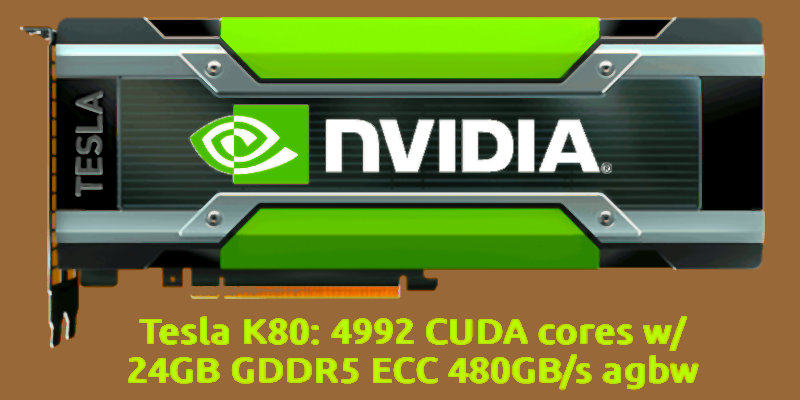
| Tesla K80 | Kepler | 2x GK210 | 3.7 | 2x 2496 | 2x 12GB GDDR5 | | 300W | 8p | |
| | | | | | | | | | |
| Tesla K40c | Kepler | GK180 | 3.5 | 2880 | 12GB GDDR5 | | 245W | 6+8p | |
| Quadro K6000 SDI | Kepler | GK110 | 3.5 | 2880 | 12GB GDDR5 | PC | 225W | 2x6p | |
| GTX Titan | Kepler | GK110 | 3.5 | 2688 | 6 GB GDDR5 | PC | 250W | 6+8p | |
| Tesla K20X/Xm | Kepler | GK110 | 3.5 | 2668 | 6 GB GDDR5 | | 235W | 6+8p | |
| Tesla K20c/m/s | Kepler | GK110 | 3.5 | 2496 | 5 GB GDDR5 | | 225W | 6+8p | |
The CUDA support for compute capability 3.5 can be obtained via third party support for PyTorch, also.
**Data sources**: [www.techpowerup.com](https://www.techpowerup.com/gpu-specs) and [developer.nvidia.com](https://developer.nvidia.com/cuda-gpus).
**Interesting links**: [PyTorch for old GPUs](https://blog.nelsonliu.me/2020/10/13/newer-pytorch-binaries-for-older-gpus), [PyTorch v1.13.1 for K40](https://github.com/nelson-liu/pytorch-manylinux-binaries/releases) and [TechPowerUp VgaBios](https://www.techpowerup.com/vgabios).
+
## Share alike
© 2025, **Roberto A. Foglietta** <roberto.foglietta@gmail.com>, [CC BY-NC-ND 4.0](https://creativecommons.org/licenses/by-nc-nd/4.0/)