
PaoPao
An open-source micro-community platform built with Go and Vue.
Designed for self-hosted social products, community experiments, and customizable deployments.
简体中文
·
Live Demo
·
Pull Requests
·
Project Notes
---
## Overview
PaoPao is a full-stack, open-source micro-community system. It combines a Go backend, a Vue 3 web client, and an optional Tauri desktop application, with a modular feature system for storage, search, logging, observability, and deployment strategy.
The repository is suitable for teams or individuals who want to run a community product, evaluate an extensible social platform, or build on top of an existing codebase instead of starting from scratch.
## Why PaoPao
- **Full-stack delivery**: backend, web frontend, and desktop packaging live in one repository.
- **Modular runtime features**: enable different capability sets through `Features` suites such as `Default`, `Develop`, `Demo`, and `Slim`.
- **Flexible infrastructure**: supports MySQL, PostgreSQL, SQLite, Redis, Meilisearch, and multiple object storage providers.
- **Multiple deployment paths**: run from source, Docker, Docker Compose, or all-in-one container images.
- **Self-hosting friendly**: configuration is file-based and operational docs are already included in the repo.
## Preview
### Web
[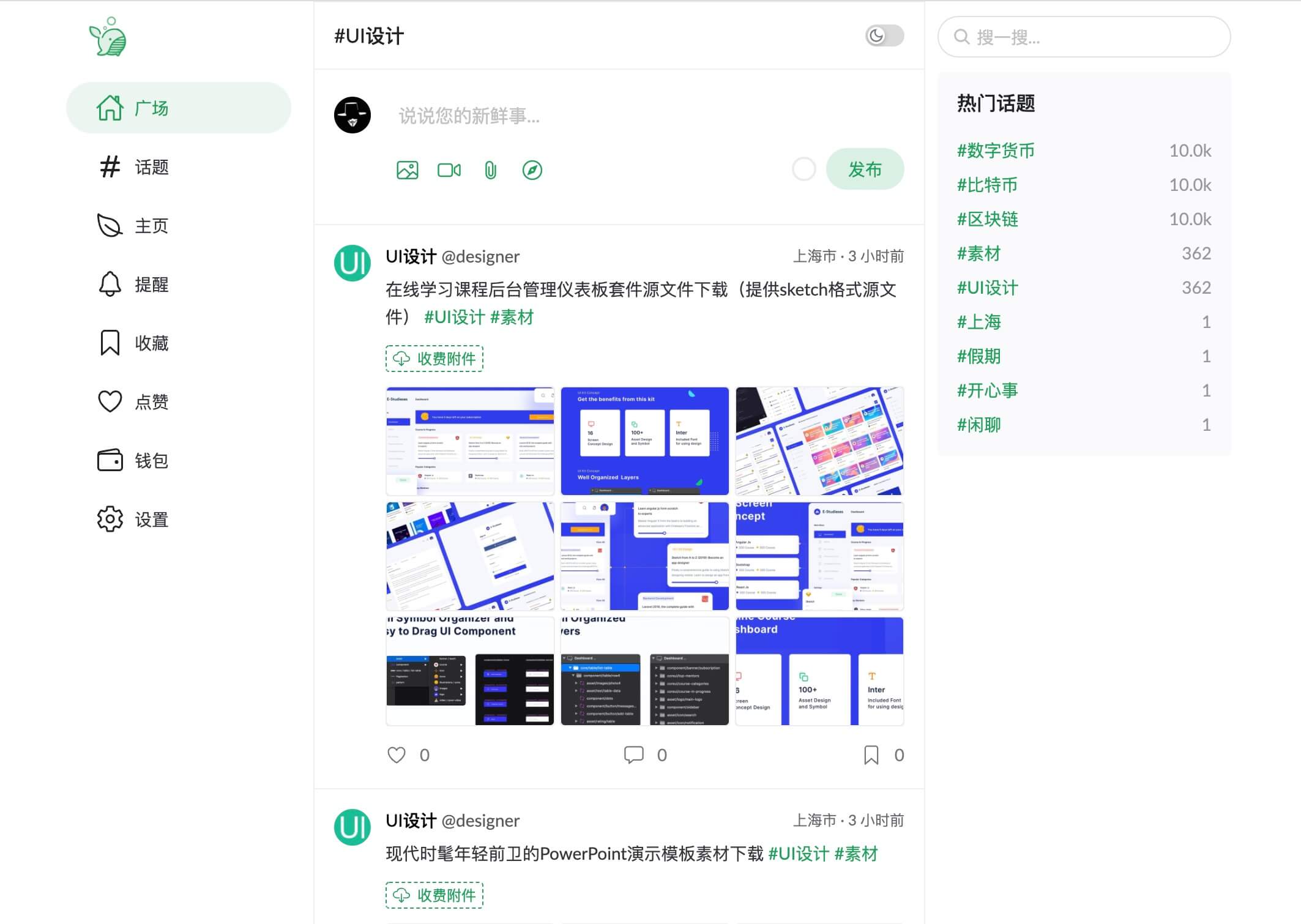](https://paopao-demo.vercel.app)
[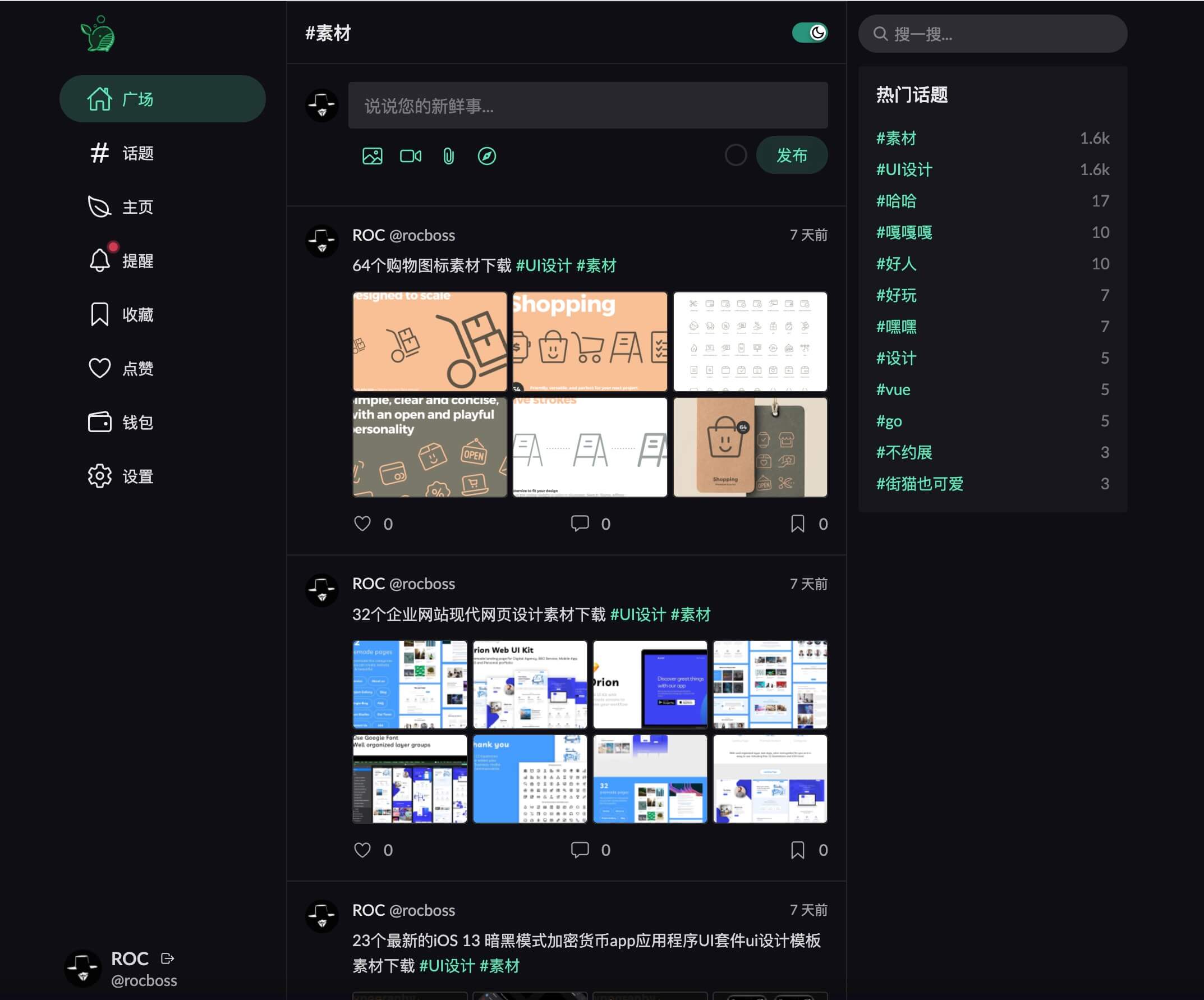](https://paopao-demo.vercel.app)
### Desktop
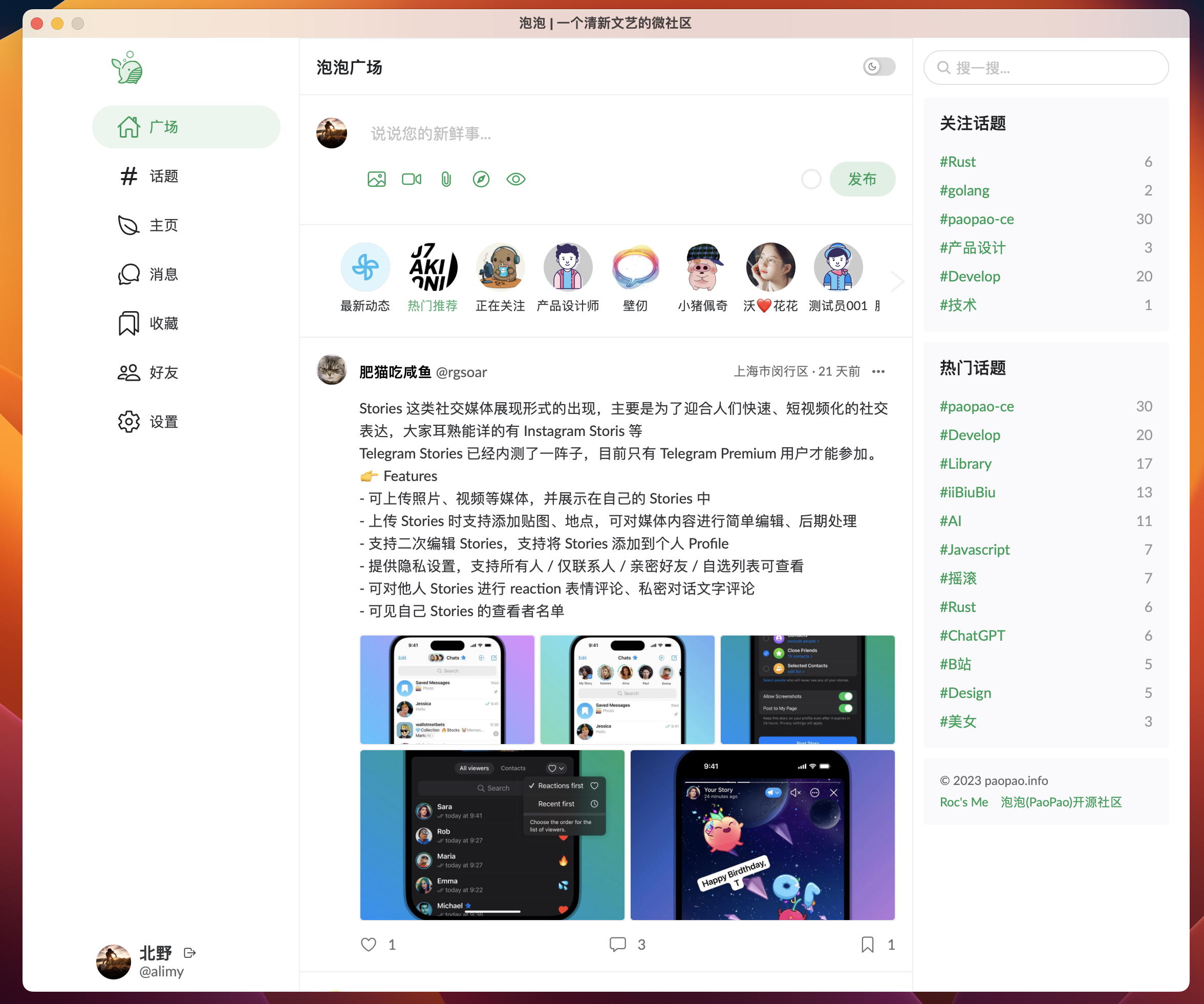
More screenshots and live behavior are available at [PaoPao](https://paopao-demo.vercel.app/).
## Architecture at a Glance
| Layer | Primary stack |
| --- | --- |
| Backend | Go, Gin, Cobra, GORM, Mir |
| Web frontend | Vue 3, Vite, Naive UI |
| Desktop client | Tauri |
| Search | Meilisearch |
| Cache | Redis |
| Object storage | Local OSS, MinIO, AliOSS, COS, Huawei OBS, S3-compatible |
| Observability | OpenTelemetry, Sentry, Pyroscope, Pprof |
## Repository Layout
| Path | Purpose |
| --- | --- |
| `cmd/`, `internal/`, `pkg/` | Backend application and shared packages |
| `web/` | Vue 3 web application and Tauri desktop frontend |
| `docs/` | Deployment, OpenAPI, design proposals, and related documentation |
| `scripts/` | SQL bootstrap and helper assets |
| `config.yaml.sample` | Complete runtime configuration template |
## Quick Start
### Option A: Evaluate locally with Docker Compose
This is the fastest way to bring up a local environment for evaluation.
```sh
git clone https://github.com/rocboss/paopao-ce.git
cd paopao-ce
docker compose up -d
```
Then open:
- `http://localhost:8008` - PaoPao
- `http://localhost:7700` - Meilisearch
- `http://localhost:8001` - RedisInsight
### Option B: Develop from source
#### Requirements
- Go `1.24+`
- Node.js `20.19+` or `22.12+`
- MySQL `5.7+`
- Redis
- Meilisearch
- Rust + Tauri prerequisites if you plan to build the desktop app
#### Backend
1. Import `scripts/paopao-mysql.sql` into MySQL.
2. Copy the sample config and adjust only the bootstrap-critical values for your environment.
3. Start the backend.
```sh
cp config.yaml.sample config.yaml
make run
```
To build a release binary instead:
```sh
make build
```
To serve the embedded web UI from the Go binary, build the web assets first and run with the `embed` tag:
```sh
make build-web
make run TAGS='embed'
```
#### Web frontend
```sh
cd web
cp .env .env.local
yarn
yarn dev
```
To produce static assets:
```sh
yarn build
```
#### Desktop app
```sh
cd web
yarn tauri build
```
For the full installation guide, Docker build variants, desktop prerequisites, and migration notes, see [INSTALL.md](INSTALL.md).
## Configuration and Feature Suites
`config.yaml.sample` is now a **minimal bootstrap template**. At runtime, PaoPao loads the embedded default config first, then overlays `./custom/config.yaml` or `./config.yaml` if present, preferring the first file it finds.
That means the external config can stay intentionally small. In the current design:
- **Keep in YAML**: ports, feature selection, database, Redis, JWT, and `AdminSettings.EncryptionKey`
- **Prefer the admin UI** (`/#/admin/settings`): site profile, app behavior limits, search provider settings, object-storage settings, SMS/payment settings, and other operational knobs supported by the registry
- **Watch apply mode**: some settings are live, while others are marked restart-required in the admin page
The `Features` section controls which capability bundles are enabled:
```yaml
Features:
Default: ["Base", "MySQL", "Option", "LocalOSS", "LoggerFile"]
Develop: ["Base", "MySQL", "Option", "Sms", "AliOSS", "LoggerOtlp"]
Demo: ["Base", "MySQL", "Option", "Sms", "MinIO", "LoggerOtlp"]
Slim: ["Base", "Sqlite3", "LocalOSS", "LoggerFile"]
Base: ["Zinc", "Redis", "Alipay"]
Option: ["SimpleCacheIndex"]
Sms: "SmsJuhe"
```
Typical examples:
```sh
# Use the default suite
release/paopao serve
# Use only the declared develop suite
release/paopao serve --no-default-features --features develop
# Add sms on top of the default suite
release/paopao serve --features sms
# Enable features explicitly
release/paopao serve --no-default-features --features sqlite3,localoss,loggerfile,redis
```
For the current implementation status of each feature, see [features-status.md](features-status.md).
## Documentation Map
- [INSTALL.md](INSTALL.md) - installation, Docker usage, and desktop build instructions
- [INSTALL_ZH.md](INSTALL_ZH.md) - Chinese installation guide
- [docs/README.md](docs/README.md) - documentation index
- [docs/README_ZH.md](docs/README_ZH.md) - Chinese documentation index
- [docs/deploy/](docs/deploy/) - deployment documentation
- [docs/openapi/](docs/openapi/) - exported API documentation assets
- [docs/proposal/](docs/proposal/) - design notes and feature proposals
- [deployed-sites.md](deployed-sites.md) - known deployed instances
- [ROADMAP.md](ROADMAP.md) - roadmap and planning notes
## Branch Strategy
The project uses a staged branch model:
| Branch | Role |
| --- | --- |
| `main` | Stable production branch; bug-fix oriented |
| `beta` | Public testing branch |
| `alpha` | Internal testing branch |
| `dev` | Main development branch for new work |
| `feature/*` | Focused feature branches |
| `r/*` | Distribution-oriented release branches |
If you plan to contribute new functionality, target **`dev`** unless the maintainers specify otherwise.
## Contributing
Pull requests are welcome. If you want to contribute:
1. Fork the repository.
2. Create a branch from `dev` for feature work.
3. Keep changes focused and documented.
4. Open a PR with context about the problem, approach, and verification.
If you deploy your own instance, consider adding it to [deployed-sites.md](deployed-sites.md).
[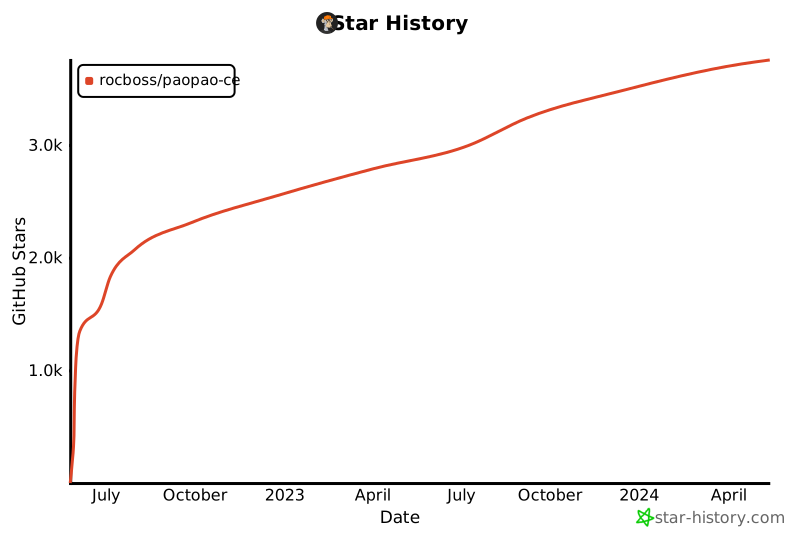](https://star-history.com/#rocboss/paopao-ce&Date)
## License
Distributed under the MIT License. See [LICENSE](LICENSE) for details.