
kubectl-mcp-server
Control your entire Kubernetes infrastructure through natural language conversations with AI.
Talk to your clusters like you talk to a DevOps expert. Debug crashed pods, optimize costs, deploy applications, audit security, and manage Helm charts, all through natural language.
Part of CNCF Landscape, Next to Terraform








---
## Installation
### Quick Start with npx (Recommended - Zero Install)
```bash
# Run directly without installation - works instantly!
npx -y kubectl-mcp-server
# Or install globally for faster startup
npm install -g kubectl-mcp-server
```
### Or install with pip (Python)
```bash
pip install kubectl-mcp-server
# Or run it isolated with uv
uvx --from kubectl-mcp-server kubectl-mcp
```
---
## 📑 Table of Contents
- [What Can You Do?](#what-can-you-do)
- [Why kubectl-mcp-server?](#why-kubectl-mcp-server)
- [Live Demos](#live-demos)
- [Installation](#installation)
- [Quick Start with npx](#quick-start-with-npx-recommended---zero-install)
- [Install with pip](#or-install-with-pip-python)
- [Docker](#docker)
- [Getting Started](#getting-started)
- [Quick Setup with Your AI Assistant](#quick-setup-with-your-ai-assistant)
- [All Supported AI Assistants](#all-supported-ai-assistants)
- [Complete Feature Set](#complete-feature-set)
- [Using the CLI](#using-the-cli)
- [Advanced Configuration](#advanced-configuration)
- [Stateless MCP (2026-07-28)](#stateless-mcp-2026-07-28)
- [Enterprise](#enterprise-oauth-21-authentication)
- [Security](#security)
- [Integrations & Ecosystem](#integrations--ecosystem)
- [In-Cluster Deployment](#in-cluster-deployment)
- [Multi-Cluster Support](#multi-cluster-support)
- [Architecture](#architecture)
- [Agent Skills](#agent-skills-24-skills-for-ai-coding-agents)
- [Development & Testing](#development--testing)
- [Contributing](#contributing)
- [Support & Community](#support--community)
---
## What Can You Do?
Simply ask your AI assistant in natural language:
💬 **"Why is my pod crashing?"**
- Instant crash diagnosis with logs, events, and resource analysis
- Root cause identification with actionable recommendations
💬 **"Deploy a Redis cluster with 3 replicas"**
- Creates deployment with best practices
- Configures services, persistent storage, and health checks
💬 **"Show me which pods are wasting resources"**
- AI-powered cost optimization analysis
- Resource recommendations with potential savings
💬 **"Which services can't reach the database?"**
- Network connectivity diagnostics with DNS resolution
- Service chain tracing from ingress to pods
💬 **"Audit security across all namespaces"**
- RBAC permission analysis
- Secret security scanning and pod security policies
**26 default tools, 209 with every toolset** | **14 workflow prompts** | **8 resources + 6 resource templates** | **Stateless MCP 2026-07-28** | **Works with all major AI assistants**
## Why kubectl-mcp-server?
- **🚀 Stop context-switching** - Manage Kubernetes directly from your AI assistant conversations
- **🧠 AI-powered diagnostics** - Get intelligent troubleshooting, not just raw data
- **💰 Built-in cost optimization** - Identify waste and get actionable savings recommendations
- **🔒 Enterprise-ready** - OAuth 2.1 auth with per-tool scopes, read-only mode, Secret redaction, fail-closed network binding
- **⚡ Zero learning curve** - Natural language instead of memorizing kubectl commands
- **🌐 Universal compatibility** - Works with Claude, Cursor, Windsurf, Copilot, and 15+ other AI tools
- **☸️ Production-grade** - Stateless HTTP scales behind any load balancer, Helm chart, 516 passing tests
From debugging crashed pods to optimizing cluster costs, kubectl-mcp-server is your AI-powered DevOps companion.
## Live Demos
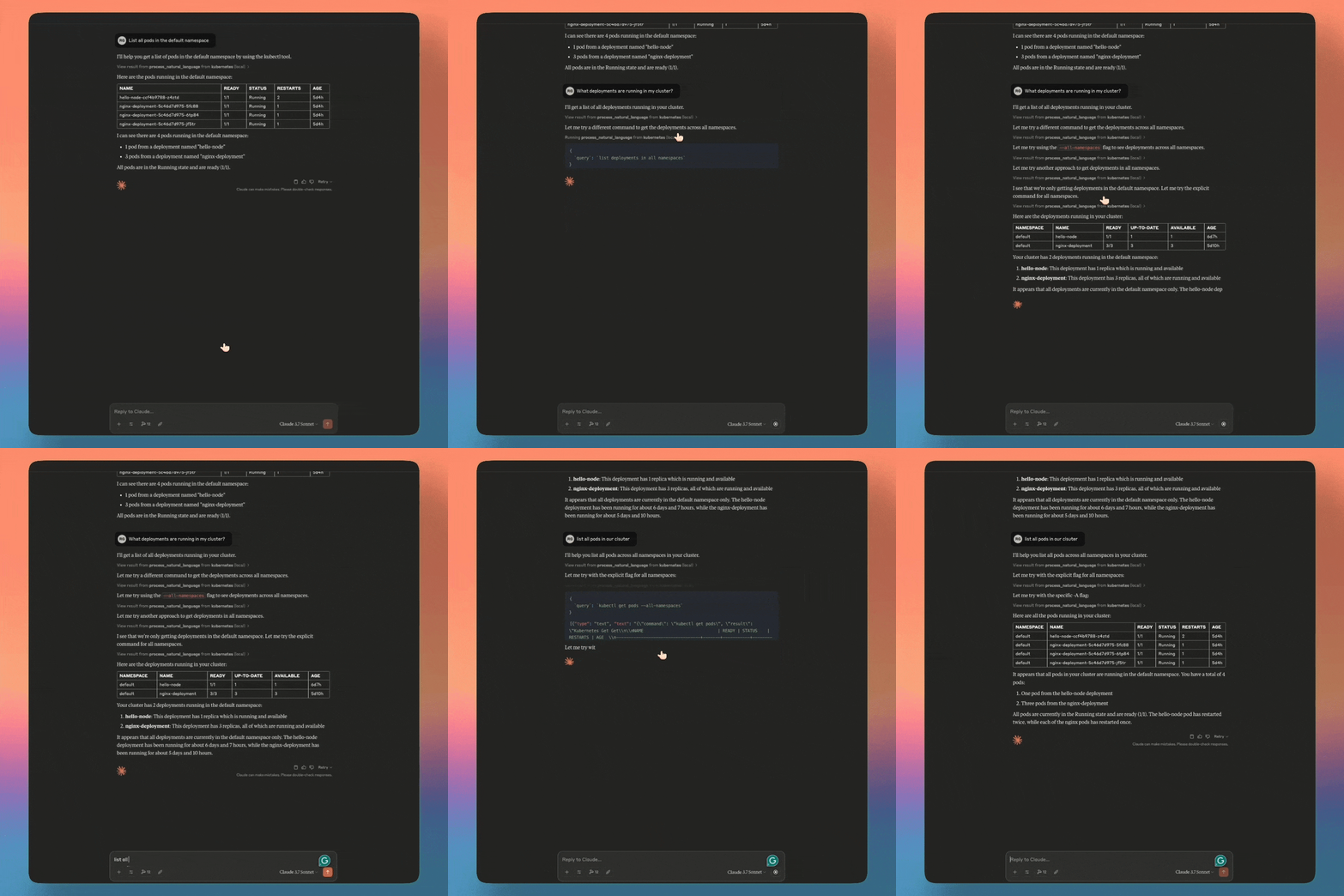
### Claude Desktop
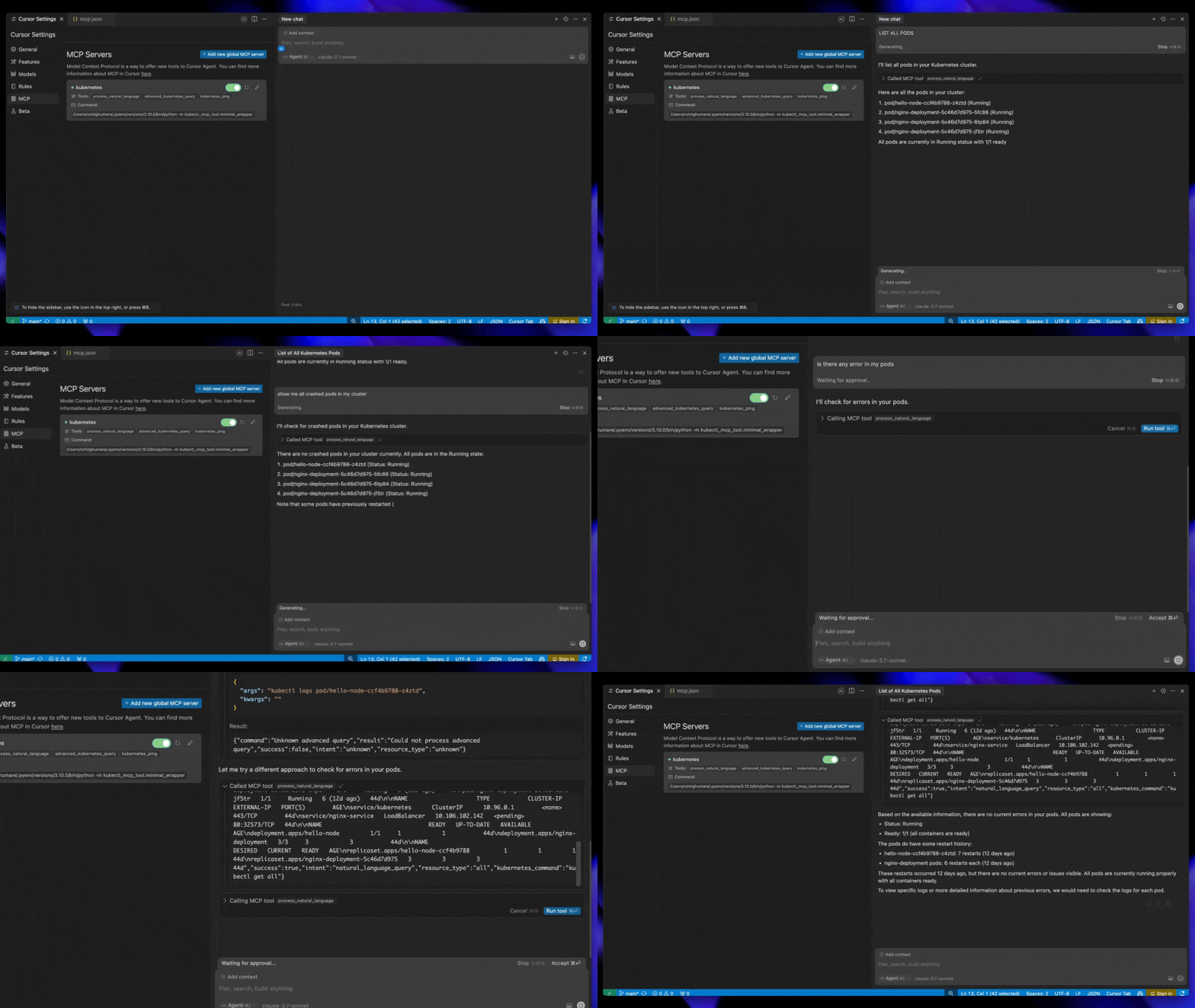
### Cursor AI
### Windsurf
## Installation
### Quick Start with npx (Recommended - Zero Install)
```bash
# Run directly without installation - works instantly!
npx -y kubectl-mcp-server
# Or install globally for faster startup
npm install -g kubectl-mcp-server
```
### Or install with pip (Python)
```bash
pip install kubectl-mcp-server
# Or run it isolated with uv
uvx --from kubectl-mcp-server kubectl-mcp
```
### Install from GitHub Release
```bash
# Install specific version directly from GitHub release (replace {VERSION} with desired version)
pip install https://github.com/rohitg00/kubectl-mcp-server/releases/download/v{VERSION}/kubectl_mcp_server-{VERSION}-py3-none-any.whl
# Example: Install v2.0.0
pip install https://github.com/rohitg00/kubectl-mcp-server/releases/download/v2.0.0/kubectl_mcp_server-2.0.0-py3-none-any.whl
# Or install latest from git
pip install git+https://github.com/rohitg00/kubectl-mcp-server.git
```
### Prerequisites
- **Python 3.10+** or [uv](https://docs.astral.sh/uv/) (for pip/uvx installation)
- **Node.js 18+** (for npx installation)
- **kubectl** installed and configured
- Access to a Kubernetes cluster
### Docker
```bash
# Pull from Docker Hub
docker pull rohitghumare64/kubectl-mcp-server:latest
# Or pull from GitHub Container Registry
docker pull ghcr.io/rohitg00/kubectl-mcp-server:latest
# Run with stdio transport (the image runs as UID 10001 with HOME=/home/mcp)
docker run -i --rm -v $HOME/.kube:/home/mcp/.kube:ro rohitghumare64/kubectl-mcp-server:latest
# Run stateless HTTP on localhost only. The container listens on 0.0.0.0, so it refuses
# to start without OAuth (MCP_AUTH_ENABLED) or an explicit MCP_ALLOW_UNAUTHENTICATED=true.
docker run --rm -p 127.0.0.1:8000:8000 -v $HOME/.kube:/home/mcp/.kube:ro \
-e MCP_ALLOW_UNAUTHENTICATED=true \
rohitghumare64/kubectl-mcp-server:latest --transport http
```
## Getting Started
### 1. Test the Server (Optional)
Before integrating with your AI assistant, verify the installation:
```bash
# Check if kubectl is configured
kubectl cluster-info
# Test the MCP server directly
kubectl-mcp-server info
# List all available tools
kubectl-mcp-server tools
# Try calling a tool
kubectl-mcp-server call kubectl_get '{"resource_type": "pods", "namespace": "kube-system"}'
```
### 2. Connect to Your AI Assistant
Choose your favorite AI assistant and add the configuration:
## Quick Setup with Your AI Assistant
### Claude Desktop
Add to `~/Library/Application Support/Claude/claude_desktop_config.json`:
```json
{
"mcpServers": {
"kubernetes": {
"command": "npx",
"args": ["-y", "kubectl-mcp-server"]
}
}
}
```
### Cursor AI
Add to `~/.cursor/mcp.json`:
```json
{
"mcpServers": {
"kubernetes": {
"command": "npx",
"args": ["-y", "kubectl-mcp-server"]
}
}
}
```
### Windsurf
Add to `~/.config/windsurf/mcp.json`:
```json
{
"mcpServers": {
"kubernetes": {
"command": "npx",
"args": ["-y", "kubectl-mcp-server"]
}
}
}
```
### Using Python Instead of npx
```json
{
"mcpServers": {
"kubernetes": {
"command": "python",
"args": ["-m", "kubectl_mcp_tool.mcp_server"],
"env": {
"KUBECONFIG": "/path/to/.kube/config"
}
}
}
}
```
**More integrations**: GitHub Copilot, Goose, Gemini CLI, Roo Code, and [15+ other clients](#mcp-client-compatibility) —> see [full configuration guide](#all-supported-ai-assistants) below.
### 3. Restart Your AI Assistant
After adding the configuration, restart your AI assistant **(GitHub Copilot, Claude Code,Claude Desktop, Cursor, etc.)** to load the MCP server.
### 4. Try These Commands
Start a conversation with your AI assistant and try these:
**Troubleshooting:**
```
"Show me all pods in the kube-system namespace"
"Why is the nginx-deployment pod crashing?"
"Diagnose network connectivity issues in the default namespace"
```
**Deployments:**
```
"Create a deployment for nginx with 3 replicas"
"Scale my frontend deployment to 5 replicas"
"Roll back the api-server deployment to the previous version"
```
**Cost & Optimization:**
```
"Which pods are using the most resources?"
"Show me idle resources that are wasting money"
"Analyze cost optimization opportunities in the production namespace"
```
**Security:**
```
"Audit RBAC permissions in all namespaces"
"Check for insecure secrets and configurations"
"Show me pods running with privileged access"
```
**Helm:**
```
"List all Helm releases in the cluster"
"Install Redis from the Bitnami chart repository"
"Show me the values for my nginx-ingress Helm release"
```
**Multi-Cluster:**
```
"List all available Kubernetes contexts"
"Switch to the production cluster context"
"Show me cluster information and version"
```
## MCP Client Compatibility
Works seamlessly with **all MCP-compatible AI assistants**:
| Client | Status | Client | Status |
|--------|--------|--------|--------|
| Claude Desktop | ✅ Native | Claude Code | ✅ Native |
| Cursor | ✅ Native | Windsurf | ✅ Native |
| GitHub Copilot | ✅ Native | OpenAI Codex | ✅ Native |
| Gemini CLI | ✅ Native | Goose | ✅ Native |
| Roo Code | ✅ Native | Kilo Code | ✅ Native |
| Amp | ✅ Native | Trae | ✅ Native |
| OpenCode | ✅ Native | Kiro CLI | ✅ Native |
| Antigravity | ✅ Native | Clawdbot | ✅ Native |
| Droid (Factory) | ✅ Native | Any MCP Client | ✅ Compatible |
## All Supported AI Assistants
### Claude Code
Add to `~/.config/claude-code/mcp.json`:
```json
{
"mcpServers": {
"kubernetes": {
"command": "npx",
"args": ["-y", "kubectl-mcp-server"]
}
}
}
```
### GitHub Copilot (VS Code)
Add to VS Code `settings.json`:
```json
{
"mcp": {
"servers": {
"kubernetes": {
"command": "npx",
"args": ["-y", "kubectl-mcp-server"]
}
}
}
}
```
### Goose
Add to `~/.config/goose/config.yaml`:
```yaml
extensions:
kubernetes:
command: npx
args:
- -y
- kubectl-mcp-server
```
### Gemini CLI
Add to `~/.gemini/settings.json`:
```json
{
"mcpServers": {
"kubernetes": {
"command": "npx",
"args": ["-y", "kubectl-mcp-server"]
}
}
}
```
### Roo Code / Kilo Code
Add to `~/.config/roo-code/mcp.json` or `~/.config/kilo-code/mcp.json`:
```json
{
"mcpServers": {
"kubernetes": {
"command": "npx",
"args": ["-y", "kubectl-mcp-server"]
}
}
}
```
## Complete Feature Set
### Toolsets
Every tool definition costs context on every request, and models pick tools less reliably as the list grows. The server therefore registers only the **`core` and `helm` toolsets (26 tools) by default**. `kubectl_get`, `kubectl_describe`, `kubectl_logs`, `kubectl_apply` and friends work for every resource kind, including custom resources, so the default set covers most day-to-day work. Everything else is opt-in; tools outside the enabled toolsets are not registered at all, so they cannot be called.
```bash
kubectl-mcp-server # core + helm
kubectl-mcp-server --toolsets default,diagnostics,certs
kubectl-mcp-server --toolsets all # all 209 tools
MCP_TOOLSETS=default,gitops kubectl-mcp-server # same, via environment
```
`detect_ecosystem` reports which operators are installed and which toolsets cover them. With many toolsets enabled and a client that cannot search tools itself, add `--tool-search` (`MCP_TOOL_SEARCH=true`): the server then lists only the default tools plus `search_tools` and `call_tool`, and the rest are discovered on demand. Read-only mode, scopes and redaction still apply to every discovered call.
For deep work in one ecosystem, its project-maintained MCP server is usually a better fit than the opt-in toolset:
| Ecosystem | MCP server |
|-----------|------------|
| Argo CD | [argoproj-labs/mcp-for-argocd](https://github.com/argoproj-labs/mcp-for-argocd) |
| Flux | [Flux Operator MCP server](https://fluxoperator.dev/mcp-server/) |
| Kyverno | [nirmata/kyverno-mcp](https://github.com/nirmata/kyverno-mcp) |
| Toolset | Default | Tools | Covers | Names |
|---------|---------|-------|--------|-------|
| `core` | yes | 18 | Generic kubectl operations for every resource kind, including CRDs | `kubectl_get`, `kubectl_describe`, `kubectl_logs`, `kubectl_top`, `kubectl_explain`, `get_api_resources`, `kubectl_generic`, `kubectl_apply`, `kubectl_patch`, `delete_resource`, `kubectl_scale`, `kubectl_rollout`, `exec_in_pod`, `list_contexts`, `health_check`, `diagnose_pod_crash`, `detect_pending_pods`, `detect_ecosystem` |
| `helm` | yes | 8 | Helm release lifecycle | `helm_list`, `helm_status`, `helm_get`, `helm_history`, `install_helm_chart`, `upgrade_helm_chart`, `uninstall_helm_chart`, `helm_rollback` |
| `helm_dev` | | 16 | Helm charts and repositories: search, show, template, lint, package, dependencies | `helm_show`, `helm_search_repo`, `helm_search_hub`, `helm_repo_list`, `helm_repo_add`, `helm_repo_remove`, `helm_repo_update`, `helm_test`, `helm_lint`, `helm_package`, `helm_dependency_update`, `helm_dependency_list`, `helm_dependency_build`, `helm_pull`, `helm_create`, `helm_template` |
| `ops` | | 10 | Maintenance: create, label, annotate, taint, cordon/drain, copy files, wait, cleanup | `kubectl_create`, `kubectl_cp`, `backup_resource`, `label_resource`, `annotate_resource`, `taint_node`, `wait_for_condition`, `node_management`, `cleanup_pods`, `run_pod` |
| `diagnostics` | | 9 | Network, DNS, node and pod health diagnostics | `check_pod_health`, `get_evicted_pods`, `diagnose_network_connectivity`, `check_dns_resolution`, `trace_service_chain`, `compare_namespaces`, `get_nodes_summary`, `node_logs`, `node_stats_summary` |
| `security` | | 5 | RBAC, pod security and secret hygiene audits | `analyze_pod_security`, `analyze_network_policies`, `audit_rbac_permissions`, `check_secrets_security`, `get_pod_security_info` |
| `cost` | | 8 | Resource right-sizing and cost allocation | `get_resource_recommendations`, `get_idle_resources`, `get_resource_quotas_usage`, `get_cost_analysis`, `get_overprovisioned_resources`, `get_resource_trends`, `get_namespace_cost_allocation`, `optimize_resource_requests` |
| `multicluster` | | 7 | Kubeconfig contexts and cross-cluster queries | `get_context_details`, `kubeconfig_view`, `switch_context`, `set_namespace_for_context`, `multi_cluster_query`, `multi_cluster_health`, `multi_cluster_pod_count` |
| `crds` | | 5 | CRD discovery and custom resource inspection | `discover_crds`, `search_crds`, `list_custom_resources`, `get_custom_resource`, `describe_crd` |
| `gitops` | | 6 | Flux and Argo CD | `gitops_apps_list`, `gitops_app_get`, `gitops_app_sync`, `gitops_app_status`, `gitops_sources_list`, `gitops_source_get` |
| `certs` | | 8 | cert-manager certificates and issuers | `list_certs`, `get_cert`, `list_cert_issuers`, `get_cert_issuer`, `renew_cert`, `explain_cert_status`, `list_cert_challenges`, `list_cert_requests` |
| `policy` | | 5 | Kyverno and Gatekeeper policies | `get_policy_list`, `get_policy`, `get_policy_violations`, `explain_policy_denial`, `audit_policies` |
| `backup` | | 10 | Velero backups and restores | `list_backups`, `get_backup`, `create_backup`, `delete_backup`, `list_restores`, `create_restore`, `get_restore`, `list_backup_locations`, `list_backup_schedules`, `create_backup_schedule` |
| `keda` | | 6 | KEDA event-driven autoscaling | `keda_scaledobjects_list`, `keda_scaledobject_get`, `keda_scaledjobs_list`, `keda_triggerauths_list`, `keda_triggerauth_get`, `keda_hpa_list` |
| `cilium` | | 7 | Cilium network policies and Hubble flows | `cilium_list_policies`, `cilium_get_policy`, `cilium_list_endpoints`, `cilium_list_identities`, `cilium_list_nodes`, `cilium_get_status`, `get_hubble_flows` |
| `rollouts` | | 10 | Argo Rollouts and Flagger progressive delivery | `get_rollouts_list`, `get_rollout`, `get_rollout_status`, `promote_rollout`, `abort_rollout`, `retry_rollout`, `restart_rollout`, `get_analysis_runs`, `get_flagger_canaries`, `get_flagger_canary` |
| `capi` | | 10 | Cluster API lifecycle | `capi_list_clusters`, `capi_get_cluster`, `capi_list_machines`, `capi_get_machine`, `capi_list_machinedeployments`, `capi_scale_machinedeployment`, `capi_list_machinesets`, `capi_list_machinehealthchecks`, `capi_list_clusterclasses`, `capi_get_cluster_kubeconfig` |
| `kubevirt` | | 12 | KubeVirt virtual machines | `kubevirt_vms_list`, `kubevirt_vm_get`, `kubevirt_vmis_list`, `kubevirt_vm_start`, `kubevirt_vm_stop`, `kubevirt_vm_restart`, `kubevirt_vm_pause`, `kubevirt_vm_unpause`, `kubevirt_vm_migrate`, `kubevirt_datasources_list`, `kubevirt_instancetypes_list`, `kubevirt_datavolumes_list` |
| `istio` | | 9 | Istio service mesh | `istio_virtualservices_list`, `istio_virtualservice_get`, `istio_destinationrules_list`, `istio_gateways_list`, `istio_peerauthentications_list`, `istio_authorizationpolicies_list`, `istio_proxy_status`, `istio_analyze`, `istio_sidecar_status` |
| `kind` | | 29 | kind local clusters (runs docker on the server host) | `kind_list_clusters`, `kind_get_nodes`, `kind_get_kubeconfig`, `kind_export_logs`, `kind_cluster_info`, `kind_node_labels`, `kind_create_cluster`, `kind_delete_cluster`, `kind_load_image`, `kind_load_image_archive`, `kind_build_node_image`, `kind_set_kubeconfig`, `kind_config_validate`, `kind_config_generate`, `kind_config_show`, `kind_available_images`, `kind_registry_create`, `kind_registry_connect`, `kind_registry_status`, `kind_node_exec`, `kind_node_logs`, `kind_node_inspect`, `kind_node_restart`, `kind_network_inspect`, `kind_port_mappings`, `kind_ingress_setup`, `kind_cluster_status`, `kind_images_list`, `kind_provider_info` |
| `vind` | | 11 | vCluster virtual clusters (runs vcluster on the server host) | `vind_list_clusters`, `vind_status`, `vind_get_kubeconfig`, `vind_create_cluster`, `vind_delete_cluster`, `vind_pause`, `vind_resume`, `vind_connect`, `vind_disconnect`, `vind_upgrade`, `vind_describe` |
### MCP Resources
Access Kubernetes data as browsable resources:
| Resource URI | Description |
|--------------|-------------|
| `kubeconfig://contexts` | List all available kubectl contexts |
| `kubeconfig://current-context` | Get current active context |
| `namespace://current` | Get current namespace |
| `namespace://list` | List all namespaces |
| `cluster://info` | Get cluster information |
| `cluster://nodes` | Get detailed node information |
| `cluster://version` | Get Kubernetes version |
| `cluster://api-resources` | List available API resources |
| `manifest://deployments/{ns}/{name}` | Get deployment YAML |
| `manifest://services/{ns}/{name}` | Get service YAML |
| `manifest://pods/{ns}/{name}` | Get pod YAML |
| `manifest://configmaps/{ns}/{name}` | Get ConfigMap YAML |
| `manifest://secrets/{ns}/{name}` | Get secret YAML (data masked) |
| `manifest://ingresses/{ns}/{name}` | Get ingress YAML |
### MCP Prompts
Pre-built workflow prompts for common Kubernetes operations:
| Prompt | Description |
|--------|-------------|
| `troubleshoot_workload` | Comprehensive troubleshooting guide for pods/deployments |
| `deploy_application` | Step-by-step deployment workflow |
| `security_audit` | Security scanning and RBAC analysis workflow |
| `cost_optimization` | Resource optimization and cost analysis workflow |
| `disaster_recovery` | Backup and recovery planning workflow |
| `debug_networking` | Network debugging for services and connectivity |
| `scale_application` | Scaling guide with HPA/VPA best practices |
| `upgrade_cluster` | Kubernetes cluster upgrade planning |
| `cluster_health_check` | Cluster-wide health review |
| `debug_workload` | Step-by-step debugging for a named workload |
| `resource_usage` | Resource consumption and right-sizing review |
| `security_posture` | Namespace or cluster security posture review |
| `deployment_checklist` | Pre-deployment checklist for an application |
| `incident_response` | Incident runbook by incident type |
Add your own prompts in `~/.config/kubectl-mcp/prompts.toml`; same-named prompts override the built-ins.
### Key Capabilities
- 🤖 **26 default tools, 209 opt-in** - Generic kubectl and Helm by default, ecosystem toolsets on demand
- 🎯 **14 Workflow Prompts** - Pre-built workflows for common operations
- 📊 **8 Resources + 6 Templates** - Browsable Kubernetes data exposure
- 🔄 **Opt-in ecosystem toolsets** - GitOps, cert-manager, policy, Velero, KEDA, Cilium, Rollouts, CAPI, KubeVirt, Istio, kind, vCluster
- ⚡ **Stateless MCP 2026-07-28** - stdio and Streamable HTTP, older clients negotiated automatically
- 🔐 **Security First** - Read-only mode, per-call confirmation, Secret redaction, flag-injection guard
- 🏥 **Advanced Diagnostics** - AI-powered troubleshooting and cost optimization
- ☸️ **Multi-Cluster** - Target any cluster via context parameter in every tool
- 🎡 **Full Helm v3** - Complete chart lifecycle management
- 🔧 **Powerful CLI** - Shell-friendly tool discovery and direct calling
- 🐳 **Cloud Native** - Deploy in-cluster with kMCP or kagent
## Using the CLI
The built-in CLI lets you explore and test tools without an AI assistant:
```bash
# List all tools with descriptions
kubectl-mcp-server tools -d
# Search for pod-related tools
kubectl-mcp-server grep "*pod*"
# Show specific tool schema
kubectl-mcp-server tools kubectl_get
# Call a tool directly
kubectl-mcp-server call kubectl_get '{"resource_type": "pods", "namespace": "kube-system"}'
# Pipe JSON from stdin
echo '{"resource_type": "pods"}' | kubectl-mcp-server call kubectl_get
# Check dependencies
kubectl-mcp-server doctor
# Show/switch Kubernetes context
kubectl-mcp-server context
kubectl-mcp-server context minikube
# List resources and prompts
kubectl-mcp-server resources
kubectl-mcp-server prompts
# Show server info
kubectl-mcp-server info
```
### CLI Features
- **Structured errors**: Actionable error messages with suggestions
- **Colorized output**: Human-readable with JSON mode for scripting (`--json`)
- **NO_COLOR support**: Respects `NO_COLOR` environment variable
- **Stdin support**: Pipe JSON arguments to commands
## Advanced Configuration
### Transport Modes
```bash
# stdio (default) - Claude Desktop, Cursor, Windsurf, Claude Code
kubectl-mcp-server
# Streamable HTTP, stateless, at http://127.0.0.1:8000/mcp
kubectl-mcp-server --transport http --port 8000
# SSE - deprecated by the MCP spec (SEP-2596), session-bound; kept for old clients
kubectl-mcp-server --transport sse --port 8000
```
**Server options** (every flag also reads an environment variable):
| Flag | Env | Default | Description |
|------|-----|---------|-------------|
| `--transport` | `MCP_SERVER_TRANSPORT` | `stdio` | `stdio`, `http` / `streamable-http`, `sse` |
| `--host` | `MCP_SERVER_HOST` | `127.0.0.1` | Bind address for network transports |
| `--port` | `MCP_SERVER_PORT` | `8000` | Port for network transports |
| `--allow-unauthenticated` | `MCP_ALLOW_UNAUTHENTICATED` | off | Permit a non-loopback bind without OAuth |
| `--toolsets` | `MCP_TOOLSETS` | `default` | Toolsets to register (`default`, `all`, or names; see [Toolsets](#toolsets)) |
| `--tool-search` | `MCP_TOOL_SEARCH` | off | List default tools plus `search_tools`/`call_tool`; discover the rest on demand |
| `--read-only` | `MCP_SAFETY_MODE=read-only` | off | Hide and block every tool that changes state |
| `--disable-destructive` | `MCP_SAFETY_MODE=disable-destructive` | off | Allow create/update, block deletes |
| `--confirm-destructive` | `MCP_SAFETY_MODE=confirm` | off | Ask the user before each destructive call |
| `--stateless` | `MCP_STATELESS_MODE` | off | Do not cache Kubernetes API clients |
| `--watch-kubeconfig` | `MCP_KUBECONFIG_WATCH` | off | Reload kubeconfig when it changes |
| `--config` | | | TOML config file |
### Environment Variables
**Core Settings:**
| Variable | Description | Default |
|----------|-------------|---------|
| `KUBECONFIG` | Path to kubeconfig file | `~/.kube/config` |
| `MCP_DEBUG` | Enable verbose logging | `false` |
| `MCP_LOG_FILE` | Log file path | None (stdout) |
**Authentication (Enterprise):**
| Variable | Description | Default |
|----------|-------------|---------|
| `MCP_AUTH_ENABLED` | Enable OAuth 2.1 authentication | `false` |
| `MCP_AUTH_ISSUER` | OAuth 2.0 Authorization Server URL | - |
| `MCP_AUTH_JWKS_URI` | JWKS endpoint URL | Auto-derived |
| `MCP_AUTH_AUDIENCE` | Expected token audience | `kubectl-mcp-server` |
| `MCP_AUTH_REQUIRED_SCOPES` | Scopes every token must carry | `mcp:tools` |
| `MCP_AUTH_RESOURCE_URL` | Public URL advertised in RFC 9728 metadata | - |
**Security and scaling:**
| Variable | Description | Default |
|----------|-------------|---------|
| `MCP_SAFETY_MODE` | `read-only`, `disable-destructive`, `confirm`, `normal` (invalid values stop startup) | `normal` |
| `MCP_MASK_SECRETS` | Redact Secret values, bearer tokens and JWTs from tool output | `true` |
| `MCP_ALLOWED_HOSTS` / `MCP_ALLOWED_ORIGINS` | Comma-separated Host / Origin allowlists for HTTP | loopback |
| `MCP_REQUEST_STATE_KEY` | >= 32 byte key shared by replicas so confirmation rounds can land on any replica | per-process |
## Enterprise: OAuth 2.1 Authentication
Secure your MCP server with OAuth 2.1 authentication (RFC 9728).
```bash
export MCP_AUTH_ENABLED=true
export MCP_AUTH_ISSUER=https://your-idp.example.com
export MCP_AUTH_AUDIENCE=kubectl-mcp-server
kubectl-mcp-server --transport http --port 8000
```
**Supported Identity Providers**: Okta, Auth0, Keycloak, Microsoft Entra ID, Google OAuth, and any OIDC-compliant provider.
**Scopes**: tokens with `mcp:tools` or `mcp:admin` can call every tool. Set `MCP_AUTH_REQUIRED_SCOPES=mcp:read` to issue narrower tokens: read-only tools then need `mcp:read`, tools that change state need `mcp:write`.
## Security
- **Network exposure fails closed.** HTTP binds `127.0.0.1` by default. Binding any other address requires OAuth or `--allow-unauthenticated`; the Helm chart refuses to render without one of the two.
- **Read-only mode hides write tools.** With `--read-only` (or `MCP_SAFETY_MODE=read-only`) every tool whose `readOnlyHint` is false is removed from `tools/list` and rejected if called.
- **Confirmation works on the stateless protocol.** `--confirm-destructive` returns an MRTR `InputRequiredResult` to 2026-07-28 clients and falls back to elicitation for older ones. The approval is bound to the exact operation.
- **Secrets are redacted.** Secret `data`, `stringData`, the `last-applied-configuration` annotation, bearer tokens and JWTs are replaced with `[REDACTED]` in every tool result.
- **No flag injection.** Identifier arguments (`name`, `namespace`, `chart`, `context`, label keys, ...) that start with `-` are rejected before any CLI runs, so `name="--server=https://attacker"` never reaches kubectl or helm. `kubectl_generic` only runs read verbs and blocks credential, connection and raw-output flags.
- **No shell.** Every subprocess call uses an argument list; nothing runs through `sh -c`. [CVE-2025-69902](https://onemore-hayeon.github.io/security/CVE-2025-69902/) (shell injection in `kubectl-mcp-tool` <= 1.1.1) was fixed in 1.2.0; upgrade anything older.
Report vulnerabilities privately; see [SECURITY.md](SECURITY.md).
## Stateless MCP (2026-07-28)
The server speaks the [2026-07-28 specification](https://modelcontextprotocol.io/specification/2026-07-28/changelog): no `initialize` handshake, no `Mcp-Session-Id`, `server/discover` for capabilities, and per-request `_meta`. Clients on 2025-era revisions are negotiated automatically from the same process, over stdio and HTTP.
Because no request depends on an earlier one, HTTP replicas scale behind a round-robin load balancer with no sticky sessions or shared store. Set `MCP_REQUEST_STATE_KEY` to the same value on every replica if you use `--confirm-destructive`.
```bash
curl -s http://127.0.0.1:8000/mcp \
-H 'Content-Type: application/json' -H 'Accept: application/json, text/event-stream' \
-H 'MCP-Protocol-Version: 2026-07-28' -H 'Mcp-Method: server/discover' \
-d '{"jsonrpc":"2.0","id":1,"method":"server/discover","params":{"_meta":{"io.modelcontextprotocol/protocolVersion":"2026-07-28","io.modelcontextprotocol/clientCapabilities":{}}}}'
```
## Integrations & Ecosystem
### Docker MCP Toolkit
Works with [Docker MCP Toolkit](https://docs.docker.com/ai/mcp-catalog-and-toolkit/toolkit/):
```bash
docker mcp server add kubectl-mcp-server mcp/kubectl-mcp-server:latest
docker mcp server configure kubectl-mcp-server --volume "$HOME/.kube:/home/mcp/.kube:ro"
docker mcp server enable kubectl-mcp-server
docker mcp client connect claude
```
### agentregistry
Install from the centralized [agentregistry](https://aregistry.ai):
```bash
# Install arctl CLI
curl -fsSL https://raw.githubusercontent.com/agentregistry-dev/agentregistry/main/scripts/install.sh | bash
# Install kubectl-mcp-server
arctl mcp install io.github.rohitg00/kubectl-mcp-server
```
**Available via**: PyPI (`uvx`), npm (`npx`), OCI (`docker.io/rohitghumare64/kubectl-mcp-server`)
### agentgateway
Route to multiple MCP servers through [agentgateway](https://github.com/agentgateway/agentgateway):
```bash
# Start stateless Streamable HTTP
kubectl-mcp-server --transport http --port 8000
# Configure gateway
cat > gateway.yaml <