
The Security-First Skill Manager for AI Agents
Static security scoring before any skill is installed · Skills across 90 agents (65 verified) · MCP servers for the 9 that support them
Zero-dependency CLI · No signup · No marketplace required













Quick Start · Features · Commands · API · Security · Contribute
⚡ Zero dependencies · 🤖 65 verified agents · 🔌 Skills + MCP · 🔒 Security scoring · 📝 Skill testing · 🔧 Init templates · 🌐 No marketplace required
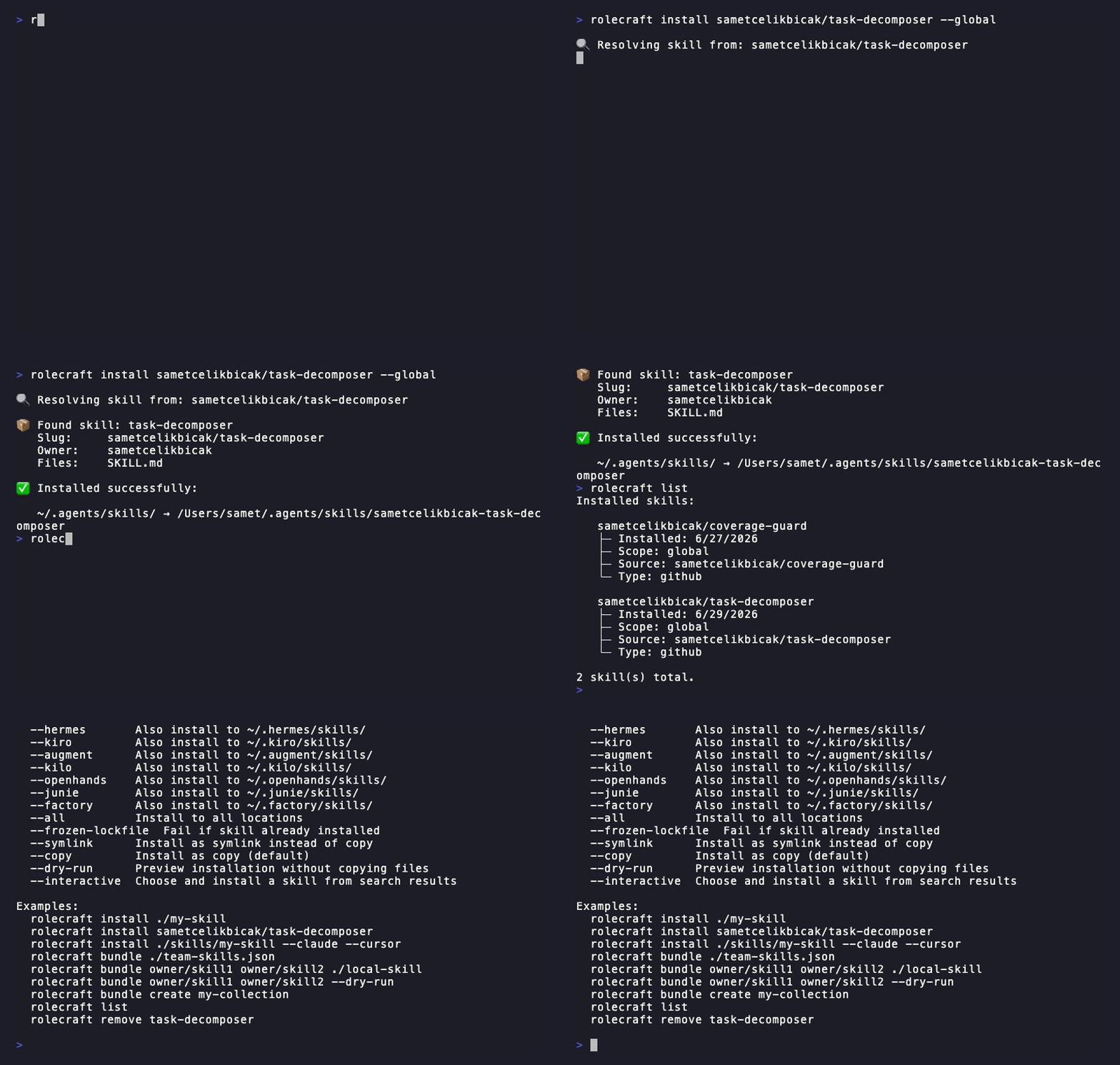
--- ## Quick Start ```bash # Try without installing npx rolecraft --help # Install globally (npm, pnpm, yarn, bun) npm install -g rolecraft # or with Homebrew brew tap sametcelikbicak/tap https://github.com/sametcelikbicak/homebrew-tap brew trust sametcelikbicak/tap brew install rolecraft # Install a skill (local, GitHub, GitLab, SSH, npm) rolecraft install ./my-skill --cursor # Install a skill WITH its MCP servers rolecraft install ./postgres-rules --cursor # Detect all agents and install a skill to every one rolecraft setup user/repo ``` **Requirements:** Node.js >= 22 > **Homebrew:** the formula installs the CLI only — Node.js >= 22 must be in `PATH` (nvm, asdf or a system install). The formula version always matches the released version. > **Why zero dependencies?** Every dependency is a supply-chain risk. rolecraft uses only Node.js built-ins (`fs`, `path`, `crypto`, `https`) — no `node_modules` surprises. [Full install guide →](docs/install.md) · [Getting Started →](docs/guides/getting-started.md) --- ## Features - **Zero dependencies** — only Node.js built-ins, nothing to audit - **Any source** — local folder, GitHub/GitLab/SSH URL, npm package - **90 agents** — opencode, claude-code, cursor, copilot, aider, oh-my-pi, and more - **No registry required** — works fully without a marketplace - **Security scoring** — static analysis before every install: prompt injection, command injection, obfuscated code, credential harvesting. Scores 0–100. It is a regex linter, not a policy engine — [what it does not catch](docs/security.md#what-this-does-not-catch) - **CI-ready** — lockfile-based re-install (`rolecraft ci`), `--yes` flag, `--dry-run` - **MCP + Skills** — install skills and their MCP servers in a single command - **Shell completions** — bash, zsh, fish auto-completion - **Profile system** — save, apply, and share multi-agent configurations [Full feature list →](docs/guides/use-cases.md) · [Comparison vs skills (Vercel) →](docs/comparison.md) --- ## Security A skill is statically analysed before it is written into an agent's skill directory. The scan looks for prompt injection, command injection, obfuscated code and credential harvesting, and scores 0–100: - **90+** → SAFE, install proceeds - **70–89** → REVIEW, prompts for confirmation - **<70** → DANGER, blocked unless `--yes` - **any critical finding** → DANGER regardless of score The scan runs on every install path: `install`, `bundle`, `update`, `setup`, `search --interactive`, `watch` auto-sync, `ci` and `profile apply`. It does not run under `--dry-run`, and `setup` does not scan the MCP servers a skill declares. ```bash rolecraft install ./my-skill # scanned before install rolecraft install ./my-skill --yes # force install even if DANGER ``` The scanner matches file contents against patterns. It does not interpret what a skill means, so a natural-language instruction that avoids every pattern will score 100. Read [what this does not catch](docs/security.md#what-this-does-not-catch) before relying on a score as an approval. [→ Full security documentation](docs/security.md) ## Known limitations Stated here so nothing below has to be discovered by surprise: - **`rolecraft ci` verifies content, it does not pin sources.** It re-resolves every `source` in the lockfile and compares content hashes. Sources that move by design — an npm `dist-tags.latest`, a git branch head — are not pinned, so two runs can legitimately differ. There is no `--frozen` mode. - **A security score is not a trust decision.** It reports whether a dangerous *pattern* was found in the resolved files. It says nothing about whether the upstream source is trustworthy, and it does not read natural-language instructions. - **`--dry-run` does not scan**, so it cannot tell you whether an install would be refused. - **`rolecraft setup` does not scan MCP servers** declared inside a skill. `install` does. - **MCP servers installed from `uvx:`, `pipx:`, `go:`, `deno:`, `cargo:` or a local path are not scanned** — their contents are never fetched, so they report as SAFE. --- ## Commands | Command | Description | |---------|-------------| | `rolecraft install