
Fuzzy find and kill processes from your terminal with real-time updates
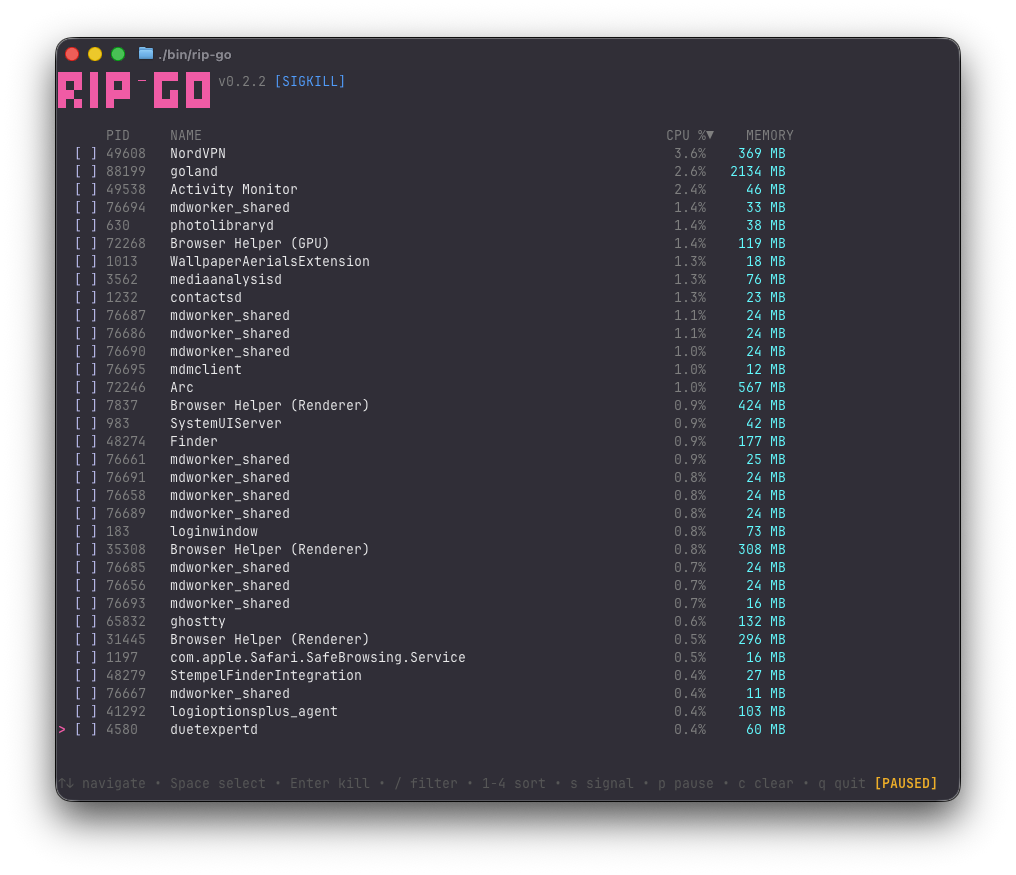
---
This is a Go version of the awesome [rip](https://github.com/cesarferreira/rip) by [@cesarferreira](https://github.com/cesarferreira).
I think the original project is super cool, and I made this port just for fun and practice. All credit goes to the original author.
## Installation
### Homebrew (macOS/Linux)
```bash
brew tap roniel-rhack/tap
brew install rip-go
```
### Go
```bash
go install github.com/roniel-rhack/rip-go/cmd/rip-go@latest
```
### Build from source
```bash
git clone https://github.com/roniel-rhack/rip-go
cd rip-go
make build
./bin/rip-go
```
## Features
- Real-time process monitoring (updates every second)
- Fuzzy filtering with `/`
- Multi-select processes
- Sort by PID, Name, CPU, or Memory
- Runtime signal switching (KILL, TERM, INT, HUP, QUIT)
- Kill confirmation dialog
- Vim-style navigation
## Usage
```bash
rip-go # List all processes (sorted by CPU)
rip-go -s TERM # Use SIGTERM instead of SIGKILL
rip-go --sort mem # Sort by memory usage
```
## Controls
| Key | Action |
|-----|--------|
| `↑` `↓` / `k` `j` | Navigate |
| `Space` | Select/deselect process |
| `Enter` | Kill selected (with confirmation) |
| `/` | Filter mode |
| `1` | Sort by PID |
| `2` | Sort by Name |
| `3` | Sort by CPU |
| `4` | Sort by Memory |
| `s` | Cycle signal (KILL→TERM→INT→HUP→QUIT) |
| `a` | Select all |
| `c` | Clear selection |
| `p` | Pause/resume real-time updates |
| `q` / `Esc` | Quit |
## TODO
- [ ] Filter by user (`-u` flag to show only processes from current/specific user)
- [ ] Process tree view (show parent-child hierarchy)
- [ ] Show full command line (not just process name)
- [ ] Search by PID (currently only filters by name)
- [ ] Highlight newly appeared processes
## License
MIT