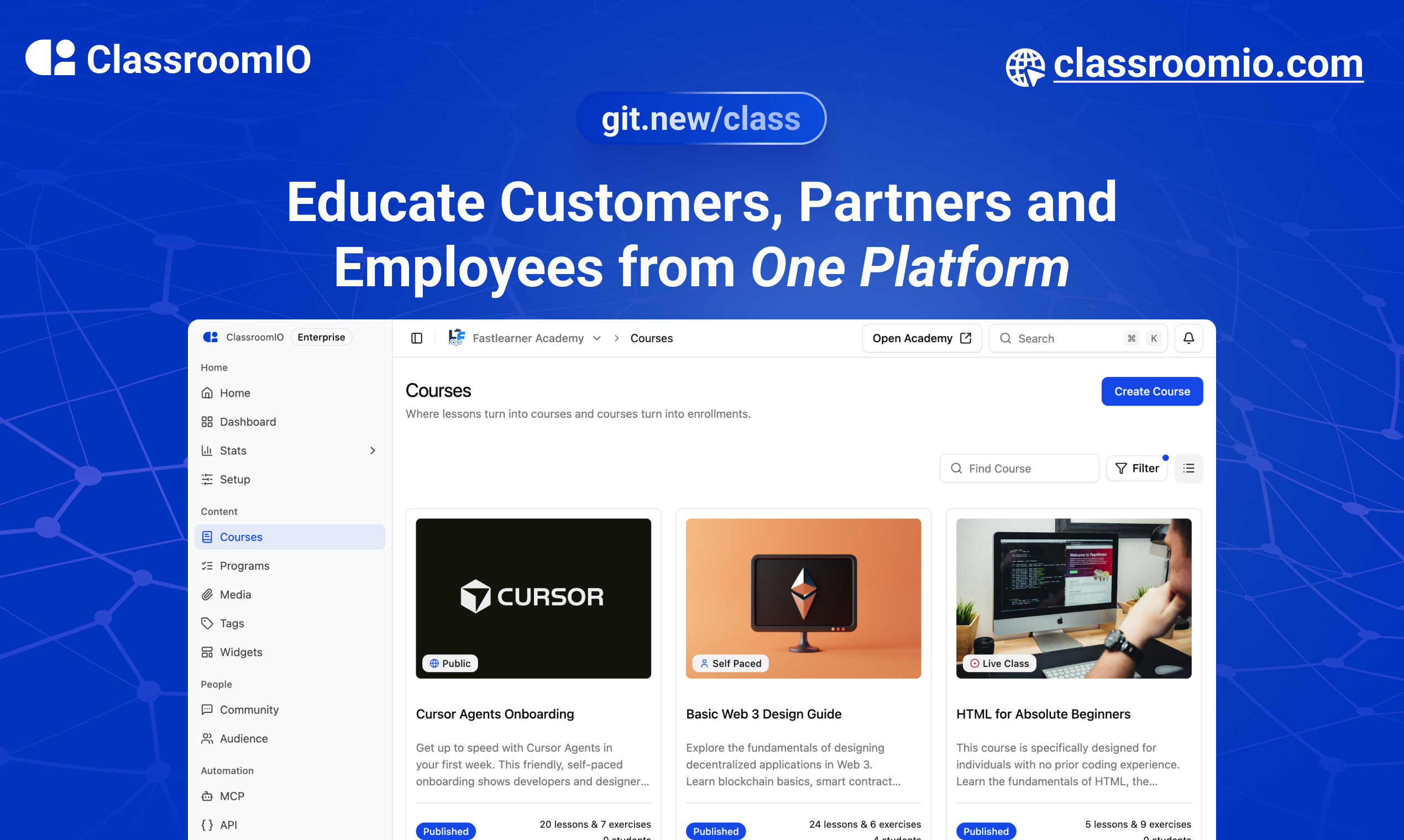
ClassroomIO.com
The Customer Training Platform Built for Business Growth.
Website | Join Discord community
## ✨ About ClassroomIO
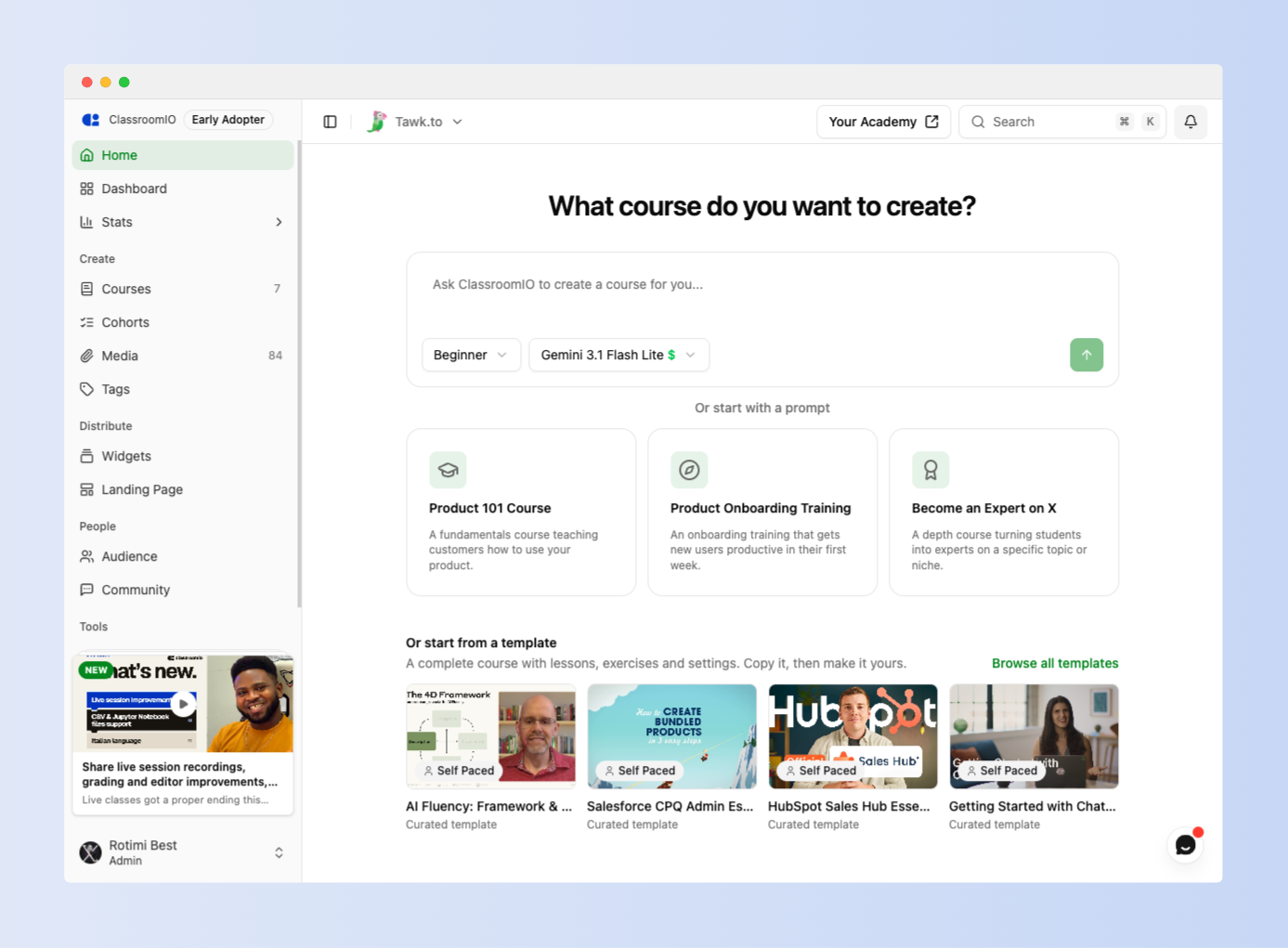 ClassroomIO is an intelligent customer training platform that helps SaaS companies use education to grow their business. Create high-quality learning experiences faster, deliver them across your customer journey, and use AI to scale customer education.
## Who It's For
| Use Case | What You Can Do |
|---|---|
| **Customer Education** | Help customers understand your product, learn key features, complete onboarding, and get more value from your platform. |
| **Partner Training** | Train resellers, implementation partners, and distributors on your products, processes, and standards. |
| **Employee Training** | Onboard employees, deliver internal training, and manage compliance and certification programs. |
### Key Features
### 1. Create
- **Build Courses:** Create courses faster with AI-powered course creation tools.
- **Cohorts:** Group learners into organized learning groups and track their progress through training programs.
- **Certifications:** Issue branded certificates to recognize learners who complete courses or meet training requirements.
- **Team Collaboration:** Add team members to your academy and work together to manage learners, assign courses, and coordinate training.
- **Multiple Languages:** Deliver learning experiences in 10+ languages for learners globally.
### 2. Distribute
- **Branded Customer Academies:** Launch branded learning academies on custom domains.
- **Manage Organizations:** Manage multiple organizations and their learning environments.
- **Learner Dashboard:** Give learners one place to access courses, assignments, and track progress.
- **Learning Paths:** Guide learners through structured learning experiences.
- **Embedded Learning:** Embed videos, slides, and documents directly into your courses to give learners a seamless learning experience.
- **REST API & Webhooks:** Connect ClassroomIO to your existing systems, access learning data, and trigger workflows across your tools.
- **Zapier Integration (Coming Soon):** Connect ClassroomIO with your favourite tools and automate workflows across your existing apps.
### 3. Intelligence
**AI Lesson Tutor:** Learners get access to an AI assistant that explains concepts, answers questions, and summarizes course material to help them learn with confidence.
**MCP Server:** Connect ClassroomIO with your favourite AI tools and coding agents to create courses and interact with your learning platform.
**AI-Powered Workflows:** Use AI integrations to streamline course creation and learning operations.
For what's coming next, see the [public roadmap](https://classroomio.com/roadmap).
## Built With
- [SvelteKit](https://kit.svelte.dev/?ref=classroomio.com)
- [Hono](https://hono.dev/)
- [PostgreSQL](https://www.postgresql.org/)
- [Better Auth](https://www.better-auth.com/)
- [TailwindCSS](https://tailwindcss.com/?ref=classroomio.com)
## Get a Demo
You can book a quick 15 min demo to see if ClassroomIO is a good fit for you
 ## Getting Started
To get a local copy up and running, please follow these simple steps.
### Prerequisites
Here is what you need to be able to run ClassroomIO.com
- **[Node.js](https://nodejs.org/)** (Version: >=20.19.3) — _required_
- **[pnpm](https://pnpm.io/installation)** (v10) — _required_; the package scripts call `pnpm` directly, so npm/yarn are not substitutes
- **[Docker](https://docs.docker.com/engine/install/)** — _required_; runs Postgres + Redis (no local install of those needed)
### Project Structure
This repo is a monorepo that consists of these primary apps:
1. `website`: The landing page of ClassroomIO hosted [here](https://classroomio.com)
2. `api`: The api service that handles PDF, video processing, Emailing and Notifications.
3. `dashboard`: The web application that runs the learning management system hosted [here](https://app.classroomio.com).
4. `docs`: Official documentation of ClassroomIO hosted [here](https://classroomio.com/docs)
The repository also contains shared packages under `packages/` (for example `packages/db`, `packages/utils`, and `packages/ui`).
## Development
### Local Setup
> **Before you start:** make sure **pnpm** and **Docker** are installed (see
> [Prerequisites](#prerequisites)). New to the project? Read
> [`DEV_SETUP_NOTES.md`](DEV_SETUP_NOTES.md) first — it's a full step-by-step
> walkthrough with a troubleshooting reference for the errors you're likely to hit.
1. Fork the repo, then clone it:
```bash
git clone https://github.com/classroomio/classroomio.git
```
2. Go to project folder:
```bash
cd classroomio
```
3. Set up Node (using `nvm`):
```bash
nvm use
```
You first might need to install the specific version and then use it:
```bash
nvm install && nvm use
```
You can install nvm from [here](https://github.com/nvm-sh/nvm).
4. Install dependencies:
```bash
pnpm i
```
5. Set up your `.env` files:
Each app reads its **own** `.env`. In `apps/api`, `apps/jobs` and `apps/dashboard`, duplicate
`.env.example` to `.env` and fill the values below (host ports). The secret values are
placeholders — **generate each one** with `openssl rand -hex 32` rather than copying
the example text. The two `PRIVATE_SERVER_KEY` values **must match** — they
authenticate the dashboard's server-to-server calls to the API, so generate it once
and paste the same value into both files.
- `apps/api/.env`:
```bash
DATABASE_URL="postgresql://postgres:postgres@localhost:5432/classroomio"
REDIS_URL="redis://localhost:6379"
PUBLIC_SERVER_URL="http://localhost:3002"
TRUSTED_ORIGINS="http://localhost:5173" # the dashboard dev origin
BETTER_AUTH_SECRET=""
PRIVATE_SERVER_KEY="" # generate once; use the SAME value in the dashboard
DASHBOARD_ORIGIN="http://localhost:5173" # optional; used for invite/email links back to the dashboard
```
- `apps/jobs/.env`:
The jobs service handles background tasks (emails, media processing, analytics rollups, etc.).
**Recommended setup** (simplest):
```bash
cd apps/jobs
ln -s ../../apps/api/.env .env
```
- `apps/dashboard/.env`:
```bash
PUBLIC_SERVER_URL="http://localhost:3002"
PRIVATE_SERVER_URL="http://localhost:3002" # used by the SSR auth proxy — required, or login returns "API upstream not configured"
PRIVATE_SERVER_KEY="" # must match the API (paste the value generated above)
PUBLIC_IS_SELFHOSTED=false
```
- Running the background workers? Also create `apps/jobs/.env` (e.g. `cp apps/api/.env apps/jobs/.env`); it needs `REDIS_URL`. The `packages/db/.env` used by the DB scripts is set up in step 6.
- Optional for self-hosted Enterprise-only features (SSO, token-auth, no-tracking): set `LICENSE_KEY` in `apps/api/.env`.
- Optional upload size limits: set matching `UPLOAD_MAX_*_MB` values in **both** `apps/api/.env` and `apps/dashboard/.env` (see `apps/api/.env.example`). Defaults are 5 MB documents, 2 MB assignment files, 1 GB videos.
6. Start local infrastructure for API (Postgres + Redis) and seed the DB:
```bash
docker compose -f docker-compose.yaml up -d postgres redis
cp packages/db/.env.example packages/db/.env # one-time (Windows: Copy-Item)
pnpm --filter @cio/db db:setup:seed
```
- Connect with `DATABASE_URL=postgresql://postgres:postgres@localhost:5432/classroomio`
- Connect with `REDIS_URL=redis://localhost:6379`
- `db:setup:seed` creates the schema and seeds demo data once Postgres is up. The db scripts run with their own working directory, so they read `DATABASE_URL` from `packages/db/.env` (not `apps/api/.env`).
7. (Optional) Start the bundled S3-compatible storage (SeaweedFS) locally for media/documents:
```bash
docker compose -f docker-compose.yaml --profile storage up -d storage storage-init
```
- S3 endpoint: http://localhost:9000 (there is no web console; browse buckets with any S3 client such as `rclone` or the AWS CLI)
- Buckets created by `storage-init`: `videos`, `documents`, `media` (`media` is public-read)
- Browser presigned uploads work out of the box: the store allows all CORS origins.
- Add to `apps/api/.env` when using it locally:
- `OBJECT_STORAGE_ENDPOINT=http://localhost:9000`
- `OBJECT_STORAGE_PUBLIC_ENDPOINT=http://localhost:9000`
- `OBJECT_STORAGE_ACCESS_KEY_ID=classroomio`
- `OBJECT_STORAGE_SECRET_ACCESS_KEY=classroomio-local-dev-secret`
- `OBJECT_STORAGE_FORCE_PATH_STYLE=true`
- `OBJECT_STORAGE_MEDIA_PUBLIC_BASE_URL=http://localhost:9000/media`
8. Run the local app services in separate terminals:
```bash
pnpm api:dev
```
```bash
pnpm dashboard:dev
```
- If you see `Failed to resolve entry for package "@cio/..."`, the shared workspace packages haven't been built yet (their `dist/` is missing). Build them once with `pnpm build`, then re-run the dev commands.
- To test over HTTPS (e.g. from a mobile device on your local network), run `pnpm dashboard:dev:https` (or `pnpm dashboard:dev:https:fresh`). This provisions local certificates and automatically binds to `0.0.0.0` (on seperate mobile or LAN devices, bypass the browser's certificate warning if you have the option).
9. Default local URLs:
- `api`: [http://localhost:3002](http://localhost:3002)
- `dashboard`: [http://localhost:5173](http://localhost:5173)
10. Optional: run other apps:
- **website**: `pnpm website:dev`
- **docs**: `CHOKIDAR_USEPOLLING=true pnpm dev --filter=@cio/docs`
(Requires Node ≥ 22.12: `nvm use 22.12` first. The polling flag prevents
an `EMFILE` error on macOS when other dev servers are already consuming
file descriptors.)
On Windows, `nvm` (nvm-windows) switches the Node version globally
rather than per-shell, so run this from a separate terminal window than
the one running `api`/`dashboard` — switching versions there won't
affect processes already started in other terminals.
The docs' API reference is built from a static OpenAPI spec fetched at
dev-server startup from the deployed production API
(`apps/docs/scripts/fetch-openapi.mjs`), not from your local `api`. If
you're working on public API routes and want to preview unmerged
changes in the docs before they're deployed, generate the spec from
your local code instead:
```bash
# from apps/api, with local Redis running (same as normal api dev setup)
OPENAPI_SKIP_CDN_PURGE=1 npx tsx scripts/upload-openapi-spec.ts
cp dist/openapi/public-api/openapi.json ../docs/openapi/public-api.json
```
Then start the docs server with `pnpm exec blume dev` from `apps/docs`
instead of `pnpm dev --filter=@cio/docs` — the latter re-runs
`fetch-openapi.mjs` as a prestep on every start and will overwrite your
local copy with the stale remote spec again.
11. Login into `dashboard`:
- Visit [http://localhost:5173/login](http://localhost:5173/login)
- Enter email: `admin@test.com`
- Enter password: `123456`
To learn more about how to login with a dummy account, [go here.](https://classroomio.com/docs/contributor-guides/demo-accounts)
### Enabling the AI Course Assistant
The in-course AI chat (course authoring, plan generation, lesson edits) is **disabled by default**. Enable it by setting at least one provider API key in `apps/api/.env` (or the root `.env` for the Docker stack):
```bash
# Pick one or more — the dashboard model picker exposes Gemini 2.5 Flash and GPT-4o.
OPENAI_API_KEY=sk-... # enables GPT-4o
GOOGLE_API_KEY=AIza... # enables Gemini 2.5 Flash (default model in the picker)
ANTHROPIC_API_KEY=sk-ant-... # supported in code; not currently in the picker UI
```
Notes:
- The `GET /agent/status` endpoint flips to `enabled: true` as soon as any of those keys is set, which is what the dashboard checks before showing the AI button on a course.
- Each chat request sends the user-selected `model` (persisted in `localStorage` as `classroomio-ai-chat-model`). The API resolves the provider for that model (`packages/utils/src/agent-models`) and returns 503 `AI_NOT_CONFIGURED` if that provider's key is missing.
- Optional Tinybird observability: set `TINYBIRD_TOKEN` (and optionally `TINYBIRD_BASE_URL`) in `apps/api/.env`. Events are silently skipped when the token is absent.
- More detail on architecture, tools, and routes lives in [`prd/ai-course-assistant [DONE]/README.md`](prd/ai-course-assistant%20[DONE]/README.md).
### Docker Compose (Full Stack)
```bash
cp .env.example .env # copy env template, edit for your domain
./classroomio.sh start # pulls pre-built images; use --build to build from source
```
The script reads root `.env` via `docker compose --env-file .env` and auto-generates a secure `PRIVATE_SERVER_KEY` (and `BETTER_AUTH_SECRET`) when missing. Run `./classroomio.sh` with no arguments for the full lifecycle menu (install, start, stop, restart, upgrade, logs, backup).
See [`.env.example`](.env.example) for the full list of environment variables with required/optional grouping, and [`docker/docs/SELF_HOST.md`](docker/docs/SELF_HOST.md) for the complete Docker self-hosting guide. To raise upload caps (documents, videos, assignment files), set the `UPLOAD_MAX_*_MB` vars in `.env` — see the [docs](https://classroomio.com/docs/self-hosted/configuration/storage#upload-file-size-limits).
## Publishing
When cutting releases for hosted assets or the npm MCP package, run:
- **Storybook** — `pnpm --filter @cio/storybook storybook:publish`
- **Course widget embed** — `pnpm --filter @cio/embeds embeds:publish`
- **Question type picker** — `pnpm --filter @cio/embeds embeds:publish` (same script builds and uploads both embeds)
- **MCP (`@classroomio/mcp`)** — bump the version in `packages/mcp/package.json`, then `pnpm mcp:build` and `pnpm --filter @classroomio/mcp publish`