# BottomBar (Deprecated)
I don't have time to maintain this anymore. I basically wrote the whole library in a rush, without tests, while being a serious expert beginner at the time. As a result, there's a lot of unpredictable moving parts and the tests probably aren't that great either. Don't really know, since I haven't touched this in ages.
I'd recommend you to use the official BottomNavigationView from Google and urge them to implement the features you need. Or use another 3rd party library.
[](https://travis-ci.org/roughike/BottomBar) [](https://coveralls.io/github/roughike/BottomBar?branch=master) [](https://bintray.com/roughike/maven/bottom-bar/_latestVersion)
 ## Version 2.0 released!
[The latest version before that can be found in the v1 branch](https://github.com/roughike/BottomBar/tree/v1)
* Cleaner code and better APIs
* No more unnecessary stuff or spaghetti mess
* Now the look, feel and behavior is defined in XML, as it should be
* No more nasty regressions, thanks to the automated tests
* **Everything is a little different compared to earlier, but it's for the greater good!**
[How to contribute](https://github.com/roughike/BottomBar/blob/master/README.md#contributions)
[Changelog](https://github.com/roughike/BottomBar/blob/master/CHANGELOG.md)
## What?
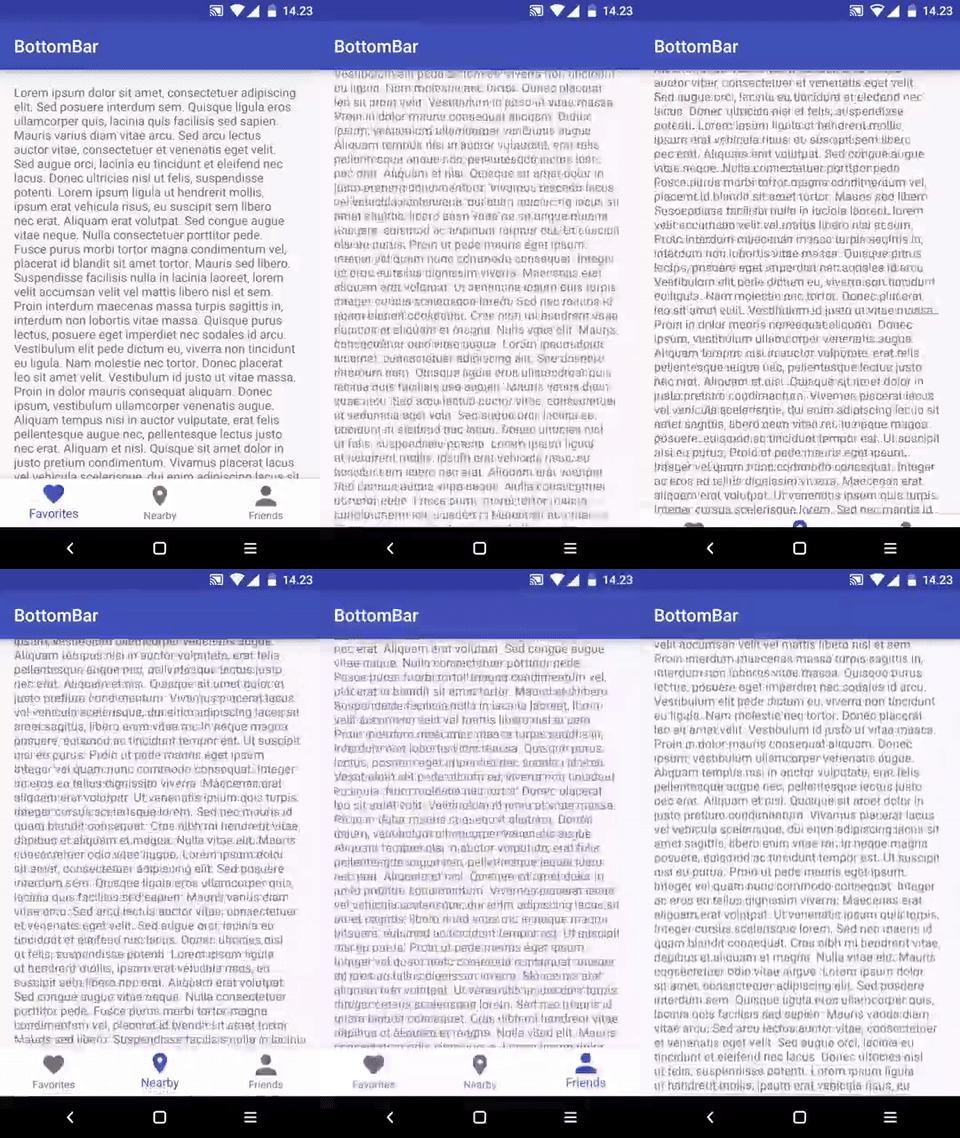
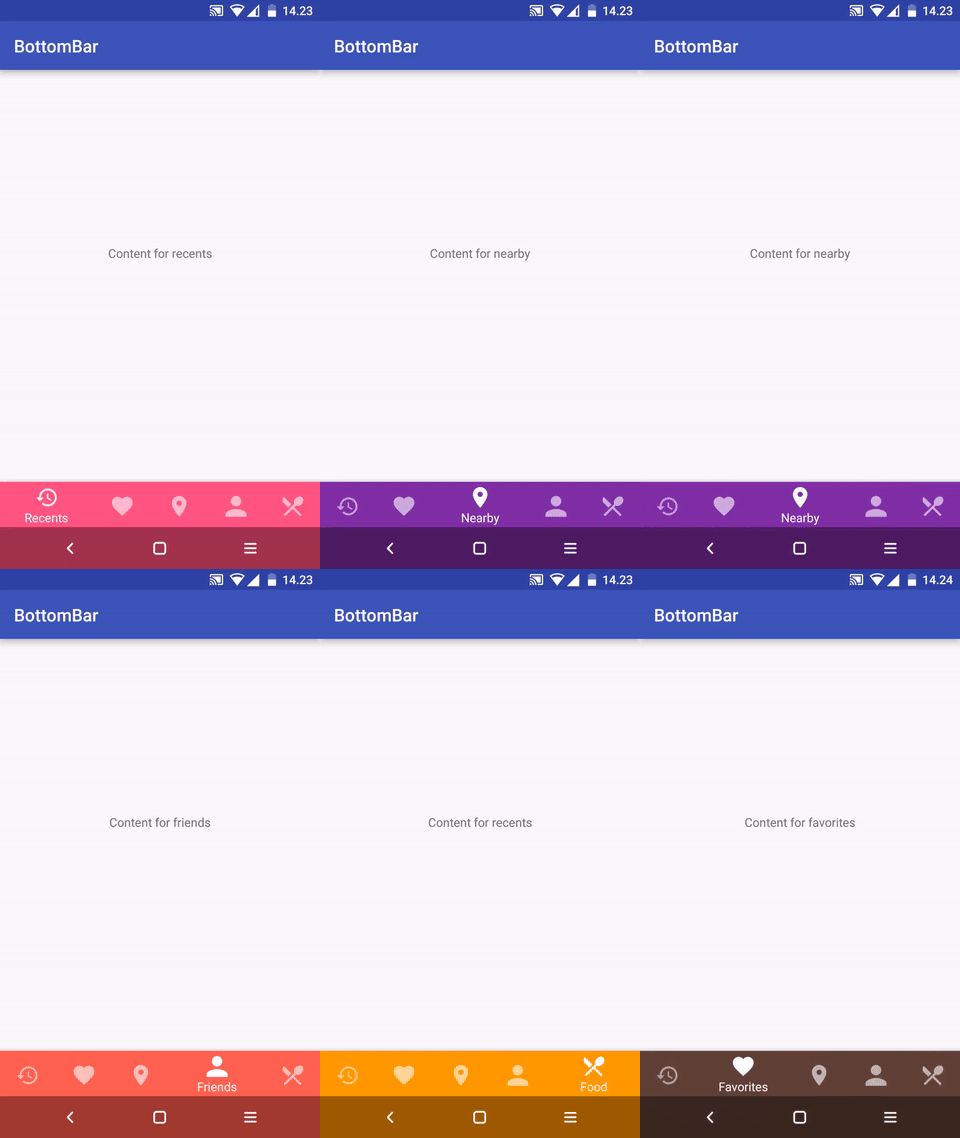
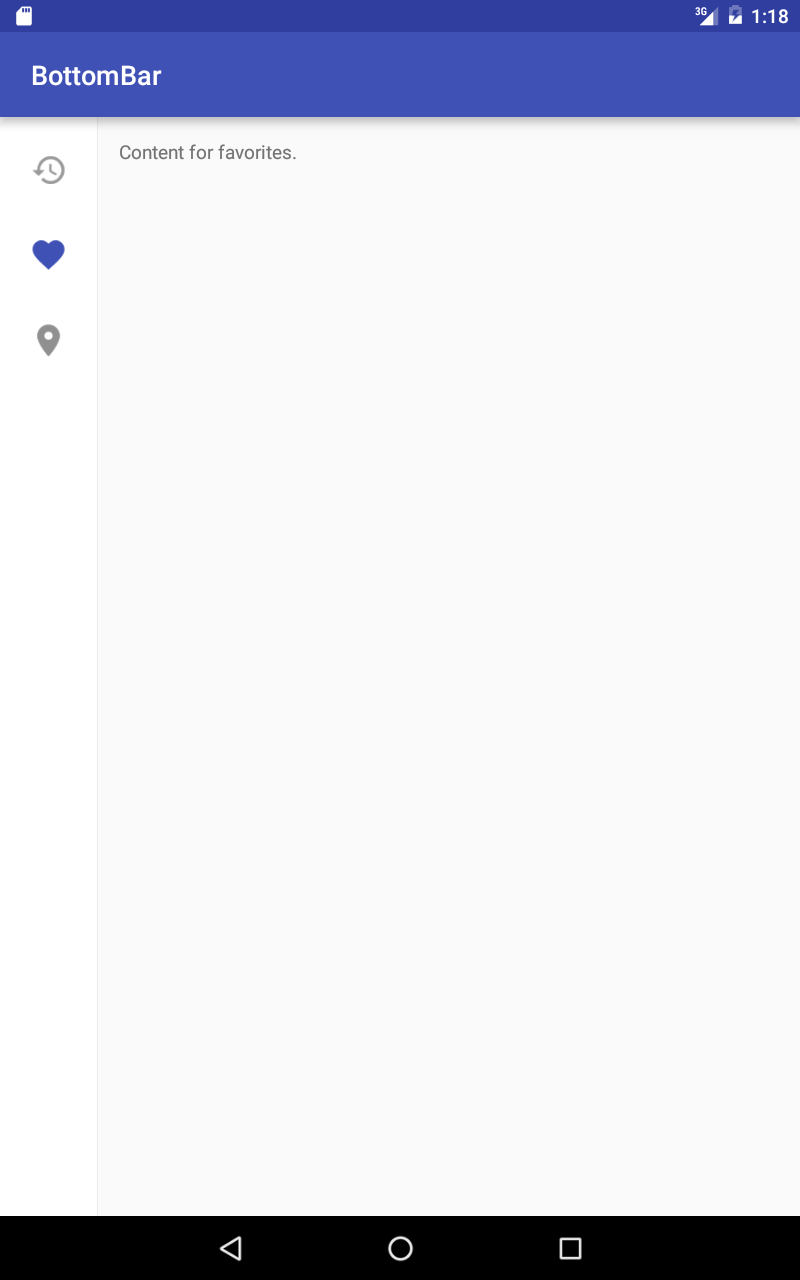
A custom view component that mimics the new [Material Design Bottom Navigation pattern](https://www.google.com/design/spec/components/bottom-navigation.html).
## Does it work on my Grandpa Gary's HTC Dream?
Nope. The minSDK version is **API level 11 (Honeycomb).**
## Gimme that Gradle sweetness, pls?
```groovy
compile 'com.roughike:bottom-bar:2.3.1'
```
**Maven:**
```xml
com.roughike
bottom-bar
2.3.1
pom
```
## How?
You can add items by **writing a XML resource file**.
### Creating the icons
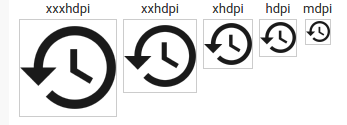
The icons must be fully opaque, solid black color, 24dp and **with no padding**. For example, [with Android Asset Studio Generic Icon generator](https://romannurik.github.io/AndroidAssetStudio/icons-generic.html), select "TRIM" and make sure the padding is 0dp. Here's what your icons should look like:
### Adding items from XML resource
Define your tabs in an XML resource file.
**res/xml/bottombar_tabs.xml:**
```xml
```
Then, add the BottomBar to your layout and give it a resource id for your tabs xml file.
**layout/activity_main.xml**
```xml
```
### Setting up listeners
By default, the tabs don't do anything unless you listen for selection events and do something when the tabs are selected.
**MainActivity.java:**
```java
public class MainActivity extends Activity {
@Override
protected void onCreate(@Nullable Bundle savedInstanceState) {
super.onCreate(savedInstanceState);
setContentView(R.layout.activity_main);
BottomBar bottomBar = (BottomBar) findViewById(R.id.bottomBar);
bottomBar.setOnTabSelectListener(new OnTabSelectListener() {
@Override
public void onTabSelected(@IdRes int tabId) {
if (tabId == R.id.tab_favorites) {
// The tab with id R.id.tab_favorites was selected,
// change your content accordingly.
}
}
});
}
}
```
If you want to listen for reselection events, here's how you do it:
```java
bottomBar.setOnTabReselectListener(new OnTabReselectListener() {
@Override
public void onTabReSelected(@IdRes int tabId) {
if (tabId == R.id.tab_favorites) {
// The tab with id R.id.tab_favorites was reselected,
// change your content accordingly.
}
}
});
```
### Intercepting tab selections
If you want to conditionally cancel selection of any tab, you absolutely can. Just assign a ```TabSelectionInterceptor``` to the BottomBar, and return true from the ```shouldInterceptTabSelection()``` method.
```java
bottomBar.setTabSelectionInterceptor(new TabSelectionInterceptor() {
@Override
public boolean shouldInterceptTabSelection(@IdRes int oldTabId, @IdRes int newTabId) {
if (newTabId == R.id.tab_pro_feature && !userHasProVersion()) {
startProVersionPurchaseFlow();
return true;
}
return false;
}
});
```
### Changing icons based on selection state
If you want to have different icon when a specific tab is selected, just use state list drawables.
**res/drawable/my_tab_icon.xml**
```xml
## Version 2.0 released!
[The latest version before that can be found in the v1 branch](https://github.com/roughike/BottomBar/tree/v1)
* Cleaner code and better APIs
* No more unnecessary stuff or spaghetti mess
* Now the look, feel and behavior is defined in XML, as it should be
* No more nasty regressions, thanks to the automated tests
* **Everything is a little different compared to earlier, but it's for the greater good!**
[How to contribute](https://github.com/roughike/BottomBar/blob/master/README.md#contributions)
[Changelog](https://github.com/roughike/BottomBar/blob/master/CHANGELOG.md)
## What?
A custom view component that mimics the new [Material Design Bottom Navigation pattern](https://www.google.com/design/spec/components/bottom-navigation.html).
## Does it work on my Grandpa Gary's HTC Dream?
Nope. The minSDK version is **API level 11 (Honeycomb).**
## Gimme that Gradle sweetness, pls?
```groovy
compile 'com.roughike:bottom-bar:2.3.1'
```
**Maven:**
```xml
com.roughike
bottom-bar
2.3.1
pom
```
## How?
You can add items by **writing a XML resource file**.
### Creating the icons
The icons must be fully opaque, solid black color, 24dp and **with no padding**. For example, [with Android Asset Studio Generic Icon generator](https://romannurik.github.io/AndroidAssetStudio/icons-generic.html), select "TRIM" and make sure the padding is 0dp. Here's what your icons should look like:

### Adding items from XML resource
Define your tabs in an XML resource file.
**res/xml/bottombar_tabs.xml:**
```xml
```
Then, add the BottomBar to your layout and give it a resource id for your tabs xml file.
**layout/activity_main.xml**
```xml
```
### Setting up listeners
By default, the tabs don't do anything unless you listen for selection events and do something when the tabs are selected.
**MainActivity.java:**
```java
public class MainActivity extends Activity {
@Override
protected void onCreate(@Nullable Bundle savedInstanceState) {
super.onCreate(savedInstanceState);
setContentView(R.layout.activity_main);
BottomBar bottomBar = (BottomBar) findViewById(R.id.bottomBar);
bottomBar.setOnTabSelectListener(new OnTabSelectListener() {
@Override
public void onTabSelected(@IdRes int tabId) {
if (tabId == R.id.tab_favorites) {
// The tab with id R.id.tab_favorites was selected,
// change your content accordingly.
}
}
});
}
}
```
If you want to listen for reselection events, here's how you do it:
```java
bottomBar.setOnTabReselectListener(new OnTabReselectListener() {
@Override
public void onTabReSelected(@IdRes int tabId) {
if (tabId == R.id.tab_favorites) {
// The tab with id R.id.tab_favorites was reselected,
// change your content accordingly.
}
}
});
```
### Intercepting tab selections
If you want to conditionally cancel selection of any tab, you absolutely can. Just assign a ```TabSelectionInterceptor``` to the BottomBar, and return true from the ```shouldInterceptTabSelection()``` method.
```java
bottomBar.setTabSelectionInterceptor(new TabSelectionInterceptor() {
@Override
public boolean shouldInterceptTabSelection(@IdRes int oldTabId, @IdRes int newTabId) {
if (newTabId == R.id.tab_pro_feature && !userHasProVersion()) {
startProVersionPurchaseFlow();
return true;
}
return false;
}
});
```
### Changing icons based on selection state
If you want to have different icon when a specific tab is selected, just use state list drawables.
**res/drawable/my_tab_icon.xml**
```xml
- bb_tabXmlResource
- the XML Resource id for your tabs, that reside in
values/xml/
- bb_tabletMode
- if you want the BottomBar to behave differently for tablets. There's an example of this in the sample project!
- bb_behavior
shifting: the selected tab is wider than the rest. shy: put the BottomBar inside a CoordinatorLayout and it'll automatically hide on scroll! underNavbar: draw the BottomBar under the navBar!- bb_inActiveTabAlpha
- the alpha value for inactive tabs, that's used in the tab icons and titles.
- bb_activeTabAlpha
- the alpha value for active tabs, that's used in the tab icons and titles.
- bb_inActiveTabColor
- the color for inactive tabs, that's used in the tab icons and titles.
- bb_activeTabColor
- the color for active tabs, that's used in the tab icons and titles.
- bb_badgeBackgroundColor
- the background color for any Badges in this BottomBar.
- bb_badgesHideWhenActive
- whether badges should be hidden for active tabs, defaults to true.
- bb_titleTextAppearance
- custom textAppearance for the titles
- bb_titleTypeFace
- path for your custom font file, such as
fonts/MySuperDuperFont.ttf. In that case your font path would look like src/main/assets/fonts/MySuperDuperFont.ttf, but you only need to provide fonts/MySuperDuperFont.ttf, as the asset folder will be auto-filled for you.
- bb_showShadow
- controls whether the shadow is shown or hidden, defaults to true.
### For the tabs
```xml
```
- inActiveColor
- the color for inactive tabs, that's used in the tab icons and titles.
- activeColor
- the color for active tabs, that's used in the tab icons and titles.
- barColorWhenSelected
- the color that the whole BottomBar should be when selected this tab.
- badgeBackgroundColor
- the background color for any Badges in this tab.
- badgeHidesWhenActive
- whether or not the badge should be hidden when this tab is selected, defaults to true.
## Apps using BottomBar
* [Nearby](https://play.google.com/store/apps/details?id=com.synergetechsolutions.nearbylive) : A location-based social networking app with over 5 million users.
* [FragNav](https://github.com/ncapdevi/FragNav) : An Android Library for managing multiple stacks of Fragments. BottomBar is used in the sample app.
* [BottomNavigationBar](https://github.com/pocheshire/BottomNavigationBar) : BottomBar ported to C# for Xamarin developers
* [KyudoScoreBookTeam](https://play.google.com/store/apps/details?id=com.bowyer.app.android.kyudoscoreteam&hl=en) : BottomBar is used in the KyudoScoreBookTeam app.
* [memeham](https://play.google.com/store/apps/details?id=com.memeham.beyourself.memeham) : BottomBar is used in the memeham app.
* [NewsCatchr](https://play.google.com/store/apps/details?id=jlelse.readit) : A newsreader app, which uses this BottomBar library.
* [GitSkarios](https://play.google.com/store/apps/details?id=com.alorma.github) : A Github android App, to visit your repositories, gists and more!
* [Code](https://github.com/gitskarios/Gitskarios)
Send me a pull request with modified README.md to get a shoutout!
## Contributions
Feel free to create issues and pull requests.
When creating pull requests, **more is more:** I'd like to see ten small pull requests separated by feature rather than all those combined into a huge one.
## License
```
BottomBar library for Android
Copyright (c) 2016 Iiro Krankka (http://github.com/roughike).
Licensed under the Apache License, Version 2.0 (the "License");
you may not use this file except in compliance with the License.
You may obtain a copy of the License at
http://www.apache.org/licenses/LICENSE-2.0
Unless required by applicable law or agreed to in writing, software
distributed under the License is distributed on an "AS IS" BASIS,
WITHOUT WARRANTIES OR CONDITIONS OF ANY KIND, either express or implied.
See the License for the specific language governing permissions and
limitations under the License.
```