# rsuite-table
A React table component.
[![npm][npm-badge]][npm] [![GitHub Actions][actions-svg]][actions-home] [![Coverage Status][coverage-badge]][coverage]
## Features
- Support virtualized.
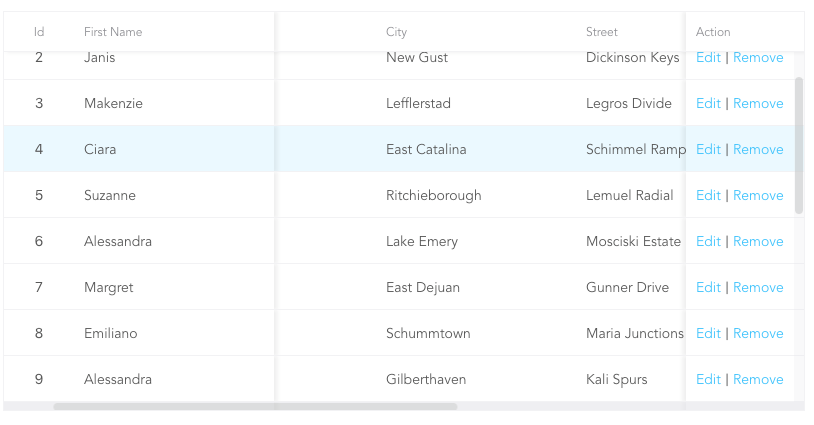
- Support fixed header, fixed column.
- Support custom adjustment column width.
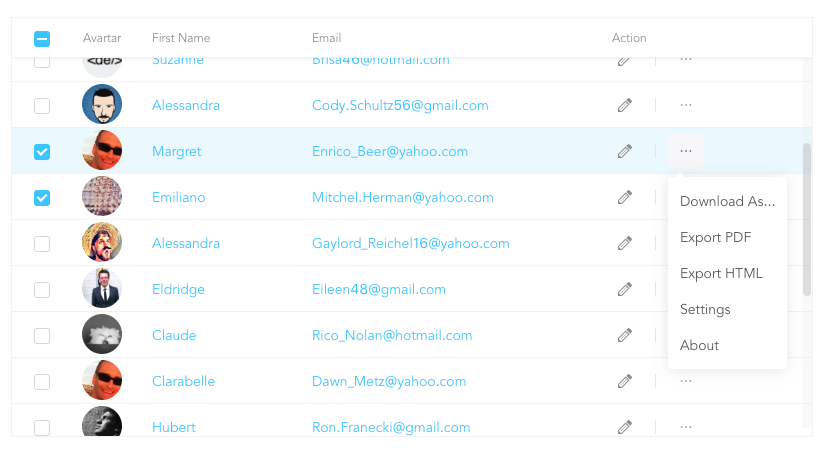
- Support for custom cell content.
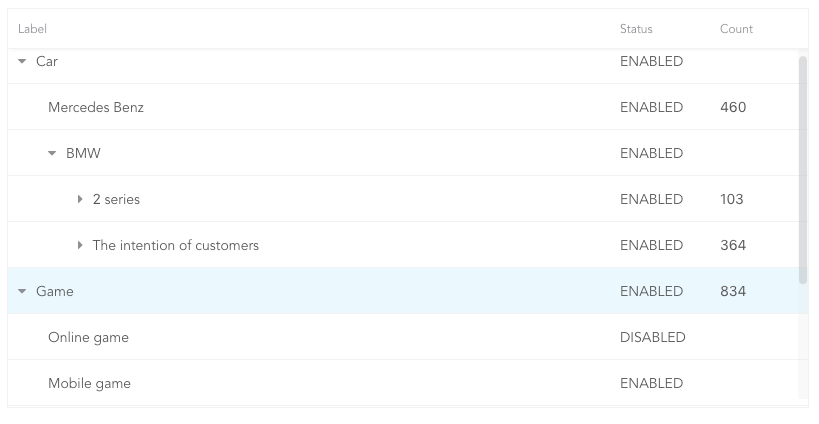
- Support for displaying a tree form.
- Support for sorting.
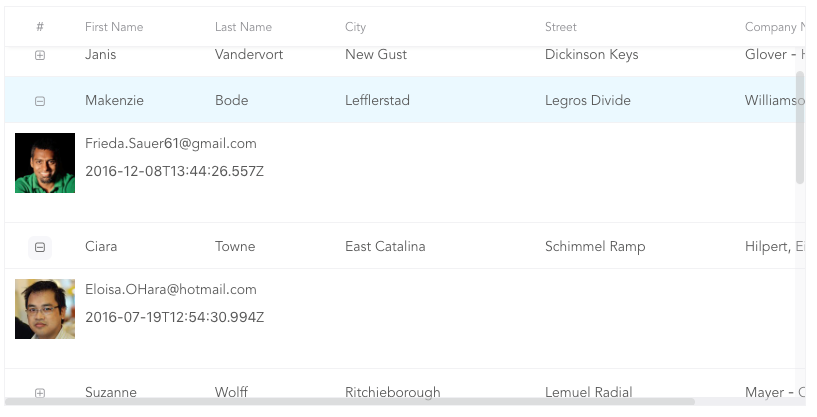
- Support for expandable child nodes
- Support for RTL
## Preview
- Fixed Column
- Custom Cell
- Tree Table
- Expandable
[More Examples](https://rsuitejs.com/en/components/table)
## Install
```sh
# use npm
npm i rsuite-table
# or use yarn
yarn add rsuite-table
# or use pnpm
pnpm add rsuite-table
```
## Usage
```tsx
import { Table, Column, HeaderCell, Cell } from 'rsuite-table';
import 'rsuite-table/lib/less/index.less'; // or 'rsuite-table/dist/css/rsuite-table.css'
const dataList = [
{ id: 1, name: 'a', email: 'a@email.com', avartar: '...' },
{ id: 2, name: 'b', email: 'b@email.com', avartar: '...' },
{ id: 3, name: 'c', email: 'c@email.com', avartar: '...' }
];
const ImageCell = ({ rowData, dataKey, ...rest }) => (

|
);
const App = () => (
);
```
## API
### ``
| Property | Type (Default) | Description |
| ------------------------ | --------------------------------------------------------------------------------- | -------------------------------------------------------------------------------------------------------------------------------------- |
| affixHeader | boolean, number | Affix the table header to a specified position on the page. |
| affixHorizontalScrollbar | boolean, number | Affix the table's horizontal scrollbar to a specified position on the page. |
| autoHeight | boolean | Automatically expand the table's height based on the number of data rows, without displaying a vertical scrollbar. |
| bordered | boolean | Display table borders. |
| cellBordered | boolean | Display cell borders. |
| children | (components: { Cell, HeaderCell, Column, ColumnGroup }) => ReactNode \| ReactNode | Render props that receive parameterized Cell, HeaderCell, Column, and ColumnGroup components, making TypeScript usage more convenient. |
| data \* | RowData[] | Table data. |
| defaultExpandAllRows | boolean | Expand all rows by default. |
| defaultExpandedRowKeys | string[] | Specify the initially expanded rows by their keys. |
| defaultSortType | 'desc' \| 'asc' | Default sort type. |
| expandedRowKeys | string[] | Specify the expanded rows by their keys (Controlled). |
| fillHeight | boolean | Force the table's height to match its parent container's height. Cannot be used with `autoHeight`. |
| headerHeight | number (40) | Table header height. |
| height | number (200) | Table height. |
| hover | boolean (true) | Enable row hover effects. |
| isTree | boolean | Display the table as a tree structure. |
| loading | boolean | Show a loading state. |
| locale | {emptyMessage: string, loading: string} | Messages for empty data and loading states. |
| maxHeight | number | Maximum table height. |
| minHeight | number (0) | Minimum table height. |
| onExpandChange | (expanded: boolean, rowData: RowData) => void | Callback function triggered when a tree table node is expanded or collapsed. |
| onRowClick | (rowData: RowData, event: SyntheticEvent) => void | Callback function triggered when a row is clicked, returning the row data. |
| onRowContextMenu | (rowData: RowData, event: SyntheticEvent) => void | Callback function triggered by a context menu event, returning the row data. |
| onScroll | (scrollX: object, scrollY: object) => void | Callback function for scrollbar scroll events. |
| onSortColumn | (dataKey: string, sortType: string) => void | Callback function triggered when the sort order changes, returning the column key and sort type. |
| renderEmpty | (info: ReactNode) => ReactNode | Custom content to display when there is no data. |
| renderLoading | (loading: ReactNode) => ReactNode | Custom content to display during data loading. |
| renderRow | (children?: ReactNode, rowData?: RowData) => ReactNode | Custom row element renderer. |
| renderRowExpanded | (rowData?: RowData) => ReactNode | Custom content to display in an expanded row. |
| renderTreeToggle | (icon: ReactNode, rowData: RowData, expanded: boolean) => ReactNode | Custom toggle icon for expanding/collapsing tree nodes. |
| rowClassName | string, (rowData: RowData, rowIndex: number) => string | Add an optional custom class name to rows. |
| rowExpandedHeight | number (100), (rowData?: RowData) => number | Set the height of expanded rows. |
| rowHeight | number (46), (rowData: RowData) => number | Row height. |
| rowKey | string ('key') | Unique key for each row, derived from data. |
| rtl | boolean | Enable right-to-left layout. |
| shouldUpdateScroll | boolean, (event) => ({ x, y }) (true) | Determine whether to update the scroll position after the table size changes. |
| showHeader | boolean (true) | Display the table header. |
| sortColumn | string | Name of the column to sort by. |
| sortType | 'desc' \| 'asc' | Sort type (Controlled). |
| virtualized | boolean | Efficiently render large datasets. |
| width | number | Table width. |
| wordWrap | boolean \| 'break-all' \| 'break-word' \| 'keep-all' | Control text wrapping behavior within cells. |
### ``
| Property | Type `(Default)` | Description |
| ------------- | ------------------------------------------------ | -------------------------------------------------------------------------------------------------------------------------------- |
| align | 'left' \| 'center' \| 'right' | Sets the text alignment within the column. |
| colSpan | number | Merges cells within the column when the `dataKey` value for the merged cells is `null` or `undefined`. |
| fixed | boolean \| 'left' \| 'right' | Fixes the column to the left or right side of the table. |
| flexGrow | number | Automatically adjusts the column width based on the value of `flexGrow`. Cannot be used with `resizable` and `width` properties. |
| fullText | boolean | Displays the full text of the cell content when the mouse hovers over it. |
| minWidth | number `(200)` | Sets the minimum width of the column when using `flexGrow`. |
| onResize | (columnWidth?: number, dataKey?: string) => void | Callback function triggered after the column width changes. |
| resizable | boolean | Allows the column width to be resized. |
| rowSpan | (rowData: RowData) => number | Merges rows in the specified column. |
| sortable | boolean | Enables sorting on the column. |
| treeCol | boolean | Indicates that the column is part of a tree structure. |
| verticalAlign | 'top' \| 'middle' \| 'bottom' | Sets the vertical alignment of content within the column. |
| width | number | Specifies the column width. |
> `sortable` is used to define whether the column is sortable, but depending on what `key` sort needs to set a `dataKey` in `Cell`.
> The sort here is the service-side sort, so you need to handle the logic in the ' Onsortcolumn ' callback function of ``, and the callback function returns `sortColumn`, `sortType` values.
### ``
| Property | Type `(Default)` | Description |
| ----------------- | ----------------------------- | -------------------------------------------------------------------------------------------- |
| align | 'left' \| 'center' \| 'right' | Sets the text alignment within the column group. |
| fixed | boolean \| 'left' \| 'right' | Fixes the column group to the left or right side of the table. |
| groupHeaderHeight | number | Sets the height of the group header. The default value is 50% of the table's `headerHeight`. |
| header | ReactNode | Specifies the content to be displayed as the group header. |
| verticalAlign | 'top' \| 'middle' \| 'bottom' | Sets the vertical alignment of content within the column group. |
### ``
| Property | Type `(Default)` | Description |
| -------------- | ----------------------- | ----------------------------------------------------------- |
| children | ReactNode | Specifies the content to be displayed in the column header. |
| renderSortIcon | (sortType) => ReactNode | Customizes the rendering of sort icons on column headers. |
### ``
| Property | Type `(Default)` | Description |
| -------- | ----------------------------------------------------------------- | ------------------------------------------ |
| children | ReactNode \| ((rowData: RowData, rowIndex?: number) => ReactNode) | The content to be displayed in the cell. |
| dataKey | string | The key used for data binding and sorting. |
| rowData | RowData | The data associated with the current row. |
| rowIndex | number | The index of the current row. |
#### There are three ways to use ``, as follows:
- 1.Associate the fields in the data with `dataKey`.
```tsx
Name
|
```
- 2.Customize a ``.
```tsx
const NameCell = ({ rowData, ...props }) => (
|
{rowData.name}
|
);
Name
```
- 3.Customize functions directly within the ``.
```tsx
Name
|
{(rowData, rowIndex) => {
return {rowData.name};
}}
|
```
(For nested data read this: https://github.com/rsuite/rsuite-table/issues/158)
### Table ref
| Property | Type | Description |
| -------------- | ------------------------ | -------------------------------------------------------------- |
| body | HTMLDivElement | The body element of the table |
| root | HTMLDivElement | The root element of the table |
| scrollLeft | (left:number)=>void | Set the number of pixels for horizontal scrolling of the table |
| scrollPosition | {top:number,left:number} | The scroll position of the table |
| scrollTop | (top:number)=>void | Set the number of pixels for vertical scrolling of the table |
### Type safety
We can pass generic type parameters to Table, Cell etc. for better type-safety when using typescript.
Passing a render prop to Table is recommended when using TS, as this will ensure that
the right generic type parameter is automatically propagated to the Cell component.
```ts
const products: Product[] = [{ name: 'Pineapple' }];
ref={table} data={products}>
{({ Column, HeaderCell, Cell }) => (
<>
Name
{/* No need for passing explicit type parameter to Cell */}
{row => row.name} |
)}
| | | |
;
```
In fact, the type parameter from table can be inferred from the data passed to it, so the type parameter to Table can also be skipped.
```ts
const products: Product[] = [{ name: 'Pineapple' }];
{({ Column, HeaderCell, Cell }) => (
<>
Name
| {row => row.name} |
)}
;
```
When writing reusable components, it is recommended to make your components generic as well. For example:
```ts
interface ImageCellProps> {
rowData: TRow;
dataKey: TKey;
// ... any other props
}
const ImageCell = >({
rowData,
dataKey,
...rest
}: ImageCellProps) => (
{...rest}>
);
```
## Development coverage
`npm test` generates `coverage/lcov/lcov.info`. To upload it, install the
[official Coveralls Universal Coverage Reporter](https://github.com/coverallsapp/coverage-reporter#install)
separately and make its `coveralls` executable available on your `PATH`.
The uploader was validated with [v0.6.22](https://github.com/coverallsapp/coverage-reporter/releases/tag/v0.6.22).
Run `npm run coveralls` to upload the report, or
`npm run coveralls -- --dry-run` to check it without sending coverage.
The reporter supports `.coveralls.yml` and the existing `COVERALLS_*`
[environment variables](https://github.com/coverallsapp/coverage-reporter/blob/v0.6.22/doc/configuration.md).
Set `COVERALLS_REPO_TOKEN` for the repository receiving the report.
[npm-badge]: https://img.shields.io/npm/v/rsuite-table.svg?style=flat-square
[npm]: https://www.npmjs.com/package/rsuite-table
[coverage-badge]: https://img.shields.io/coveralls/rsuite/rsuite-table.svg?style=flat-square
[coverage]: https://coveralls.io/github/rsuite/rsuite-table
[actions-svg]: https://github.com/rsuite/rsuite-table/workflows/Node.js%20CI/badge.svg?branch=main
[actions-home]: https://github.com/rsuite/rsuite-table/actions?query=branch%3Amain+workflow%3A%22Node.js+CI%22