

See more on Wiki
## Install #### Using Go: ``` go install github.com/ruilisi/css-checker@latest ``` (With go version before 1.17, use `go get github.com/ruilisi/css-checker`). Or download from [releases](https://github.com/ruilisi/css-checker/releases) #### Using npm: ``` npm install -g css-checker-kit ``` ## Usage #### Run - `cd PROJECT_WITH_CSS_FILES` and just run: ``` css-checker ``` - (Beta Feature: styled components check): `css-checker -styled`  (Check and show the diff among similar classes (>=80%). Colors, long scripts that are used more than once will also be pointed out by default. Check `css-checker -help` for customized options.) - Colors with `rgb/rgba/hsl/hsla/hex` will be converted to rbga and compared together. - (Alpha Feature: Find classes that are not referred to by your code): `css-checker -unused` #### Run with path - `css-checker -path=YOUR_PROJECT_PATH` #### File Ignores - CSS-Checker ignores paths in `.gitignore` by default (You can disable this to read all files by using `-unrestricted=true`). - For adding extra paths to ignore, using: `-ignores=node_modules,packages `. #### Config File - `css-checker.yaml`: CSS-Checker read this yaml file in your project path for settings, you can use parameters in `Basic Commands` sections to set up this file (without the leading '-'). - A sample yaml file named 'css-checker.example.yaml' is also provided in this project, move it to your project path with the name 'css-checker.yaml' and it will work. - To specify your config file, use `-config=YOUR_CONFIG_FILE_PATH`. #### Advanced Features - Run with styled components check only (without checks for css): `css-checker -css=false -styled` - Find classes that not referred by your code: `css-checker -unused` (Alpha) #### Basic commands - `colors`: whether to check colors (default true) - `css`: whether to check css files (default true as you expected) - `config`: set configuration file path (string, default './css-checker.yaml') - `ignores`: paths and files to be ignored (e.g. node_modules,\*.example.css) (string, default '') - `length-threshold`: Min length of a single style value (no including the key) that to be considered as long script line (default 20) - `long-line`: whether to check duplicated long script lines (default true) - `path`: set path to files, default to be current folder (default ".") - `sections`: whether to check css class duplications (default true) - `sim`: whether to check similar css classes (default true) - `sim-threshold`: Threshold for Similarity Check ($\geq20$ && $\lt100$) (int only, e.g. 80 for 80%, checks for identical classes defined in `sections`) (default 80) - `styled`: checks for styled components (default false) - `unrestricted`: search all files (gitignore) - `unused`: whether to check unused classes (Beta) - `version`: prints current version and exits - `to-file`: wherther generate a html file (default true) - `file-name`: if to-file is true, set the html file name(default css-checker.html) #### Outputs: 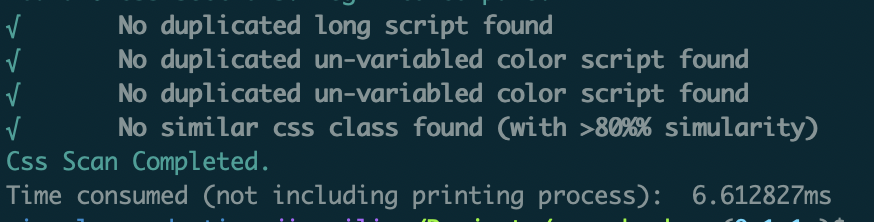 #### How to get similarities between classes? 0. Hash each line of class (aka. `section` in our code), Generate map: `LineHash -> Section`. 1. Convert map `LineHash -> Section` => `[SectionIndex1][SectionIndex2] -> Duplicated Hashes`, section stands for css class. 2. In map: `[SectionIndex1][SectionIndex2]` -> `Duplicated Hashes`, number of the duplicated hashes stands for duplicated lines between classes. #### Similarity Check Check similarities ($\geq(sim-threshold)$ && $\lt100$) between classes. This will print the same line in between classes. - $sim-threshold$: using `-sim-threshold=` params or setting `sim-threshold:` in config yaml file, default 80, min 20. 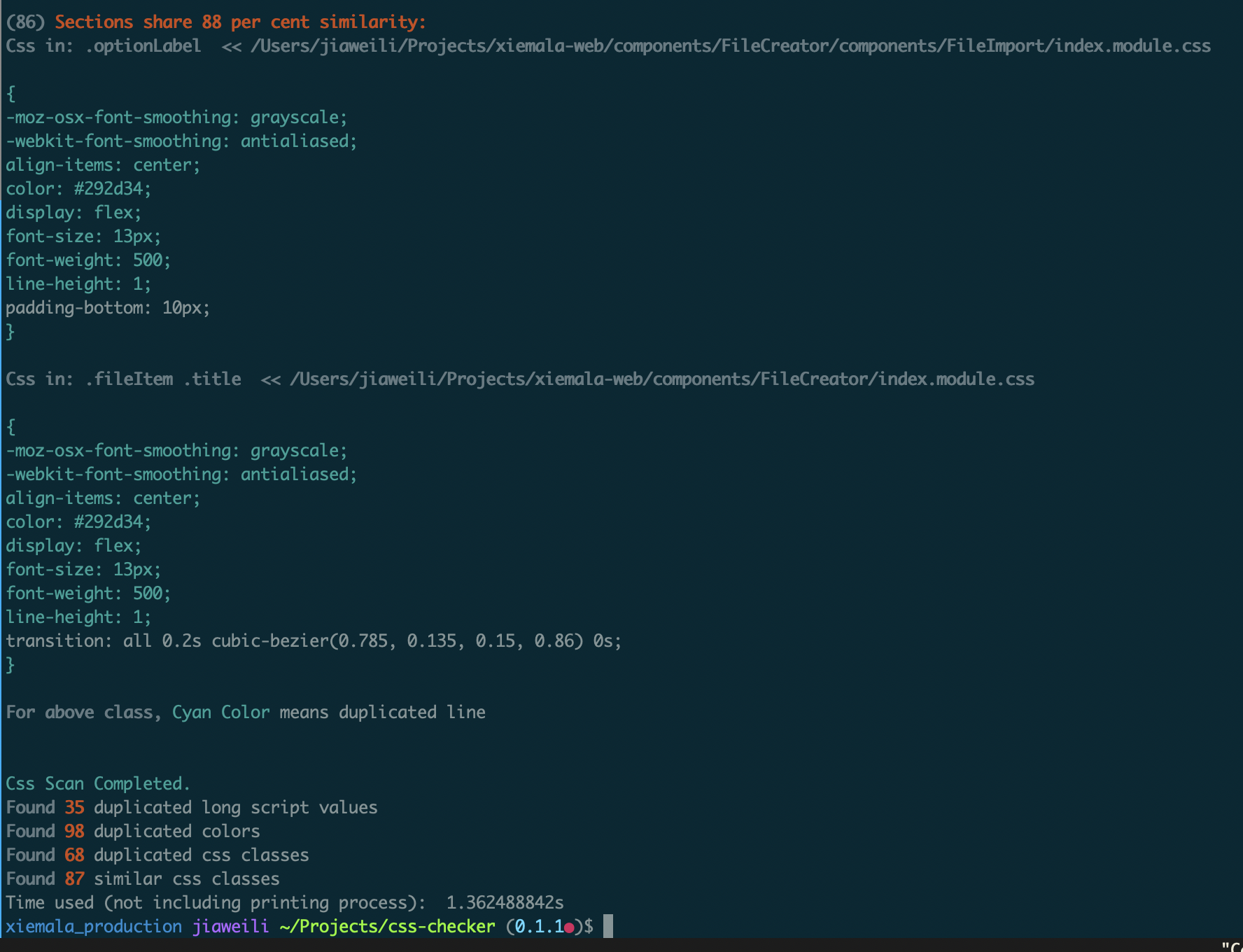 #### Duplicated CSS Classes Similar to `Similarity Check` but put those classes that are totally identical to each other. #### Long Script Line Check Long scripts can be saved as variables to make your life easier. This will only alert when long lines are used for more than once.  #### Colors Check Check colors in HEX/RGB/RGBA/HSL/HSLA that are used more than once in your code. As for supporting of different themes and possibly future updates of your color set, you may consider putting them as CSS variables.  ## Build & Release - `make test-models` - `make build` - `make release` ## Q&A #### Ugly output in PowerShell From PowerShell, paste the following script and run it to activate `ANSI escape sequences`, then restart your PowerShell. ``` Set-ItemProperty HKCU:\Console VirtualTerminalLevel -Type DWORD 1 ``` ## Authors - [Xiemala Team](https://xiemala.com). It helps in removing hundreds of similar CSS classes for developers in this project.