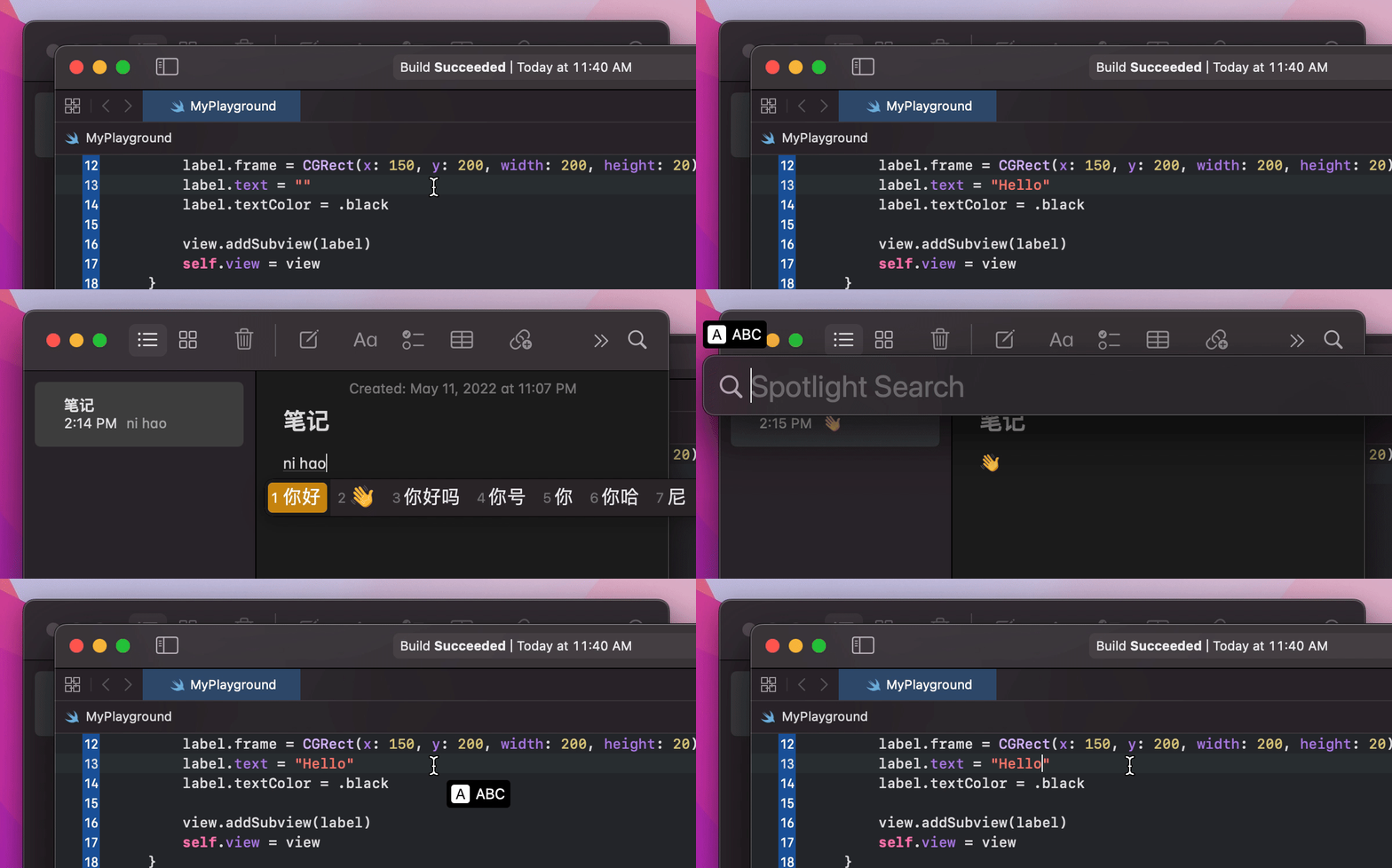
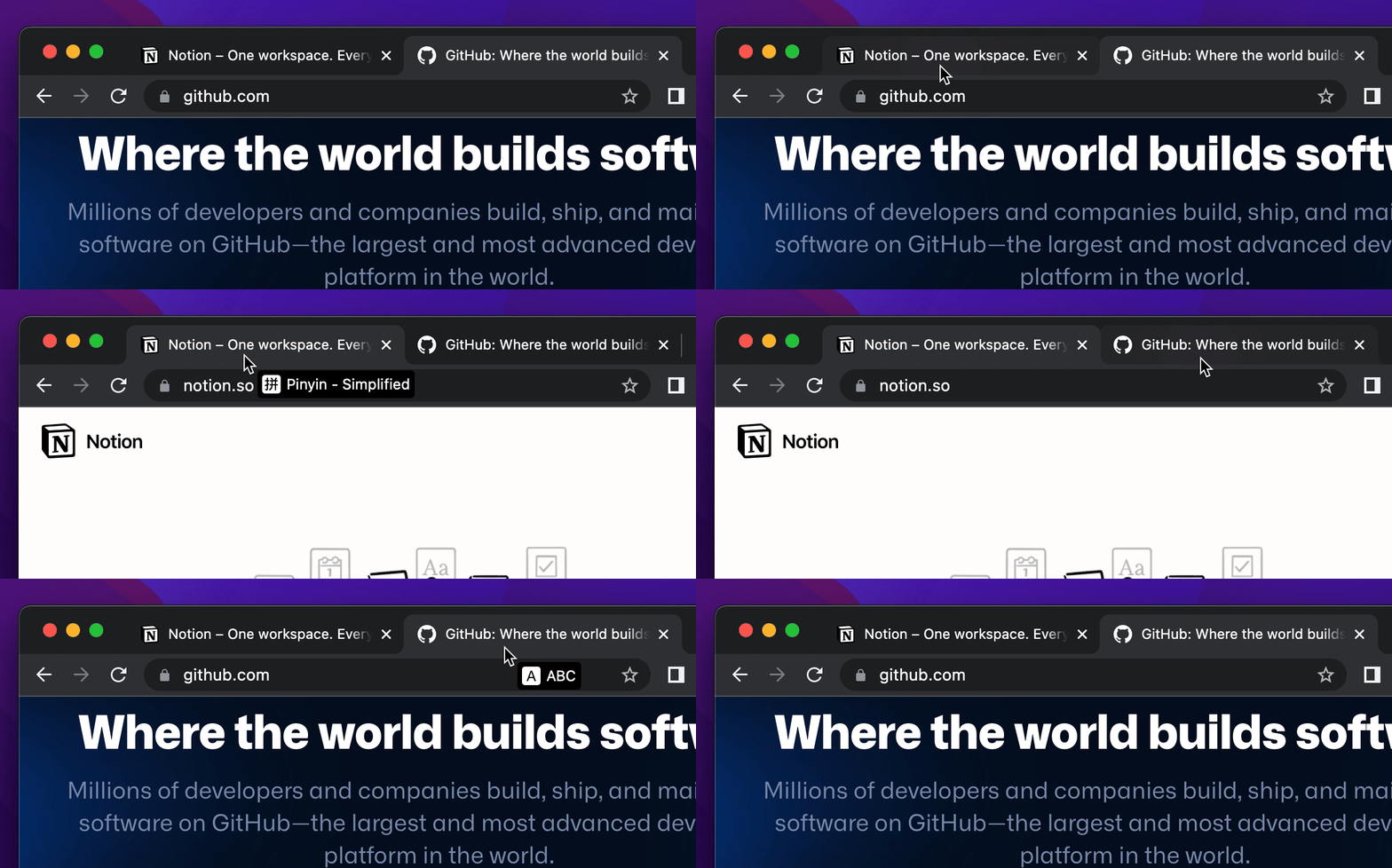
> **Input Source Pro** is a free and open-source macOS utility designed for multilingual users who frequently switch input sources. It automates input source switching based on the active application — or even the specific website you're browsing — significantly boosting your productivity and typing experience.
🙌 Meet my new app: Refine, a local Grammarly alternative that runs 100% offline 🤩
## Features
### 🥷 Automatic Context-Aware Switching
- Set a default input source per **application**.
- Set input sources per **website** when using browsers (Safari, Chrome, Arc, Edge, Vivaldi, Opera, Brave, Firefox, Zen, Dia, and more).
- Switch automatically as you move between apps/websites.
### 🐈⬛ Elegant Input Source Indicator
- Shows your current input source with a clean on-screen indicator.
- Customizable and designed to stay out of your way.
### ✍️ App-Aware Punctuation Modes
Keep punctuation consistent across different languages by enabling **Force English Punctuation** for specific apps.
- Automatically types standard symbols (`` ` ~ - _ $ ^ , . ; ' " [ ] ``) even when your current input source would normally produce localized or full-width characters.
- Enable it only for the apps where you need it, such as code editors or terminal windows.
### 🎛️ App-Based Function Key Switching
Automatically switch your macOS function key mode per app.
- Choose whether an app should use **F1 ~ F12** as:
- **Standard Function Keys**: Acts as standard F1 ~ F12 keys. Ideal for IDEs (e.g., VSCode) and games.
- **Media Keys**: Triggers special features printed on the keys (e.g., brightness, volume, playback). Ideal for general daily use.
- Falls back to your system-wide/default setting when an app has no override.
### ⌨️ Custom Shortcuts
Switch input sources via either:
- **Keyboard Shortcuts**: Use standard key combinations.
- **Modifier Shortcuts**: Use single or combined modifier keys (e.g., Shift, Command, or Shift + Command), triggered by pressing once or double-tapping.
### 😎 And Much More...
## Installation
### Using Homebrew
```bash
brew install --cask input-source-pro
```
### Manual Download
Download the latest release from the [Releases page](https://inputsource.pro/changelog).
## Sponsors
This project is made possible by all the sponsors supporting my work:
## Contributing
Contributions are highly welcome! Whether you have a bug report, a feature suggestion, or want to contribute code, your help is appreciated.
* For detailed contribution steps, setup, and code guidelines, please read our [**Contributing Guidelines**](CONTRIBUTING.md).
* **Bug Reports:** Please submit bug reports via [**GitHub Issues**](https://github.com/runjuu/InputSourcePro/issues). Check existing issues first!
* **Feature Requests & Questions:** For suggesting new features, asking questions, or general discussion, please use [**GitHub Discussions**](https://github.com/runjuu/InputSourcePro/discussions).
* **Code of Conduct:** Please note that this project adheres to our [**Code of Conduct**](CODE_OF_CONDUCT.md). By participating, you are expected to uphold this code.
## Building from Source
Clone the repository and build it using the latest version of Xcode:
```bash
git clone git@github.com:runjuu/InputSourcePro.git
```
Then open the project in Xcode and hit Build. 🍻
## Star History
## License
Input Source Pro is licensed under the [GPL-3.0 License](LICENSE).