






One source of truth for AI CLI skills, agents, rules, commands & more. Sync everywhere with one command — from personal to organization-wide.
Codex, Claude Code, OpenClaw, OpenCode & 60+ more.

Website • Install • Quick Start • Highlights • Screenshots • Docs
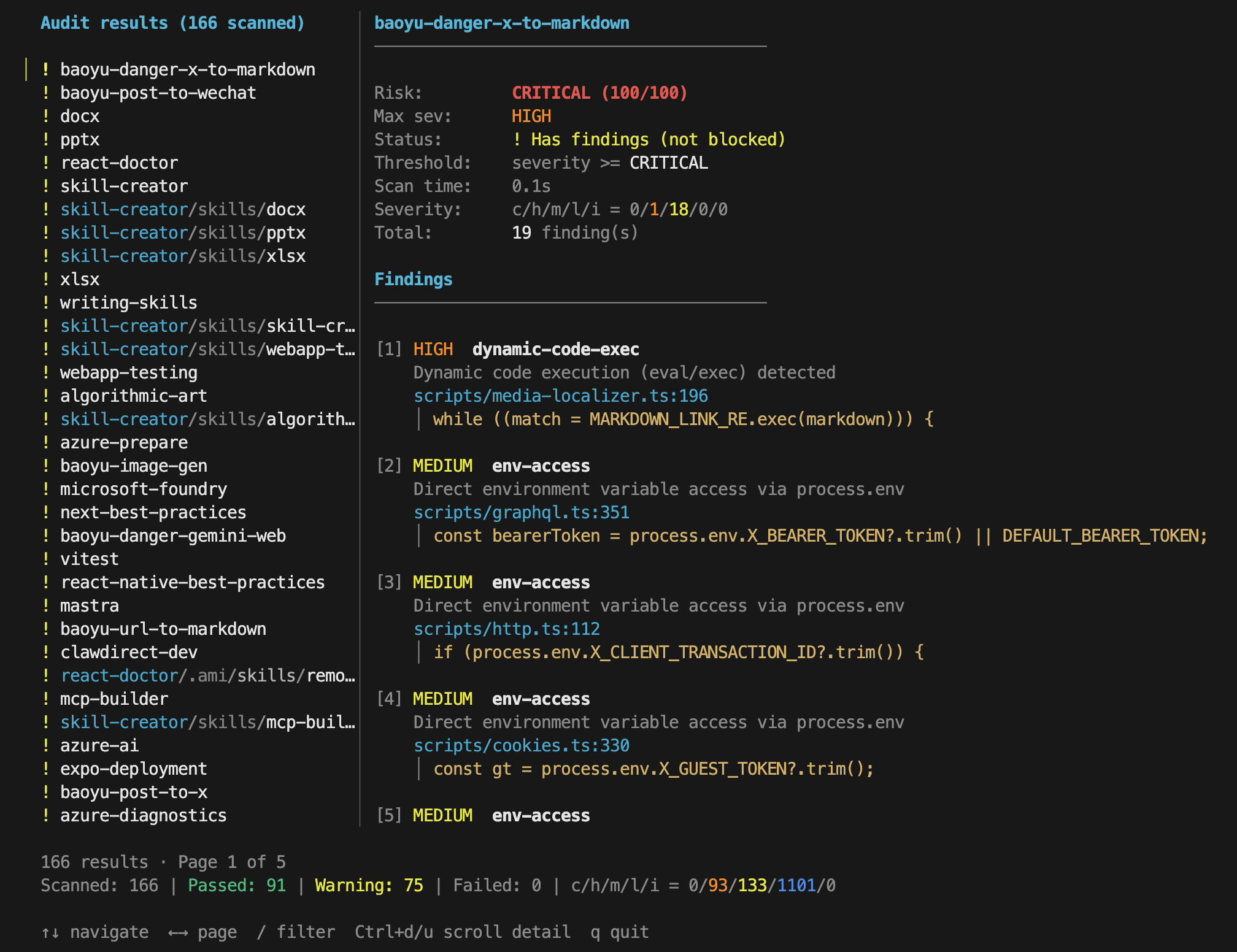
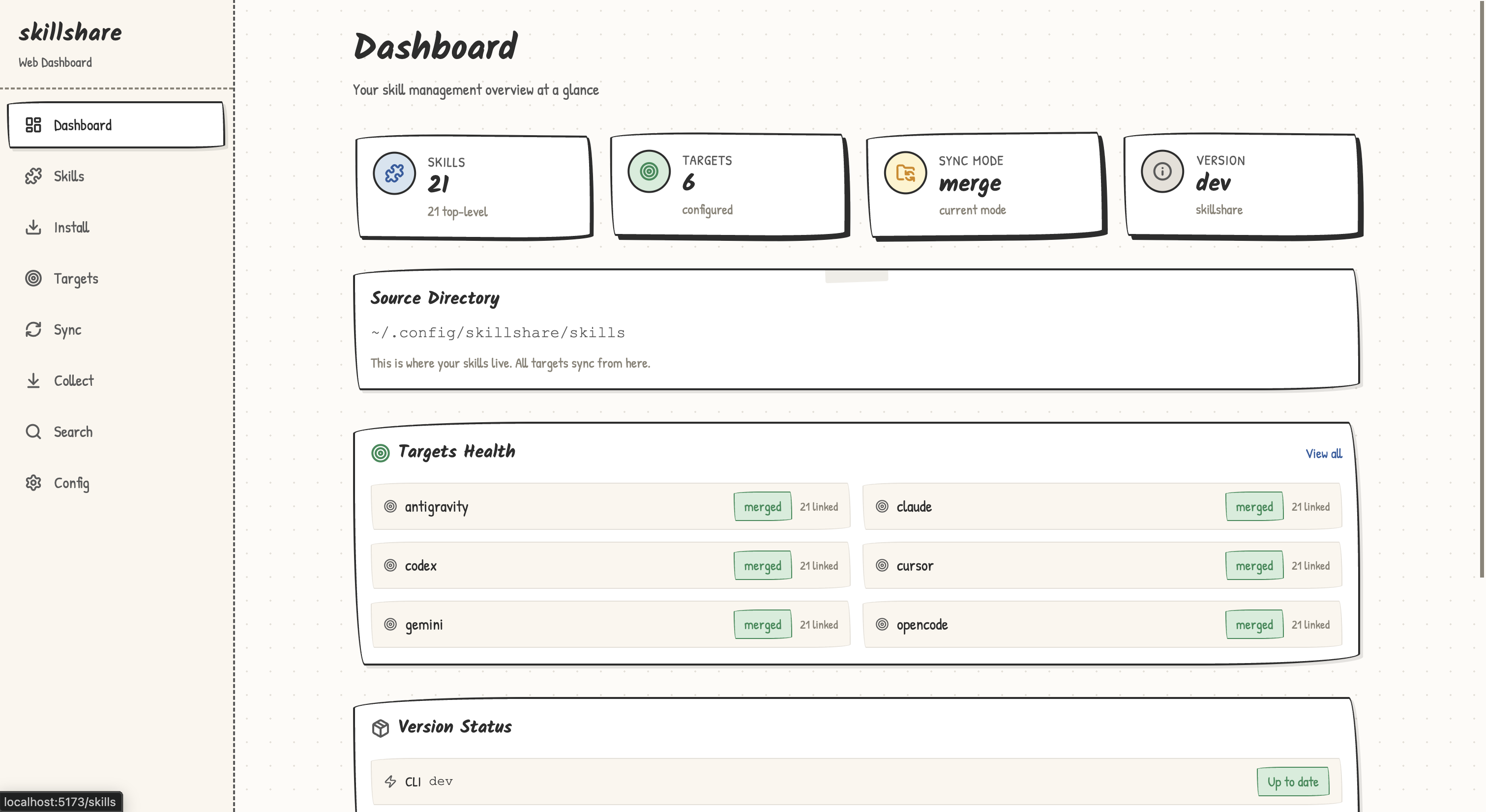
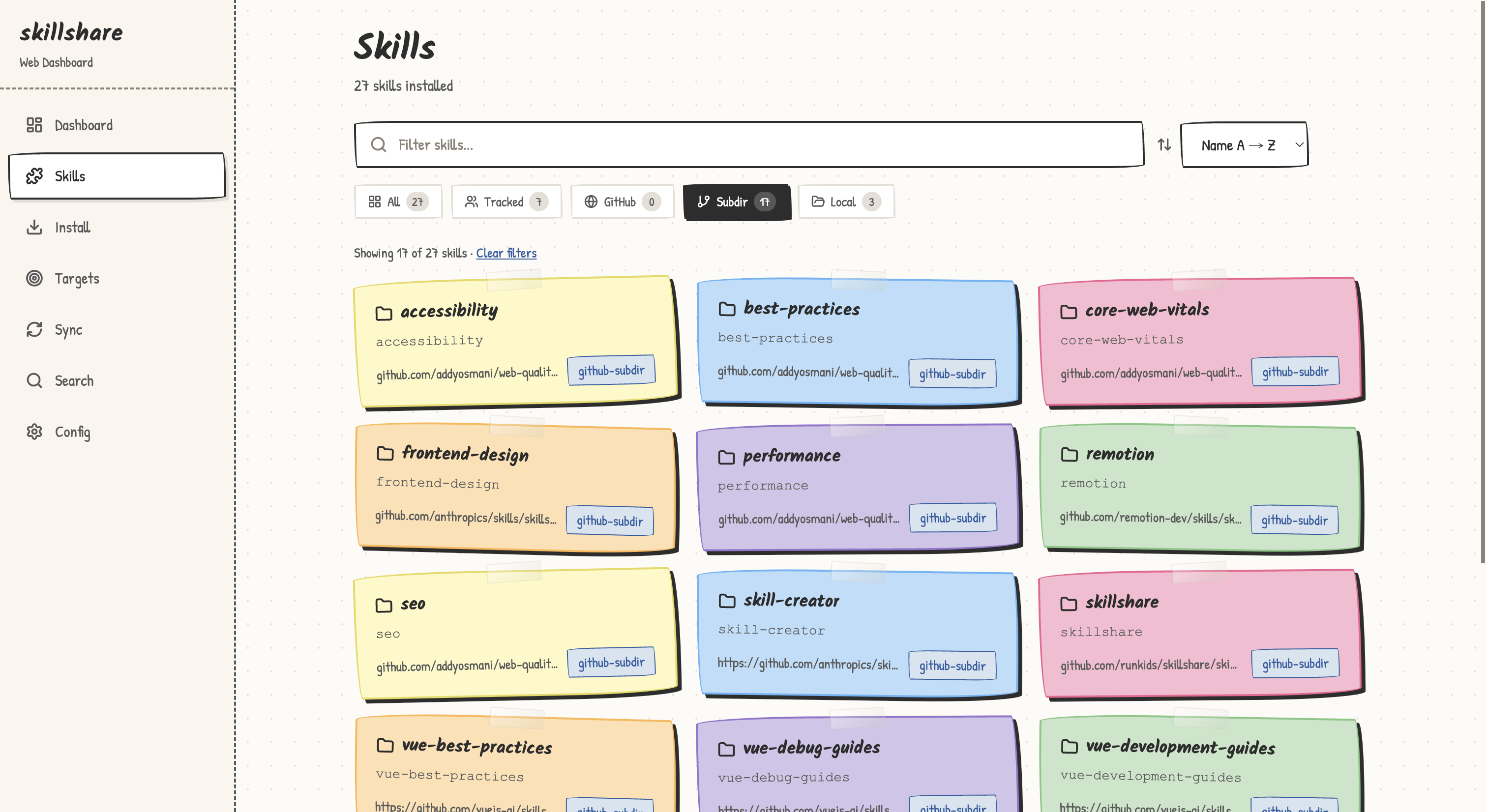
> [!NOTE] > **Latest**: [v0.20.0](https://github.com/runkids/skillshare/releases/tag/v0.20.0) — choose what `commit`/`push`/`pull` version with **git_root scope** (skills, agents, extras, or all together in one repo); extras **extension transforms** convert Markdown to native formats (Gemini TOML commands, Codex TOML agents) during sync. [All releases →](https://github.com/runkids/skillshare/releases) ## Why skillshare Every AI CLI has its own skills directory. You edit in one, forget to copy to another, and lose track of what's where. skillshare fixes this: - **One source, every agent** — sync to Claude, Cursor, Codex & 60+ more with `skillshare sync` - **Agent management** — sync custom agents alongside skills to agent-capable targets - **More than skills** — manage rules, commands, prompts & any file-based resource with [extras](https://skillshare.runkids.cc/docs/reference/targets/configuration#extras) - **Install from anywhere** — GitHub, GitLab, Bitbucket, Azure DevOps, or any self-hosted Git - **Built-in security** — audit skills for prompt injection and data exfiltration before use - **Team-ready** — project skills in `.skillshare/`, org-wide skills via tracked repos - **Local & lightweight** — single binary, no registry, no telemetry, fully offline-capable - **Fine-grained filtering** — control which skills reach which targets with [`.skillignore`](https://skillshare.runkids.cc/docs/how-to/daily-tasks/filtering-skills), SKILL.md `targets`, and per-target include/exclude > Coming from another tool? [Migration Guide](https://skillshare.runkids.cc/docs/how-to/advanced/migration) · [Comparison](https://skillshare.runkids.cc/docs/understand/philosophy/comparison) ## How It Works - macOS / Linux: `~/.config/skillshare/` - Windows: `%AppData%\skillshare\` ``` ┌─────────────────────────────────────────────────────────────┐ │ Source Directory │ │ ~/.config/skillshare/skills/ ← skills (SKILL.md) │ │ ~/.config/skillshare/agents/ ← agents │ │ ~/.config/skillshare/extras/ ← rules, commands, etc. │ └─────────────────────────────────────────────────────────────┘ │ sync ┌───────────────┼───────────────┐ ▼ ▼ ▼ ┌───────────┐ ┌───────────┐ ┌───────────┐ │ Claude │ │ OpenCode │ │ OpenClaw │ ... └───────────┘ └───────────┘ └───────────┘ ``` | Platform | Skills Source | Agents Source | Extras Source | Link Type | |----------|---------------|---------------|---------------|-----------| | macOS/Linux | `~/.config/skillshare/skills/` | `~/.config/skillshare/agents/` | `~/.config/skillshare/extras/` | Symlinks | | Windows | `%AppData%\skillshare\skills\` | `%AppData%\skillshare\agents\` | `%AppData%\skillshare\extras\` | NTFS Junctions (no admin required) | | | Imperative (install-per-command) | Declarative (skillshare) | |---|---|---| | **Source of truth** | Skills copied independently | Single source → symlinks (or copies) | | **New machine setup** | Re-run every install manually | `git clone` config + `sync` | | **Security audit** | None | Built-in `audit` + auto-scan on install/update | | **Web dashboard** | None | `skillshare ui` | | **Runtime dependency** | Node.js + npm | None (single Go binary) | > [Full comparison →](https://skillshare.runkids.cc/docs/understand/philosophy/comparison) ## CLI and UI Preview | Skill Detail | Security Audit | |---|---| |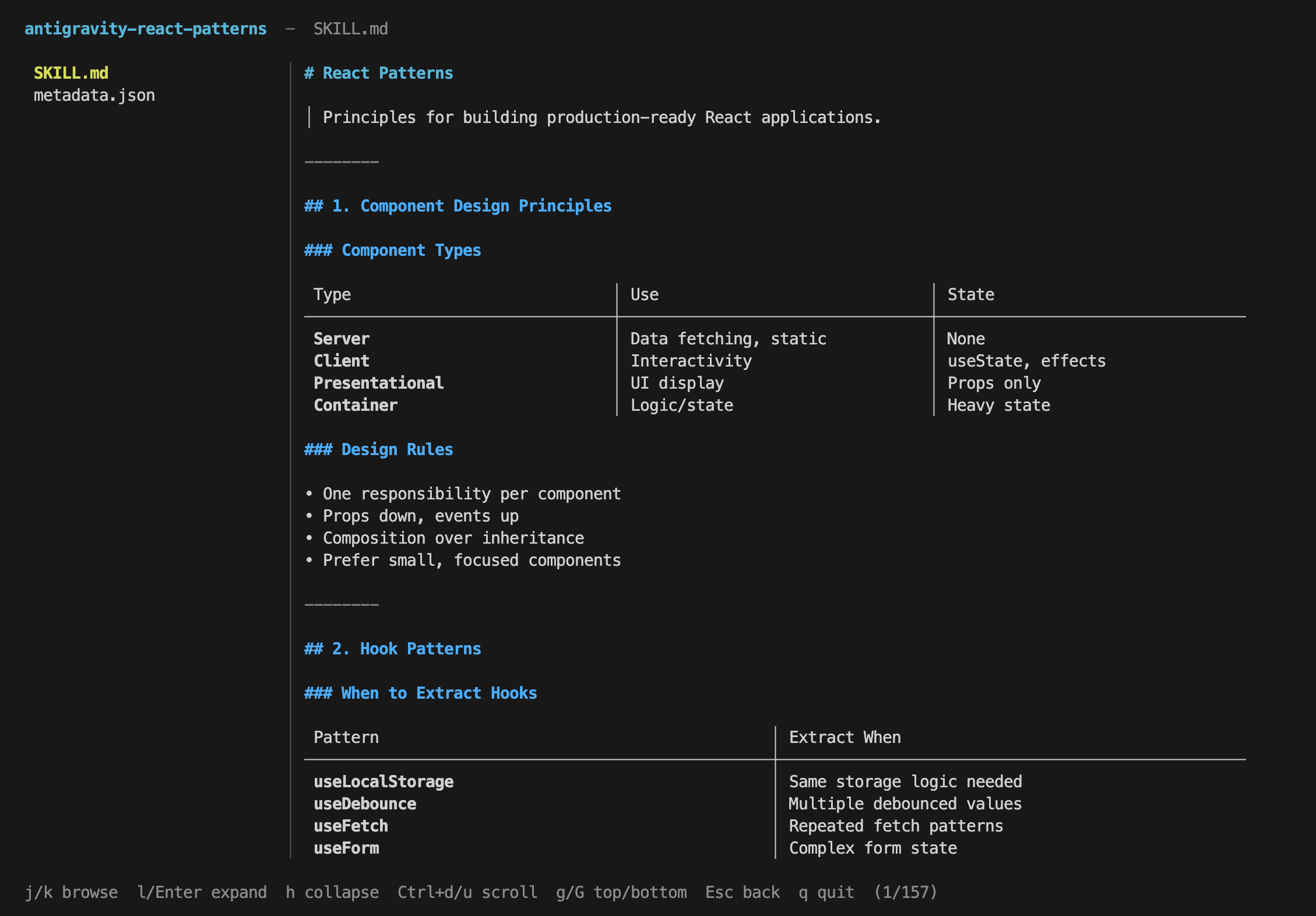 |
|  |
| UI Dashboard | UI Skills |
|---|---|
|
|
| UI Dashboard | UI Skills |
|---|---|
|  |
|  |
## Installation
### macOS / Linux
```bash
curl -fsSL https://raw.githubusercontent.com/runkids/skillshare/main/install.sh | sh
```
### Windows PowerShell
```powershell
irm https://raw.githubusercontent.com/runkids/skillshare/main/install.ps1 | iex
```
### Homebrew
```bash
brew install skillshare
```
> **Tip:** Run `skillshare upgrade` to update to the latest version. It auto-detects your install method and handles the rest.
### GitHub Actions
```yaml
- uses: runkids/setup-skillshare@v1
with:
source: ./skills
- run: skillshare sync
```
See [`setup-skillshare`](https://github.com/marketplace/actions/setup-skillshare) for all options (audit, project mode, version pinning).
### Shorthand (Optional)
Add an alias to your shell config (`~/.zshrc` or `~/.bashrc`):
```bash
alias ss='skillshare'
```
## Quick Start
```bash
skillshare init # Create config, source, and detected targets
skillshare sync # Sync skills to all targets
```
## Highlights
**Install & update skills** —from GitHub, GitLab, or any Git host
```bash
skillshare install github.com/reponame/skills
skillshare update --all
skillshare target claude --mode copy # if symlinks don't work
```
**Symlink issues?** — switch to copy mode per target
```bash
skillshare target
|
## Installation
### macOS / Linux
```bash
curl -fsSL https://raw.githubusercontent.com/runkids/skillshare/main/install.sh | sh
```
### Windows PowerShell
```powershell
irm https://raw.githubusercontent.com/runkids/skillshare/main/install.ps1 | iex
```
### Homebrew
```bash
brew install skillshare
```
> **Tip:** Run `skillshare upgrade` to update to the latest version. It auto-detects your install method and handles the rest.
### GitHub Actions
```yaml
- uses: runkids/setup-skillshare@v1
with:
source: ./skills
- run: skillshare sync
```
See [`setup-skillshare`](https://github.com/marketplace/actions/setup-skillshare) for all options (audit, project mode, version pinning).
### Shorthand (Optional)
Add an alias to your shell config (`~/.zshrc` or `~/.bashrc`):
```bash
alias ss='skillshare'
```
## Quick Start
```bash
skillshare init # Create config, source, and detected targets
skillshare sync # Sync skills to all targets
```
## Highlights
**Install & update skills** —from GitHub, GitLab, or any Git host
```bash
skillshare install github.com/reponame/skills
skillshare update --all
skillshare target claude --mode copy # if symlinks don't work
```
**Symlink issues?** — switch to copy mode per target
```bash
skillshare target 



























 ---
If you find skillshare useful, consider giving it a ⭐
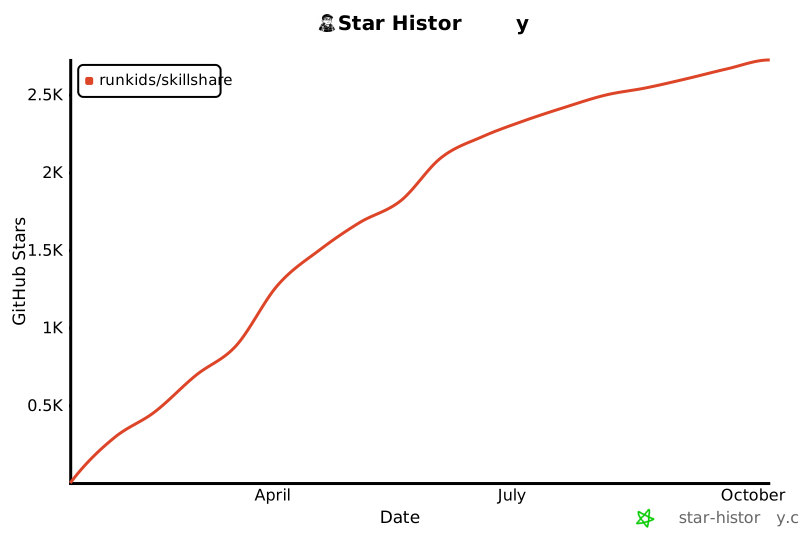
## Star History
[](https://www.star-history.com/#runkids/skillshare&type=date&legend=top-left)
---
## License
MIT
---
If you find skillshare useful, consider giving it a ⭐
## Star History
[](https://www.star-history.com/#runkids/skillshare&type=date&legend=top-left)
---
## License
MIT