# PageSpeed Insights MCP Server
[](https://ruslanlap.github.io/ruslanlap_buymeacoffe/)
**Six-tool MCP server** for Google PageSpeed Insights & Chrome UX Report APIs. Analyze, compare, and optimize web performance directly through Claude, Cursor, or any MCP-compatible AI client.
## ⚡ Quick Start (Copy & Paste)
```json
{
"mcpServers": {
"pagespeed-insights": {
"command": "npx",
"args": ["-y", "pagespeed-insights-mcp"],
"env": { "GOOGLE_API_KEY": "your-google-api-key" }
}
}
}
```
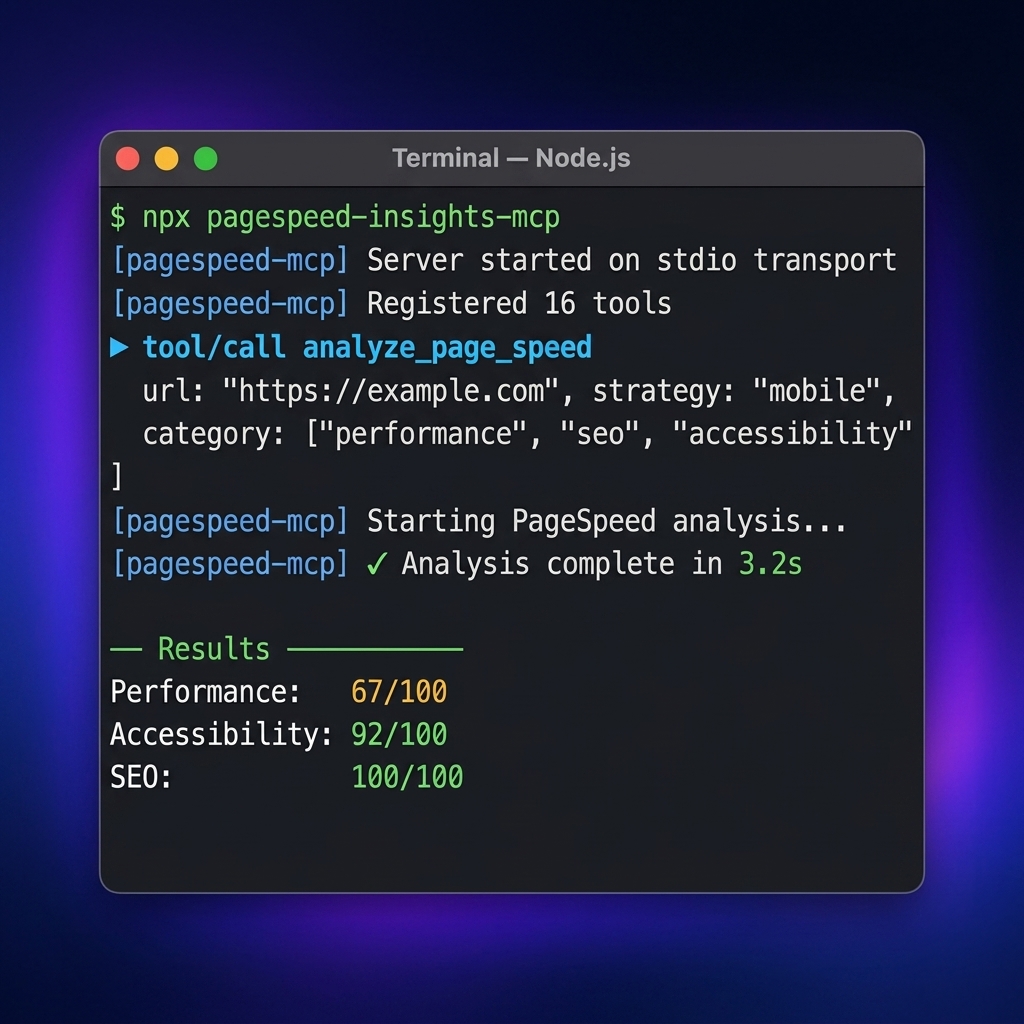
Get a free API key at [Google Cloud Console](https://developers.google.com/speed/docs/insights/v5/get-started) → paste into Claude Desktop's `claude_desktop_config.json` → restart. Done. ([Codex/OpenAI config](#codex--openai), [Docker](#option-3-docker))
[](https://www.npmjs.com/package/pagespeed-insights-mcp)
[](https://www.npmjs.com/package/pagespeed-insights-mcp)
[](https://mcptoplist.com/server/io.github.ruslanlap%2Fpagespeed-insights-mcp)
[](https://glama.ai/mcp/servers/ruslanlap/pagespeed-insights-mcp)
[](https://github.com/ruslanlap/pagespeed-insights-mcp/pkgs/npm/pagespeed-insights-mcp)
[](https://github.com/ruslanlap/pagespeed-insights-mcp/actions/workflows/ci.yml)
[](https://ruslanlap.github.io/pagespeed-insights-mcp/)
[](https://ruslanlap.github.io/pagespeed-insights-mcp/demo/)
[](https://opensource.org/licenses/Apache-2.0)
## 🔥 What Makes It Different
Most PageSpeed MCP servers wrap **one** tool: "run PSI on a URL." This server ships **six workflow tools** covering the full performance workflow — not just a score, but an action plan:
- **Full toolkit**: page analysis, CrUX real-user data (URL + origin), Lighthouse audits, multi-page & batch comparison, baselines, and regression tracking
- **Deep diagnostics**: element-level, network, JavaScript, image optimization, render-blocking, and third-party impact analysis
- **Actionable output**: a recommendations engine that turns raw Lighthouse data into prioritized fixes, plus visual analysis of screenshots
- **Practical extras**: caching for repeat runs and smart recommendations tuned for AI agents to act on
- **Battle-tested**: published on npm, listed in the [Official MCP Registry](https://registry.modelcontextprotocol.io/) and [Glama](https://glama.ai/mcp/servers), CI-tested with Vitest
> **🎬 [View Interactive Demo →](https://ruslanlap.github.io/pagespeed-insights-mcp/demo/)** — See the tools in action with animated examples
> Fallback URL: [https://ruslanlap.github.io/pagespeed-insights-mcp/demo.html](https://ruslanlap.github.io/pagespeed-insights-mcp/demo.html)
## 📖 Table of Contents
- [⚡ Quick Start (Copy & Paste)](#-quick-start-copy--paste)
- [🔥 What Makes It Different](#-what-makes-it-different)
- [⚙️ Client Configuration](#-client-configuration)
- [📊 Example Output](#-example-output)
- [📚 Documentation](#-documentation)
- [📝 Release Notes](#-release-notes)
- [🎯 Why You Need This](#-why-you-need-this)
- [✨ Features](#-features)
- [🚀 Quick Installation](#-quick-installation)
- [🔑 Getting Google API Key](#-getting-google-api-key)
- [⚙️ Claude Desktop Configuration](#-claude-desktop-configuration)
- [💻 Usage](#-usage)
- [Available Tools](#available-tools)
- [Development](#development)
- [Troubleshooting](#troubleshooting)
- [Requirements](#requirements)
- [Security](#security)
- [Acknowledgments](#acknowledgments)
- [License](#license)
- [Support](#support)
## ⚙️ Client Configuration
### Claude Desktop
Add to your `claude_desktop_config.json`:
```json
{
"mcpServers": {
"pagespeed-insights": {
"command": "npx",
"args": ["-y", "-p", "pino-pretty", "-p", "pagespeed-insights-mcp", "pagespeed-insights-mcp"],
"env": {
"GOOGLE_API_KEY": "your-google-api-key-here"
}
}
}
}
```
### Codex / OpenAI
Add to your configuration (TOML):
```toml
[mcp_servers.pagespeed-insights]
command = "npx"
args = [
"-y",
"-p",
"pino-pretty",
"-p",
"pagespeed-insights-mcp",
"pagespeed-insights-mcp"
]
env = { GOOGLE_API_KEY = "your-google-api-key-here" }
```
> **Note:** The `pino-pretty` package is required for proper log formatting. The above configurations ensure it is installed automatically via `npx`.
### For Grok Build (config.toml)
Add to `~/.grok/config.toml` (global) or `/.grok/config.toml` (project-scoped, higher priority):
```toml
[mcp_servers.pagespeed-insights]
command = "npx"
args = ["-y", "-p", "pino-pretty", "-p", "pagespeed-insights-mcp", "pagespeed-insights-mcp"]
env = { GOOGLE_API_KEY = "${GOOGLE_API_KEY}" }
enabled = true
# Recommended companion professional MCPs (add once):
# [mcp_servers.github] — PRs, issues, code search
# [mcp_servers.context7] — fresh library docs (Upstash)
# [mcp_servers.serena] — semantic code intelligence (uses your .serena/ if present)
```
**Project-scoped example** (put in this repo's `.grok/config.toml` for local `dist/index.js` + tighter Serena):
```toml
[mcp_servers.pagespeed-insights]
command = "node"
args = ["/home/ubuntuvm/Projects/pagespeed-insights-mcp/dist/index.js"]
env = { GOOGLE_API_KEY = "${GOOGLE_API_KEY}", NODE_ENV = "development" }
```
Verification inside Grok session:
- `/mcps` (or Ctrl+L → MCP tab) → ensure pagespeed-insights shows "running"
- Use tools: `pagespeed-insights__pagespeed_analyze_page`, `pagespeed-insights__pagespeed_get_field_data`, etc. (namespaced)
## 📊 Example Output
Real `pagespeed_analyze_page` results for **github.com** — one mobile Lighthouse run. CrUX numbers come from `pagespeed_get_field_data` with `scope: "origin"`:
**Lighthouse lab scores:**
| Category | Score | Status |
|---|---|---|
| **Performance (mobile)** | **54/100** | 🔴 Poor |
| **Performance (desktop)** | **52/100** | 🔴 Poor |
**Core metrics (mobile):**
| Metric | Value | Rating |
|---|---|---|
| First Contentful Paint | 11.9 s | 🔴 Poor |
| Largest Contentful Paint | 13.4 s | 🔴 Poor |
| Total Blocking Time | 30 ms | 🟢 Excellent |
| Cumulative Layout Shift | 0.07 | 🟢 Good |
| Speed Index | 11.9 s | 🔴 Poor |
**CrUX field data — real users, github.com origin (phone):**
| Metric | p75 (real users) |
|---|---|
| First Contentful Paint | 1.9 s |
| Largest Contentful Paint | 2.2 s |
| Interaction to Next Paint | 243 ms |
| Cumulative Layout Shift | 0.02 |
> Results vary between runs — Lighthouse lab data is noisy (a single run is one sample). Use `runs: 3-5` for medians.
>
> Lab vs field: Lighthouse throttles the connection (hence 54/100 mobile), while CrUX shows how actual GitHub visitors experience it — both views come straight from this server's tools.
## 📚 Documentation
We have comprehensive documentation available online.
[**👉 View Full Documentation Site**](https://ruslanlap.github.io/pagespeed-insights-mcp/)
- [🚀 **Getting Started**](https://ruslanlap.github.io/pagespeed-insights-mcp/getting-started/)
- [🛠️ **Tools Reference**](https://ruslanlap.github.io/pagespeed-insights-mcp/features/tools/)
- [🏗️ **Architecture**](https://ruslanlap.github.io/pagespeed-insights-mcp/developers/architecture/)
> You can also view the raw markdown files in the `docs/` directory or run `mkdocs serve` locally.
## 📝 Release Notes
Current release: see the version badges at the top of this README.
Recent highlights:
- **v2** — six workflow-oriented `pagespeed_*` tools replace the 19 v1 endpoint-shaped tools; all data tools support Markdown or JSON with structured results.
> The badges at the top of this README update **automatically** on every release (npm version, GitHub package version, downloads). No manual edits needed.
For the complete release history, see [`CHANGELOG.md`](./CHANGELOG.md).
## 🎯 Why You Need This
**Pain point 1 — "My page is slow but I don't know why."**
You open PageSpeed Insights, get a wall of data, and still can't tell what to fix first. This MCP gives your AI assistant six focused workflows that cut through the noise: it identifies the exact render-blocking resources, the specific images wasting 2 MB, the third-party scripts eating 1.5 s of main-thread time — and ranks them by impact. Ask "why is my site slow?" and get a prioritized fix list, not a 40-metric dashboard.
**Pain point 2 — "I ship performance regressions to production."**
Your team moves fast, deploys daily, and nobody runs a full Lighthouse audit before each merge. By the time someone notices the Core Web Vitals dropped, the regression is already live. This MCP lets any developer paste a URL into Claude/Cursor and get a complete audit — lab data, field data from real Chrome users (CrUX), element-level CLS/LCP debugging — in seconds. It's the difference between catching a regression at your desk and discovering it in a Slack message from the SEO team three days later.
## ✨ Features
### Core Features
- 🚀 **Performance Analysis** of web pages using Google PageSpeed Insights
- 📱 **Multi-platform Support**: mobile and desktop devices
- 🔍 **Detailed Lighthouse Reports** with comprehensive metrics
- 📊 **Simplified Reports** with key performance indicators
- 🎯 **Smart Recommendations** with priority scoring and actionable fixes
- 💾 **Intelligent Caching** to reduce API calls and improve performance
- 🌍 **Localization** - support for multiple languages
- ⚡ **Quick Installation** - one command setup
- 🐳 **Docker Support** for containerized deployment
### Advanced Analysis Tools (New!)
- 📸 **Visual Analysis** - Screenshots, filmstrip, and full-page captures
- 🎯 **Element-Level Debugging** - Find specific DOM elements causing issues
- 🌐 **Network Waterfall** - Detailed request timing and resource loading
- ⚡ **JavaScript Profiling** - Execution breakdown and unused code detection
- 🖼️ **Image Optimization** - Specific image issues with exact savings
- 🚫 **Render-Blocking Analysis** - Critical request chains and dependencies
- 🔌 **Third-Party Impact** - Script impact grouped by provider
- 📊 **Full Audits** - Complete Lighthouse audits for all categories
## 🚀 Quick Installation
### Option 1: Automatic Installation (Recommended)
```bash
# Set environment variable
export GOOGLE_API_KEY=your-google-api-key
```
```bash
curl -sSL https://raw.githubusercontent.com/ruslanlap/pagespeed-insights-mcp/master/scripts/install.sh | bash
```
The installer uses the public npm package (`pagespeed-insights-mcp`) by default. To install the scoped GitHub Packages build instead, configure GitHub Packages authentication first and run:
```bash
curl -sSL https://raw.githubusercontent.com/ruslanlap/pagespeed-insights-mcp/master/scripts/install.sh | \
PAGESPEED_INSIGHTS_MCP_PACKAGE=@ruslanlap/pagespeed-insights-mcp bash
```
### Option 2: Via npm or GitHub Packages
#### From npm (Public Registry)
```bash
# Global installation from npm
npm install -g pagespeed-insights-mcp
# Or use without installation
npx pagespeed-insights-mcp
```
#### From GitHub Packages
```bash
# First configure authentication (see GITHUB_PACKAGES.md for details)
# Then install globally
npm install -g @ruslanlap/pagespeed-insights-mcp
```
> **Note:** This package is available on both npm and GitHub Packages.
>
> - For npm: Use `npm install pagespeed-insights-mcp`
> - For GitHub Packages: Use `npm install @ruslanlap/pagespeed-insights-mcp` (requires GitHub authentication)
>
> For detailed instructions on installing from GitHub Packages, see [GITHUB_PACKAGES.md](GITHUB_PACKAGES.md) or visit the [GitHub Packages page](https://github.com/ruslanlap/pagespeed-insights-mcp/pkgs/npm/pagespeed-insights-mcp)
### 🔧 Configuration
The MCP server requires a Google API key to access the PageSpeed Insights API.
```bash
# Set environment variable
export GOOGLE_API_KEY=your-google-api-key
# Windows
$env:GOOGLE_API_KEY="your-google-api-key"
# Or pass directly when running
GOOGLE_API_KEY=your-google-api-key npx pagespeed-insights-mcp
```
### 📝 MCP Configuration Examples
#### For Claude Desktop (with pino-pretty logging):
```json
"pagespeed-insights": {
"command": "npx",
"args": [
"-y",
"-p",
"pino-pretty",
"-p",
"pagespeed-insights-mcp",
"pagespeed-insights-mcp"
],
"env": {
"GOOGLE_API_KEY": "your-google-api-key-here"
}
}
```
#### For Codex (with pino-pretty logging):
```toml
[mcp_servers.pagespeed-insights]
command = "npx"
args = [
"-y",
"-p",
"pino-pretty",
"-p",
"pagespeed-insights-mcp",
"pagespeed-insights-mcp"
]
env = { GOOGLE_API_KEY = "your-google-api-key-here" }
```
> **Note:** These examples include `pino-pretty` for better log formatting. For production use without pretty logs, see the [Logging section](#logging--pino-pretty-in-mcp-environments) below.
### Google Antigravity
Example configuration files are available in the [examples](./examples/) directory.
### Option 3: Docker
```bash
docker build -t pagespeed-insights-mcp .
docker run -e GOOGLE_API_KEY=your-key pagespeed-insights-mcp
```
## 🔑 Getting Google API Key
To use this MCP server, you need a Google API key with the PageSpeed Insights API enabled.
> [!TIP]
> **⚡ Quick Setup Link:** You can go directly to the **[Google Cloud Credentials Setup Page](https://console.cloud.google.com/apis/credentials/key/)** to quickly create a key in your project.
### Step-by-Step Guide
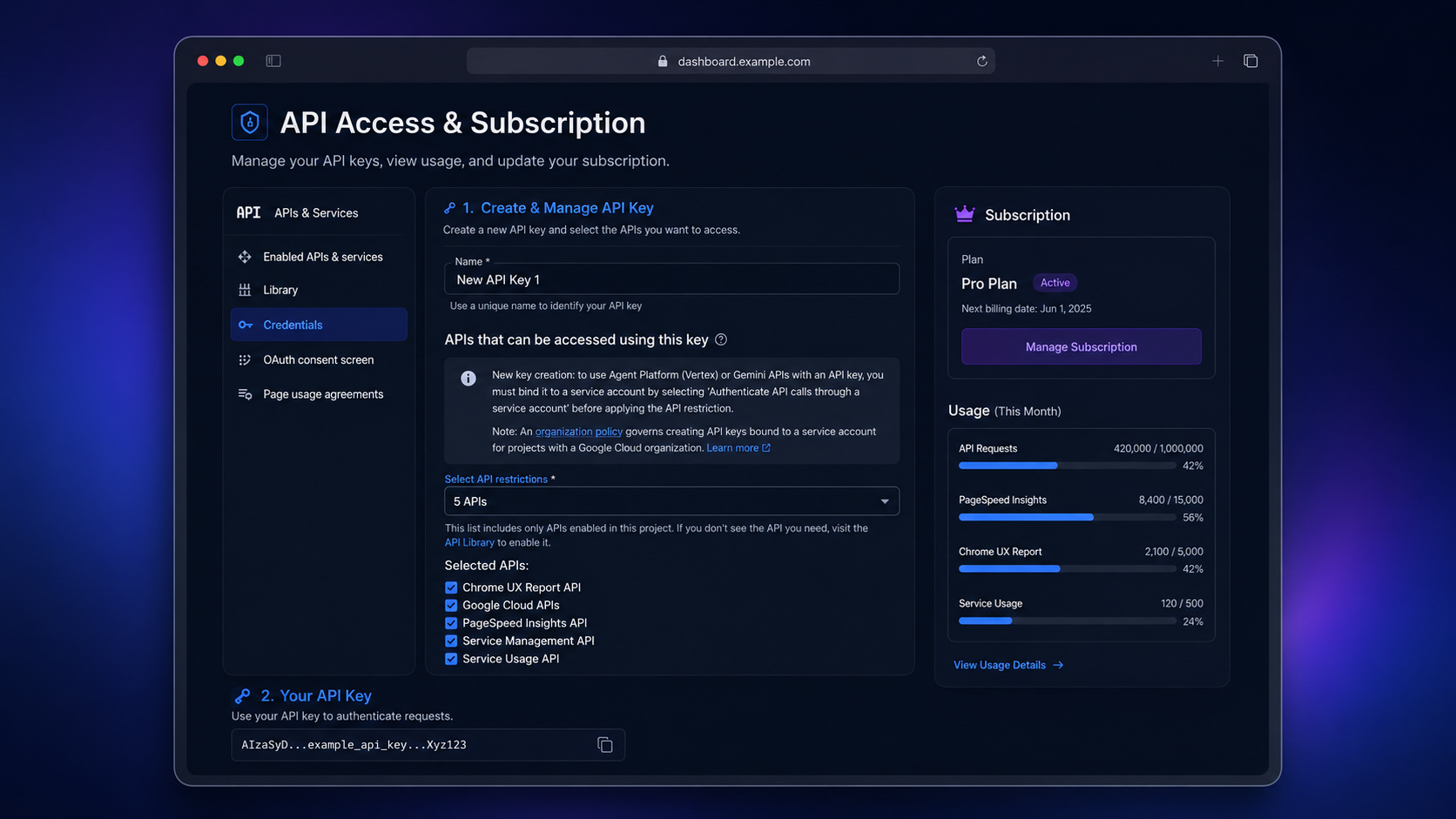
1. Go to the [Google Cloud Console](https://console.cloud.google.com/) (or use the [Quick Setup Link](https://console.cloud.google.com/apis/credentials/key/)).
2. Create a new project or select an existing one.
3. Enable **PageSpeed Insights API**:
- Navigate to **APIs & Services** → **Library**.
- Search for **"PageSpeed Insights API"** and click **Enable**.
4. Create an API key:
- Go to **APIs & Services** → **Credentials**.
- Click **Create Credentials** → **API Key**.
- Copy the generated key and set it as `GOOGLE_API_KEY` in your configuration.
## ⚙️ Claude Desktop Configuration
Config paths: **macOS** `~/Library/Application Support/Claude/claude_desktop_config.json` · **Windows** `%APPDATA%\Claude\claude_desktop_config.json` · **Linux** `~/.config/claude/claude_desktop_config.json` — see [⚙️ Client Configuration](#️-client-configuration) above for the JSON. **Restart Claude Desktop** after editing.
## 💻 Usage
After configuration, simply ask Claude any of these commands:
### 🔍 Full page analysis
```
Analyze the performance of https://example.com
```
### 📱 Mobile device analysis
```
Analyze https://example.com for mobile devices with all categories
```
### ⚡ Quick performance overview
```
Get a quick performance report for https://example.com
```
### 🖥️ Desktop analysis
```
Analyze https://example.com performance for desktop devices
```
### 🌐 Multi-category analysis
```
Perform a full audit of https://example.com including SEO, accessibility, and best practices
```
### 🎯 Smart performance recommendations
```
Get smart recommendations for improving https://example.com performance
```
### 💾 Cache management
```
Clear the cache to get fresh data for all subsequent requests
```
### 📸 Visual analysis
```
Get visual analysis for https://example.com showing screenshots and loading timeline
```
### 🎯 Element-level debugging
```
Show me which specific elements are causing performance issues on https://example.com
```
### 🌐 Network waterfall analysis
```
Analyze the network requests and resource loading for https://example.com
```
### ⚡ JavaScript performance
```
Get JavaScript execution breakdown for https://example.com
```
### 🖼️ Image optimization opportunities
```
Show me which images need optimization on https://example.com
```
### 🚫 Render-blocking resources
```
Find render-blocking resources on https://example.com
```
### 🔌 Third-party script impact
```
Analyze third-party script impact on https://example.com performance
```
### 📊 Full Lighthouse audit
```
Run a full audit including accessibility, SEO, and best practices for https://example.com
```
## Available Tools (v2)
Version 2 replaces the former 19 endpoint-shaped tools with six workflow tools. This is a **breaking change**: update MCP client prompts, saved tool calls, and integrations to use the names below. Every data-returning tool accepts `responseFormat` (`markdown`, default, or `json`) and returns MCP `structuredContent`.
| Tool | Use it for |
|---|---|
| `pagespeed_analyze_page` | One-page Lighthouse health check, full report, recommendations, audit findings, or a Mermaid map (`report`). |
| `pagespeed_diagnose_page` | One focused investigation: `visual`, `elements`, `network`, `javascript`, `images`, `render-blocking`, or `third-parties`. |
| `pagespeed_get_field_data` | CrUX real-user Core Web Vitals for a `page` or `origin`. |
| `pagespeed_compare_pages` | Compare two pages now, or compare one page with its saved baseline (`mode`). |
| `pagespeed_analyze_batch` | Triage 1–10 pages with progress notifications when supported. |
| `pagespeed_clear_cache` | Clear this process's in-memory API cache after a deploy. |
### Migration from v1
| v1 tools | v2 replacement |
|---|---|
| `analyze_page_speed`, `get_performance_summary`, `get_recommendations`, `get_full_audit`, `get_performance_map` | `pagespeed_analyze_page` with `report=full`, `summary`, `recommendations`, `audit`, or `performance-map` |
| `get_visual_analysis`, `get_element_analysis`, `get_network_analysis`, `get_javascript_analysis`, `get_image_optimization_details`, `get_render_blocking_details`, `get_third_party_impact` | `pagespeed_diagnose_page` with the matching `focus` |
| `crux_summary`, `get_origin_crux` | `pagespeed_get_field_data` with `scope=page` or `origin` |
| `compare_pages`, `compare_baseline` | `pagespeed_compare_pages` with `mode=pages` or `baseline` |
| `batch_analyze`, `clear_cache` | `pagespeed_analyze_batch`, `pagespeed_clear_cache` |
| `full_report` | Run `pagespeed_analyze_page` and `pagespeed_get_field_data`; lab and field data stay explicit rather than being mixed. |
### Examples
```json
{"url":"https://example.com","strategy":"mobile","report":"recommendations","responseFormat":"markdown"}
```
```json
{"url":"https://example.com","focus":"render-blocking","responseFormat":"json"}
```
```json
{"mode":"baseline","url":"https://example.com","strategy":"mobile","runs":3}
```
### Example
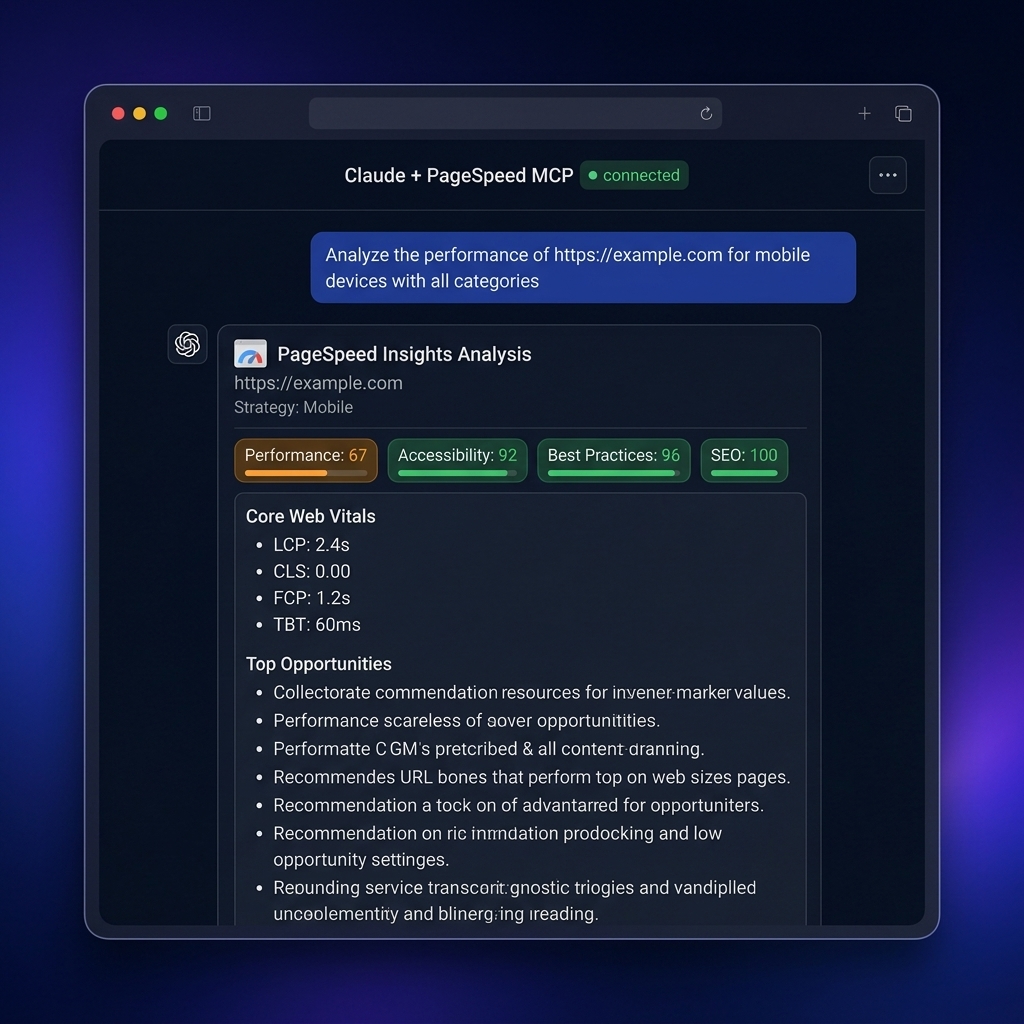
answer example from Claude Desktop with pagespeed-insights-mcp 🔥🔥🔥
## Development
For better log formatting during development, it is recommended to install `pino-pretty` globally:
```bash
npm install -g pino-pretty
```
```bash
# Development mode
npm run dev
# Build project
npm run build
# Run built server
npm start
```
### Logging / `pino-pretty` in MCP environments
This MCP server uses `pino` for logging and enables the `pino-pretty` transport when `NODE_ENV=development`.
- If you **just want it to work with minimal setup** (Claude, Codex, etc.), set:
```bash
NODE_ENV=production GOOGLE_API_KEY=your-google-api-key npx pagespeed-insights-mcp
```
or in your MCP config:
```jsonc
"pagespeed-insights": {
"command": "npx",
"args": ["pagespeed-insights-mcp"],
"env": {
"GOOGLE_API_KEY": "your-google-api-key-here",
"NODE_ENV": "production"
}
}
```
- If you **want pretty logs in development via `npx`**, you can have `npx` install `pino-pretty` alongside the server:
```jsonc
"pagespeed-insights": {
"command": "npx",
"args": [
"-y",
"-p",
"pino-pretty",
"-p",
"pagespeed-insights-mcp",
"pagespeed-insights-mcp"
],
"env": {
"GOOGLE_API_KEY": "your-google-api-key-here"
}
}
```
## Troubleshooting
### "Google API key not provided"
Ensure the `GOOGLE_API_KEY` environment variable is set in your Claude Desktop configuration.
### "PageSpeed Insights API error: 403"
Check if PageSpeed Insights API is enabled in your Google Cloud project.
### "Invalid URL"
Ensure the URL includes the protocol — only `http://` and `https://` are accepted. Other schemes (`file://`, `ftp://`, `javascript:`, etc.) are rejected at the schema level.
## Requirements
- Node.js **20.19.0 or later** (Node 18 is EOL since April 2025 and is no longer supported).
- A Google API key with PageSpeed Insights and (optionally) Chrome UX Report APIs enabled.
## Security
Please report security issues privately — do **not** open a public issue. See [SECURITY.md](./SECURITY.md) for the disclosure policy and operator hardening notes.
## Acknowledgments
Special thanks to [@engmsaleh](https://github.com/engmsaleh) (Mohamed Saleh Zaied) for his significant contribution to the development of this project.
A very special thank you to [@system-conf](https://github.com/system-conf) for their outstanding and invaluable contribution to the growth and development of this project. Your dedication, expertise, and continuous support have made a tremendous impact — this project wouldn't be where it is today without you. 🙏
## License
Apache-2.0 — see [LICENSE](./LICENSE). Patents granted by contributors under the Apache License 2.0.
## Support
For bug reports or feature requests, please create an issue in the repository.