[](https://github.com/rusty-ferris-club/shellclear/actions/workflows/build.yml)

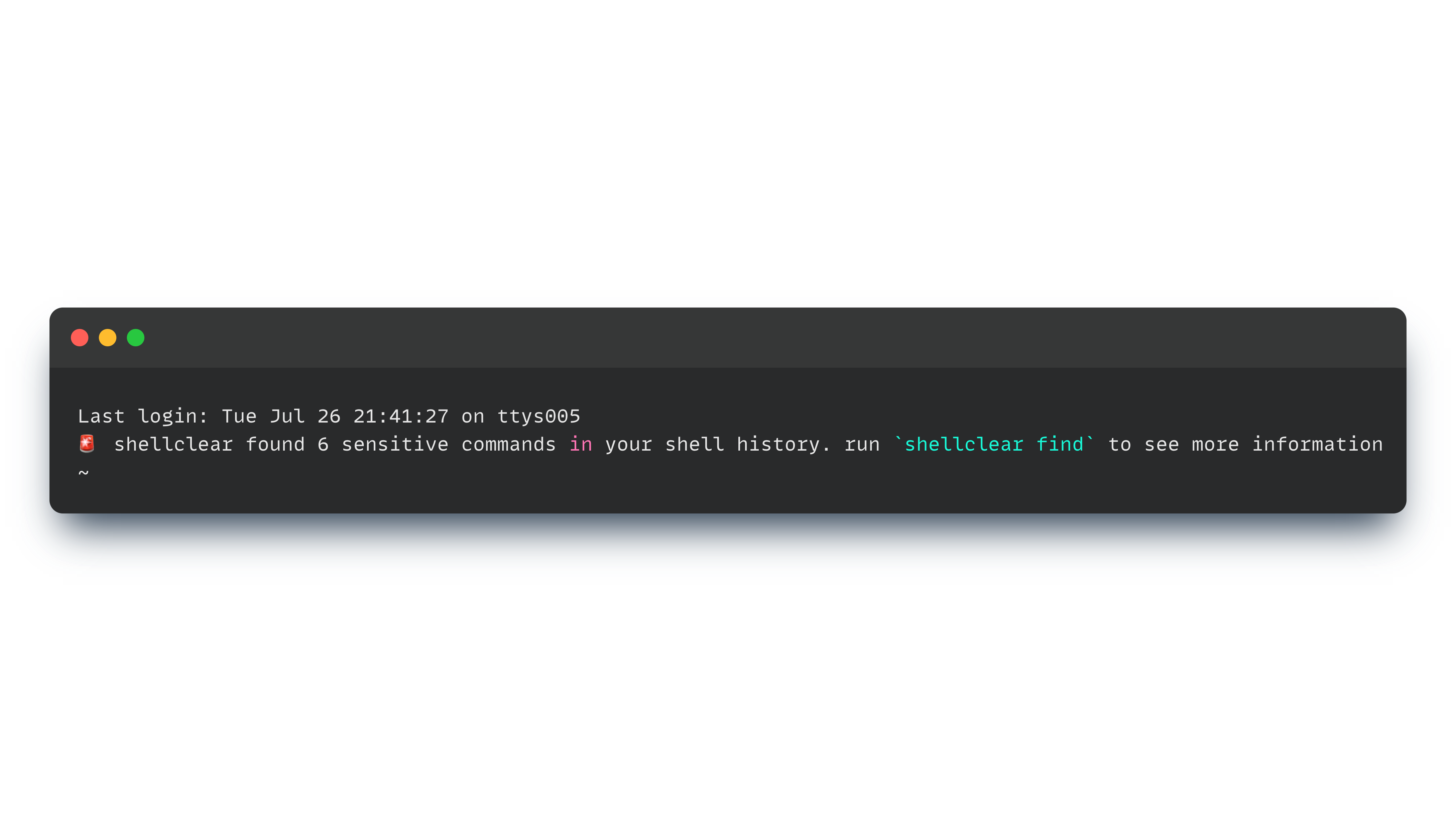
:triangular_flag_on_post: Show sensitive command summary when open a new terminal
:eyes: Clear sensitive commands from shell history
:see_no_evil: Stash your history command before presentations OR screen sharing
# Shellclear
The idea behind `shellclear` is to provide a simple and fast way to secure you shell commands history
macOS
```sh
curl -sS https://raw.githubusercontent.com/rusty-ferris-club/shellclear/main/install/install.sh | bash
```
Or via brew
```sh
brew tap rusty-ferris-club/tap && brew install shellclear
```
Linux
```sh
curl -sS https://raw.githubusercontent.com/rusty-ferris-club/shellclear/main/install/install.sh | bash
```
Windows
```sh
iwr https://raw.githubusercontent.com/rusty-ferris-club/shellclear/main/install/install.ps1 -useb | iex
```
Or download the binary file from [releases](https://github.com/rusty-ferris-club/shellclear/releases) page.
## Setup your shell
Bash
Add the following to the end of ~/.bashrc:
```sh
eval $(shellclear --init-shell)
```
Zsh
Add the following to the end of ~/.zshrc:
```sh
eval $(shellclear --init-shell)
```
PowerShell
Add the following to the end of your PowerShell configuration (find it by running $PROFILE):
```powershell
Invoke-Expression (&shellclear --init-shell)
```
Fish
Add the following to the end of ~/.config/fish/config.fish:
```sh
shellclear --init-shell | source
```
## Using
```sh
$ shellclear --help
Secure shell commands
USAGE:
shellclear [OPTIONS] [SUBCOMMAND]
OPTIONS:
--config-dir Set configuration directory path
-h, --help Print help information
--init-shell Show sensitive findings summary for MOTD
--log Set logging level [default: INFO] [possible values: OFF,
TRACE, DEBUG, INFO, WARN, ERROR]
--no-banner Don't show the banner
-V, --version Print version information
SUBCOMMANDS:
config Create custom configuration
find Find sensitive commands
help Print this message or the help of the given subcommand(s)
restore Restore backup history file
stash Stash history file
```
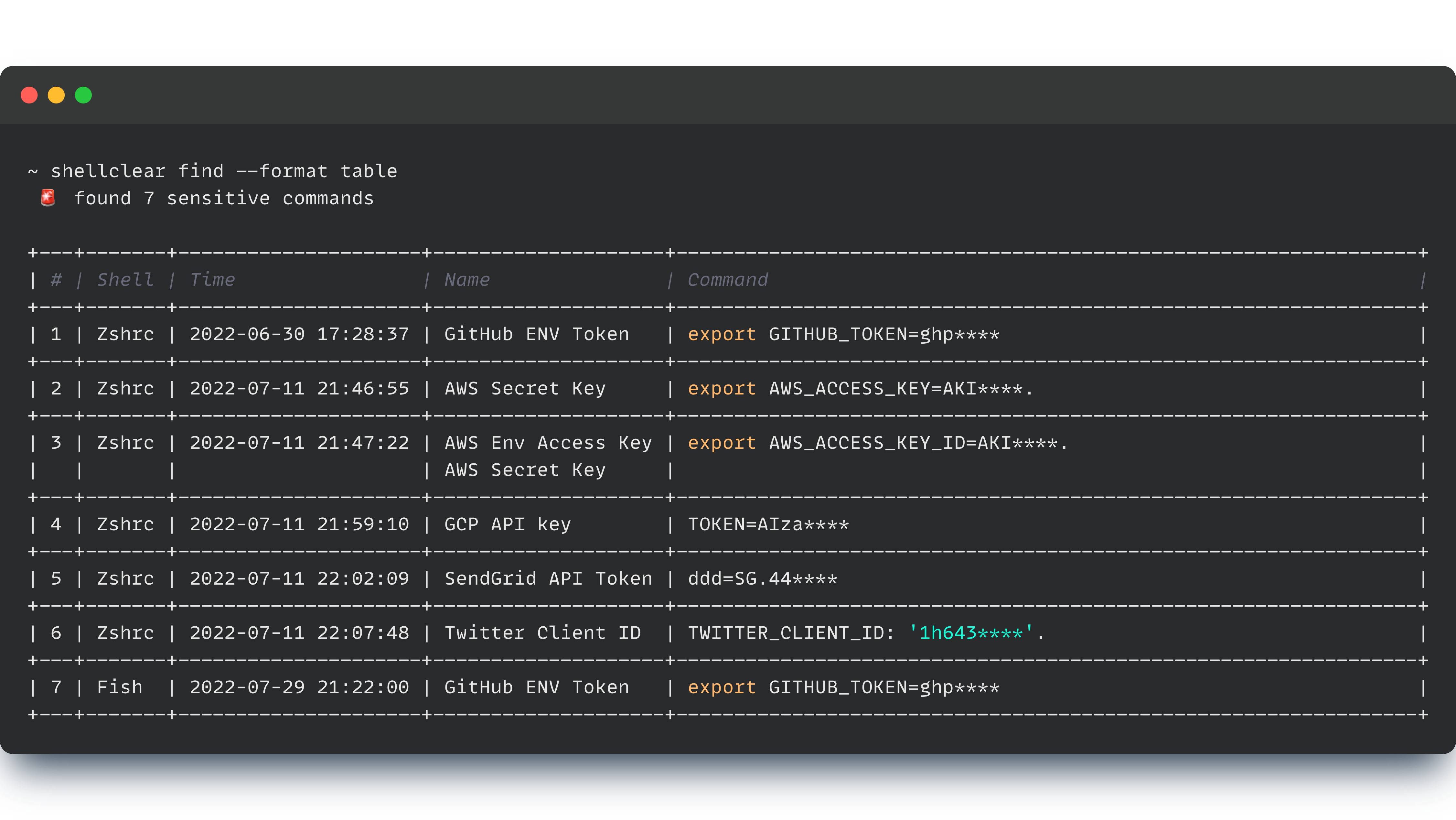
## :eyes: Find Sensitive Commands
Sensitive data can be stored in your history file when export a token of something or running a script with token.
```sh
shellclear find --format table
```
## :broom: Mask findings:
```sh
shellclear clear
```
## :collision: Remove findings:
```sh
shellclear clear --remove
```
## :luggage: Backup shell history before clear
```sh
shellclear clear --backup
```
## :see_no_evil: Stash/Pop/Restore
You can stash your history shell by running the command:
```sh
shellclear stash
```
Now your history shell is clear, to bring back your history run the command:
```sh
shellclear stash pop
```
You can also restore your history backup file by running the command:
```sh
shellclear stash restore
```
## :pencil2: External Configuration
Create custom configuration by running the command
```sh
shellclear config
```
Config command will create:
1. Custom pattern template for adding a custom risky patterns
2. Ignore file to allows you ignore specific pattern
### Validate Config Files
Validate syntax file
```sh
shellclear config validate
```
### Delete Config Folder
Validate syntax file
```sh
shellclear config delete
```
### Ignores Pattern
Manage pattern ignores
```sh
shellclear config ignores
```
# Examples
[All the examples here](./example/README.MD)
# Thanks
To all [Contributors](https://github.com/rusty-ferris-club/shellclear/graphs/contributors) - you make this happen,
thanks!
# Copyright
Copyright (c) 2022 [@kaplanelad](https://github.com/kaplanelad). See [LICENSE](LICENSE.txt) for further details.