
### Self-hosted operators for website extraction, search, and agent workflows powered by Headfox JS and Camoufox
[](docs/setup-guide.md)
[](https://nodejs.org/)
[](https://nextjs.org/)
[](LICENSE)
[Setup Guide](https://headlessx.saify.me/docs/self-hosting/overview) • [API Reference](https://headlessx.saify.me/docs/api-reference/overview) • [MCP](https://headlessx.saify.me/docs/get-started/mcp-setup)
---
## What's next (v2.5)
I'm working on HeadlessX v2.5. I know the current dashboard and a lot of the system need a real redesign — cleaner UI, better UX, and a setup that actually fits how people use this with agents. That's what I'm building now.
v2.1.2 is still what you run today. v2.5 will replace the playground-style UI and add a proper agent chat that calls operators. Live agentic browser sessions and taught recipes stay in **Helium CLI** — HeadlessX will not ship Interact or YAML workflows. Headed operator work (Google cookie setup, later logins) will still embed **KasmVNC** in the dashboard so keyboard and mouse go into the real browser window. Postgres will ship in Docker only (no Supabase). Platform install will be **`headlessx-setup`**: pick self-host or VPS, auto-detect OS (self-host on Linux/macOS/Windows; VPS Linux only), check Docker/npm/Bun, then on VPS validate DNS before start and print the Dashboard/API links. There is no developer mode.
**v2.5 launches [Hexium](https://github.com/HeadlessXLabs/hexium-browser)** (`hexium-browser` / Playwright `launch()` → Chrome 151). Not Camoufox. Not CloakBrowser.
v2.5 will live under **[HeadlessXLabs](https://github.com/HeadlessXLabs)**. This repo stays **v2.1** on [@saifyxpro](https://github.com/saifyxpro) until that ship. Watch [HeadlessXLabs](https://github.com/HeadlessXLabs) and the releases here until the move.
### Inspired by
[](https://github.com/firecrawl/firecrawl)
[](https://github.com/zquestz/s)
[](https://github.com/steel-dev/steel-browser)
[](https://github.com/firecrawl/pdf-inspector)
[](https://github.com/h4ckf0r0day/obscura)
[](https://github.com/vercel-labs/agent-browser)
[](https://github.com/HeadlessXLabs/hexium-browser)
## Overview
HeadlessX is a self-hosted scraping platform with a web dashboard, protected API, queue-backed workflows, and a remote MCP endpoint.
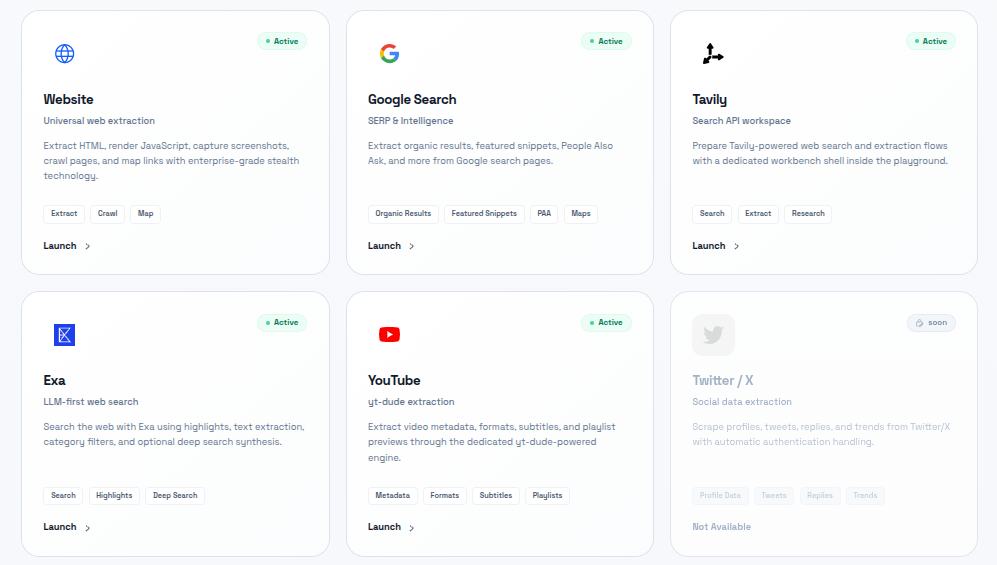
Current live operator surfaces:
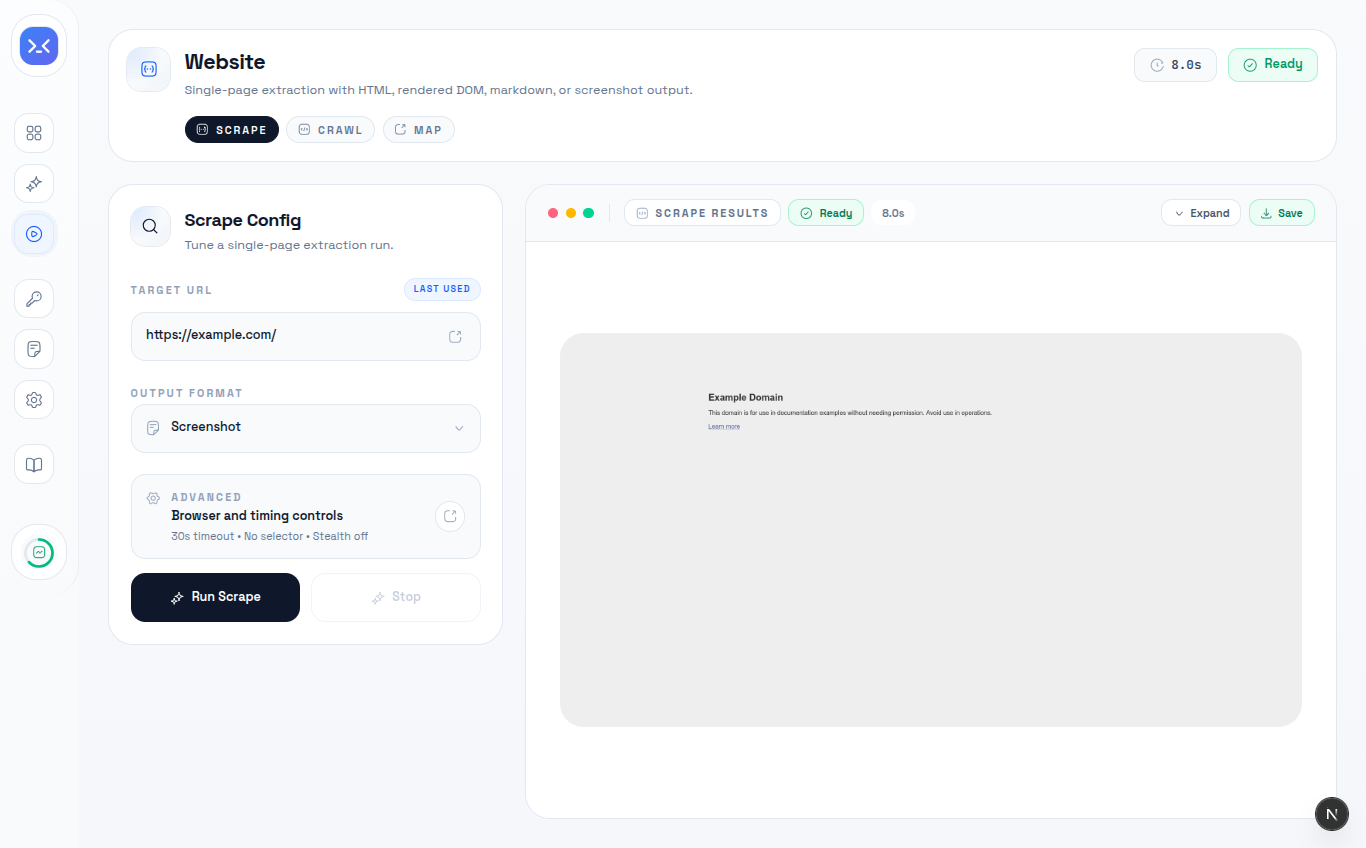
- Website operator: scrape, crawl, map, content extraction, screenshots
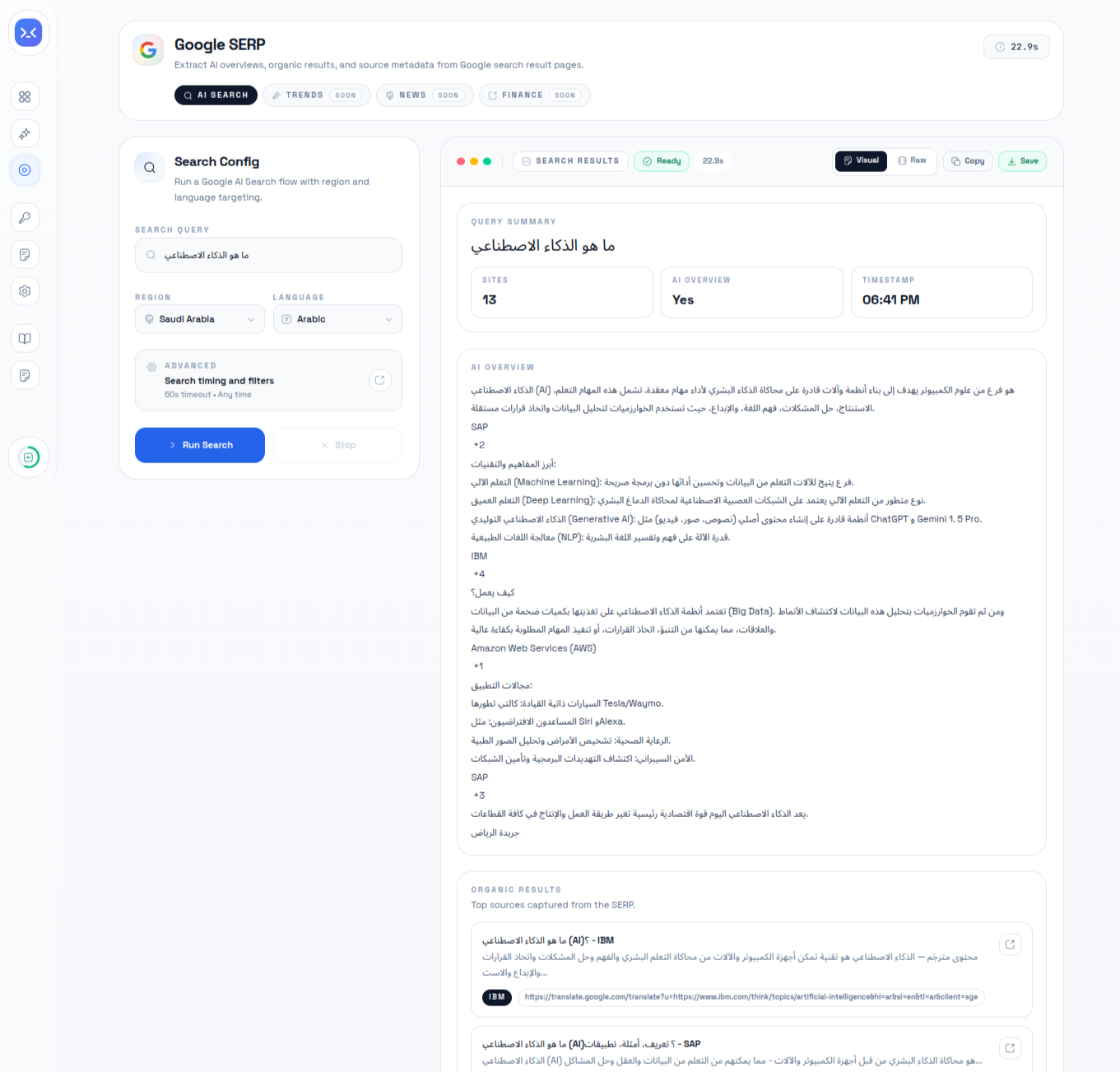
- Google AI Search
- Tavily
- Exa
- YouTube
- Queue jobs, logs, API keys, proxy management, and config management
- Remote MCP over `/mcp`
Important operator setup notes:
- Google AI Search requires a one-time `Build Cookies` run in the dashboard before the first search
- the saved Google session is kept in the shared persistent browser profile and reused later
- the YouTube workspace is active only when `YT_ENGINE_URL` points at a healthy `yt-engine` service
## What Changed In v2.1.2
- Added the published HeadlessX CLI bootstrap flow with `headlessx init`, `start`, `logs`, `stop`, `restart`, `status`, and `doctor`
- Upgraded the CLI prompt UX with guided modern setup and login prompts
- Added Docker plus Caddy production domain scaffolding under `infra/domain-setup`
- Moved local and Docker host defaults to rarer ports to avoid conflicts with common `3000` and `8000` stacks
- Refreshed setup, CLI, and self-hosting docs around the current operator-first platform layout
## Sponsors
I'm thankful to the people and companies who support HeadlessX. NodeMaven, Thordata, Mango Proxy, and ProxyLane have been solid partners — that support is a big part of why this project can keep moving. If you need proxies for scraping or automation, start with them.
View
|
NodeMaven — The most efficient proxy provider for Web Scraping and Automation with the Highest Quality IP on the market.
Why NodeMaven?
- ZIP targeting
- 99.9% uptime
- IP filtering: all proxies have fraud score <97%
- No KYC required
- Unique free tools: Proxy Bandwidth Checker, Meta Tag Checker, IP Lookup and others!
Special codes for HeadlessX users:
HEADLESSX35 — 35% off Mobile and Residential Proxies
HEADLESSX40 — 40% off ISP (Static) Proxies
Try NodeMaven now
|
|
|
Thordata — Premium residential proxies with 100M+ real IPs across 195+ countries, geo targeting, 99.99% uptime, and rotating & sticky sessions. Built for headless browsers, scraping tools, and AI workflows so your HeadlessX jobs look like real users. 3-day free trial · 10% off.
Try Thordata now
|
|
Mango Proxy — Residential, ISP, datacenter, and mobile proxies for automation, web scraping, SEO, social media management, and other online tasks. HTTP(S) and SOCKS5, rotating and static. Use SAIFYXPRO for 8% off Static ISP Proxies.
Try Mango Proxy now
|
|
|
ProxyLane — Clean residential proxies for HeadlessX scraping and browser automation. 28M real P2P IPs, pay only for the traffic you use, and it never expires.
Why ProxyLane?
- 28M real P2P residential IPs in 195 countries
- Country, city, ZIP, ISP and ASN targeting
- Rotating or sticky sessions up to 72h
- HTTP, HTTPS, SOCKS5, unlimited connections
- From $2/GB, traffic never expires
- No KYC, pay by card or crypto
Special code for HeadlessX users:
headlessx35 — 35% off any Residential package
Try ProxyLane now
|
|
## Operators
### Coming Soon
| Operator | Description | Status |
| --- | --- | --- |
| Google Maps | Extract business listings, reviews, categories, ratings, contact details, opening hours, and location metadata from Google Maps search results. | Planned |
| Twitter / X | Capture profiles, posts, engagement metrics, media, hashtags, and conversation threads from public X pages. | Planned |
| LinkedIn | Extract public company and profile data, role details, locations, website links, and business metadata from LinkedIn surfaces. | Planned |
| Instagram | Collect public profile data, captions, post metadata, media links, reels references, and engagement signals. | Planned |
| Amazon | Extract product listings, seller data, pricing, ratings, reviews, availability, and catalog metadata from Amazon pages. | Planned |
| Facebook | Capture public page data, posts, about fields, links, follower counts, and engagement metadata from Facebook pages. | Planned |
| Reddit | Extract subreddit, post, comment, author, score, flair, and discussion metadata from Reddit threads and listings. | Planned |
| ThomasNet Suppliers Real-Time Scraper | Extract 70+ ThomasNet supplier fields including emails, phone numbers, company data, products, locations, certifications, and more. | Planned |
| TLS Appointment Booker | Automate TLS appointment availability checks and booking workflows with support for high-frequency monitoring and retry-safe session handling. | Planned |
| GlobalSpec Suppliers Scraper | Extract 200,000+ industrial supplier profiles from GlobalSpec Engineering360 with contact data, business type, product catalogs, specs, and datasheets. | Planned |
| ImportYeti Scraper | Extract supplier profiles, shipment records, and trade data from ImportYeti with 60+ fields including HS codes, shipping lanes, carriers, bills of lading, trading partners, and contact info. | Planned |
| MakersRow Scraper | Extract 11,600+ US manufacturer profiles from MakersRow with email, phone, address, website, GPS coordinates, capabilities, ratings, gallery images, and business hours. | Planned |
## Agent Surfaces Coming Soon
| Surface | Description | Status |
| --- | --- | --- |
| Web AI Agent (`/web`) | Interactive AI agent workspace inside the dashboard that can use all HeadlessX operators and related workflow actions, including Website, Google AI Search, Tavily, Exa, and YouTube. | Planned |
## Agent Skills
You can add the HeadlessX CLI skill to AI coding agents such as Cursor, Claude Code, Warp, Windsurf, OpenCode, OpenClaw, Antigravity, and similar tools that support the `skills` installer flow.
```bash
npx skills add https://github.com/saifyxpro/HeadlessX --skill cli
```
This installs the HeadlessX CLI skill from this repository so the agent can use the published `headlessx` command and follow the packaged usage guidance.
## UI Screenshots
### Google AI Search (Recently Tested with Arabic Lang & Region)
### Website
## Proof
### BrowserScan
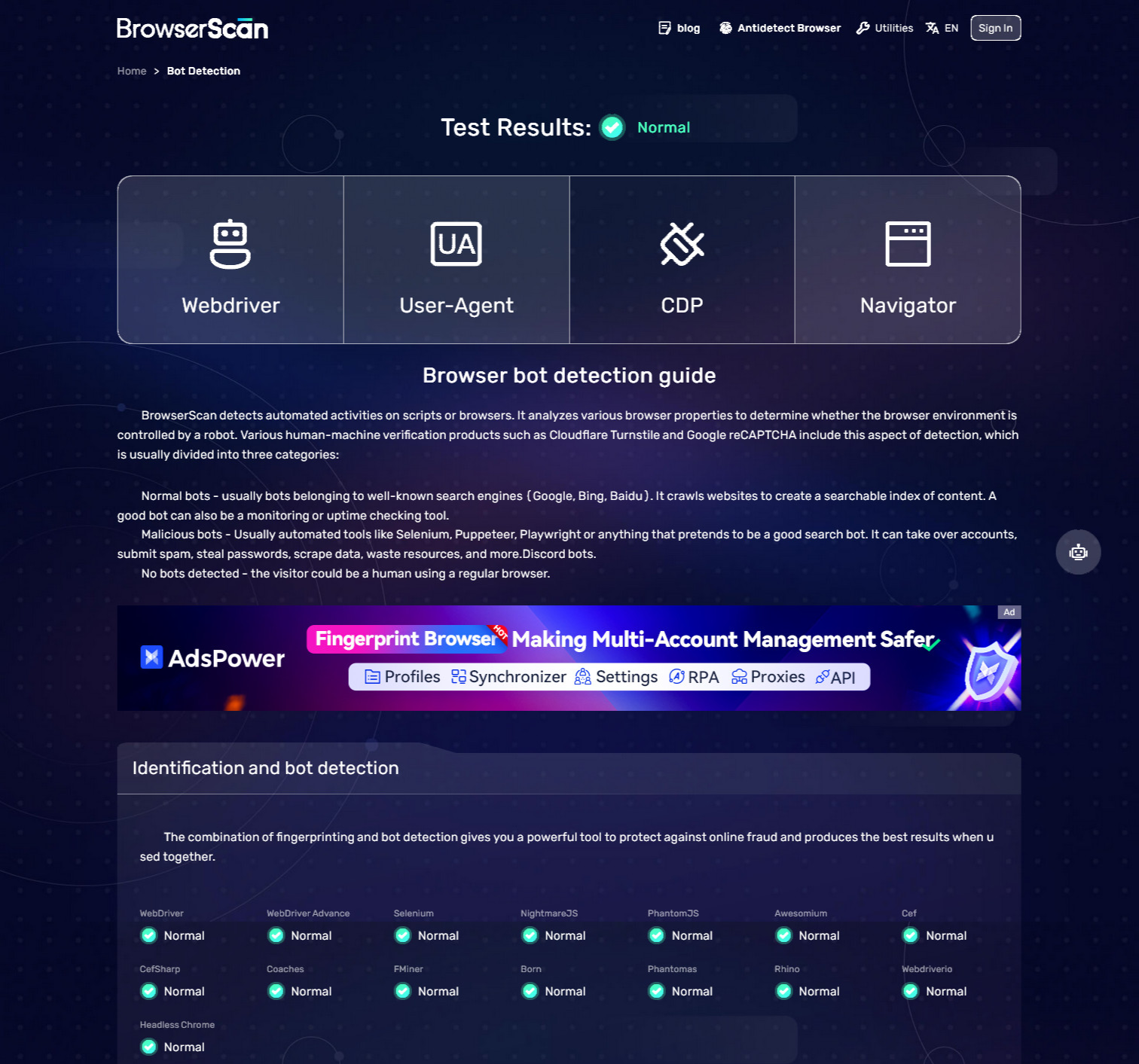
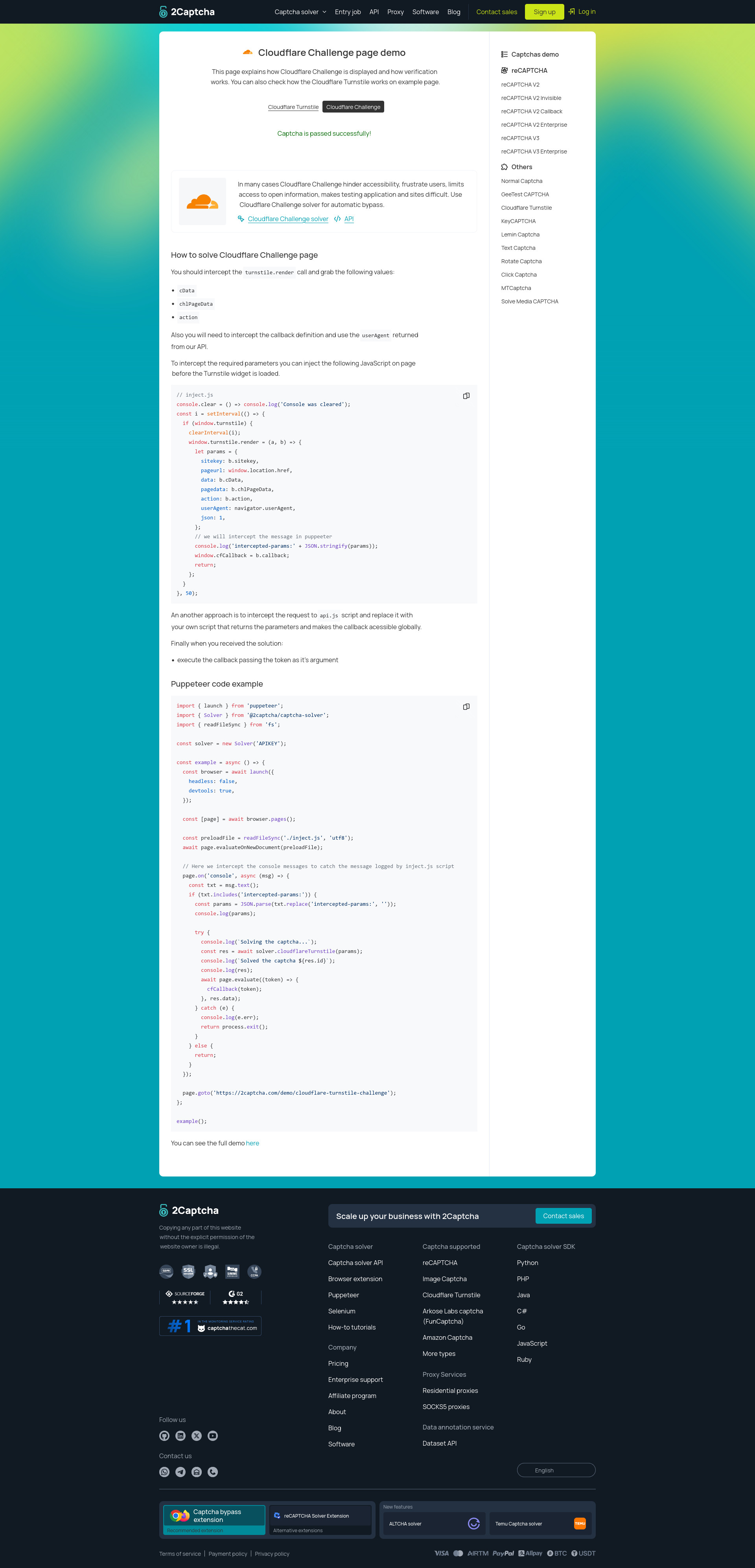
Cloudflare Challenge
|
### Pixelscan
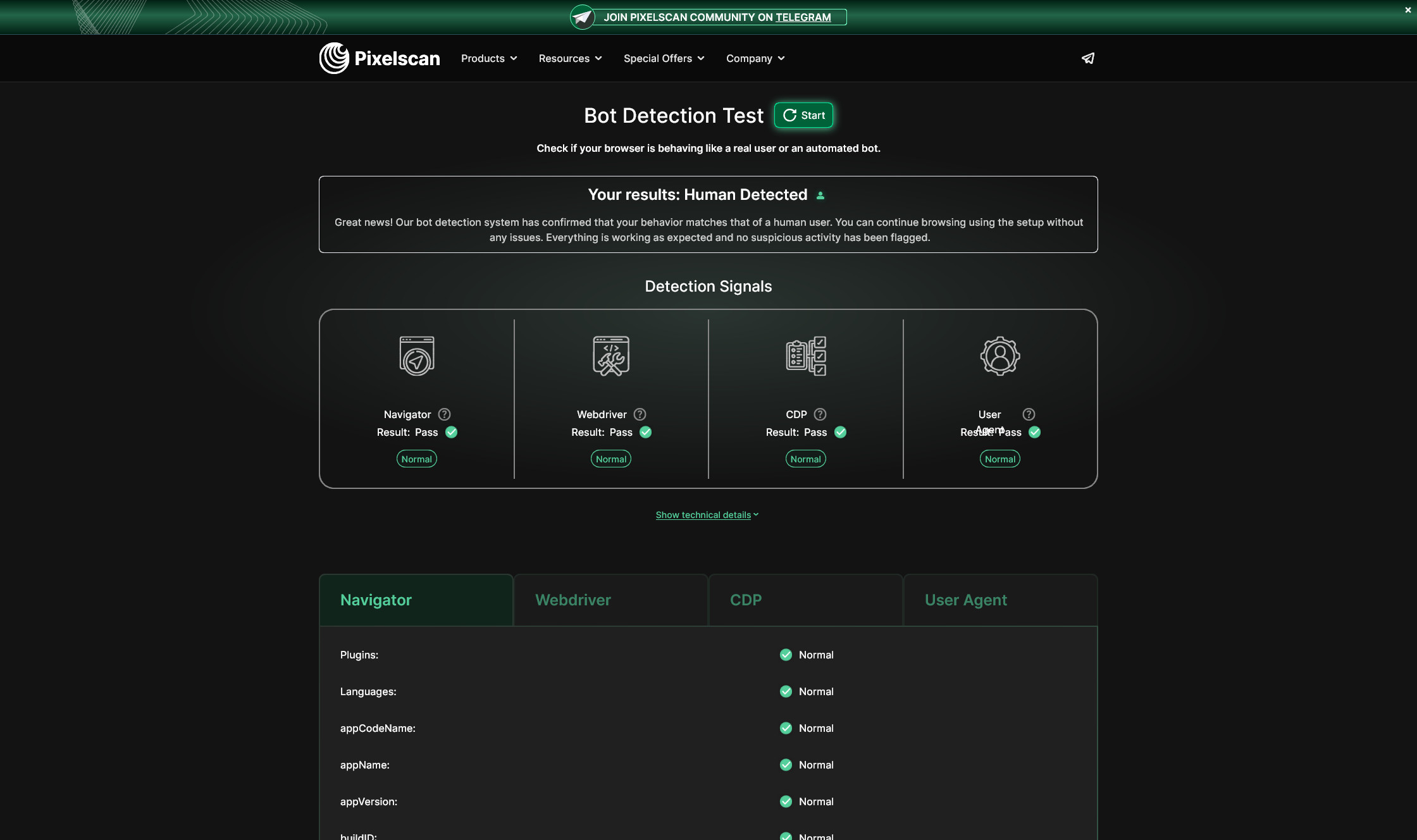
|
### Proxy Validation
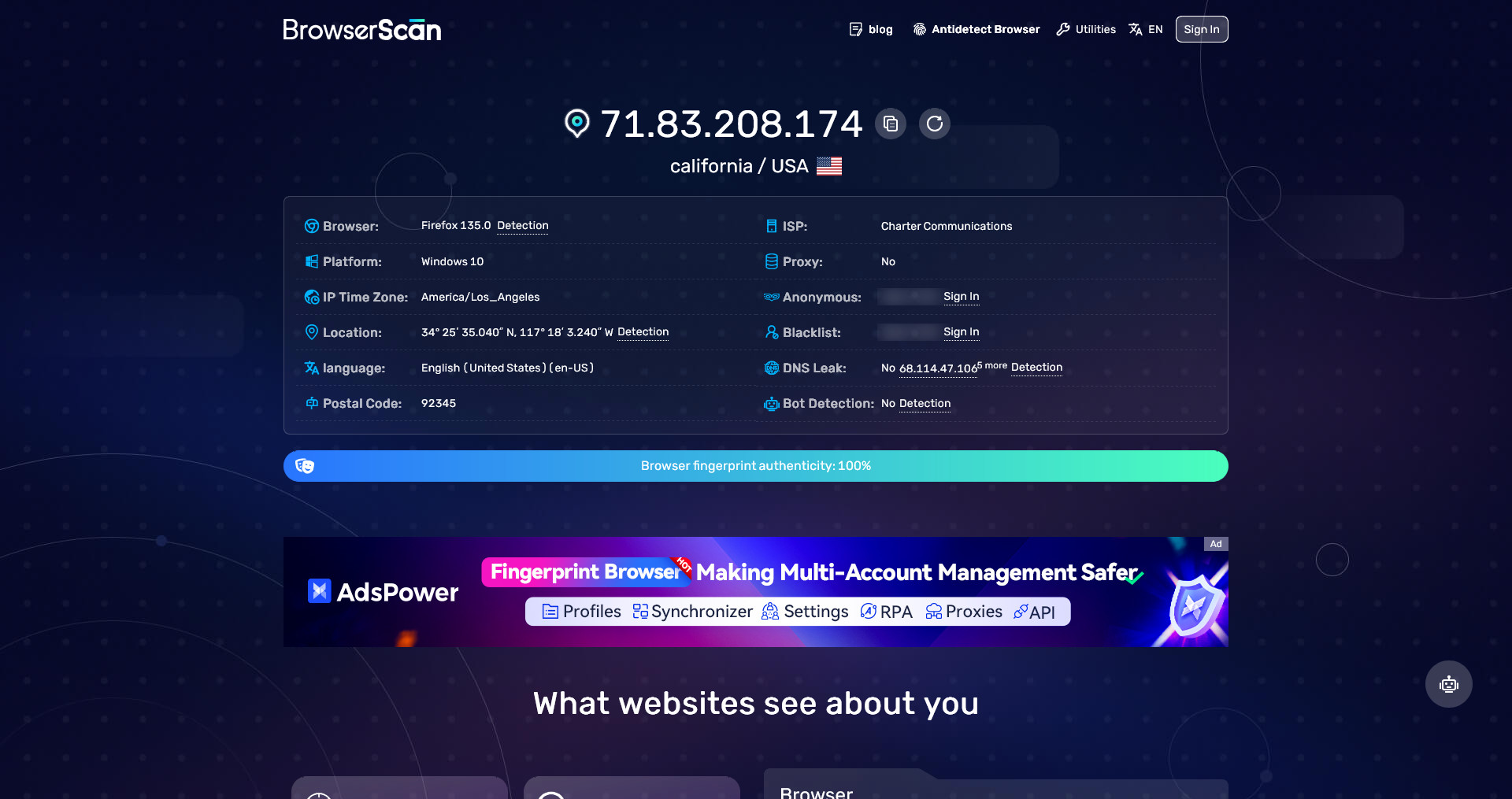
|
## Quick Start
### System Requirements
| Item | Minimum | Recommended |
| --- | --- | --- |
| OS | macOS, Linux, or Windows 11 with WSL2 | Ubuntu 22.04+/24.04, Debian 12, or Windows 11 with WSL2 |
| CPU | 2 cores | 4+ cores |
| RAM | 4 GB | 8-16 GB |
| Disk | 10 GB free | 20+ GB SSD |
| Network | outbound internet for installs, browser downloads, and APIs | stable broadband |
| Docker | Docker Engine + Compose v2 | current stable |
### Mode requirements
**Developer** — apps run on the host; **Docker is required**. Postgres and Redis run in Docker Compose. You still need Node.js, pnpm, and Git for `apps/web`, `apps/api`, and the worker.
**Production** — the full stack runs in Docker, plus a domain layer (Caddy). You need:
- a public server / VPS with Docker + Compose v2
- two hostnames, for example `dashboard.yourdomain.com` and `api.yourdomain.com`
- DNS `A` / `AAAA` records pointing both names at the server
- ports `80` and `443` open (Caddy issues TLS)
- an email for Let's Encrypt (`--caddy-email`)
```bash
headlessx init --mode developer
headlessx init --mode production --api-domain api.example.com --web-domain dashboard.example.com --caddy-email ops@example.com
```
### Runtime Dependencies
- Node.js 22+ and pnpm 10.32.1+ (developer mode; apps on the host)
- Git
- Docker + Compose v2 (**required for developer and production**)
- Python/uv for `yt-engine`
- Go for the HTML-to-Markdown sidecar (v2.1.2)
PostgreSQL and Redis are not a separate install in either mode — they come from Docker.
If your machine does not already use the pinned pnpm release, align it with:
```bash
corepack enable
corepack use pnpm@10.32.1
```
### Practical Sizing Notes
- 4 GB RAM is enough for light local testing
- 8 GB RAM is the better baseline for the web, API, worker, Redis, and browser runtime together
- 16 GB RAM is safer for heavier crawl jobs, YouTube flows, or multiple concurrent browser tasks
### CLI Bootstrap
HeadlessX is now CLI-first for installation and local lifecycle management.
```bash
npm install -g @headlessx-cli/core
headlessx init
headlessx status
headlessx doctor
```
The CLI bootstraps HeadlessX into `~/.headlessx` by default and supports two setup modes:
- `developer`: clone the repo, keep app services local, **Docker required** for Postgres and Redis
- `production`: full Docker stack plus Caddy/domains (`dashboard.yourdomain.com` and `api.yourdomain.com`)
Useful examples:
```bash
headlessx init --mode developer
headlessx init --mode production --api-domain api.example.com --web-domain dashboard.example.com --caddy-email ops@example.com
headlessx init update
headlessx init update --branch develop
headlessx start
headlessx logs
headlessx restart
headlessx stop
```
For existing VPS or Docker installs, use `headlessx init update` to pull the latest repo state into `~/.headlessx/repo`, reconcile missing env keys for the saved mode, then run `headlessx restart`.
For `production`, `headlessx restart` rebuilds Docker images before bringing the stack back up.
HeadlessX intentionally uses uncommon localhost defaults to avoid conflicts with other tools:
`web=34872`, `api=38473`, `postgres=35432`, `redis=36379`, `html-to-md=38081`, `yt-engine=38090`.
For deeper setup details, direct repo development, env files, Docker internals, and MCP/client notes, see [docs/setup-guide.md](docs/setup-guide.md).
### Google AI Search First Run
The first Google AI Search run now uses a shared persistent browser profile instead of a seeded browser profile committed into the repo.
1. Open `/playground/operators/google/ai-search`
2. Click `Build Cookies`
3. Let the shared browser open Google
4. Browse normally and solve any Google or reCAPTCHA prompt once
5. Click `Stop Browser` to save the profile
After that, the saved shared profile is reused for later Google searches.
- Docker and VPS installs persist it in the `browser_profile` volume
- local repo runs persist it under `apps/api/data/browser-profile/default`
- the old tracked `apps/api/default-data/browser-profile` bundle has been removed
### YouTube Workspace
The YouTube operator is live only when `YT_ENGINE_URL` is configured.
- CLI `developer` and `production` init flows write it automatically
- custom local setups must point `YT_ENGINE_URL` at a reachable `yt-engine` instance
## API Summary
All non-health backend routes are protected with `x-api-key`.
Core backend surfaces:
- `GET /api/health`
- `GET/PATCH /api/config`
- `GET /api/dashboard/stats`
- `GET /api/logs`
- `GET/POST/PATCH/DELETE /api/keys`
- proxy CRUD under `/api/proxies`
- website operator routes under `/api/operators/website/*`
- Google AI Search routes under `/api/operators/google/ai-search/*`
- Tavily routes under `/api/operators/tavily/*`
- Exa routes under `/api/operators/exa/*`
- YouTube routes under `/api/operators/youtube/*`
- queue job routes under `/api/jobs/*`
- remote MCP endpoint at `/mcp`
See the full route reference in [docs/api-endpoints.md](docs/api-endpoints.md).
## MCP
HeadlessX exposes a remote MCP endpoint from the API:
```text
http://localhost:38473/mcp
```
Use a normal API key created from the dashboard API Keys page.
Do not use `DASHBOARD_INTERNAL_API_KEY` for MCP clients.
Example client config:
```json
{
"mcpServers": {
"headlessx": {
"transport": "http",
"url": "http://localhost:38473/mcp",
"headers": {
"x-api-key": "hx_your_dashboard_created_key"
}
}
}
}
```
## Monorepo Layout
```text
apps/
api/ Express API + worker + MCP
web/ Next.js dashboard
yt-engine/ Python YouTube engine
go-html-to-md-service/ Go HTML-to-Markdown sidecar
docs/
setup-guide.md
api-endpoints.md
infra/docker/
```
## Packages
| Package | Description | Status |
| --- | --- | --- |
| @headlessx-cli/core | Published CLI package for HeadlessX operators, jobs, and search workflows. Command: `headlessx` | Available |
| HeadlessX Agent Skills | Installable agent skill pack from this repository for Cursor, Claude Code, Warp, Windsurf, OpenCode, OpenClaw, Antigravity, and similar tools. | Available |
### Available
| Package | Description | Status |
| --- | --- | --- |
| headfox-js | Published TypeScript launcher and Playwright helper for Headfox, currently powered by Camoufox-compatible browser bundles. | Available |
### Coming Soon
| Package | Description | Status |
| --- | --- | --- |
| hexium-browser | Playwright `launch()` for Hexium (Chrome 151). HeadlessX **v2.5** will use this. Lives in [HeadlessXLabs](https://github.com/HeadlessXLabs/hexium-browser). | Public now |
## Notes
- The dashboard uses the internal dashboard key for server-side internal requests
- MCP uses normal user-created API keys, not the dashboard internal key
- Queue-backed features return degraded/unavailable behavior when Redis is missing
- Docker support now covers the full runtime stack, including yt-engine
## Contributing
See [CONTRIBUTING.md](CONTRIBUTING.md) for the current contribution workflow, local setup expectations, pull request guidance, and commit message conventions.
## License
HeadlessX is open source under the [GNU Affero General Public License v3.0](LICENSE). Anyone may use, study, modify, and share it — individuals, teams, and companies. If you run a modified version as a network service, you must also share the source.
## Credits
v2.1.2 is powered by [Camoufox](https://camoufox.com/) — a Firefox-based anti-detect browser with C++ fingerprint patches.
**v2.5** will run [Hexium](https://github.com/HeadlessXLabs/hexium-browser) under [HeadlessXLabs](https://github.com/HeadlessXLabs).
### Crypto scam warning
Sketchy people are doing sketchy things with crypto tokens named "Camofox" now that this project is getting attention. Camofox is not a crypto project and will never be one. Any token, coin, or NFT using the Camofox name has nothing to do with us.