
Saif Addin
💻

zeel
💻

Git-GoR
🌍

José E. Lozano
🌍

CarnVanBeck
🌍

DarKDinDoN
💻

Brother Sharp
🌍

Earl Shuggaloaf
💻
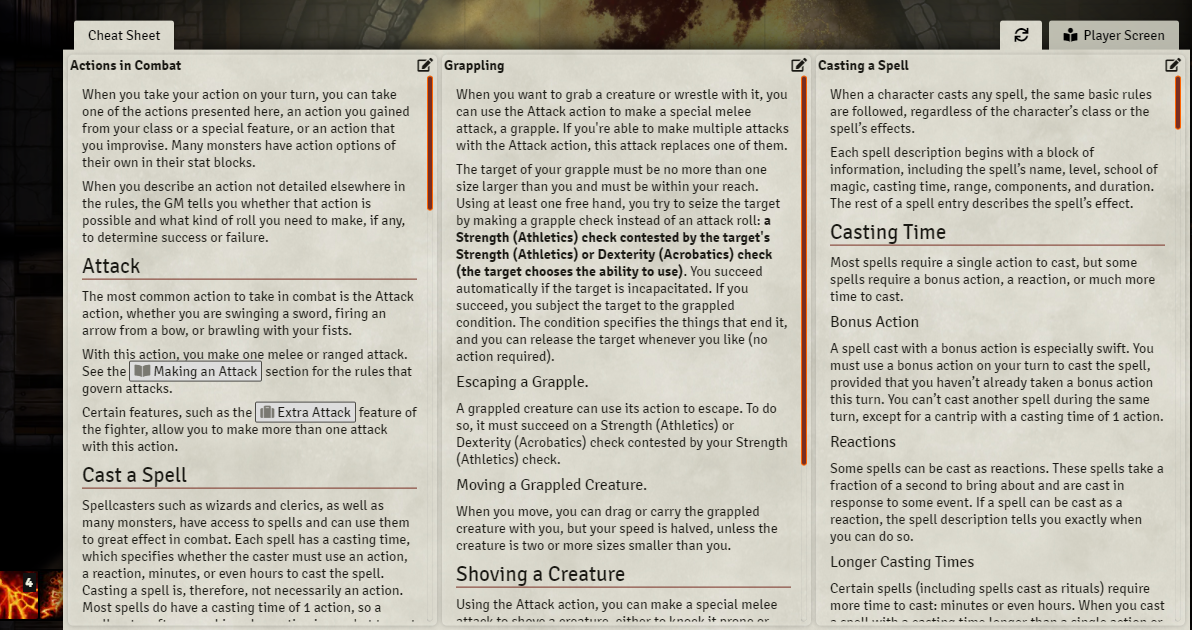
 ## Screenshots
### GM View
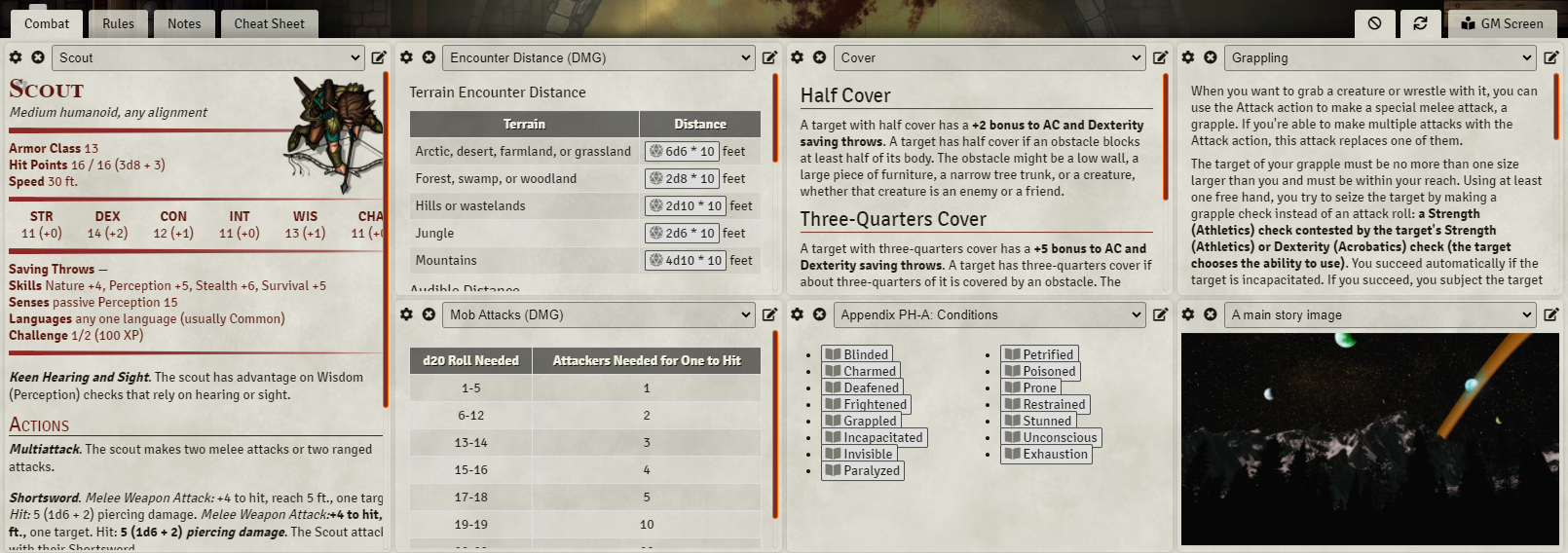
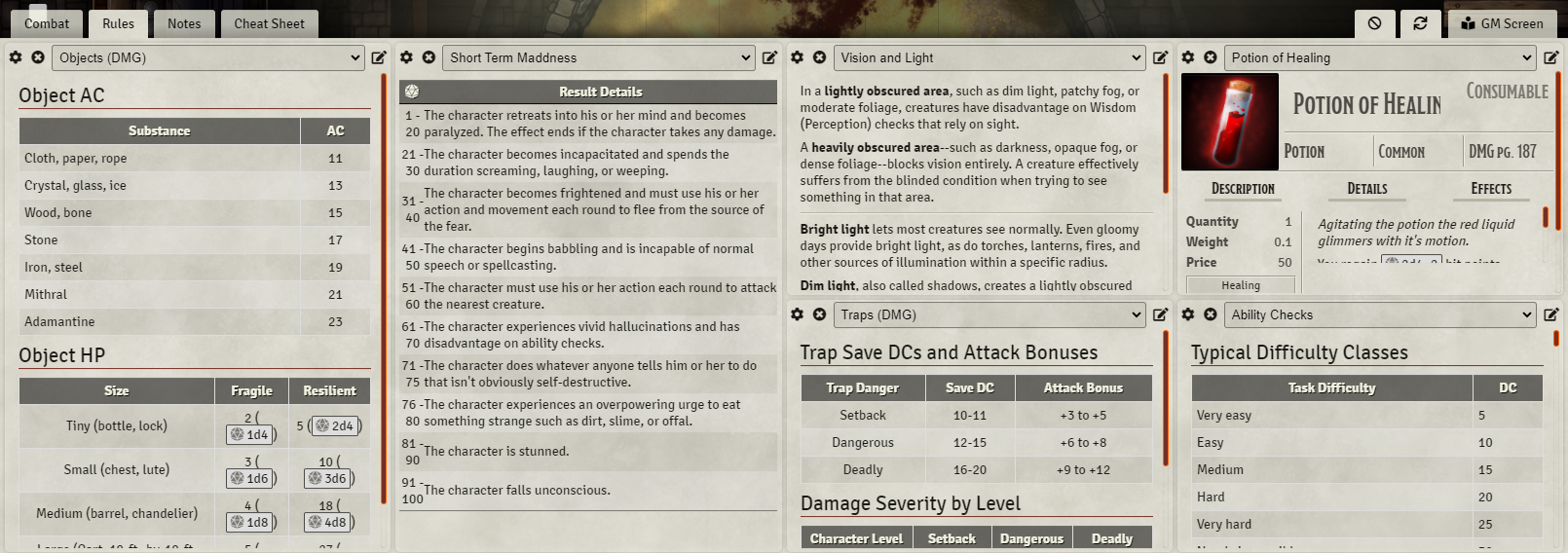
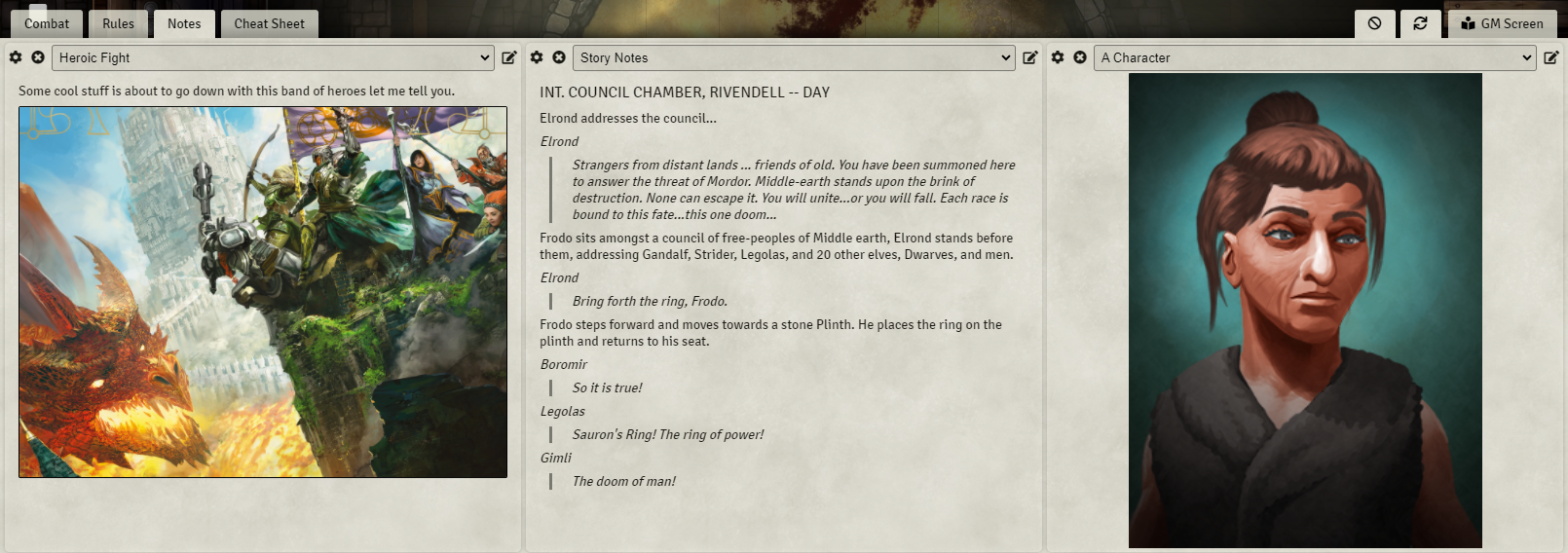
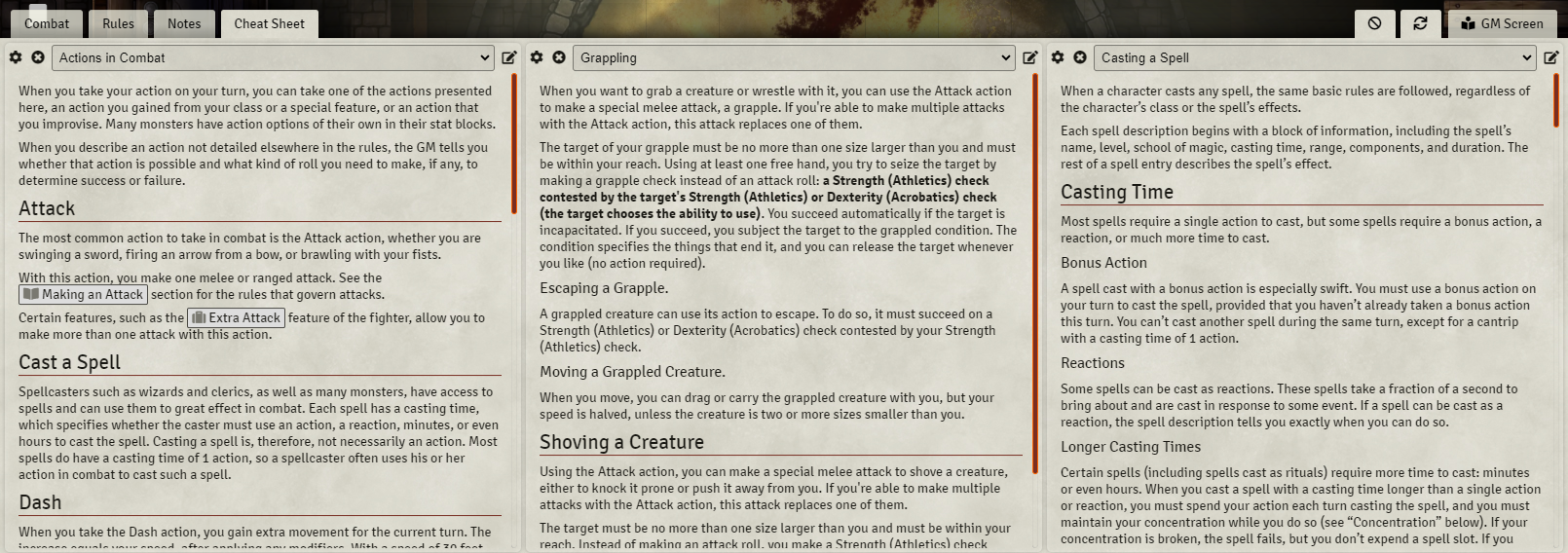
### Player View (with a tab set to be shared)
## Configuration
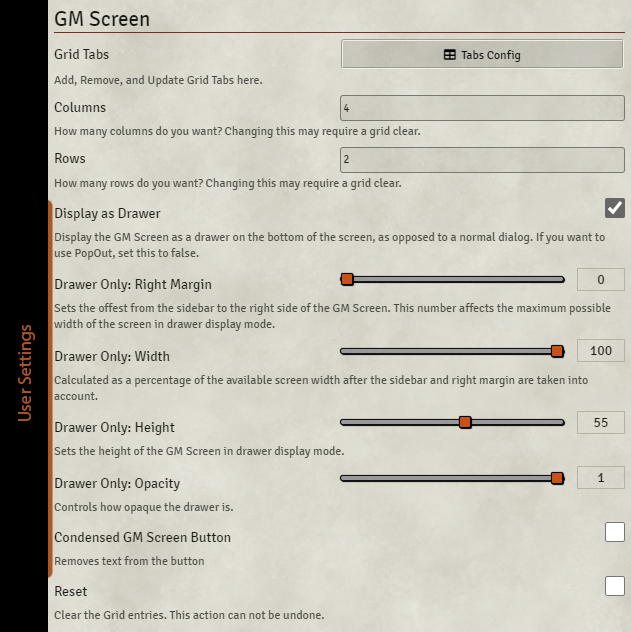
| **Name** | Scope | Default | Description |
| ------------------------------ | :----: | :-----: | --------------------------------------------------------------------------------------------------------------------------------------------------------------------------------------------------- |
| **Grid Tabs** | world | Menu | Allows the user to configure multiple tabs of the grid. Each grid tab created can have its own Column Override and Row Override if the default setting isn't what you want for that particular tab. |
| **Columns** | world | 4 | Sets the number of columns in the grid. |
| **Rows** | world | 3 | Sets the number of rows in the grid. |
| **Display as Drawer** | client | true | Controls whether the GM Screen appears as a normal popup dialog or as a drawer. To use the PopOut module with the GM Screen, this needs to be unchecked. |
| Drawer Only: **Right Margin** | client | 0(vw) | Sets the offset from the sidebar to the right side of the GM Screen. This number affects the maximum possible width of the screen. |
| Drawer Only: **Height** | client | 60(vh) | Sets the height of the GM Screen Drawer. |
| Drawer Only: **Width** | client | 100(%) | Calculated as a percentage of the available screen width after the sidebar and right margin are taken into account. |
| Drawer Only: **Opacity** | client | 100(%) | Controls how opaque the drawer is. |
| **Condensed GM Screen Button** | client | false | Removes the text from the GM Screen Button. |
| **Reset Grid** | world | false | Saving with this checkbox checked will reset the grid (useful if you end up somehow causing it to fail to render). |
Note that changing the grid dimensions after populating the grid might cause unexpected results, and odds are you will have to clear the grid and repopulate things.
### Tab Configuration
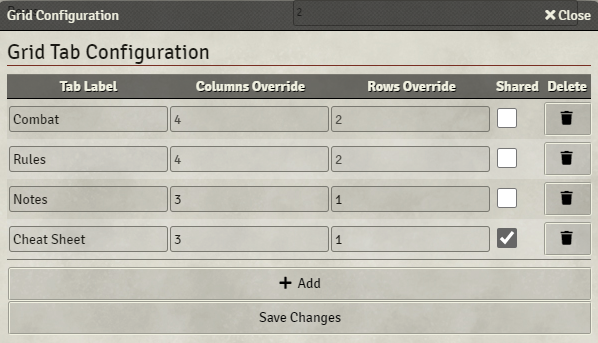
| **Name** | Description |
| -------------------- | ------------------------------------------------------------------------------------------------------------------------------------ |
| **Tab Label** | The name of this tab, this is visible to players if the tab is shared. |
| **Columns Override** | Override the number of columns in this specific grid tab. |
| **Rows Override** | Override the number of rows in this specific grid tab. |
| **Shared** | Controls whether or not this tab is also visible to players. If there are no shared grids, the players do not see the Screen at all. |
| **Delete** | Removes a Tab. |
## Compatibility
No information for compatibility with other modules is available at this time. The module is compatible with Foundry VTT v13.0.0 and later.
## Known Issues
- Migrating from FoundryVTT v11 and GM Screen 4.0.4 to newer versions may cause [issues](https://github.com/samulopez/foundryvtt-gmScreen/issues/60) with existing worlds. Only way to resolve this is resetting the [settings](https://github.com/samulopez/foundryvtt-gmScreen/issues/60#issuecomment-3736431068).
- The grid does not refresh automatically when settings are changed, click the "refresh" button.
- Some information will appear to players if they are shared a screen that contains things they do not have permission to view normally.
- It is possible to overlap your cells with column/row spanning. It should not be possible to make it so you cannot recover from such a situation manually.
## Acknowledgements
Forked from ElfFriend-DnD's [gm-screen-repository](https://github.com/ElfFriend-DnD/foundryvtt-gmScreen)
Bootstrapped with Nick East's [create-foundry-project](https://gitlab.com/foundry-projects/foundry-pc/create-foundry-project).
Mad props to the [League of Extraordinary FoundryVTT Developers](https://forums.forge-vtt.com/c/package-development/11) community which helped me figure out a lot.
## Contributors ✨
Thanks goes to these wonderful people ([emoji key](https://allcontributors.org/docs/en/emoji-key)):
## Screenshots
### GM View




### Player View (with a tab set to be shared)

## Configuration

| **Name** | Scope | Default | Description |
| ------------------------------ | :----: | :-----: | --------------------------------------------------------------------------------------------------------------------------------------------------------------------------------------------------- |
| **Grid Tabs** | world | Menu | Allows the user to configure multiple tabs of the grid. Each grid tab created can have its own Column Override and Row Override if the default setting isn't what you want for that particular tab. |
| **Columns** | world | 4 | Sets the number of columns in the grid. |
| **Rows** | world | 3 | Sets the number of rows in the grid. |
| **Display as Drawer** | client | true | Controls whether the GM Screen appears as a normal popup dialog or as a drawer. To use the PopOut module with the GM Screen, this needs to be unchecked. |
| Drawer Only: **Right Margin** | client | 0(vw) | Sets the offset from the sidebar to the right side of the GM Screen. This number affects the maximum possible width of the screen. |
| Drawer Only: **Height** | client | 60(vh) | Sets the height of the GM Screen Drawer. |
| Drawer Only: **Width** | client | 100(%) | Calculated as a percentage of the available screen width after the sidebar and right margin are taken into account. |
| Drawer Only: **Opacity** | client | 100(%) | Controls how opaque the drawer is. |
| **Condensed GM Screen Button** | client | false | Removes the text from the GM Screen Button. |
| **Reset Grid** | world | false | Saving with this checkbox checked will reset the grid (useful if you end up somehow causing it to fail to render). |
Note that changing the grid dimensions after populating the grid might cause unexpected results, and odds are you will have to clear the grid and repopulate things.
### Tab Configuration

| **Name** | Description |
| -------------------- | ------------------------------------------------------------------------------------------------------------------------------------ |
| **Tab Label** | The name of this tab, this is visible to players if the tab is shared. |
| **Columns Override** | Override the number of columns in this specific grid tab. |
| **Rows Override** | Override the number of rows in this specific grid tab. |
| **Shared** | Controls whether or not this tab is also visible to players. If there are no shared grids, the players do not see the Screen at all. |
| **Delete** | Removes a Tab. |
## Compatibility
No information for compatibility with other modules is available at this time. The module is compatible with Foundry VTT v13.0.0 and later.
## Known Issues
- Migrating from FoundryVTT v11 and GM Screen 4.0.4 to newer versions may cause [issues](https://github.com/samulopez/foundryvtt-gmScreen/issues/60) with existing worlds. Only way to resolve this is resetting the [settings](https://github.com/samulopez/foundryvtt-gmScreen/issues/60#issuecomment-3736431068).
- The grid does not refresh automatically when settings are changed, click the "refresh" button.
- Some information will appear to players if they are shared a screen that contains things they do not have permission to view normally.
- It is possible to overlap your cells with column/row spanning. It should not be possible to make it so you cannot recover from such a situation manually.
## Acknowledgements
Forked from ElfFriend-DnD's [gm-screen-repository](https://github.com/ElfFriend-DnD/foundryvtt-gmScreen)
Bootstrapped with Nick East's [create-foundry-project](https://gitlab.com/foundry-projects/foundry-pc/create-foundry-project).
Mad props to the [League of Extraordinary FoundryVTT Developers](https://forums.forge-vtt.com/c/package-development/11) community which helped me figure out a lot.
## Contributors ✨
Thanks goes to these wonderful people ([emoji key](https://allcontributors.org/docs/en/emoji-key)):
Saif Addin 💻 |
zeel 💻 |
Git-GoR 🌍 |
José E. Lozano 🌍 |
CarnVanBeck 🌍 |
DarKDinDoN 💻 |
Brother Sharp 🌍 |
Earl Shuggaloaf 💻 |