

 ### How it works
1. **Grant SMS permission** (read-only) — no account creation, no inbox changes, no messages sent.
2. **PennyWise parses your transactions instantly** — extracts amount, merchant, category, and date. New SMS are detected in real-time.
3. **Get insights** — analytics, budgets, subscriptions, and an on-device AI assistant you can ask anything.
📖 **New here?** The [user guide](https://pennywise.zynth.dev/guide) walks through every feature step by step, with screenshots.
## Why PennyWise
**Key Differentiators**
- **🔒 Private by Design** — AI and transaction storage run on your phone; no accounts, no analytics, and your data leaves the phone only through opt-in features you start ([see Privacy](#privacy-first))
- **⚡ Zero Setup** — Just grant SMS permission, no accounts to create, works instantly
- **🆓 Free & Open Source** — AGPL v3 licensed, no ads, no trackers; an optional **[PennyWise Pro](#pennywise-pro)** upgrade supports the solo developer
- **🌐 Your Language** — Translated via Crowdin, with full Arabic (RTL) support; pick your language and currency on first launch
**Core Features**
- **🤖 Smart SMS Parsing** — 178 banks across 26 countries with real-time detection of incoming SMS; SMS from banks we don't support yet, and notifications from apps you pick, become suggested transactions
- **🌍 Multi-Currency** — Per-account currency, live exchange rates, and totals that never mix currencies
- **💬 On-Device AI Assistant** — Ask "What did I spend on food?", compare with last month, add or review transactions in plain words, or dictate with the mic — powered by Qwen 2.5, runs entirely on your phone
- **🏷️ Categories, Tags & Smart Rules** — Sub-categories, emoji icons, renamable built-ins, learned merchant categories, and rules with multiple conditions and actions
- **💰 Budgets & Savings Goals** — Category or type budgets with custom cycles (including last working day), per-day allowance, safe-to-spend and a month-end forecast; goals you add to straight from transactions
- **📊 Analytics & Charts** — Group by category, merchant, account, tag or weekday; trends, heatmaps, top merchants, custom date ranges
- **🏦 Accounts, Cards & Loans** — Live balances from SMS, balance history, discrepancy fixes, low-balance alerts, account merge, loans by person, and bill splits with UPI QR requests
- **🔄 Subscriptions** — Spots repeat charges, suggests untracked bills, flags price changes, and reminds you before a bill is due
- **📥 Statement Import** — PDF (including password-protected), Excel and CSV statements with column mapping, preview and balance check
**More Features**
- **🔐 Privacy Controls** — Biometric app lock, and hide amounts on every screen (or shake the phone to toggle)
- **🔔 Smart Notifications** — Clear transaction alerts with a one-tap "Not an expense", bill reminders, and an opt-in spending conscience
- **📱 Widgets & Quick Add** — Budget, recent transactions, spending pie and goal widgets; a Quick Settings tile and shortcut to add a transaction
- **📤 Backup & Export** — Full backup/restore (.pennywisebackup) including settings and receipt photos, scheduled folder backups, CSV export, rule import/export
- **🤝 AI Access & Webhooks** *(Pro)* — Let Claude or ChatGPT read your on-phone data during a session you start, open a dashboard on your computer, or push summaries to your own webhook
- **🎭 Material 3 Expressive** — Dynamic color, extra colour themes, Google Sans Flex, light/dark/system, and a Home screen you can reorder
- **🍎 iOS App** — On the [App Store](https://apps.apple.com/app/id6793073167), with on-device AI chat and Shortcuts automation for bank SMS
### Smart Rules Engine
Rules let you auto-categorize, modify, or block transactions based on configurable **conditions**. A rule consists of one or more "When" conditions and a "Then" action.
**Available condition fields:**
| Field | Description | Example value | Supported operators |
|---|---|---|---|
| `AMOUNT` | Transaction amount | `200` | `<`, `>`, `=` |
| `TYPE` | Income/Expense/Transfer | `INCOME` | `contains`, `equals`, `starts with` |
| `CATEGORY` | Assigned category | `Food & Dining` | `contains`, `equals`, `starts with` |
| `MERCHANT` | Merchant/vendor name | `Amazon` | `contains`, `equals`, `starts with` |
| `NARRATION` | Transaction description | `Monthly rent` | `contains`, `equals`, `starts with` |
| `SMS_TEXT` | Raw SMS body | `OTP` | `contains`, `equals`, `starts with` |
| `BANK_NAME` | Bank name from SMS | `HDFC Bank` | `contains`, `equals`, `starts with` |
| `TIME` / `HOUR` | Transaction time | `09:00` / `9` | `before`, `after`, `at or after`, `at or before` |
| `DAY_OF_WEEK` | Day (1=Mon .. 7=Sun) | `1` | `is`, `is any of`, `is not` |
| `DAY_OF_MONTH` | Day of month (1-31) | `15` | `is`, `is any of`, `before`, `after` |
| `DATE` | Transaction date | `2026-03-21` | `is`, `before`, `after` |
| **`ACCOUNT`** | **Bank account composite** | Select from picker | `is`, `is not` |
**Account condition (ACCOUNT)** — Restricts the rule to transactions from a specific bank account. The value is stored as a `BankName||Last4` composite key (e.g. `HDFC Bank||1234`). When selected, the UI shows an account picker populated from your tracked accounts. Only `EQUALS` and `NOT_EQUALS` operators are available.
Conditions can be combined with **AND** / **OR** logic, and multiple conditions per rule are supported.
**Available actions:**
- **Set** — Override a field (category, merchant, type, description)
- **Append / Prepend** — Add text to a field (merchant, description)
- **Clear** — Remove a field value
- **Block** — Prevent the transaction from being saved
**JSON representation** (stored locally, not exposed via API):
```json
{
"conditions": [
{"field": "ACCOUNT", "operator": "EQUALS", "value": "HDFC Bank||1234"},
{"field": "AMOUNT", "operator": "GREATER_THAN", "value": "500"}
],
"actions": [
{"field": "CATEGORY", "actionType": "SET", "value": "Food & Dining"}
]
}
```
## Supported Banks & Countries
Supporting **178 banks & services** across **26 countries** with **multi-currency** capabilities:
### 🇮🇳 India — INR ₹ (58)
**AU Small Finance Bank**, **Airtel Payments Bank**, **Amazon Pay**, **American Express**, **Axis Bank**, **Bandhan Bank**, **Bank of Baroda**, **Bank of India**, **CRED**, **Canara Bank**, **Cashfree**, **Central Bank of India**, **City Union Bank**, **DBS Bank**, **Department of Post**, **Dhanlaxmi Bank**, **Equitas Small Finance Bank**, **Federal Bank**, **Greater Bank**, **HDFC Bank**, **HDFC Mutual Fund**, **HSBC Bank**, **ICICI Bank**, **IDBI Bank**, **IDFC First Bank**, **India Post Payments Bank**, **Indian Bank**, **Indian Overseas Bank**, **IndusInd Bank**, **JK Bank**, **Jana Small Finance Bank**, **Jio Payments Bank**, **JioPay**, **Jupiter**, **Karnataka Bank**, **Kerala Bank**, **Kerala Gramin Bank**, **Kotak Bank**, **LazyPay**, **NSDL Payments Bank**, **Navi Mutual Fund**, **OneCard**, **PhonePe Wallet**, **Pluxee**, **Punjab & Sind Bank**, **Punjab National Bank**, **SVC Co-operative Bank**, **Saraswat Co-operative Bank**, **Slice**, **South Indian Bank**, **Standard Chartered Bank**, **State Bank of India**, **Suryoday Small Finance Bank**, **Tamilnad Mercantile Bank**, **UCO Bank**, **Union Bank of India**, **Utkarsh Bank**, **Yes Bank**
### 🇳🇵 Nepal — NPR ₨ (13)
**Citizens Bank**, **Everest Bank**, **Laxmi Sunrise Bank**, **Lumbini Bikash Bank**, **Machchhapuchchhre Bank**, **Manjushree Finance**, **NMB Bank**, **Nabil Bank**, **Nepal Bank Limited**, **Nepal SBI Bank**, **Prime Commercial Bank**, **Siddhartha Bank**, **Standard Chartered Bank Nepal**
### 🇹🇭 Thailand — THB ฿ (11)
**BAAC**, **Bangkok Bank**, **CIMB Thai**, **Government Savings Bank**, **KTC**, **Kasikorn Bank**, **Krungsri**, **Krungthai Bank**, **Siam Commercial Bank**, **TTB**, **UOB Thailand**
### 🇺🇸 United States — USD $ (10)
**ALECU**, **AdelFi**, **Altana Federal Credit Union**, **Charles Schwab**, **Chase**, **Citi Bank**, **Discover Card**, **Huntington Bank**, **Navy Federal Credit Union**, **Old Hickory Credit Union**
### 🇪🇹 Ethiopia — ETB ብር (9)
**Apollo**, **Awash Bank**, **Bank of Abyssinia**, **Commercial Bank of Ethiopia**, **Dashen Bank**, **Siket Bank**, **Telebirr**, **ZamZam Bank**, **Zemen Bank**
### 🇳🇬 Nigeria — NGN ₦ (9)
**Access Bank**, **GTBank**, **Jaiz Bank**, **Keystone Bank**, **Moniepoint**, **Opay**, **Standard Chartered Bank Nigeria**, **VFD Microfinance Bank**, **Zenith Bank**
### 🇸🇦 Saudi Arabia — SAR ﷼ (9)
**Al Rajhi Bank**, **Alinma Bank**, **Banque Saudi Fransi**, **Barq**, **D360 Bank**, **Mobily Pay**, **SABB**, **STC Bank**, **Saudi National Bank**
### 🇹🇿 Tanzania — TZS TSh (7)
**CRDB Bank**, **Diamond Trust Bank**, **M-Pesa Tanzania**, **Mixx by Yas**, **NMB Bank Tanzania**, **Selcom Pesa**, **Tigo Pesa**
### 🇦🇪 UAE — AED د.إ (7)
**Abu Dhabi Commercial Bank**, **Dubai First**, **Emirates Islamic**, **Emirates NBD**, **First Abu Dhabi Bank**, **Liv Bank**, **Mashreq Bank**
### 🇮🇷 Iran — IRR ﷼ (6)
**Bankino**, **Mellat Bank**, **Melli Bank**, **Parsian Bank**, **Pasargad Bank**, **blu Bank**
### 🇧🇩 Bangladesh — BDT ৳ (5)
**BRAC Bank**, **City Bank (Bangladesh)**, **IFIC Bank (Bangladesh)**, **Standard Chartered Bank (Bangladesh)**, **bKash**
### 🇯🇴 Jordan — JOD JD (5)
**Bank al Etihad**, **Islamic International Arab Bank**, **Jordan Islamic Bank**, **Orange Money**, **Safwa Islamic Bank**
### 🇱🇰 Sri Lanka — LKR Rs (5)
**Commercial Bank of Ceylon**, **National Development Bank**, **National Savings Bank**, **Nations Trust Bank**, **Sampath Bank**
### 🇲🇿 Mozambique — MZN MT (4)
**M-Pesa Mozambique**, **Millennium BIM**, **Standard Bank Mozambique**, **eMola**
### 🇪🇬 Egypt — EGP E£ (3)
**Arab Bank**, **CIB Egypt**, **National Bank of Egypt**
### 🇸🇻 El Salvador — USD $ (3)
**Banco Agricola**, **Banco Cuscatlan**, **Banco Promerica**
### 🇧🇾 Belarus — BYN Br (2)
**Belarusbank**, **Priorbank**
### 🇪🇺 Eurozone — EUR € (2)
**BPCE**, **Sparkasse Rhein-Maas**
### 🇰🇪 Kenya — KES Ksh (2)
**Equity Bank**, **M-PESA**
### 🇬🇧 United Kingdom — GBP £ (2)
**Chase UK**, **Trading 212**
### 🇨🇴 Colombia — COP $ (1)
**Bancolombia**
### 🇨🇿 Czech Republic — CZK Kč (1)
**mBank CZ**
### 🇴🇲 Oman — OMR ر.ع. (1)
**Bank Muscat**
### 🇵🇰 Pakistan — PKR ₨ (1)
**Faysal Bank**
### 🇷🇺 Russia — RUB ₽ (1)
**T-Bank**
### 🇹🇷 Turkey — TRY ₺ (1)
**Enpara**
More banks being added regularly! [Request your bank →](https://github.com/sarim2000/pennywiseai-tracker/issues/new?template=bank_support_request.yml)
## Privacy First
All AI processing happens on your device, powered by Google AI Edge LiteRT-LM running Qwen 2.5. Your SMS and transactions are parsed, stored, and analyzed **locally** — there are no accounts, **no analytics, crash-reporting, or telemetry SDKs** (no Firebase / Crashlytics / Sentry / Google Analytics — verify in `app/build.gradle.kts`), and no PennyWise server receives your financial data unless you start one of the opt-in features below (reporting a parsing problem, or AI access). The whole codebase is open source (AGPL v3) so every claim below is checkable.
### Network access — every outbound call the app can make
1. **Google Play services** *(Play Store build only)* — Google Play Billing (optional Pro subscription), In-App Updates, and In-App Review. These are Google's SDKs (declared `standardImplementation`), and they do their own background connectivity to Google — this is the most likely source of any "background data" you notice, especially on a single-currency setup. **The [F-Droid](https://f-droid.org/) build strips all three and is fully Google-free.**
2. **Exchange rates** — fetched from `open.er-api.com`. Automatic currency conversion runs **only when you hold more than one currency** (same-currency conversions make no call), but opening the currency picker also fetches the current rate list. Either way the request carries just a 3-letter currency code and a static `User-Agent` — no SMS, transactions, or device identifier — and results are cached locally. (`ExchangeRateProvider.kt`)
3. **On-device AI model** — a one-time ~1.5 GB download from Cloudflare R2, **only if you open the AI chat and choose to download it**. The bytes are SHA-256 pinned; after that the AI runs 100% offline. (`Constants.MODEL_URL`)
4. **Report a parsing problem** — when you use this flow it opens `pennywise.zynth.dev` with the SMS text, its sender, and an RSA-encrypted device identifier (your Android ID plus a timestamp) pre-filled, and parses them server-side to show a preview. Nothing is sent unless you start this yourself. (`SmsReportUrlBuilder.kt`, `DeviceEncryption.kt`)
5. **Online voice in chat** *(optional, off until you agree)* — dictation runs on your phone's speech service, on-device by default. A language your phone can't recognize offline (e.g. Arabic) can be used online after a one-time prompt that names the service; your speech then goes to that service, not to PennyWise. No audio is recorded or kept. (`VoiceInput.kt`)
6. **AI access** *(Pro, off until you connect an app)* — while an AI session you started is on, questions from Claude, ChatGPT or the PennyWise dashboard reach your phone through the PennyWise relay (`ai.pennywise.zynth.dev`, or your own self-hosted relay); your phone answers from its database. The relay terminates TLS, so it could read those answers; it is built never to store or log them, and you can run your own instead, and SMS text, full account numbers and notes never leave. See [docs/ai-access.md](docs/ai-access.md).
7. **Webhook sync** *(Pro, off unless you add one)* — sends the data you choose (summary, transactions, budgets, accounts, subscriptions) to a URL you enter. (`WebhookDeliveryService.kt`)
8. **Links** (Discord, GitHub, Play Store, user guide, backup docs) open your browser — no background data.
Everything else stays on your phone.
## Screenshots


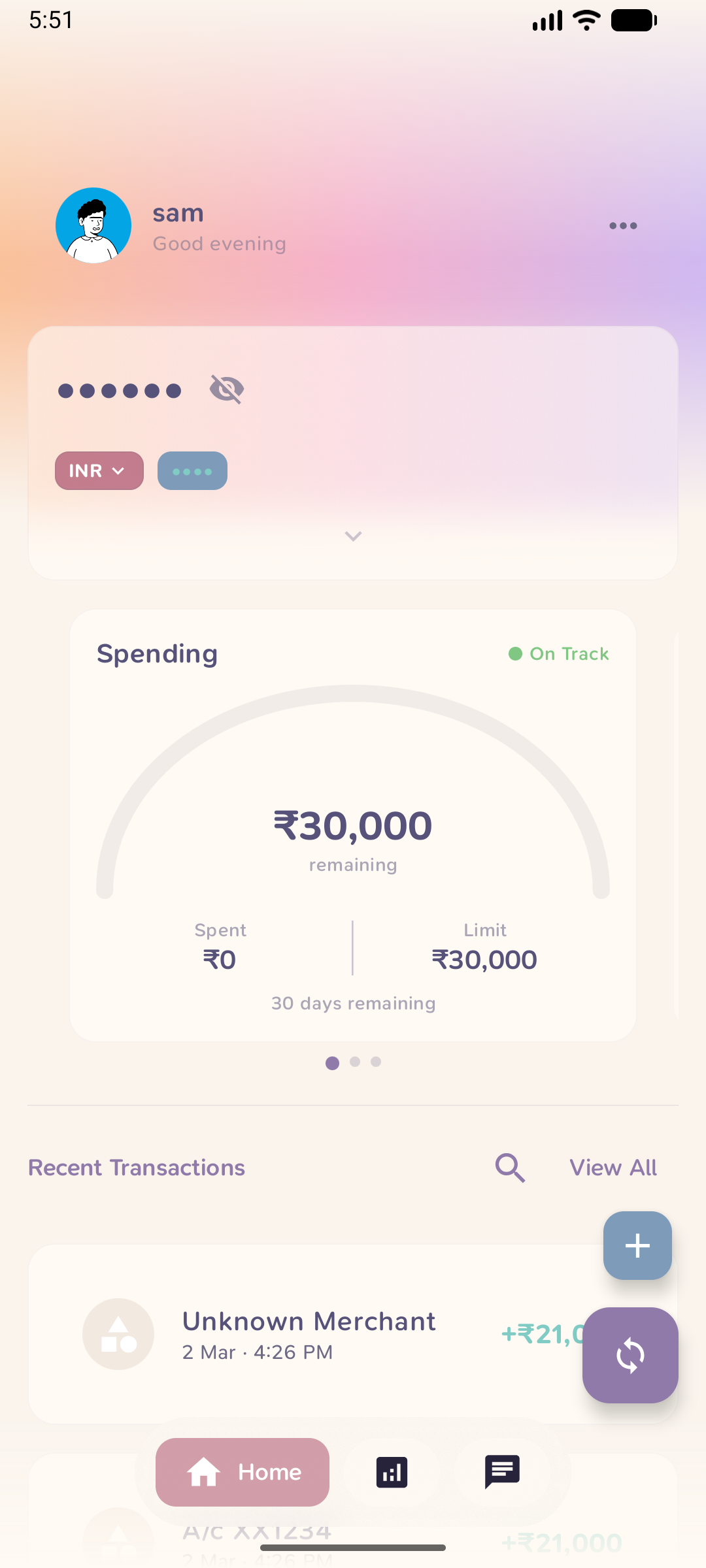 |
 |
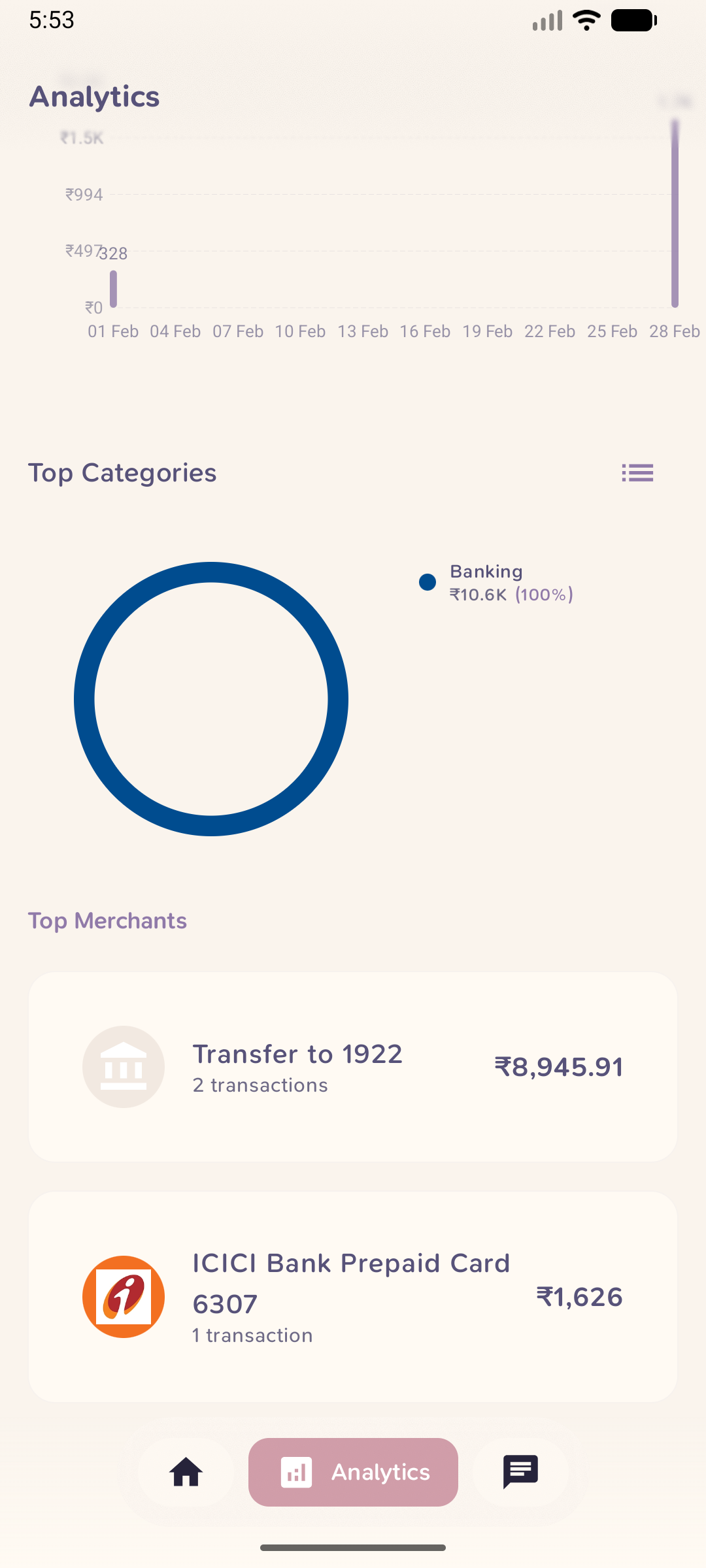 |
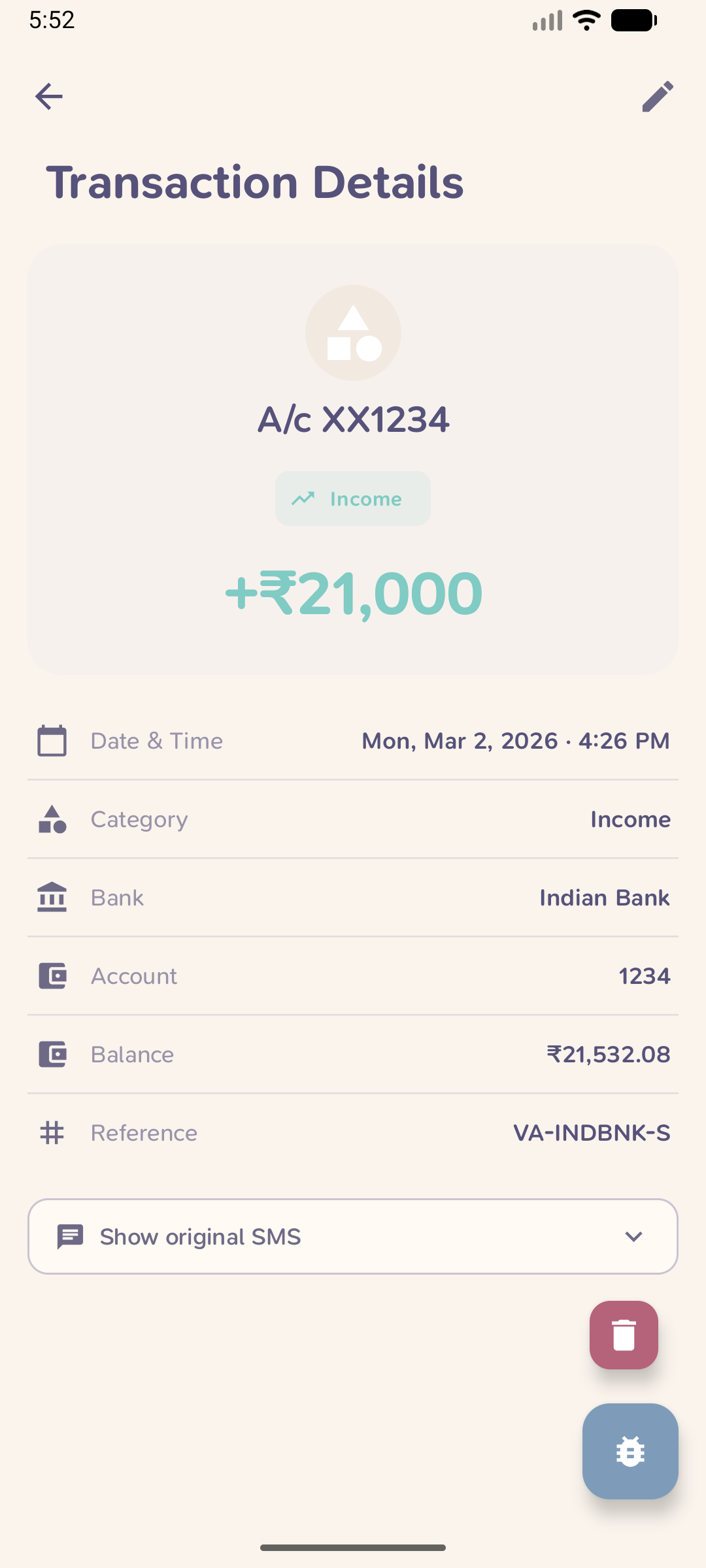 |
 |
| Home | Analytics | Categories | Details | AI Chat |
 |
 |
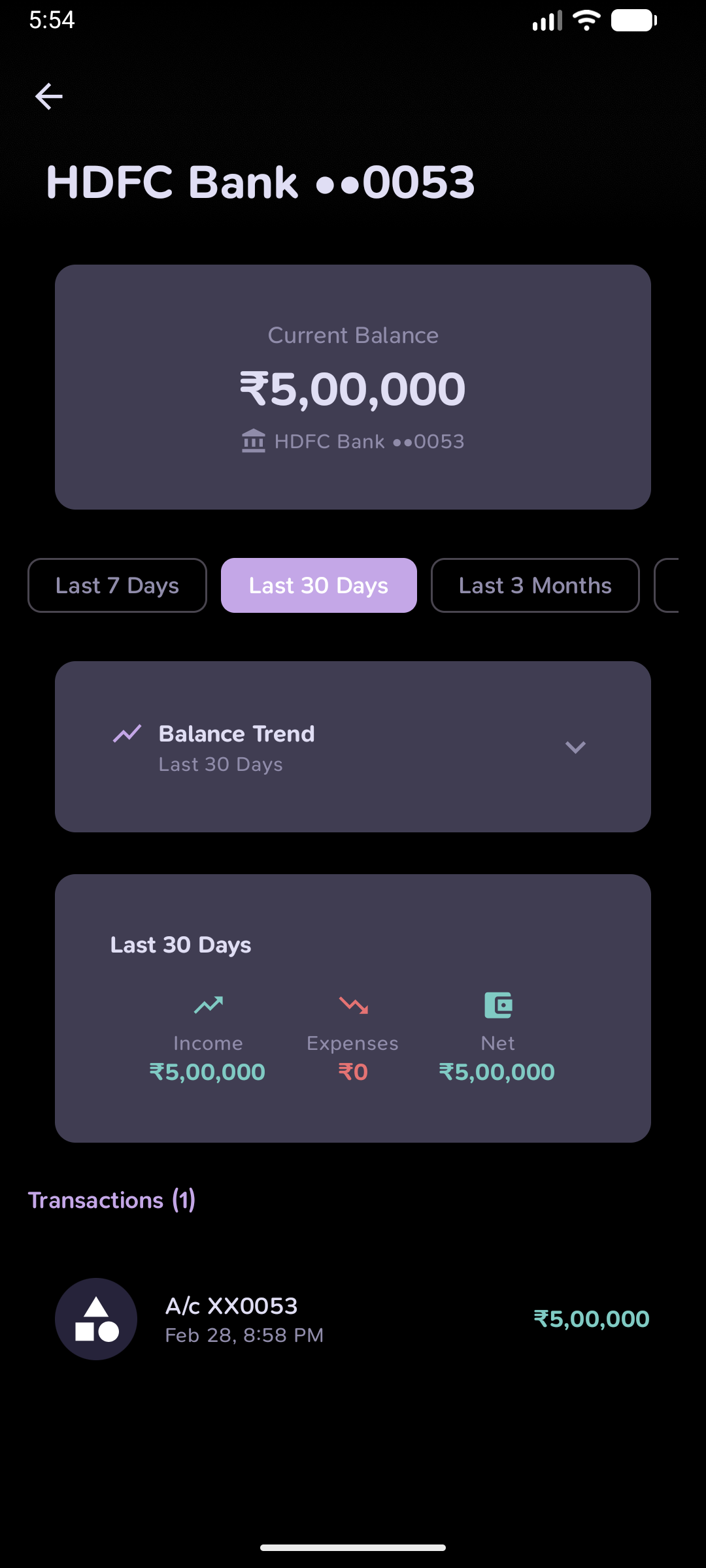 |
 |
 |
| Home | Analytics | Account Detail | Accounts | AI Chat |


