
DSH Mobile
Secure, live LAN access to DeepSeek Harness from a phone.





简体中文
> Alpha software. Android is the only supported native app; the iOS client remains an unpublished local experiment and is not built or released. This is a community plugin, not an official DeepSeek product.
Download the Android app
DSH Mobile is a DeepSeek Harness plugin that lets a mobile browser or the Android app connect over a protected LAN and keep using the same sessions, Workspaces, messages, and tools. It is a mobile entry point only; the DeepSeek Harness source is not modified and no public-Internet tunneling is needed.
Mobile access runs on its own HTTPS origin with pinned certificates; only paired devices pass validation.
It also lets you customize the phone from a DSH conversation: `/mobile `.
## What it does
- **Continue DSH work from a phone**: the same sessions, Workspaces, messages, and tools, in real time.
- **Customize the phone UI by talking to DSH**: change the mobile layout, interactions, and features from a conversation; open pages refresh within seconds.
- **A dedicated touch layout**: session drawer, tool details, settings, and composer reorganized for phones.
- **Auto-discovery, no re-pairing**: Wi-Fi, hotspot, or IP changes normally recover automatically.
- **Three pairing options**: scan a QR code, paste a pairing link, or enter a key.
A paired device is fully trusted and can operate the DSH on the computer. Use this only on a trusted home or office LAN, or a trusted VPN.
## Quick start
With an installed `dsh` command:
```powershell
dsh plugin --profile web add dsh-mobile@alpha
dsh plugin --profile web exec dsh-mobile setup
dsh --profile web
```
From a DeepSeek Harness source checkout:
```powershell
corepack enable; pnpm install
pnpm dsh plugin --profile web add dsh-mobile@alpha
pnpm dsh plugin --profile web exec dsh-mobile setup
pnpm dsh --profile web
```
Or via the plugin market (optional):
```powershell
dsh plugin --profile web add dshmarket
```
Restart DSH, then search for **dsh-mobile** under **Settings → Plugin Market** and install it with one click.
After starting DSH, open **Mobile Access** in the lower-left sidebar, then:
1. Select **Create and copy key** or **Copy pairing link**; the panel shows a pairing QR code.
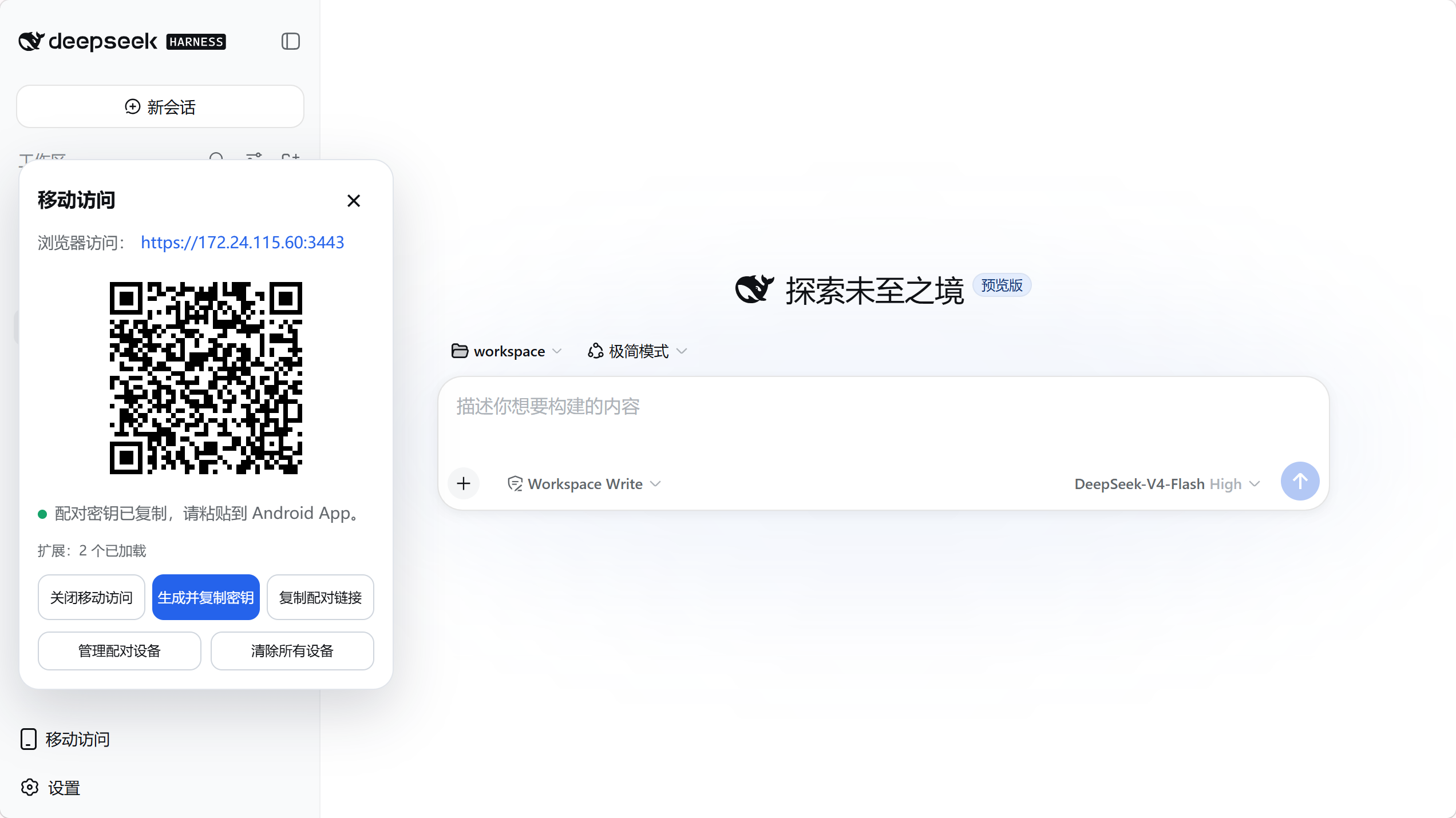
2. In the Android app, tap **Scan QR code** and point the camera at the screen — or tap **Scan**, select the computer, and paste the key or pairing link.
3. Pairing establishes persistent device trust; later launches do not ask again.
`setup` automatically selects and remembers the current LAN; Wi-Fi, hotspot, and IP changes normally recover without re-pairing. Use `--address 192.168.x.x` only when automatic selection fails. Settings, certificates, devices, and customization files live under `$DSH_HOME/mobile-access/`.
## Extend and customize
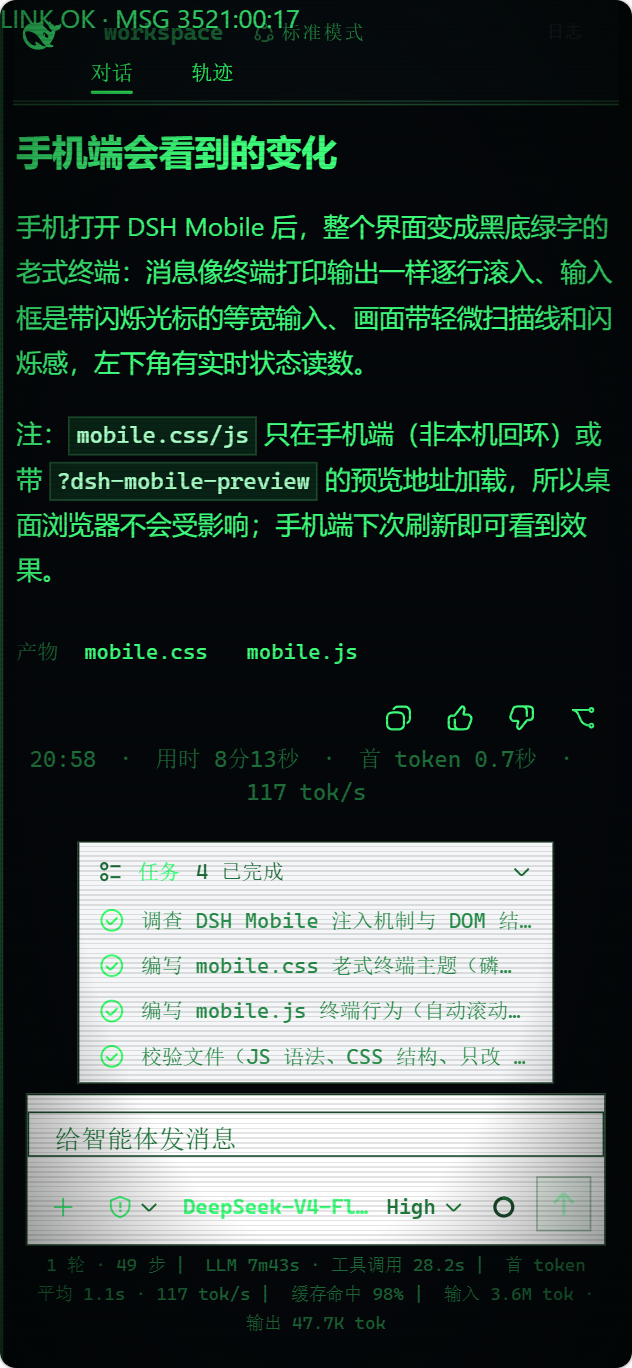
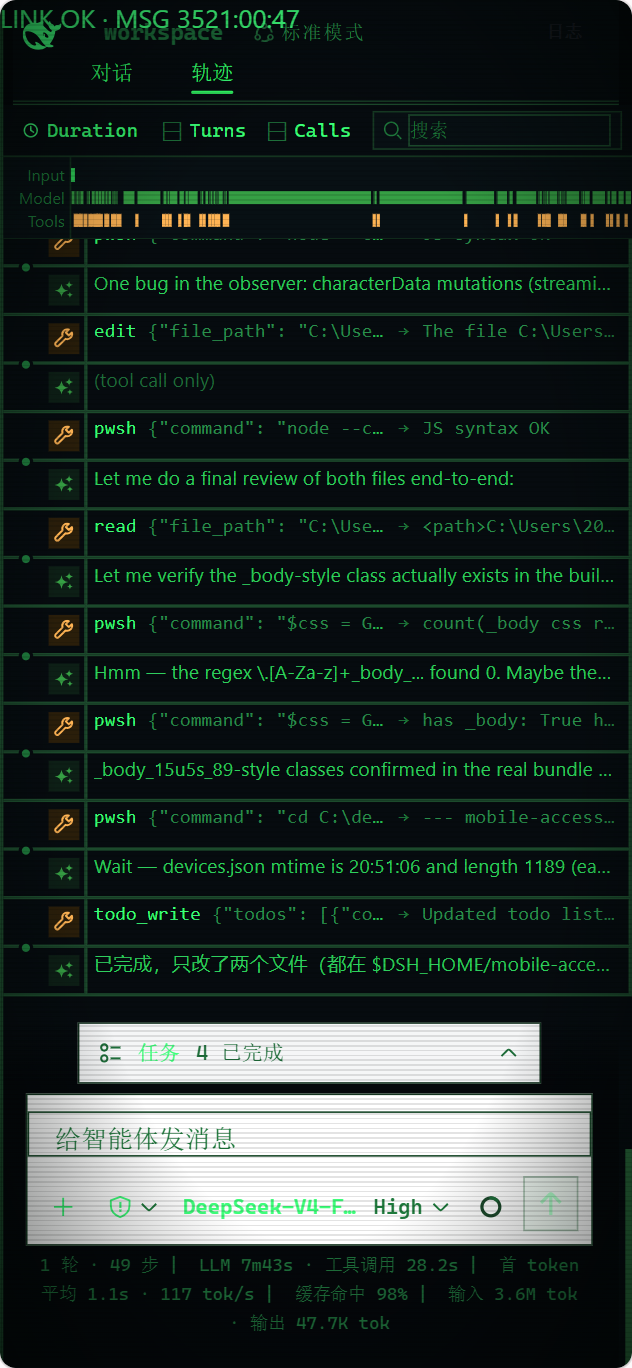
Type `/mobile ` in a DSH conversation, and DSH edits the phone client's files for you; changes apply within a few seconds. For example:
```text
/mobile turn the phone UI into an old CRT terminal, with messages scrolling like terminal output
```
It can also drive computer capabilities the phone can use, like reading the machine's live state:
```text
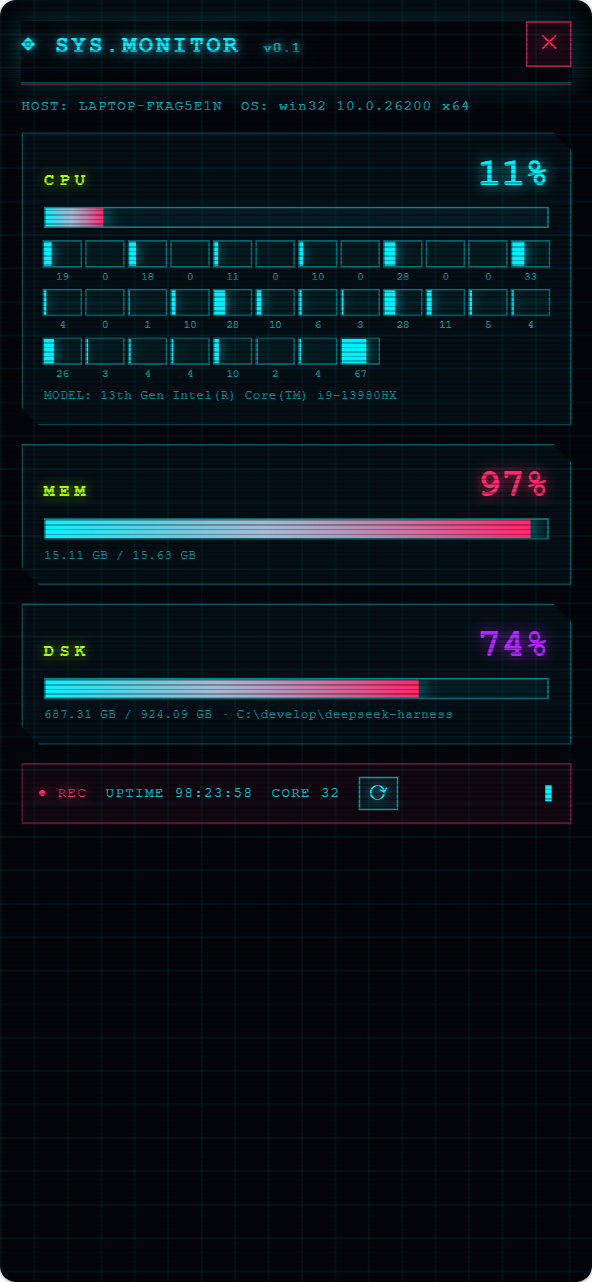
/mobile give the phone a cyberpunk-style computer monitor panel that shows live CPU, memory, and disk usage
```
Two kinds of changes are supported: the phone UI itself (theme, layout, buttons), and computer capabilities the phone can use (browsing computer files, running programs on the computer). `/mobile` hands the request to the DSH agent, which edits files under the local DSH configuration directory (`$DSH_HOME/mobile-access/`); the phone client applies them automatically. UI changes live in `mobile.css`/`mobile.js`. Computer capabilities come from extensions under `extensions/`, whose `host.mjs` runs with the local user's privileges on the computer. DeepSeek Harness source is not modified.
> When using computer-side capabilities, use only content you trust.
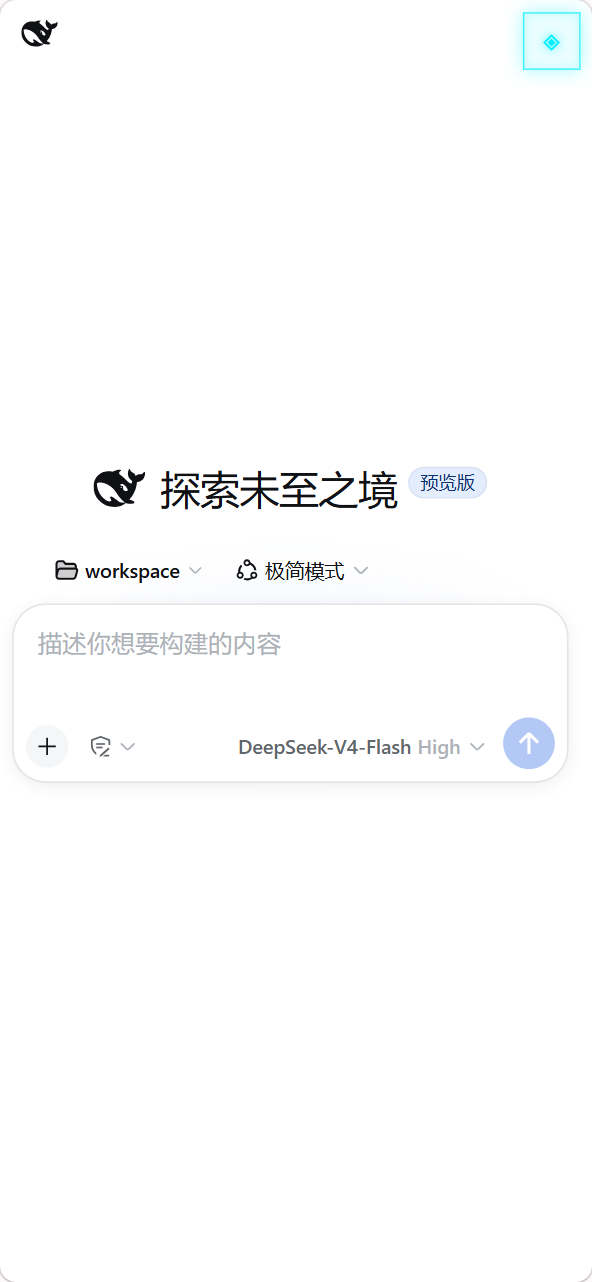
The examples above, applied:
## App or mobile browser
| Client | Best for | Notes |
| --- | --- | --- |
| Android app | Everyday use | Auto-discovery; private certificate pinning inside the app, no manual browser trust step |
| Mobile browser | Temporary or cross-platform | Open the HTTPS origin shown by Mobile Access; trust the certificate manually on first visit |
The Android app is a thin Kotlin WebView shell and contains no frontend copy; mobile browsers load the same page. For compatibility diagnosis, append `?frontend=stock` to the browser URL to temporarily use the previous desktop-page adaptation.
## How it works
```mermaid
flowchart LR
Phone["Android / mobile browser"] -->|"HTTPS + device session"| Gateway["DSH Mobile gateway"]
Gateway -->|"loopback proxy"| DSH["Stock DSH Web and Host"]
```
Three layers: the Host face for discovery, pairing, HTTPS, loopback proxying, and extension registration; the Client face for the dedicated mobile layout and extension SDK; and the Android app for a narrow native bridge. Neither the DeepSeek Harness source nor its desktop page on port 3080 is modified.
## Security
- Use the plugin only on a trusted LAN or trusted VPN; never expose it to the public Internet.
- A paired device is a fully trusted DeepSeek Harness operator and can run tools on the computer; revoke lost devices from the computer.
- The LAN gateway listens only while Mobile Access is enabled; with it off, DSH keeps running normally on the computer.
See [SECURITY.md](SECURITY.md).
## Compatibility
| DSH Mobile | Verified DeepSeek Harness releases |
| --- | --- |
| `0.1.0-alpha.36` | `0.1.0-rc.5`, `0.1.0-rc.6`, `0.1.0-rc.7` |
At startup, the plugin verifies the DSH Host version and the frontend dependencies required by the mobile layout; an unverified release fails with a clear error instead of serving a broken page. CI also tracks the DSH main branch layout contract. If a DSH upgrade reports an incompatibility, update DSH Mobile first.
## Uninstall
```powershell
dsh plugin --profile web remove dsh-mobile
```
To remove local plugin data first:
```powershell
dsh plugin --profile web exec dsh-mobile purge --yes
dsh plugin --profile web remove dsh-mobile
```
Source users replace `dsh` with `pnpm dsh`.
## Development
```powershell
npm ci
npm run verify
```
See the [Android guide](apps/mobile/README.md). Licensed under [Apache-2.0](LICENSE).