
# agentforge-mcp
**Stop re-explaining what you want to your AI coding agent.**
Hand it one rough sentence — get back a structured, tool-tuned prompt
it can execute in one pass.
[](https://www.npmjs.com/package/agentforge-mcp)
[](./LICENSE)
[**agentforge.sciscale.org**](https://agentforge.sciscale.org) · [Quick start](#quick-start) · [npm](https://www.npmjs.com/package/agentforge-mcp)
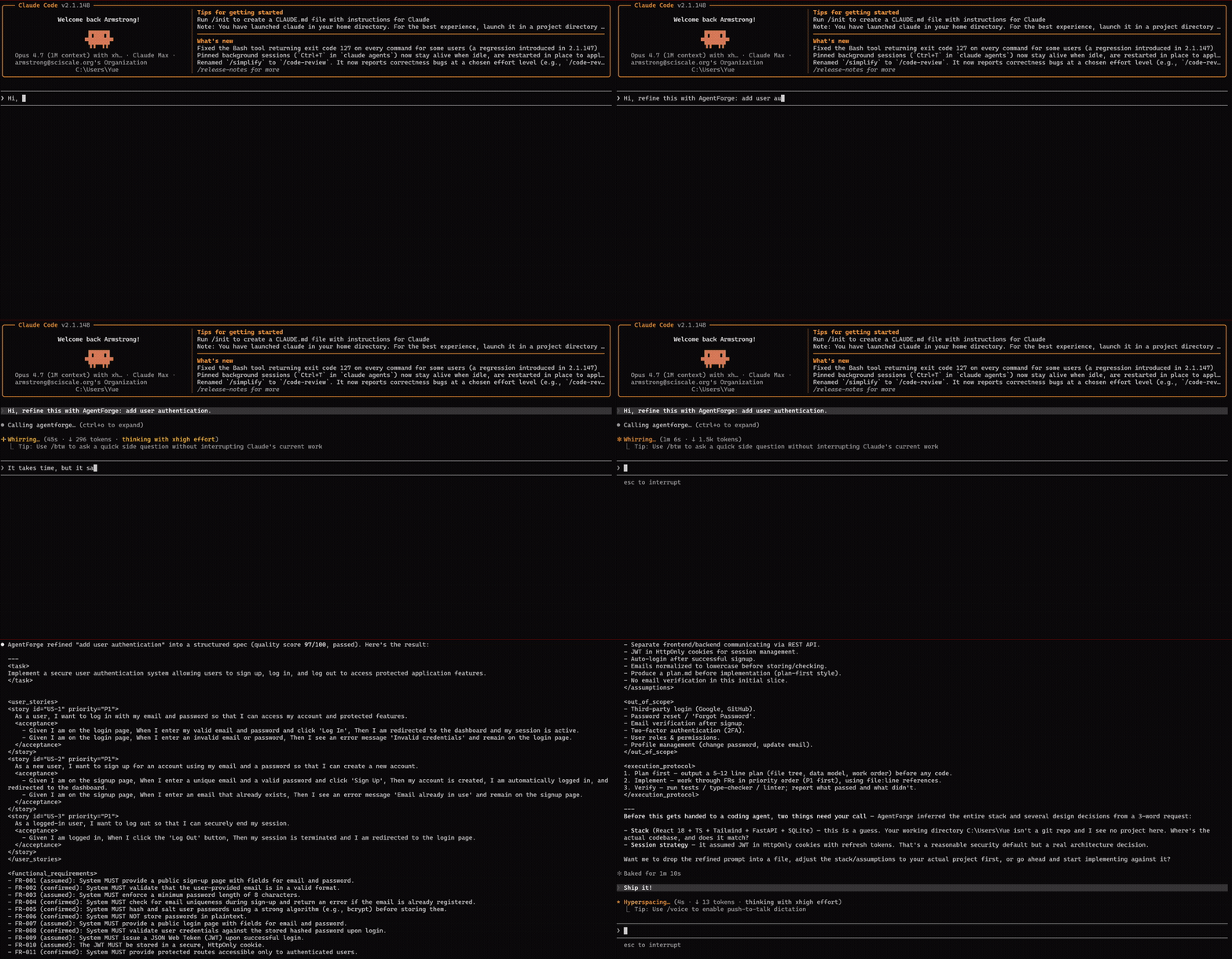
`agentforge-mcp` is the [Model Context Protocol](https://modelcontextprotocol.io)
server for [AgentForge](https://agentforge.sciscale.org). One tool, one job: turn
a vague request into a sharp one.
## Why
You know the loop: you ask your coding agent for something, it misreads the half
you didn't spell out, you correct it, it breaks something else, you re-explain.
The fix isn't a smarter agent — it's a sharper *prompt*.
AgentForge does the prompt engineering for you. Give it
`"add a dark mode toggle that persists"` and it:
- **extracts the real requirements** — the edge cases, the acceptance criteria,
the things you'd have forgotten to mention;
- **formats for your specific agent** — Claude Code wants file:line references,
Cursor wants directives, Aider wants tight context;
- **quality-checks before returning** — every prompt is scored across 12
dimensions before it leaves the engine.
Harness engineering is having a moment — but prompt engineering matters *more*
in the coding-agent era, not less. Tested across **1,000+ real coding cases**,
projects with AgentForge in the loop reached a deployable state **147% faster**.
## Quick start
No install — it runs through `npx`.
**1. Get an API key.** Sign in at
[agentforge.sciscale.org](https://agentforge.sciscale.org), open **API keys**,
and create one. The key is shown once — copy it.
**2. Add it to your agent.**
Claude Code:
```sh
claude mcp add agentforge --env AGENTFORGE_API_KEY=af_your_key -- npx -y agentforge-mcp
```
Cursor / Windsurf / Claude Desktop — add to your MCP config
(`~/.cursor/mcp.json`, `~/.codeium/windsurf/mcp_config.json`, etc.):
```json
{
"mcpServers": {
"agentforge": {
"command": "npx",
"args": ["-y", "agentforge-mcp"],
"env": { "AGENTFORGE_API_KEY": "af_your_key" }
}
}
}
```
**3. Use it.** Ask your agent naturally — *"refine this with AgentForge, then
build it: add a dark mode toggle that persists."*
## The tool — `agentforge_refine_prompt`
| Argument | Default | |
|---|---|---|
| `request` | — | Your task in plain language (1–4000 chars). Rough is fine. |
| `target_tool` | `claude-code` | `claude-code`, `codex`, `cursor`, `aider`, `continue`, `windsurf`, `kimi`, `generic` |
| `style` | `plan-first` | `plan-first`, `direct-edit`, `explore-first` |
Returns the refined prompt, plus its Quality Engine score and your remaining
daily usage.
## Free vs Pro
| | Free | Pro |
|---|---|---|
| Refinements | 3 / day | Unlimited |
| Quality Engine | scored across 12 dimensions | scored **+ auto-refined until it passes ≥ 90** |
## Or use the web app
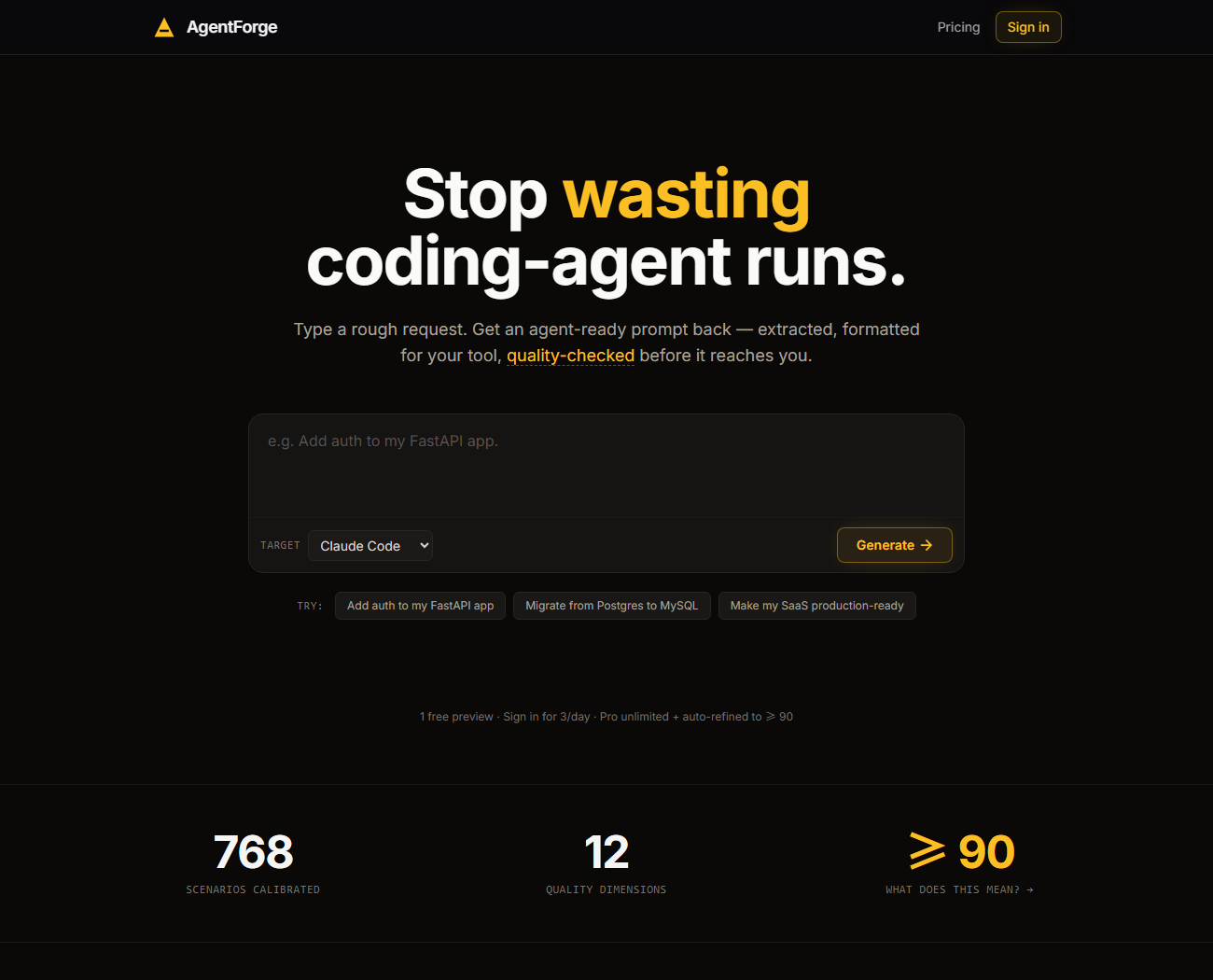
Don't want to wire up an MCP server at all? The same engine — same Quality
Engine, same per-account Pro — runs right in your browser at
**[agentforge.sciscale.org](https://agentforge.sciscale.org)**. No install, no
key, no config.
[](https://agentforge.sciscale.org)
### [→ Try it now at agentforge.sciscale.org](https://agentforge.sciscale.org)
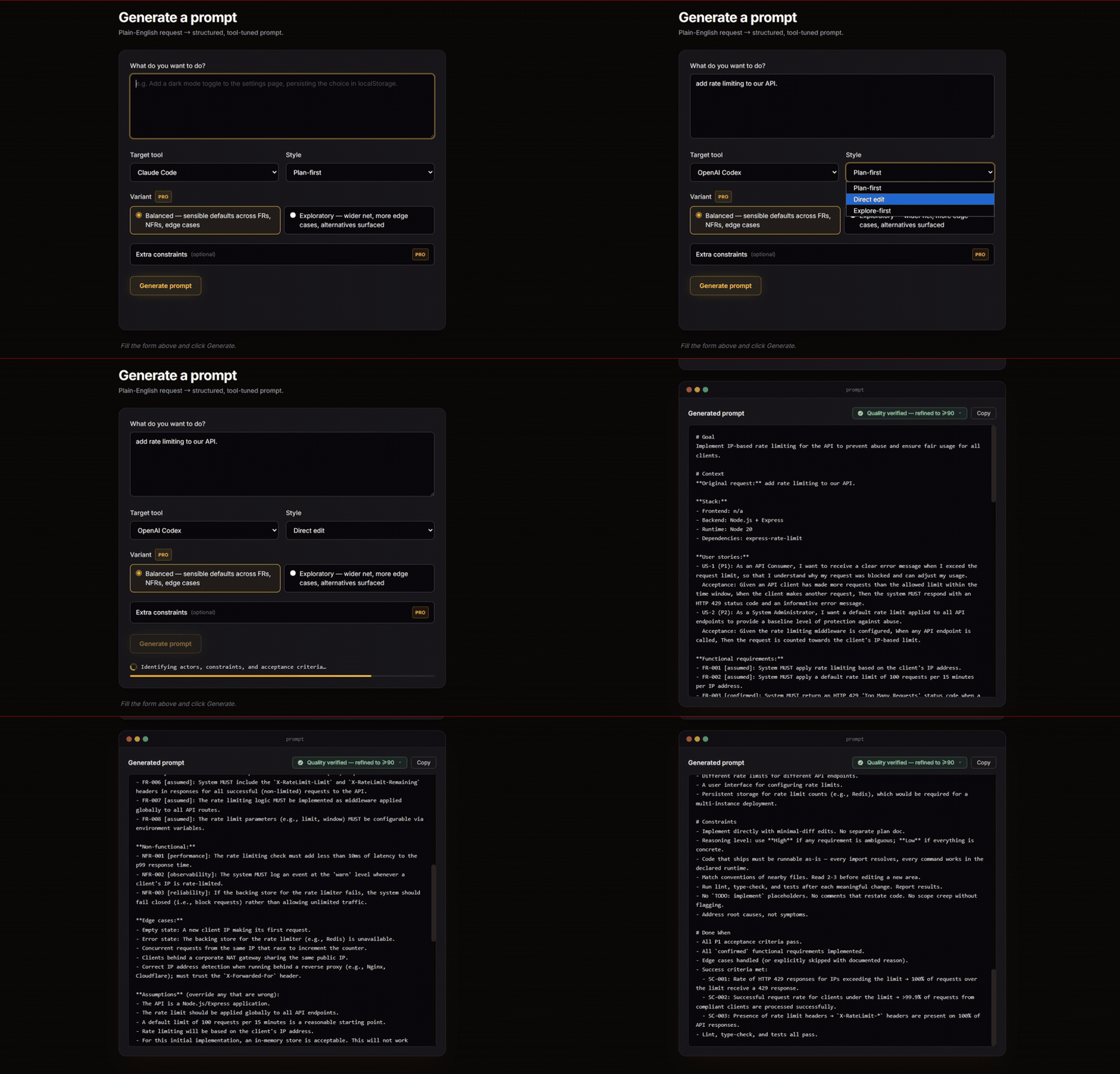
Paste a request, pick your target tool, copy the prompt — generation history and
advanced modes included:
## How it works
`agentforge-mcp` is a thin client — no engine logic ships in this package. Your
request goes to the AgentForge API, the hosted engine does the extraction,
formatting, and quality-checking, and the prompt comes back. The engine keeps
improving without you ever updating this package.
## Configuration
| Variable | Default | |
|---|---|---|
| `AGENTFORGE_API_KEY` | — | **Required.** Your API key. |
| `AGENTFORGE_API_URL` | `https://agentforge.sciscale.org/api/v1/refine` | Override the endpoint (rarely needed). |
## Develop
```sh
npm install
npm run build # tsc -> dist/
node dist/index.js # runs on stdio
```
## License
MIT — see [LICENSE](./LICENSE).
