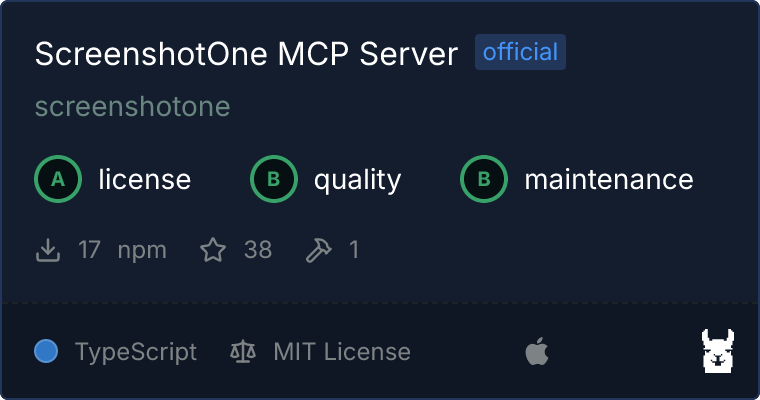
# ScreenshotOne MCP Server
An official implementation of an [MCP (Model Context Protocol)](https://modelcontextprotocol.io/) server for [ScreenshotOne](https://screenshotone.com).
[A few more words about why it was built and some thoughts about the future of MCP](https://screenshotone.com/blog/mcp-server/).
ScreenshotOne also offers an official hosted MCP server. See the [ScreenshotOne MCP integration](https://screenshotone.com/integrations/mcp/) for setup instructions and the latest updates.
 ## Tools
- `render-website-screenshot`: Render a website screenshot and return temporary screenshot, content, and slice URLs as requested.
- `extract-website-markdown`: Render a website and return its cleaned Markdown directly as text.
- `get-usage`: Get ScreenshotOne API quota and concurrency usage.
The screenshot tool exposes these focused options:
- `url`
- `block_banners` (defaults to `true`)
- `block_ads` (defaults to `true`)
- `image_quality` (defaults to `80`)
- `full_page` (defaults to `false`)
- `full_page_slices` (defaults to `false`; requires `full_page=true`)
- `metadata_content` (defaults to `false`)
- `metadata_content_format` (`html` or `markdown`; requires `metadata_content=true`)
The option names and values for metadata content and full-page slices match the ScreenshotOne API. The tool does not expose response-type or cache controls; it always requests a JSON response with API caching disabled.
Set `metadata_content=true` and `metadata_content_format=markdown` to receive a temporary Markdown content URL with the screenshot. Set `full_page=true` and `full_page_slices=true` to receive smaller vertical screenshot URLs. Slices are preferred when an AI agent needs to analyze a long page that may not be handled reliably as one large image.
A successful capture returns the requested URLs as text and structured content:
```json
{
"url": "https:///...",
"content": {
"url": "https:///...",
"expires": "Sun, 07 Sep 2026 12:00:00 GMT",
"format": "markdown"
},
"slices": [
{
"index": 0,
"offset_y": 0,
"width": 1280,
"height": 4000,
"url": "https:///..."
}
]
}
```
The URLs are temporary. The screenshot URL is available for up to four hours, while metadata content includes its exact expiration time. Download any artifact you need to keep.
`extract-website-markdown` accepts only `url`. It is a focused shortcut for ScreenshotOne's `format=markdown` API request and returns the resulting Markdown directly in one MCP text response. Use it when the agent needs to read or analyze page content without a screenshot.
## Usage
### Build it
Always install dependencies and build it first:
```bash
npm install && npm run build
```
### Get your ScreenshotOne API key
Sign up at [ScreenshotOne](https://screenshotone.com) and get your API key.
### Run with npx
Run the CLI directly from the npm package without cloning the repository:
```bash
SCREENSHOTONE_API_KEY=your_api_key npx --yes @screenshotone/mcp
```
### With Claude for Desktop
Add the following to your `~/Library/Application\ Support/Claude/claude_desktop_config.json`:
```json
{
"mcpServers": {
"screenshotone": {
"command": "npx",
"args": ["--yes", "@screenshotone/mcp"],
"env": {
"SCREENSHOTONE_API_KEY": ""
}
}
}
}
```
### Standalone or for other projects
```bash
SCREENSHOTONE_API_KEY=your_api_key node build/index.js
```
## License
`ScreenshotOne MCP Server` is licensed [under the MIT License](LICENSE).
## Tools
- `render-website-screenshot`: Render a website screenshot and return temporary screenshot, content, and slice URLs as requested.
- `extract-website-markdown`: Render a website and return its cleaned Markdown directly as text.
- `get-usage`: Get ScreenshotOne API quota and concurrency usage.
The screenshot tool exposes these focused options:
- `url`
- `block_banners` (defaults to `true`)
- `block_ads` (defaults to `true`)
- `image_quality` (defaults to `80`)
- `full_page` (defaults to `false`)
- `full_page_slices` (defaults to `false`; requires `full_page=true`)
- `metadata_content` (defaults to `false`)
- `metadata_content_format` (`html` or `markdown`; requires `metadata_content=true`)
The option names and values for metadata content and full-page slices match the ScreenshotOne API. The tool does not expose response-type or cache controls; it always requests a JSON response with API caching disabled.
Set `metadata_content=true` and `metadata_content_format=markdown` to receive a temporary Markdown content URL with the screenshot. Set `full_page=true` and `full_page_slices=true` to receive smaller vertical screenshot URLs. Slices are preferred when an AI agent needs to analyze a long page that may not be handled reliably as one large image.
A successful capture returns the requested URLs as text and structured content:
```json
{
"url": "https:///...",
"content": {
"url": "https:///...",
"expires": "Sun, 07 Sep 2026 12:00:00 GMT",
"format": "markdown"
},
"slices": [
{
"index": 0,
"offset_y": 0,
"width": 1280,
"height": 4000,
"url": "https:///..."
}
]
}
```
The URLs are temporary. The screenshot URL is available for up to four hours, while metadata content includes its exact expiration time. Download any artifact you need to keep.
`extract-website-markdown` accepts only `url`. It is a focused shortcut for ScreenshotOne's `format=markdown` API request and returns the resulting Markdown directly in one MCP text response. Use it when the agent needs to read or analyze page content without a screenshot.
## Usage
### Build it
Always install dependencies and build it first:
```bash
npm install && npm run build
```
### Get your ScreenshotOne API key
Sign up at [ScreenshotOne](https://screenshotone.com) and get your API key.
### Run with npx
Run the CLI directly from the npm package without cloning the repository:
```bash
SCREENSHOTONE_API_KEY=your_api_key npx --yes @screenshotone/mcp
```
### With Claude for Desktop
Add the following to your `~/Library/Application\ Support/Claude/claude_desktop_config.json`:
```json
{
"mcpServers": {
"screenshotone": {
"command": "npx",
"args": ["--yes", "@screenshotone/mcp"],
"env": {
"SCREENSHOTONE_API_KEY": ""
}
}
}
}
```
### Standalone or for other projects
```bash
SCREENSHOTONE_API_KEY=your_api_key node build/index.js
```
## License
`ScreenshotOne MCP Server` is licensed [under the MIT License](LICENSE).