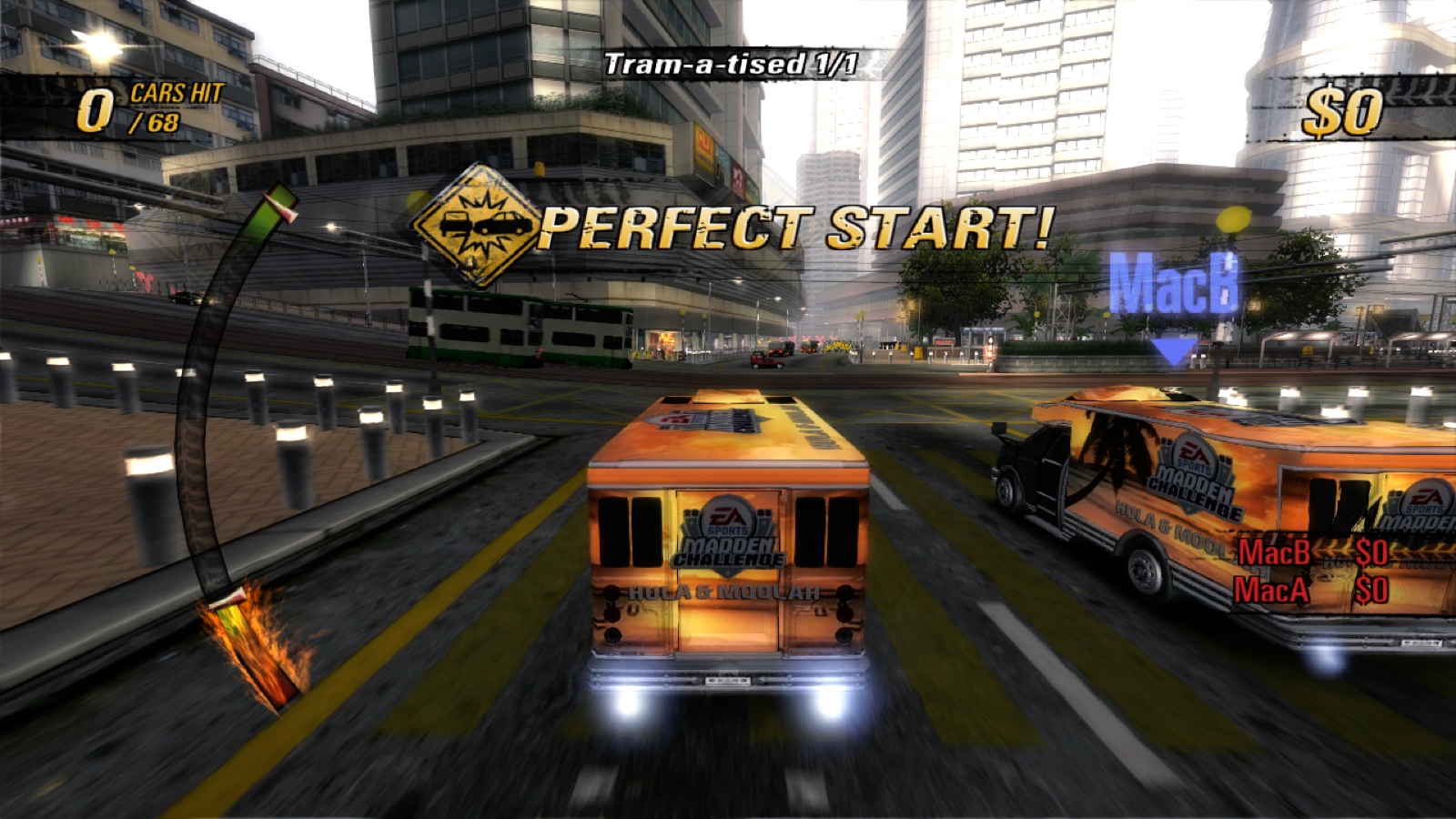
The app icon: the Burnout Revenge cover art

Burnout Revenge

An unofficial native port of Burnout Revenge (Xbox 360, USA) for macOS, Linux and Steam Deck.
Bring your own USA Xbox 360 disc image; the app installs the game for you.

Download  ·  Quick start  ·  Highlights  ·  Rewind  ·  Mods  ·  Languages  ·  Settings  ·  Changelog  ·  Build

> [!IMPORTANT] > This is a non-commercial fan project, not affiliated with or endorsed by > Electronic Arts, Criterion Games, Microsoft, Sony or Apple. No game data is > included or distributed: no disc image, extracted files, add-on packs, music > or generated PPC sources. You need your own USA Xbox 360 disc image. Please do > not ask for game files or attach them to issues.

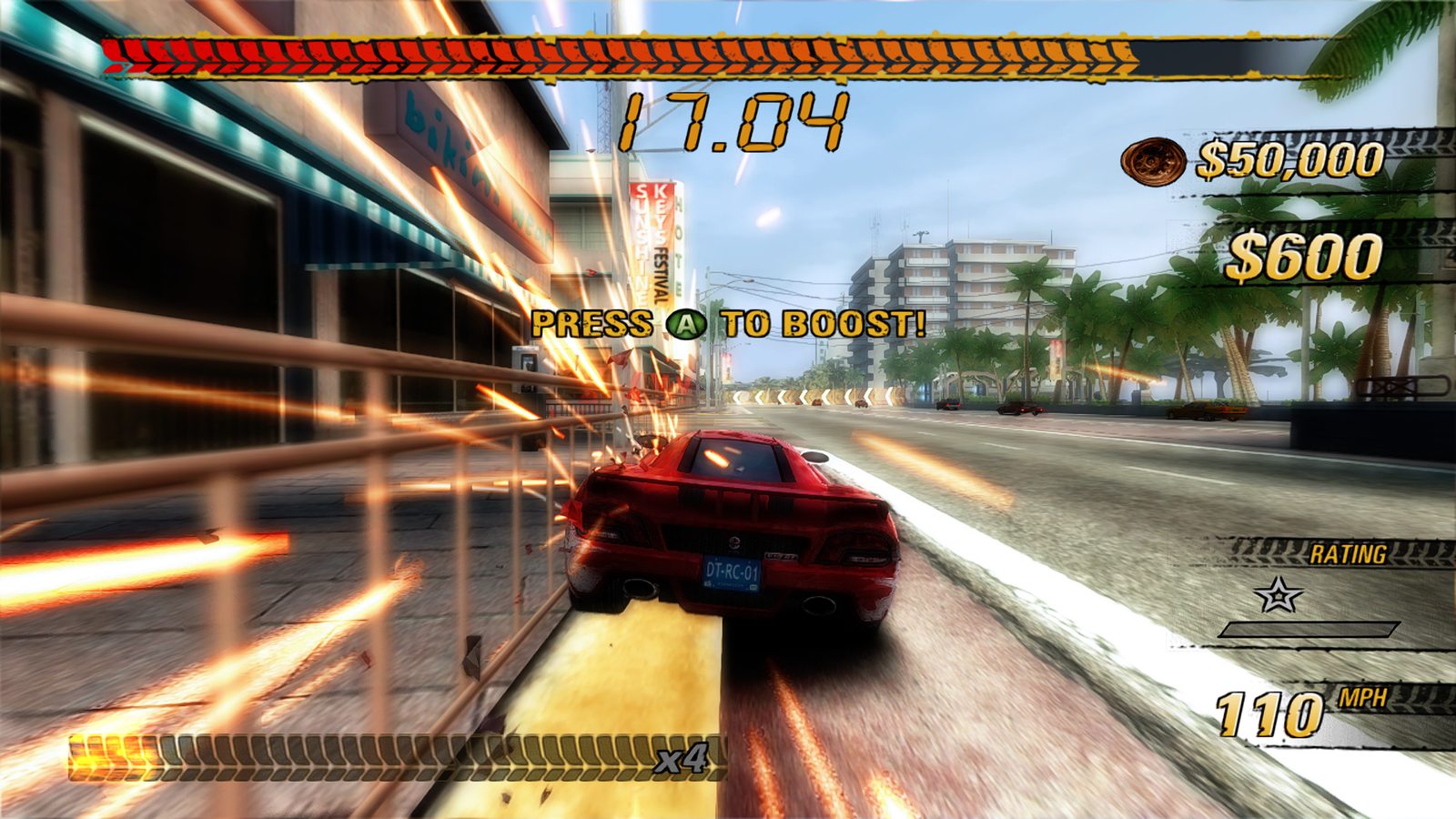
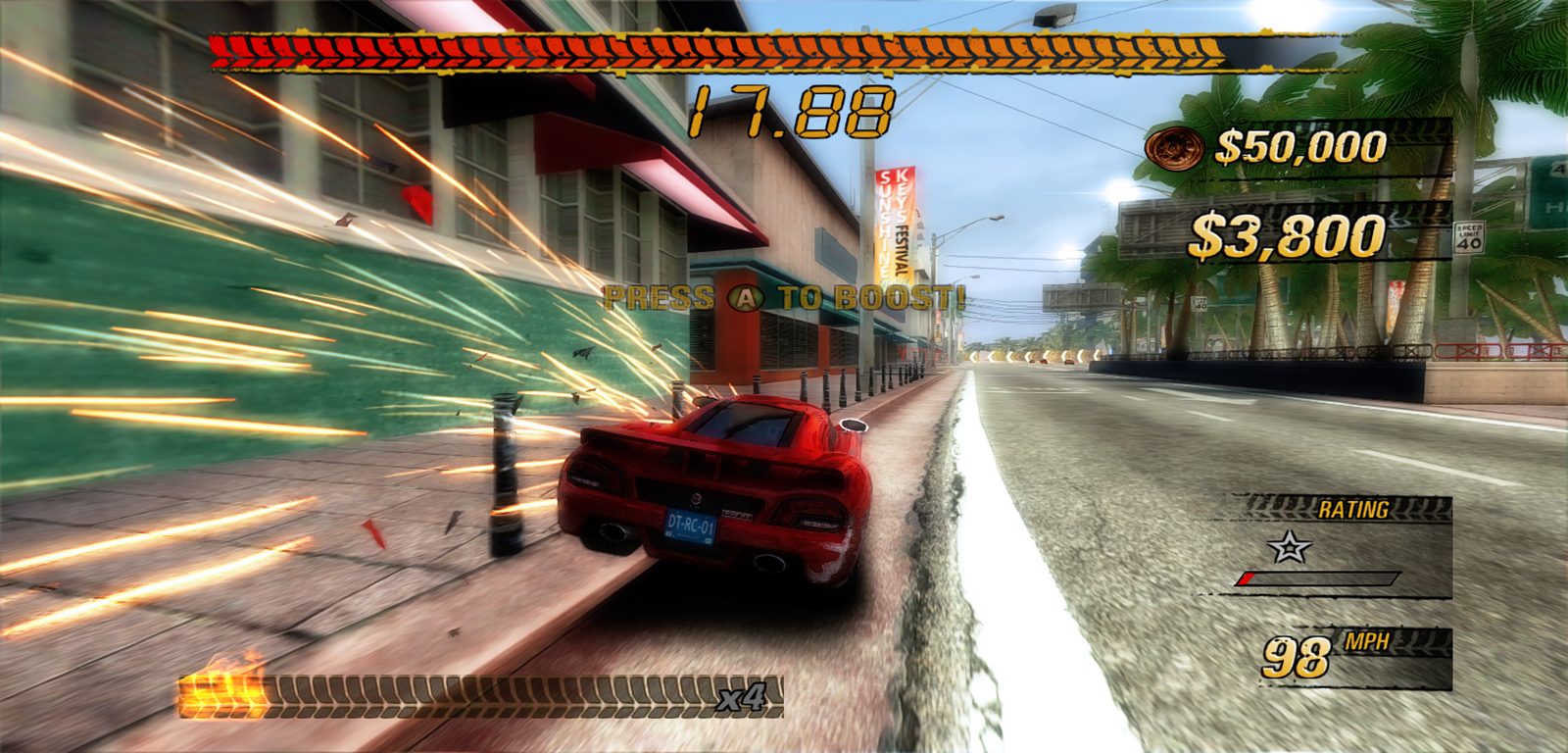
Traffic Attack in Sunshine Keys: the red car boosts down a seafront road, sparks flying off a railing, the timer at 17.04

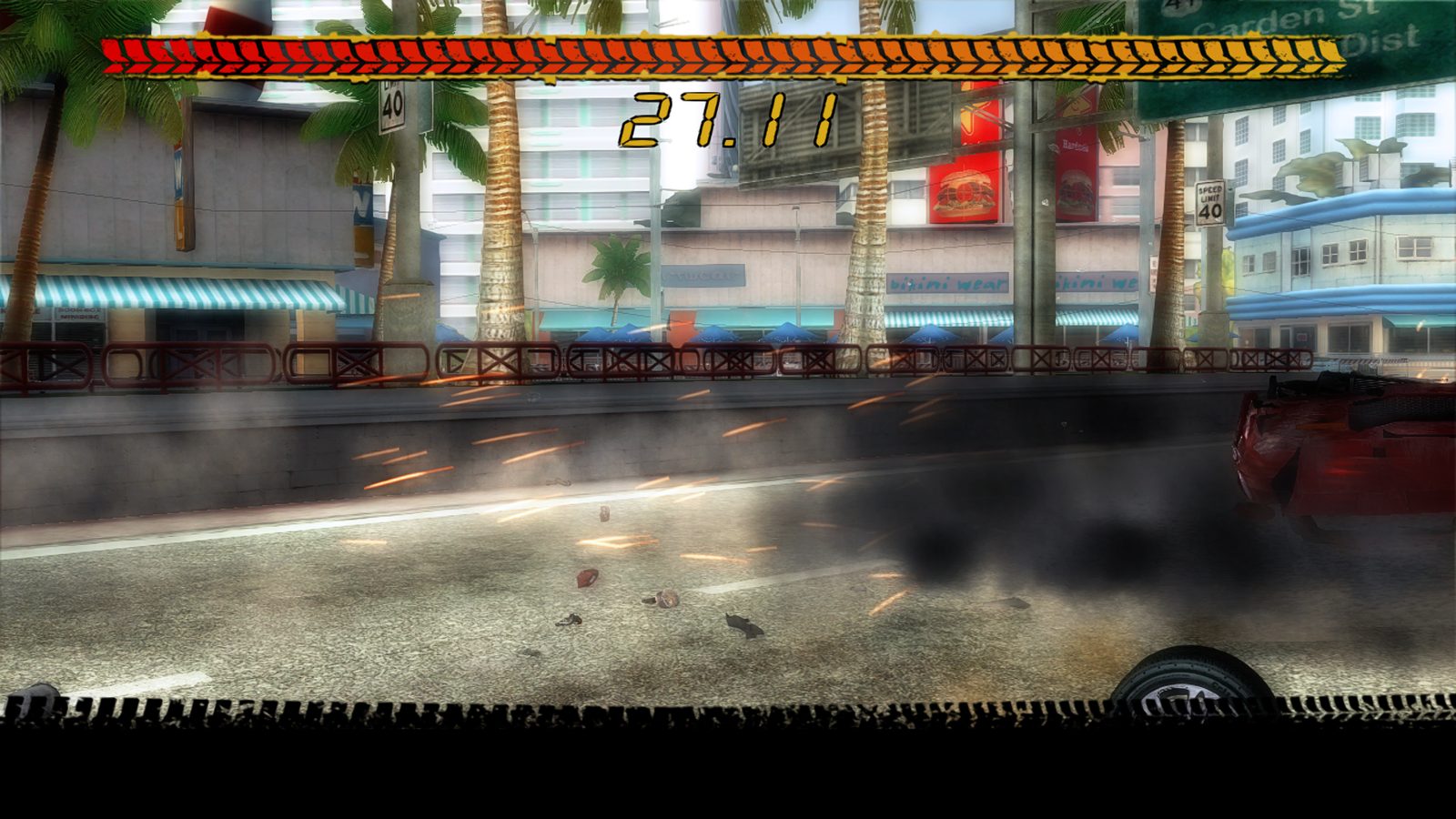
The crash camera: the player's car slides into the traffic in a spray of sparks
The crash camera.
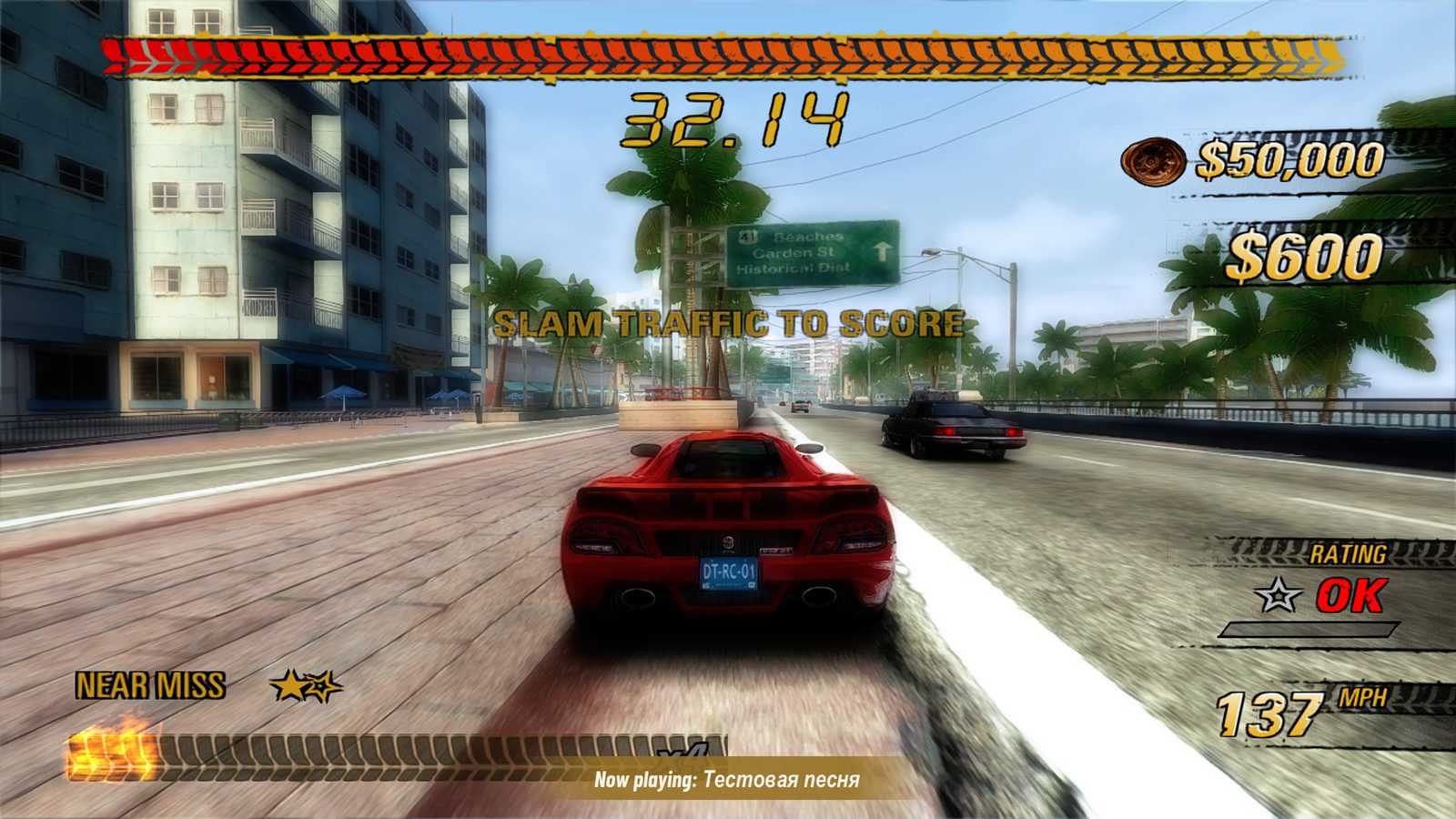
A near miss at 137 mph on a city road, with a Now playing notice at the bottom naming the player's own song
A near miss, with your own music playing.
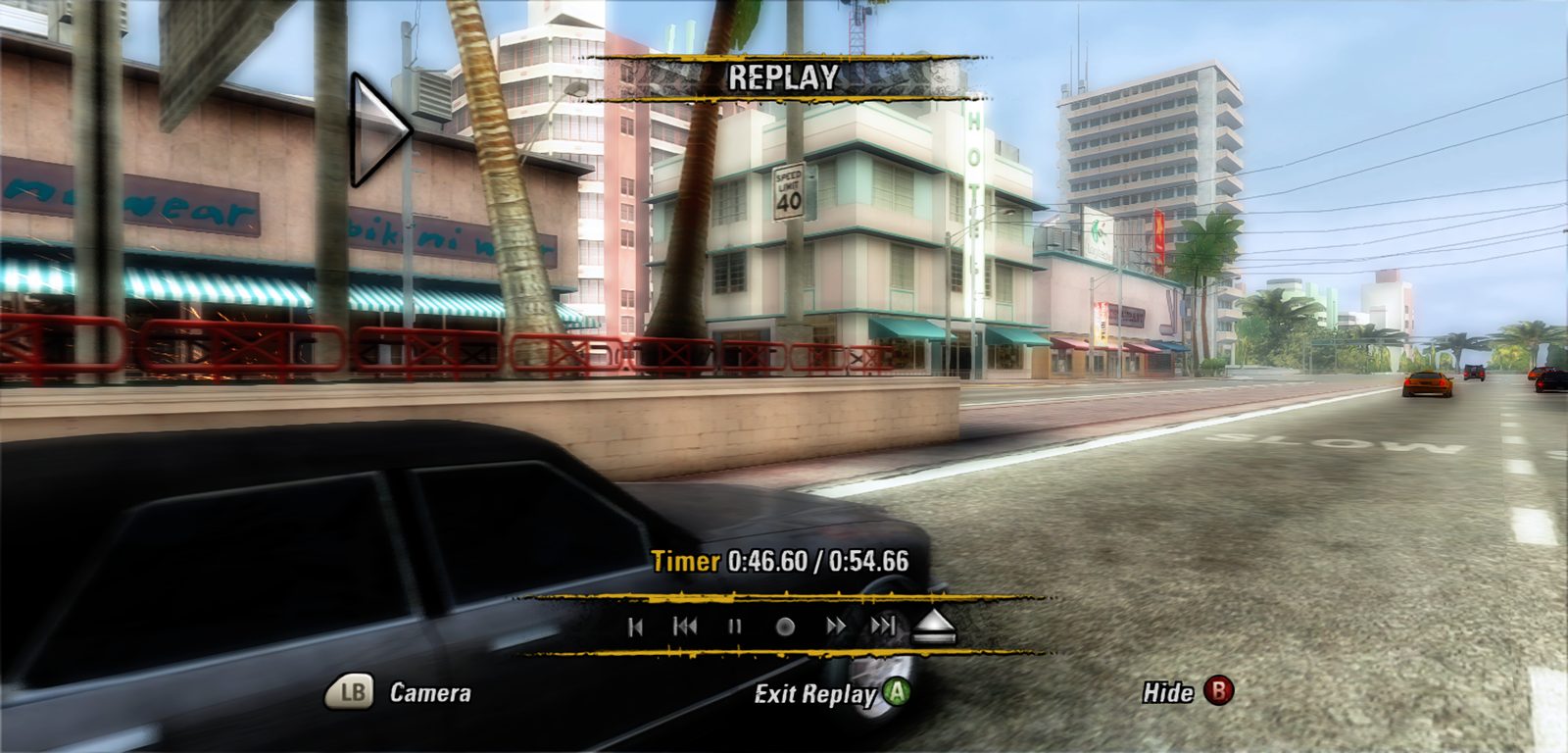
The Replay screen after a race in a window wider than 16:9: the street fills the whole width, the replay controls below
Replay after a race, in a wider-than-16:9 window.
A race in the same wide window: the scene widens to the edges, the HUD keeps its shape
Wide windows show more of the road (Hor+).
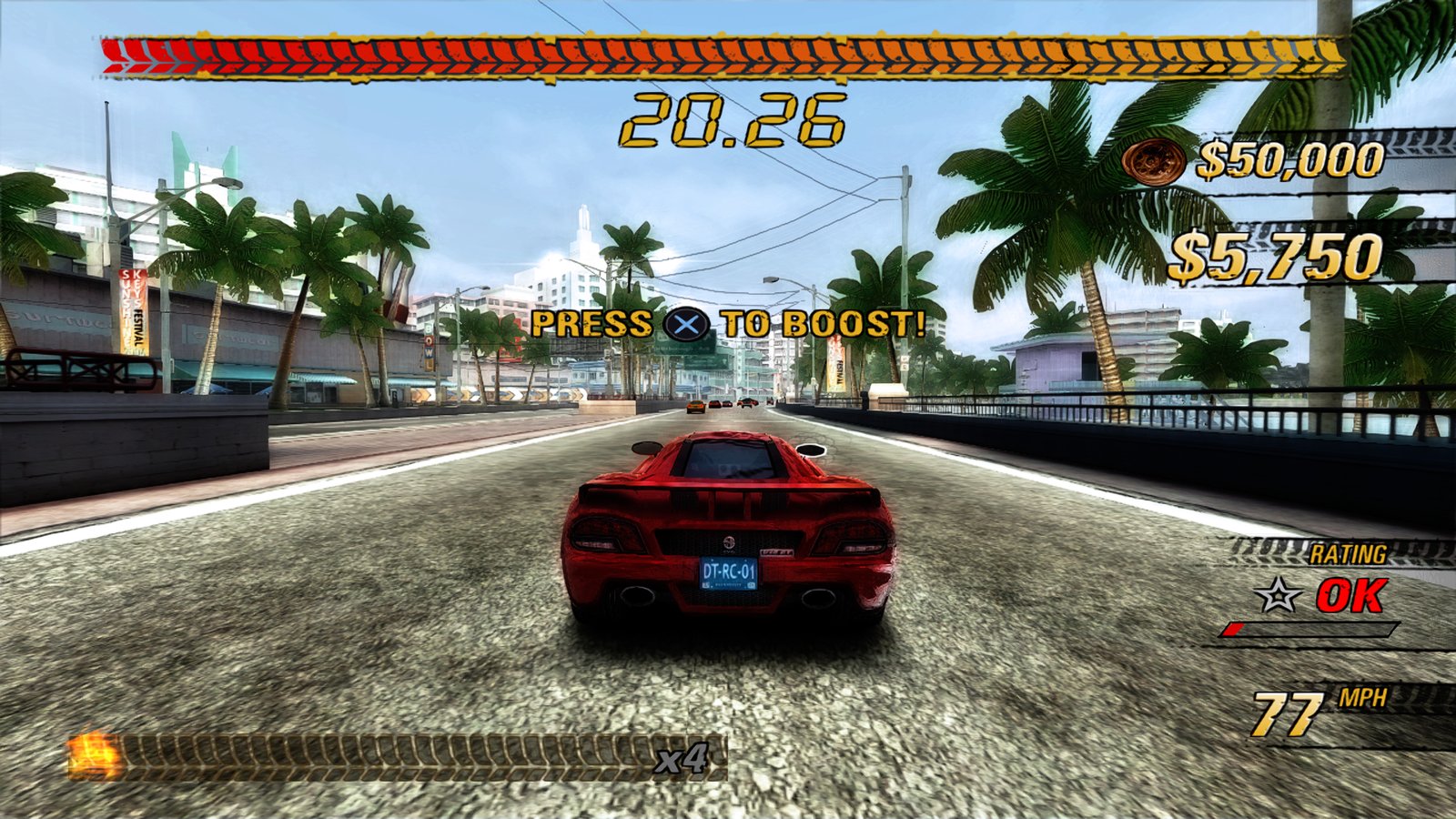
Traffic Attack with Bloom off: a blue sky, palms and buildings crisp against it, and PRESS cross TO BOOST with a DualSense
Bloom off, the sky kept; the game's prompts for a DualSense.
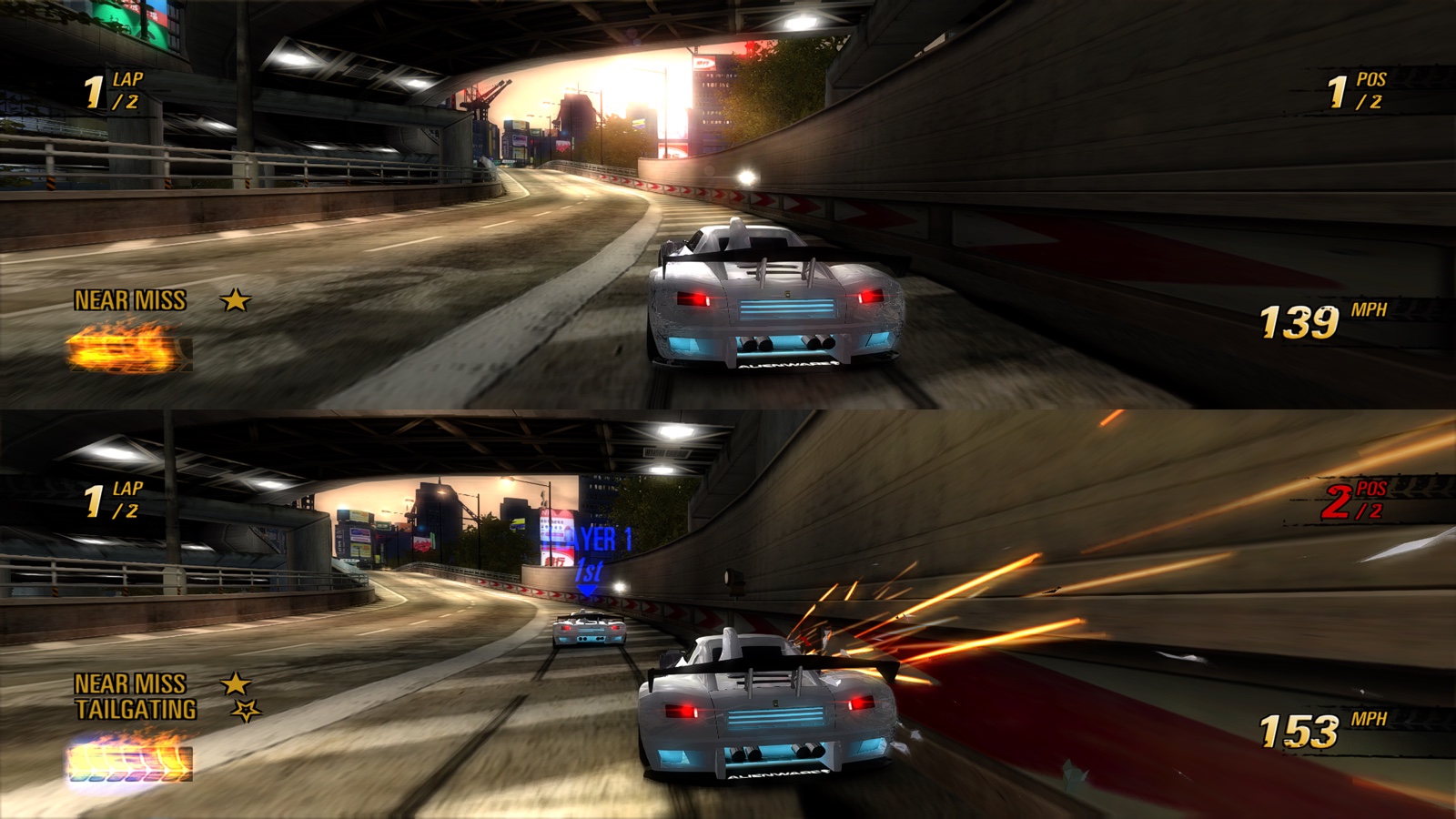
Multiplayer Race in split screen at sunset: two white cars on a city road, player 2 below scraping a wall in a shower of sparks
Split screen for two, a controller each.
Unedited macOS screenshots from this port on an M1 Pro. The game content in them belongs to its owners. > [!TIP] > **New in v0.1.29:** fixed Motion Blur at 0% and 100%, with clearer Linux and Steam Deck setup. macOS, Linux and Steam Deck share one release. [Release notes](https://github.com/secretpray/burnout-revenge/releases/tag/v0.1.29). **TL;DR** - The original 2006 Xbox 360 game runs natively on Mac, Linux and Steam Deck: its own cars, tracks, physics, menus, EA Trax and saves. Nothing is remastered; the extras are options on top. - Compared with the console: up to 4K internal resolution, SMAA or FXAA, FSR 1 or MetalFX upscaling, 16x anisotropic filtering, any window shape, your own music instead of EA Trax, keyboard play and save backups. - [Download for your platform](#download), follow [Quick Start](#quick-start), and choose your own disc image. The app checks and installs the game. - Optional [Rewind](#rewind) for solo World Tour, and [Codes](#mods) for the solo career, and Xbox Live play again through community or your own servers. - Menus and game text in **English, Japanese, German, French, Spanish, Italian, Dutch, Swedish and Finnish**. [Language setup](#languages) explains the optional European disc import. - Updates install over the old version. Saves and settings stay. - Settings: tap **Home / Xbox Guide / PS**, **F1**, **Cmd+,** or **Back + Start**. On macOS, **Burnout Revenge → Settings…** opens the same screen. - To quit, hold **Home / Xbox Guide / PS** for **3 seconds**, or use **Settings > Quit Game**. **B / Circle** cancels the confirmation. ## Download **[Burnout Revenge 0.1.29 — macOS, Linux and Steam Deck](https://github.com/secretpray/burnout-revenge/releases/tag/v0.1.29)** Choose one app download for your device. No game data is included. | Platform | Download | Setup | | --- | --- | --- | | Apple silicon Mac, macOS 15+ | [macOS disk image](https://github.com/secretpray/burnout-revenge/releases/download/v0.1.29/BurnoutRevenge-0.1.29-macos.dmg) | [macOS setup](#macos) | | Linux / Steam Deck, x86-64 | [Linux archive](https://github.com/secretpray/burnout-revenge/releases/download/v0.1.29/BurnoutRevenge-0.1.29-linux-x86_64-app.tar.xz) | [Setup](#linux-and-steam-deck) | **Optional files — not needed to play:** library sources are for developers; validation reports describe testing; checksums verify your download. GitHub's **Source code** archives contain code, not an app. [About library sources](THIRD_PARTY_NOTICES.md#source-code-of-the-lgpl-parts). ## Quick Start [macOS](#macos) · [Linux and Steam Deck](#linux-and-steam-deck) Everyone needs their own supported **USA Xbox 360 disc image**. Download only the app for your platform; the optional files above are not installation steps. ### macOS 1. Download **BurnoutRevenge-x.y.z-macos.dmg** from [Releases](https://github.com/secretpray/burnout-revenge/releases/latest) and drag **Burnout Revenge.app** to Applications. 2. Open it. The app is signed ad hoc, not notarized: if macOS blocks it, use System Settings > Privacy & Security > Open Anyway. 3. Choose your language and your **USA Xbox 360 disc image** (.iso). Optionally choose an install folder and your add-on car packs, then Install & Verify. 4. Start your engines. Later launches go straight to the game. For translated game text, [import language resources](#languages) from your own European disc image.

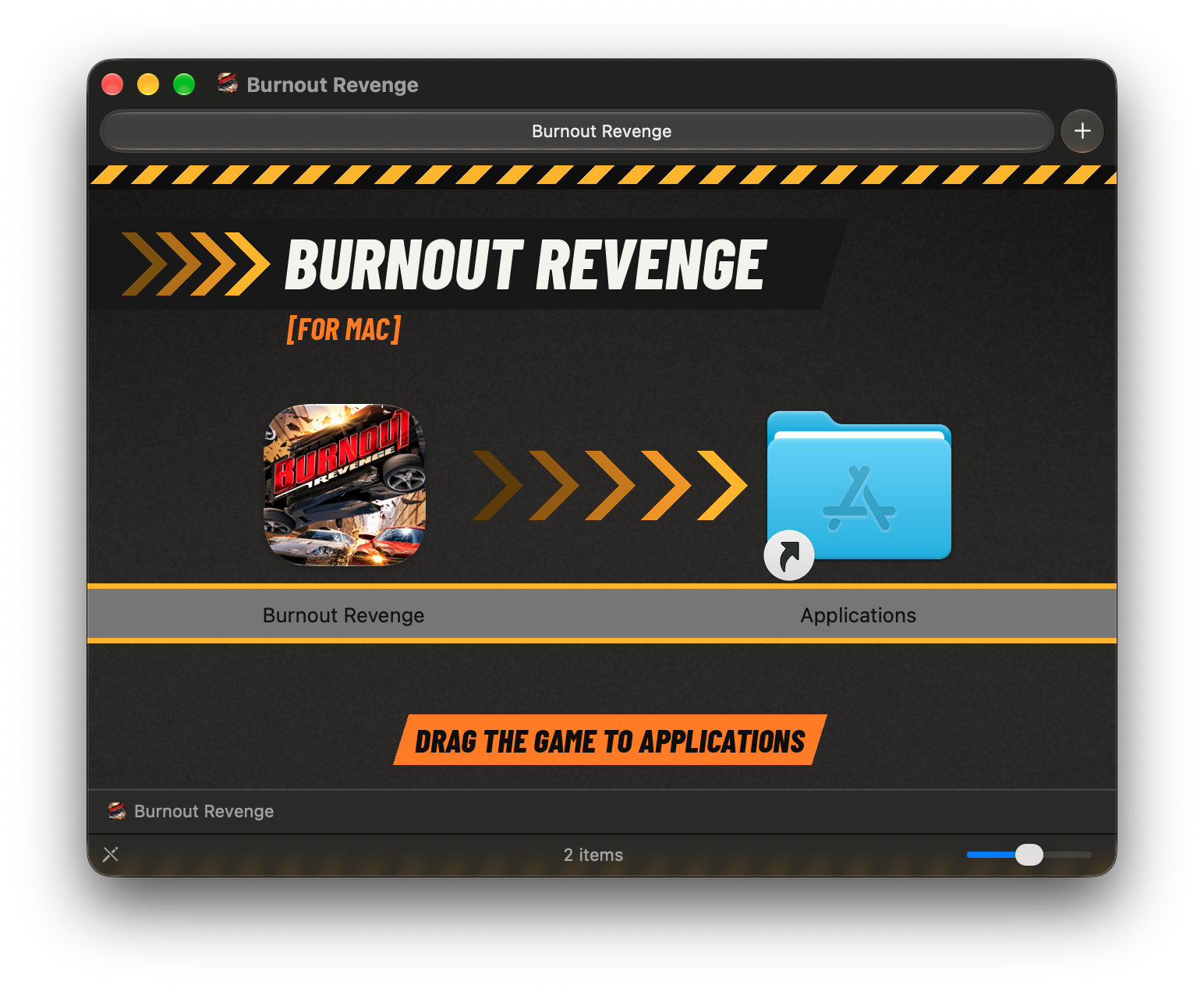
The download's Finder window: hazard stripes, BURNOUT REVENGE in heavy italic capitals, the game's icon with chevrons running to the Applications folder, and DRAG THE GAME TO APPLICATIONS
The download: drag the game to Applications.

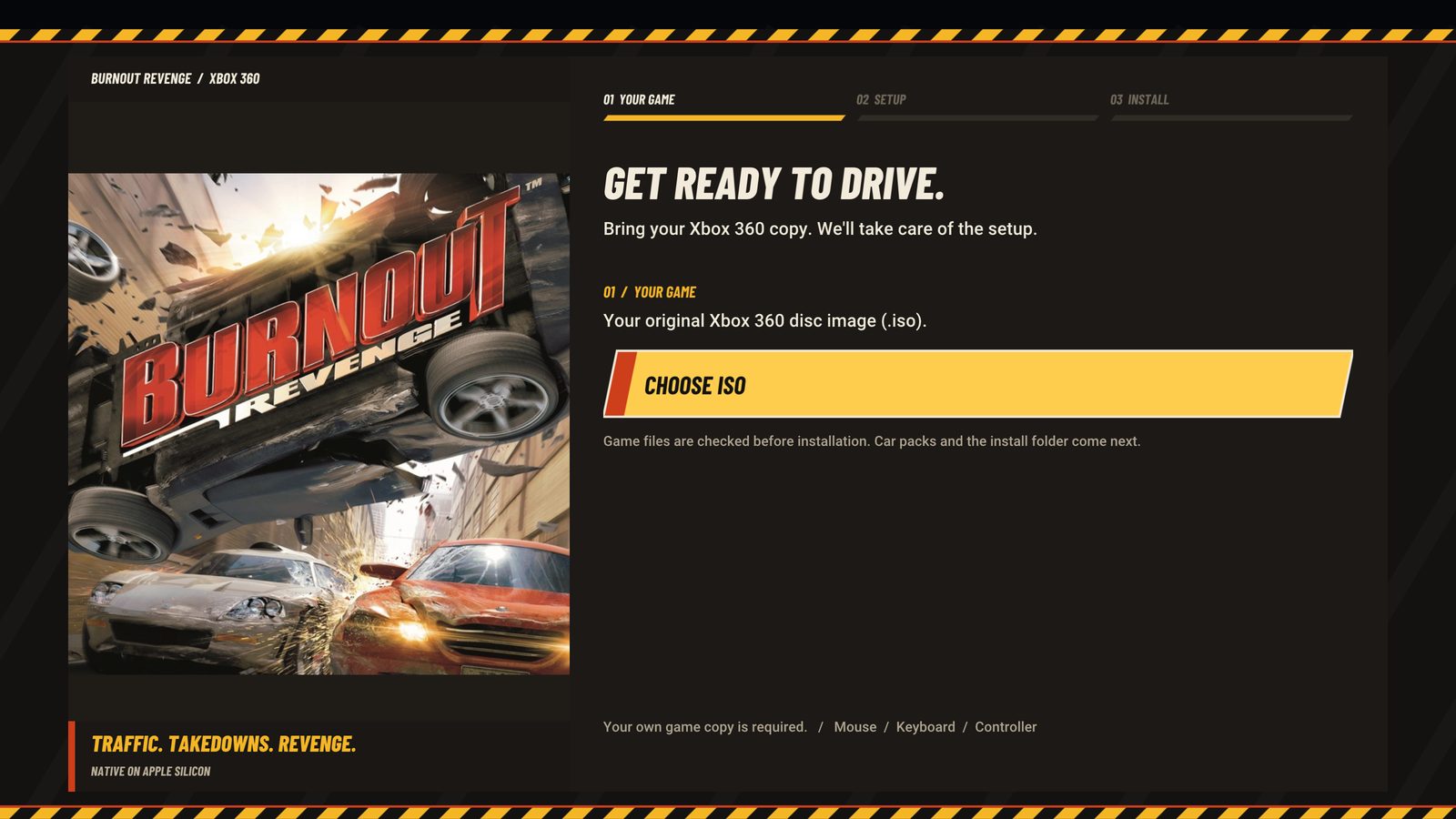
Setup page 1: Get ready to drive, Choose ISO
1. Your game.
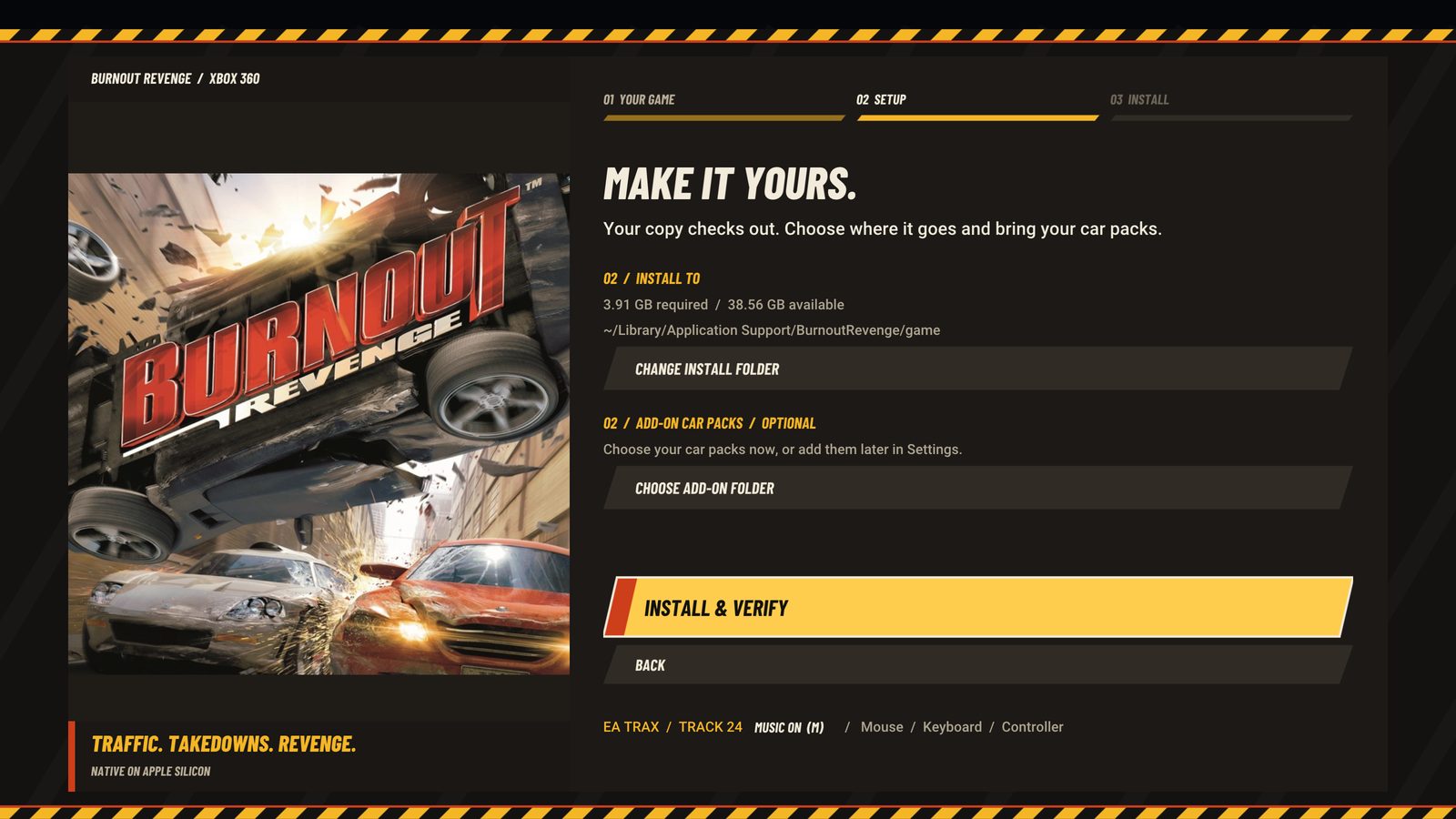
Setup page 2: install folder and add-on car packs
2. Setup.
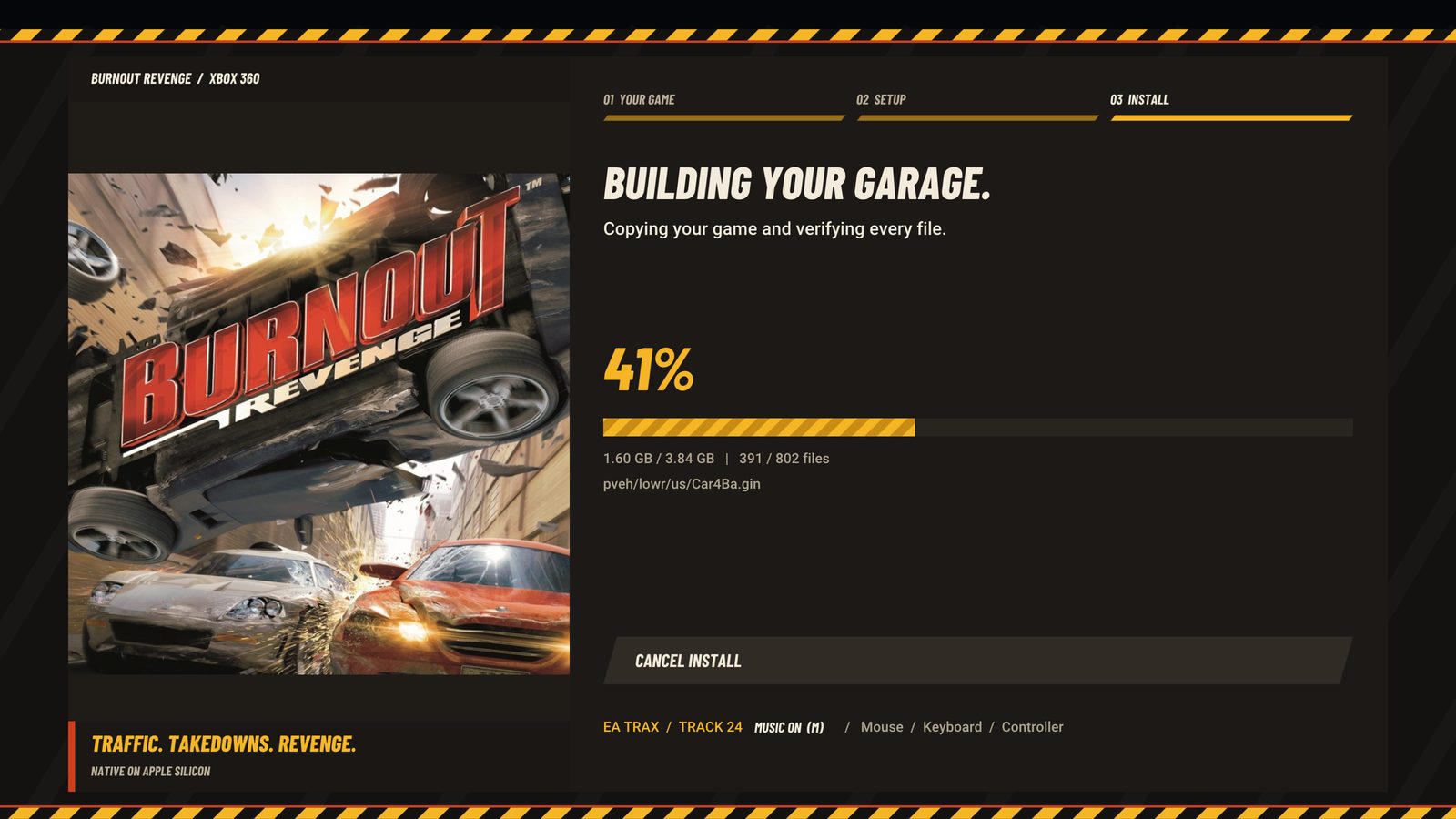
Setup page 3: Building your garage, 41 percent, every file verified
3. Install, every file verified.
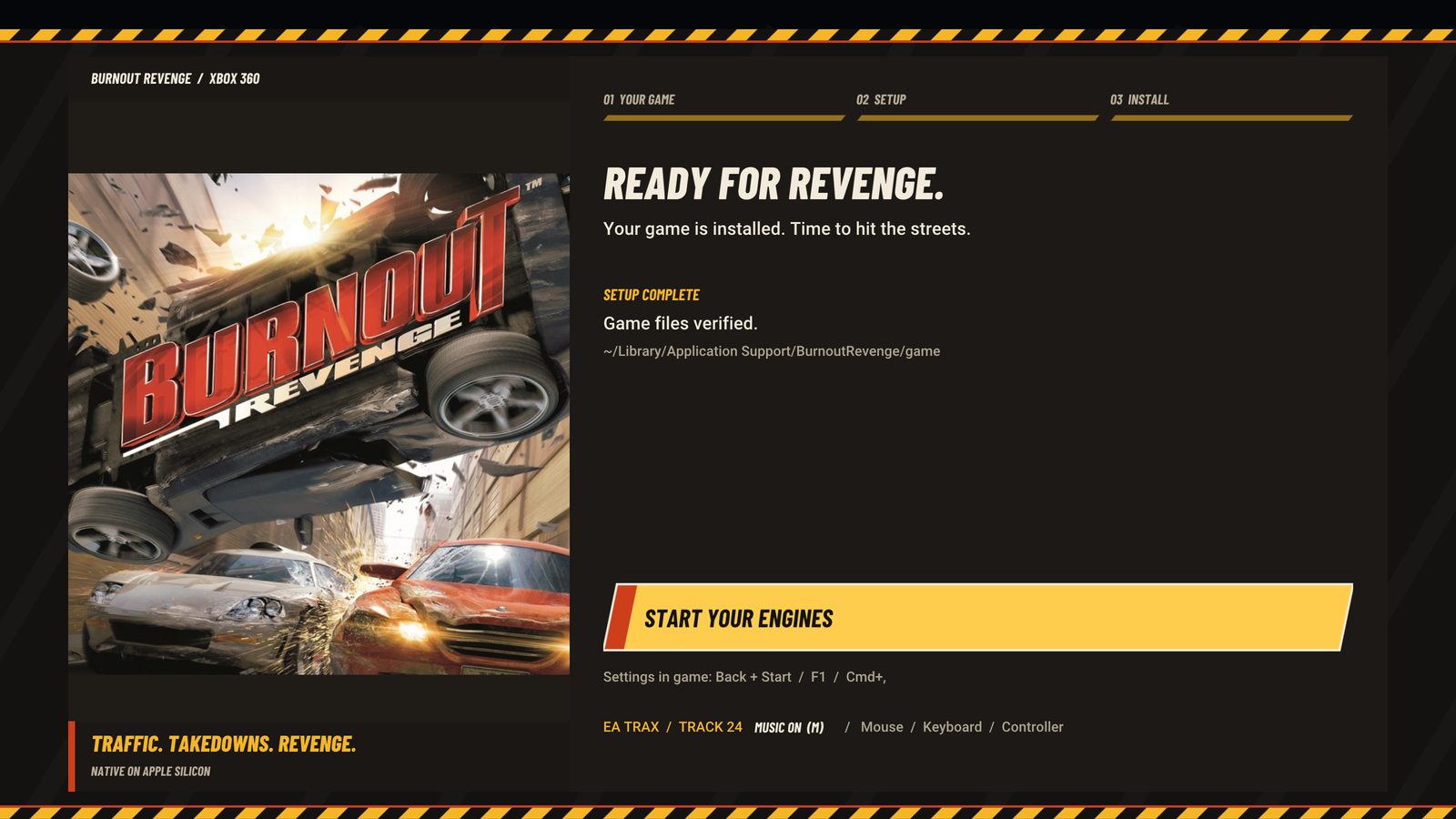
Setup done: Ready for Revenge, Start your engines
Ready.
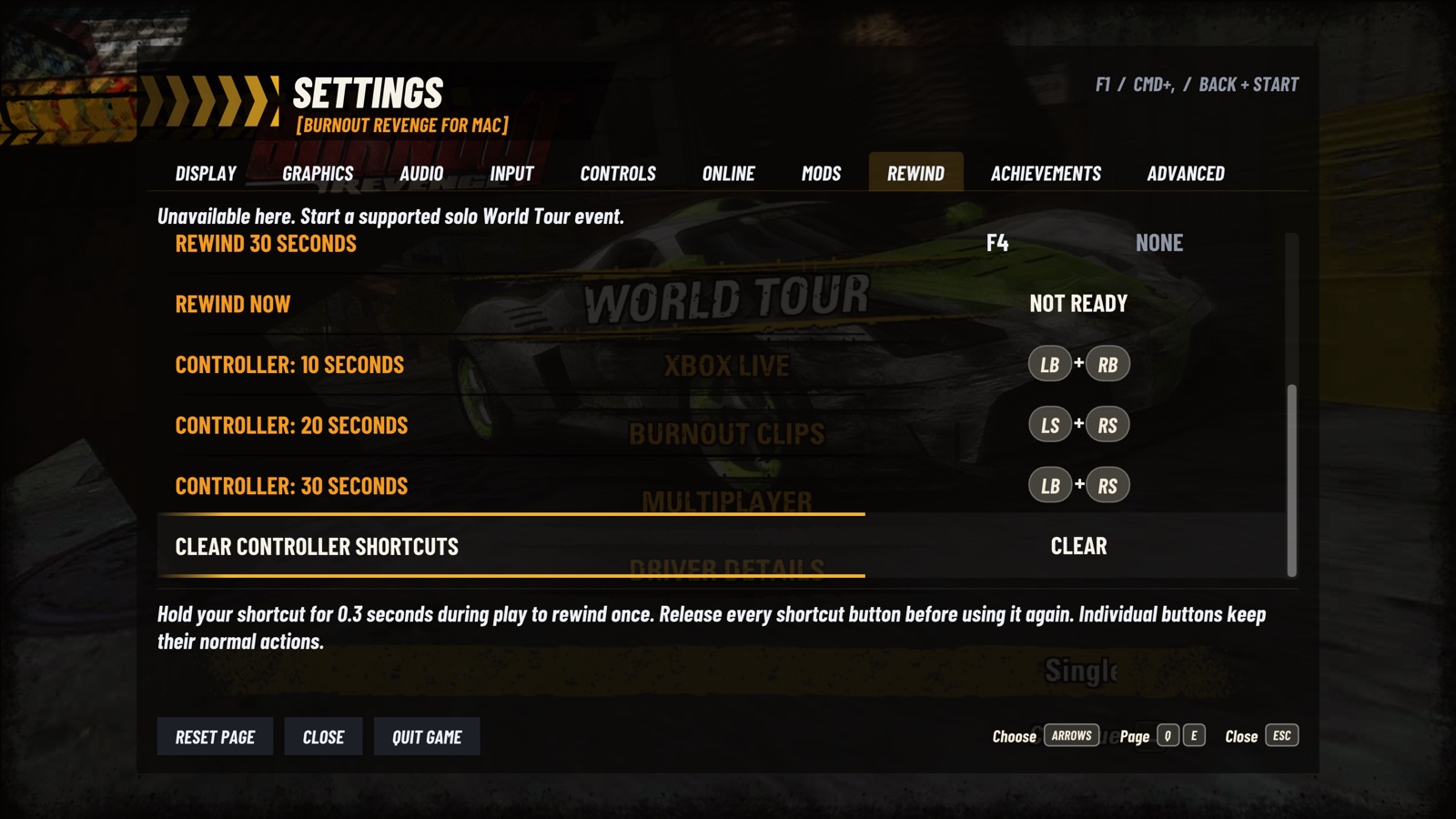
Settings, saves and the installed game live in `~/Library/Application Support/BurnoutRevenge`; shader caches in `~/Library/Caches/BurnoutRevenge`. **Requirements:** an Apple silicon Mac with macOS 15 or later, and the USA Xbox 360 disc image of Burnout Revenge. Developed and tested on an M1 Pro. European disc images can supply [language resources](#languages); game installation still requires the USA revision. European or Japanese executables, title updates and GOD packages are not supported. [Xbox 360 saves can be imported](#highlights). ### Linux and Steam Deck 1. Download and extract the **Linux x86-64** archive. On Deck, switch to **Desktop Mode** first. 2. Open a terminal in the extracted **BurnoutRevenge** folder and run: ```sh ./install.sh ``` 3. Open **Burnout Revenge** from your applications menu, or add it to Steam as described below. On first launch, choose your own **USA Xbox 360 disc image** or extracted game folder. The installer runs without `sudo`. For updates, quit the game and run the new archive's `./install.sh`; your game, saves and settings stay. Requires **AVX2/FMA**, **glibc 2.38+**, **GLIBCXX_3.4.32** and a compatible **Vulkan 1.2+** driver. See the [Linux guide](scripts/linux/README.md) for data locations and troubleshooting. #### Steam and Gaming Mode 1. In Desktop Steam, choose **Games > Add a Non-Steam Game**, select **Burnout Revenge** and add it. 2. Leave forced Proton compatibility **off** and use the **Gamepad** controller template. 3. On Deck, return to **Gaming Mode** and launch **Burnout Revenge**. If the app is not listed in Steam, choose **Browse > All Files** and select `~/.local/bin/burnout-revenge` (`/home/deck/.local/bin/burnout-revenge` on Deck). Set the name to **Burnout Revenge** and choose the package's `burnout-revenge.png` as its icon. For a library cover, select `artwork/burnout-revenge-cover.jpg` using **Manage > Set custom artwork** in Desktop Steam. #### Steam Deck display and controls - Use **1280×800 / 60 Hz**, including on OLED; set the per-game refresh rate to 60 Hz in Steam's Quick Access menu. - Open the game's settings with **Back + Start**. Steam may reserve the Steam button for its own menu. ## Highlights **Gameplay and mods** - **Classic Crash Launch**: the PS2 and original Xbox meter in solo World Tour and network Crash. Set speed and control with separate taps. Switch it in Settings > Mods > Modifications, then retry or start another event; no app restart is needed. Each network player can choose their launch style. - **Rewind 10, 20 or 30 seconds** in six solo World Tour event types, with configurable controller combinations and keyboard shortcuts. - **Cheat Codes**: five optional solo driving modifiers and **Unlock Madden Van**. The van uses the original trailer reward and does not require 100% completion. Save your Player File after unlocking it, then choose it in a Crash garage. - Live sign-in does not disable solo Codes, Rewind or camera controls. Their restrictions follow the active network or local multiplayer session. **Picture** - Internal resolution from 1x (720p, as on the console) to 3x (2160p). Auto picks it from the size of the window. - SMAA 1x (default) or FXAA anti-aliasing. SMAA keeps text, number plates and textures sharper for about 0.4 ms more GPU time at 1080p. - Upscaling with Bicubic, Bilinear, AMD FSR 1 or Apple MetalFX Spatial (experimental), with adjustable sharpening. - Up to 16x anisotropic filtering, mipmaps, a brightness control and the Xbox 360's own display gamma ramp. - Any window shape: a wider window shows more at the sides (Hor+), a taller one (16:10, 4:3) more above and below (Vert+), with the HUD kept in shape. On either (21:9, 32:9, 16:10, 4:3) the race HUD sits at the screen's corners and the menus' frame at its edges; menus and films stay 16:9 in the middle. Widescreen keeps the original 16:9 with bars. - Vehicle Detail: rivals and traffic keep their detailed models twice as far away by default (Far), or four times (Farthest), so cars ahead stop changing shape as you close in. Original is the console's 30 m. - Bloom and Motion Blur from 0 to 100%. Lower Bloom removes the game's haze and the glow round edges but keeps its bright blue sky: the glow is kept where it comes from rather than switched off. Lower Motion Blur shortens the streaks at speed; 0% keeps speed sharp. - The game's own menu clicks in the Settings menu and the first-run screens, read from your copy of the game. - 60 fps, as the console. Fullscreen, V-Sync, and Cmd+H and Cmd+Tab that work in fullscreen. On an external 144 or 165 Hz monitor, a one-time note says how to set it to a rate 60 fps divides evenly. **Sound and music** - The game's own engines, crashes and EA Trax, decoded from your disc. - **My Music**: Settings > Audio > Music plays your own MP3, AAC, ALAC, FLAC, WAV or AIFF files instead of EA Trax, shuffled, with a "Now playing" notice naming each song. The game's pauses, fades and crash silence apply to them. The folder is indexed in the background and refreshed about every two seconds after each scan. EA Trax plays while the first list loads. One scan is limited to 4,096 songs and 16,384 entries; the Music Folder row indicates the limit or an unavailable folder. - The game's sound steps back while the settings menu is open. Mute, Mute in Background and a master volume. **Online** - Xbox Live play again, off by default (Settings > Online): races, Road Rage, Crash Party, Crash Tour and Crash Battle with up to four players, and Burnout Clips shared, watched and downloaded. Meet on the Xerenge community server, a server of your own (it comes inside the app) or the local network with no server. Ranked matches can be hosted and joined too, without a global ranking or TrueSkill service. Not yet tested between two Macs: see [docs/ONLINE.md](docs/ONLINE.md). Xbox Live friends, messages, player reviews and gamer cards are unavailable; their buttons leave the game running. **Controls** - Tap **Home / Xbox Guide / PS** and release to open or close Settings in the active game window. Hold it for **3 seconds** for the quit confirmation, with Cancel selected first. B / Circle dismisses it. The dialog follows the controller that opened it and preserves an open Settings page. macOS is asked to give Home to the game while focused; system shortcut settings stay unchanged. [See the dialog](docs/screenshots/controller-quit.jpg). - Xbox controllers and DualSense through SDL, with vibration. Back + Start (Share + Options on a DualSense) opens the settings anywhere. If an Xbox controller uses Apple's GameController route over USB, a one-time notice explains that vibration may not reach its motors and suggests Bluetooth. - Split-screen Multiplayer for two: each controller is a player, in the order it connects. During a local session, a disconnection preserves the other player's slot and pauses the game. Reconnect a controller, then press Start on it to join the first missing player shown in the notice. Release all controls before resuming. A spare controller cannot take a slot silently. Solo keeps the remaining controller as player 1. Two physical controllers still need testing. - USB steering wheels (Logitech G29 and its family): wheel, pedals, buttons and Settings > Wheel with a Calibrate row; force feedback where the system can drive the wheel. - Full keyboard play. Every Xbox 360 control can take two keys, remapped in the Controls page; bindings are physical keys, so they work on any layout. - Button prompts follow the device you use, in the port's menus and in the game's own (menus, Replay, "PRESS TO BOOST!"): PlayStation shapes with a DualSense, your keys as Mac key caps with the keyboard, Xbox buttons otherwise. Settings > Input > Button Prompts can keep one set. **A menu in the game's own style** - A settings menu modelled on the game's Settings screen: its fonts, its orange rows and yellow bands, its running chevrons and button hints. Each row explains itself; most changes apply live, while Language needs a restart. - Dialogs, notices and the "What's new" note look like the game's own prompts. **Achievements** - Settings > Achievements lists the 36 original Xbox 360 achievements (1000 G), with grey locked icons, color earned icons and requirements for the selected entry. New awards appear during play and are kept across launches. - Local progress, using the game's own award requests and artwork from your disc. See [Achievements](docs/ACHIEVEMENTS.md) for account and import details. **Setup and saves** - A first-run setup in the game's style: choose your ISO, and all 802 files are checked against the supported release before anything is installed. EA Trax from your own disc plays while it installs. Cancelled, failed or cut short by a crash, an install leaves nothing behind: no partial copy, no empty folders. - Add-on car packs: choose a folder at setup, import later from Settings, or let the game find `XBOX360/454107DC/00000002` on a mounted drive. - Saves can't be half-written: a save is written to a copy and put in place whole once the game finishes it, so a crash or power cut mid-save leaves the previous save. - Save backups: each launch backs up your saves when they changed (the newest 10 are kept). Settings > Advanced > Save Backups restores one. - Save import: Save Backups > Import Save File / Import Save Folder (or `--import-save ` with the game closed) brings in a save from an Xbox 360 (its save package, e.g. `Content//454107DC/00000001/` on a USB stick), from Xenia's content folder, or the game's `Player Files`. Your current saves are backed up first; the import applies at the next launch. - A finished save (Elite rank, every event and all 86 cars) comes with each release from v0.1.10 as `BurnoutRevenge-100-percent-save.zip`: unzip it and import its `Player Files` as above. It's a save shared online for the USA game; only its progress file is included, without the original profile. - Skip Intro Movies (on by default): the title screen in about 8 seconds. - Save Bug Report gathers the logs and settings into one file; Check for Updates asks GitHub for a newer release. ## Rewind Enable **Settings > Rewind** to keep driving history in memory, then rewind without opening the menu. This experimental option is **off by default** and available in **solo World Tour Race, Road Rage, Traffic Attack, Burning Lap, Eliminator and Crash**. | Rewind | Keyboard | PlayStation | Xbox | |---|---|---|---| | 10 seconds | F2 | L1 + R1 | LB + RB | | 20 seconds | F3 | L3 + R3 | LS + RS | | 30 seconds | F4 | L1 + R3 | LB + RS | Each duration has its own editable controller combination and two keyboard bindings. Select a controller row, release the buttons, then hold and release two or three buttons to assign them. During play, hold the combination for **0.3 seconds** and release it fully before another request. Conflicting combinations are rejected. L2/R2 (gas and brake) are excluded.
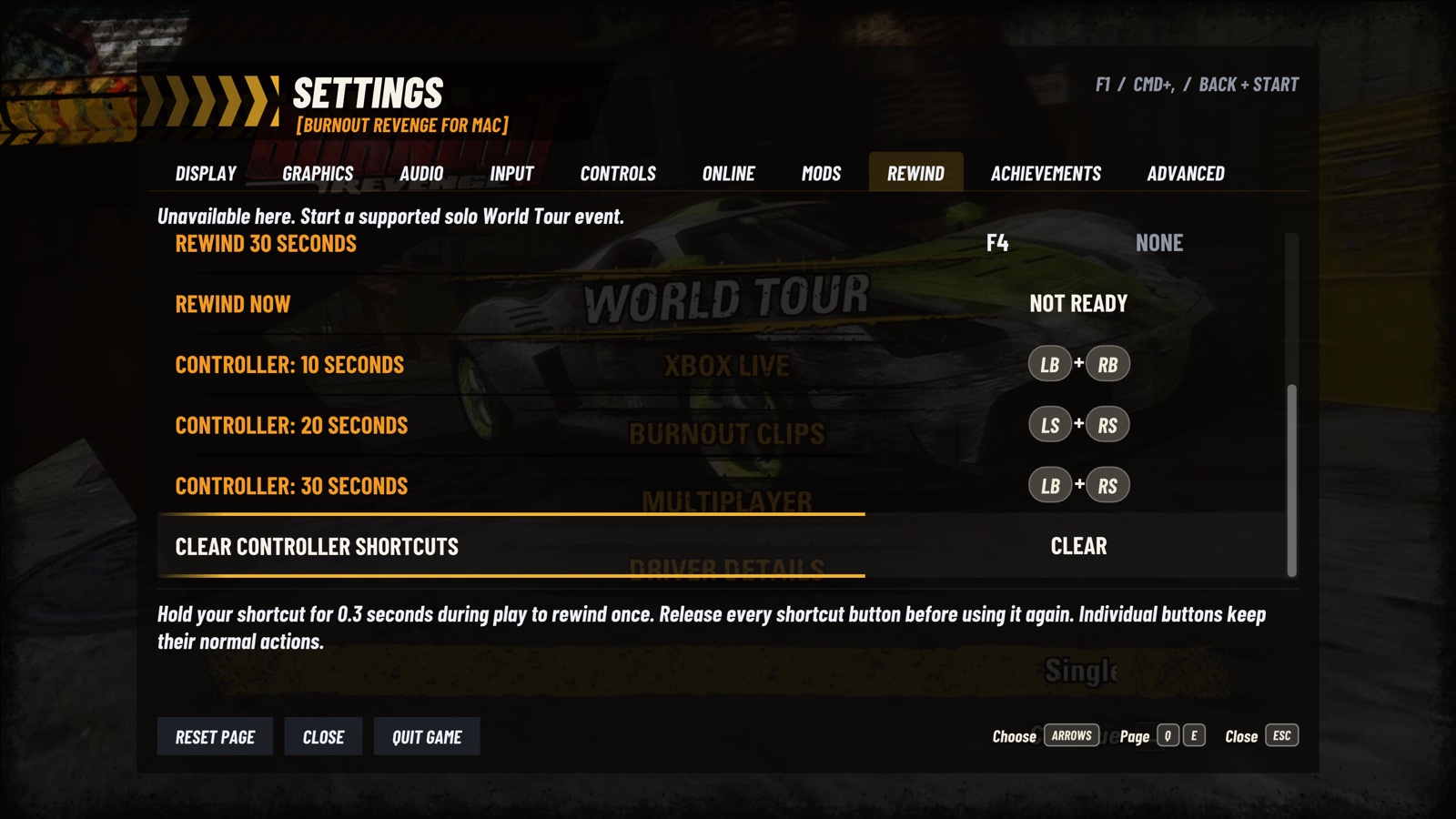
Current Rewind controller shortcuts: 10 seconds LB + RB, 20 seconds LS + RS, 30 seconds LB + RS; hold for 0.3 seconds and release fully
Assign a separate controller combination to each rewind duration.
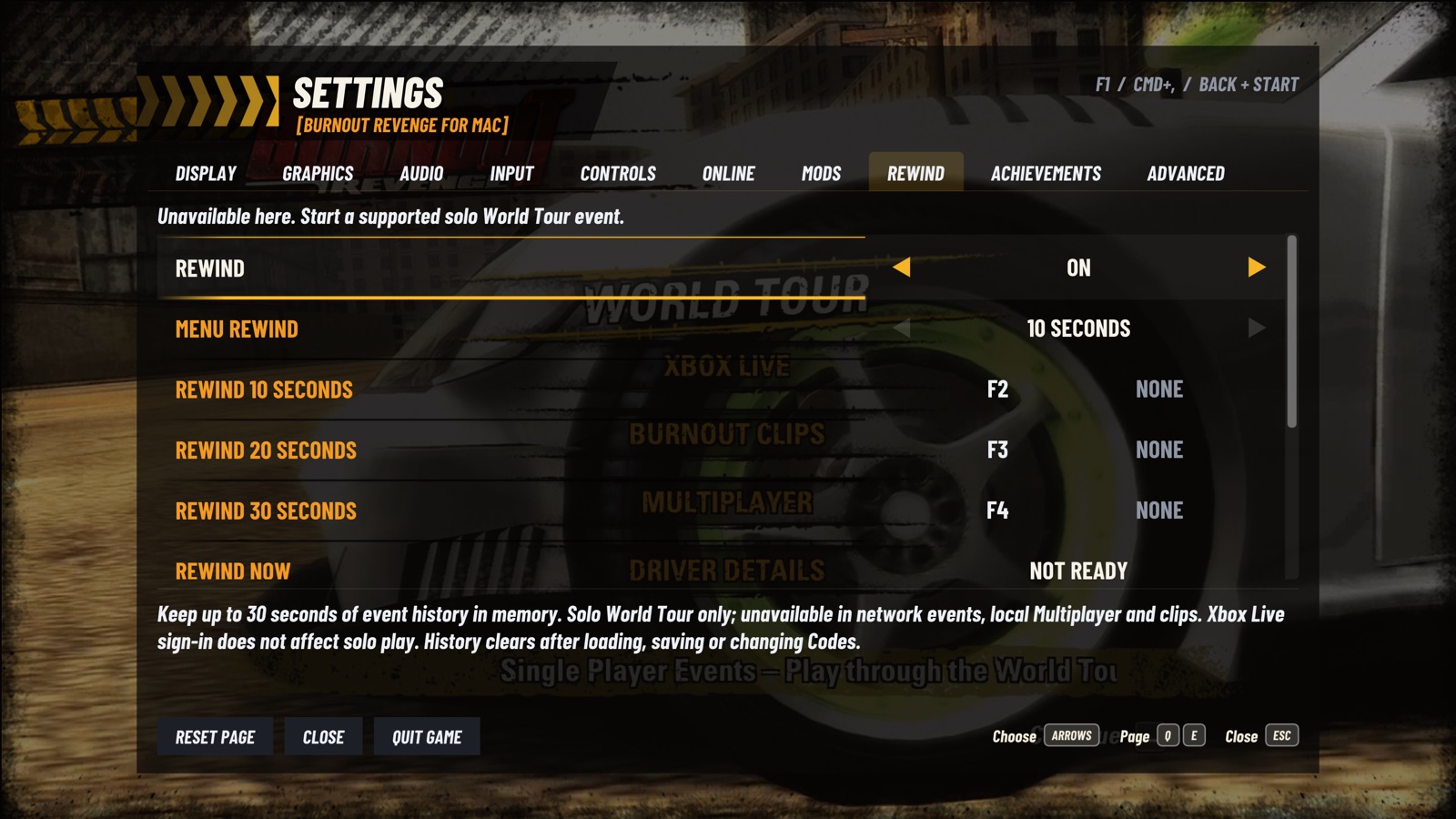
Rewind enabled in Settings, with editable F2, F3 and F4 keyboard bindings for 10, 20 and 30 seconds
Keyboard shortcuts are configurable too; Menu Rewind has its own duration.

A notice appears when a request starts, then shows **the actual time restored** or the reason it could not be applied. In road events, targets inside a wreck/ Aftertouch use the preceding driving checkpoint; requests made during that crash camera wait until driving resumes. This can rewind farther than the selected duration.
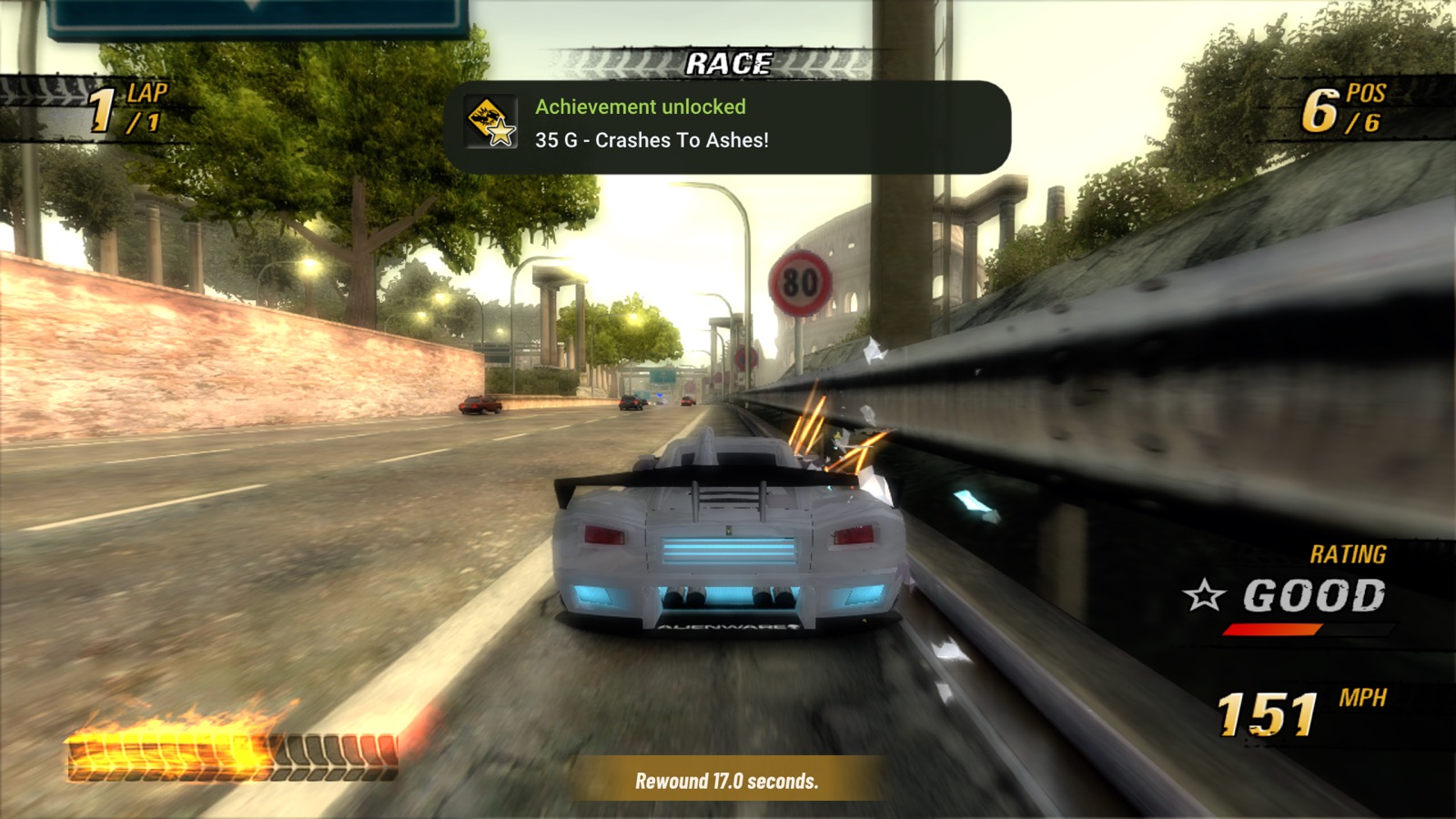
Race continuing at 151 mph on the road after Aftertouch, with the bottom notice Rewound 17.0 seconds
Aftertouch request completed: the notice reports the actual 17.0-second rewind.

History starts collecting five seconds into road events and one second into Crash, and holds up to 30 seconds. Wait for enough history before using a shortcut. Saving, loading, event changes and changes to Codes clear it. Online, local Multiplayer, clips and finished events are excluded. Single buttons retain their game actions before a complete combination is held, so choose combinations that suit your controls. [Details, validation and limits](docs/REWIND_EXPERIMENT.md). ## Mods
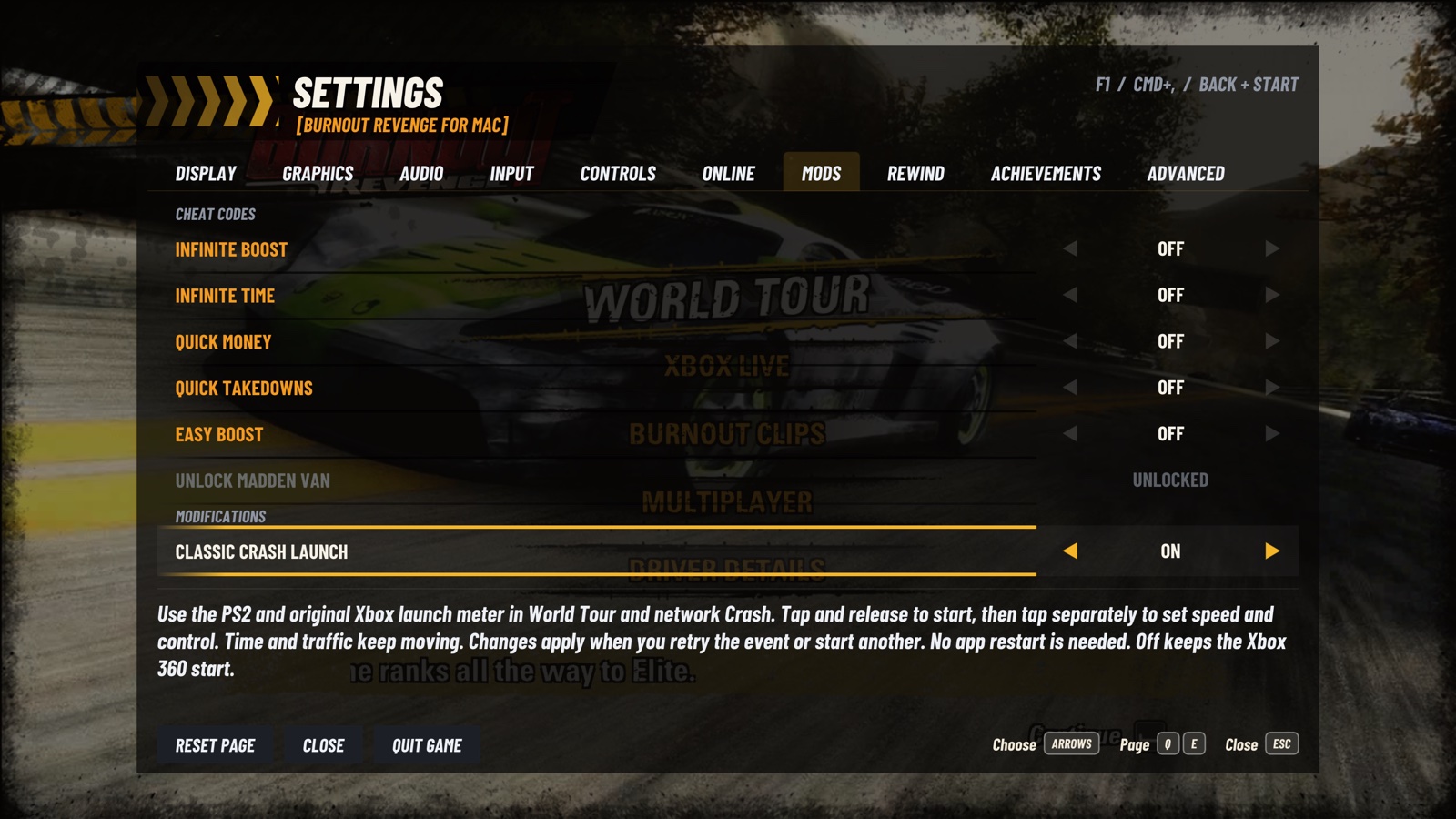
Settings, Mods page with Cheat Codes, Unlock Madden Van and a separate Modifications section
Settings > Mods: Cheat Codes and Modifications.

Classic Crash Launch restores the PS2 and original Xbox launch meter in solo World Tour and network Crash. It is off by default. A change applies when you retry the event or leave it and start another, without quitting the app. Each network player chooses whether to enable it. Tap and release A (PlayStation cross) to start the meter, then use separate presses to set speed and control. Holding the first press can stop it at about one third and give a weak automatic launch, as in the original PS2/Xbox game. [Controls and current limits](docs/CLASSIC_CRASH_LAUNCH.md). **Cheat Codes > Unlock Madden Van** opens the same bonus as the Madden NFL 06 trailer. It is available with your Player File loaded in the World Tour menu; 100% completion is not required. Save your Player File afterwards to keep it, then select the van in a Crash event’s garage.
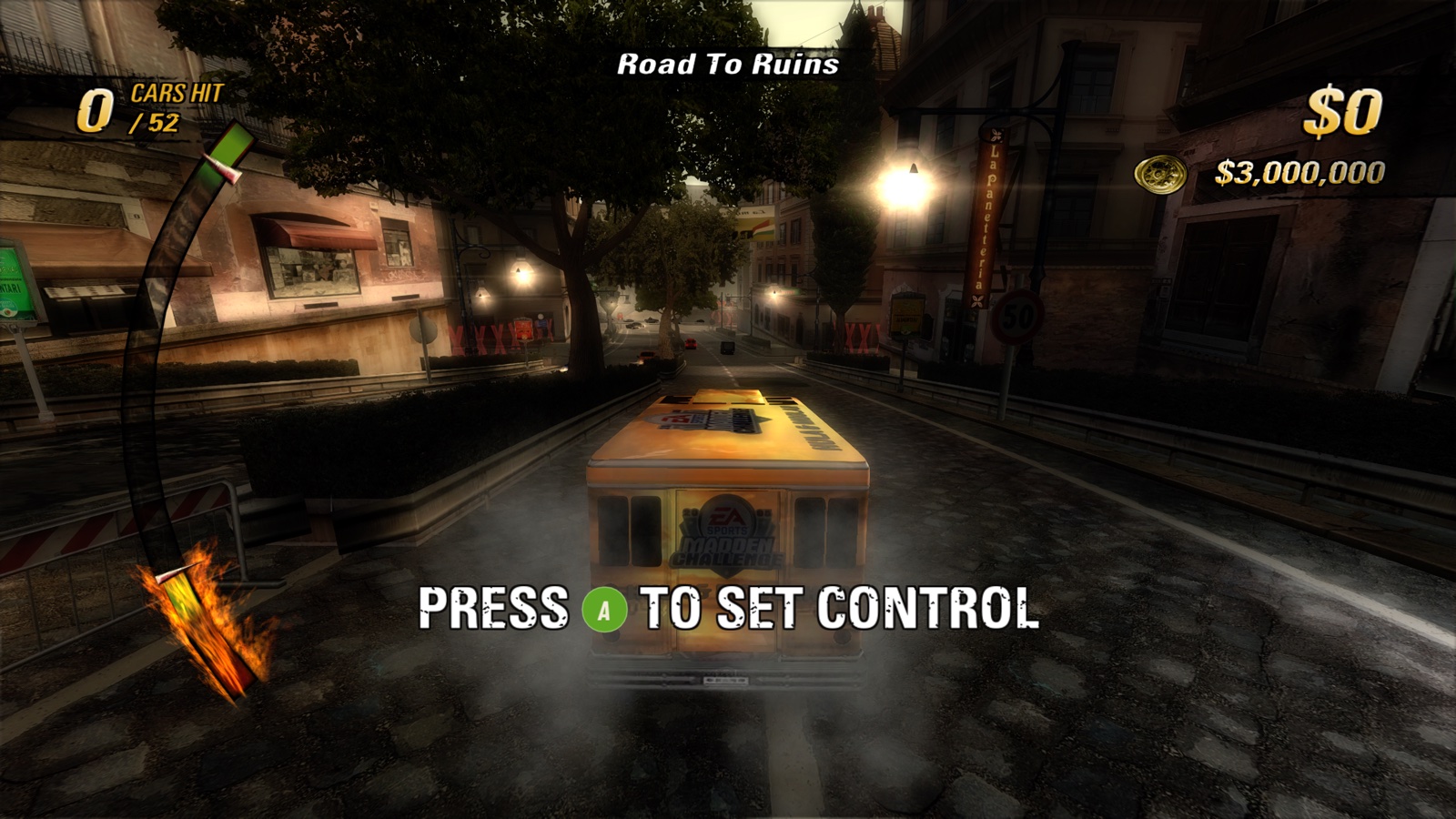
Classic Crash Launch in Road To Ruins: the curved meter and press-to-set-control prompt with the Madden Van
Set speed, then control.
Network Crash with two Madden Vans, a remote player marker and a Perfect Start after the classic meter
Classic launch in network Crash.
Five modifiers for the **solo World Tour**, modelled on the old Xbox 360 trainers. They change what the game awards, not how it saves: results earned with a Code stay in your career. | Code | What it does | |---|---| | **Infinite Boost** | The boost bar stays full at level 4. Turn it off and your earlier level comes back | | **Infinite Time** | The event countdown stops; the game's own time bonuses still apply. Turn it off to finish an event that ends on timeout | | **Quick Money** | Every Traffic Attack award is at least $30,000 | | **Quick Takedowns** | After your first real Takedown the event counts 99, and the HUD, medal and results agree | | **Easy Boost** | A Near Miss fills the current bar, and Near Miss and drift need less speed and distance |
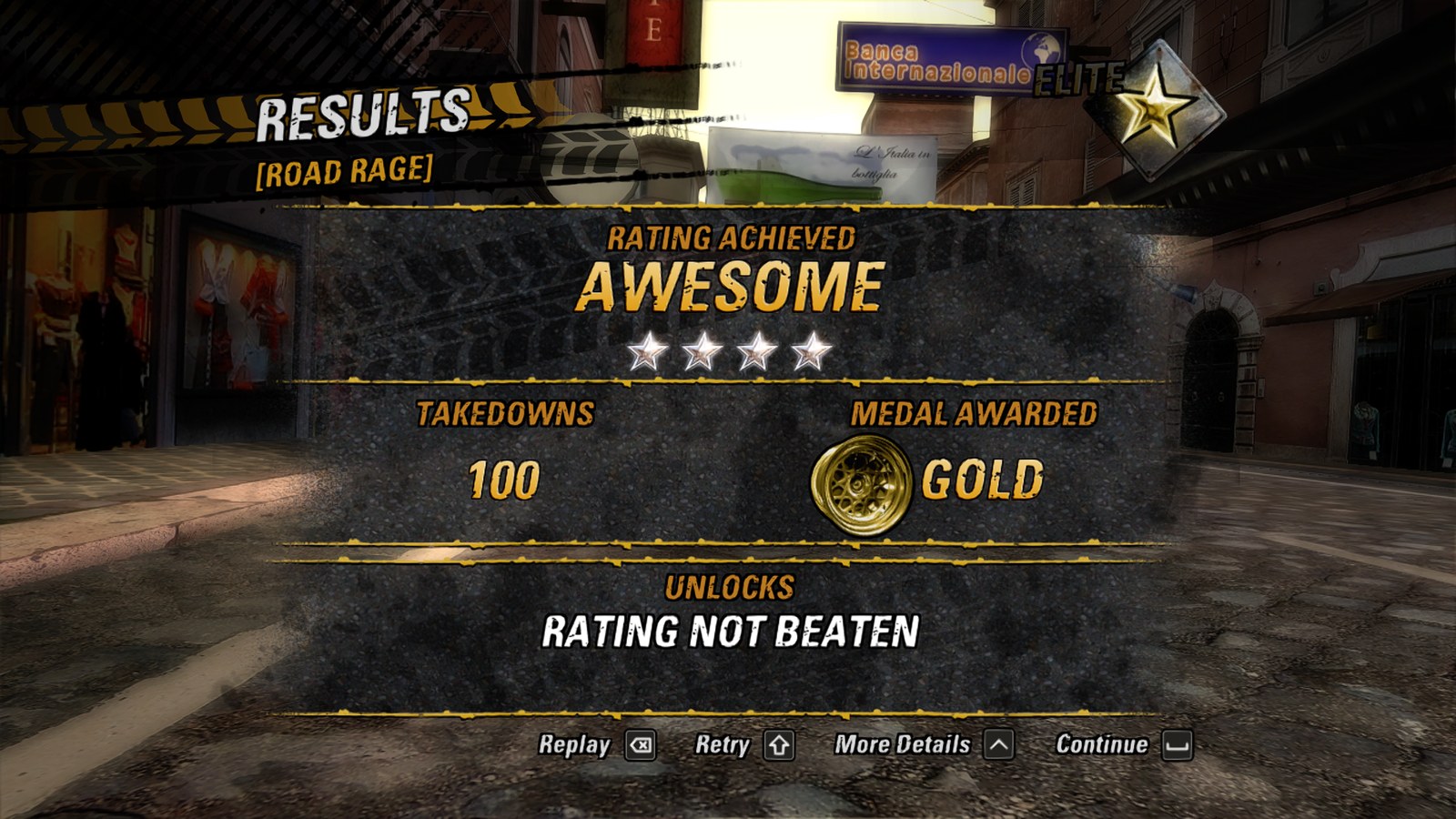
Road Rage results: Rating Awesome, 100 Takedowns, Gold medal awarded
Road Rage with Quick Takedowns: 100 Takedowns, a Gold medal.

The five driving modifiers apply only to solo World Tour driving. Signing in to Live or enabling Online Play does not restrict solo play. Local Multiplayer, Crash, Burnout Clips and AI cars retain their original behavior. The Madden Van action and Classic Crash Launch have their own scope as described above. Details and limits: [docs/CODES.md](docs/CODES.md). ## Xbox 360 achievements The original **36 achievements, worth 1,000 G**, now unlock through normal play. Open **Settings > Achievements** to browse them: locked icons are grey, earned icons are in full colour, and the bottom of the page shows the selected achievement's conditions and unlock date. The wider settings menu gives the tabs more room, with scrolling on smaller windows.
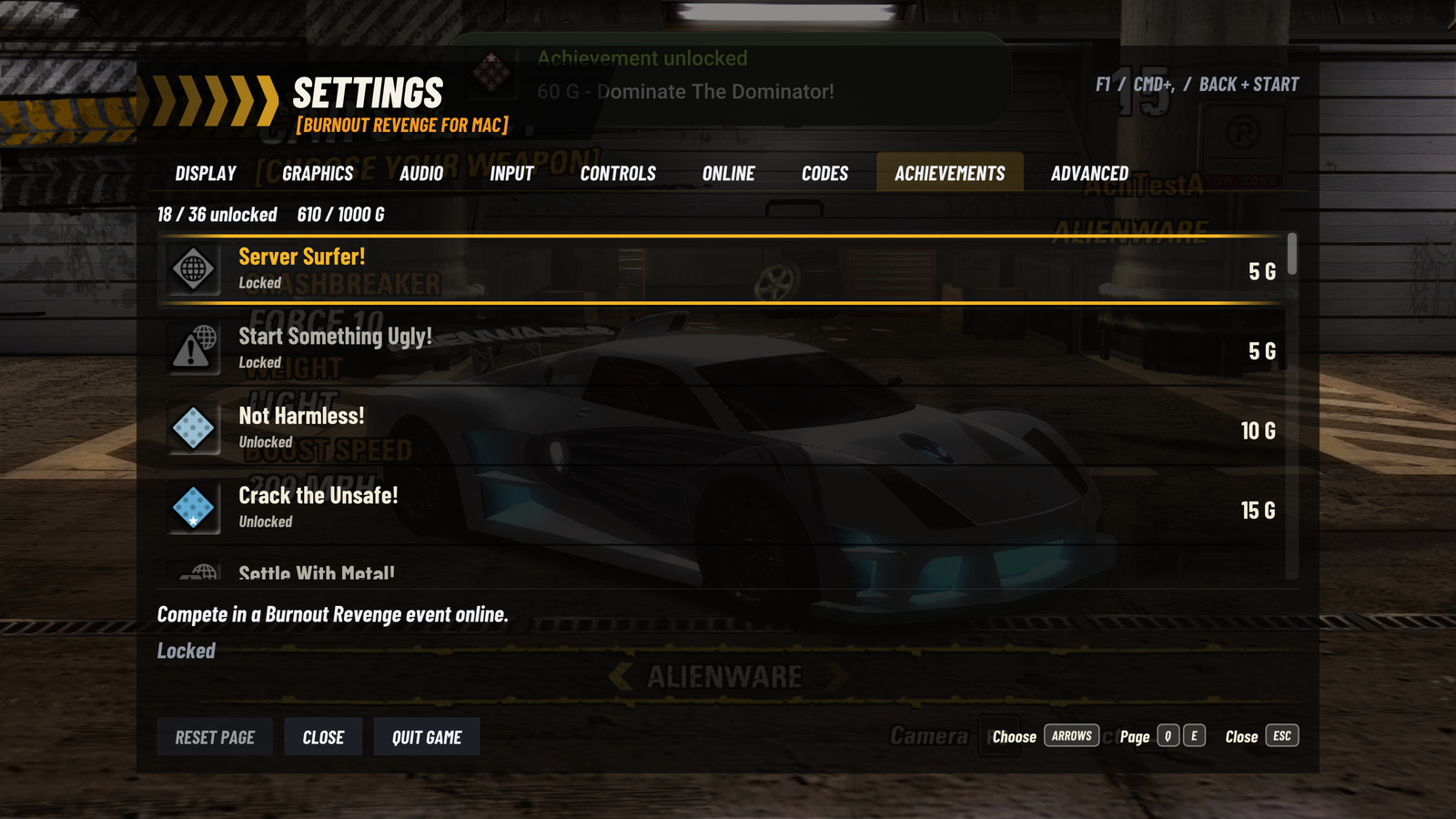
Achievements page with earned colour icons, locked grey icons, Gamerscore, and the selected achievement's conditions and unlock date
Settings > Achievements: original icons, conditions and local Gamerscore.

An unlock displays a six-second notification during the game without pausing it or taking control away. Achievements and their unlock dates are saved locally between launches; repeated game requests do not repeat the notification. Names, conditions and artwork come from your own game disc. They do not sync with an Xbox Live, Steam or RetroAchievements account.
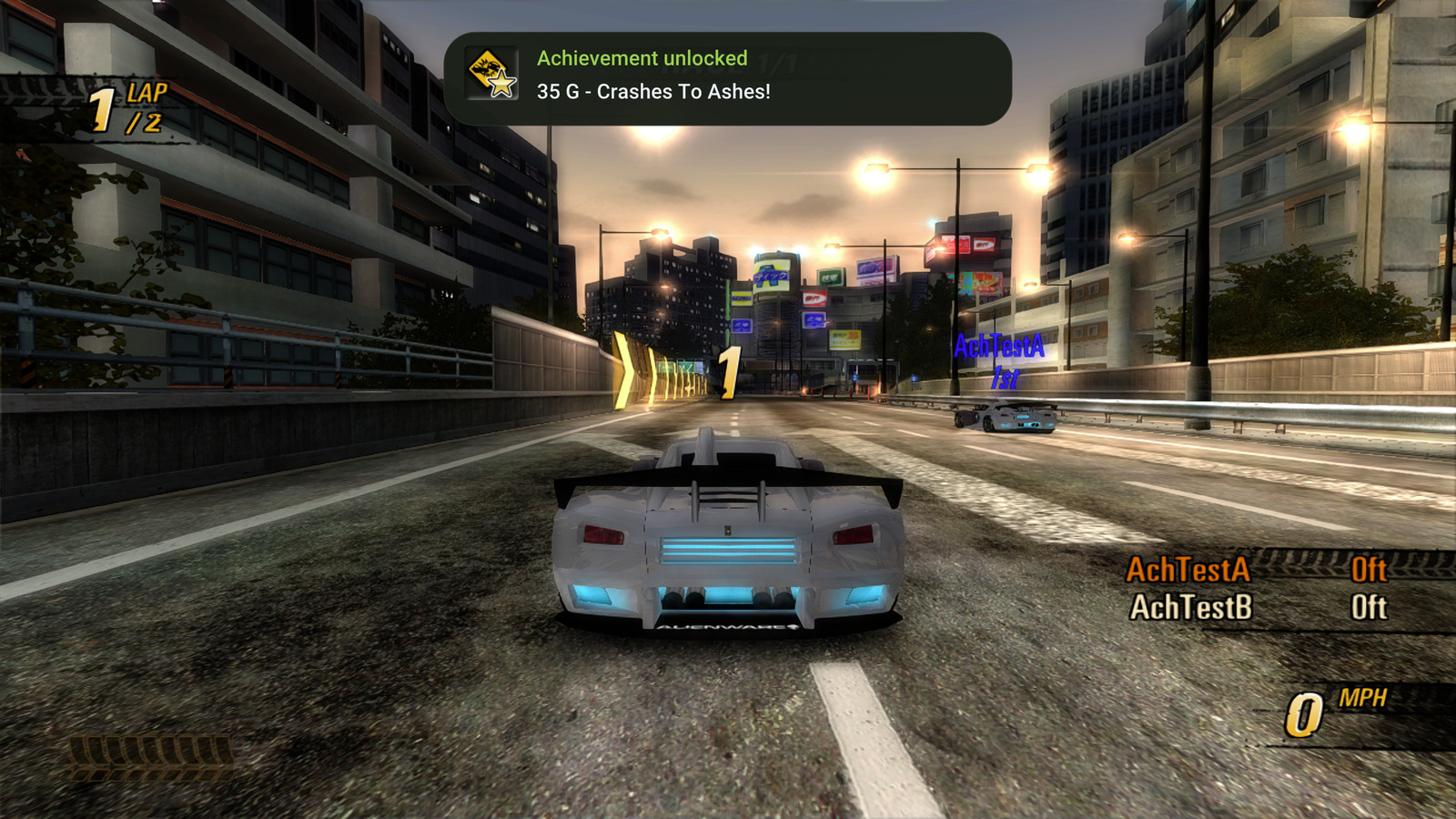
Crashes To Ashes achievement unlocking for 35 G at the start of an online race
Crashes To Ashes: the six-second achievement notification during online play.

## Settings Internal Resolution shows the render size, including Auto's current choice. This is the game's internal image size, before upscaling to the window. Open with a short **Home / Xbox Guide / PS** press, **F1**, **Cmd+,** or **Back + Start**. On macOS, you can also choose **Burnout Revenge → Settings…**. LB/RB (Q/E) switch pages.
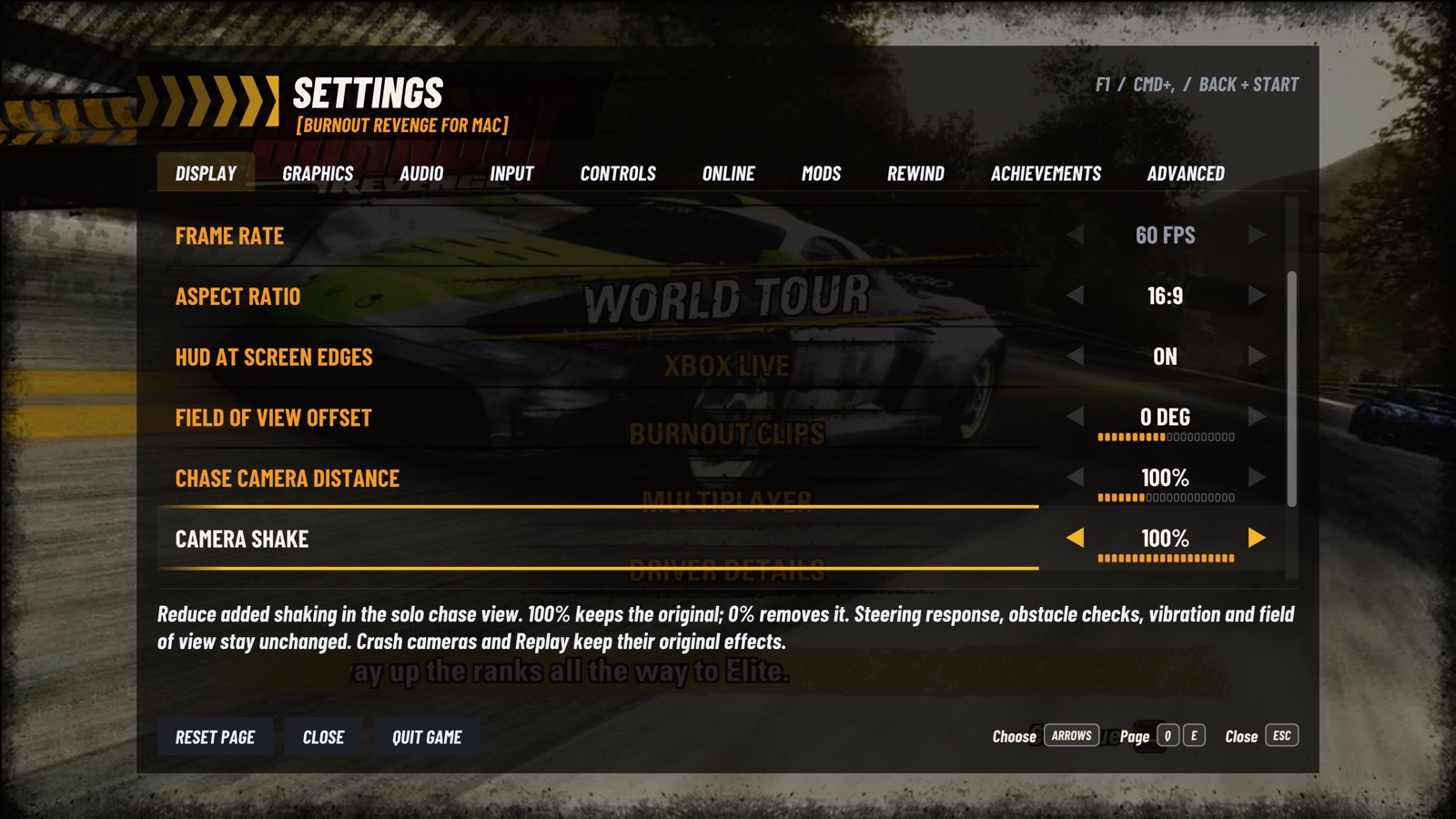
Current Display camera settings: Field of View Offset, Chase Camera Distance and Camera Shake
Display: FOV, camera distance and shake.
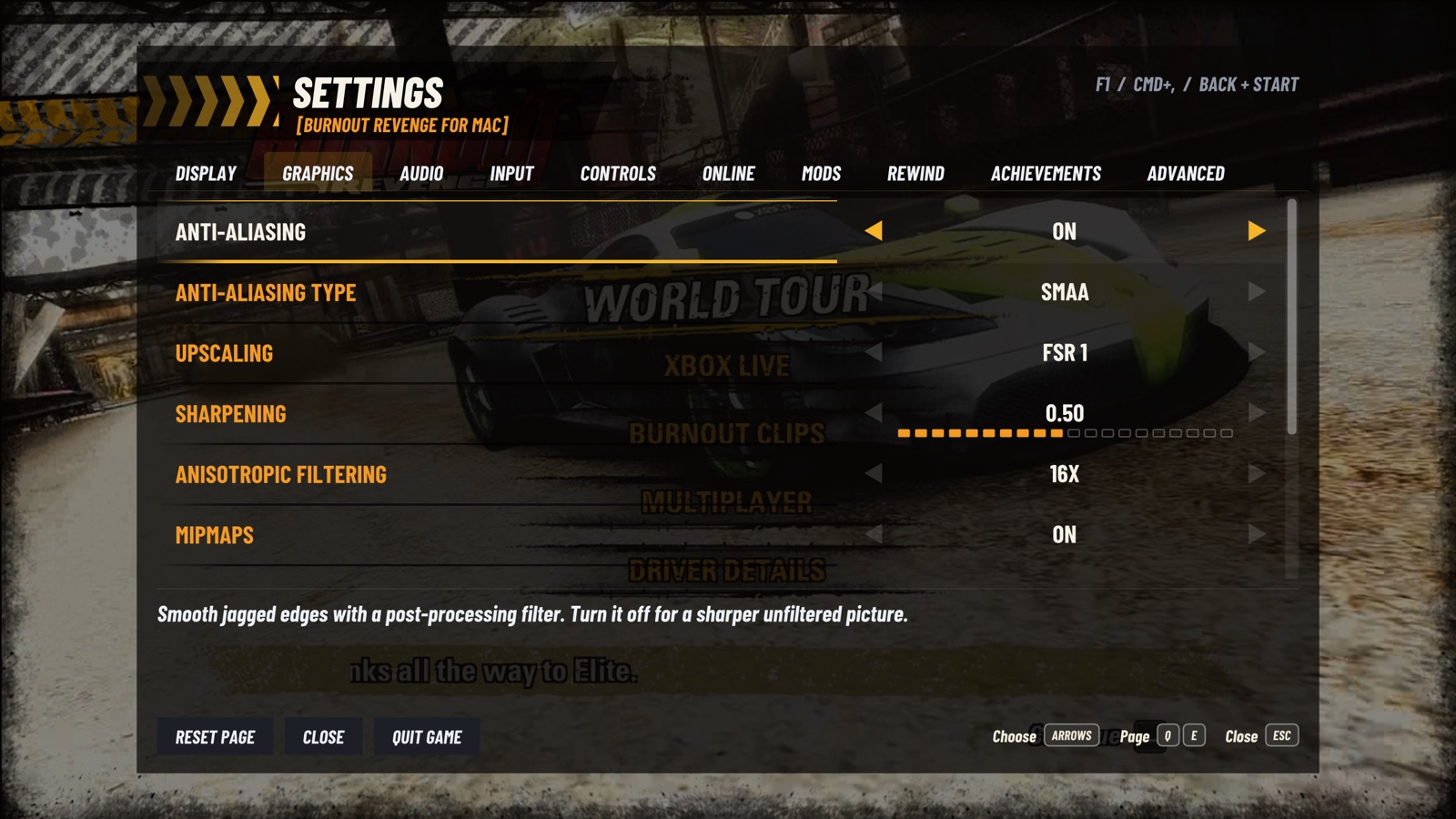
Current Graphics settings with anti-aliasing, upscaling, sharpening, anisotropic filtering and mipmaps
Graphics: anti-aliasing and upscaling.
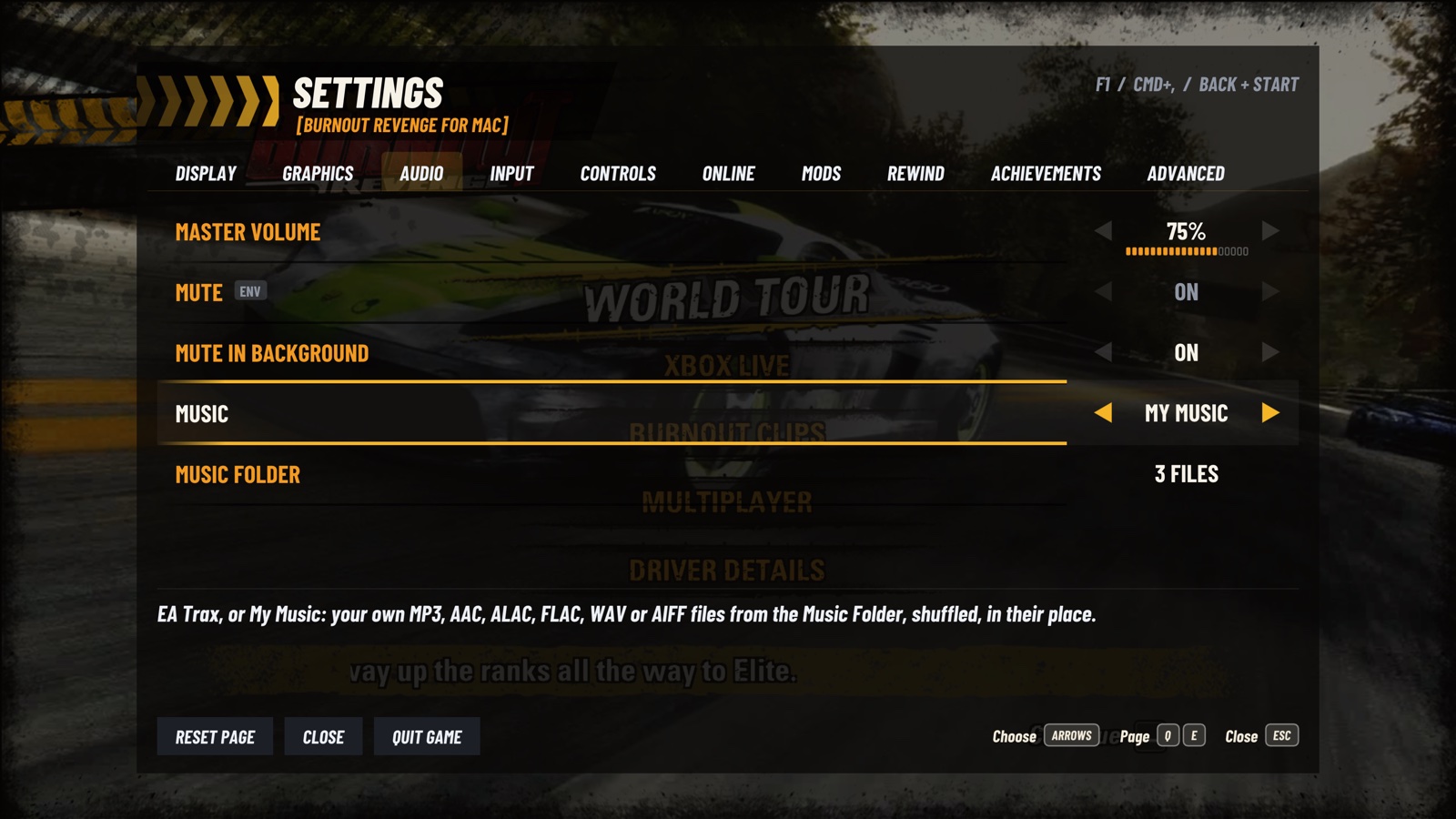
Current Audio settings with master volume, mute controls and the EA Trax or My Music choice
Audio: volume and music.
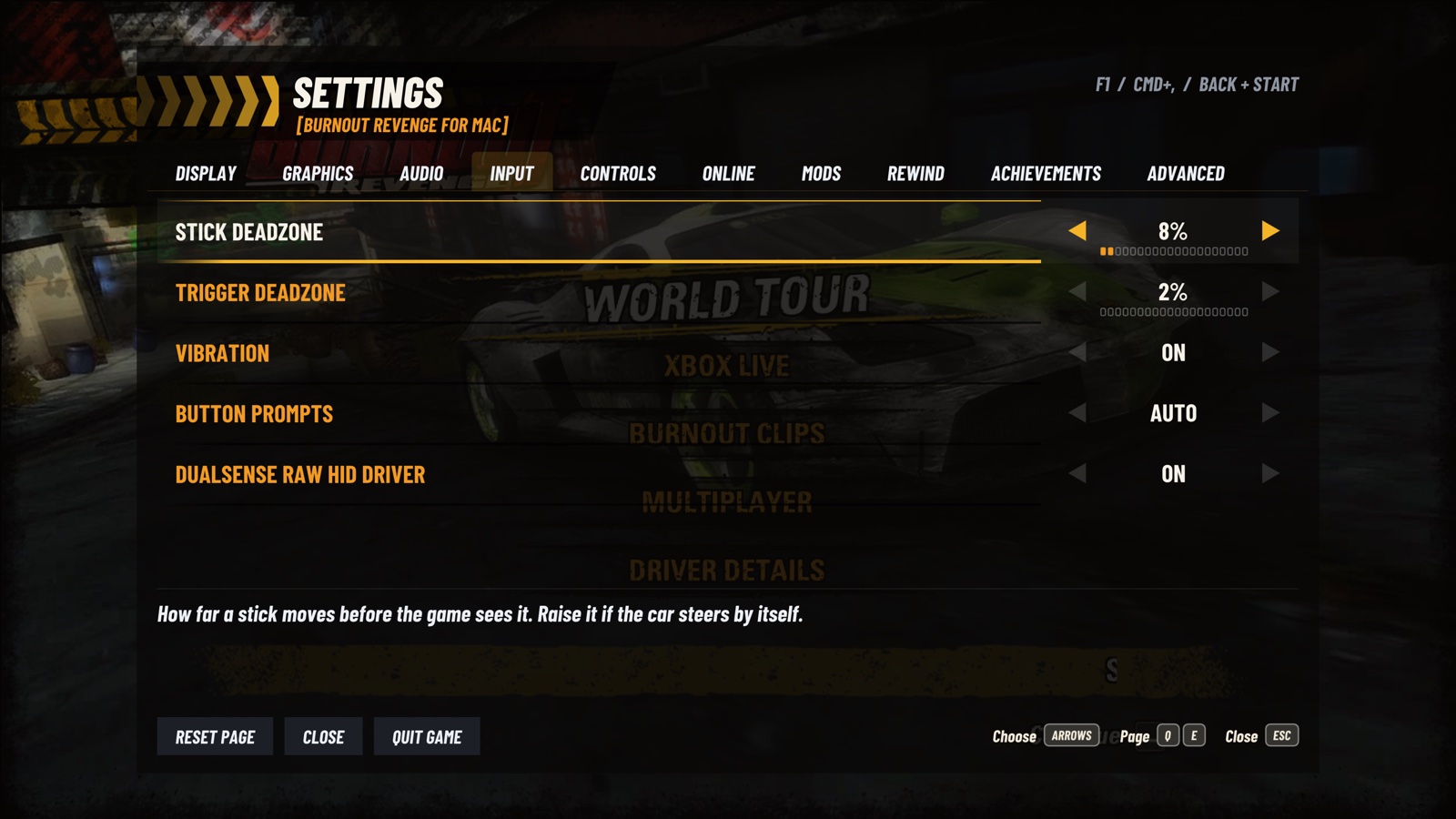
Current Input settings with stick and trigger deadzones, vibration, button prompts and the DualSense driver
Input: deadzones, vibration and button prompts.
Current Mods settings: Cheat Codes, Unlock Madden Van and Modifications
Mods: Cheat Codes and Modifications.
Current Rewind settings with separate configurable controller combinations for 10, 20 and 30 seconds
Rewind: configurable 10/20/30-second shortcuts.
| Page | What's there | |---|---| | Display | Fullscreen, V-Sync, Frame Rate, Aspect Ratio (fill any window, or 16:9), HUD at Screen Edges (not 16:9), Field of View Offset, Chase Camera Distance and Camera Shake, Brightness, Xbox 360 Display Gamma | | Graphics | Anti-Aliasing and its type (SMAA, FXAA), Upscaling (Bicubic, Bilinear, FSR 1, MetalFX Spatial), Sharpening, Anisotropic Filtering, Mipmaps, Internal Resolution, Bloom, Motion Blur, Vehicle Detail | | Audio | Master Volume, Mute, Mute in Background, Music (EA Trax or My Music), Music Folder | | Input | Stick and trigger deadzones, Vibration, Button Prompts (Auto, Xbox, PlayStation, Keyboard), DualSense raw HID driver | | Wheel | Shown while a steering wheel is plugged in: Steering Wheel, Steering Range, Invert Steering, Steering Deadzone, Steering Response, Force Feedback, Centering Force, Calibrate | | Controls | Two keys for each Xbox 360 control | | Online | Online Play, Server (Xerenge Community, My Server, LAN), Gamertag, Server Address, Check Server ([online play](docs/ONLINE.md)) | | Achievements | Original Xbox 360 list, requirements, earned dates and local Gamerscore ([details](docs/ACHIEVEMENTS.md)) | | Mods | Cheat Codes: five solo driving modifiers, [Hold Crashbreaker](docs/CRASHBREAKER.md), and Unlock Madden Van. Modifications: Classic Crash Launch ([details](#mods)) | | Rewind | 10/20/30-second history, editable keyboard and controller shortcuts; [controls and current limits](docs/REWIND_EXPERIMENT.md#working-controls) | | Advanced | Language, Import Languages from Disc, Asynchronous Shaders, Performance Overlay, Auto-import Add-ons, Skip Intro Movies, Save Bug Report, Check for Updates, Add-ons, Save Backups, About | **Display > Field of View Offset** widens or narrows ordinary solo World Tour driving by -20 to +20 degrees, applied live. 0 keeps the original; speed and boost still change the view. Crash/Aftertouch cameras, Replay, mirrors, menus and multiplayer retain their native view. **Chase Camera Distance** on the same page changes the distance behind the car from 75% to 150%, with 100% as the original. It applies during ordinary solo World Tour chase-camera driving, retaining the game's obstacle checks. A change made while paused takes effect when play resumes; other camera modes keep their native position. These camera controls also work in solo World Tour while signed in to Xbox Live. The distance control does not select the camera view: the game's Y button (Triangle with PlayStation hints, Left Ctrl on the default keyboard mapping) switches between the bumper view and the chase view behind the car. **Camera Shake** reduces the native added position and rotation effects in the solo World Tour chase view: 100% keeps the original, 0% removes them. It leaves steering response, obstacle checks, controller vibration and native FOV effects intact. Crash/Aftertouch cameras, Replay and other camera modes retain their original effects. The setting applies when play resumes, with no extra smoothing or input delay. A good start on an M1 Pro: 1.5x internal resolution (1080p), SMAA, Bicubic, sharpening 0.3 and 16x anisotropic filtering. Use 1x if the GPU can't keep 60 fps.
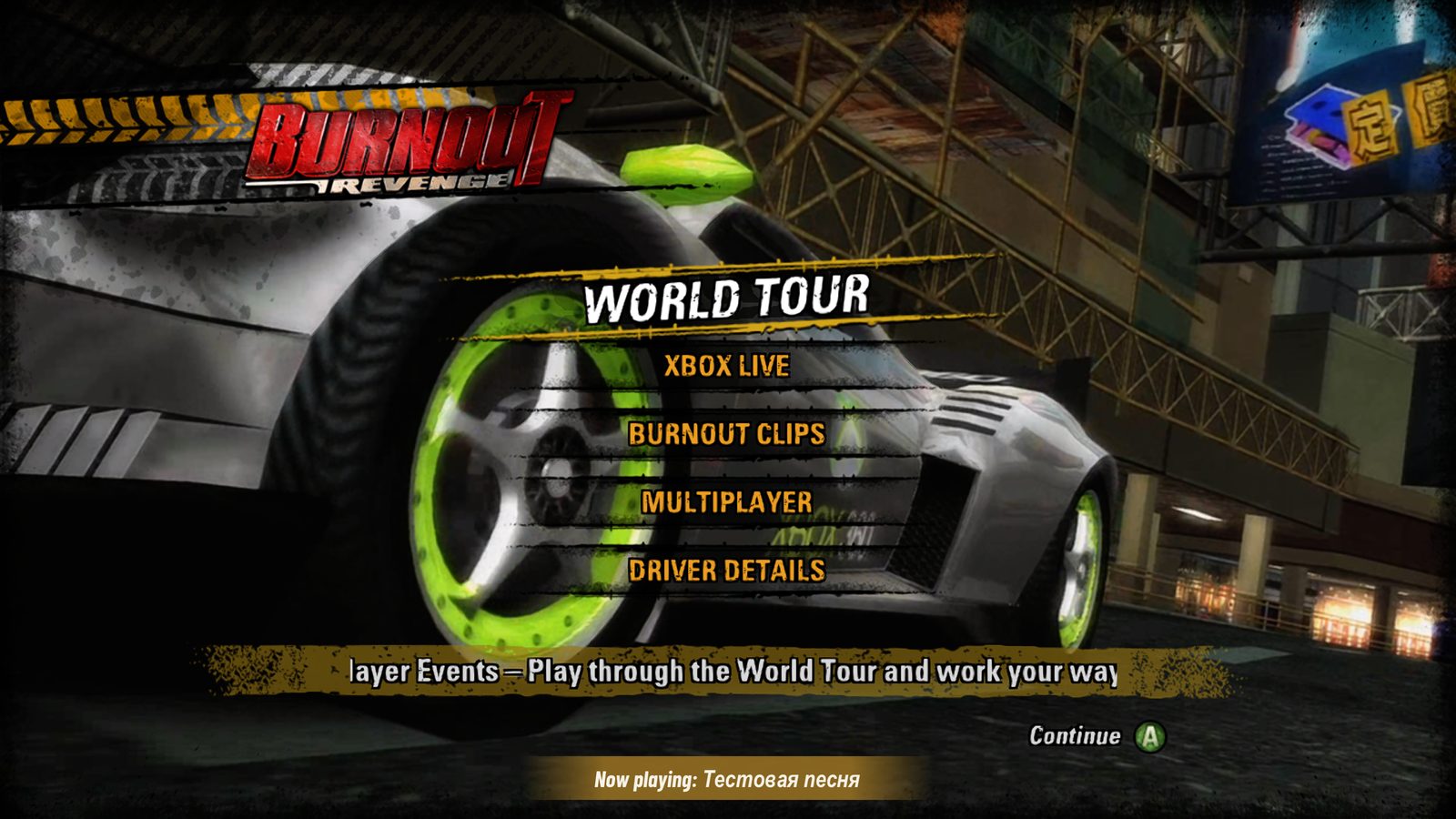
The game's main menu, World Tour selected, with a Now playing notice naming the player's own song in Cyrillic
My Music in the main menu. Song names in any script are shown.

### Languages
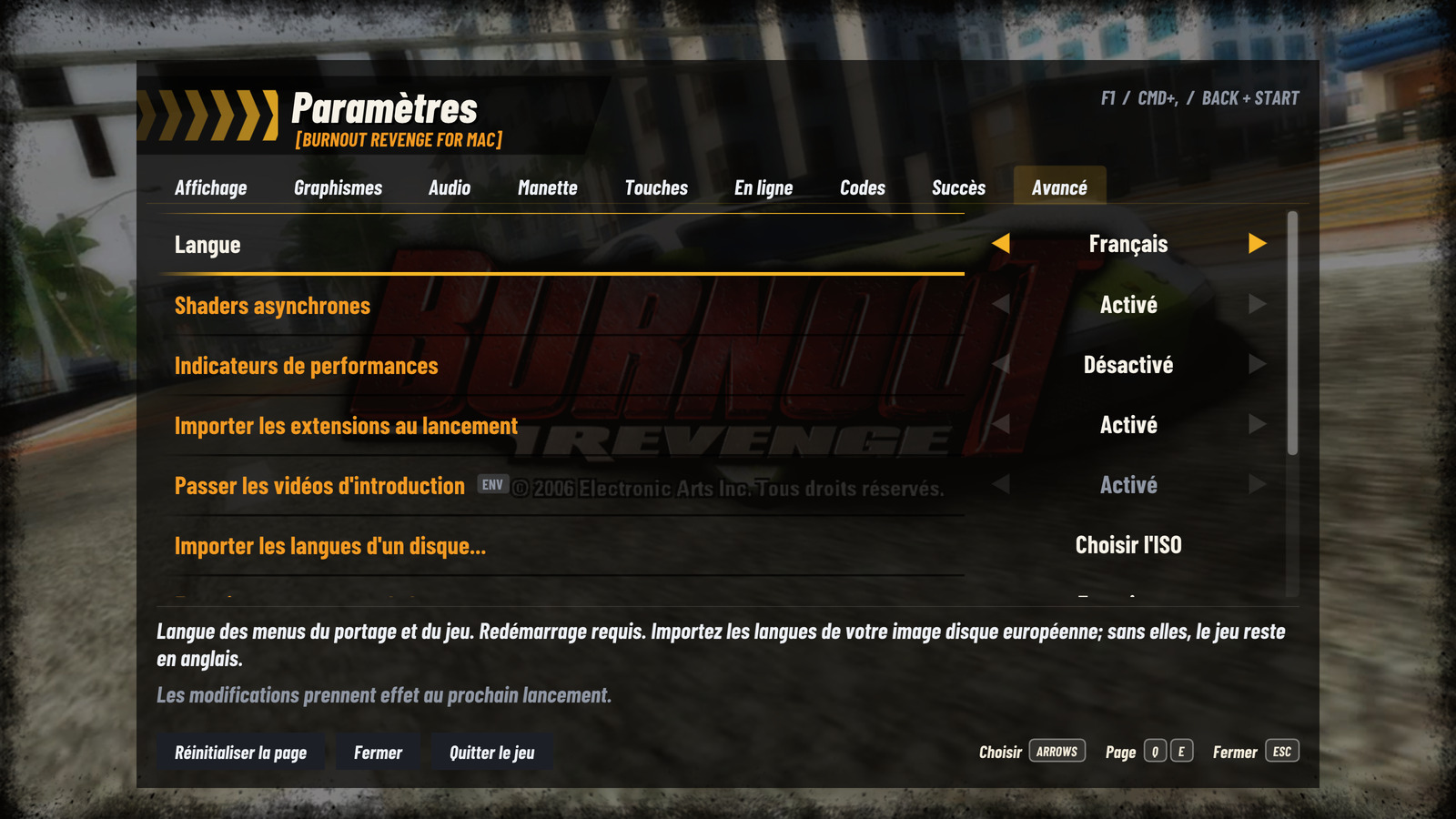
French Advanced settings with Language set to Français and the action for importing languages from a disc
French settings: the language choice and verified disc import.

The port menus, setup, dialogs, settings help, Codes and achievement status are available in **English, 日本語, Deutsch, Français, Español, Italiano, Nederlands, Svenska and Suomi**. All nine also have verified original game text. Choose a language in the first-run screen, or in **Settings > Advanced > Language**. A change in Settings applies after restarting the game. If `BURNOUT_LANGUAGE` is set, the menu shows that active language with an ENV marker and disables editing; remove the variable to use the saved choice. The USA disc contains English game text. To use another game language, choose **Import Languages from Disc...** in Advanced and select your own European Xbox 360 ISO. The **Europe (Fr,De,It)** disc contains the Japanese, German, French, Spanish and Italian text resources. Both European editions also supply Dutch, Swedish and Finnish; **Europe (En,Es,Nl,Sv,Fi)** also supplies Spanish. These are the disc editions tested with this port, identified directly from each disc's `default.xex` execution info: | Xbox 360 edition | Title ID | Media ID | XEX version | Use in this port | |---|---|---|---|---| | USA | `454107DC` | `223759FA` | `0.0.0.4` | Required base game; English text | | Europe (Fr,De,It) | `454107DC` | `213B2D4C` | `0.0.0.1` | Import Japanese, German, French, Spanish and Italian, Dutch, Swedish and Finnish | | Europe (En,Es,Nl,Sv,Fi) | `454107DC` | `29FD0247` | `0.0.0.7` | Import Spanish, Dutch, Swedish and Finnish text | Use the **USA base game** above, then import from **Europe (Fr,De,It), Media ID `213B2D4C`**, for all eight additional game languages. All three editions share the same Title ID; use the Media ID to distinguish them. The importer checks the original executable's SHA-256 hash and the language files' paths, sizes and SHA-256 hashes, so a matching Title ID or renamed ISO alone does not establish compatibility. Dutch, Swedish and Finnish use the existing Language choice and import action; no additional settings page is needed. To apply a game translation: 1. Open **Settings > Advanced > Import Languages from Disc...**. 2. Select your own European Xbox 360 ISO and wait for the import confirmation. 3. Choose **Language** above, then close and restart the game. Importing copies only verified language files into the game's data folder, without replacing the USA executable or your saves. Missing or damaged resources leave the game in English, with an explanation; the port's menus still use the language you chose.
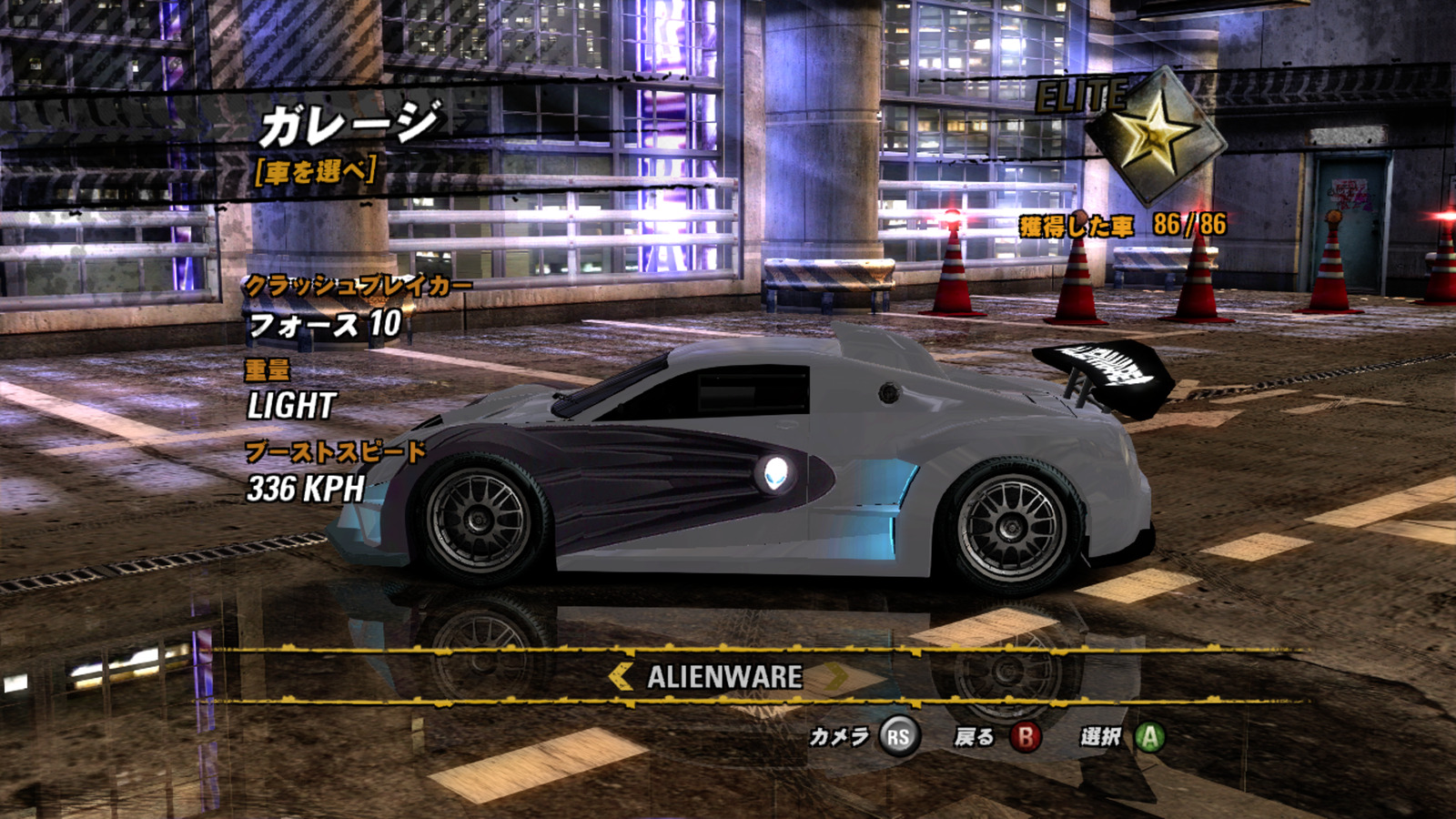
The World Tour garage in Japanese, showing vehicle details, menu text and the original disc font
The original Japanese game text and font, loaded alongside the USA game.
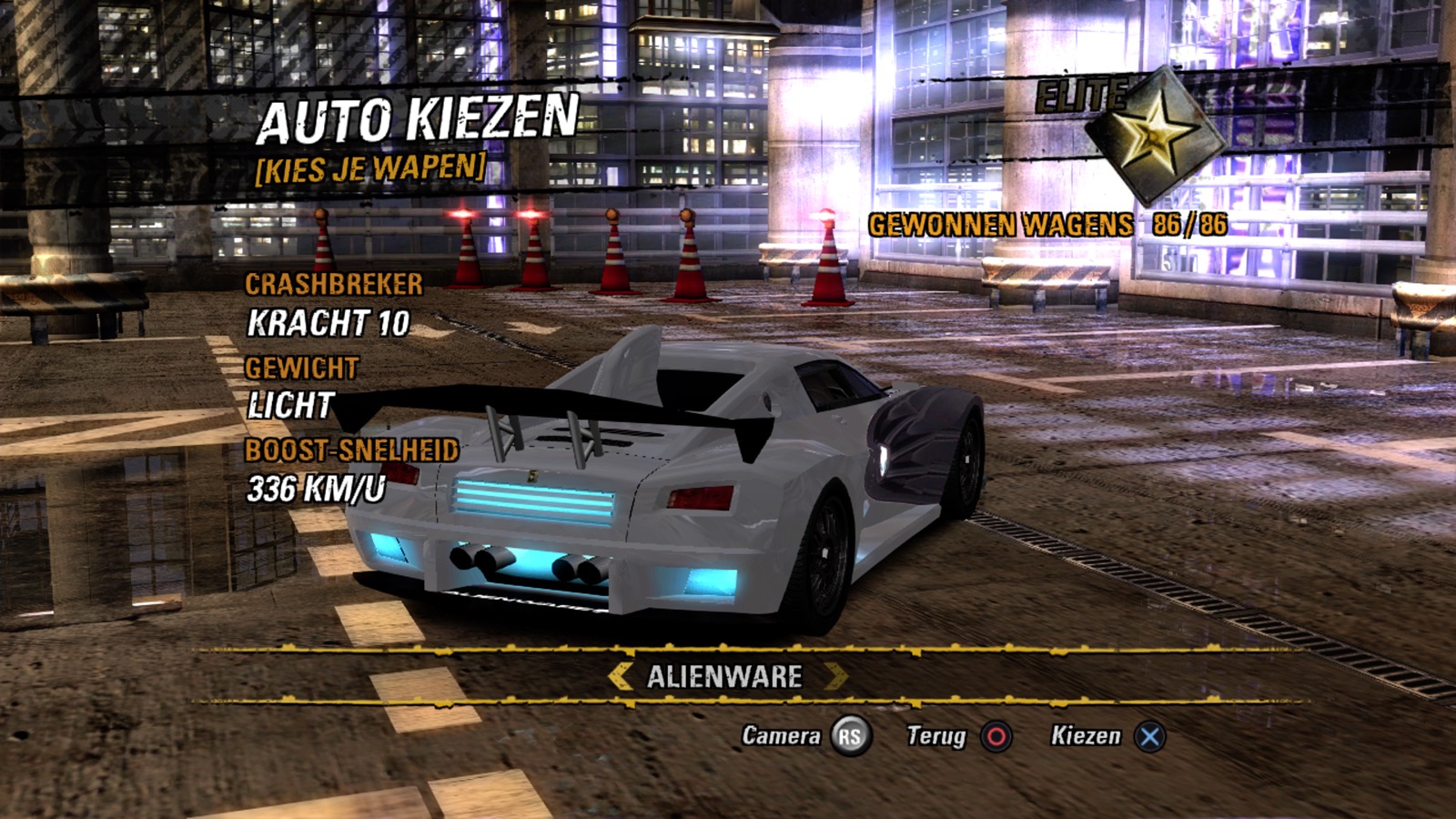
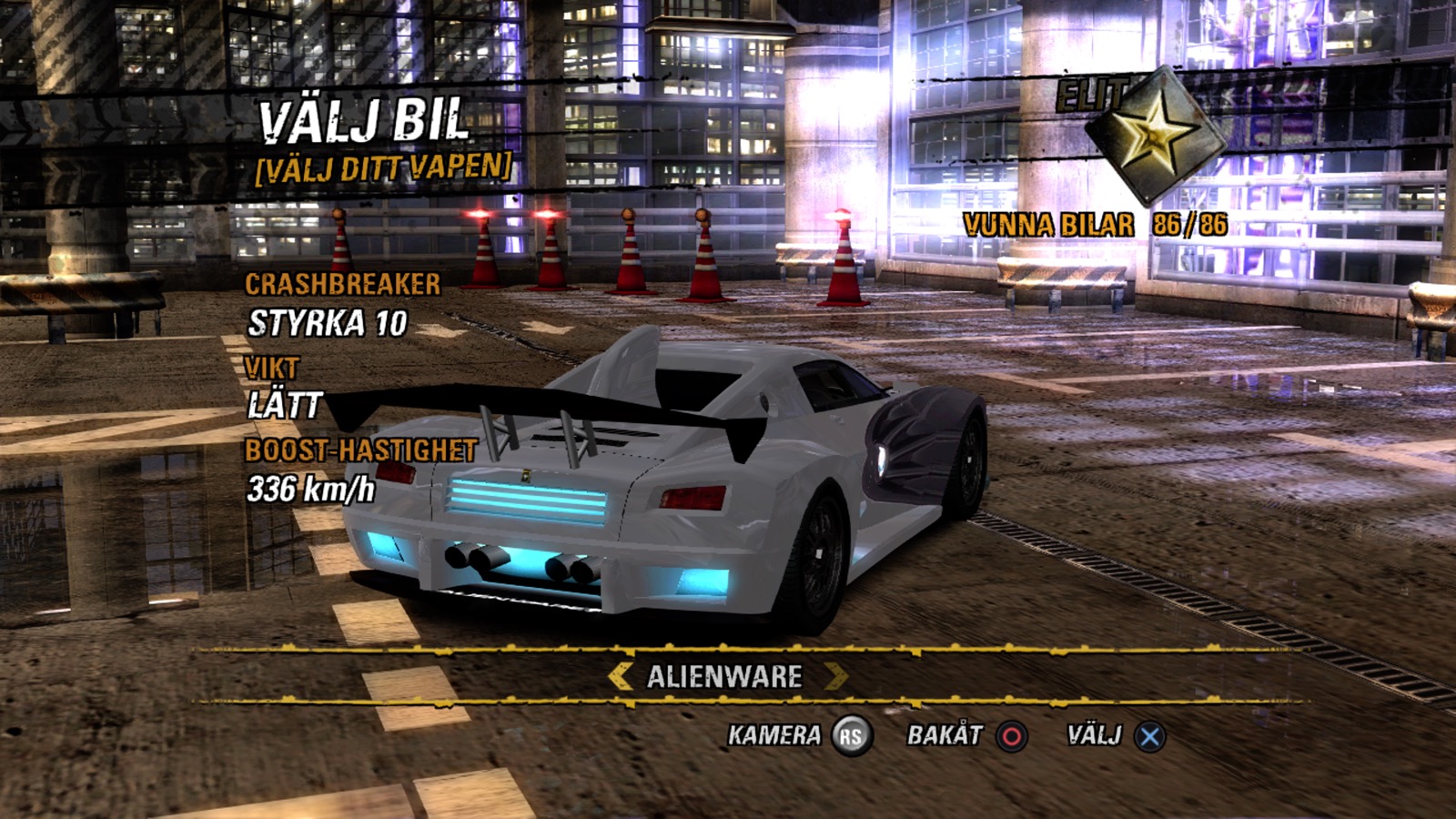
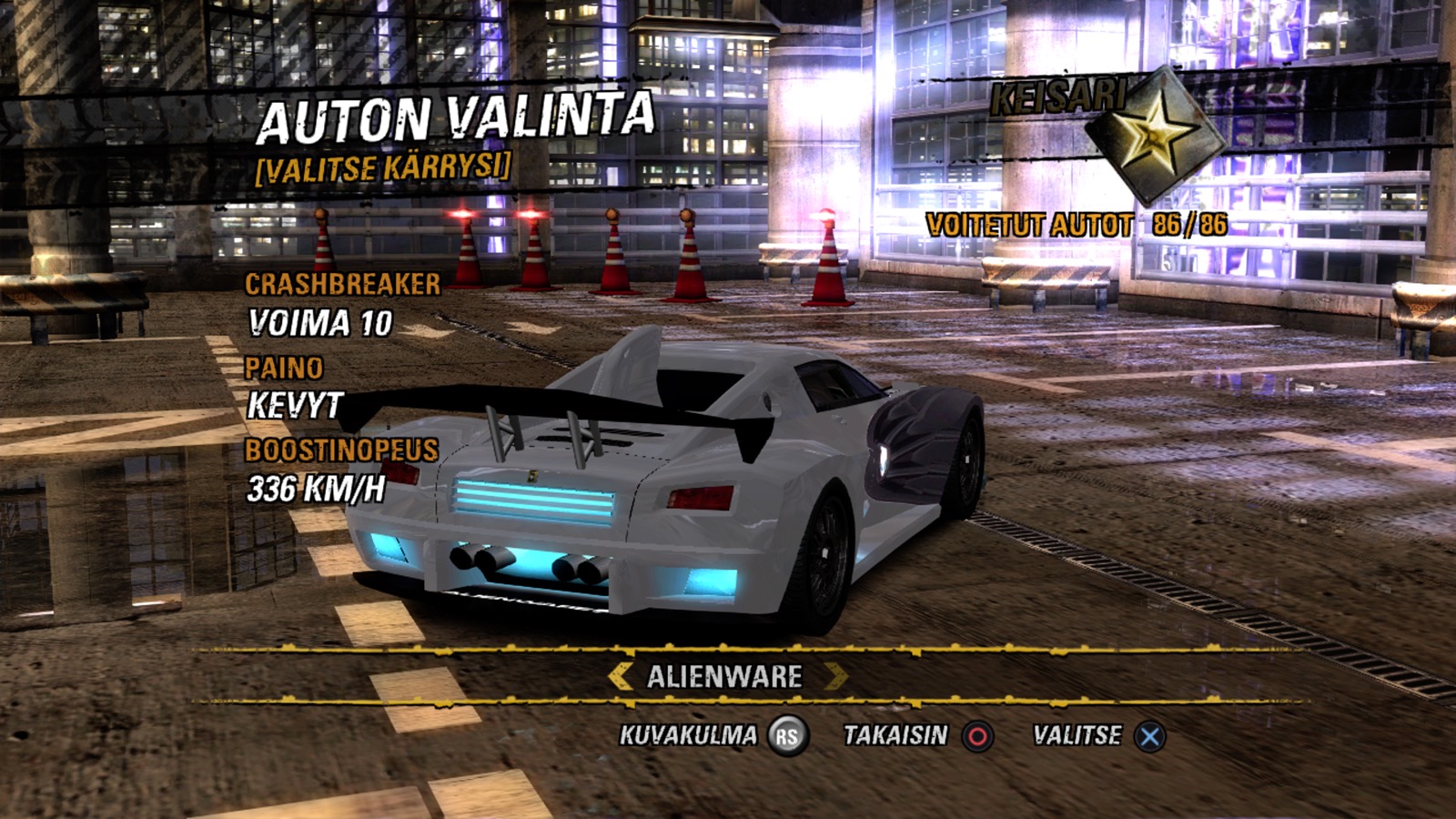
Original Dutch game text in the World Tour garage Original Swedish game text and accented characters in the World Tour garage Original Finnish game text in the World Tour garage
Nederlands · Svenska · Suomi — original disc text with the USA executable.

Japanese uses the original disc font in the game and system glyphs in the port menus. Achievement names and requirements use the original translations from your game; the Japanese edition's achievement names remain in English. The original achievement database has no Dutch, Swedish or Finnish text, so their achievement names and requirements use English while the port's status text is translated. Movie audio, music titles and the original title artwork are unchanged; release notes and technical diagnostics may remain in English. The recompiled executable still targets the USA revision; importing languages does not add support for running a European executable. ### Keyboard | Action | Keys | |---|---| | Accelerate / brake | W / S (right / left trigger) | | Steer | A / D or the arrows | | Boost (A) | Space | | B / X / Y | Backspace / Left Shift / Left Control | | Shoulders (LB / RB) | Q / E | | Start | Return | Every key can be changed in Settings > Controls. ## Known limits - Tested on Apple M1 Pro and a Steam Deck running SteamOS 3.8.28. - Steering wheels are tested on a virtual Logitech G29 only, not yet on a real wheel; reports are welcome. Split screen for two is tested with two virtual controllers (Multiplayer Race), not yet with two real ones. - A complete career playthrough isn't verified yet. - Online play (Settings > Online, off by default) is tested with up to four copies on one Mac and over the community server, not yet between Macs on different networks. Global rankings, TrueSkill and Scoreboards are unavailable. See [docs/ONLINE.md](docs/ONLINE.md). - Some uncommon console services and exception-handling paths are unsupported. Xbox Live friends, reputation and gamer-picture services are unavailable. - Live frame generation is not enabled. More detail: [rendering notes](docs/RENDERING.md), [picture settings](docs/IMAGE_QUALITY.md), [Linux and Deck test results](docs/linux-validation.md). ## Origins and license Built on [SpeedBreaker](https://github.com/SpeedBreakerProject/speedbreaker) (its v0.1.6 runtime, with v0.1.7's refresh-rate note) and the Burnout research in [Xbox360-Native-Ports](https://github.com/CrownParkComputing/Xbox360-Native-Ports/releases/tag/burnoutrevenge-v1). It also relies on XenonRecomp, Xenia research, SDL, MoltenVK, FFmpeg, AMD FidelityFX, SMAA, Dear ImGui and the Barlow Condensed fonts; see [CREDITS.md](CREDITS.md) and [THIRD_PARTY_NOTICES.md](THIRD_PARTY_NOTICES.md). Much of what this port knows about the game comes from [Xerenge](https://github.com/shipa-2/Xerenge) by shipa-2 (the ReXGlue-based Burnout Revenge port); ideas also come from [Takedawn](https://github.com/xenophobentx/takedawn) (Burnout 3) and [Fukami](https://github.com/danisandoval/fukami) (Ridge Racer V). Their code isn't copied; what came from each is in [CREDITS.md](CREDITS.md). The runtime and its changes are **GPL-3.0-or-later**; original authors' notices and third-party licenses are kept. See [COPYING](COPYING) and [NOTICE](NOTICE). Each release ships the exact sources of its statically linked LGPL libraries. The cover art and the Burnout name belong to their owners and aren't covered by the code license. The software comes with no warranty.