# Supdock
[](https://www.npmjs.com/package/supdock)

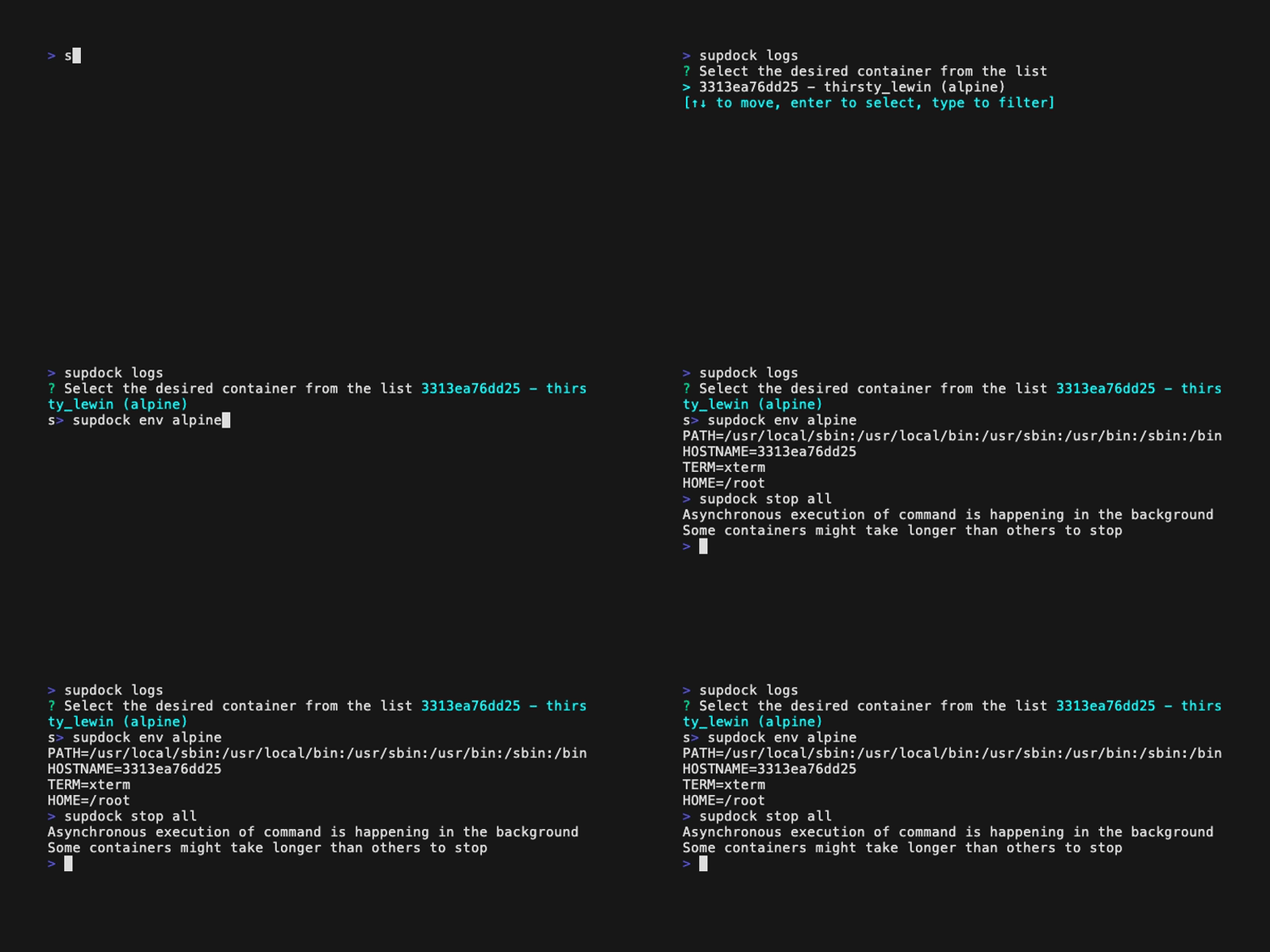
What's Up, Doc(ker)? A convenient way to interact with the docker daemon. Supdock is a wrapper for the docker command meaning you can still use all of the other `docker` commands without issues.
 ## Why
Repetitive use of `docker ps`, `docker logs`, `docker stats` and `docker exec -ti` when troubleshooting complex container setups can get chaotic. Supdock aims to optimize and speed up your workflow using docker.
## Installation
### Script
```bash
curl -fsSL https://raw.githubusercontent.com/segersniels/supdock/master/scripts/install.sh | sh
```
### NPM
```bash
npm install -g supdock
```
Chances are you will run into issues with `yarn` due to symlink issues, so install through npm instead.
### Binary
Grab a binary from the [releases](https://github.com/segersniels/supdock/releases) page and move it into your desired bin (eg. /usr/local/bin) location.
```bash
mv supdock- /usr/local/bin/supdock
chmod +x /usr/local/bin/supdock
```
## Alias
If you don't want to use `supdock` and `docker` separately you can just set an alias.
```bash
alias docker="supdock"
```
## Usage
```bash
What's Up, Doc(ker)? A convenient way to interact with the docker daemon.
Supdock is a wrapper for the docker command meaning you can still use all of the other docker commands without issues.
Usage:
supdock [flags]
supdock [command]
Available Commands:
cat Echo the contents of a file using cat on a container
env See the environment variables of a running container
help Help about any command
prune Remove stopped containers and dangling images
ssh SSH into a container
Options:
-h, --help help for supdock
-v, --version version for supdock
Use "supdock [command] --help" for more information about a command.
For more detailed usage on docker refer to "docker help"
```
Usage above can differ from the actual usage shown by the command.
## Changelog
For a basic changelog overview go [here](./CHANGELOG.md).
I try to keep track of most general changes as best as I can.
## Contributing & Troubleshooting
If you would like to see something added or you want to add something yourself feel free to create an issue or a pull request.
Please provide either the panic log or your terminal output with `RUST_LOG=debug` enabled for easier troubleshooting.
## Why
Repetitive use of `docker ps`, `docker logs`, `docker stats` and `docker exec -ti` when troubleshooting complex container setups can get chaotic. Supdock aims to optimize and speed up your workflow using docker.

## Installation
### Script
```bash
curl -fsSL https://raw.githubusercontent.com/segersniels/supdock/master/scripts/install.sh | sh
```
### NPM
```bash
npm install -g supdock
```
Chances are you will run into issues with `yarn` due to symlink issues, so install through npm instead.
### Binary
Grab a binary from the [releases](https://github.com/segersniels/supdock/releases) page and move it into your desired bin (eg. /usr/local/bin) location.
```bash
mv supdock- /usr/local/bin/supdock
chmod +x /usr/local/bin/supdock
```
## Alias
If you don't want to use `supdock` and `docker` separately you can just set an alias.
```bash
alias docker="supdock"
```
## Usage
```bash
What's Up, Doc(ker)? A convenient way to interact with the docker daemon.
Supdock is a wrapper for the docker command meaning you can still use all of the other docker commands without issues.
Usage:
supdock [flags]
supdock [command]
Available Commands:
cat Echo the contents of a file using cat on a container
env See the environment variables of a running container
help Help about any command
prune Remove stopped containers and dangling images
ssh SSH into a container
Options:
-h, --help help for supdock
-v, --version version for supdock
Use "supdock [command] --help" for more information about a command.
For more detailed usage on docker refer to "docker help"
```
Usage above can differ from the actual usage shown by the command.
## Changelog
For a basic changelog overview go [here](./CHANGELOG.md).
I try to keep track of most general changes as best as I can.
## Contributing & Troubleshooting
If you would like to see something added or you want to add something yourself feel free to create an issue or a pull request.
Please provide either the panic log or your terminal output with `RUST_LOG=debug` enabled for easier troubleshooting.