##  Yomu
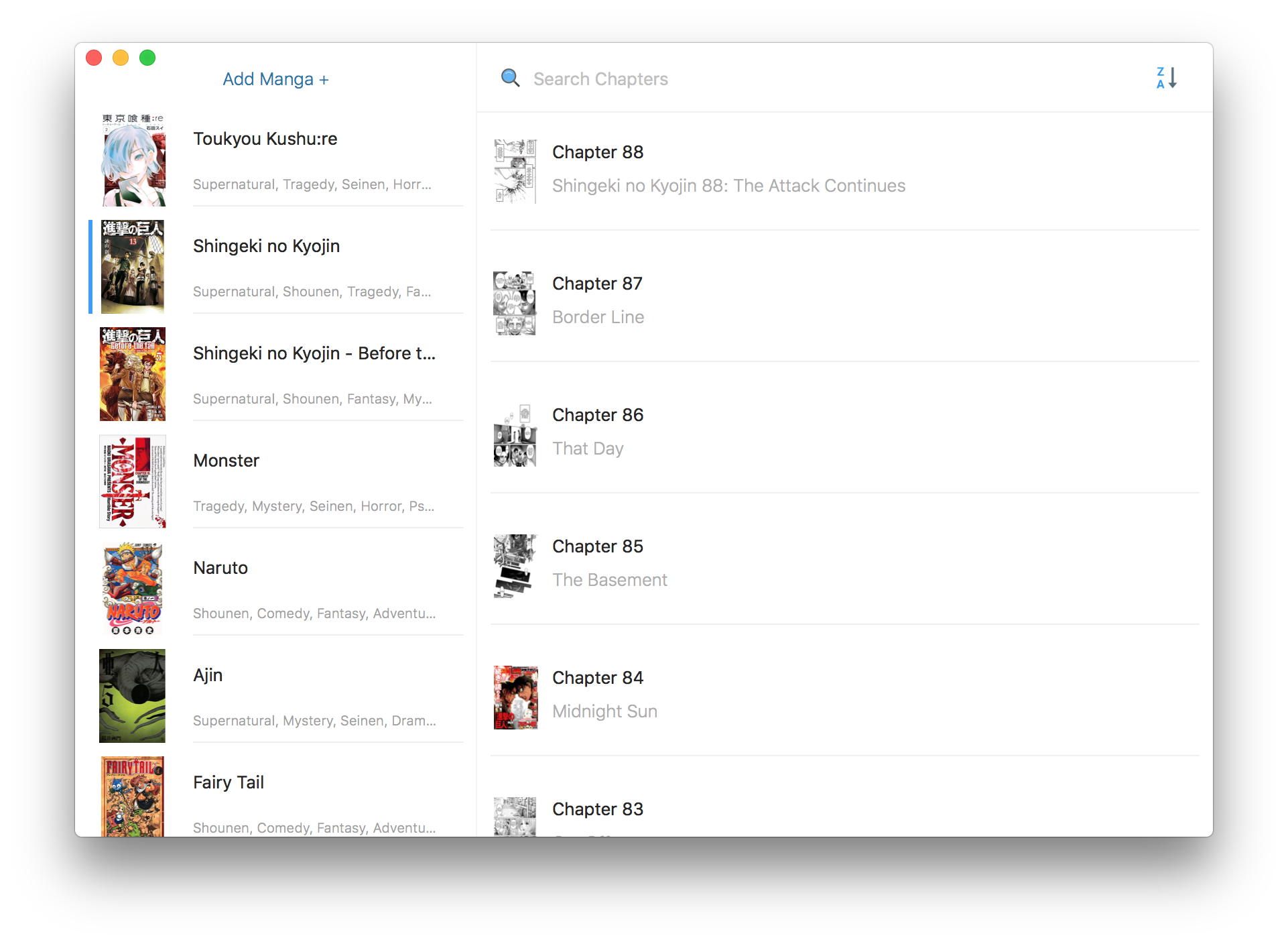
Manga Reader App for Mac OS, feel free to request new features on [issue tracker](https://github.com/sendyhalim/yomu/issues)
[](https://travis-ci.org/sendyhalim/Yomu) []()
Yomu
Manga Reader App for Mac OS, feel free to request new features on [issue tracker](https://github.com/sendyhalim/yomu/issues)
[](https://travis-ci.org/sendyhalim/Yomu) []()
 ## Requirements
Mac OS 10.11+
## Install
### Download
Latest yomu installer can be found [here](https://github.com/sendyhalim/yomu/releases/latest)
### Build manually
1. `git clone https://github.com/sendyhalim/yomu`
2. `make package`
3. Open the directory, there will be a yomu installer `Yomu.pkg`
4. Double click `Yomu.pkg`
## Navigation
There are 4 keyboard navigation event handlers on chapter collection view
- `h` Go to previous chapter
- `l` Go to next chapter
- `j` Scroll down
- `k` Scroll up
## Libraries
- [Argo](https://github.com/thoughtbot/Argo)
- [Cartography](https://github.com/robb/Cartography)
- [Curry](https://github.com/thoughtbot/Curry)
- [Hue](https://github.com/hyperoslo/Hue)
- [King Fisher](https://github.com/onevcat/Kingfisher)
- [Moya](https://github.com/Moya/Moya)
- [Nimble](https://github.com/Quick/Nimble)
- [OrderedSet](https://github.com/sendyhalim/OrderedSet)
- [Quick](https://github.com/Quick/Quick)
- [Realm](https://github.com/realm/realm-cocoa)
- [RxRealm](https://github.com/RxSwiftCommunity/RxRealm)
- [RxSwift](https://github.com/ReactiveX/RxSwift)
- [Swiftz](https://github.com/typelift/Swiftz)
## Why another manga reader?
Just for hobby
## Acknowledgements
Free icons used in this app are provided by [icons8](https://icons8.com)
Content provided by [Manga Eden](http://www.mangaeden.com/api) (I do not host the content)
## License
MIT ~

## Requirements
Mac OS 10.11+
## Install
### Download
Latest yomu installer can be found [here](https://github.com/sendyhalim/yomu/releases/latest)
### Build manually
1. `git clone https://github.com/sendyhalim/yomu`
2. `make package`
3. Open the directory, there will be a yomu installer `Yomu.pkg`
4. Double click `Yomu.pkg`
## Navigation
There are 4 keyboard navigation event handlers on chapter collection view
- `h` Go to previous chapter
- `l` Go to next chapter
- `j` Scroll down
- `k` Scroll up
## Libraries
- [Argo](https://github.com/thoughtbot/Argo)
- [Cartography](https://github.com/robb/Cartography)
- [Curry](https://github.com/thoughtbot/Curry)
- [Hue](https://github.com/hyperoslo/Hue)
- [King Fisher](https://github.com/onevcat/Kingfisher)
- [Moya](https://github.com/Moya/Moya)
- [Nimble](https://github.com/Quick/Nimble)
- [OrderedSet](https://github.com/sendyhalim/OrderedSet)
- [Quick](https://github.com/Quick/Quick)
- [Realm](https://github.com/realm/realm-cocoa)
- [RxRealm](https://github.com/RxSwiftCommunity/RxRealm)
- [RxSwift](https://github.com/ReactiveX/RxSwift)
- [Swiftz](https://github.com/typelift/Swiftz)
## Why another manga reader?
Just for hobby
## Acknowledgements
Free icons used in this app are provided by [icons8](https://icons8.com)
Content provided by [Manga Eden](http://www.mangaeden.com/api) (I do not host the content)
## License
MIT ~
