Android Tooltip
======================
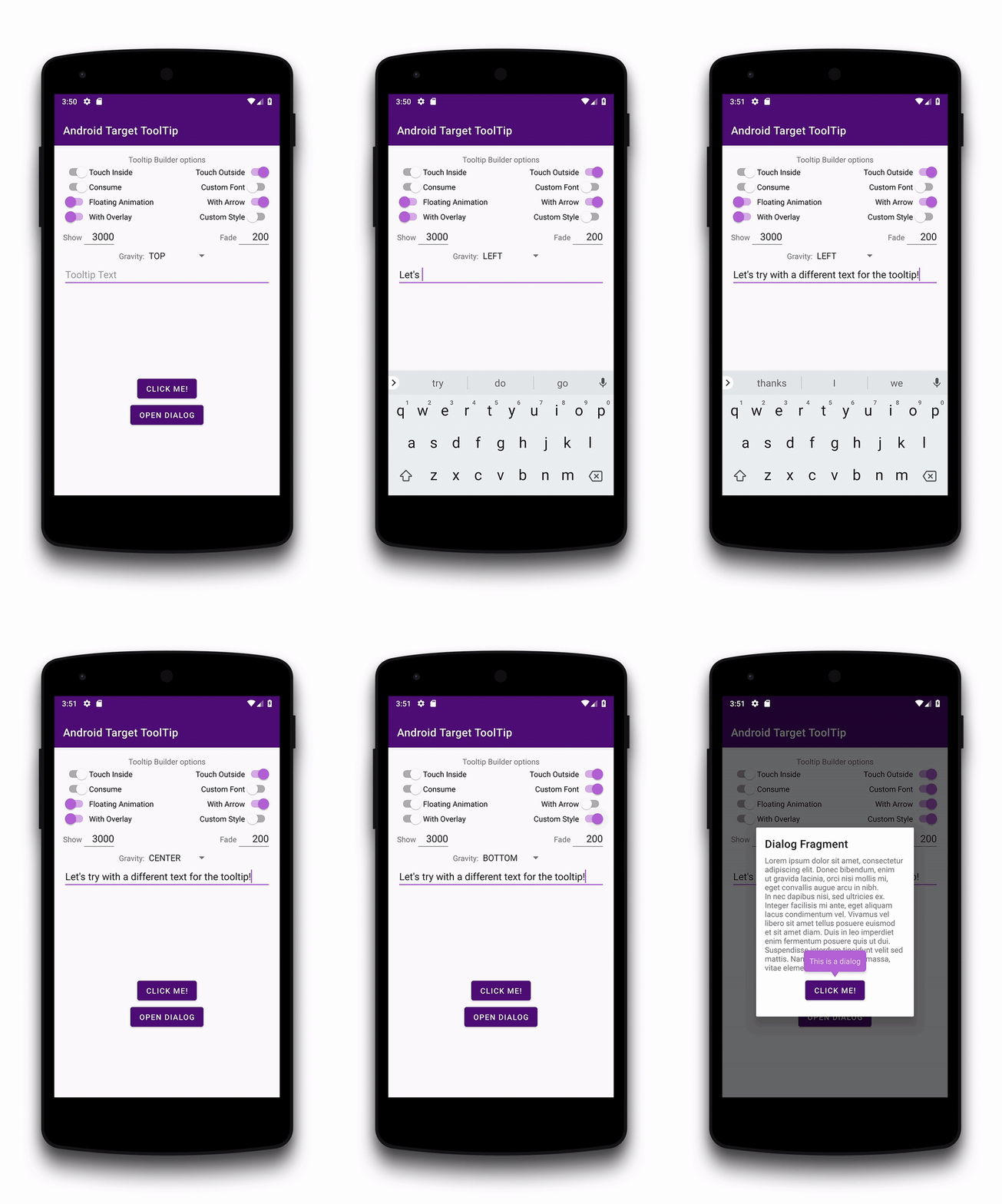
Create Toast like tooltips, physical targets can be specified, or even points on screen.
Many additional features and customizations. Just look at the samples Activities.
[](https://travis-ci.org/sephiroth74/android-target-tooltip)
[](https://maven-badges.herokuapp.com/maven-central/it.sephiroth.android.library.targettooltip/target-tooltip-library)
[](https://jitpack.io/#sephiroth74/android-target-tooltip)
Installation
===
## Maven
```gradle
implementation 'it.sephiroth.android.library.targettooltip:target-tooltip-library:**version**'
```
## JitPack
**Step 1.** Add the JitPack repository to your build file:
```gradle
allprojects {
repositories {
...
maven { url 'https://jitpack.io' }
}
}
```
**Step 2.** Add the dependency
```gradle
dependencies {
implementation 'com.github.sephiroth74:android-target-tooltip:Tag'
}
```
Get the latest version on [JitPack](https://jitpack.io/#sephiroth74/android-target-tooltip)
Usage
===
```kotlin
val tooltip = Tooltip.Builder(Context)
.anchor(View, Int, Int, Boolean)
.anchor(Int, Int)
.text(CharSequence)
.styleId(Int)
.typeface(Typeface)
.maxWidth(Int)
.arrow(Boolean)
.floatingAnimation(Tooltip.Animation)
.closePolicy(ClosePolicy)
.showDuration(Long)
.fadeDuration(Long)
.overlay(Boolean)
.create()
tooltip
.doOnHidden { }
.doOnFailure { }
.doOnShown { }
.show(View, Tooltip.Gravity, Boolean)
```
See the inner [Builder][1] class for the complete set of options
Customization
===
Tooltip style can be customized in your style object:
```xml
```
And this is the style for the overlay touch:
```xml
```
then pass the style in the Builder method **withStyleId(int resId)**
Screenshots
===
[1]: https://github.com/sephiroth74/android-target-tooltip/blob/master/library/src/main/java/it/sephiroth/android/library/tooltip/Tooltip.java#L1471
License
===
The MIT License
See [LICENSE](LICENSE)