# c3 — Code Creative Center
An **AI workbench** that centrally manages and drives the work of multiple AI coding agents — Claude Code, Codex, and more — from one browser UI.
```
┌────────────┐ /ws ┌──────────────────────────────┐
│ Browser │ ───────────────► │ Hono server (this app) │
│ (Vue 3) │ ◄─── ws ─────── │ sessions / workflows / gate │
│ │ │ │ │
│ Control │ │ vendor-neutral adapters │
└────────────┘ └──────────────┬───────────────┘
│ spawns
┌───────────┼───────────┐
▼ ▼ ▼
Claude Codex Cursor
CLI CLI cursor-agent
```
## Core workflow
```mermaid
flowchart LR
Disc["Discussion
several agents (and you)
round-table a topic"]
Auto["Automation
cron schedule
/ system event"]
Queue["Intent queue
intents marked automate,
ordered by deps + priority"]
subgraph Intents["Intents — one tracked unit of work each"]
direction TB
I1["Intent A
spec → review → worktree → commit → PR"]
I2["Intent B"]
I3["Intent C"]
end
Del["Delivery
one branch collects
the PRs of N intents"]
Main["Mainline"]
Disc -->|conclusions become intents| Intents
Auto -->|creates intents, starts discussions| Intents
Queue -->|develops them unattended| Intents
I1 --> Del
I2 --> Del
I3 --> Del
Del -->|every intent PR merged → verify → delivery PR| Main
```
- **Discussions are where intents come from.** Round-table a topic with several
agents, then turn the conclusion into one or more intents — or write an intent
directly if you already know what you want.
- **An intent is one tracked unit of work**: spec → read-only review → human
approval → code in its own Git worktree → commit → PR.
- **A delivery is the integration unit.** Many intents point at one delivery; their
PRs land on its branch, and once all of them are merged and you have verified the
result, one delivery PR takes the batch to the mainline.
- **Automations and the intent queue drive the loop.** Automations fire on a cron or
a system event to create intents and start discussions; the queue picks up every
intent marked `automate` and develops them in dependency order, backing off and
parking on failure.
## Features
- **Browser-mediated permission gateway** — approve/deny every sensitive tool use in the browser, not the terminal; optional multi-agent consensus voting.
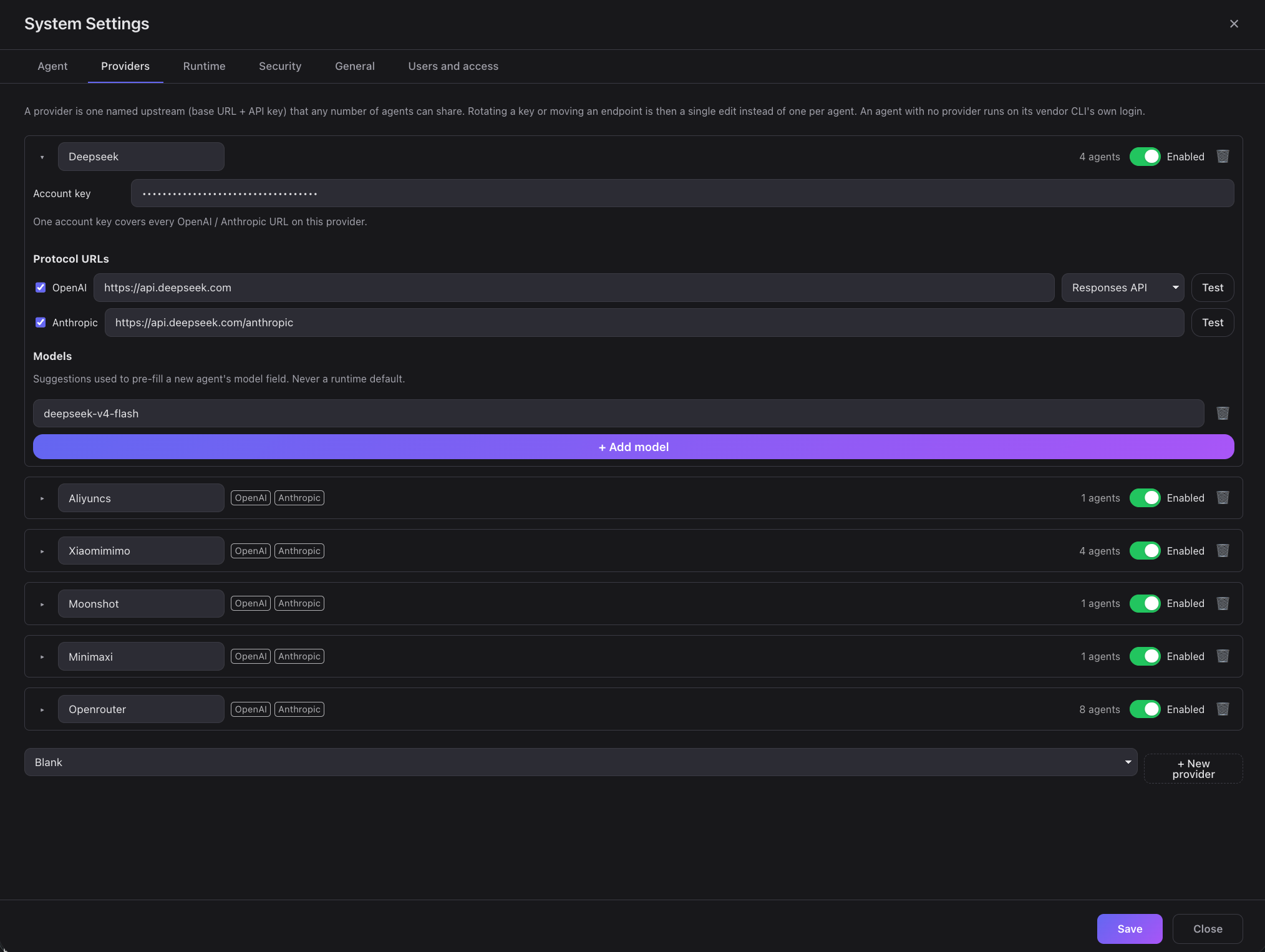
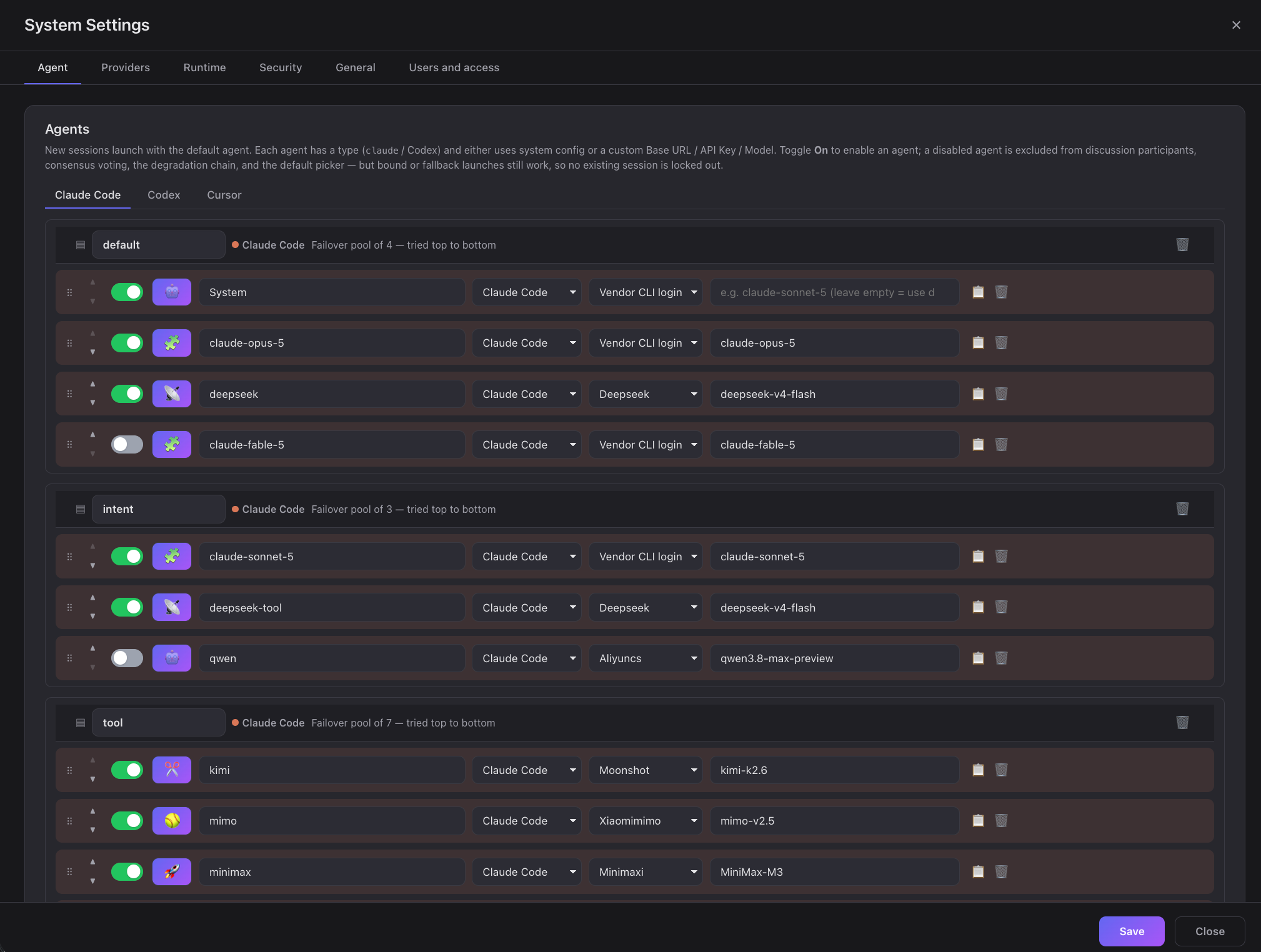
- **Multi-vendor agents** — managed Claude Code / Codex CLIs under `~/.c3/vendor`, with per-role routing and a fallback chain.
- **Intents** — turn a prompt into a tracked intent with a dependency graph, its own sessions, and branch / commit / PR state.
- **Spec-driven development** — write spec → read-only review → human approval before any code; editing a spec invalidates its verdict.
- **Intent queue** — mark intents `automate` and a deterministic scheduler runs them in dependency order, backing off and parking on failure.
- **Worktree isolation** — each intent develops in its own Git worktree, so parallel work never fights over one checkout.
- **Multi-agent discussions** — several agents (and you) round-table a topic, then turn the conclusion into an intent.
- **Automations** — run agent work on a cron or on system events, chained, each in its own session.
- **Sandboxed runs** — opt-in process-level isolation via [arapuca](https://github.com/sergio-correia/arapuca): kernel MAC, deny-by-default paths, no containers.
- **Code browsing** — read-only branches, commits, diffs and Git status in the browser, with an embedded session to ask about the code.
- **Chat robots** — `@` an agent in a Feishu group (or DM) and get an answer back from an unattended c3 turn; only the final answer ever leaves c3.
- **Workcenter** — cross-workspace dashboard plus a notification inbox for answering permission prompts in one place.
- **Optional account auth** — username/password accounts with an admin gate (off by default; loopback-only otherwise).
- **External MCP access** — let your _own_ agents (an independent Claude Code / Codex session, a CI job) read this c3 over MCP with a long-lived API key, scoped to the workspaces you grant.
- **Single self-contained binary** — one native executable per platform. New releases download in the background; the header offers "restart to update", and `c3 upgrade` + `c3 restart` do the same from a terminal.
- **Desktop app** — download the installer from GitHub Releases, double-click, tray-resident. No terminal, no browser.
See [`doc/features.md`](doc/features.md) for the full feature tree.
## Usage
### CLI single binary
#### Homebrew (macOS / Linux)
```bash
brew install sequencestream/tap/c3 # install
brew upgrade sequencestream/tap/c3 # update to the latest release
```
#### Install script (macOS / Linux)
```bash
curl -fsSL https://raw.githubusercontent.com/sequencestream/c3/main/install.sh | sh
```
#### Install script (Windows, PowerShell)
```powershell
irm https://raw.githubusercontent.com/sequencestream/c3/main/install.ps1 | iex
```
#### Download
Release binaries are published on **GitHub Releases** — `.tar.gz` for macOS and
Linux, `.zip` for Windows. Verify the checksum before running:
```bash
shasum -a 256 -c c3-cli-v0.18.0-macos-arm64.tar.gz.sha256
# c3-cli-v0.18.0-macos-arm64.tar.gz: OK
# or check every artifact at once:
shasum -a 256 -c SHA256SUMS
```
```powershell
# Windows: compare against the .sha256 file shipped next to the zip
(Get-FileHash c3-cli-v0.18.0-windows-x64.zip -Algorithm SHA256).Hash
```
#### Run
```bash
./c3 --port 3000 --daemon
# open http://localhost:3000
```
Installed via Homebrew or an install script, the binary is on your `PATH`: run
`c3 --port 3000 --daemon` (`c3.exe` on Windows) from anywhere.
c3 listens on **`127.0.0.1` only** unless you say otherwise. To accept LAN or
remote connections, choose the interface explicitly:
```bash
./c3 --port 3000 --host 0.0.0.0 --daemon
```
#### OS service (`c3 install` / `c3 uninstall`)
```bash
c3 install # registers c3 as a **per-user** OS service (no root/admin required) that runs
c3 start # under the platform's service manager. The current `--port`/`--host`/`--settings`
c3 uninstall # removes the current platform's registration and is idempotent. It **only**
```
### External MCP access
Point an agent c3 did not start — an independent Claude Code / Codex session, a
CI job, a monitoring script — at this deployment over MCP. The endpoint carries no
credential: the key rides `Authorization: Bearer`, the workspace rides
`X-C3-Workspace`.
```bash
export C3_MCP_KEY='c3k_…' # from the one-time reveal; keep it out of the command line
# Claude Code
claude mcp add --transport http c3 "http://:3000/mcp" \
--header "Authorization: Bearer $C3_MCP_KEY" \
--header "X-C3-Workspace: "
```
```toml
# Codex CLI — ~/.codex/config.toml
[mcp_servers.c3]
url = "http://:3000/mcp"
bearer_token_env_var = "C3_MCP_KEY"
env_http_headers = { "X-C3-Workspace" = "C3_MCP_WORKSPACE" }
```
```jsonc
// Cursor — ~/.cursor/mcp.json
{
"mcpServers": {
"c3": {
"url": "http://:3000/mcp",
"headers": {
"Authorization": "Bearer ${C3_MCP_KEY}",
"X-C3-Workspace": "",
},
},
},
}
```
1. **Generate a key** in _Workspace Settings → External MCP access_. That page
administers the key; it does not grant the workspace it lives on. Which
workspaces the key reaches is decided by its owner's administrator-managed
scope. The plaintext is shown **once** — it is stored only as a salted `scrypt`
hash and can never be recovered, only replaced.
2. **Open the listener** with `--host` (above) if the client is on another machine.
A non-loopback bind with no configured administrator makes `/mcp` answer 503
until you configure one.
3. **Pick the workspace per session.** One key can serve every workspace its owner
is allowed into; `X-C3-Workspace` chooses which one at initialization. Switching
means starting a new session, not a new key.
4. **Grant write tools explicitly if needed.** A new key can only read:
`find_intents`, `view_intent`, `find_discussions`, `view_discussion`,
`publish_event`, plus `list_workspaces` / `whoami`, which report the key's own
reach so a client never has to probe for it. Anything that changes c3 state
(`save_intents`, `submit_spec_review`, `start_session_for_intent`, …) must be
ticked in the key's tool scope, behind a risk confirmation — it really does
change c3 state. A write may target another workspace in the key's reach with
an optional `workspaceName` argument; every attempt is authorized again for
that call and recorded in c3's write-audit trail.
5. **Revoke when done.** Revoking a key in Workspace Settings takes effect on its
very next request and closes any MCP session it already had open.
> **Security.** Plain HTTP exposes the bearer token to anyone on the network. c3
> does not ship or require TLS: put it behind your own HTTPS reverse proxy before
> exposing it beyond the local machine, and suppress sensitive headers in its logs.
> c3 itself never logs the `Authorization` value.
>
> `X-C3-Workspace` is a c3 HTTP extension, not an MCP protocol field — MCP's
> Streamable HTTP transport defines protocol headers such as `Mcp-Session-Id` and
> leaves tenant selection to the application. Clients that cannot send arbitrary
> headers cannot use this endpoint, and there is no fallback. Claude.ai custom
> connectors need an OAuth-capable server, which c3 is not, so they are not
> supported by this static-key endpoint.
### Connect a Feishu bot
Bring c3's agents into a Feishu group: `@` the bot with a question, c3 runs one
unattended turn in the bot's own directory, and only the final answer goes back
to the chat — tool calls, intermediate reasoning, and file contents never leave
c3. Manage it in **Workcenter → Chat robots** (the "New robot" action is
admin-only).
1. **Create the app.**
- **One-click (Feishu China region only).** Pick platform Feishu, click
_Create Feishu app_, and scan the QR with an admin account (official Device
Authorization). c3 registers a bot-only app with the minimum scope —
`im:message:send_as_bot`, `im:message.group_at_msg:readonly`,
`im:message.p2p_msg:readonly`, `application:bot.basic_info:read`, event
`im.message.receive_v1` — and switches it to long-connection automatically.
If that last step can't complete, you land in `manual_setup_required` with
the credentials already filled in; finish step 2 by hand.
- **Manual.** Create a bot app yourself at open.feishu.cn/app, grant the four
scopes and the event above, then paste its App ID / App Secret into the form.
2. **Long connection, not a webhook.** In the app's _Event & Callback_ settings,
set the subscription method to **long connection** and add the
`im.message.receive_v1` event — the one-click path does this for you; a
manually created app needs it checked by hand, or the bot connects but never
receives messages.
3. **Pick vendor, agent, and tools.** Choose which vendor/agent runs the turn and
tick its tool allowlist. A new robot defaults to read-only; write/exec tools
need an explicit admin tick, one at a time.
4. **Enable it.** A new robot is created disabled. Enabling asks an admin to
confirm the outbound reach (which chats/DMs it may answer in) once, on the
record — skip that and the server refuses to enable it.
5. **Bind your IM identity.** Each sender links their Feishu account to their c3
account once, from _Personal settings → IM identity_, before the bot will
answer them; an unbound sender only gets a fixed instruction to bind.
6. **Talk to it.** Group chats require `@mention` by default; DMs are closed by
default (`disabled` — switch to `allowlist` or `open` if you want them).
## Documentation
- **Handbook:** [English](handbook/README.md#english) |
[简体中文](handbook/README.md#简体中文) — getting started guides for c3,
discussions, multi-agent consensus, intents, SDD, delivery, and automation engineering.
- **[Development guide](doc/develop.md)** — build from source, tests, single binary, and release.
- **[`doc/`](doc/)** — architecture spec, ADRs, domain specs, and flows (the source of
truth kept in sync with the code).
## License
[Apache-2.0](LICENSE).