# PullToDismiss
PullToDismiss provides dismiss modal viewcontroller function like Facebook Messenger by pulling scrollview or navigationbar with smooth and rich background effect.
[](https://github.com/sgr-ksmt/PullToDismiss/releases)

[](https://github.com/Carthage/Carthage)
[](https://cocoapods.org/pods/PullToDismiss)
[](https://cocoapods.org/pods/PullToDismiss)
[](https://github.com/matteocrippa/awesome-swift#ui)
[](https://houndci.com)
| sample | blur sample |
| :--------------------------: | :-------------------------------: |
| 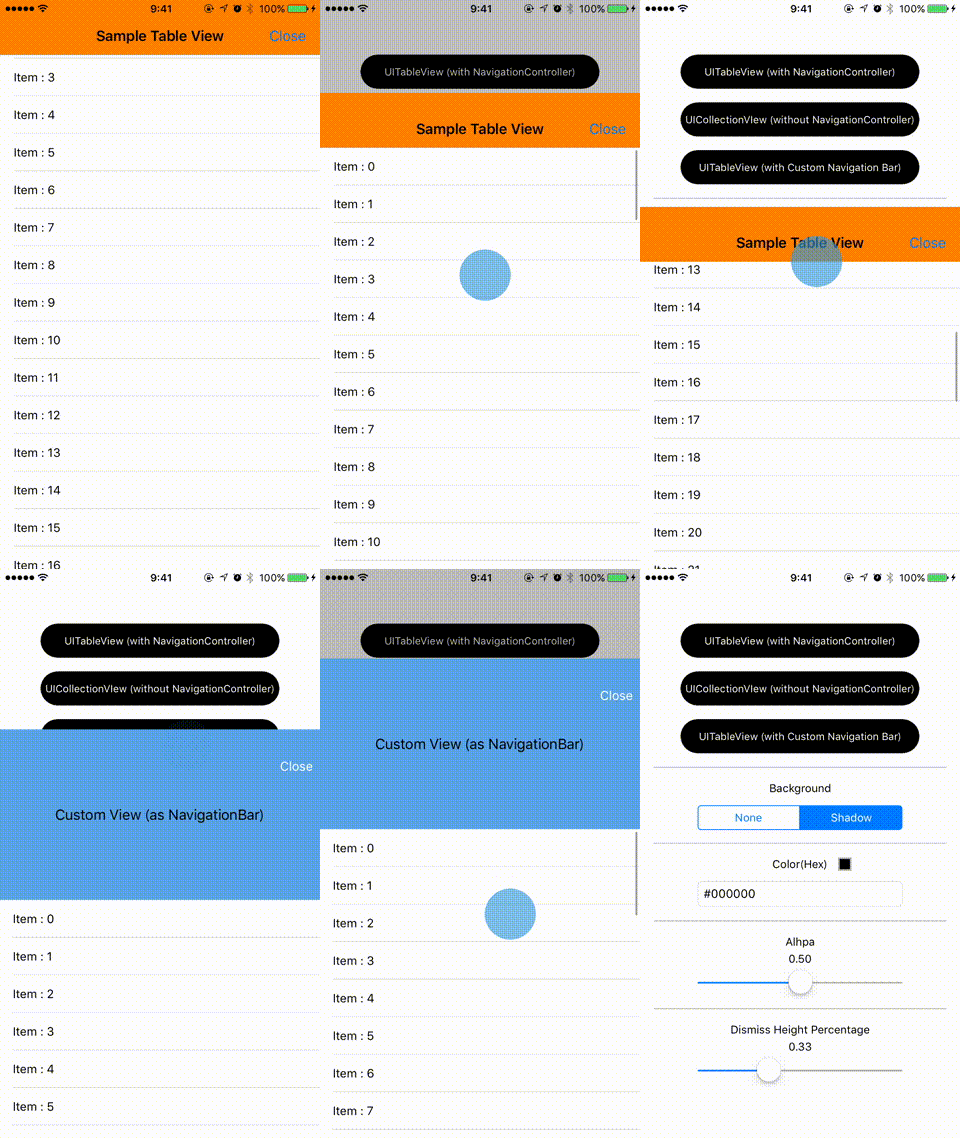 | 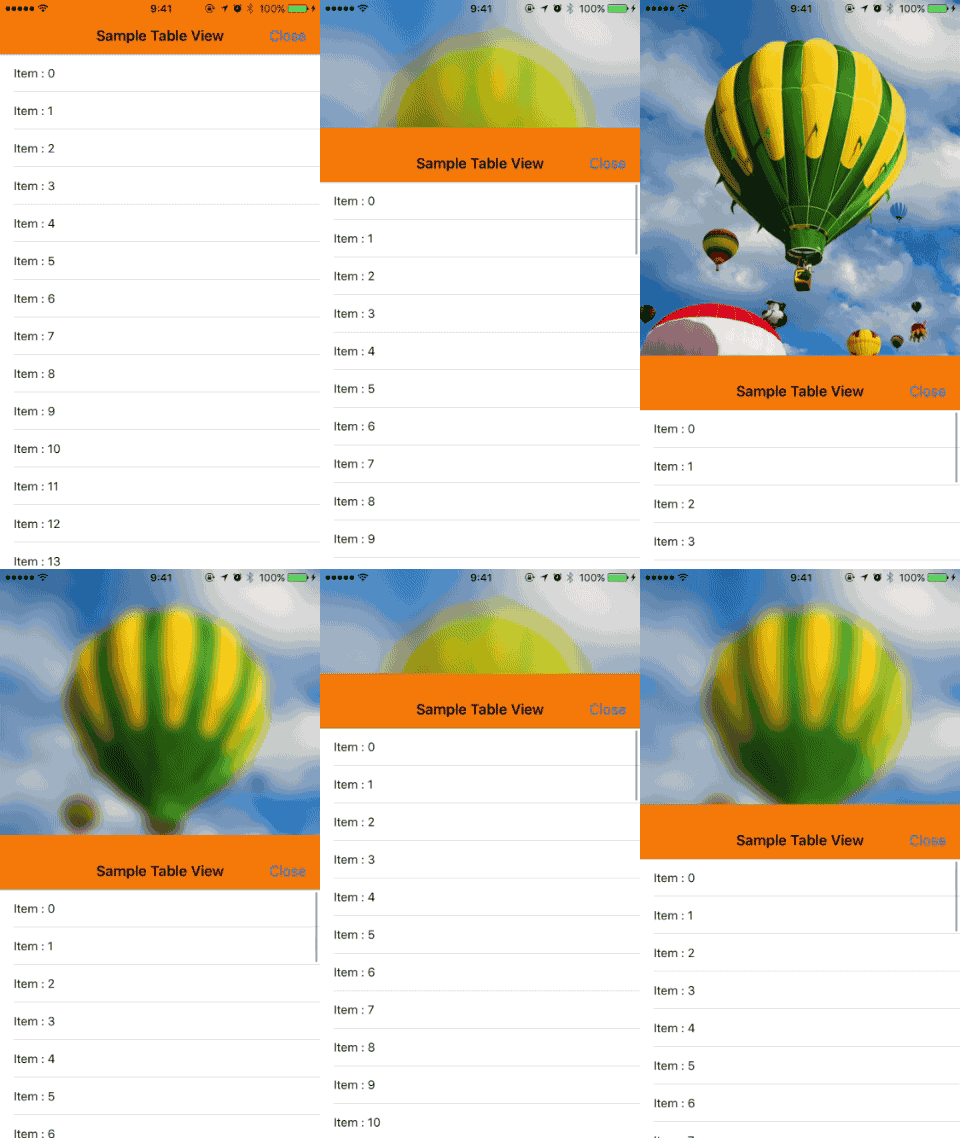 |
- [Appetize.io Demo](https://appetize.io/app/hett44vca458r9artkbq0awxrc?device=iphone7&scale=75&orientation=portrait&osVersion=10.0)
## Feature
- Support all scroll views. (UIScrollView, UITableView, UICollectionView, UIWebView, WKWebView)
- Customizable. (dismiss background color, alpha, height percentage of dismiss)
- Available in UIViewController, UINavigationController.
- Automatically add pan gesture to navigation bar.
- Blur effect support.
- **Objective-C support.** (from *v2.1~*)
### Migration guide
If you update from 1.x to 2.0, see [migration guide](Documents/PullToDismiss2MigrationGuide.md) if needed.
## Usage
### Getting Started
(1) Setup `PullToDismiss`
```swift
import PullToDismiss
class SampleViewController: UIViewController {
@IBOutlet private weak var tableView: UITableView!
private var pullToDismiss: PullToDismiss?
override func viewDidLoad() {
super.viewDidLoad()
pullToDismiss = PullToDismiss(scrollView: tableView)
}
}
```
(2) Create view controller and set `modalPresentationStyle`. Then present view controller
```swift
let vc = SampleViewController()
let nav = UINavigationController(rootViewController: vc)
nav.modalPresentationStyle = .overCurrentContext
self.present(nav, animated: true, completion: nil)
```
:thumbsup::thumbsup::thumbsup:
### Use `(UIScrollView|UITableView|UICollectionView)Delegate`
You can use all scroll view's delegate by set `pullToDismiss.delegate`.
```swift
import PullToDismiss
class SampleViewController: UIViewController {
@IBOutlet private weak var tableView: UITableView!
private var pullToDismiss: PullToDismiss?
override func viewDidLoad() {
super.viewDidLoad()
pullToDismiss = PullToDismiss(scrollView: tableView)
pullToDismiss?.delegate = self
}
}
extension SampleViewController: UITableViewDelegate {
func scrollViewDidScroll(_ scrollView: UIScrollView) {
// ...
}
func tableView(_ tableView: UITableView, didSelectRowAt indexPath: IndexPath) {
// ...
}
}
```
### Customize
You can customize backgroundEffect, dismissableHeightPercentage:
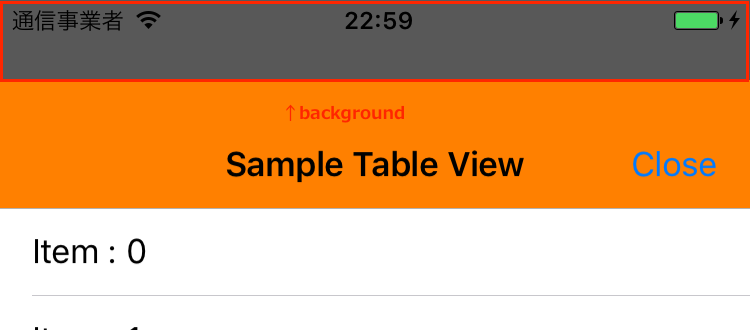
#### Shadow background effet
- background (default: `ShadowEffect.default`, [color: black, alpha: 0.8])
```swift
pullToDismiss?.background = ShadowEffect(color: .red, alpha: 0.5) // color: red, alpha: 0.5
```
#### Blur background effect
New feature for v1.0.

```swift
// preset blur (.extraLight, .light, .dark)
pullToDismiss?.background = BlurEffect.extraLight
// set custom Blur
pullToDismiss?.background = BlurEffect(color: .red, alpha: 0.5, blurRadius: 40.0, saturationDeltaFactor: 1.8)
```
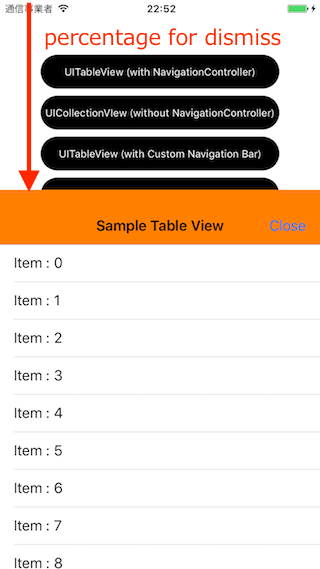
#### dismissableHeightPercentage
```swift
// to pull half size of view controller, dismiss view controller.
pullToDismiss?.dismissableHeightPercentage = 0.5
```
## Requirements
- iOS 8.0+ (blur effect: iOS 9.0+)
- Xcode 8.1+
- Swift 3.0+
## Installation
### Carthage
- Add the following to your *Cartfile*:
```bash
# Swift 5.0 or later
github "sgr-ksmt/PullToDismiss" ~> 2.2
# Swift 3
github "sgr-ksmt/PullToDismiss", 2.1
```
- Run `carthage update`
- Add the framework as described.
Details: [Carthage Readme](https://github.com/Carthage/Carthage#adding-frameworks-to-an-application)
### CocoaPods
**PullToDismiss** is available through [CocoaPods](http://cocoapods.org). To install
it, simply add the following line to your Podfile:
```ruby
# Swift 5.0 or later
pod 'PullToDismiss', '~> 2.2'
# Swift 3
pod 'PullToDismiss', '2.1'
```
and run `pod install`
### Manually Install
Download all `*.swift` files and put your project.
## Change log
Change log is [here](https://github.com/sgr-ksmt/PullToDismiss/blob/master/CHANGELOG.md).
## Communication
- If you found a bug, open an issue.
- If you have a feature request, open an issue.
- If you want to contribute, submit a pull request.:muscle:
## License
**PullToDismiss** is under MIT license. See the [LICENSE](LICENSE) file for more info.