Shaders
WebGPU effects as components
for React, Vue, Svelte, Solid and JavaScript


 ```bash
npm install shaders
```
## Table of Contents
1. [Why Shaders?](#why-shaders)
2. [🧩 Components](#-components)
3. [🎨 Design visually, export code](#-design-visually-export-code)
4. [⌨️ CLI](#-cli)
5. [🤖 Using Shaders with AI](#-using-shaders-with-ai)
6. [⚡️ Shaders Pro](#-shaders-pro)
7. [🧪 Build your own component](#-build-your-own-component)
8. [👩🏻⚖️ License](#-license)
9. [💎 Contribute](#-contribute)
## Why Shaders?
- **Real WebGPU, declarative API:** 200+ effects you drop in as components. Gradients, noise, glass, metal, light, distortions, transitions, blurs, cursor effects. Nest them, blend them, mask them.
- **A design editor that writes your code:** design on an infinite canvas at [shaders.com](https://shaders.com), then export the exact component tree for your framework. Free.
- **Every framework, one package:** first-class React, Vue, Svelte, Solid and JavaScript entries, with the same props everywhere.
- **Production-ready:** TypeScript, extensively optimized, typed props with reactive updates, SSR safe. Used on thousands of websites by 16,000+ design engineers.
## 🧩 Components
Every effect is a component. `` renders the canvas; its children are layers, evaluated top to bottom and blended on the GPU.
### React
```jsx
import { Shader, LinearGradient, CursorTrail } from 'shaders/react'
```
Get started with [Shaders for React](https://shaders.com/react).
### Vue
```html
```
Get started with [Shaders for Vue](https://shaders.com/vue).
### Svelte
```svelte
```
Get started with [Shaders for Svelte](https://shaders.com/svelte).
### Solid
```tsx
import { Shader, LinearGradient, CursorTrail } from 'shaders/solid'
```
Get started with [Shaders for Solid](https://shaders.com/solid).
### JavaScript
```javascript
import { createShader } from 'shaders/js'
await createShader(document.getElementById('my-shader'), {
components: [
{ type: 'LinearGradient', props: { colorA: '#0f172a', colorB: '#7c3aed' } },
{ type: 'CursorTrail' },
],
})
```
Get started with [Shaders for JavaScript](https://shaders.com/javascript).
Browse all [200+ components](https://shaders.com/docs/components), each with a live preview and every prop documented.
## 🎨 Design visually, export code
Most people don't write their effects by hand. They design them.
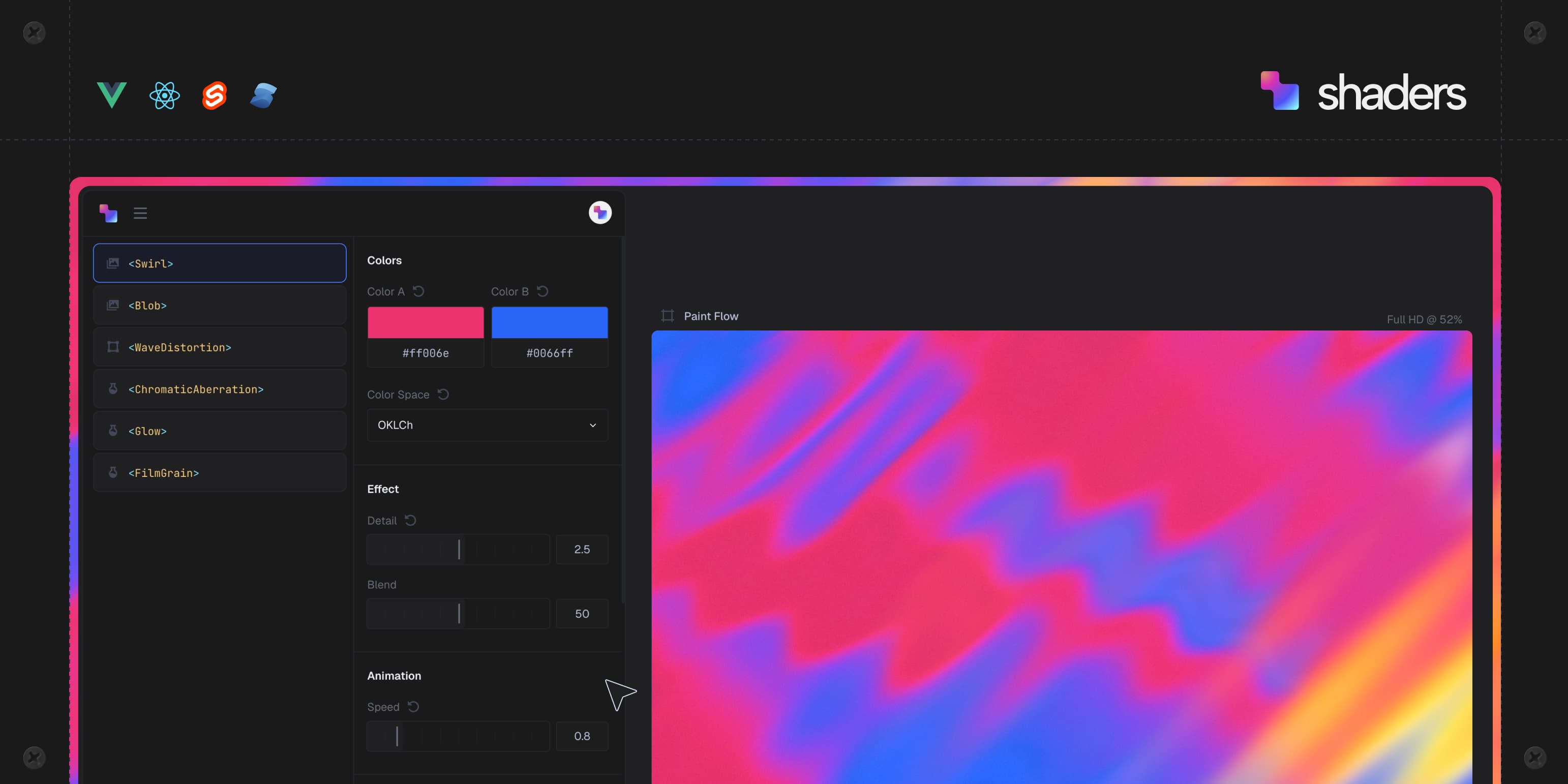
The [design editor](https://shaders.com/design-editor) at shaders.com is an infinite canvas where you stack components, tune every prop with real controls, drive props from the cursor or a timeline, and see the result live. When it looks right, **Export Code** gives you the component tree in your framework, ready to paste.
Design and export are free with an account. Your work is saved as projects you can come back to.
[Open the design editor](https://shaders.com/design-editor)
## ⌨️ CLI
The CLI connects a codebase to your Shaders account, so the effects you design land in your project as real component files and stay in sync.
```bash
npx shaders # guided flow: set up, find a preset, open the editor
npx shaders connect # link this codebase to a Shaders project
npx shaders install # pick shaders from that project; writes component files
npx shaders search "..." # find a preset in the library by describing it
npx shaders preview # see it running on shaders.com before you install
npx shaders update # pull in what you changed in the editor
```
It detects your framework, writes to your components folder, and records what it installed in a lock file. Nothing to install globally.
Read the [CLI guide](https://shaders.com/docs/guide/cli).
## 🤖 Using Shaders with AI
Give your coding agent the same tools you have:
- **Agent skill:** `npx shaders skill` (or `npx skills add shader-effects-inc/shaders`) installs a [skill](skills/shaders/SKILL.md) that teaches your agent the component library, how layers compose, and the CLI workflow. `npx shaders connect` adds it for you. [Skill guide](https://shaders.com/docs/guide/agent-skill).
- **MCP server:** `npx shaders@latest install-mcp` configures Claude Code, Cursor, Codex, Windsurf, Copilot and others. Your agent can find, install and edit the shaders you design. Works on any account, free included. [MCP guide](https://shaders.com/docs/guide/mcp).
- **llms.txt:** [shaders.com/llms.txt](https://shaders.com/llms.txt) indexes every docs page, and [shaders.com/llms-full.txt](https://shaders.com/llms-full.txt) carries the full component reference with props, defaults and ranges.
## ⚡️ Shaders Pro
Everything above is free. [Pro](https://shaders.com/pricing) adds the library and the workflow around it:
- **1,000+ production-ready presets**, organised into collections
- **55+ website sections**, complete and ready to drop in
- **HD video and image rendering** without a watermark
- **One-click install inside Framer** with the [Framer plugin](https://shaders.com/framer)
- **Unlimited version history** in the editor
- **Pro presets through the CLI and MCP**
- **Exclusive Discord role and channel**, priority support, all future updates
[See pricing](https://shaders.com/pricing)
## 🧪 Build your own component
If you need a brand new component, you can write one. A component is a plain object passed to `defineShader`: a name, its props, and what to draw at each pixel. Mount it with `` like any other component.
```ts
import { defineShader, wgsl, transformColor, transformPosition } from 'shaders/std'
export const Halo = defineShader({
name: 'Halo',
props: {
color: { default: '#ffd166', transform: transformColor },
center: { default: { x: 0.5, y: 0.5 }, transform: transformPosition },
radius: { default: 0.6 },
},
paint: wgsl`
let d = length((uv - center) * vec2f(aspect, 1.0)) / radius;
return vec4f(color.rgb, 1.0 - smoothstep(0.8, 1.0, d));
`,
})
```
The guide covers both ways to write the pixel part: composing it from the std primitives (experimental) or writing WGSL directly (stable). [Custom Components](https://shaders.com/docs/guide/custom-shaders) · [Primitives reference](https://shaders.com/docs/primitives)
## 👩🏻⚖️ License
- The engine, every component and the framework bindings in this repository and the `shaders` npm package are [MIT licensed](./LICENSE).
- The design editor, presets, sections and other platform features at shaders.com are separate from this package and have their own [terms](https://shaders.com/license).
## 💎 Contribute
Issues and pull requests are welcome. View the [contributing guide](./CONTRIBUTING.md) before starting, and for anything more than a bug fix, open an issue to discuss it before the PR.
The engine lives in `packages/core`, with one folder per component under `src/shaders/`. The framework packages are generated from it.
```bash
pnpm install
pnpm lib:build # build every package (regenerates the registry and framework components)
pnpm test # the engine's test suite
```
Say hello on [Discord](https://discord.gg/Mfqmb2jCQT).
---
Shaders © Shader Effects, Inc.
```bash
npm install shaders
```
## Table of Contents
1. [Why Shaders?](#why-shaders)
2. [🧩 Components](#-components)
3. [🎨 Design visually, export code](#-design-visually-export-code)
4. [⌨️ CLI](#-cli)
5. [🤖 Using Shaders with AI](#-using-shaders-with-ai)
6. [⚡️ Shaders Pro](#-shaders-pro)
7. [🧪 Build your own component](#-build-your-own-component)
8. [👩🏻⚖️ License](#-license)
9. [💎 Contribute](#-contribute)
## Why Shaders?
- **Real WebGPU, declarative API:** 200+ effects you drop in as components. Gradients, noise, glass, metal, light, distortions, transitions, blurs, cursor effects. Nest them, blend them, mask them.
- **A design editor that writes your code:** design on an infinite canvas at [shaders.com](https://shaders.com), then export the exact component tree for your framework. Free.
- **Every framework, one package:** first-class React, Vue, Svelte, Solid and JavaScript entries, with the same props everywhere.
- **Production-ready:** TypeScript, extensively optimized, typed props with reactive updates, SSR safe. Used on thousands of websites by 16,000+ design engineers.
## 🧩 Components
Every effect is a component. `` renders the canvas; its children are layers, evaluated top to bottom and blended on the GPU.
### React
```jsx
import { Shader, LinearGradient, CursorTrail } from 'shaders/react'
```
Get started with [Shaders for React](https://shaders.com/react).
### Vue
```html
```
Get started with [Shaders for Vue](https://shaders.com/vue).
### Svelte
```svelte
```
Get started with [Shaders for Svelte](https://shaders.com/svelte).
### Solid
```tsx
import { Shader, LinearGradient, CursorTrail } from 'shaders/solid'
```
Get started with [Shaders for Solid](https://shaders.com/solid).
### JavaScript
```javascript
import { createShader } from 'shaders/js'
await createShader(document.getElementById('my-shader'), {
components: [
{ type: 'LinearGradient', props: { colorA: '#0f172a', colorB: '#7c3aed' } },
{ type: 'CursorTrail' },
],
})
```
Get started with [Shaders for JavaScript](https://shaders.com/javascript).
Browse all [200+ components](https://shaders.com/docs/components), each with a live preview and every prop documented.
## 🎨 Design visually, export code
Most people don't write their effects by hand. They design them.
The [design editor](https://shaders.com/design-editor) at shaders.com is an infinite canvas where you stack components, tune every prop with real controls, drive props from the cursor or a timeline, and see the result live. When it looks right, **Export Code** gives you the component tree in your framework, ready to paste.
Design and export are free with an account. Your work is saved as projects you can come back to.
[Open the design editor](https://shaders.com/design-editor)
## ⌨️ CLI
The CLI connects a codebase to your Shaders account, so the effects you design land in your project as real component files and stay in sync.
```bash
npx shaders # guided flow: set up, find a preset, open the editor
npx shaders connect # link this codebase to a Shaders project
npx shaders install # pick shaders from that project; writes component files
npx shaders search "..." # find a preset in the library by describing it
npx shaders preview # see it running on shaders.com before you install
npx shaders update # pull in what you changed in the editor
```
It detects your framework, writes to your components folder, and records what it installed in a lock file. Nothing to install globally.
Read the [CLI guide](https://shaders.com/docs/guide/cli).
## 🤖 Using Shaders with AI
Give your coding agent the same tools you have:
- **Agent skill:** `npx shaders skill` (or `npx skills add shader-effects-inc/shaders`) installs a [skill](skills/shaders/SKILL.md) that teaches your agent the component library, how layers compose, and the CLI workflow. `npx shaders connect` adds it for you. [Skill guide](https://shaders.com/docs/guide/agent-skill).
- **MCP server:** `npx shaders@latest install-mcp` configures Claude Code, Cursor, Codex, Windsurf, Copilot and others. Your agent can find, install and edit the shaders you design. Works on any account, free included. [MCP guide](https://shaders.com/docs/guide/mcp).
- **llms.txt:** [shaders.com/llms.txt](https://shaders.com/llms.txt) indexes every docs page, and [shaders.com/llms-full.txt](https://shaders.com/llms-full.txt) carries the full component reference with props, defaults and ranges.
## ⚡️ Shaders Pro
Everything above is free. [Pro](https://shaders.com/pricing) adds the library and the workflow around it:
- **1,000+ production-ready presets**, organised into collections
- **55+ website sections**, complete and ready to drop in
- **HD video and image rendering** without a watermark
- **One-click install inside Framer** with the [Framer plugin](https://shaders.com/framer)
- **Unlimited version history** in the editor
- **Pro presets through the CLI and MCP**
- **Exclusive Discord role and channel**, priority support, all future updates
[See pricing](https://shaders.com/pricing)
## 🧪 Build your own component
If you need a brand new component, you can write one. A component is a plain object passed to `defineShader`: a name, its props, and what to draw at each pixel. Mount it with `` like any other component.
```ts
import { defineShader, wgsl, transformColor, transformPosition } from 'shaders/std'
export const Halo = defineShader({
name: 'Halo',
props: {
color: { default: '#ffd166', transform: transformColor },
center: { default: { x: 0.5, y: 0.5 }, transform: transformPosition },
radius: { default: 0.6 },
},
paint: wgsl`
let d = length((uv - center) * vec2f(aspect, 1.0)) / radius;
return vec4f(color.rgb, 1.0 - smoothstep(0.8, 1.0, d));
`,
})
```
The guide covers both ways to write the pixel part: composing it from the std primitives (experimental) or writing WGSL directly (stable). [Custom Components](https://shaders.com/docs/guide/custom-shaders) · [Primitives reference](https://shaders.com/docs/primitives)
## 👩🏻⚖️ License
- The engine, every component and the framework bindings in this repository and the `shaders` npm package are [MIT licensed](./LICENSE).
- The design editor, presets, sections and other platform features at shaders.com are separate from this package and have their own [terms](https://shaders.com/license).
## 💎 Contribute
Issues and pull requests are welcome. View the [contributing guide](./CONTRIBUTING.md) before starting, and for anything more than a bug fix, open an issue to discuss it before the PR.
The engine lives in `packages/core`, with one folder per component under `src/shaders/`. The framework packages are generated from it.
```bash
pnpm install
pnpm lib:build # build every package (regenerates the registry and framework components)
pnpm test # the engine's test suite
```
Say hello on [Discord](https://discord.gg/Mfqmb2jCQT).
---
Shaders © Shader Effects, Inc.