# Vaultwarden MCP: connect Claude to your self-hosted password vault
An [MCP](https://modelcontextprotocol.io) server that gives Claude access to a self-hosted
[Vaultwarden](https://github.com/dani-garcia/vaultwarden) or Bitwarden vault through the official
[Bitwarden CLI](https://bitwarden.com/help/cli/). Search your logins, look them up, add new ones,
and edit them, from a chat window.
Claude never receives a password. It cannot change anything without you clicking Save.
[](https://github.com/ShadowsDistant/Vaultwarden-MCP/actions/workflows/ci.yml)
[](https://github.com/ShadowsDistant/Vaultwarden-MCP/releases/latest)
[](LICENSE)
> Not affiliated with Bitwarden or Vaultwarden. This is a personal project that drives the
> published Bitwarden CLI. Read [SECURITY.md](SECURITY.md) before pointing it at a vault you care
> about.
**Contents** · [What it does](#what-it-does) · [Install](#install) ·
[Compatibility](#compatibility) · [Settings](#settings) · [Tools](#tools) ·
[Troubleshooting](#troubleshooting) · [Security](SECURITY.md)
## What it does
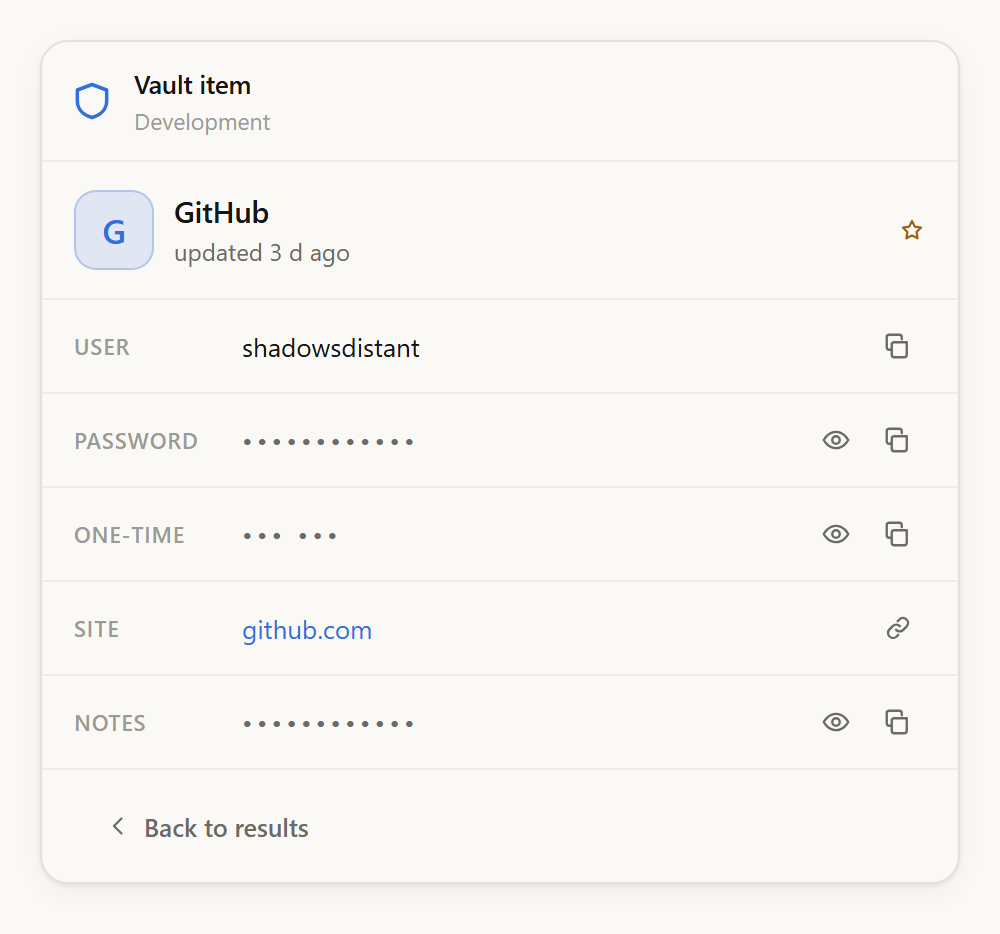
Ask for a login and a card appears beside the reply, password hidden behind a row of dots with a
copy button next to it. Ask for a new one and you get a filled-in draft with a generated password
that saves when you press Save, and not before.
| Claude can | Claude cannot |
| --- | --- |
| Search the vault and list folders | Read a password, one-time code, or note, unless you approve it in a desktop window, once per request |
| See item names, usernames, and sites | Create, edit, or trash anything until you press Save or Confirm in the card |
| See whether an item has a password, code, or notes | Delete permanently. Deletes go to the trash, where your server keeps them 30 days |
| Generate a password into the card | Change which vault server is used. That is fixed at install time |
| Prepare changes for you to confirm | See your master password. You type it into a desktop window |
[SECURITY.md](SECURITY.md) explains why each line is drawn where it is.
## The card
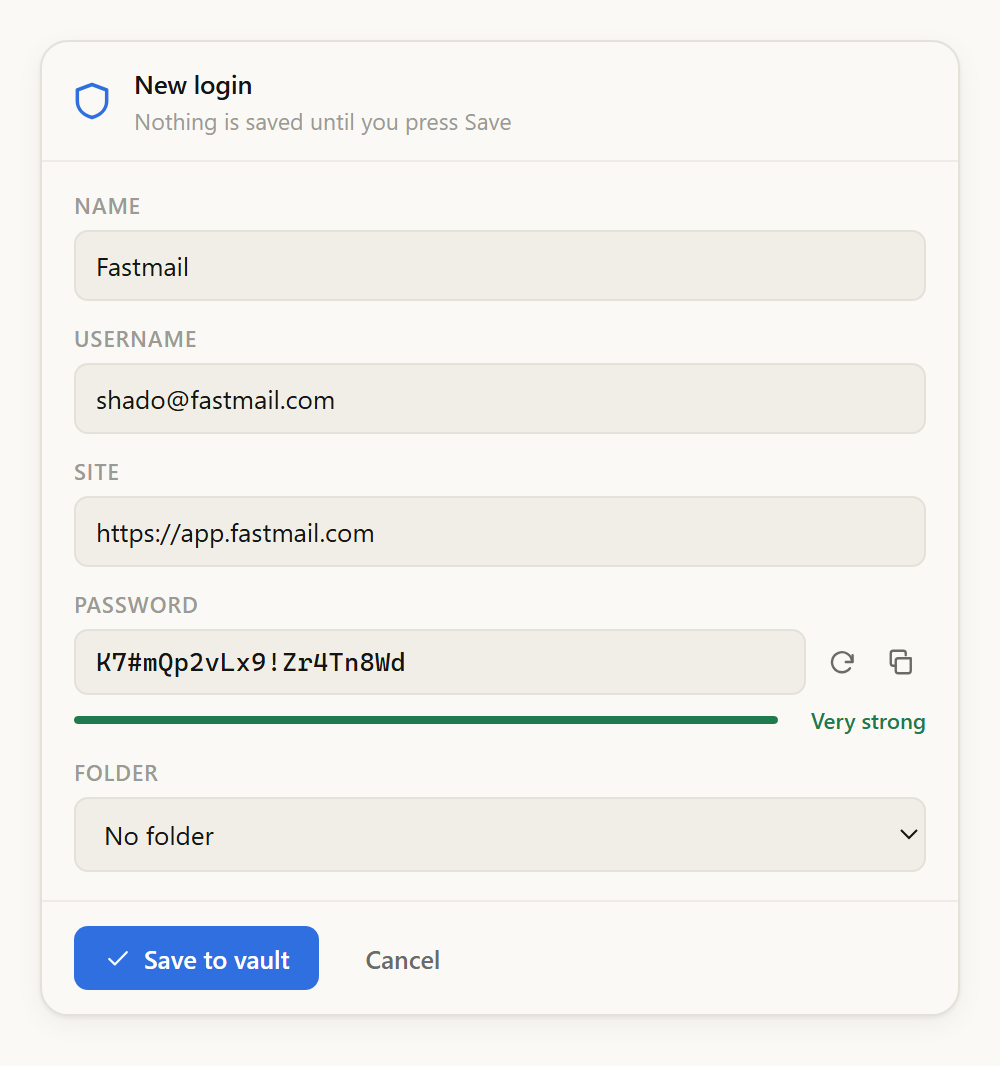
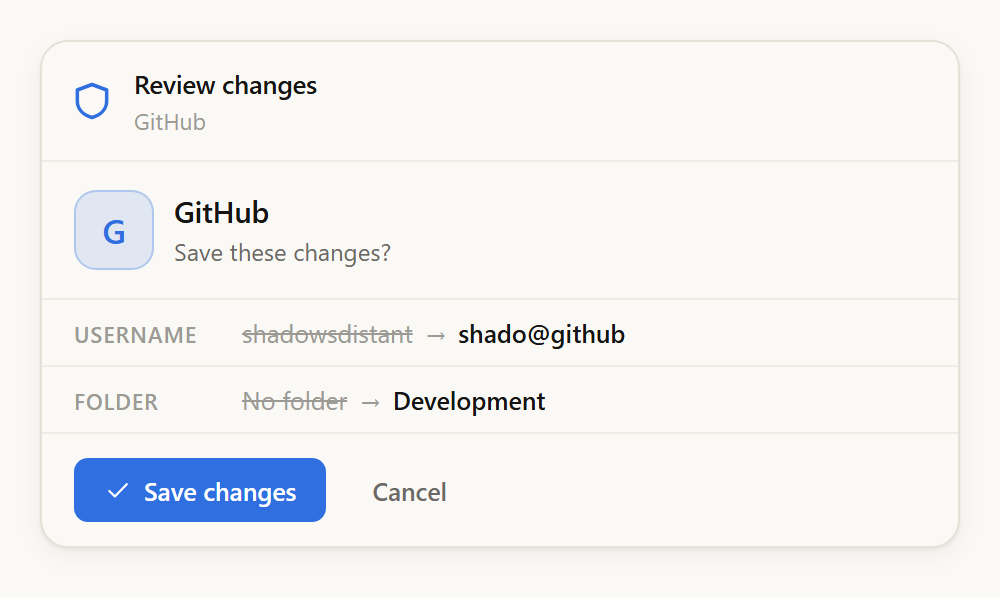
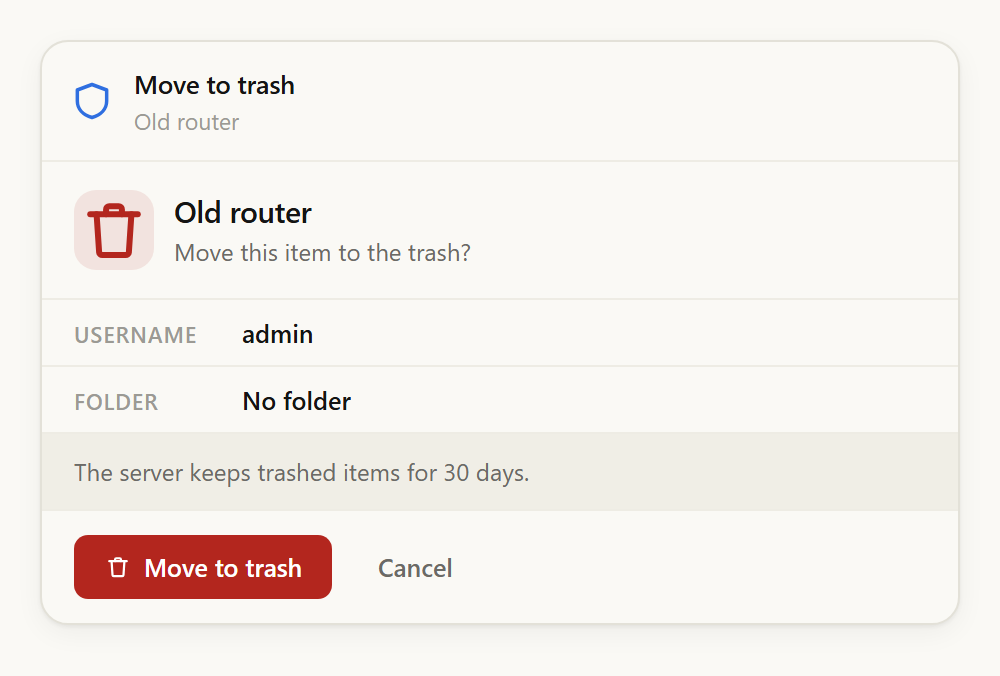
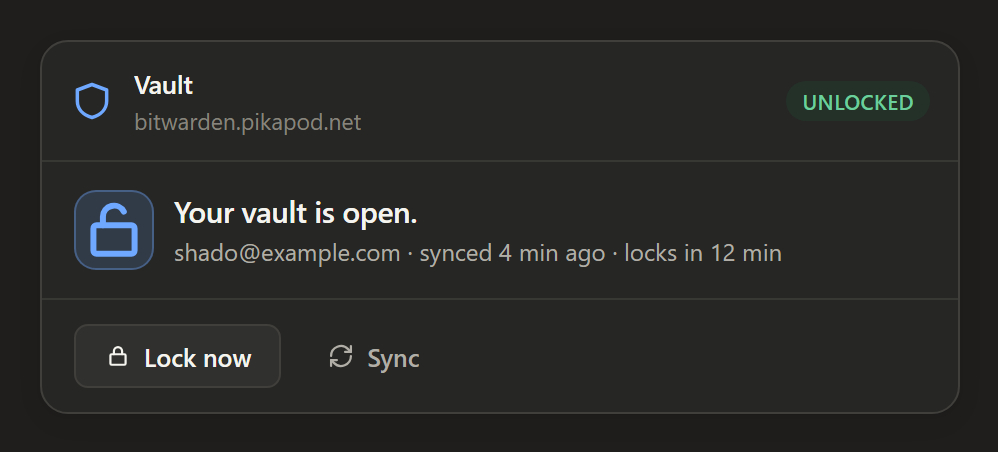
Anything sensitive happens here rather than in the conversation. The card follows Claude's light
and dark themes.
**Reveal** shows a secret for thirty seconds, then hides it. **Copy** never displays it at all: the
server writes the value straight to your clipboard and clears it thirty seconds later, tagged so
Windows clipboard history and cloud clipboard skip it. Items you flagged "master password
re-prompt" ask for your password again before either.
Site icons come from your own instance's icon service, the same one the web vault uses. That is
the only origin the card may load anything from. Items without an icon show their initial instead.
## Install
### Claude Desktop, from a release
1. Download `vaultwarden-mcp-.mcpb` from the
[latest release](https://github.com/ShadowsDistant/Vaultwarden-MCP/releases/latest).
2. Double-click it. Claude Desktop installs it as an extension.
3. Enter your vault address, such as `https://vault.example.com`. Everything else is optional.
4. Ask Claude to sign in to your vault. A window opens on your desktop for your email, master
password, and two-step code if you use one.
Nothing else to install. The Bitwarden CLI travels inside the bundle.
### Claude Desktop, from source
```bash
git clone https://github.com/ShadowsDistant/Vaultwarden-MCP.git
cd Vaultwarden-MCP
npm install --legacy-peer-deps
npm run build
node scripts/install.mjs --server https://vault.example.com --email you@example.com
```
Then quit Claude Desktop completely and reopen it.
On Windows, use `scripts\setup.ps1` instead. It builds into `%USERPROFILE%\.vaultwarden-mcp`,
which matters if you cloned into a OneDrive folder:
```powershell
.\scripts\setup.ps1 -Install -Server https://vault.example.com -Email you@example.com
```
### Claude Code
```bash
claude mcp add vaultwarden --env VW_MCP_SERVER_URL=https://vault.example.com -- node /path/to/Vaultwarden-MCP/dist/index.js
```
### Any other MCP client
The server speaks MCP over stdio, so anything that can launch a stdio server can run it. Point
your client's config at the built entry point:
```json
{
"mcpServers": {
"vaultwarden": {
"command": "node",
"args": ["/path/to/Vaultwarden-MCP/dist/index.js"],
"env": {
"VW_MCP_SERVER_URL": "https://vault.example.com",
"VW_MCP_EMAIL": "you@example.com"
}
}
}
}
```
On Windows, give the full path to `node.exe` and escape the backslashes in the paths.
### Signing in
Ask Claude to sign in. The window that opens belongs to this server, not to Claude, and what you
type goes down a pipe to the Bitwarden CLI without passing through the conversation.
If anything ever asks for your master password **inside the chat**, it is not this server.
## Compatibility
| | |
| --- | --- |
| **Node** | 20 or newer. The Bitwarden CLI is bundled. |
| **Vault** | Vaultwarden 1.37.2 or newer, or Bitwarden's hosted service. |
| **Windows** | Full support. Sign-in and confirmation windows use WPF. |
| **macOS** | Full support, using `osascript` for windows. |
| **Linux** | Needs `zenity` or `kdialog` for the windows. Without one, unlock the vault yourself and pass `BW_SESSION`. |
| **Inline cards** | Need a host implementing the MCP Apps extension. Claude Desktop and Claude Code do. |
| **Other MCP clients** | The tools work anywhere. Without card support the card-only tools are never registered, and reveals and confirmations fall back to desktop windows. |
A headless machine can still run the server: unlock the vault yourself with `bw unlock --raw` and
start it with `BW_SESSION` set.
## Settings
Set these in the extension's settings in Claude Desktop, or as environment variables in your
client's config.
| Variable | Default | What it does |
| --- | --- | --- |
| `VW_MCP_SERVER_URL` | required | Your vault address. Deliberately not settable from a conversation. |
| `VW_MCP_EMAIL` | none | Pre-fills the sign-in window. |
| `VW_MCP_IDLE_LOCK_MIN` | `0` | Also lock after this many idle minutes. `0` locks only when the app closes. |
| `VW_MCP_MODEL_REVEAL` | `ask` | `ask` lets Claude request one secret at a time, with a window you must approve. `off` refuses outright. |
| `VW_MCP_HOME` | `~/.vaultwarden-mcp` | Where the vault cache, config, and log live. |
| `VW_MCP_CA_FILE` | none | A CA bundle, if your instance uses a private certificate authority. |
| `VW_MCP_ALLOW_HTTP` | unset | Permit a plain-http address for a host other than localhost. |
| `VW_MCP_REVEAL_SECONDS` | `30` | How long a revealed secret stays on screen. |
| `VW_MCP_CLIPBOARD_CLEAR_SECONDS` | `30` | How long a copied secret stays on the clipboard. |
| `BW_SESSION` | unset | An already-unlocked session, for a machine with no desktop. |
## Tools
⧉ marks the tools that draw a card.
| Tool | What it does |
| --- | --- |
| `vault_status` ⧉ | Whether the vault is signed in, locked, or unlocked, and which instance it uses |
| `vault_login` ⧉ | Sign in, in a window on your desktop |
| `vault_unlock` ⧉ | Unlock, in a window on your desktop, then show the vault |
| `vault_lock` | Lock immediately and forget the session key |
| `vault_sync` | Pull the latest contents from the server |
| `vault_search` ⧉ | Find items by name, site, or folder. Names and hosts only, no usernames in bulk |
| `vault_get_item` ⧉ | One item in full, minus every secret |
| `vault_list_folders` | The folders, with the ids used to file or filter |
| `vault_generate_password` ⧉ | Generate a password or passphrase into the card, not the conversation |
| `vault_create_login` ⧉ | Prepare a new login for you to save |
| `vault_edit_item` ⧉ | Prepare a change for you to confirm, shown as a before-and-after |
| `vault_trash_item` ⧉ | Prepare to move an item to the trash, for you to confirm |
| `vault_restore_item` ⧉ | Bring an item back out of the trash |
| `vault_reveal_secret` | Ask you, in a desktop window, to release one secret into the conversation |
A second set of tools serves the card alone: reading a secret on a click, copying to the
clipboard, saving a draft. They are marked app-only and stay unregistered unless the client
declares MCP Apps support at startup, so on any other host they do not exist and nothing can
call them.
## Troubleshooting
**"The Bitwarden CLI is not installed."** The bundled CLI did not survive the install. Re-run
`npm install --legacy-peer-deps` and `npm run build`, or reinstall the extension.
**No window appears when signing in.** On Linux, install `zenity` or `kdialog`. Elsewhere, check
`~/.vaultwarden-mcp/logs/server.log`. As a fallback, run `bw unlock --raw` yourself and pass the
result as `BW_SESSION`.
**"Could not reach the vault server."** Check the address in your settings and that the instance
is up. For a private certificate authority, point `VW_MCP_CA_FILE` at the bundle.
**Claude says an item was created but it is not there.** It was a draft, and drafts are not
written until you press Save. If no card appeared at all, your host does not support MCP Apps.
**The vault keeps locking.** By default it stays open until the app closes. If you set
`VW_MCP_IDLE_LOCK_MIN`, raise it or set it back to `0`.
## Development
```bash
npm install --legacy-peer-deps
npm run build # tsc, then bundle the card into a single HTML file
npm test # 81 tests against a fake Bitwarden CLI, over real stdio
npm run preview # card views at http://localhost:8766, plus /selftest.html
npm run pack # build the .mcpb extension bundle
```
No test touches a real vault. `test/fake-bw/bw.js` emulates the CLI, matching its `--response`
envelopes and reproducing two of its shipped bugs, and the server runs as a real child process
driven by the MCP SDK client. The load-bearing test plants a sentinel string in every secret and
fails if it appears anywhere a model could read.
```
src/index.ts server bootstrap, instructions, shutdown
src/config.ts settings, paths, URL validation
src/bw.ts CLI wrapper: re-entrant lock, minimal environment, response parsing
src/session.ts the session key, sign-in, unlock, idle lock
src/vault.ts item operations, and the model-facing and card-facing projections
src/sanitize.ts the untrusted-text screen and the result envelope
src/pending.ts staged changes: unguessable ids, single use, ten-minute lifetime
src/prompt.ts native dialogs
src/clipboard.ts copy, and the clear that only fires if the value is still there
src/tools.ts the tool surface
ui/card.html the card's markup and theme
ui/card.ts the card
scripts/ build, install, package, dialog and clipboard helpers
test/ unit tests, end-to-end tests, the fake CLI and dialog
```
## Licence
Copyright (C) 2026 ShadowsDistant.
This program is free software: you can redistribute it and modify it under the terms of the GNU
General Public License as published by the Free Software Foundation, either version 3 of the
License, or (at your option) any later version. It is distributed without any warranty, without
even the implied warranty of merchantability or fitness for a particular purpose. See the
[GNU General Public License](LICENSE) for details.
The bundled Bitwarden CLI is redistributed under [its own terms](https://github.com/bitwarden/clients).