
vscode-background
### 给 [Visual Studio Code](https://code.visualstudio.com) 添加背景
`全屏`、`编辑器`、`侧边栏`、`辅助栏(auxiliarybar)`、`面板`、`轮播`、`自定义图片/样式`...
[GitHub](https://github.com/shalldie/vscode-background) | [Visual Studio Marketplace](https://marketplace.visualstudio.com/items?itemName=shalldie.background)
[](https://marketplace.visualstudio.com/items?itemName=shalldie.background)
[](https://github.com/shalldie/vscode-background)
[](https://github.com/shalldie/vscode-background/actions)
[](https://github.com/shalldie/vscode-background)
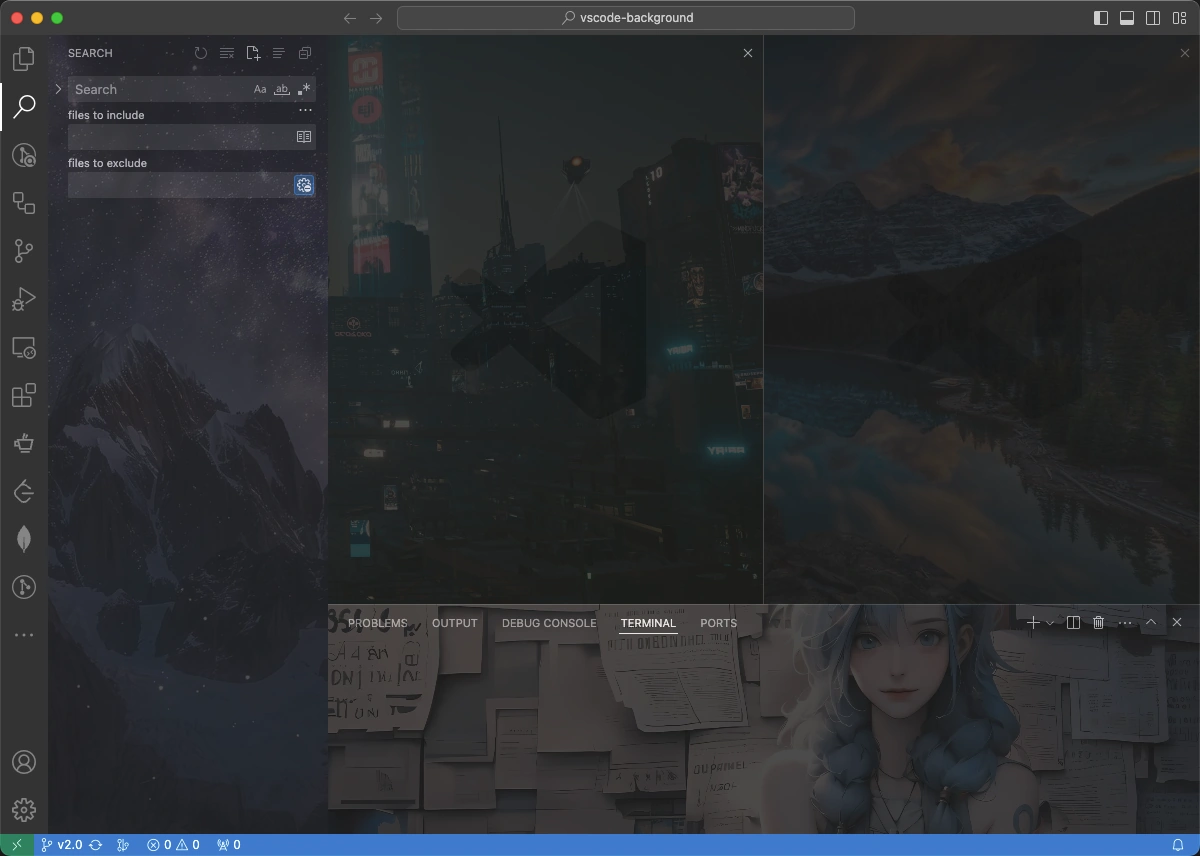
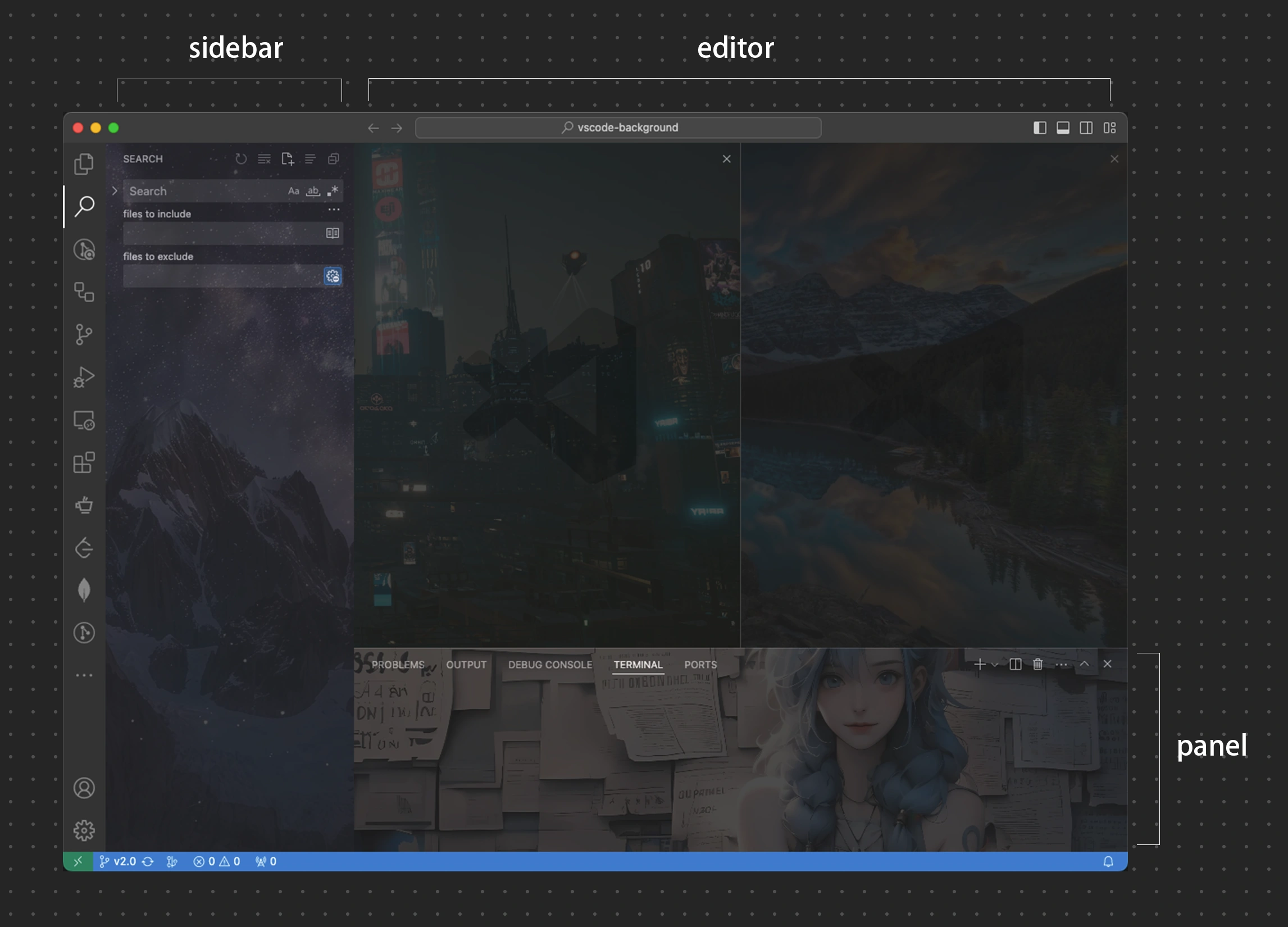
多区域,`编辑器`、`侧边栏`、`辅助栏(auxiliarybar)`、`面板`
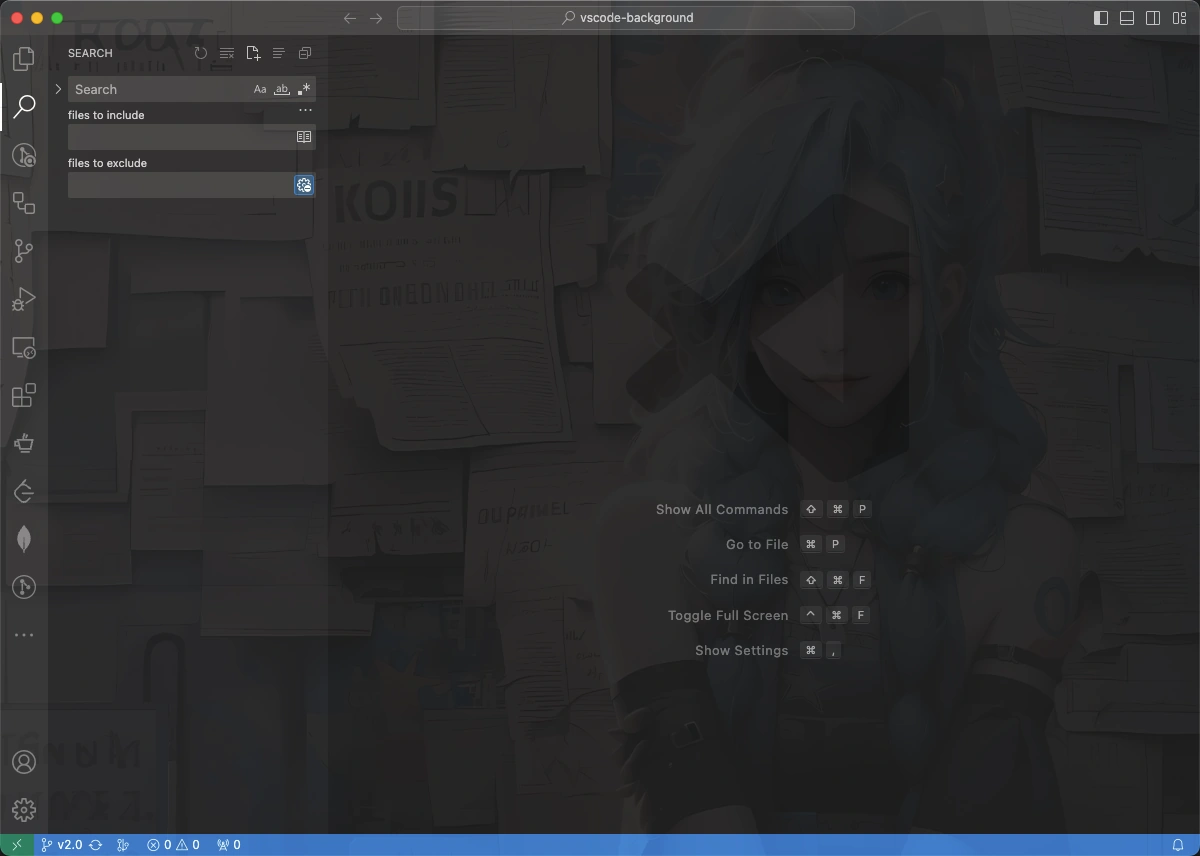
`全屏`
 ### 全局配置
| 名称 | 类型 | 默认值 | 描述 |
| :------------------- | :-------: | :----: | :----------- |
| `background.enabled` | `Boolean` | `true` | 插件是否启用 |
### Editor 编辑器区域配置
通过 `background.editor` 设置编辑器区域配置。
| 名称 | 类型 | 默认值 | 描述 |
| :--------- | :--------: | :----------: | :----------------------------------------------------- |
| `useFront` | `boolean` | `true` | 把图片放在代码的上方或下方。 |
| `style` | `object` | `{}` | 自定义图片样式。 [MDN Reference][mdn-css] |
| `styles` | `object[]` | `[]` | 为每一张图片单独自定义样式。 |
| `images` | `string[]` | `[]` | 自定义图片,支持在线和本地图片,以及文件夹。 |
| `interval` | `number` | `0` | 单位 `秒`,轮播时候图片切换间隔,默认 `0` 表示不开启。 |
| `random` | `boolean` | `false` | 是否随机展示图片。 |
[mdn-css]: https://developer.mozilla.org/docs/Web/CSS
example:
```json
{
"background.editor": {
"useFront": true,
"style": {
"background-position": "100% 100%",
"background-size": "auto",
"opacity": 0.6
},
"styles": [],
// `images` 支持在线和本地图片,以及文件夹。
"images": [
// 在线图片,只允许 `https` 协议
"https://hostname/online.jpg",
// 本地图片
"file:///local/path/img.jpeg",
"/home/xie/downloads/img.gif",
"C:/Users/xie/img.bmp",
"D:\\downloads\\images\\img.webp",
// 本地路径支持 `~` 和环境变量
"~/Pictures/img.png",
"${HOME}/Pictures/img.png",
// 文件夹
"/home/xie/images",
// data URL
"data:image/*;base64,
### 全局配置
| 名称 | 类型 | 默认值 | 描述 |
| :------------------- | :-------: | :----: | :----------- |
| `background.enabled` | `Boolean` | `true` | 插件是否启用 |
### Editor 编辑器区域配置
通过 `background.editor` 设置编辑器区域配置。
| 名称 | 类型 | 默认值 | 描述 |
| :--------- | :--------: | :----------: | :----------------------------------------------------- |
| `useFront` | `boolean` | `true` | 把图片放在代码的上方或下方。 |
| `style` | `object` | `{}` | 自定义图片样式。 [MDN Reference][mdn-css] |
| `styles` | `object[]` | `[]` | 为每一张图片单独自定义样式。 |
| `images` | `string[]` | `[]` | 自定义图片,支持在线和本地图片,以及文件夹。 |
| `interval` | `number` | `0` | 单位 `秒`,轮播时候图片切换间隔,默认 `0` 表示不开启。 |
| `random` | `boolean` | `false` | 是否随机展示图片。 |
[mdn-css]: https://developer.mozilla.org/docs/Web/CSS
example:
```json
{
"background.editor": {
"useFront": true,
"style": {
"background-position": "100% 100%",
"background-size": "auto",
"opacity": 0.6
},
"styles": [],
// `images` 支持在线和本地图片,以及文件夹。
"images": [
// 在线图片,只允许 `https` 协议
"https://hostname/online.jpg",
// 本地图片
"file:///local/path/img.jpeg",
"/home/xie/downloads/img.gif",
"C:/Users/xie/img.bmp",
"D:\\downloads\\images\\img.webp",
// 本地路径支持 `~` 和环境变量
"~/Pictures/img.png",
"${HOME}/Pictures/img.png",
// 文件夹
"/home/xie/images",
// data URL
"data:image/*;base64, ## 常见问题
> **本插件是通过修改 vscode 的 html 文件的方式运行**
如果遇到问题请查看 [常见问题](docs/common-issues.zh-CN.md)
## 卸载
请查看 [常见问题#如何删除插件](docs/common-issues.zh-CN.md#如何删除插件)
## 感谢这些朋友的 pr 🙏
[
## 常见问题
> **本插件是通过修改 vscode 的 html 文件的方式运行**
如果遇到问题请查看 [常见问题](docs/common-issues.zh-CN.md)
## 卸载
请查看 [常见问题#如何删除插件](docs/common-issues.zh-CN.md#如何删除插件)
## 感谢这些朋友的 pr 🙏
[ ](https://github.com/shalldie)
[
](https://github.com/shalldie)
[ ](https://github.com/suiyun39)
[
](https://github.com/suiyun39)
[ ](https://github.com/frg2089)
[
](https://github.com/frg2089)
[ ](https://github.com/AzureeDev)
[
](https://github.com/AzureeDev)
[ ](https://github.com/tumit)
[
](https://github.com/tumit)
[ ](https://github.com/asurinsaka)
[
](https://github.com/asurinsaka)
[ ](https://github.com/u3u)
[
](https://github.com/u3u)
[ ](https://github.com/kuresaru)
[
](https://github.com/kuresaru)
[ ](https://github.com/Unthrottled)
[
](https://github.com/Unthrottled)
[ ](https://github.com/rogeraabbccdd)
[
](https://github.com/rogeraabbccdd)
[ ](https://github.com/SatoMasahiro2005)
## 贡献指南
这里是 [贡献指南](docs/contributing.zh-CN.md)。
## 更新日志
可以从 [这里](https://github.com/shalldie/vscode-background/blob/master/CHANGELOG.md) 查看所有的变更内容。
## 分享图片
我们在 [这里](https://github.com/shalldie/vscode-background/issues/106) 分享背景图。
## 从 v1 迁移
从 v3.0 起,v1 顶层配置不再被支持,请参考 [migration-from-v1.md](docs/migration-from-v1.md) 进行迁移。
## 协议
MIT
](https://github.com/SatoMasahiro2005)
## 贡献指南
这里是 [贡献指南](docs/contributing.zh-CN.md)。
## 更新日志
可以从 [这里](https://github.com/shalldie/vscode-background/blob/master/CHANGELOG.md) 查看所有的变更内容。
## 分享图片
我们在 [这里](https://github.com/shalldie/vscode-background/issues/106) 分享背景图。
## 从 v1 迁移
从 v3.0 起,v1 顶层配置不再被支持,请参考 [migration-from-v1.md](docs/migration-from-v1.md) 进行迁移。
## 协议
MIT