# Scheduled Tasks Implementation ![Last Updated](https://img.shields.io/badge/Last_Updated-Mar_10%2C_2026-white?style=flat&labelColor=555)
← Back to Claude Code Best Practice Claude
--- Implemented The `/loop` skill is used to schedule recurring tasks on a cron interval. Below is a demo of `/loop 1m "tell current time"` — a simple recurring task that fires every minute. --- ## Loop Demo ### 1. Scheduling the Task
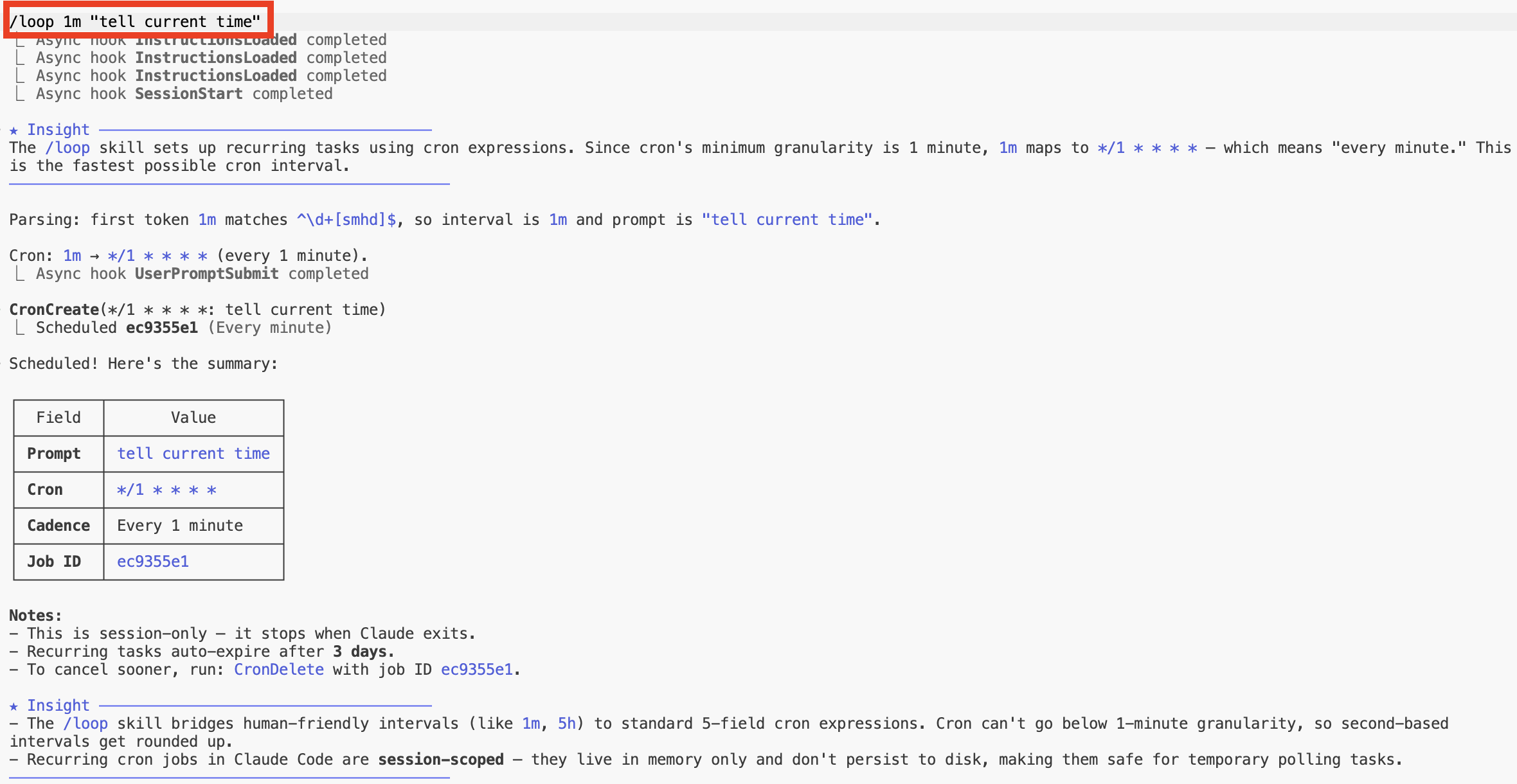
/loop 1m tell current time — scheduling and cron setup

`/loop 1m "tell current time"` parses the interval (`1m` → every 1 minute), creates a cron job, and confirms the schedule. Key notes: - Cron's minimum granularity is **1 minute** — `1m` maps to `*/1 * * * *` - Recurring tasks **auto-expire after 3 days** - Jobs are **session-scoped** — they live in memory only and stop when Claude exits - Cancel anytime with `cron cancel ` --- ### 2. Loop in Action

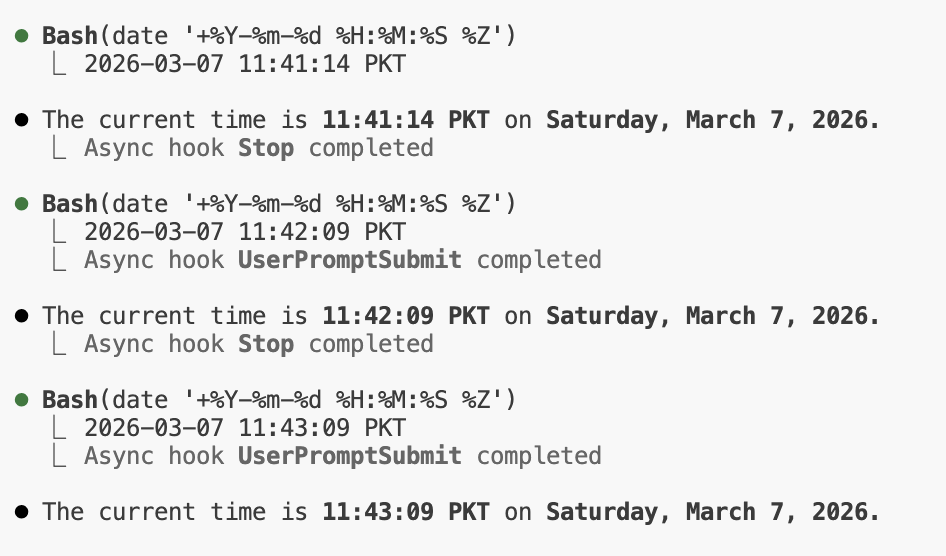
Recurring task firing every minute

The task fires every minute, running `date` and reporting the current time. Each iteration triggers async **UserPromptSubmit** and **Stop** hooks — the same hook system used throughout this repo for sound notifications. --- ## ![How to Use](../!/tags/how-to-use.svg) ```bash $ claude > /loop 1m "tell current time" > /loop 5m /simplify > /loop 10m "check deploy status" ``` --- ## ![How to Implement](../!/tags/how-to-implement.svg) `/loop` is a built-in Claude Code skill — no setup required. It uses the cron tools (`CronCreate`, `CronList`, `CronDelete`) under the hood to manage recurring schedules.