# indent
## what indent is used for
When writing code, we may encounter nested levels and other situations. Indent lines help to determine whether certain codes are at the same level.
## config
The default configuration of this mod is as follows:
```lua
local default_conf = {
priority = 10,
style = { vim.api.nvim_get_hl(0, { name = "Whitespace" }) },
use_treesitter = false,
chars = { "│" },
ahead_lines = 5,
delay = 100,
}
```
The unique configurations are `use_treesitter`, `chars`, `ahead_lines`
- `use_treesitter` is used to control whether to use treesitter to determine the indent level, which is disabled by default for performance reasons. If you have high requirements for indentation accuracy, you can try setting it to true, see this [issue](https://github.com/shellRaining/hlchunk.nvim/issues/77#issuecomment-1817530409)
- `chars` is a table, whose characters are used to render the indent lines, you can try setting it as:
```lua
chars = {
"│",
"¦",
"┆",
"┊",
},
```
When rendering, the first level will use the first character, the second level will use the second character, and so on. If the level exceeds the number of characters you set, these characters will be used cyclically.
- `ahead_lines` is a number used to control the preview and rendering range of indent lines ahead, which defaults to 5
- `delay` is a number that presents a millisecond value, because rendering is very time-consuming in some cases, a throttle function is used to limit the rendering frequency, the larger the value, the smoother the screen scrolling, but at the same time, a larger part of the content will not be rendered (until after delay milliseconds), which defaults to 100
- `filter_list` is a `Lua` list where you can define some `filter` functions to filter the rendered characters. The functions defined here must accept one parameter, `render_char_info`, which contains the following fields:
- `level`: indicates the current indentation level
- `lnum`: indicates the line number where the current indented character is located (starting from 0)
- `virt_text_win_col`: represents the column on the screen where the current indented character is located (starting from 0). For more information, refer to [nvim_buf_set_extmark function](https://neovim.io/doc/user/api.html#nvim_buf_set_extmark())
- `virt_text`: same as above, this is a parameter of the `nvim_buf_set_extmark` function; generally, you do not need to set this field.
let's look an example here, if you don't want to show the first level of indent line, you can set like this:
```lua
filter_list = {
function(v)
return v.level ~= 1
end,
},
```
Like chunk, we also need to pay extra attention to the common configuration style:
- Here, style is a RGB string or a table. If it is a string, all indent lines will be rendered in this color. If it is a table, it can be written in two ways:
```lua
style = {
"#FF0000",
"#FF7F00",
"..."
},
```
or
```lua
style = {
{ bg = "#FF0000", fg = "#FFFFFF" },
{ bg = "#FF7F00", fg = "FF7F00" },
-- ...
},
```
If you set the bg field, the indent lines will render background color for chars
## example
Here is an example of the default indent style:
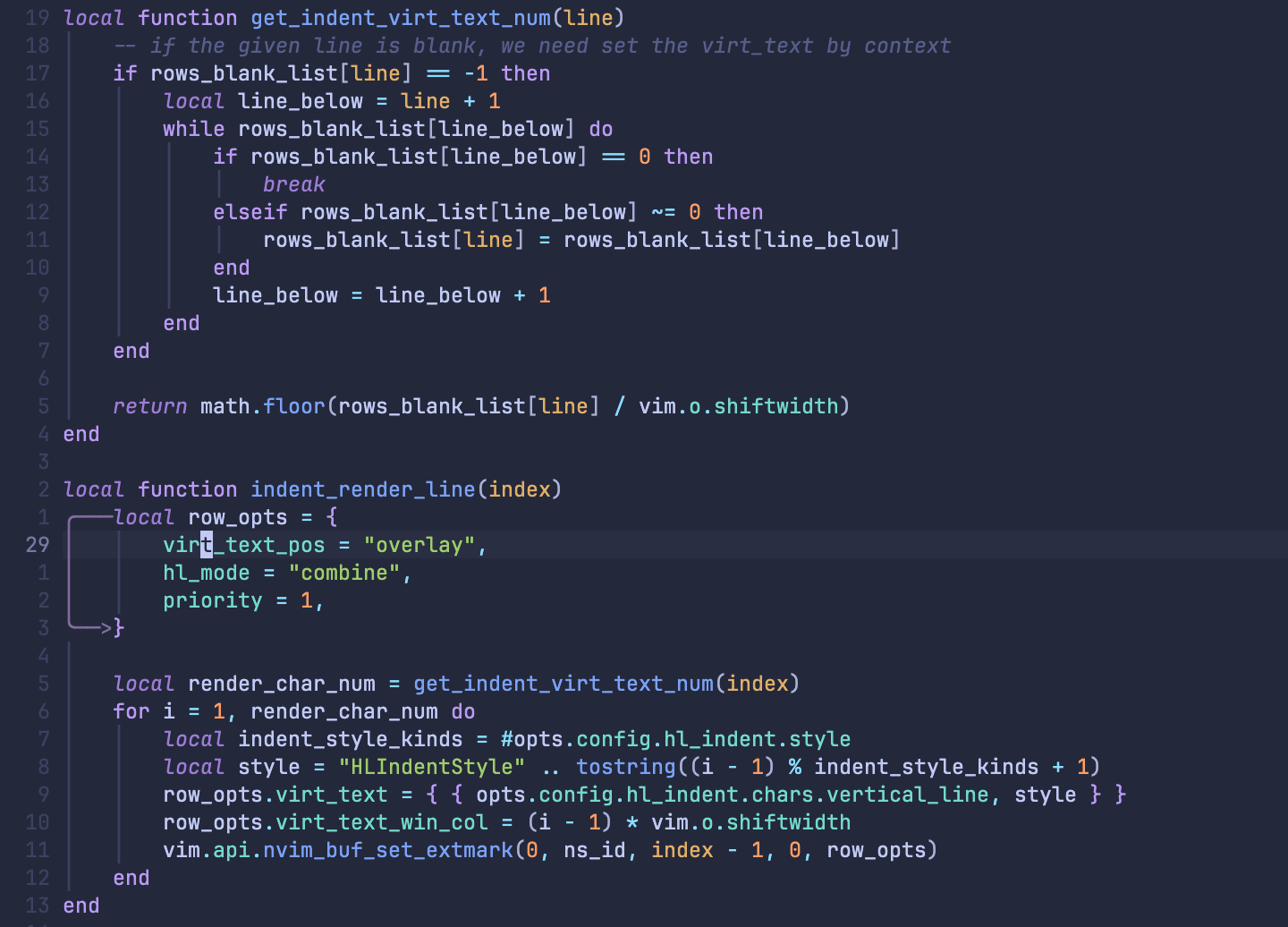 ```lua
indent = {
chars = {
"│",
},
style = {
vim.fn.synIDattr(vim.fn.synIDtrans(vim.fn.hlID("Whitespace")), "fg", "gui"),
},
}
```
You can also set the indent lines to be like a rainbow 🌈
```lua
indent = {
chars = {
"│",
},
style = {
vim.fn.synIDattr(vim.fn.synIDtrans(vim.fn.hlID("Whitespace")), "fg", "gui"),
},
}
```
You can also set the indent lines to be like a rainbow 🌈
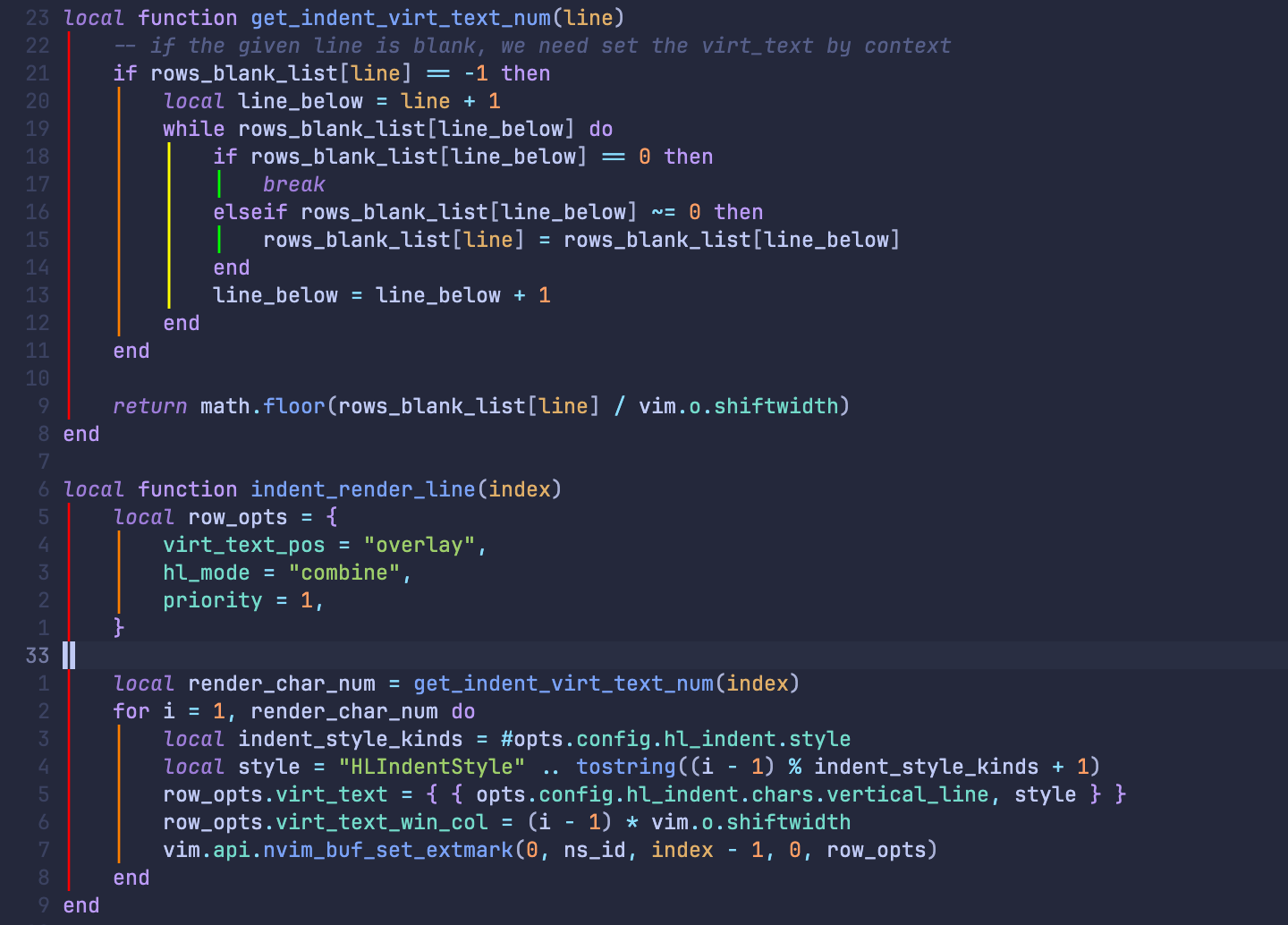 ```lua
indent = {
chars = {
"│",
},
style = {
"#FF0000",
"#FF7F00",
"#FFFF00",
"#00FF00",
"#00FFFF",
"#0000FF",
"#8B00FF",
},
}
```
You can also set multiple character types
```lua
indent = {
chars = {
"│",
},
style = {
"#FF0000",
"#FF7F00",
"#FFFF00",
"#00FF00",
"#00FFFF",
"#0000FF",
"#8B00FF",
},
}
```
You can also set multiple character types
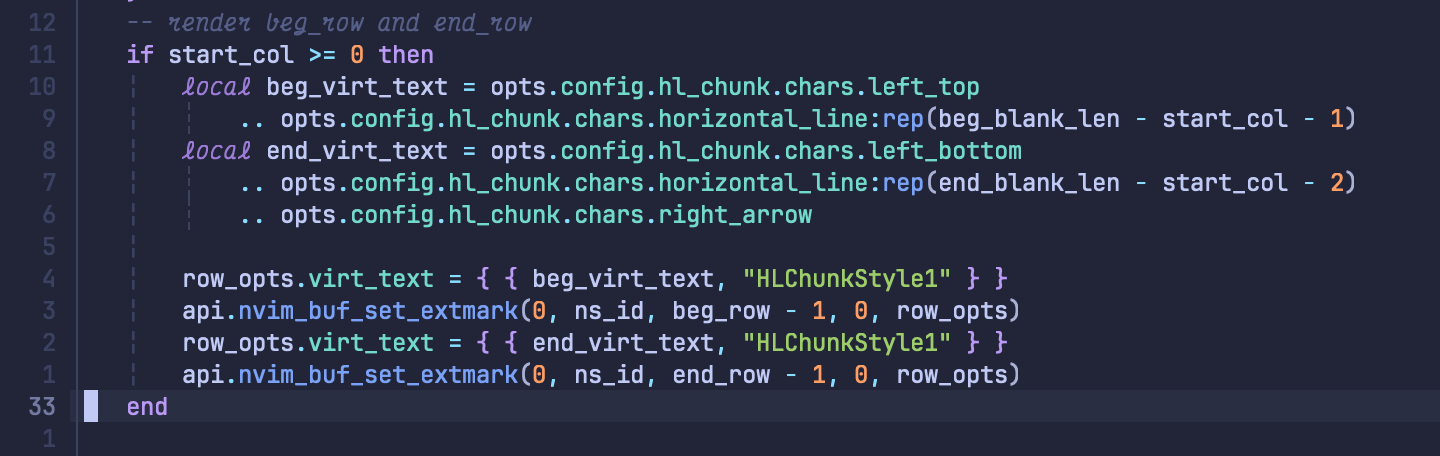 ```lua
indent = {
chars = {
"│",
"¦",
"┆",
"┊",
},
style = {
vim.fn.synIDattr(vim.fn.synIDtrans(vim.fn.hlID("Whitespace")), "fg", "gui"),
},
}
```
If you prefer a bolder display effect, you can set the rendering background color
```lua
indent = {
chars = {
"│",
"¦",
"┆",
"┊",
},
style = {
vim.fn.synIDattr(vim.fn.synIDtrans(vim.fn.hlID("Whitespace")), "fg", "gui"),
},
}
```
If you prefer a bolder display effect, you can set the rendering background color
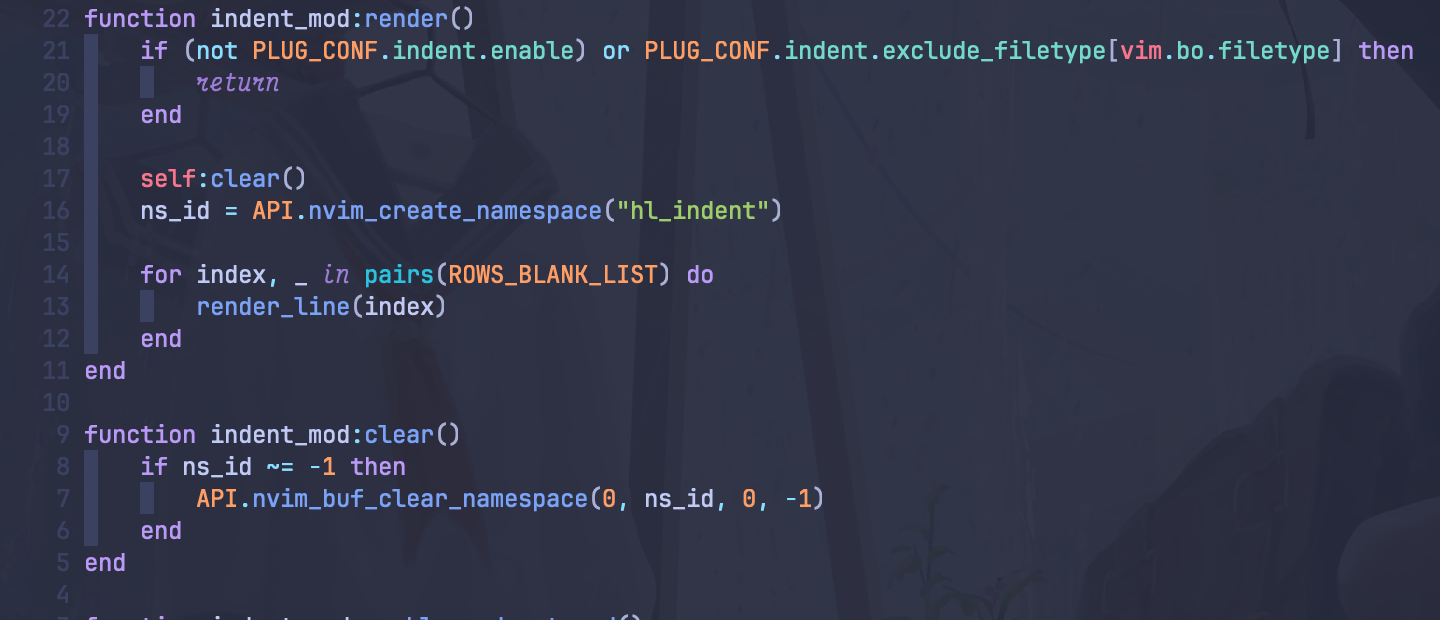 ```lua
indent = {
enable = true,
use_treesitter = false,
chars = {
" ",
},
style = {
{ bg = vim.fn.synIDattr(vim.fn.synIDtrans(vim.fn.hlID("Whitespace")), "fg", "gui") },
},
exclude_filetypes = exclude_ft,
}
```
```lua
indent = {
enable = true,
use_treesitter = false,
chars = {
" ",
},
style = {
{ bg = vim.fn.synIDattr(vim.fn.synIDtrans(vim.fn.hlID("Whitespace")), "fg", "gui") },
},
exclude_filetypes = exclude_ft,
}
```